Turn a person photo + a product photo + an optional script
Muapi ugc video factory
Turn a person photo + a product photo + an optional script into a vertical 9:16 UGC-style video ad. Generates a lifestyle hero image (Nano-Banana Pro Edit), then animates it with native audio using Seedance 2.0 VIP image-to-video.
---
slug: muapi-ugc-video-factory
name: muapi-ugc-video-factory
version: "1.0.0"
description: Turn a person photo + a product photo + an optional script into a vertical 9:16 UGC-style video ad. Generates a lifestyle hero image (Nano-Banana Pro Edit), then animates it with native audio using Seedance 2.0 VIP image-to-video.
acceptLicenseTerms: true
---


# UGC Video Factory

**Turn a person photo + product photo (+ optional script & environment) into a vertical 9:16 UGC-style video ad with native dialogue audio.**

A three-stage pipeline:
1. **GPT** writes a director-grade ultra-realistic lifestyle photography prompt from your inputs.
2. **Nano-Banana Pro Edit** fuses the person + product into a single hero photo (1K, 9:16).
3. **Seedance 2.0 VIP Image-to-Video** animates the hero photo into a 10s vertical UGC clip with synced spoken audio.
Overview
Turn a person photo + product photo (+ optional script & environment) into a vertical 9:16 UGC-style video ad with native dialogue audio.
Manual install (npx, ZIP)
npx skills add SamurAIGPT/Generative-Media-Skills --skill muapi-ugc-video-factory -g -a claude-codemkdir -p ~/.claude/skills && curl -sL https://codeload.github.com/SamurAIGPT/Generative-Media-Skills/tar.gz/5519622e885a \
| tar -xz -C ~/.claude/skills --strip-components=3 Generative-Media-Skills-5519622e885a/.opencode/skills/muapi-ugc-video-factoryNew-Item -ItemType Directory -Force "$HOME\.claude\skills" | Out-Null; Invoke-WebRequest "https://m.agentalley.io/zip/19c606dad017836ededd/muapi-ugc-video-factory.zip" -OutFile "$env:TEMP\muapi-ugc-video-factory.zip"; Expand-Archive "$env:TEMP\muapi-ugc-video-factory.zip" -DestinationPath "$HOME\.claude\skills" -ForceConnects with Agent Alley MCP · agentalley.io/mcp
Files included
SKILL.md6.5 KB
Read the files here
SamurAIGPT/
Show the full text134 lines
UGC Video Factory
Turn a person photo + product photo (+ optional script & environment) into a vertical 9:16 UGC-style video ad with native dialogue audio.
A three-stage pipeline:
- GPT writes a director-grade ultra-realistic lifestyle photography prompt from your inputs.
- Nano-Banana Pro Edit fuses the person + product into a single hero photo (1K, 9:16).
- Seedance 2.0 VIP Image-to-Video animates the hero photo into a 10s vertical UGC clip with synced spoken audio.
Inputs
| Name | Type | Required | Default | Description |
|---|---|---|---|---|
person |
image_url | yes | — | Photo of the person who will appear in the ad (face + upper body works best). |
product |
image_url | yes | — | Clear photo of the product (preferably on neutral background, logo/text legible). |
script |
text | no | Okay… first of all, ship happens. And this hat is honestly my favorite. It also comes in navy and black, so you can pick your vibe. |
The exact line the on-screen person will say (kept short — 1–2 sentences fit 10s comfortably). |
environment |
text | no | study room, laptop in front of it |
Scene / context where the person is using the product (e.g. "bathroom mirror, morning routine", "coffee shop window seat"). |
If person or product is missing, ask the user to upload them (muapi upload file <path>) or offer to generate placeholders before continuing.
Steps
Run the three steps sequentially — each step's output feeds the next.
Step 1 — Director Prompt (GPT)
Use a GPT model (gpt-5.1 or whichever chat model is available to the executing agent) with temperature 0 and max ~200 tokens to produce the hero-image prompt.
System prompt: You are a helpful assistant.
User prompt (substitute {{person}}, {{product}}, {{environment}}):
Uploaded images are being analyzed. Ultra-realistic lifestyle photography with {{person}} and {{product}} and {{environment}}.

If the product is wearable (e.g., hat, glasses, hooded sweatshirt), the person wears the product naturally.

If the product is carried in the hand (e.g., cream, bottle, thermos), the person holds the product naturally.

The product is clearly visible and is the main focus of the image. The logo or text on the product must be legible.

The person has a natural and modern look with a minimalist style.

The scene is consistent with the context of the product's use: {{environment}}.

Lighting: soft natural daylight.
Background: clean, aesthetic, slightly blurred (shallow depth of field).
Style: high-end commercial lifestyle photography, realistic textures, 4K quality, vertical 9:16 composition, social-media advertising style. The background and environment should be appropriate to the product (e.g. a woman with a serum could be at home). The person's facial details and the product must remain unchanged.
Capture the GPT response as {{step1_prompt}}.
Step 2 — Hero Image (Nano-Banana Pro Edit)
Submit a muapi image edit call against the nano-banana-pro-edit model:
- Reference images (
image_urls):[ {{person}}, {{product}} ]— order matters; person first. - Prompt:
{{step1_prompt}}from Step 1. - Aspect ratio:
9:16 - Num images:
1 - Resolution:
1K - Output format:
jpeg
Capture the resulting image URL as {{hero_image}}. Briefly show it to the user for approval before kicking off the video step.
Step 3 — UGC Video (Seedance 2.0 VIP Image-to-Video)
Submit a muapi video from-image call against seedance-2-vip-image-to-video (or the -fast variant if the executing agent wants lower latency).
- Start image:
{{hero_image}}from Step 2. - Aspect ratio:
9:16 - Duration:
10seconds. - Generate audio:
true(native dialogue). - CFG scale:
0.5 - Negative prompt:
blur, distort, low quality - Prompt (substitute
{{script}}):
Create a 10-second vertical UGC-style video (9:16).

A person is interacting naturally with their setting and product.

The product is used naturally:
- If wearable → the person is wearing it.
- If handheld → the person is holding or applying it.

The video is a single, uninterrupted shot. No cuts. No color changes. No text on screen.

The person looks directly at the camera with a relaxed and natural expression.
They interact comfortably with the product using their hands (adjusting, holding, pointing).

They say in a natural, conversational tone:

"{{script}}"

Subtle hand gestures while speaking.
End with a small smile or nod.

Style: authentic UGC, handheld phone feel, light natural movement, soft daylight, shallow depth of field, TikTok/Reels aesthetic.
Poll the result with muapi predict wait <request_id> and download to the user's outputs directory.
Notes
- VIP tier supports 9:16 and durations 4–15s; 10s is the sweet spot for a 1–2 sentence script.
- Keep the script short — Seedance 2.0 will compress longer scripts and clip words.
- Seedance VIP tolerates realistic human faces in references (unlike Chinese tier), making it the right choice for UGC.
- If you want lower latency at the same quality, swap to
seedance-2-vip-image-to-video-fast. - For multi-shot ads, generate several
{{hero_image}}variations in Step 2 and animate each independently — Seedance VIP does not multi-image i2v at 9:16 + audio.
Trigger Keywords
ugc video factory, ugc video ad, person plus product video, talking product ad, ugc reel, lifestyle product video, vertical ugc video
Notes for the Executing Agent
- This recipe is LLM-orchestrated: read each phase, gather any missing inputs from the user, then call
muapiCLI commands. Runmuapi auth configurefirst ifMUAPI_API_KEYis unset. - For local files supplied by the user, upload them first:
muapi upload file <path> --output-json --jq '.url'. - Substitute
{{input_name}}placeholders with the user's actual inputs before issuing each call. - If the
muapiCLI does not yet aliasnano-banana-pro-editorseedance-2-vip-image-to-video, fall back to the raw API:curl -X POST https://api.muapi.ai/api/v1/<endpoint> -H "x-api-key: $MUAPI_API_KEY" -H 'content-type: application/json' -d '{...}', then poll withmuapi predict wait <request_id>.
| 1 | |
| 2 | slug muapi-ugc-video-factory |
| 3 | name muapi-ugc-video-factory |
| 4 | version "1.0.0" |
| 5 | description Turn a person photo + a product photo + an optional script into a vertical 9:16 UGC-style video ad. Generates a lifestyle hero image (Nano-Banana Pro Edit), then animates it with native audio using Seedance 2.0 VIP image-to-video. |
| 6 | acceptLicenseTerms true |
| 7 | |
| 8 | |
| 9 | |
| 10 | # UGC Video Factory |
| 11 | |
| 12 | **Turn a person photo + product photo (+ optional script & environment) into a vertical 9:16 UGC-style video ad with native dialogue audio.** |
| 13 | |
| 14 | A three-stage pipeline: |
| 15 | **GPT** writes a director-grade ultra-realistic lifestyle photography prompt from your inputs. |
| 16 | **Nano-Banana Pro Edit** fuses the person + product into a single hero photo (1K, 9:16). |
| 17 | **Seedance 2.0 VIP Image-to-Video** animates the hero photo into a 10s vertical UGC clip with synced spoken audio. |
| 18 | |
| 19 | ## Inputs |
| 20 | |
| 21 | | Name | Type | Required | Default | Description | |
| 22 | |:---|:---|:---|:---|:---| |
| 23 | | `person` | image_url | yes | — | Photo of the person who will appear in the ad (face + upper body works best). | |
| 24 | | `product` | image_url | yes | — | Clear photo of the product (preferably on neutral background, logo/text legible). | |
| 25 | | `script` | text | no | `Okay… first of all, ship happens. And this hat is honestly my favorite. It also comes in navy and black, so you can pick your vibe.` | The exact line the on-screen person will say (kept short — 1–2 sentences fit 10s comfortably). | |
| 26 | | `environment` | text | no | `study room, laptop in front of it` | Scene / context where the person is using the product (e.g. "bathroom mirror, morning routine", "coffee shop window seat"). | |
| 27 | |
| 28 | If `person` or `product` is missing, ask the user to upload them (`muapi upload file <path>`) or offer to generate placeholders before continuing. |
| 29 | |
| 30 | |
| 31 | ## Steps |
| 32 | |
| 33 | Run the three steps sequentially — each step's output feeds the next. |
| 34 | |
| 35 | ### Step 1 — Director Prompt (GPT) |
| 36 | |
| 37 | Use a GPT model (`gpt-5.1` or whichever chat model is available to the executing agent) with **temperature 0** and **max ~200 tokens** to produce the hero-image prompt. |
| 38 | |
| 39 | **System prompt:** `You are a helpful assistant.` |
| 40 | |
| 41 | **User prompt** (substitute `{{person}}`, `{{product}}`, `{{environment}}`): |
| 42 | |
| 43 | |
| 44 | Uploaded images are being analyzed. Ultra-realistic lifestyle photography with {{person}} and {{product}} and {{environment}}. |
| 45 | |
| 46 | If the product is wearable (e.g., hat, glasses, hooded sweatshirt), the person wears the product naturally. |
| 47 | |
| 48 | If the product is carried in the hand (e.g., cream, bottle, thermos), the person holds the product naturally. |
| 49 | |
| 50 | The product is clearly visible and is the main focus of the image. The logo or text on the product must be legible. |
| 51 | |
| 52 | The person has a natural and modern look with a minimalist style. |
| 53 | |
| 54 | The scene is consistent with the context of the product's use: {{environment}}. |
| 55 | |
| 56 | Lighting: soft natural daylight. |
| 57 | Background: clean, aesthetic, slightly blurred (shallow depth of field). |
| 58 | Style: high-end commercial lifestyle photography, realistic textures, 4K quality, vertical 9:16 composition, social-media advertising style. The background and environment should be appropriate to the product (e.g. a woman with a serum could be at home). The person's facial details and the product must remain unchanged. |
| 59 | |
| 60 | |
| 61 | Capture the GPT response as `{{step1_prompt}}`. |
| 62 | |
| 63 | ### Step 2 — Hero Image (Nano-Banana Pro Edit) |
| 64 | |
| 65 | Submit a `muapi image edit` call against the `nano-banana-pro-edit` model: |
| 66 | |
| 67 | **Reference images** (`image_urls`): `[ {{person}}, {{product}} ]` — order matters; person first. |
| 68 | **Prompt**: `{{step1_prompt}}` from Step 1. |
| 69 | **Aspect ratio**: `9:16` |
| 70 | **Num images**: `1` |
| 71 | **Resolution**: `1K` |
| 72 | **Output format**: `jpeg` |
| 73 | |
| 74 | Capture the resulting image URL as `{{hero_image}}`. Briefly show it to the user for approval before kicking off the video step. |
| 75 | |
| 76 | ### Step 3 — UGC Video (Seedance 2.0 VIP Image-to-Video) |
| 77 | |
| 78 | Submit a `muapi video from-image` call against **`seedance-2-vip-image-to-video`** (or the `-fast` variant if the executing agent wants lower latency). |
| 79 | |
| 80 | **Start image**: `{{hero_image}}` from Step 2. |
| 81 | **Aspect ratio**: `9:16` |
| 82 | **Duration**: `10` seconds. |
| 83 | **Generate audio**: `true` (native dialogue). |
| 84 | **CFG scale**: `0.5` |
| 85 | **Negative prompt**: `blur, distort, low quality` |
| 86 | **Prompt** (substitute `{{script}}`): |
| 87 | |
| 88 | |
| 89 | Create a 10-second vertical UGC-style video (9:16). |
| 90 | |
| 91 | A person is interacting naturally with their setting and product. |
| 92 | |
| 93 | The product is used naturally: |
| 94 | - If wearable → the person is wearing it. |
| 95 | - If handheld → the person is holding or applying it. |
| 96 | |
| 97 | The video is a single, uninterrupted shot. No cuts. No color changes. No text on screen. |
| 98 | |
| 99 | The person looks directly at the camera with a relaxed and natural expression. |
| 100 | They interact comfortably with the product using their hands (adjusting, holding, pointing). |
| 101 | |
| 102 | They say in a natural, conversational tone: |
| 103 | |
| 104 | "{{script}}" |
| 105 | |
| 106 | Subtle hand gestures while speaking. |
| 107 | End with a small smile or nod. |
| 108 | |
| 109 | Style: authentic UGC, handheld phone feel, light natural movement, soft daylight, shallow depth of field, TikTok/Reels aesthetic. |
| 110 | |
| 111 | |
| 112 | Poll the result with `muapi predict wait <request_id>` and download to the user's outputs directory. |
| 113 | |
| 114 | ## Notes |
| 115 | |
| 116 | VIP tier supports 9:16 and durations 4–15s; 10s is the sweet spot for a 1–2 sentence script. |
| 117 | Keep the script short — Seedance 2.0 will compress longer scripts and clip words. |
| 118 | Seedance VIP tolerates realistic human faces in references (unlike Chinese tier), making it the right choice for UGC. |
| 119 | If you want lower latency at the same quality, swap to `seedance-2-vip-image-to-video-fast`. |
| 120 | For multi-shot ads, generate several `{{hero_image}}` variations in Step 2 and animate each independently — Seedance VIP does not multi-image i2v at 9:16 + audio. |
| 121 | |
| 122 | ## Trigger Keywords |
| 123 | |
| 124 | `ugc video factory`, `ugc video ad`, `person plus product video`, `talking product ad`, `ugc reel`, `lifestyle product video`, `vertical ugc video` |
| 125 | |
| 126 | |
| 127 | |
| 128 | |
| 129 | ## Notes for the Executing Agent |
| 130 | |
| 131 | This recipe is LLM-orchestrated: read each phase, gather any missing inputs from the user, then call `muapi` CLI commands. Run `muapi auth configure` first if `MUAPI_API_KEY` is unset. |
| 132 | For local files supplied by the user, upload them first: `muapi upload file <path> --output-json --jq '.url'`. |
| 133 | Substitute `{{input_name}}` placeholders with the user's actual inputs before issuing each call. |
| 134 | If the `muapi` CLI does not yet alias `nano-banana-pro-edit` or `seedance-2-vip-image-to-video`, fall back to the raw API: `curl -X POST https://api.muapi.ai/api/v1/<endpoint> -H "x-api-key: $MUAPI_API_KEY" -H 'content-type: application/json' -d '{...}'`, then poll with `muapi predict wait <request_id>`. |
Details
- Version
- 1.0.0
- Updated
- Sep 8, 2026
- License
- MIT
- Stars on the repo
- ★ 4,317
- Checked
- Source
- SamurAIGPT/Generative-Media-Skills ↗
- Creator
- SamurAIGPT · 16 listings
Similar skills
See all → SkillMake a polished video of an app or a featureMake a demo video with OpenScreen
 getopenscreen/openscreen · by getopenscreenMake a polished video of an app or a feature with OpenScreen's MCP tools, from storyboard to recording, editing and export, then either attach it to a pull request or draft a post on X. Use when the user asks for a demo, a demo video, a screen recording, a product video, a launch clip, a video for X/Twitter, LinkedIn or a README, or to show a change in a pull request ("add a video to the PR", "show the feature to reviewers"). Also use to set OpenScreen up for an agent, and to continue an OpenScreen demo in a new session.★ 4.5k GitHub stars
 SkillVideo and audio processing with FFmpegFFmpeg for Video Production
 digitalsamba/claude-code-video-toolkit · by digitalsambaVideo and audio processing with FFmpeg. Use for format conversion, resizing, compression, audio extraction, and preparing assets for Remotion. Triggers include converting GIF to MP4, resizing video, extracting audio, compressing files, or any media transformation task.★ 2.1k GitHub stars
 SkillTurn static SCREENSHOTS into a simulated screen recordingfake-screencast — screenshots → simulated screen recording
 hassancs91/claude-youtube-editor · by hassancs91Turn static SCREENSHOTS into a simulated screen recording (TSX) — a fake screencast with an animated cursor that eases to targets and clicks, a browser URL bar that updates per page, hard-cut navigations, in-page filter crossfades, smooth scroll, and a ken-burns zoom onto the payoff. Use when a beat needs to show a walkthrough of a web app / dashboard / settings page and you'd rather build it from screenshots than get (or ask for) a real screen recording — "fake a screen recording", "turn these screenshots into a screencast", "simulate clicking through the dashboard", "animate this UI walkthrough", "cursor moving through the app". Built on remotion/src/lib/screencast.tsx. This is a technique WITHIN step 2 (make-tsx): defer timeline/render/bake orchestration to make-tsx and raw crash-free TSX rules to vidtsx-2d-generator. Not for a single static page clone (use WebBrowserFrame directly) and not when the point is genuine proof of real speed/output (use a real recording).★ 330 GitHub stars
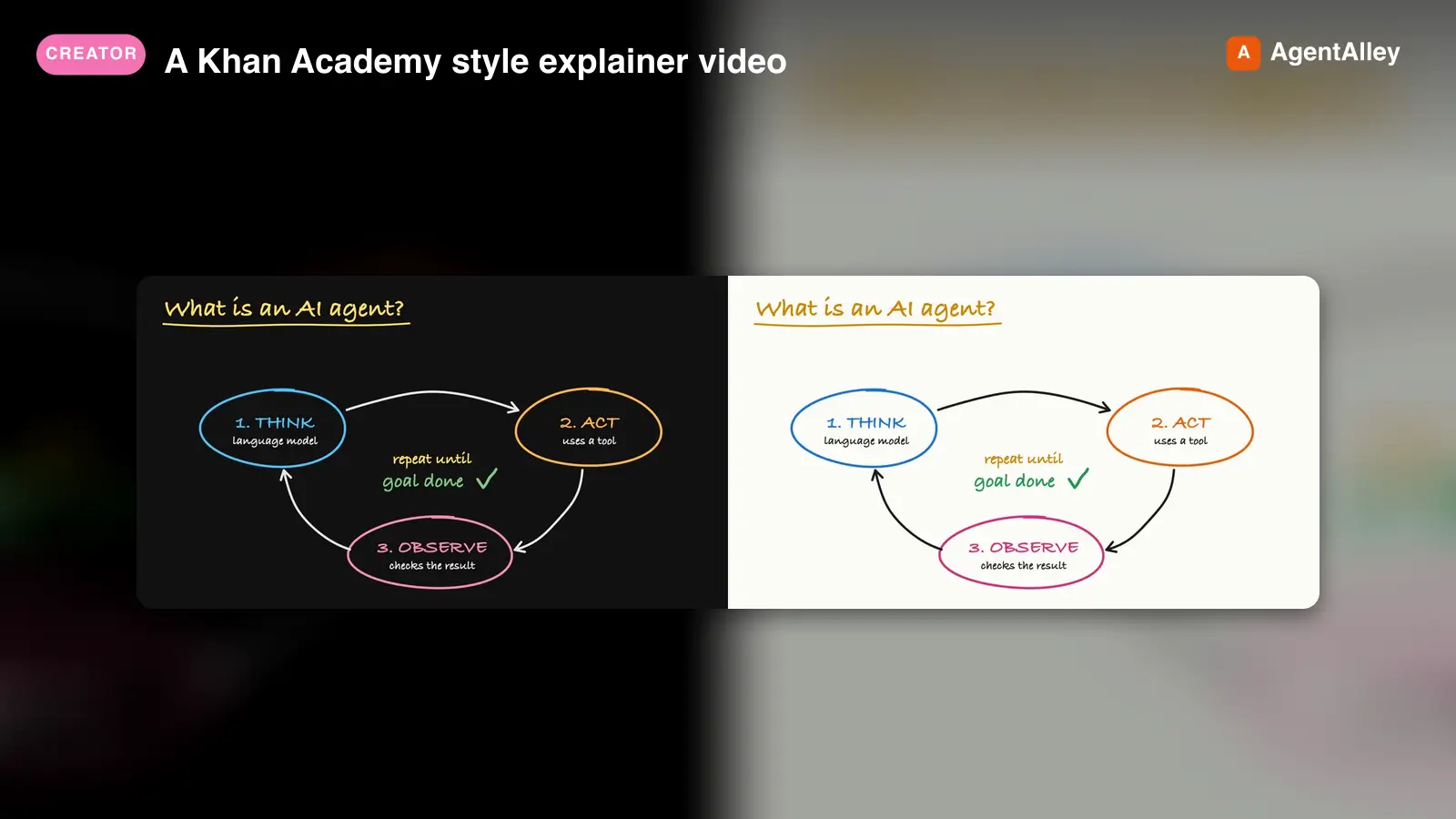 SkillA Khan Academy style explainer videoKhan explainer
 haiderfarooq3/khan-explainer · by haiderfarooq3Use when the user wants a Khan Academy style explainer video, a blackboard or whiteboard lesson, a hand-drawn chalk-talk animation, a short narrated video that teaches a concept ("explain X in a video", "explainer video", "teach X in 30 seconds"), or a tutorial that draws hand-written arrows, circles and captions over product screenshots ("draw over the UI", "annotated walkthrough"), or clips cut from a YouTube video or podcast where the speaker's real audio plays under a blackboard drawn to it ("khanify this video", "clip this with the Khan visual"), especially when it must be free, local, and use no paid APIs or keys. macOS only.★ 113 GitHub stars
 SkillPick the output format that makes an explanation easiestUnderstanding ladder
 ChangWenC/understanding-ladder · by ChangWenCPick the output format that makes an explanation easiest to understand, following Karpathy's understanding ladder — (1) plain controlled text, (2) diagram, (3) interactive HTML page, (4) 3Blue1Brown-style explainer video. Classify the content (definition/steps, process/causality, parameter→outcome, unfolding derivation), recommend the lowest rung that fully answers, then produce it. Works in English and Chinese. Use when the user says "explain this clearly", "help me understand", "draw a diagram", "make it interactive", "make an explainer video", "what's the best way to explain X", "understanding ladder", "Karpathy ladder", or 「讲清楚」「帮我理解」「画个图」「做个交互页」「做个讲解视频」「用哪种方式讲最好懂」「理解阶梯」; also when explaining a non-trivial concept, mechanism, algorithm, or an AI agent's output.★ 108 GitHub stars
 SkillAnimate first frames into A-roll talking head clipsAnimate (A-Roll)
 TheMattBerman/scrollclaw · by TheMattBermanAnimate first frames into A-roll talking head clips. Uses Sora 2 via fal.ai (primary) with Kling 3 auto-fallback when Sora is unavailable or sunset.★ 71 GitHub stars
More from SamurAIGPT
 SkillGenerate a high-converting ad creative setMuapi ad creative
 SamurAIGPT/Generative-Media-Skills · by SamurAIGPTGenerate a high-converting ad creative set — hero image, ad copy variations, and platform-optimized crops for Meta, Google Display, and LinkedIn.★ 4.3k GitHub stars
 SkillTurn a long video into N viral-ready short clipsMuapi AI clippingSamurAIGPT/Generative-Media-Skills · by SamurAIGPTTurn a long video into N viral-ready short clips with a single managed API call. Wraps muapi.ai's `/ai-clipping` endpoint, which handles transcription, highlight ranking through a virality framework (hook / emotional peak / opinion bomb / revelation / conflict / quotable / story peak / practical value), overlap dedupe, and vertical face-tracking auto-crop server-side. No local Whisper, no local LLM, no GPU.★ 4.3k GitHub stars
 SkillGenerate a high-cut-density action / fight scene by firstMuapi AI fight sceneSamurAIGPT/Generative-Media-Skills · by SamurAIGPTGenerate a high-cut-density action / fight scene by first composing a 16-cell storyboard image, then driving Seedance 2.0 image-to-video off that storyboard. Stacks GPT-Image-2 (character sheet + storyboard), Nano-Banana-2 (environment concept), and Seedance 2.0 i2v.★ 4.3k GitHub stars
 SkillTurn a real lifestyle photo into a polished chibi cloneMuapi chibi collage effectSamurAIGPT/Generative-Media-Skills · by SamurAIGPTTurn a real lifestyle photo into a polished "chibi clone sticker diary" image — the original person stays photorealistic, surrounded by 5–8 kawaii chibi mini-clones, scrapbook doodles, and handwritten-style captions that match the scene.★ 4.3k GitHub stars
 SkillDirect high-fidelity cinematic video with AIMuapi cinema directorSamurAIGPT/Generative-Media-Skills · by SamurAIGPTDirect high-fidelity cinematic video with AI — translates creative intent into technical cinematographic directives for Veo3, Kling, and Luma video models via muapi.ai★ 4.3k GitHub stars
 SkillCreate a polished, on-brand Instagram postMuapi instagram postSamurAIGPT/Generative-Media-Skills · by SamurAIGPTCreate a polished, on-brand Instagram post — square or portrait hero image with matching caption and hashtags.★ 4.3k GitHub stars