Create a polished, on-brand Instagram post
Muapi instagram post
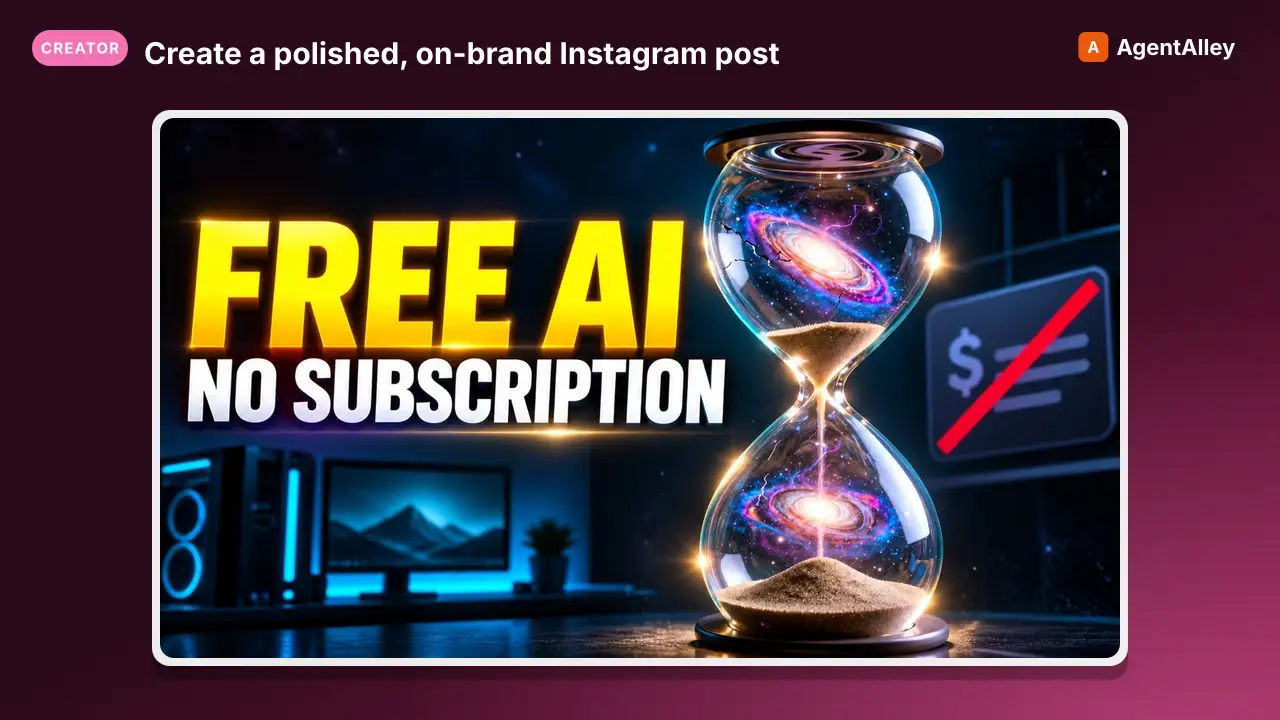
Create a polished, on-brand Instagram post — square or portrait hero image with matching caption and hashtags.
---
slug: muapi-instagram-post
name: muapi-instagram-post
version: "1.0.0"
description: Create a polished, on-brand Instagram post — square or portrait hero image with matching caption and hashtags.
acceptLicenseTerms: true
---


# Instagram Post

**Create a polished, on-brand Instagram post — square or portrait hero image with matching caption and hashtags.**

## Inputs

| Name | Type | Required | Default | Description |
|:---|:---|:---|:---|:---|
| `brief` | text | yes | — | What the post is about (e.g. "summer coffee launch at our café, warm golden vibes"). |
Overview
Create a polished, on-brand Instagram post — square or portrait hero image with matching caption and hashtags.
Manual install (npx, ZIP)
Claude Code
npx skills add SamurAIGPT/Generative-Media-Skills --skill muapi-instagram-post -g -a claude-codeClaude Code (manual)
mkdir -p ~/.claude/skills && curl -sL https://codeload.github.com/SamurAIGPT/Generative-Media-Skills/tar.gz/5519622e885a \
  | tar -xz -C ~/.claude/skills --strip-components=3 Generative-Media-Skills-5519622e885a/.opencode/skills/muapi-instagram-post
Windows (PowerShell)
New-Item -ItemType Directory -Force "$HOME\.claude\skills" | Out-Null; Invoke-WebRequest "https://m.agentalley.io/zip/14914648ea9afea86ec6/muapi-instagram-post.zip" -OutFile "$env:TEMP\muapi-instagram-post.zip"; Expand-Archive "$env:TEMP\muapi-instagram-post.zip" -DestinationPath "$HOME\.claude\skills" -ForceClaude.ai / desktop
Codex, Cursor, other agents
Connects with Agent Alley MCP · agentalley.io/mcp
Files included
SKILL.md2.8 KB
Read the files here
SamurAIGPT/
SKILL.md
Show the full text58 lines
Instagram Post
Create a polished, on-brand Instagram post — square or portrait hero image with matching caption and hashtags.
Inputs
| Name | Type | Required | Default | Description |
|---|---|---|---|---|
brief |
text | yes | — | What the post is about (e.g. "summer coffee launch at our café, warm golden vibes"). |
brand_style |
text | no | modern, vibrant, clean typography, lifestyle photography aesthetic | Brand personality and visual style tags. |
format |
text | no | 1:1 | Post format — "1:1" for feed square, "4:5" for portrait feed, "9:16" for Reels. |
Steps
This skill produces one polished Instagram-ready visual + caption. Use the plan if generating more than one variant.
Phase A — Generate the hero image
- Write a detailed, atmosphere-rich image prompt based on
{{brief}}and{{brand_style}}:- Include lighting direction, color palette, mood, subject placement, and lens feel.
- Optimize for Instagram aesthetics: clean, punchy, single focal point.
- Append style tags:
{{brand_style}}, social media photography, highly detailed.
- Call
muapi image generate(model=nano-banana-2, aspect_ratio={{format}}). - If the user provided a product or subject image in the session, prefer
muapi image editinstead to maintain visual consistency.
Phase B — Caption & Hashtags
After the image is generated, compose and return:
- Caption: 2–4 lines. Hook line first (punchy, curiosity-driving), then brand message, then CTA.
- Hashtags: 15–20 targeted hashtags (mix of niche, mid-tier, and broad). Format as a separate block.
Notes
- Prioritize scroll-stopping first impressions — the image must visually communicate the brief within 2 seconds.
- If
formatis9:16(Reels cover), note that text overlays are common; include a suggestion for on-screen text placement. - Do NOT generate multiple variants unless the user explicitly asks.
Trigger Keywords
instagram post, ig post, instagram, feed post, instagram creative
Notes for the Executing Agent
- This recipe is LLM-orchestrated: read each phase, gather any missing inputs from the user, then call
muapiCLI commands. Usemuapi auth configurefirst ifMUAPI_API_KEYis unset. - For model IDs without a CLI alias yet, fall back to the raw endpoint via
curl -X POST https://api.muapi.ai/api/v1/<endpoint> -H "x-api-key: $MUAPI_API_KEY" -H 'content-type: application/json' -d '{...}'and poll withmuapi predict wait <request_id>. - Substitute
{{input_name}}placeholders with the user's actual inputs before issuing each call.
| 1 | |
| 2 | slug muapi-instagram-post |
| 3 | name muapi-instagram-post |
| 4 | version "1.0.0" |
| 5 | description Create a polished, on-brand Instagram post — square or portrait hero image with matching caption and hashtags. |
| 6 | acceptLicenseTerms true |
| 7 | |
| 8 | |
| 9 | |
| 10 | # Instagram Post |
| 11 | |
| 12 | **Create a polished, on-brand Instagram post — square or portrait hero image with matching caption and hashtags.** |
| 13 | |
| 14 | ## Inputs |
| 15 | |
| 16 | | Name | Type | Required | Default | Description | |
| 17 | |:---|:---|:---|:---|:---| |
| 18 | | `brief` | text | yes | — | What the post is about (e.g. "summer coffee launch at our café, warm golden vibes"). | |
| 19 | | `brand_style` | text | no | modern, vibrant, clean typography, lifestyle photography aesthetic | Brand personality and visual style tags. | |
| 20 | | `format` | text | no | 1:1 | Post format — "1:1" for feed square, "4:5" for portrait feed, "9:16" for Reels. | |
| 21 | |
| 22 | |
| 23 | ## Steps |
| 24 | |
| 25 | This skill produces one polished Instagram-ready visual + caption. Use the plan if generating more than one variant. |
| 26 | |
| 27 | ### Phase A — Generate the hero image |
| 28 | |
| 29 | Write a detailed, atmosphere-rich image prompt based on `{{brief}}` and `{{brand_style}}`: |
| 30 | Include lighting direction, color palette, mood, subject placement, and lens feel. |
| 31 | Optimize for Instagram aesthetics: clean, punchy, single focal point. |
| 32 | Append style tags: `{{brand_style}}, social media photography, highly detailed`. |
| 33 | Call `muapi image generate` (model=nano-banana-2, aspect_ratio=`{{format}}`). |
| 34 | If the user provided a product or subject image in the session, prefer `muapi image edit` instead to maintain visual consistency. |
| 35 | |
| 36 | ### Phase B — Caption & Hashtags |
| 37 | |
| 38 | After the image is generated, compose and return: |
| 39 | **Caption**: 2–4 lines. Hook line first (punchy, curiosity-driving), then brand message, then CTA. |
| 40 | **Hashtags**: 15–20 targeted hashtags (mix of niche, mid-tier, and broad). Format as a separate block. |
| 41 | |
| 42 | ## Notes |
| 43 | Prioritize scroll-stopping first impressions — the image must visually communicate the brief within 2 seconds. |
| 44 | If `format` is `9:16` (Reels cover), note that text overlays are common; include a suggestion for on-screen text placement. |
| 45 | Do NOT generate multiple variants unless the user explicitly asks. |
| 46 | |
| 47 | ## Trigger Keywords |
| 48 | |
| 49 | `instagram post`, `ig post`, `instagram`, `feed post`, `instagram creative` |
| 50 | |
| 51 | |
| 52 | |
| 53 | |
| 54 | ## Notes for the Executing Agent |
| 55 | |
| 56 | This recipe is LLM-orchestrated: read each phase, gather any missing inputs from the user, then call `muapi` CLI commands. Use `muapi auth configure` first if `MUAPI_API_KEY` is unset. |
| 57 | For model IDs without a CLI alias yet, fall back to the raw endpoint via `curl -X POST https://api.muapi.ai/api/v1/<endpoint> -H "x-api-key: $MUAPI_API_KEY" -H 'content-type: application/json' -d '{...}'` and poll with `muapi predict wait <request_id>`. |
| 58 | Substitute `{{input_name}}` placeholders with the user's actual inputs before issuing each call. |
Details
- Version
- 1.0.0
- Updated
- Sep 8, 2026
- License
- MIT
- Stars on the repo
- ★ 4,317
- Checked
- Source
- SamurAIGPT/Generative-Media-Skills ↗
- Creator
- SamurAIGPT · 16 listings
Similar skills
See all → SkillResearch what people actually say about any topicSTEP 0: STALE-CLONE SELF-CHECK — RUN BEFORE READING BELOW
 mvanhorn/last30days-skill · by mvanhornResearch what people actually say about any topic in the last 30 days. Pulls posts and engagement from Reddit, X, YouTube, TikTok, Hacker News, Polymarket, GitHub, and the web. Includes a doctor health check to diagnose broken or missing sources.★ 63.5k GitHub stars
 SkillScrapes social platforms, business dataApify
 danielmiessler/LifeOS · by danielmiesslerScrapes social platforms, business data, and e-commerce via Apify actors — Instagram, LinkedIn, TikTok, YouTube, Facebook, Google Maps, Amazon, and web crawls — filtering in code. USE WHEN scrape Instagram, scrape LinkedIn, scrape TikTok, scrape YouTube, scrape Facebook, Google Maps leads, Amazon reviews, business intelligence, multi-platform social listening, competitive analysis, lead generation, social monitoring, Apify actors, web crawl, extract contacts. NOT FOR X/Twitter account operations like posting, threads, or bookmarks (those need a dedicated X API client), 4-tier progressive scraping with proxy escalation (use BrightData), or real-Chrome bot bypass and computer use (use Interceptor).★ 19.3k GitHub stars
 Skill微信公众号长文增长闭环 ——
 tsingyuai/growth-lab · by tsingyuai微信公众号长文增长闭环 —— 从读者问题与复刻锚选题、写出可验证的公众号长文、预览与合规检查、同步微信草稿、三重确认下受控发布,到回收阅读与转化数据并复盘。用户要求写公众号、把内容改成公众号、同步或发布微信草稿、查看公众号数据或复盘时使用。★ 2k GitHub stars
 SkillSearch and retrieve content from Twitter/XTwitter/X Skill
 ReScienceLab/opc-skills · by ReScienceLabSearch and retrieve content from Twitter/X. Get user info, tweets, replies, followers, communities, spaces, and trends via twitterapi.io. Use when user mentions Twitter, X, or tweets.★ 1.8k GitHub stars
 SkillSays 'YouTube script', 'video script'🎬 YouTube Script: Writing retention-optimized video script...
 cwinvestments/memstack · by cwinvestmentsUse this skill when the user says 'YouTube script', 'video script', 'write script for YouTube', 'YouTube video outline', or is creating scripted content for a YouTube video with hooks, chapters, and CTAs. Do NOT use for TikTok/Reels short-form scripts or webinar presentations.★ 423 GitHub stars
 SkillAgent Reach — 互联网能力路由器
 Ootto-AI/claude-content-skills · by Ootto-AIMUST USE when user wants to 调研/research/搜索/search/查/找/look up anything on the internet — e.g. 全网调研 X / 帮我调研一下 X / 查一下 X / 搜搜 X / 看看大家怎么评价 X / X 上有什么讨论 / research this topic。 Also MUST USE when user mentions any platform or shares any URL/链接: 小红书/xiaohongshu/xhs, Twitter/推特/X, B站/bilibili, Reddit, V2EX, LinkedIn/领英/招聘/求职/jobs, YouTube, GitHub code search, 小宇宙播客, 雪球/股票行情, RSS feeds, or any web URL. 13 platforms, multi-backend routing (OpenCLI / per-platform CLIs / APIs). Zero config for 6 channels. Run `agent-reach doctor --json` to see which backend serves each platform right now. NOT for: 写报告/数据分析/翻译等内容加工(本 skill 只负责从互联网获取内容); 发帖/评论/点赞等写操作;已有专门 skill 的平台(先用专门 skill)。 【路由方式】SKILL.md 包含路由表和常用命令,复杂场景需按需阅读对应分类的 references/*.md。 分类:search / social (小红书/推特/B站/V2EX/Reddit) / career(LinkedIn) / dev(github) / web(网页/文章/RSS) / video(YouTube/B站/播客)。★ 139 GitHub stars
More from SamurAIGPT
 SkillGenerate a high-converting ad creative setMuapi ad creative
 SamurAIGPT/Generative-Media-Skills · by SamurAIGPTGenerate a high-converting ad creative set — hero image, ad copy variations, and platform-optimized crops for Meta, Google Display, and LinkedIn.★ 4.3k GitHub stars
 SkillTurn a long video into N viral-ready short clipsMuapi AI clippingSamurAIGPT/Generative-Media-Skills · by SamurAIGPTTurn a long video into N viral-ready short clips with a single managed API call. Wraps muapi.ai's `/ai-clipping` endpoint, which handles transcription, highlight ranking through a virality framework (hook / emotional peak / opinion bomb / revelation / conflict / quotable / story peak / practical value), overlap dedupe, and vertical face-tracking auto-crop server-side. No local Whisper, no local LLM, no GPU.★ 4.3k GitHub stars
 SkillGenerate a high-cut-density action / fight scene by firstMuapi AI fight sceneSamurAIGPT/Generative-Media-Skills · by SamurAIGPTGenerate a high-cut-density action / fight scene by first composing a 16-cell storyboard image, then driving Seedance 2.0 image-to-video off that storyboard. Stacks GPT-Image-2 (character sheet + storyboard), Nano-Banana-2 (environment concept), and Seedance 2.0 i2v.★ 4.3k GitHub stars
 SkillTurn a real lifestyle photo into a polished chibi cloneMuapi chibi collage effectSamurAIGPT/Generative-Media-Skills · by SamurAIGPTTurn a real lifestyle photo into a polished "chibi clone sticker diary" image — the original person stays photorealistic, surrounded by 5–8 kawaii chibi mini-clones, scrapbook doodles, and handwritten-style captions that match the scene.★ 4.3k GitHub stars
 SkillDirect high-fidelity cinematic video with AIMuapi cinema directorSamurAIGPT/Generative-Media-Skills · by SamurAIGPTDirect high-fidelity cinematic video with AI — translates creative intent into technical cinematographic directives for Veo3, Kling, and Luma video models via muapi.ai★ 4.3k GitHub stars
 SkillEngineer professional-grade brand logos using geometricMuapi logo creatorSamurAIGPT/Generative-Media-Skills · by SamurAIGPTEngineer professional-grade brand logos using geometric primitives and negative space — generates minimalist, scalable vector-style marks via muapi.ai★ 4.3k GitHub stars