Generate a high-cut-density action / fight scene by first
Muapi AI fight scene
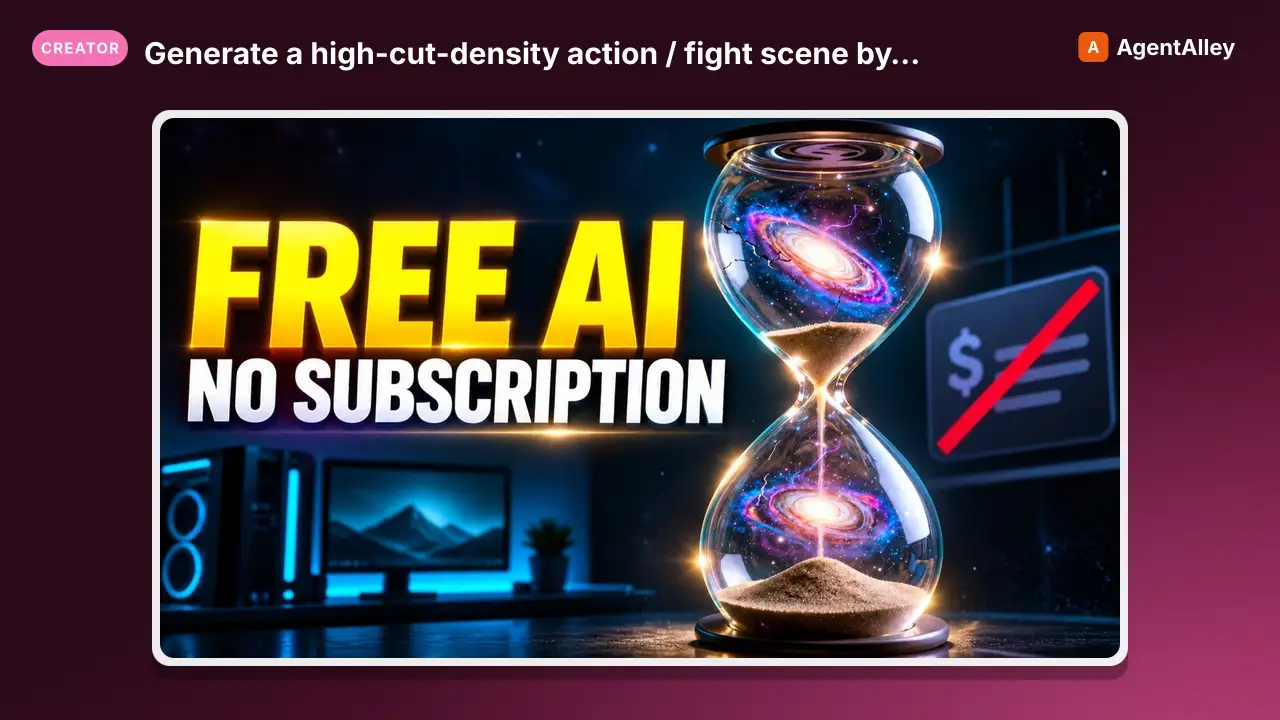
Generate a high-cut-density action / fight scene by first composing a 16-cell storyboard image, then driving Seedance 2.0 image-to-video off that storyboard. Stacks GPT-Image-2 (character sheet + storyboard), Nano-Banana-2 (environment…
---
slug: muapi-ai-fight-scene
name: muapi-ai-fight-scene
version: "1.0.0"
description: Generate a high-cut-density action / fight scene by first composing a 16-cell storyboard image, then driving Seedance 2.0 image-to-video off that storyboard. Stacks GPT-Image-2 (character sheet + storyboard), Nano-Banana-2 (environment concept), and Seedance 2.0 i2v.
acceptLicenseTerms: true
---


# AI Fight Scene Generator

**Generate a high-cut-density action / fight scene by first composing a 16-cell storyboard image, then driving Seedance 2.0 image-to-video off that storyboard.**

The core idea: **action tension comes from cut density, not single-shot quality.** Forcing the video model to follow a pre-drawn 4×4 storyboard grid gives you 16 distinct shots in a 15-second clip — landing punches, reverse angles, ECUs, whip-pans — that no t2v prompt could choreograph on its own.

## Inputs

| Name | Type | Required | Default | Description |
Overview
Generate a high-cut-density action / fight scene by first composing a 16-cell storyboard image, then driving Seedance 2.0 image-to-video off that storyboard.
Manual install (npx, ZIP)
npx skills add SamurAIGPT/Generative-Media-Skills --skill muapi-ai-fight-scene -g -a claude-codemkdir -p ~/.claude/skills && curl -sL https://codeload.github.com/SamurAIGPT/Generative-Media-Skills/tar.gz/5519622e885a \
| tar -xz -C ~/.claude/skills --strip-components=3 Generative-Media-Skills-5519622e885a/library/motion/ai-fight-sceneNew-Item -ItemType Directory -Force "$HOME\.claude\skills" | Out-Null; Invoke-WebRequest "https://m.agentalley.io/zip/04bfef561ef3d750a0f6/ai-fight-scene.zip" -OutFile "$env:TEMP\ai-fight-scene.zip"; Expand-Archive "$env:TEMP\ai-fight-scene.zip" -DestinationPath "$HOME\.claude\skills" -ForceConnects with Agent Alley MCP · agentalley.io/mcp
Files included
SKILL.md8.1 KB
Read the files here
SamurAIGPT/
Show the full text132 lines
AI Fight Scene Generator
Generate a high-cut-density action / fight scene by first composing a 16-cell storyboard image, then driving Seedance 2.0 image-to-video off that storyboard.
The core idea: action tension comes from cut density, not single-shot quality. Forcing the video model to follow a pre-drawn 4×4 storyboard grid gives you 16 distinct shots in a 15-second clip — landing punches, reverse angles, ECUs, whip-pans — that no t2v prompt could choreograph on its own.
Inputs
| Name | Type | Required | Default | Description |
|---|---|---|---|---|
character_description |
text | yes | — | Full physical description of the fighter(s). Asymmetric details (eye colour, scar side, holster on left hip) help the model preserve identity across panels. |
environment_description |
text | yes | — | The scene setting — e.g. "cyberpunk wet back-alley, neon kanji signage, Stray-game aesthetic, rain on chrome." |
action_script |
text | yes | — | The action beat — prose or numbered beats. E.g. "Hero is cornered → blocks first punch → counter-elbow → throw opponent into trash cans → finisher." |
style_direction |
text | no | cinematic action film, anamorphic lens, high contrast, motion blur on hits | Aesthetic / look tags applied to every frame. |
duration |
int | no | 15 | Final video length in seconds. The storyboard's 16 cells map roughly 1 shot per second at default. |
aspect_ratio |
text | no | 16:9 | Output aspect — 16:9 cinematic, 9:16 vertical, 1:1 square. |
Steps
Phase A — Character Sheet
Generate a clean turnaround-style character sheet using muapi image generate (model=gpt-image-2-text-to-image):
- Prompt:
Character reference sheet of {{character_description}}. Three views — front, 3/4, profile — on a neutral grey backdrop. Studio lighting, full body, no text overlays, photoreal. Asymmetric identifying details preserved on the correct side. {{style_direction}}. - Aspect ratio:
3:2
Present the character sheet and confirm identity details look right before proceeding. This image becomes reference #1 for later phases.
Phase B — Environment Concept
Use muapi image generate (model=nano-banana-2) to design the scene/world:
- Prompt:
Wide establishing shot of {{environment_description}}. No characters in frame — environment only. Strong perspective lines, depth, atmospheric haze. {{style_direction}}. Production-design concept art. - Aspect ratio:
{{aspect_ratio}}
Nano-Banana-2 is chosen here for its reasoning-driven composition — it's better than text-to-image-only models at producing locations with believable spatial logic (chokepoints, cover, sightlines) that an action scene can use. Present for approval. This becomes reference #2.
Phase C — 16-Cell Storyboard
Compose the action onto a single 4×4 storyboard image using muapi image edit (model=gpt-image-2-image-to-image):
- Reference Images: the character sheet from Phase A and the environment plate from Phase B.
- Prompt:
Compose a 4×4 storyboard grid (16 numbered cells) for the following action sequence: {{action_script}} CHARACTER (use reference image 1 identity throughout, asymmetric details preserved): {{character_description}} LOCATION (use reference image 2 spatial layout): {{environment_description}} Each cell labels: SHOT # (1–16) · SIZE (WIDE / MS / CU / ECU) · CAMERA-MOVE arrow (push, pull, whip, dolly, crash-zoom, handheld) · 1-word RHYTHM note (BEAT / IMPACT / RECOVERY / RESET). Vary shot size aggressively — never two WIDEs in a row. Land every IMPACT on a CU or ECU. Hand-drawn comic-book ink-and-wash style, monochrome with selective red accents on hits. Numbered cells, clear gutters between panels. Aesthetic: {{style_direction}}. - Aspect ratio:
1:1(square works best for a 4×4 grid)
Present the storyboard to the user. Confirm:
- The 16 shots read clearly
- Identity stays consistent cell-to-cell
- Cut density / shot-size variation looks aggressive enough
If a panel reads poorly, regenerate just the storyboard with that cell's note bolded ("CELL 7 must be an ECU on the right fist").
Phase D — Storyboard → Video (Seedance 2.0)
Hand the storyboard to muapi video from-image (model=seedance-v2.0-i2v):
- Reference Image: the 16-cell storyboard from Phase C.
- Prompt:
Generate a {{duration}}-second action sequence that strictly follows the 16-cell storyboard reference image, cell-by-cell, top-left to bottom-right. - Honour each cell's labelled SHOT SIZE and CAMERA-MOVE — match cuts to the storyboard's rhythm notes. - Strong cinematic feel and shot language. Exaggerated dynamics. Hits land hard with motion blur and impact frames. - Camera language: anamorphic, handheld where the storyboard calls for it, locked-off where it doesn't. - Native audio: impact sfx on every IMPACT cell, footsteps, fabric/Foley, restrained low score under the action. Action being rendered: {{action_script}}. Aesthetic: {{style_direction}}. - Duration:
{{duration}}(default 15) - Aspect ratio:
{{aspect_ratio}}
After generation, present the final video. If the cut density feels too low or shots don't match the storyboard, regenerate Phase D first (cheaper than rebuilding the storyboard) with the prompt emphasising "strict cell-by-cell adherence" more aggressively.
Notes
- Why the storyboard image and not a text storyboard? Seedance 2.0 i2v anchors its motion plan to the visual reference. A grid of 16 drawn cells gives it 16 visual targets to hit — text descriptions of shots get averaged into mush.
- Asymmetric character details matter. Without something like "scar over the right eyebrow" or "leather glove on the left hand only", identity drift between cells is the #1 failure mode.
- Use
seedance-2.0-i2v-480pto draft. Cheaper preview pass before committing to the full-resseedance-v2.0-i2vrun. - For longer fights, chain two runs: first run uses storyboard A (cells 1–16, beats 1–15s); second run uses storyboard B (cells 17–32, beats 15–30s) with the last cell of A as a continuity anchor in B's first cell.
- Language: Both English and Chinese prompts work in all four models, so the storyboard cell labels can be in either language.
Trigger Keywords
fight scene, action sequence, storyboard to video, cut density, cinematic action, combat choreography, seedance 2 storyboard
Pipeline at a Glance
character_description ──► [GPT-Image-2 t2i]   ─► character sheet ──┐
                                                                    │
environment_description ─► [Nano-Banana-2 t2i] ─► environment plate ┼─► [GPT-Image-2 i2i] ─► 16-cell storyboard ─► [Seedance 2.0 i2v] ─► 15s action video
                                                                    │
action_script + style_direction ───────────────────────────────────►┘
Notes for the Executing Agent
- This recipe is LLM-orchestrated: read each phase, gather any missing inputs from the user, then call
muapiCLI commands. Usemuapi auth configurefirst ifMUAPI_API_KEYis unset. - For model IDs without a CLI alias yet, fall back to the raw endpoint via
curl -X POST https://api.muapi.ai/api/v1/<endpoint> -H "x-api-key: $MUAPI_API_KEY" -H 'content-type: application/json' -d '{...}'and poll withmuapi predict wait <request_id>. - Phase C uses TWO reference images (character sheet + environment plate). When calling
gpt-image-2-image-to-image, pass them as a list underimages_list(or the model's documented multi-ref field). - Substitute
{{input_name}}placeholders with the user's actual inputs before issuing each call.
| 1 | |
| 2 | slug muapi-ai-fight-scene |
| 3 | name muapi-ai-fight-scene |
| 4 | version "1.0.0" |
| 5 | description Generate a high-cut-density action / fight scene by first composing a 16-cell storyboard image, then driving Seedance 2.0 image-to-video off that storyboard. Stacks GPT-Image-2 (character sheet + storyboard), Nano-Banana-2 (environment concept), and Seedance 2.0 i2v. |
| 6 | acceptLicenseTerms true |
| 7 | |
| 8 | |
| 9 | |
| 10 | # AI Fight Scene Generator |
| 11 | |
| 12 | **Generate a high-cut-density action / fight scene by first composing a 16-cell storyboard image, then driving Seedance 2.0 image-to-video off that storyboard.** |
| 13 | |
| 14 | The core idea: **action tension comes from cut density, not single-shot quality.** Forcing the video model to follow a pre-drawn 4×4 storyboard grid gives you 16 distinct shots in a 15-second clip — landing punches, reverse angles, ECUs, whip-pans — that no t2v prompt could choreograph on its own. |
| 15 | |
| 16 | ## Inputs |
| 17 | |
| 18 | | Name | Type | Required | Default | Description | |
| 19 | |:---|:---|:---|:---|:---| |
| 20 | | `character_description` | text | yes | — | Full physical description of the fighter(s). Asymmetric details (eye colour, scar side, holster on left hip) help the model preserve identity across panels. | |
| 21 | | `environment_description` | text | yes | — | The scene setting — e.g. "cyberpunk wet back-alley, neon kanji signage, Stray-game aesthetic, rain on chrome." | |
| 22 | | `action_script` | text | yes | — | The action beat — prose or numbered beats. E.g. "Hero is cornered → blocks first punch → counter-elbow → throw opponent into trash cans → finisher." | |
| 23 | | `style_direction` | text | no | cinematic action film, anamorphic lens, high contrast, motion blur on hits | Aesthetic / look tags applied to every frame. | |
| 24 | | `duration` | int | no | 15 | Final video length in seconds. The storyboard's 16 cells map roughly 1 shot per second at default. | |
| 25 | | `aspect_ratio` | text | no | 16:9 | Output aspect — `16:9` cinematic, `9:16` vertical, `1:1` square. | |
| 26 | |
| 27 | |
| 28 | ## Steps |
| 29 | |
| 30 | ### Phase A — Character Sheet |
| 31 | |
| 32 | Generate a clean turnaround-style character sheet using `muapi image generate` (model=`gpt-image-2-text-to-image`): |
| 33 | |
| 34 | Prompt: `Character reference sheet of {{character_description}}. Three views — front, 3/4, profile — on a neutral grey backdrop. Studio lighting, full body, no text overlays, photoreal. Asymmetric identifying details preserved on the correct side. {{style_direction}}.` |
| 35 | Aspect ratio: `3:2` |
| 36 | |
| 37 | Present the character sheet and confirm identity details look right before proceeding. **This image becomes reference #1 for later phases.** |
| 38 | |
| 39 | ### Phase B — Environment Concept |
| 40 | |
| 41 | Use `muapi image generate` (model=`nano-banana-2`) to design the scene/world: |
| 42 | |
| 43 | Prompt: `Wide establishing shot of {{environment_description}}. No characters in frame — environment only. Strong perspective lines, depth, atmospheric haze. {{style_direction}}. Production-design concept art.` |
| 44 | Aspect ratio: `{{aspect_ratio}}` |
| 45 | |
| 46 | Nano-Banana-2 is chosen here for its reasoning-driven composition — it's better than text-to-image-only models at producing locations with believable spatial logic (chokepoints, cover, sightlines) that an action scene can use. Present for approval. **This becomes reference #2.** |
| 47 | |
| 48 | ### Phase C — 16-Cell Storyboard |
| 49 | |
| 50 | Compose the action onto a single 4×4 storyboard image using `muapi image edit` (model=`gpt-image-2-image-to-image`): |
| 51 | |
| 52 | Reference Images: the character sheet from Phase A **and** the environment plate from Phase B. |
| 53 | Prompt: |
| 54 | |
| 55 | Compose a 4×4 storyboard grid (16 numbered cells) for the following action sequence: |
| 56 | {{action_script}} |
| 57 | |
| 58 | CHARACTER (use reference image 1 identity throughout, asymmetric details preserved): |
| 59 | {{character_description}} |
| 60 | |
| 61 | LOCATION (use reference image 2 spatial layout): |
| 62 | {{environment_description}} |
| 63 | |
| 64 | Each cell labels: SHOT # (1–16) · SIZE (WIDE / MS / CU / ECU) · CAMERA-MOVE arrow (push, pull, whip, dolly, crash-zoom, handheld) · 1-word RHYTHM note (BEAT / IMPACT / RECOVERY / RESET). |
| 65 | |
| 66 | Vary shot size aggressively — never two WIDEs in a row. Land every IMPACT on a CU or ECU. |
| 67 | Hand-drawn comic-book ink-and-wash style, monochrome with selective red accents on hits. |
| 68 | Numbered cells, clear gutters between panels. |
| 69 | |
| 70 | Aesthetic: {{style_direction}}. |
| 71 | |
| 72 | Aspect ratio: `1:1` (square works best for a 4×4 grid) |
| 73 | |
| 74 | Present the storyboard to the user. Confirm: |
| 75 | The 16 shots read clearly |
| 76 | Identity stays consistent cell-to-cell |
| 77 | Cut density / shot-size variation looks aggressive enough |
| 78 | |
| 79 | If a panel reads poorly, regenerate just the storyboard with that cell's note bolded ("CELL 7 must be an ECU on the right fist"). |
| 80 | |
| 81 | ### Phase D — Storyboard → Video (Seedance 2.0) |
| 82 | |
| 83 | Hand the storyboard to `muapi video from-image` (model=`seedance-v2.0-i2v`): |
| 84 | |
| 85 | Reference Image: the 16-cell storyboard from Phase C. |
| 86 | Prompt: |
| 87 | |
| 88 | Generate a {{duration}}-second action sequence that strictly follows the 16-cell storyboard reference image, cell-by-cell, top-left to bottom-right. |
| 89 | |
| 90 | - Honour each cell's labelled SHOT SIZE and CAMERA-MOVE — match cuts to the storyboard's rhythm notes. |
| 91 | - Strong cinematic feel and shot language. Exaggerated dynamics. Hits land hard with motion blur and impact frames. |
| 92 | - Camera language: anamorphic, handheld where the storyboard calls for it, locked-off where it doesn't. |
| 93 | - Native audio: impact sfx on every IMPACT cell, footsteps, fabric/Foley, restrained low score under the action. |
| 94 | |
| 95 | Action being rendered: {{action_script}}. |
| 96 | Aesthetic: {{style_direction}}. |
| 97 | |
| 98 | Duration: `{{duration}}` (default 15) |
| 99 | Aspect ratio: `{{aspect_ratio}}` |
| 100 | |
| 101 | After generation, present the final video. If the cut density feels too low or shots don't match the storyboard, regenerate Phase D first (cheaper than rebuilding the storyboard) with the prompt emphasising "strict cell-by-cell adherence" more aggressively. |
| 102 | |
| 103 | ## Notes |
| 104 | |
| 105 | **Why the storyboard image and not a text storyboard?** Seedance 2.0 i2v anchors its motion plan to the visual reference. A grid of 16 drawn cells gives it 16 visual targets to hit — text descriptions of shots get averaged into mush. |
| 106 | **Asymmetric character details matter.** Without something like "scar over the right eyebrow" or "leather glove on the left hand only", identity drift between cells is the #1 failure mode. |
| 107 | **Use `seedance-2.0-i2v-480p` to draft.** Cheaper preview pass before committing to the full-res `seedance-v2.0-i2v` run. |
| 108 | **For longer fights**, chain two runs: first run uses storyboard A (cells 1–16, beats 1–15s); second run uses storyboard B (cells 17–32, beats 15–30s) with the last cell of A as a continuity anchor in B's first cell. |
| 109 | **Language**: Both English and Chinese prompts work in all four models, so the storyboard cell labels can be in either language. |
| 110 | |
| 111 | ## Trigger Keywords |
| 112 | |
| 113 | `fight scene`, `action sequence`, `storyboard to video`, `cut density`, `cinematic action`, `combat choreography`, `seedance 2 storyboard` |
| 114 | |
| 115 | ## Pipeline at a Glance |
| 116 | |
| 117 | |
| 118 | character_description ──► [GPT-Image-2 t2i] ─► character sheet ──┐ |
| 119 | │ |
| 120 | environment_description ─► [Nano-Banana-2 t2i] ─► environment plate ┼─► [GPT-Image-2 i2i] ─► 16-cell storyboard ─► [Seedance 2.0 i2v] ─► 15s action video |
| 121 | │ |
| 122 | action_script + style_direction ───────────────────────────────────►┘ |
| 123 | |
| 124 | |
| 125 | |
| 126 | |
| 127 | ## Notes for the Executing Agent |
| 128 | |
| 129 | This recipe is LLM-orchestrated: read each phase, gather any missing inputs from the user, then call `muapi` CLI commands. Use `muapi auth configure` first if `MUAPI_API_KEY` is unset. |
| 130 | For model IDs without a CLI alias yet, fall back to the raw endpoint via `curl -X POST https://api.muapi.ai/api/v1/<endpoint> -H "x-api-key: $MUAPI_API_KEY" -H 'content-type: application/json' -d '{...}'` and poll with `muapi predict wait <request_id>`. |
| 131 | Phase C uses TWO reference images (character sheet + environment plate). When calling `gpt-image-2-image-to-image`, pass them as a list under `images_list` (or the model's documented multi-ref field). |
| 132 | Substitute `{{input_name}}` placeholders with the user's actual inputs before issuing each call. |
Details
- Version
- 1.0.0
- Updated
- Sep 8, 2026
- License
- MIT
- Stars on the repo
- ★ 4,317
- Checked
- Source
- SamurAIGPT/Generative-Media-Skills ↗
- Creator
- SamurAIGPT · 16 listings
Similar skills
See all → SkillMake a polished video of an app or a featureMake a demo video with OpenScreen
 getopenscreen/openscreen · by getopenscreenMake a polished video of an app or a feature with OpenScreen's MCP tools, from storyboard to recording, editing and export, then either attach it to a pull request or draft a post on X. Use when the user asks for a demo, a demo video, a screen recording, a product video, a launch clip, a video for X/Twitter, LinkedIn or a README, or to show a change in a pull request ("add a video to the PR", "show the feature to reviewers"). Also use to set OpenScreen up for an agent, and to continue an OpenScreen demo in a new session.★ 4.5k GitHub stars
 SkillVideo and audio processing with FFmpegFFmpeg for Video Production
 digitalsamba/claude-code-video-toolkit · by digitalsambaVideo and audio processing with FFmpeg. Use for format conversion, resizing, compression, audio extraction, and preparing assets for Remotion. Triggers include converting GIF to MP4, resizing video, extracting audio, compressing files, or any media transformation task.★ 2.1k GitHub stars
 SkillTurn static SCREENSHOTS into a simulated screen recordingfake-screencast — screenshots → simulated screen recording
 hassancs91/claude-youtube-editor · by hassancs91Turn static SCREENSHOTS into a simulated screen recording (TSX) — a fake screencast with an animated cursor that eases to targets and clicks, a browser URL bar that updates per page, hard-cut navigations, in-page filter crossfades, smooth scroll, and a ken-burns zoom onto the payoff. Use when a beat needs to show a walkthrough of a web app / dashboard / settings page and you'd rather build it from screenshots than get (or ask for) a real screen recording — "fake a screen recording", "turn these screenshots into a screencast", "simulate clicking through the dashboard", "animate this UI walkthrough", "cursor moving through the app". Built on remotion/src/lib/screencast.tsx. This is a technique WITHIN step 2 (make-tsx): defer timeline/render/bake orchestration to make-tsx and raw crash-free TSX rules to vidtsx-2d-generator. Not for a single static page clone (use WebBrowserFrame directly) and not when the point is genuine proof of real speed/output (use a real recording).★ 330 GitHub stars
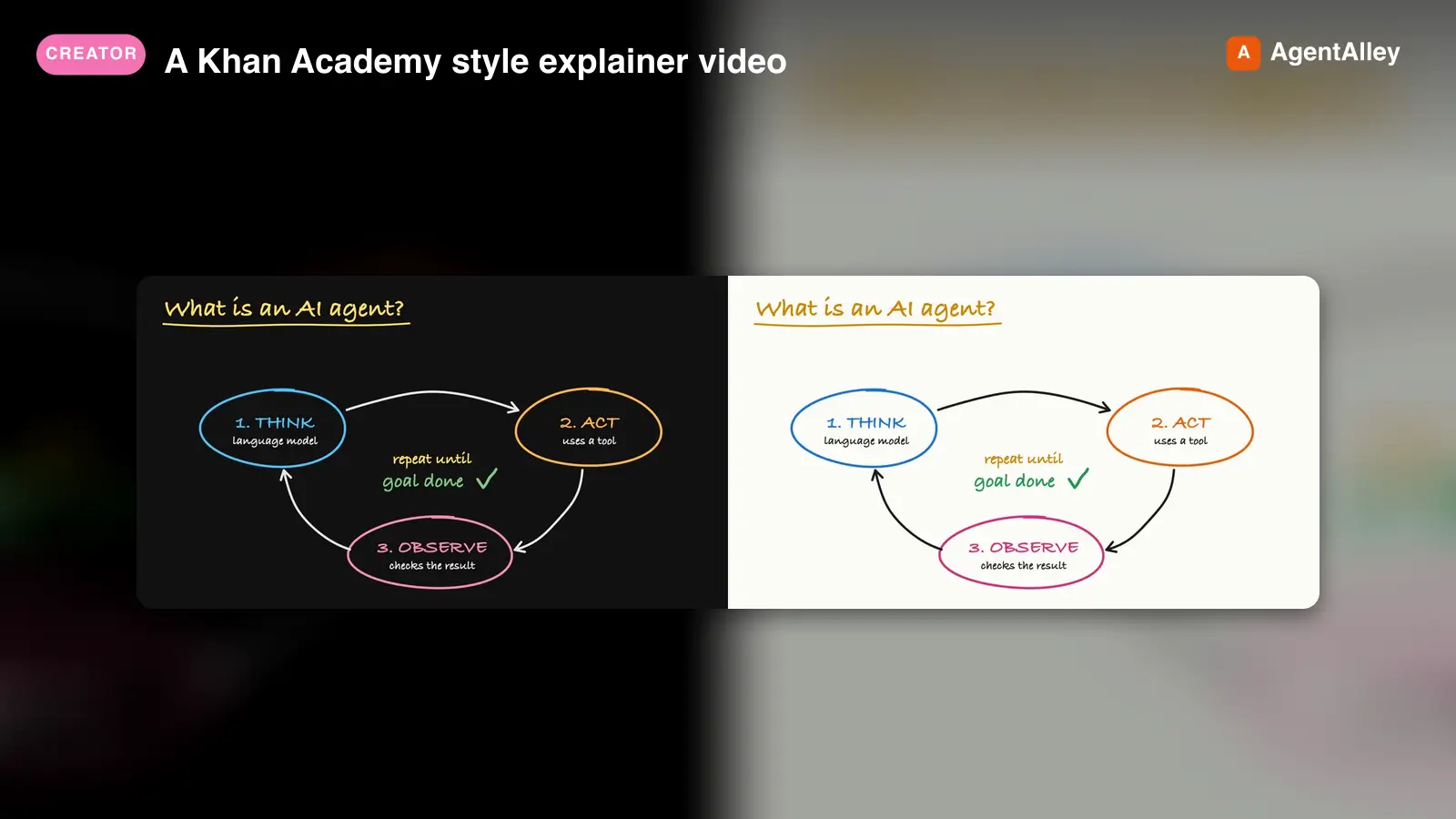 SkillA Khan Academy style explainer videoKhan explainer
 haiderfarooq3/khan-explainer · by haiderfarooq3Use when the user wants a Khan Academy style explainer video, a blackboard or whiteboard lesson, a hand-drawn chalk-talk animation, a short narrated video that teaches a concept ("explain X in a video", "explainer video", "teach X in 30 seconds"), or a tutorial that draws hand-written arrows, circles and captions over product screenshots ("draw over the UI", "annotated walkthrough"), or clips cut from a YouTube video or podcast where the speaker's real audio plays under a blackboard drawn to it ("khanify this video", "clip this with the Khan visual"), especially when it must be free, local, and use no paid APIs or keys. macOS only.★ 113 GitHub stars
 SkillPick the output format that makes an explanation easiestUnderstanding ladder
 ChangWenC/understanding-ladder · by ChangWenCPick the output format that makes an explanation easiest to understand, following Karpathy's understanding ladder — (1) plain controlled text, (2) diagram, (3) interactive HTML page, (4) 3Blue1Brown-style explainer video. Classify the content (definition/steps, process/causality, parameter→outcome, unfolding derivation), recommend the lowest rung that fully answers, then produce it. Works in English and Chinese. Use when the user says "explain this clearly", "help me understand", "draw a diagram", "make it interactive", "make an explainer video", "what's the best way to explain X", "understanding ladder", "Karpathy ladder", or 「讲清楚」「帮我理解」「画个图」「做个交互页」「做个讲解视频」「用哪种方式讲最好懂」「理解阶梯」; also when explaining a non-trivial concept, mechanism, algorithm, or an AI agent's output.★ 108 GitHub stars
 SkillAnimate first frames into A-roll talking head clipsAnimate (A-Roll)
 TheMattBerman/scrollclaw · by TheMattBermanAnimate first frames into A-roll talking head clips. Uses Sora 2 via fal.ai (primary) with Kling 3 auto-fallback when Sora is unavailable or sunset.★ 71 GitHub stars
More from SamurAIGPT
 SkillGenerate a high-converting ad creative setMuapi ad creative
 SamurAIGPT/Generative-Media-Skills · by SamurAIGPTGenerate a high-converting ad creative set — hero image, ad copy variations, and platform-optimized crops for Meta, Google Display, and LinkedIn.★ 4.3k GitHub stars
 SkillTurn a long video into N viral-ready short clipsMuapi AI clippingSamurAIGPT/Generative-Media-Skills · by SamurAIGPTTurn a long video into N viral-ready short clips with a single managed API call. Wraps muapi.ai's `/ai-clipping` endpoint, which handles transcription, highlight ranking through a virality framework (hook / emotional peak / opinion bomb / revelation / conflict / quotable / story peak / practical value), overlap dedupe, and vertical face-tracking auto-crop server-side. No local Whisper, no local LLM, no GPU.★ 4.3k GitHub stars
 SkillTurn a real lifestyle photo into a polished chibi cloneMuapi chibi collage effectSamurAIGPT/Generative-Media-Skills · by SamurAIGPTTurn a real lifestyle photo into a polished "chibi clone sticker diary" image — the original person stays photorealistic, surrounded by 5–8 kawaii chibi mini-clones, scrapbook doodles, and handwritten-style captions that match the scene.★ 4.3k GitHub stars
 SkillDirect high-fidelity cinematic video with AIMuapi cinema directorSamurAIGPT/Generative-Media-Skills · by SamurAIGPTDirect high-fidelity cinematic video with AI — translates creative intent into technical cinematographic directives for Veo3, Kling, and Luma video models via muapi.ai★ 4.3k GitHub stars
 SkillCreate a polished, on-brand Instagram postMuapi instagram postSamurAIGPT/Generative-Media-Skills · by SamurAIGPTCreate a polished, on-brand Instagram post — square or portrait hero image with matching caption and hashtags.★ 4.3k GitHub stars
 SkillEngineer professional-grade brand logos using geometricMuapi logo creatorSamurAIGPT/Generative-Media-Skills · by SamurAIGPTEngineer professional-grade brand logos using geometric primitives and negative space — generates minimalist, scalable vector-style marks via muapi.ai★ 4.3k GitHub stars