Storage Cleanup
Investigate Mac disk usage
Investigate Mac disk usage, find rarely used apps and overlooked storage, and clean authorized disposable caches, runtimes, devices, research artifacts, and development files while preserving active work.
---
name: charles-storage-cleanup
description: Investigate Mac disk usage, find rarely used apps and overlooked storage, and clean authorized disposable caches, runtimes, devices, research artifacts, and development files while preserving active work.
---

# Storage Cleanup

Recover space from confirmed disposable artifacts, explain recent growth, and preserve active work. Measure success with free bytes on the actual data volume.

## Scope and authorization

When the request authorizes removing unused files, delete confirmed disposable candidates without repeated confirmation. An inventory-only request stays read-only. Skill discovery alone grants no deletion permission. Carry forward the user's selected items, exclusions, age limits, and recent-use conditions across passes; a request to inspect more locations does not revoke a previous keep instruction.

Keep active apps, builds, Git writers, and emulators running. Do not cancel a job to turn its files into deletion candidates. Preserve source, uncommitted work, credentials, unique research/media, current releases, and persistent VM/container data unless their removal is explicitly authorized. A generic request to clear unused files does not supply that authorization. An old modification time, ignored Git status, or absent open handle alone does not establish disposability. Skip uncertain candidates and continue useful cleanup elsewhere.

## Choose the depth

- For a named deletion, inspect that selection and its dependencies, then complete the authorized cleanup. A whole-app uninstall includes its own helpers and startup registrations; cache-only cleanup does not.
Overview
Recover space from confirmed disposable artifacts, explain recent growth, and preserve active work. Measure success with free bytes on the actual data volume.
Manual install (npx, ZIP)
npx skills add LemonFace0309/charles-skills --skill charles-storage-cleanup -g -a claude-codenpx degit LemonFace0309/charles-skills/skills/qol/charles-storage-cleanup#main ~/.claude/skills/charles-storage-cleanupConnects with Agent Alley MCP · agentalley.io/mcp
Files included
SKILL.md8.0 KB
Read SKILL.md here
Show the full text59 lines
Storage Cleanup
Recover space from confirmed disposable artifacts, explain recent growth, and preserve active work. Measure success with free bytes on the actual data volume.
Scope and authorization
When the request authorizes removing unused files, delete confirmed disposable candidates without repeated confirmation. An inventory-only request stays read-only. Skill discovery alone grants no deletion permission. Carry forward the user's selected items, exclusions, age limits, and recent-use conditions across passes; a request to inspect more locations does not revoke a previous keep instruction.
Keep active apps, builds, Git writers, and emulators running. Do not cancel a job to turn its files into deletion candidates. Preserve source, uncommitted work, credentials, unique research/media, current releases, and persistent VM/container data unless their removal is explicitly authorized. A generic request to clear unused files does not supply that authorization. An old modification time, ignored Git status, or absent open handle alone does not establish disposability. Skip uncertain candidates and continue useful cleanup elsewhere.
Choose the depth
- For a named deletion, inspect that selection and its dependencies, then complete the authorized cleanup. A whole-app uninstall includes its own helpers and startup registrations; cache-only cleanup does not.
- For general cleanup, unused-app reviews, "what else," or "search more extensively," use the discovery checklist. Cover installed software, both Library trees, hidden package stores, runtimes, developer/research output, devices, media/downloads, and OS-managed storage. Do not stop at the largest project or
~/Library/Caches. - When explaining a large folder, break it into source, generated output, installed environments, Git history, and unique assets. Describe what the largest payloads actually contain and why they exist before recommending removal.
Workflow
- Baseline and map the machine. Record local time, data-volume free bytes, recent cleanup receipts, mounts, and active work. Store audits privately outside repositories, under
~/Library/Logs/storage-cleanup/. Start with filesystem-bounded directory sizes, including hidden directories and shared/system application data; deepen large branches with bounded probes. - Cover overlooked families. In a broad audit, work through the discovery checklist and record each family as measured, absent, excluded, or not fully inspected. Follow configured cache/SDK locations and sibling or agent workspaces. Revisit newly exposed smaller contributors after large removals. Previously deleted paths and old measurements are not new opportunities.
- Establish disposability and inactivity. Identify reconstruction inputs, an obsolete duplicate, or a documented cache purpose. Distinguish the eligible subset from an entire installation or cache pool. Independently inspect relevant processes, arguments/cwd, open files, and running devices. Refresh checks before deletion. A failed or truncated usage probe leaves use unknown. Missing app-use metadata means unknown use.
- Remove in measured batches. Log exact paths, sizes, reasons, reconstruction metadata, and methods. Prefer supported SDK/device/package-manager commands. For direct removal, validate the specific path, avoid symlink targets, and preserve nonstandard data or local patches. Name each target by its literal absolute path: agent safety checks refuse recursive removals built from shell variables, and an empty variable can widen one to a parent. Do not use blanket repository cleaning. Finish all eligible user-level work and prepare one reviewable exact batch before requesting necessary administrator authentication; verify the child job's result rather than only the authorization helper's exit status.
- Investigate recurrence. If free space falls again, compare observations and trace writers. Repeated abandoned Git packs warrant checking background
git addand generated payloads. Use a backed-up, scoped machine-local exclusion only for confirmed generated material; verify tracked files and useful new reports/scripts remain visible. Do not blindly copy another project's ignore patterns. - Verify and report. Check removed paths, retained active resources, unchanged dependency lockfiles, and readable Git commits where relevant. After runtime removal, verify retained dependent environments and the default executable. After an uninstall, check the app, its selected remnants, and its own services. Report current free space, measured recovery, concurrent growth, reinstall requirements, unresolved items, and coverage gaps. Folder allocations and deletion totals are not physical recovery estimates.
For an opportunity list, give stable numbers, exact paths or selectors, measured eligible sizes, contents/purpose, use evidence, and the condition for safe removal. Separate regenerable caches, optional installed software, and data needing a user decision. Do not inflate savings with overlapping parents/children, all versions when one must remain, empty device registrations, sparse-disk maximum capacity, or personal artifacts labeled as cache. If fewer than the requested number of useful verified candidates remain, report that and the uninspected areas instead of padding the list.
| Candidate | Evidence needed in addition to inactivity |
|---|---|
| Dependencies/builds | Known generated installation/output; retained lockfiles, build inputs, or environment metadata; no tracked/custom content lost |
| APK/IPA/installers | Obsolete or redundant artifact; retain current release/reviewer builds and any unique analysis evidence |
| Emulators/simulators | Known disposable QA device with no current task/data dependency; shutdown alone is insufficient |
| Git temporary packs | Git garbage classification, stable separate observations, no live writer/handle, valid history preserved |
| Model/package caches | Re-downloadable contents; preserve authentication, installed environments, active models, and persistent data |
| Rarely used apps/extensions | Bundle or extension identity, measured payload, current activity, and recorded last use or an explicit unknown; retained user data and shared components |
| Old/duplicate runtimes | Architecture, version, default selection, executable links, dependent environments, and embedded app runtimes; pool size is not all removable |
| Downloads/history/logs | The user's exact age and recent-use criteria, supported record timestamps where applicable, and no unique required content or live writer |
Tools and conditional details
Use the discovery checklist for broad audits. Read the relevant sections of macOS cleanup notes before app/runtime uninstalls, privileged cleanup, Git objects, devices/SDKs, or compression. They also cover activity probes, APFS sharing, and virtual DeviceFS accounting.
The bundled helper inventories metadata only; it never decides what to delete or removes files. It skips symlinks and child filesystems, deduplicates hardlinks per root, and compares earlier snapshots. Paths below assume the default personal skill location; resolve relative to this skill if installed elsewhere.
cleanup_audit="$HOME/Library/Logs/storage-cleanup/$(date +%Y%m%d-%H%M%S)"
umask 077
mkdir -p "$cleanup_audit"
python3 "<this skill's folder>/scripts/inventory.py" \
  --root "$HOME/Developer" --output "$cleanup_audit/inventory.json"
Use --help for additional roots, output limits, and --compare. --max-depth limits directory summaries, not traversal: scan selected roots progressively and bound expensive probes. Broad scans can take time; keep the user updated and inspect compact summaries rather than dumping inventories. A partial scan must remain labeled partial.
| 1 | |
| 2 | name charles-storage-cleanup |
| 3 | description Investigate Mac disk usage, find rarely used apps and overlooked storage, and clean authorized disposable caches, runtimes, devices, research artifacts, and development files while preserving active work. |
| 4 | |
| 5 | |
| 6 | # Storage Cleanup |
| 7 | |
| 8 | Recover space from confirmed disposable artifacts, explain recent growth, and preserve active work. Measure success with free bytes on the actual data volume. |
| 9 | |
| 10 | ## Scope and authorization |
| 11 | |
| 12 | When the request authorizes removing unused files, delete confirmed disposable candidates without repeated confirmation. An inventory-only request stays read-only. Skill discovery alone grants no deletion permission. Carry forward the user's selected items, exclusions, age limits, and recent-use conditions across passes; a request to inspect more locations does not revoke a previous keep instruction. |
| 13 | |
| 14 | Keep active apps, builds, Git writers, and emulators running. Do not cancel a job to turn its files into deletion candidates. Preserve source, uncommitted work, credentials, unique research/media, current releases, and persistent VM/container data unless their removal is explicitly authorized. A generic request to clear unused files does not supply that authorization. An old modification time, ignored Git status, or absent open handle alone does not establish disposability. Skip uncertain candidates and continue useful cleanup elsewhere. |
| 15 | |
| 16 | ## Choose the depth |
| 17 | |
| 18 | For a named deletion, inspect that selection and its dependencies, then complete the authorized cleanup. A whole-app uninstall includes its own helpers and startup registrations; cache-only cleanup does not. |
| 19 | For general cleanup, unused-app reviews, "what else," or "search more extensively," use [the discovery checklist]. Cover installed software, both Library trees, hidden package stores, runtimes, developer/research output, devices, media/downloads, and OS-managed storage. Do not stop at the largest project or `~/Library/Caches`. |
| 20 | When explaining a large folder, break it into source, generated output, installed environments, Git history, and unique assets. Describe what the largest payloads actually contain and why they exist before recommending removal. |
| 21 | |
| 22 | ## Workflow |
| 23 | |
| 24 | **Baseline and map the machine.** Record local time, data-volume free bytes, recent cleanup receipts, mounts, and active work. Store audits privately outside repositories, under `~/Library/Logs/storage-cleanup/`. Start with filesystem-bounded directory sizes, including hidden directories and shared/system application data; deepen large branches with bounded probes. |
| 25 | **Cover overlooked families.** In a broad audit, work through the discovery checklist and record each family as measured, absent, excluded, or not fully inspected. Follow configured cache/SDK locations and sibling or agent workspaces. Revisit newly exposed smaller contributors after large removals. Previously deleted paths and old measurements are not new opportunities. |
| 26 | **Establish disposability and inactivity.** Identify reconstruction inputs, an obsolete duplicate, or a documented cache purpose. Distinguish the eligible subset from an entire installation or cache pool. Independently inspect relevant processes, arguments/cwd, open files, and running devices. Refresh checks before deletion. A failed or truncated usage probe leaves use unknown. Missing app-use metadata means unknown use. |
| 27 | **Remove in measured batches.** Log exact paths, sizes, reasons, reconstruction metadata, and methods. Prefer supported SDK/device/package-manager commands. For direct removal, validate the specific path, avoid symlink targets, and preserve nonstandard data or local patches. Name each target by its literal absolute path: agent safety checks refuse recursive removals built from shell variables, and an empty variable can widen one to a parent. Do not use blanket repository cleaning. Finish all eligible user-level work and prepare one reviewable exact batch before requesting necessary administrator authentication; verify the child job's result rather than only the authorization helper's exit status. |
| 28 | **Investigate recurrence.** If free space falls again, compare observations and trace writers. Repeated abandoned Git packs warrant checking background `git add` and generated payloads. Use a backed-up, scoped machine-local exclusion only for confirmed generated material; verify tracked files and useful new reports/scripts remain visible. Do not blindly copy another project's ignore patterns. |
| 29 | **Verify and report.** Check removed paths, retained active resources, unchanged dependency lockfiles, and readable Git commits where relevant. After runtime removal, verify retained dependent environments and the default executable. After an uninstall, check the app, its selected remnants, and its own services. Report current free space, measured recovery, concurrent growth, reinstall requirements, unresolved items, and coverage gaps. Folder allocations and deletion totals are not physical recovery estimates. |
| 30 | |
| 31 | For an opportunity list, give stable numbers, exact paths or selectors, measured eligible sizes, contents/purpose, use evidence, and the condition for safe removal. Separate regenerable caches, optional installed software, and data needing a user decision. Do not inflate savings with overlapping parents/children, all versions when one must remain, empty device registrations, sparse-disk maximum capacity, or personal artifacts labeled as cache. If fewer than the requested number of useful verified candidates remain, report that and the uninspected areas instead of padding the list. |
| 32 | |
| 33 | | Candidate | Evidence needed in addition to inactivity | |
| 34 | | --- | --- | |
| 35 | | Dependencies/builds | Known generated installation/output; retained lockfiles, build inputs, or environment metadata; no tracked/custom content lost | |
| 36 | | APK/IPA/installers | Obsolete or redundant artifact; retain current release/reviewer builds and any unique analysis evidence | |
| 37 | | Emulators/simulators | Known disposable QA device with no current task/data dependency; shutdown alone is insufficient | |
| 38 | | Git temporary packs | Git garbage classification, stable separate observations, no live writer/handle, valid history preserved | |
| 39 | | Model/package caches | Re-downloadable contents; preserve authentication, installed environments, active models, and persistent data | |
| 40 | | Rarely used apps/extensions | Bundle or extension identity, measured payload, current activity, and recorded last use or an explicit unknown; retained user data and shared components | |
| 41 | | Old/duplicate runtimes | Architecture, version, default selection, executable links, dependent environments, and embedded app runtimes; pool size is not all removable | |
| 42 | | Downloads/history/logs | The user's exact age and recent-use criteria, supported record timestamps where applicable, and no unique required content or live writer | |
| 43 | |
| 44 | ## Tools and conditional details |
| 45 | |
| 46 | Use [the discovery checklist] for broad audits. Read the relevant sections of [macOS cleanup notes] before app/runtime uninstalls, privileged cleanup, Git objects, devices/SDKs, or compression. They also cover activity probes, APFS sharing, and virtual DeviceFS accounting. |
| 47 | |
| 48 | The bundled helper inventories **metadata only**; it never decides what to delete or removes files. It skips symlinks and child filesystems, deduplicates hardlinks per root, and compares earlier snapshots. Paths below assume the default personal skill location; resolve relative to this skill if installed elsewhere. |
| 49 | |
| 50 | |
| 51 | cleanup_audit="$HOME/Library/Logs/storage-cleanup/$(date +%Y%m%d-%H%M%S)" |
| 52 | umask 077 |
| 53 | mkdir -p "$cleanup_audit" |
| 54 | python3 "<this skill's folder>/scripts/inventory.py" \ |
| 55 | --root "$HOME/Developer" --output "$cleanup_audit/inventory.json" |
| 56 | |
| 57 | |
| 58 | Use `--help` for additional roots, output limits, and `--compare`. `--max-depth` limits directory summaries, not traversal: scan selected roots progressively and bound expensive probes. Broad scans can take time; keep the user updated and inspect compact summaries rather than dumping inventories. A partial scan must remain labeled partial. |
| 59 |
Details
- License
- MIT
- Stars on the repo
- ★ 257
- Checked
- Source
- LemonFace0309/charles-skills ↗
- Creator
- LemonFace0309 · 15 listings
Similar skills
See all → Cross-Platform Reverse Engineer
 morluto/rea · by morlutoReverse engineer native, managed, Electron/JavaScript, packaged, firmware, and browser targets with REA. Use shipped-artifact or requested runtime evidence to explain features, compare versions, decompile code, or guide a reconstruction. Skip REA for ordinary source-repository architecture analysis.★ 316k GitHub stars
 Brainstorm Ideas
 obra/superpowers · by obraYou MUST use this before any creative work - creating features, building components, adding functionality, or modifying behavior. Explores user intent, requirements and design before implementation.★ 290k GitHub stars
 Code Review Feedback Analyzerobra/superpowers · by obraUse when receiving code review feedback, before implementing suggestions, especially if feedback seems unclear or technically questionable - requires technical rigor and verification, not performative agreement or blind implementation★ 290k GitHub stars
 Bug Diagnosis Framework
 mattpocock/skills · by mattpocockDiagnosis loop for hard bugs and performance regressions. Use when the user says "diagnose"/"debug this", or reports something broken/throwing/failing/slow.★ 267k GitHub stars
 Implement Specmattpocock/skills · by mattpocockImplement the result of /to-spec and /to-tickets in code.★ 267k GitHub stars
 PR Description Writermattpocock/skills · by mattpocockUse when writing a PR body.★ 267k GitHub stars
More from LemonFace0309
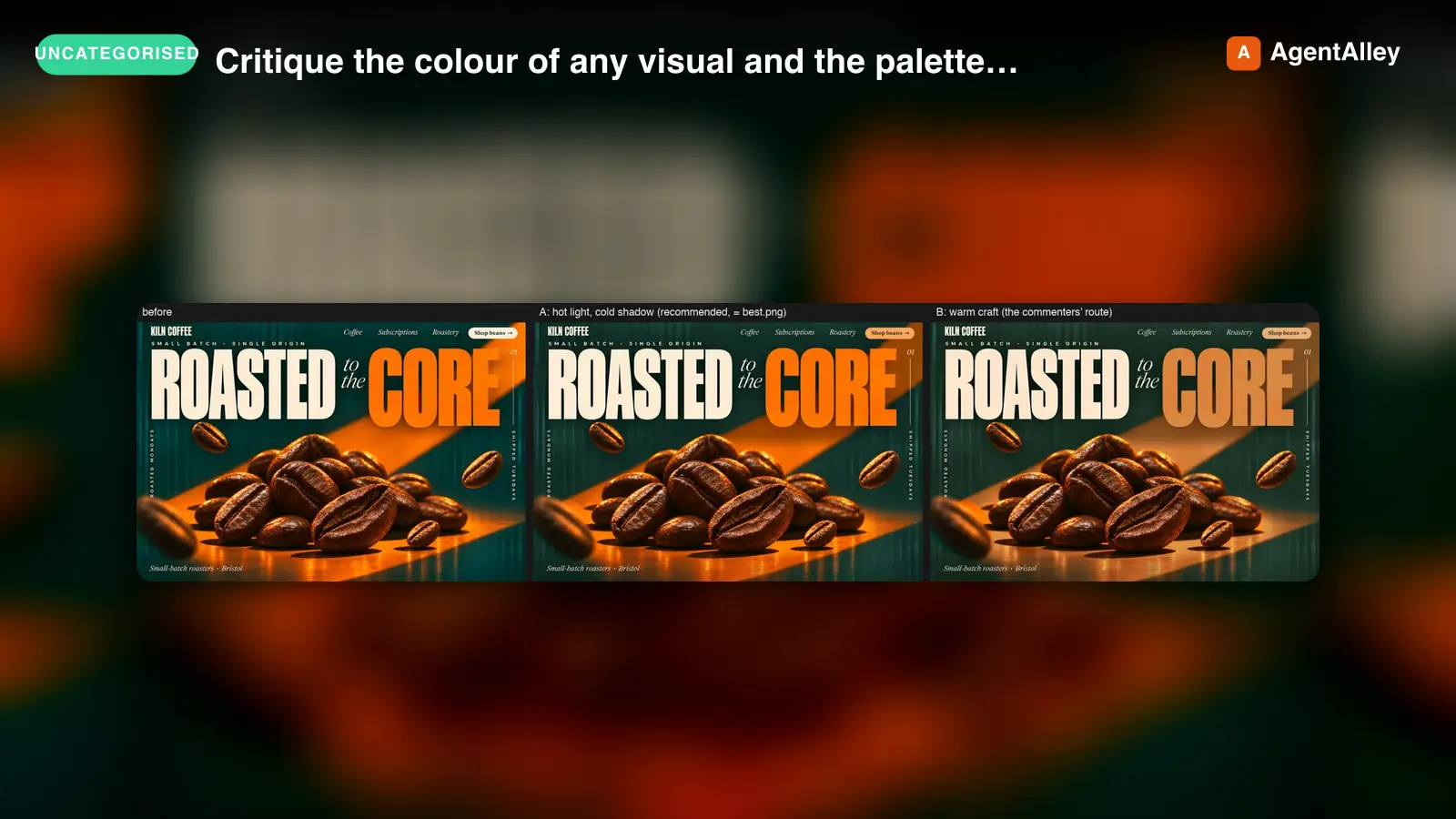 Colour Analysis
 LemonFace0309/charles-skills · by LemonFace0309Critique the colour of any visual and the palette behind it: graphics meant to wow (posters, hero images, ads, thumbnails, social posts), landing pages and onboarding, and product app screens. Routes by what the visual is for, measures the real colours (60/30/10 area split, lightness structure, hue gaps, chroma, temperature, text contrast, colour-blind views), and writes a ranked critique with exact OKLCH and hex fixes, alternative palette directions and before/after previews. Use when someone asks to critique, analyse, review, check or fix colours or a palette; asks why colours clash, feel off, muddy, washed out, garish, cheap, cold or out of place; asks whether a palette or accent works, or whether someone's colour critique is right; or wants colour feedback on a design, screenshot, website, app or brand.★ 257 GitHub stars
 GoalLemonFace0309/charles-skills · by LemonFace0309Make premium, cinematic 3D explainer videos and 3D cutaways timed to a voiceover: dark 3D worlds lit with one warm accent, glowing signal paths, hero numbers that land on the word, labels pinned to parts, a running HUD counter, live app screens on 3D devices, and continuous camera moves with real depth of field and motion blur, rendered with three.js in headless Chrome (bun). Use whenever Charles asks for 3D explainers, 3D motion design, 'how X works' visuals, documentary-style or cinematic 3D, educational 3D animation, 3D b-roll for a voiceover, or 3D cutaways that replace parts of a talking-head video, for a whole reel or for one slot of a video he is editing (charles-claude-editing asks for an asset at a size).★ 257 GitHub stars
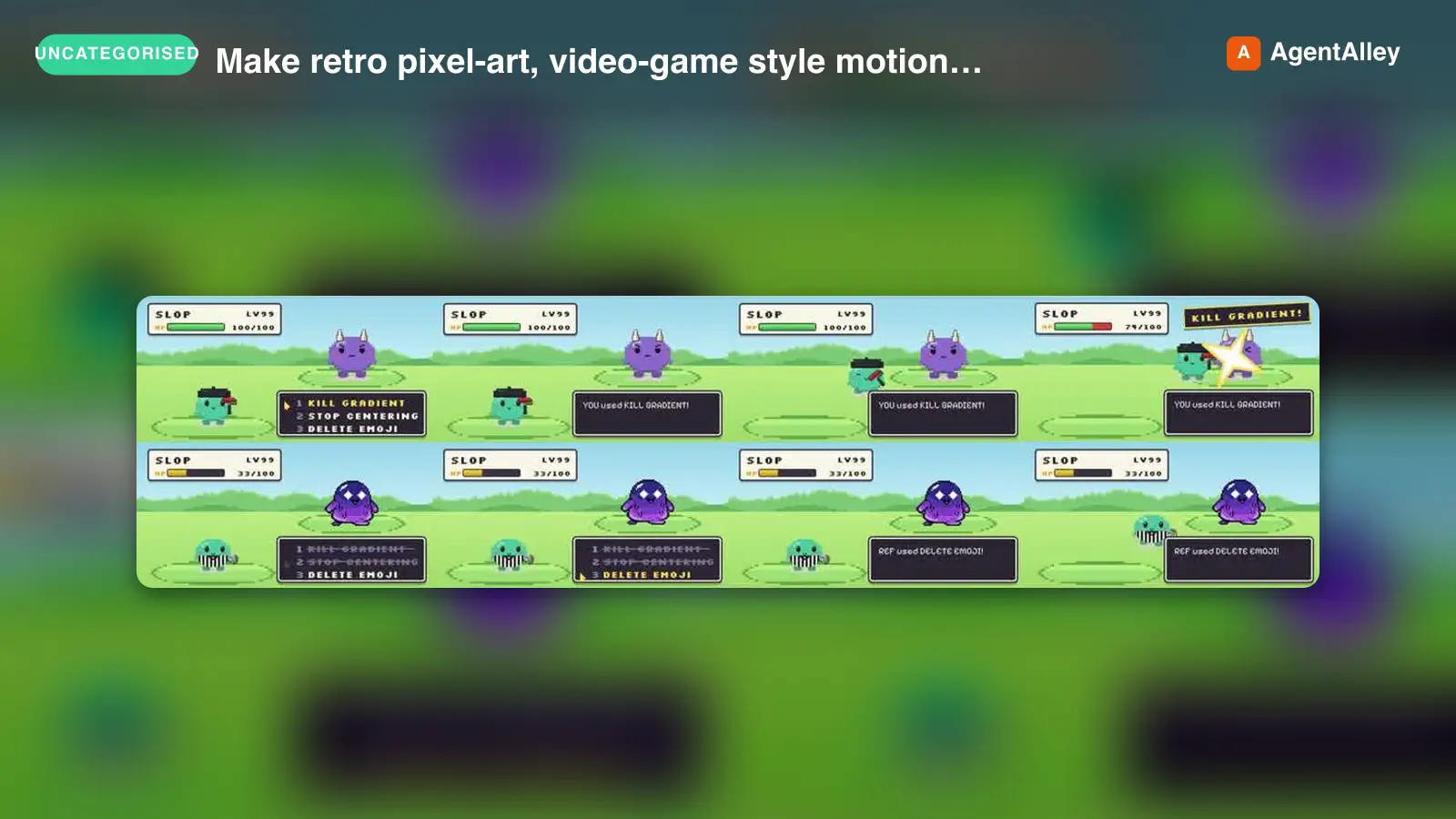 GoalLemonFace0309/charles-skills · by LemonFace0309Make retro pixel-art, video-game style motion design timed to a voiceover, on any topic - a flat pixel mascot (or a cast made for the topic) acting out every line, pixel scenes, rebuilt app UI and the real pages, logos, covers and photos the words name, with counters, charts, stamps and hand-drawn marks landing on the word - rendered to video with HyperFrames from generated art (fal) and code. Use whenever Charles asks for "arcade", game-style, pixel, retro, opusjake-style or "fun" motion graphics or animations, for parts of a video he is editing (often from charles-claude-editing, which picks the layout and asks for an asset at that size: a 2:1 card above his face, a tall card, a split panel, an overlay or a new screen), or for a whole voiceover or reel.★ 257 GitHub stars
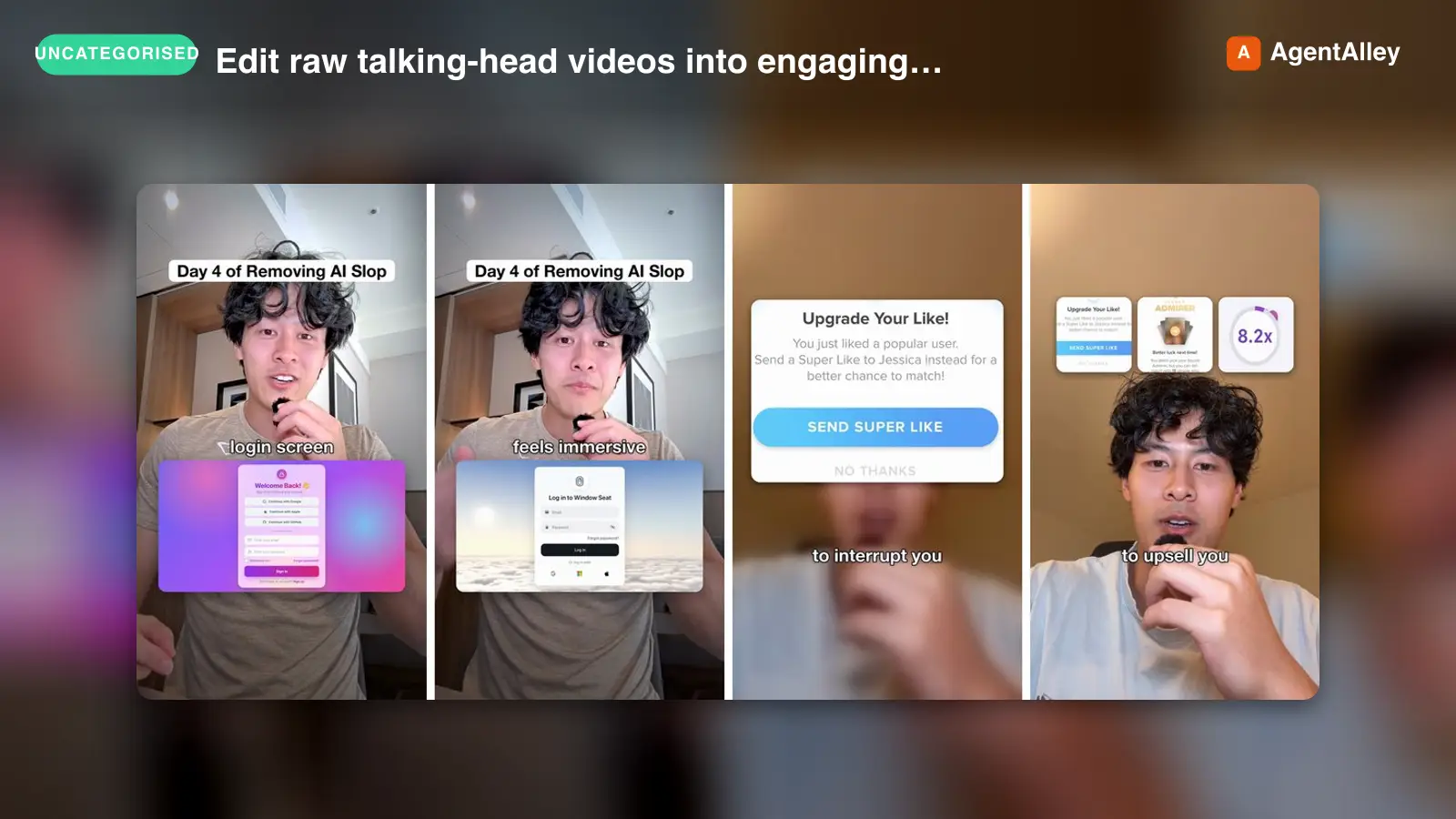 GoalLemonFace0309/charles-skills · by LemonFace0309Edit raw talking-head videos into engaging, organic-looking Instagram Reels / TikToks - cut dead space and stumbles, keep the last clean take, 2-3 word captions, retention-maxing image/video overlays (pop-culture stickers, cutouts, split screens, tweet screenshots), sound effects, a background track from the music folder, and a TikTok-title-style hook when asked. Covers news and education/entertainment videos. Use this whenever Charles shares a talking-head .MOV/.mp4 and asks to edit, cut, caption, add a hook, add overlays/b-roll/images/a split screen, add music or sound effects, "make it a reel", "minoify" it, or fix any of those in a video already edited this way - even if only one of those steps is asked for.★ 257 GitHub stars
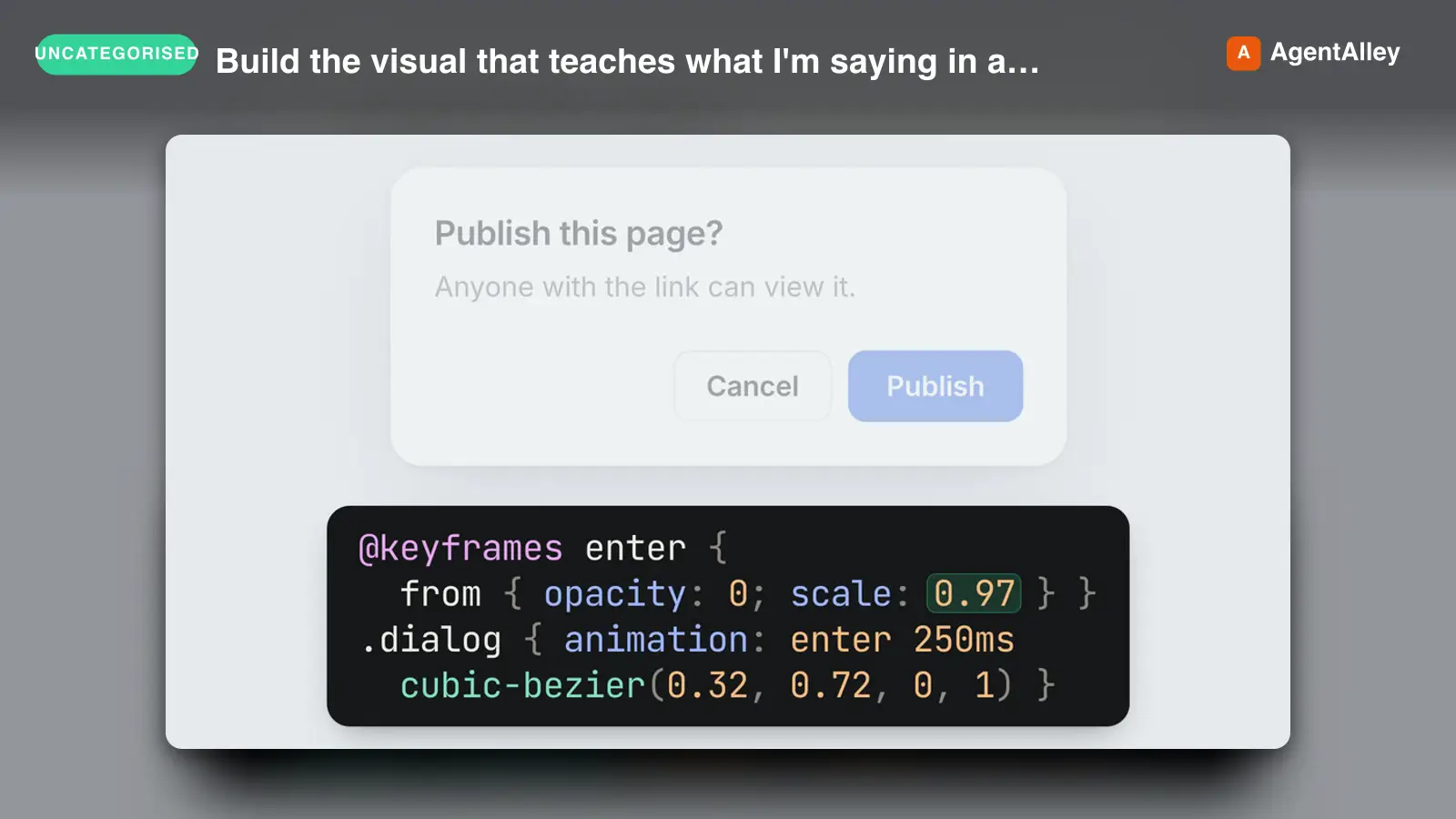 GoalLemonFace0309/charles-skills · by LemonFace0309Build the visual that teaches what I'm saying in a reel - the real thing doing what I describe, a before/after flip or a side-by-side, a mark that shows what changes (a guide, a hatched band, corner brackets, a before|after sweep), a definition tab above the demo, a coloured agent cursor that makes the change on my word or moves the part itself, the CSS or another short caption under it, red marks on a real screenshot - sized for the slot charles-claude-editing gives, timed to my words, and simple enough to read in the 1-5 s a phone viewer gets. Use whenever a video explains a term, a fix, a technique, a number or a mechanism (my list reels, "10 niche ___ hacks", Day N of Removing AI Slop, reverse-engineering explainers), when charles-claude-editing asks for an explainer asset at a size, or when I say a teaching visual is too busy, too fast, too small, stale, hard to read, not engaging, or that it's hard to see what changed.★ 257 GitHub stars
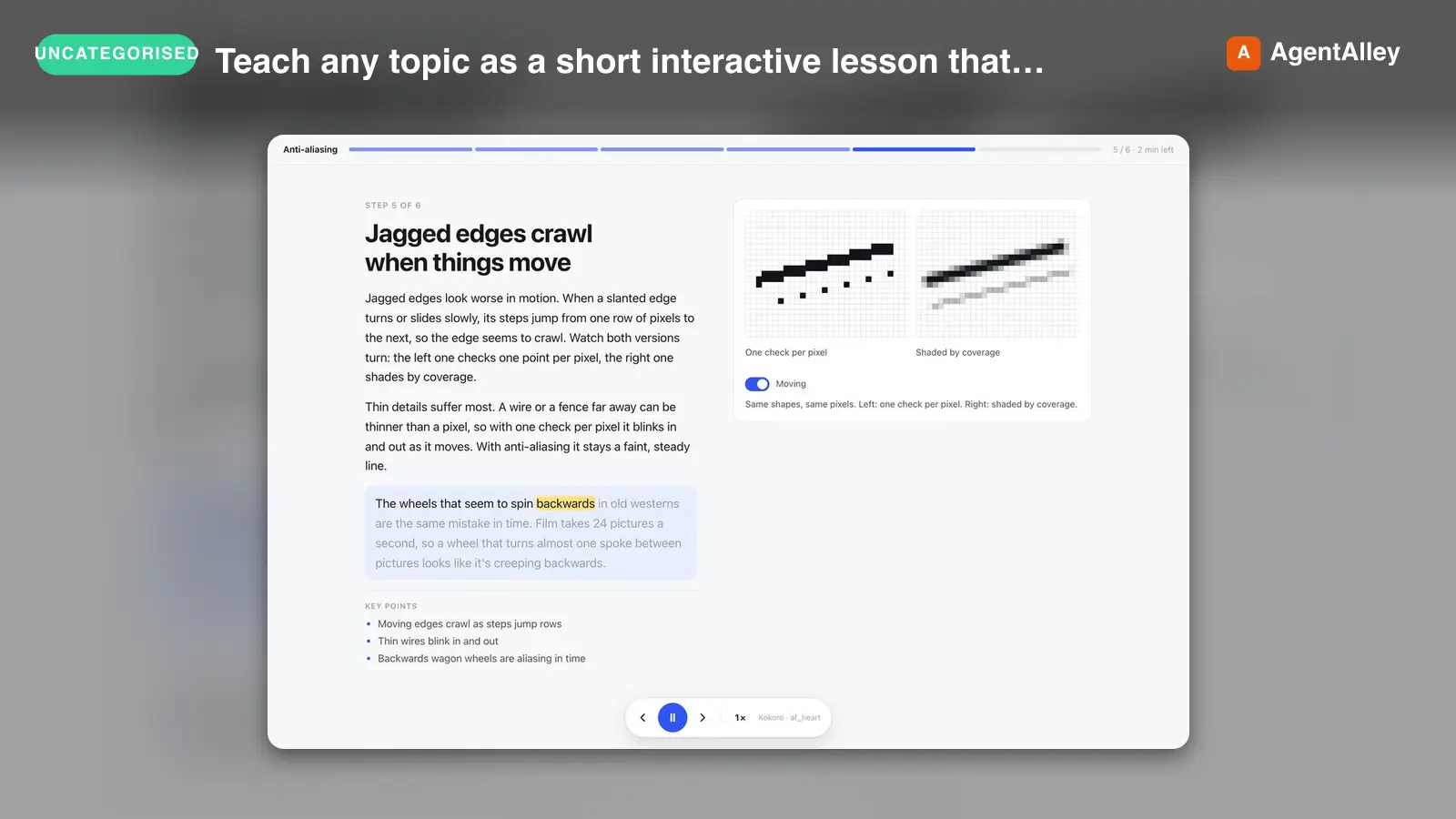 GoalLemonFace0309/charles-skills · by LemonFace0309Teach any topic as a short interactive lesson that opens in Chrome: one idea per screen, each hung on a real-life example, the key terms and an outline first, a predict-first question where people usually guess wrong, small demos to play with that change on the word the narrator says, stand-out facts, dot jots under every step, an acronym or phrase when there's a set to remember, quick checks with instant feedback, and a natural voice that reads along with each word highlighted at the speed you pick. Use when someone says teach me, help me understand, learn anything, walk me through, explain X step by step, make me a lesson on X, or I want to actually get X, and wants to understand a concept fast and properly rather than read a long answer.★ 257 GitHub stars