Goal
Make retro pixel-art, video-game style motion design timed
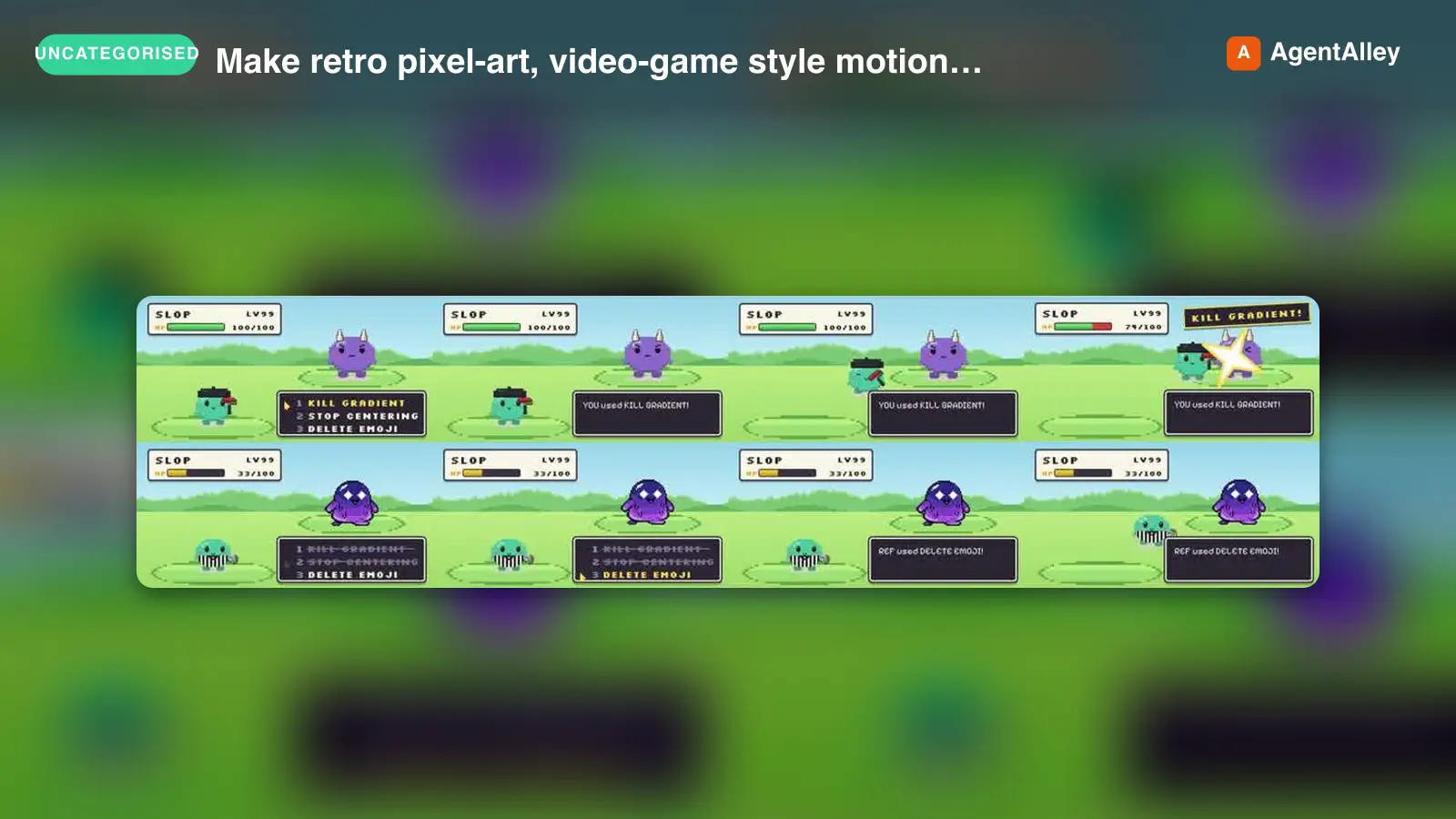
Make retro pixel-art, video-game style motion design timed to a voiceover, on any topic - a flat pixel mascot (or a cast made for the topic) acting out every line, pixel scenes, rebuilt app UI and the real pages, logos, covers and…
---
name: charles-arcade-assets
description: "Make retro pixel-art, video-game style motion design timed to a voiceover, on any topic - a flat pixel mascot (or a cast made for the topic) acting out every line, pixel scenes, rebuilt app UI and the real pages, logos, covers and photos the words name, with counters, charts, stamps and hand-drawn marks landing on the word - rendered to video with HyperFrames from generated art (fal) and code. Use whenever Charles asks for \"arcade\", game-style, pixel, retro, opusjake-style or \"fun\" motion graphics or animations, for parts of a video he is editing (often from charles-claude-editing, which picks the layout and asks for an asset at that size: a 2:1 card above his face, a tall card, a split panel, an overlay or a new screen), or for a whole voiceover or reel."
---

# Goal

Every idea in the voiceover becomes a playful, literal moment: the mascot doing it in a cute 16-bit game, the
product UI doing exactly what is said, or the real thing (the page, the logo, the book, the person), landing on
the word. Something new is on screen about every second and something moves inside it every few frames. It
should look like a polished indie game and a clean product demo, never like AI slop: crisp pixels, one
consistent look and cast, real things shown as they are, exact text, deliberate motion.

`T` below is this skill's folder (`skills/charles-arcade-assets`); run commands from the repo root unless noted. Write
commands out in full: zsh does not split a variable such as `F="python3 x.py"` into a command and its arguments.

# What you are making
Overview
Every idea in the voiceover becomes a playful, literal moment: the mascot doing it in a cute 16-bit game, the product UI doing exactly what is said, or the real thing (the page, the logo, the book, the person), landing on the word. Something new is on screen about every second and something moves inside it every few frames. It should look like a polished indie game and a clean product demo, never like AI slop: crisp pixels, one consistent look and cast, real things shown as they are, exact text, deliberate motion.
Manual install (npx, ZIP)
npx skills add LemonFace0309/charles-skills --skill charles-arcade-assets -g -a claude-codenpx degit LemonFace0309/charles-skills/skills/editing/charles-arcade-assets#main ~/.claude/skills/charles-arcade-assetsConnects with Agent Alley MCP · agentalley.io/mcp
Files included
SKILL.md20.8 KB
Read SKILL.md here
Show the full text229 lines
Goal
Every idea in the voiceover becomes a playful, literal moment: the mascot doing it in a cute 16-bit game, the product UI doing exactly what is said, or the real thing (the page, the logo, the book, the person), landing on the word. Something new is on screen about every second and something moves inside it every few frames. It should look like a polished indie game and a clean product demo, never like AI slop: crisp pixels, one consistent look and cast, real things shown as they are, exact text, deliberate motion.
T below is this skill's folder (skills/charles-arcade-assets); run commands from the repo root unless noted. Write
commands out in full: zsh does not split a variable such as F="python3 x.py" into a command and its arguments.
What you are making
| Ask | Output |
|---|---|
| Asset (from charles-claude-editing or "animate this part"): a time range of a video and a size | one file at exactly that size and the part's length, no audio: .mp4, or a transparent .webm when it goes over footage as an overlay. Plus sfx.json (see Making an asset for charles-claude-editing) |
| Asset set: several time ranges at one size (every card moment of a video) | one file at that size covering the whole span; see Making an asset for charles-claude-editing |
| Reel: a whole voiceover or audio track | one 1080x1920 .mp4 with the audio, full-screen visuals for every second |
| Several sizes for one video (a card, a tall card and a full screen) | one file per size, each an asset or asset set as above, made as one set (new_project.py --set) so every size shares one cast and look |
Captions and music are not yours: charles-claude-editing adds them. Never burn the voiceover's words in as captions; short labels, titles, UI text and HUD text are part of the visuals.
Sizes. Make the asset at the size you are asked for. Where it goes on screen is charles-claude-editing's call, not yours; make the best asset for that frame. Common sizes:
- a 2:1 card above Charles' face, like @opusjake's: render 1280x630 (charles-claude-editing shows it about 900x442 and adds the rounded corners, the shadow and the cream band, so fill the frame edge to edge and keep key content 40 px clear of the corners)
- a tall card that covers his face: 1280x1550
- 1080x1920 for a new full screen; 1080x960 and 1080x768 for split panels; an overlay's own size
charles-claude-editing puts its captions on top of your asset: a pill at about y 1380-1465 on a full 1080x1920 screen, under
a tall card, and on the seam (the asset's top or bottom edge) in a split. Keep y 1360-1480 of a full screen free
of anything the viewer must see: no labels, faces or key props under it.
Blueprints come in four layouts: wide (laid out at 1280x630), tall card (1280x1550), short (1080x960) and tall
(1080x1920);
mount.py copies the one that fits the project's shape and says when a scene needs re-laying out. Keep text
inside the area you are given (a full 1080x1920 screen keeps it between y 250 and y 1450, x 80-1000; other
sizes at least 40-60 px from every edge). Art and backgrounds fill the whole frame. Text size is about what the
phone shows; reference/build.md has the rule.
Setup (once per machine)
node22+,ffmpeg,python3, Google Chrome (for page captures). HyperFrames runs throughnpx --yes [email protected](writtenhf).- The repo venv for sprite tools:
python3 -m venv .venv && .venv/bin/pip install pillow numpy. FAL_KEYin the repo's.env(tools/fal.pyfinds it).- The sprite library (the
claudeandgptcharacters andprops/) isn't part of the public skill. Charles' lives in claude-editing atassets/arcade-cast/;tools/new_project.pyfinds it there, or whereverARCADE_CASTpoints. Below,cast/means that library.
Workflow
Work inside the video's videos/<video>/graphics/<name>/ folder. Source and notes are tracked; footage,
captures, and renders stay local. Read reference/metaphors.md before planning, reference/art.md before
generating, reference/build.md before writing scenes, and the kit reference for what you use:
reference/critter.md (the mascot, its roles and props), reference/cast.md (generated characters as actors,
the tier list, the loot bar, book and author reveals), reference/motion.md (camera, transitions, physical
gags), reference/ui-claude.md and reference/ui-web.md (rebuilt apps), reference/annotate.md (marker marks,
stamps, counters, charts). Historical work/kit-* demos mentioned in the references are not bundled here;
start from the included blueprints/ and template/ files.
- Project.
python3 $T/tools/new_project.py videos/<video>/graphics/<name> --audio <voice file>for a reel. For an asset, see Making an asset for charles-claude-editing: no--audio, and--sizeat the size asked for. - Words. In the project (for a set of sizes, in the set's folder):
hf transcribe assets/voice.m4a -d . --json. From the repo root, run.venv/bin/python $T/tools/onsets.py videos/<video>/graphics/<name>/transcript.json videos/<video>/graphics/<name>/assets/voice.m4a. Then runpython3 $T/tools/words.py transcript.json. Proofread names against the context (Whisper writes "Chat GBT" for ChatGPT, turns product names and comment keywords into common words that sound alike) and fix them intranscript.json. Put every name and keyword the video shows inassets/names.js(NAMES, used withdata-name) and the running example's numbers in the same file (FACTS, used withdata-fact). When a name stays ambiguous and Charles is not around, take the reading that fits the topic and name it in the handover; fixing it is then a one-line change. onsets.py moves the first word after each pause to where its sound begins (recognisers start those 0.2-0.4 s off) and keeps the original astranscript.raw.json. Words inside a phrase drift too, by 0.1-0.25 s: early into the word before ("the paywall"), late onto their own second syllable at a phrase end ("aha moment"). Run the same command with--check --strip review/words.png: it lists every word more than 0.1 s from where its sound starts, with that time, moves nothing, and draws each one (red: the transcript's start, green: where the sound starts). Move the ones the strip confirms with--move paywall,aha, or your own time read off the strip (--move moment=29.22); look before moving a "less sure" one. A hit must land on its word: once the beat sheet names its key words, run--check --words <them> --strip review/keys.pngand settle every one ("not paired" means judge it on the strip).python3 $T/tools/words.py transcript.json --strip review/w.png --from 27.3 --to 29.6draws any stretch. On fast conversational speech most flags are "less sure": check only the hit words there.hf transcribeuses Parakeet once it is installed (hf models list), else Whisper small.en. Parakeet's timing is best after onsets.py, but it writes numbers wrong ("ten out of ten" came out "10 out of 1."), so proofread numbers too. - Cast and worlds. Decide who acts and where (
reference/metaphors.md, "Cast for the topic"). For Claude and AI-tool videos the mascot is the code-drawn Claude critter (critter.js), in a different role per idea with props from the library (cast/props); ChatGPT is thegptsprite. For any other topic, keep a host (the pal, the critter's neutral cousin drawn in code, or Charles as a pixel character from a photo) and add one to three characters for the topic's ideas (the enemy, the reward, the rival) withtools/cast.py new. Pick the two to four worlds the video keeps returning to. - Real things. List every real product, site, app, book, person and number the voiceover names, and fetch
them with
tools/source.py: page captures, App Store icons and screenshots (references for rebuilt screens), logos, book covers at full size, photos of people with their credit. Real people and brands are always real images (photos keep their credit line on screen), never generated. - Beat sheet. Write
beats.md: one row per beat with start-end (from word times), the words, the visual (what literally happens on screen, and who causes it), the world, the blueprint or "custom", the assets it needs, and the key moment's time. Rules inreference/metaphors.md; in short:- frame 0 is the hook: the first line as a visual joke, already on screen and already moving, usually the mascot causing it; its key change lands on the first stressed word (within ~0.7 s), not a second later;
- shots of 0.4-1.6 s, median 0.8-1.0 s; one idea each; contiguous, covering every second; most shots get a new scene (a new plate, a cut-in on a detail, a re-frame), not just new text. Plan at clause level: every noun, number, app and person the voice names is an event, two to four events per shot, each landing on its word (a line types, a counter ticks, a stamp lands, the mascot acts). A rebuilt app the voice walks through (paste, type, send) can run 3-4 s if something changes every ~0.3 s;
- the mascot causes things in about two thirds of the beats: it pulls, presses, throws, stamps, carries, rides, and the scene reacts. It is never just standing next to the content;
- one running example (a question, a trade, a price, an app being cloned) carried through every beat that can
show it, with the same exact numbers from
FACTS; - mix pixel scenes, rebuilt UI and real pages; never the same blueprint twice in a row;
- every number said becomes a counter, the biggest thing in its frame (with its source under it when it is a
fact); every app step becomes the UI doing it; every real name shows the real thing; when the voice says
what a tool does, a beat shows that tool doing it, after any metaphor for it; the CTA ("follow and comment
X") is the
cta-followcard; - a tool or skill launch follows the segment format in
reference/metaphors.md. If Charles is around and did not say to just do it, show him the beat sheet before generating art.
- Art. Generate every scene plate, character, prop and missing pose (
reference/art.mdhas the exact prompt blocks and commands; checkcast/propsfirst). Plates with screens get flat green screens so live UI can play inside them. Run the independentfal.pycalls in parallel. Open every image, reject and regenerate the failures, key the sprites, and check them on the review sheet. Generated video only for one or two hero moments. - Scenes. Fill
beats.json({"duration": <audio length>, "beats": [{"id": "b01", "start": 0, "dur": 1.0, "blueprint": "hook-gag"}, ...]}), runpython3 $T/tools/mount.py videos/<video>/graphics/<name>, then edit eachcompositions/<id>.html: copy, images, layout, and theTtimes (word time minus beat start). Custom scenes follow the skeleton inreference/build.md. Use the kit's helpers rather than raw tweens. A beat's first frame is its finished world, locked: no settle, no drift, never popping or fading in from an empty stage (AR.settleat 0 just makes it visible). The camera moves only when the story moves it: cut-ins on the same plate to escalate (1.0, 1.25, 2.0x), a push onto what fills or matters, a pull-back to reveal the whole app, a shake on a hit. - Check. In the project:
hf check --json. Fix every error and every runtime warning ("GSAP target not found" means a broken selector). Fix layout warnings (overlaps, key text too small). These are fine:duplicate_media_discovery_risk(a reused image),film_silent(an asset without audio),dead_stretch,subcomposition_blanksandfirst_frame_emptyon the hold beats of an asset set, reading-time warnings for text the voice is saying, that types on screen or that carries over from the beat before, small-text warnings (text_below_floor) on secondary UI text (build.md, Text size), and contrast warnings on placeholder text in a rebuilt app (it is grey in the real app too) or on things dimmed on purpose (the others in a spotlight). Name fonts only through the kit's classes and variables: afont-familynaming a pixel font in a scene's own style fails the lint. Blueprints carry example names:grep -rn "Charles Liu\|scout-skill\|Good afternoon" compositions/and replace any left over with this video's names (fromnames.js). - Review.
hf snapshot --at <each beat's key moment + 0.15> --no-end -o review/and look at the contact sheet, then at single frames where anything is doubtful. Thenhf snapshot --review -o review/cuts/and check that every cut lands on a complete frame. Go through the checklist below, fix, repeat. Do not render before the stills pass. After the render, run.venv/bin/python $T/tools/qa.py out/<name>.mp4(with--ranges 2.0-3.0,5.3-7.0for an asset set) and fix every flash, blink and edge it reports; a sparse or still span stays only if it is meant (the last beat, a page being read). Then hunt what it cannot see with 12 fps strips (ffmpeg -ss <t-0.3> -t 0.8 -i out/<name>.mp4 -vf "fps=12,scale=420:-2,tile=5x2" ...) around every cut and every key word: a sprite clipped by a floor or a card edge, parts of a sprite coming apart or see-through, ghost rows while a list scrolls, text clipped at a container's edge, a piece of the next scene showing at an edge, a change that appears less than 0.3 s before a cut (it reads as a flicker: move it or the cut), a flip or stamp that lands before its word. - Render.
hf render -o out/<name>.mp4, or--format webmfor a transparent overlay, in the background (a 22 s reel renders in about 15 s). Then make a 4 fps contact sheet of the render (ffmpeg -i out/<name>.mp4 -vf "fps=4,scale=270:-2,tile=8x4" ...) for motion and variety, and check sync on exact frames (ffmpeg -ss <word time> -i out/<name>.mp4 -frames:v 1 ...): the sheet's samples drift by a frame. - Hand over. The file path(s), the beat sheet in two lines per beat, the fal cost total from the
costs.jsonlfiles, the credit lines of any photos, and anything you were unsure about.
Review checklist
For every beat:
- Literal: a muted viewer would understand what is being said from this frame alone.
- On the word: the key change lands within ±0.1 s of its word; nothing waits for a word already gone. Text that types starts on its word and is complete by the word's end; a stamp lands on its word, not after it.
- Alive: something moves at least every 0.4 s; no hold over 1 s except the last beat or a page being read, and no still of more than about 0.5 s waiting for a reveal. Nothing glides in a straight line for more than 0.5 s: it hops, steps or snaps. The last beat ends on motion (the plane flies off, the stamp lands).
- Actor: where the mascot is on screen, it causes the change, and the scene reacts to it.
- Real: a product, site, book or person the voiceover names shows the real thing.
- Cut: its first frame already shows its finished world, locked; nothing builds up from an empty stage and nothing drifts; every camera move has a reason.
- Exact text: spelled right, matches the voiceover's numbers and names, the key text big enough on the phone
(build.md), inside the frame's text zone, nothing overlapping or cut off. A number the video shows twice shows
the same value both times (take it from
FACTS); a grid of labels stays readable on a phone (fewer, bigger tiles beat many tiny ones). A real page, table or document the voice points at is cropped and zoomed to the rows that matter, never a whole page shrunk into the card with most of the frame blank. What the beat is about fills the frame: no wide shot of tiny actors, no app window whose text is under the size rule as the subject, and no full screen or tall card that is mostly empty (a lone small mascot on a blank card). - Composed: nothing pokes out of the thing it sits on (a card wider than the phone behind it, a label wider than its tombstone), no empty card waiting for its content, no stray element from another beat. No prop or character covers the key text (a hat falling across the repo name). An idle pane is dimmed lightly, never covered by a flat grey slab.
- Clean art: no garbled letters, extra limbs, off-model characters, floors under props, holes, or blur; every character and prop fully opaque (fade a whole scene if anything, never a sprite on its own).
- Variety: neither the framing nor the blueprint repeats in the next beat; at least six different blueprints or custom scenes in a 30 s piece.
- Cast: the same characters, the same scale, reacting to what happens, and never vanishing between two moments of one scene. The Claude critter stays coral in every role: Claude sessions and jobs differ by props and costume, never by colour (recolour only for another company's agent), and no costume hides the critter.
For the whole piece: frame 0 works as a thumbnail and a hook; the last beat holds at least 1 s; pixel scenes, UI and real things alternate; one running example ties it together; it feels like one game, not a collage.
Making an asset for charles-claude-editing
charles-claude-editing gives you the video, the part's time range (or several ranges), the asset's size, the area its text has to stay inside, and sometimes what to show. It has already chosen the layout (a card, a split panel, an overlay, a new screen).
- Make the project at that size, without
--audio, with the part's length:python3 $T/tools/new_project.py videos/<video>/graphics/<name> --size <W>x<H> --duration <end - start>. When the video needs assets at more than one size (a card, a tall card and a full screen), make them one set:python3 $T/tools/new_project.py videos/<video>/graphics/<name> --set card:1280x630,tall:1280x1550,full:1080x1920 --duration <span> --start <start>. Each size is its own project (videos/<video>/graphics/<name>/card, ...) with its ownbeats.jsonand scenes on the same clock, and all of them sharevideos/<video>/graphics/<name>/assets: names.js, the cast, art, logos and real things, plusvideo.cssandvideo.jsfor this video's own styles and helpers. Fetch and generate into that shared folder once, so one cast and one look run through every size; it prints each size's mount and render commands. Generate plates in each frame's shape (reference/art.md). For an asset set, cover the whole span from the first range's start to the last range's end, and put one plain hold beat in each gap: only the ranges are shown. A set that starts at 0 runs on the reel's own clock: transcribe the whole voiceover and keep every beat in reel seconds. Pad every range with its own frames: hold the range's first frame for 0.1 s before it starts and its last frame for 0.1 s after it ends, so a frame of rounding at charles-claude-editing's cut shows the right picture and never flashes a neighbouring beat. - Cut the part's audio into it and transcribe that (for a set of sizes, once, in the set's folder):
ffmpeg -ss <start> -to <end> -i <video> -vn -c:a aac videos/<video>/graphics/<name>/part.m4a, thenhf transcribe part.m4a -d . --jsonthere, then.venv/bin/python $T/tools/onsets.py videos/<video>/graphics/<name>/transcript.json videos/<video>/graphics/<name>/part.m4aand its--check(Workflow step 2). Its times start at 0. - Plan beats for the ranges only. Keep the cast and style identical across every asset of the same video. The render matches the part to the frame (HyperFrames rounds up to whole frames).
- Render
out/part_<start>_<W>x<H>.mp4(part_012.4_1280x630.mp4); for a set of sizes, run the render line it printed for each size (they land invideos/<video>/graphics/<name>/out/). For an overlay, delete the.stageand.bg-artlayers and render--format webm, so only the moving pieces remain. - Write
out/part_<start>_<W>x<H>.sfx.json: the moments that earn a sound, in part time:[{"t": 1.02, "kind": "hit"}]with kinds hit, pop, whoosh, type, coin, blip, success, fail. Mark the strongest two to four per 10 s; charles-claude-editing picks which to use. For an asset set, also list the ranges it covers.
| 1 | |
| 2 | name charles-arcade-assets |
| 3 | description "Make retro pixel-art, video-game style motion design timed to a voiceover, on any topic - a flat pixel mascot (or a cast made for the topic) acting out every line, pixel scenes, rebuilt app UI and the real pages, logos, covers and photos the words name, with counters, charts, stamps and hand-drawn marks landing on the word - rendered to video with HyperFrames from generated art (fal) and code. Use whenever Charles asks for \"arcade\", game-style, pixel, retro, opusjake-style or \"fun\" motion graphics or animations, for parts of a video he is editing (often from charles-claude-editing, which picks the layout and asks for an asset at that size: a 2:1 card above his face, a tall card, a split panel, an overlay or a new screen), or for a whole voiceover or reel." |
| 4 | |
| 5 | |
| 6 | # Goal |
| 7 | |
| 8 | Every idea in the voiceover becomes a playful, literal moment: the mascot doing it in a cute 16-bit game, the |
| 9 | product UI doing exactly what is said, or the real thing (the page, the logo, the book, the person), landing on |
| 10 | the word. Something new is on screen about every second and something moves inside it every few frames. It |
| 11 | should look like a polished indie game and a clean product demo, never like AI slop: crisp pixels, one |
| 12 | consistent look and cast, real things shown as they are, exact text, deliberate motion. |
| 13 | |
| 14 | `T` below is this skill's folder (`skills/charles-arcade-assets`); run commands from the repo root unless noted. Write |
| 15 | commands out in full: zsh does not split a variable such as `F="python3 x.py"` into a command and its arguments. |
| 16 | |
| 17 | # What you are making |
| 18 | |
| 19 | | Ask | Output | |
| 20 | |---|---| |
| 21 | | **Asset** (from charles-claude-editing or "animate this part"): a time range of a video and a size | one file at exactly that size and the part's length, no audio: `.mp4`, or a transparent `.webm` when it goes over footage as an overlay. Plus `sfx.json` (see Making an asset for charles-claude-editing) | |
| 22 | | **Asset set**: several time ranges at one size (every card moment of a video) | one file at that size covering the whole span; see Making an asset for charles-claude-editing | |
| 23 | | **Reel**: a whole voiceover or audio track | one 1080x1920 `.mp4` with the audio, full-screen visuals for every second | |
| 24 | | **Several sizes** for one video (a card, a tall card and a full screen) | one file per size, each an asset or asset set as above, made as one set (`new_project.py --set`) so every size shares one cast and look | |
| 25 | |
| 26 | Captions and music are not yours: charles-claude-editing adds them. Never burn the voiceover's words in as captions; short |
| 27 | labels, titles, UI text and HUD text are part of the visuals. |
| 28 | |
| 29 | **Sizes.** Make the asset at the size you are asked for. Where it goes on screen is charles-claude-editing's call, not yours; |
| 30 | make the best asset for that frame. Common sizes: |
| 31 | a 2:1 card above Charles' face, like @opusjake's: render 1280x630 (charles-claude-editing shows it about 900x442 and adds |
| 32 | the rounded corners, the shadow and the cream band, so fill the frame edge to edge and keep key content |
| 33 | 40 px clear of the corners) |
| 34 | a tall card that covers his face: 1280x1550 |
| 35 | 1080x1920 for a new full screen; 1080x960 and 1080x768 for split panels; an overlay's own size |
| 36 | |
| 37 | charles-claude-editing puts its captions on top of your asset: a pill at about y 1380-1465 on a full 1080x1920 screen, under |
| 38 | a tall card, and on the seam (the asset's top or bottom edge) in a split. Keep y 1360-1480 of a full screen free |
| 39 | of anything the viewer must see: no labels, faces or key props under it. |
| 40 | Blueprints come in four layouts: wide (laid out at 1280x630), tall card (1280x1550), short (1080x960) and tall |
| 41 | (1080x1920); |
| 42 | `mount.py` copies the one that fits the project's shape and says when a scene needs re-laying out. Keep text |
| 43 | inside the area you are given (a full 1080x1920 screen keeps it between y 250 and y 1450, x 80-1000; other |
| 44 | sizes at least 40-60 px from every edge). Art and backgrounds fill the whole frame. Text size is about what the |
| 45 | phone shows; `reference/build.md` has the rule. |
| 46 | |
| 47 | # Setup (once per machine) |
| 48 | |
| 49 | `node` 22+, `ffmpeg`, `python3`, Google Chrome (for page captures). HyperFrames runs through |
| 50 | `npx --yes [email protected]` (written `hf`). |
| 51 | The repo venv for sprite tools: `python3 -m venv .venv && .venv/bin/pip install pillow numpy`. |
| 52 | `FAL_KEY` in the repo's `.env` (`tools/fal.py` finds it). |
| 53 | The sprite library (the `claude` and `gpt` characters and `props/`) isn't part of the public skill. Charles' lives |
| 54 | in claude-editing at `assets/arcade-cast/`; `tools/new_project.py` finds it there, or wherever `ARCADE_CAST` |
| 55 | points. Below, `cast/` means that library. |
| 56 | |
| 57 | # Workflow |
| 58 | |
| 59 | Work inside the video's `videos/<video>/graphics/<name>/` folder. Source and notes are tracked; footage, |
| 60 | captures, and renders stay local. Read `reference/metaphors.md` before planning, `reference/art.md` before |
| 61 | generating, `reference/build.md` before writing scenes, and the kit reference for what you use: |
| 62 | `reference/critter.md` (the mascot, its roles and props), `reference/cast.md` (generated characters as actors, |
| 63 | the tier list, the loot bar, book and author reveals), `reference/motion.md` (camera, transitions, physical |
| 64 | gags), `reference/ui-claude.md` and `reference/ui-web.md` (rebuilt apps), `reference/annotate.md` (marker marks, |
| 65 | stamps, counters, charts). Historical `work/kit-*` demos mentioned in the references are not bundled here; |
| 66 | start from the included `blueprints/` and `template/` files. |
| 67 | |
| 68 | **Project.** `python3 $T/tools/new_project.py videos/<video>/graphics/<name> --audio <voice file>` for a reel. For an asset, see |
| 69 | Making an asset for charles-claude-editing: no `--audio`, and `--size` at the size asked for. |
| 70 | **Words.** In the project (for a set of sizes, in the set's folder): `hf transcribe assets/voice.m4a -d . --json`. |
| 71 | From the repo root, run `.venv/bin/python $T/tools/onsets.py videos/<video>/graphics/<name>/transcript.json |
| 72 | videos/<video>/graphics/<name>/assets/voice.m4a`. Then run `python3 $T/tools/words.py transcript.json`. Proofread names against |
| 73 | the context (Whisper writes "Chat GBT" for ChatGPT, turns product names and comment keywords into common words |
| 74 | that sound alike) and fix them in `transcript.json`. Put every name and keyword the video shows in |
| 75 | `assets/names.js` (`NAMES`, used with `data-name`) and the running example's numbers in the same file |
| 76 | (`FACTS`, used with `data-fact`). When a name stays ambiguous and Charles is not around, take the reading that |
| 77 | fits the topic and name it in the handover; fixing it is then a one-line change. onsets.py moves the first word |
| 78 | after each pause to where its sound begins (recognisers start those 0.2-0.4 s off) and keeps the original as |
| 79 | `transcript.raw.json`. Words inside a phrase drift too, by 0.1-0.25 s: early into the word before ("the |
| 80 | paywall"), late onto their own second syllable at a phrase end ("aha moment"). Run the same command with |
| 81 | `--check --strip review/words.png`: it lists every word more than 0.1 s from where its sound starts, with that |
| 82 | time, moves nothing, and draws each one (red: the transcript's start, green: where the sound starts). Move the |
| 83 | ones the strip confirms with `--move paywall,aha`, or your own time read off the strip (`--move moment=29.22`); |
| 84 | look before moving a "less sure" one. A hit must land on its word: once the beat sheet names its key words, run |
| 85 | `--check --words <them> --strip review/keys.png` and settle every one ("not paired" means judge it on the |
| 86 | strip). `python3 $T/tools/words.py transcript.json --strip review/w.png --from 27.3 --to 29.6` draws any |
| 87 | stretch. On fast conversational speech most flags are "less sure": check only the hit words there. |
| 88 | `hf transcribe` uses Parakeet once it is installed (`hf models list`), else Whisper small.en. Parakeet's timing |
| 89 | is best after onsets.py, but it writes numbers wrong ("ten out of ten" came out "10 out of 1."), so proofread |
| 90 | numbers too. |
| 91 | **Cast and worlds.** Decide who acts and where (`reference/metaphors.md`, "Cast for the topic"). For Claude |
| 92 | and AI-tool videos the mascot is the code-drawn Claude critter (`critter.js`), in a different role per idea |
| 93 | with props from the library (`cast/props`); ChatGPT is the `gpt` sprite. For any other topic, keep a host |
| 94 | (the pal, the critter's neutral cousin drawn in code, or Charles as a pixel character from a photo) and add |
| 95 | one to three characters for the topic's ideas (the enemy, the reward, the rival) with `tools/cast.py new`. Pick the two to four worlds the |
| 96 | video keeps returning to. |
| 97 | **Real things.** List every real product, site, app, book, person and number the voiceover names, and fetch |
| 98 | them with `tools/source.py`: page captures, App Store icons and screenshots (references for rebuilt screens), |
| 99 | logos, book covers at full size, photos of people with their credit. Real people |
| 100 | and brands are always real images (photos keep their credit line on screen), never generated. |
| 101 | **Beat sheet.** Write `beats.md`: one row per beat with start-end (from word times), the words, the visual |
| 102 | (what literally happens on screen, and who causes it), the world, the blueprint or "custom", the assets it |
| 103 | needs, and the key moment's time. Rules in `reference/metaphors.md`; in short: |
| 104 | frame 0 is the hook: the first line as a visual joke, already on screen and already moving, usually the |
| 105 | mascot causing it; its key change lands on the first stressed word (within ~0.7 s), not a second later; |
| 106 | shots of 0.4-1.6 s, median 0.8-1.0 s; one idea each; contiguous, covering every second; most shots get a |
| 107 | new scene (a new plate, a cut-in on a detail, a re-frame), not just new text. Plan at clause level: every |
| 108 | noun, number, app and person the voice names is an event, two to four events per shot, each landing on its |
| 109 | word (a line types, a counter ticks, a stamp lands, the mascot acts). A rebuilt app the voice walks through |
| 110 | (paste, type, send) can run 3-4 s if something changes every ~0.3 s; |
| 111 | the mascot causes things in about two thirds of the beats: it pulls, presses, throws, stamps, carries, |
| 112 | rides, and the scene reacts. It is never just standing next to the content; |
| 113 | one running example (a question, a trade, a price, an app being cloned) carried through every beat that can |
| 114 | show it, with the same exact numbers from `FACTS`; |
| 115 | mix pixel scenes, rebuilt UI and real pages; never the same blueprint twice in a row; |
| 116 | every number said becomes a counter, the biggest thing in its frame (with its source under it when it is a |
| 117 | fact); every app step becomes the UI doing it; every real name shows the real thing; when the voice says |
| 118 | what a tool does, a beat shows that tool doing it, after any metaphor for it; the CTA ("follow and comment |
| 119 | X") is the `cta-follow` card; |
| 120 | a tool or skill launch follows the segment format in `reference/metaphors.md`. |
| 121 | If Charles is around and did not say to just do it, show him the beat sheet before generating art. |
| 122 | **Art.** Generate every scene plate, character, prop and missing pose (`reference/art.md` has the exact |
| 123 | prompt blocks and commands; check `cast/props` first). Plates with screens get flat green screens so live UI |
| 124 | can play inside them. Run the independent `fal.py` calls in parallel. Open every image, reject and regenerate |
| 125 | the failures, key the sprites, and check them on the review sheet. Generated video only for one or two hero |
| 126 | moments. |
| 127 | **Scenes.** Fill `beats.json` (`{"duration": <audio length>, "beats": [{"id": "b01", "start": 0, "dur": 1.0, |
| 128 | "blueprint": "hook-gag"}, ...]}`), run `python3 $T/tools/mount.py videos/<video>/graphics/<name>`, then edit each |
| 129 | `compositions/<id>.html`: copy, images, layout, and the `T` times (word time minus beat start). Custom |
| 130 | scenes follow the skeleton in `reference/build.md`. Use the kit's helpers rather than raw tweens. A beat's |
| 131 | first frame is its finished world, locked: no settle, no drift, never popping or fading in from an empty |
| 132 | stage (`AR.settle` at 0 just makes it visible). The camera moves only when the story moves it: cut-ins on the |
| 133 | same plate to escalate (1.0, 1.25, 2.0x), a push onto what fills or matters, a pull-back to reveal the whole |
| 134 | app, a shake on a hit. |
| 135 | **Check.** In the project: `hf check --json`. Fix every error and every runtime warning ("GSAP target not |
| 136 | found" means a broken selector). Fix layout warnings (overlaps, key text too small). These are fine: |
| 137 | `duplicate_media_discovery_risk` (a reused image), `film_silent` (an asset without audio), `dead_stretch`, |
| 138 | `subcomposition_blanks` and `first_frame_empty` on the hold beats of an asset set, reading-time |
| 139 | warnings for text the voice is saying, that types on screen or that carries over from the beat before, |
| 140 | small-text warnings (`text_below_floor`) on secondary UI text (build.md, Text size), and contrast warnings on placeholder text in |
| 141 | a rebuilt app (it is grey in the real app too) or on things dimmed on purpose (the others in a spotlight). Name |
| 142 | fonts only through the kit's classes and variables: a `font-family` naming a pixel font in a scene's own style |
| 143 | fails the lint. Blueprints carry example names: `grep -rn "Charles Liu\|scout-skill\|Good afternoon" |
| 144 | compositions/` and replace any left over with this video's names (from `names.js`). |
| 145 | **Review.** `hf snapshot --at <each beat's key moment + 0.15> --no-end -o review/` and look at the contact |
| 146 | sheet, then at single frames where anything is doubtful. Then `hf snapshot --review -o review/cuts/` and |
| 147 | check that every cut lands on a complete frame. Go through the checklist below, fix, repeat. Do not render |
| 148 | before the stills pass. After the render, run `.venv/bin/python $T/tools/qa.py out/<name>.mp4` (with |
| 149 | `--ranges 2.0-3.0,5.3-7.0` for an asset set) and fix every flash, blink and edge it reports; a sparse or |
| 150 | still span stays only if it is meant (the last beat, a page being read). Then hunt what it cannot see with |
| 151 | 12 fps strips (`ffmpeg -ss <t-0.3> -t 0.8 -i out/<name>.mp4 -vf "fps=12,scale=420:-2,tile=5x2" ...`) around |
| 152 | every cut and every key word: a sprite clipped by a floor or a card edge, parts of a sprite coming apart or |
| 153 | see-through, ghost rows while a list scrolls, text clipped at a container's edge, a piece of the next scene |
| 154 | showing at an edge, a change that appears less than 0.3 s before a cut (it reads as a flicker: move it or |
| 155 | the cut), a flip or stamp that lands before its word. |
| 156 | **Render.** `hf render -o out/<name>.mp4`, or `--format webm` for a transparent overlay, in the background |
| 157 | (a 22 s reel renders in about 15 s). Then make a 4 fps contact sheet of the render (`ffmpeg -i |
| 158 | out/<name>.mp4 -vf "fps=4,scale=270:-2,tile=8x4" ...`) for motion and variety, and check sync on exact |
| 159 | frames (`ffmpeg -ss <word time> -i out/<name>.mp4 -frames:v 1 ...`): the sheet's samples drift by a frame. |
| 160 | **Hand over.** The file path(s), the beat sheet in two lines per beat, the fal cost total from the |
| 161 | `costs.jsonl` files, the credit lines of any photos, and anything you were unsure about. |
| 162 | |
| 163 | # Review checklist |
| 164 | |
| 165 | For every beat: |
| 166 | **Literal:** a muted viewer would understand what is being said from this frame alone. |
| 167 | **On the word:** the key change lands within ±0.1 s of its word; nothing waits for a word already gone. Text |
| 168 | that types starts on its word and is complete by the word's end; a stamp lands on its word, not after it. |
| 169 | **Alive:** something moves at least every 0.4 s; no hold over 1 s except the last beat or a page being read, |
| 170 | and no still of more than about 0.5 s waiting for a reveal. Nothing glides in a straight line for more than |
| 171 | 0.5 s: it hops, steps or snaps. The last beat ends on motion (the plane flies off, the stamp lands). |
| 172 | **Actor:** where the mascot is on screen, it causes the change, and the scene reacts to it. |
| 173 | **Real:** a product, site, book or person the voiceover names shows the real thing. |
| 174 | **Cut:** its first frame already shows its finished world, locked; nothing builds up from an empty stage and |
| 175 | nothing drifts; every camera move has a reason. |
| 176 | **Exact text:** spelled right, matches the voiceover's numbers and names, the key text big enough on the phone |
| 177 | (build.md), inside the frame's text zone, nothing overlapping or cut off. A number the video shows twice shows |
| 178 | the same value both times (take it from `FACTS`); a grid of labels stays readable on a phone (fewer, bigger |
| 179 | tiles beat many tiny ones). A real page, table or document the voice points at is cropped and zoomed to the |
| 180 | rows that matter, never a whole page shrunk into the card with most of the frame blank. What the beat is about |
| 181 | fills the frame: no wide shot of tiny actors, no app window whose text is under the size rule as the subject, |
| 182 | and no full screen or tall card that is mostly empty (a lone small mascot on a blank card). |
| 183 | **Composed:** nothing pokes out of the thing it sits on (a card wider than the phone behind it, a label wider |
| 184 | than its tombstone), no empty card waiting for its content, no stray element from another beat. No prop or |
| 185 | character covers the key text (a hat falling across the repo name). An idle pane is dimmed lightly, never |
| 186 | covered by a flat grey slab. |
| 187 | **Clean art:** no garbled letters, extra limbs, off-model characters, floors under props, holes, or blur; |
| 188 | every character and prop fully opaque (fade a whole scene if anything, never a sprite on its own). |
| 189 | **Variety:** neither the framing nor the blueprint repeats in the next beat; at least six different |
| 190 | blueprints or custom scenes in a 30 s piece. |
| 191 | **Cast:** the same characters, the same scale, reacting to what happens, and never vanishing between two |
| 192 | moments of one scene. The Claude critter stays coral in every role: Claude sessions and jobs differ by props |
| 193 | and costume, never by colour (recolour only for another company's agent), and no costume hides the critter. |
| 194 | |
| 195 | For the whole piece: frame 0 works as a thumbnail and a hook; the last beat holds at least 1 s; pixel scenes, |
| 196 | UI and real things alternate; one running example ties it together; it feels like one game, not a collage. |
| 197 | |
| 198 | # Making an asset for charles-claude-editing |
| 199 | |
| 200 | charles-claude-editing gives you the video, the part's time range (or several ranges), the asset's size, the area its text has |
| 201 | to stay inside, and sometimes what to show. It has already chosen the layout (a card, a split panel, an overlay, |
| 202 | a new screen). |
| 203 | |
| 204 | Make the project at that size, without `--audio`, with the part's length: `python3 $T/tools/new_project.py |
| 205 | videos/<video>/graphics/<name> --size <W>x<H> --duration <end - start>`. When the video needs assets at more than one size (a card, |
| 206 | a tall card and a full screen), make them one set: `python3 $T/tools/new_project.py videos/<video>/graphics/<name> --set |
| 207 | card:1280x630,tall:1280x1550,full:1080x1920 --duration <span> --start <start>`. Each size is its own project |
| 208 | (`videos/<video>/graphics/<name>/card`, ...) with its own `beats.json` and scenes on the same clock, and all of them share |
| 209 | `videos/<video>/graphics/<name>/assets`: names.js, the cast, art, logos and real things, plus `video.css` and `video.js` for this |
| 210 | video's own styles and helpers. Fetch and generate into that shared folder once, so one cast and one look run |
| 211 | through every size; it prints each size's mount and render commands. Generate plates in each frame's shape |
| 212 | (`reference/art.md`). For an asset set, cover the whole span from the first range's start to the last range's |
| 213 | end, and put one plain hold beat in each gap: only the ranges are shown. A set that starts at 0 runs on the |
| 214 | reel's own clock: transcribe the whole voiceover and keep every beat in reel seconds. Pad every range with its |
| 215 | own frames: hold the range's first frame for 0.1 s before it starts and its last frame for 0.1 s after it ends, |
| 216 | so a frame of rounding at charles-claude-editing's cut shows the right picture and never flashes a neighbouring beat. |
| 217 | Cut the part's audio into it and transcribe that (for a set of sizes, once, in the set's folder): `ffmpeg -ss |
| 218 | <start> -to <end> -i <video> -vn -c:a aac videos/<video>/graphics/<name>/part.m4a`, then `hf transcribe part.m4a -d . --json` there, |
| 219 | then `.venv/bin/python $T/tools/onsets.py videos/<video>/graphics/<name>/transcript.json videos/<video>/graphics/<name>/part.m4a` and its `--check` |
| 220 | (Workflow step 2). Its times start at 0. |
| 221 | Plan beats for the ranges only. Keep the cast and style identical across every asset of the same video. The |
| 222 | render matches the part to the frame (HyperFrames rounds up to whole frames). |
| 223 | Render `out/part_<start>_<W>x<H>.mp4` (`part_012.4_1280x630.mp4`); for a set of sizes, run the render line it |
| 224 | printed for each size (they land in `videos/<video>/graphics/<name>/out/`). For an overlay, delete the `.stage` and `.bg-art` layers |
| 225 | and render `--format webm`, so only the moving pieces remain. |
| 226 | Write `out/part_<start>_<W>x<H>.sfx.json`: the moments that earn a sound, in part time: |
| 227 | `[{"t": 1.02, "kind": "hit"}]` with kinds hit, pop, whoosh, type, coin, blip, success, fail. Mark the |
| 228 | strongest two to four per 10 s; charles-claude-editing picks which to use. For an asset set, also list the ranges it covers. |
| 229 |
Details
- License
- MIT
- Stars on the repo
- ★ 257
- Checked
- Source
- LemonFace0309/charles-skills ↗
- Creator
- LemonFace0309 · 15 listings
Similar skills
See all → Interface Designer
 pbakaus/impeccable · by pbakausUse when the user wants to design, redesign, shape, critique, audit, polish, clarify, distill, harden, optimize, adapt, animate, colorize, extract, or otherwise improve a frontend interface. Covers websites, landing pages, dashboards, product UI, app shells, components, forms, settings, onboarding, and empty states. Handles UX review, visual hierarchy, information architecture, cognitive load, accessibility, performance, responsive behavior, theming, anti-patterns, typography, fonts, spacing, layout, alignment, color, motion, micro-interactions, UX copy, error states, edge cases, i18n, and reusable design systems or tokens. Also use for bland designs that need to become bolder or more delightful, loud designs that should become quieter, live browser iteration on UI elements, or ambitious visual effects that should feel technically extraordinary. Not for backend-only or non-UI tasks.★ 70.4k GitHub stars
 Apple Design Patterns
 emilkowalski/skills · by emilkowalskiApple's approach to interface design and fluid, physical motion, translated for the web. Use when building or reviewing gesture-driven UI, spring animations, drag/swipe/sheet interactions, momentum and interruptible transitions, translucent materials and depth, typography (optical sizing, tracking, leading), reduced-motion, or the design foundations (feedback, spatial consistency, restraint) behind Apple-style interfaces.★ 40.8k GitHub stars
 Web Animation Choreographeremilkowalski/skills · by emilkowalskiBuild an animation from scratch, making the decisions in the order that determines whether it feels right — should it animate at all, what purpose, which tool, which properties, which curve and duration, how it interrupts, how it exits. Writes the implementation. Use when asked to animate something, add motion, make a component feel alive, or build a transition. For critiquing existing motion use review-animations; for auditing a whole codebase use improve-animations.★ 40.8k GitHub stars
 Component State Renderer
 jakubkrehel/skills · by jakubkrehelRenders a component you choose in every state and scenario on a temporary page and stress tests it.★ 7.1k GitHub stars
 Design Quality Auditorjakubkrehel/skills · by jakubkrehelReviews your work across multiple categories like UI, typography, layout, color, writing and accessibility and gives you a detailed analysis of the findings.★ 7.1k GitHub stars
 Dashboard Interface Design
 Dammyjay93/interface-design · by Dammyjay93Craft-first interface design for dashboards, admin panels, SaaS apps, tools, settings pages, data interfaces, and interactive products. Use when designing, building, reviewing, auditing, or refining product UI where visual craft, layout hierarchy, tokens, states, visual direction, or design-system consistency matter. Not for marketing pages, landing pages, campaigns, or brand-only work.★ 5.8k GitHub stars
More from LemonFace0309
 Colour Analysis
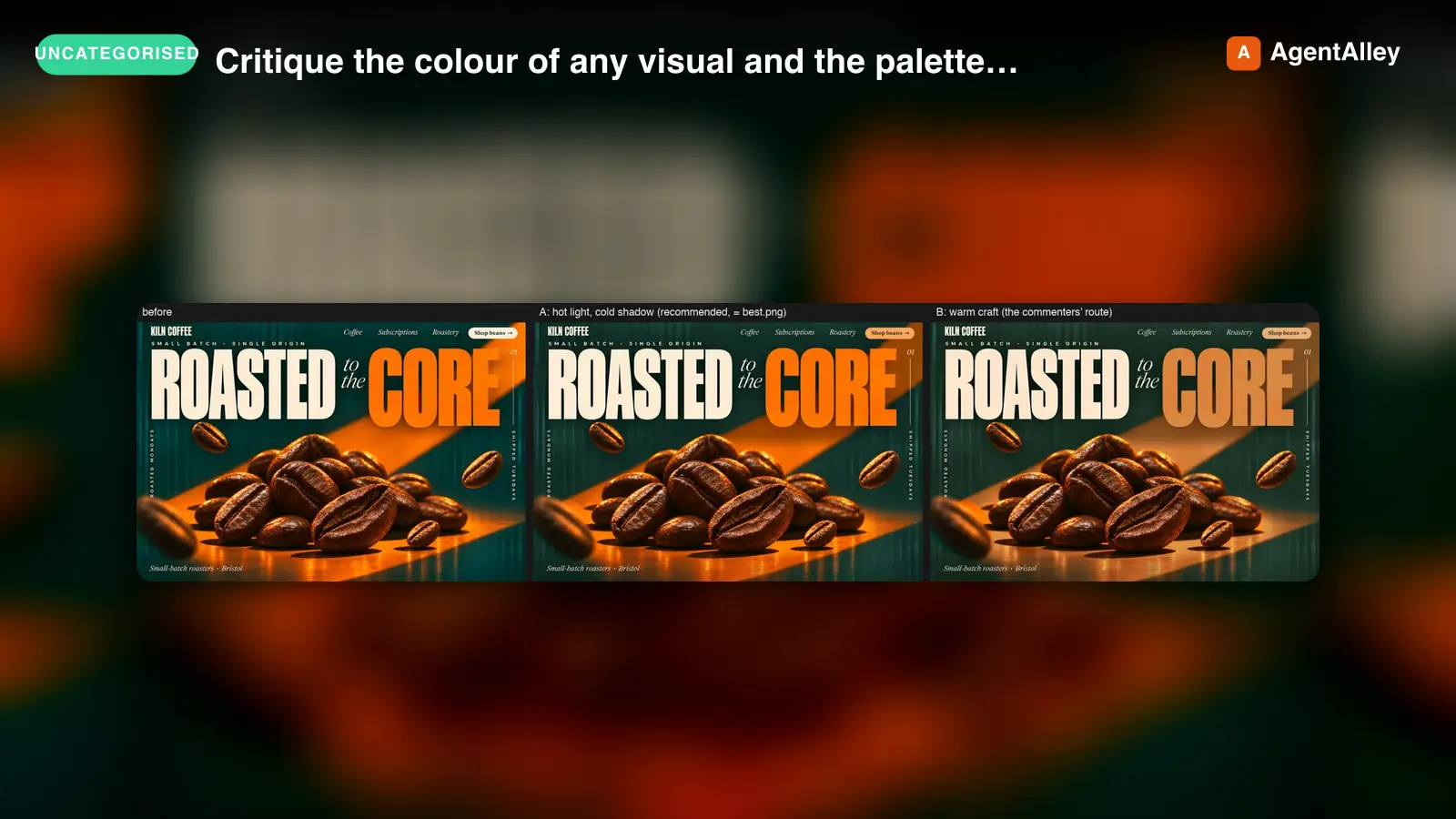
 LemonFace0309/charles-skills · by LemonFace0309Critique the colour of any visual and the palette behind it: graphics meant to wow (posters, hero images, ads, thumbnails, social posts), landing pages and onboarding, and product app screens. Routes by what the visual is for, measures the real colours (60/30/10 area split, lightness structure, hue gaps, chroma, temperature, text contrast, colour-blind views), and writes a ranked critique with exact OKLCH and hex fixes, alternative palette directions and before/after previews. Use when someone asks to critique, analyse, review, check or fix colours or a palette; asks why colours clash, feel off, muddy, washed out, garish, cheap, cold or out of place; asks whether a palette or accent works, or whether someone's colour critique is right; or wants colour feedback on a design, screenshot, website, app or brand.★ 257 GitHub stars
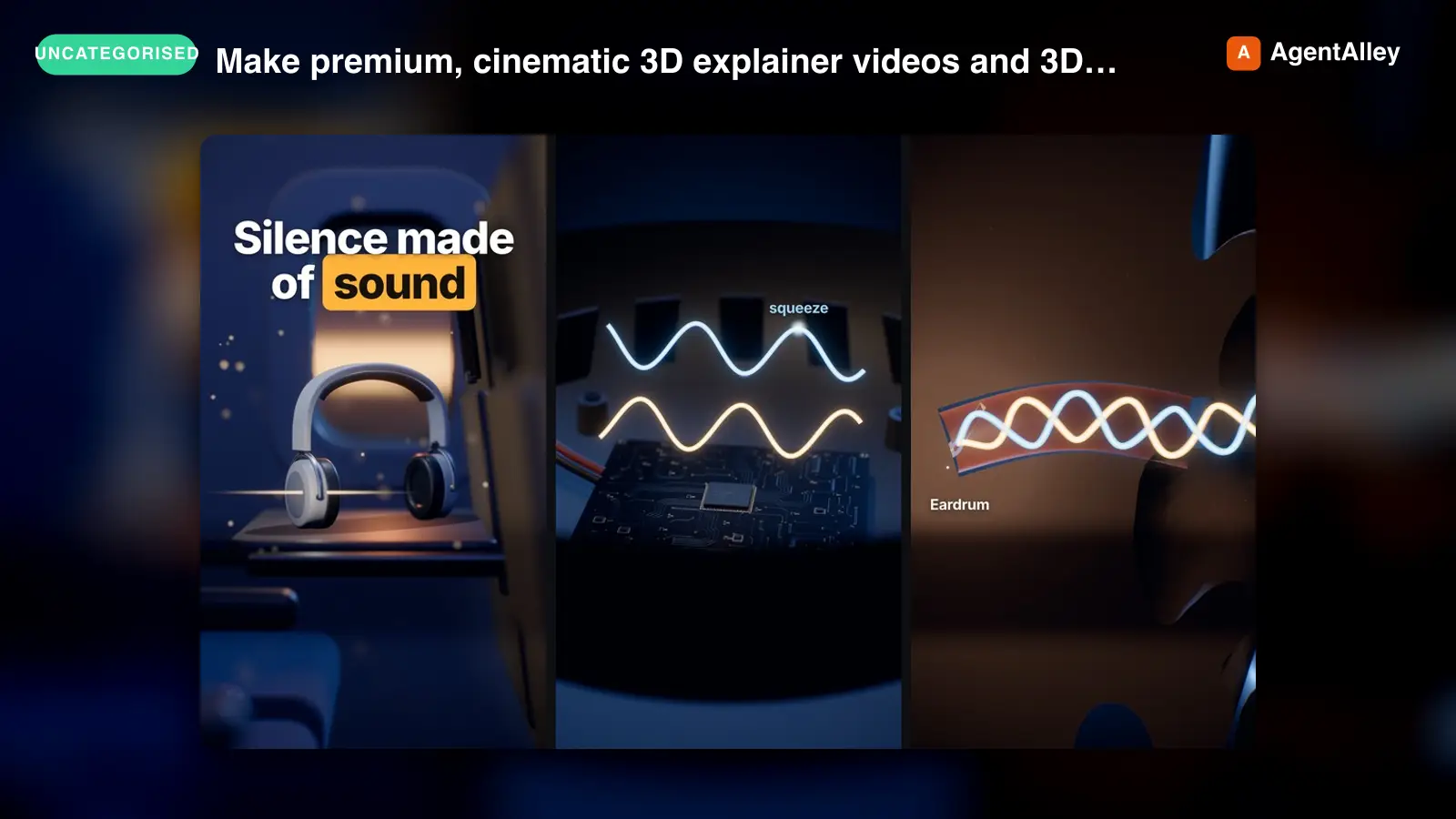 GoalLemonFace0309/charles-skills · by LemonFace0309Make premium, cinematic 3D explainer videos and 3D cutaways timed to a voiceover: dark 3D worlds lit with one warm accent, glowing signal paths, hero numbers that land on the word, labels pinned to parts, a running HUD counter, live app screens on 3D devices, and continuous camera moves with real depth of field and motion blur, rendered with three.js in headless Chrome (bun). Use whenever Charles asks for 3D explainers, 3D motion design, 'how X works' visuals, documentary-style or cinematic 3D, educational 3D animation, 3D b-roll for a voiceover, or 3D cutaways that replace parts of a talking-head video, for a whole reel or for one slot of a video he is editing (charles-claude-editing asks for an asset at a size).★ 257 GitHub stars
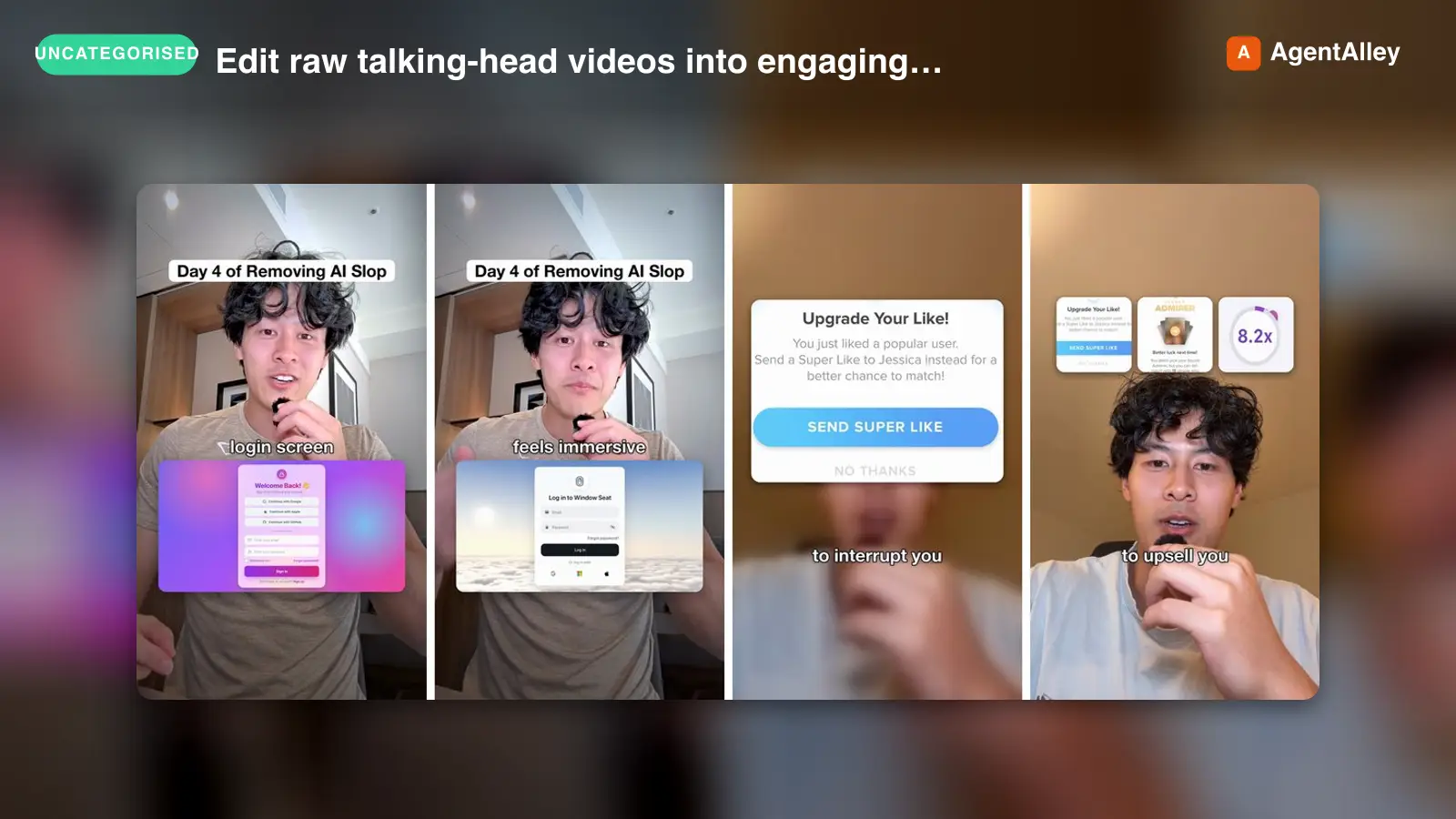 GoalLemonFace0309/charles-skills · by LemonFace0309Edit raw talking-head videos into engaging, organic-looking Instagram Reels / TikToks - cut dead space and stumbles, keep the last clean take, 2-3 word captions, retention-maxing image/video overlays (pop-culture stickers, cutouts, split screens, tweet screenshots), sound effects, a background track from the music folder, and a TikTok-title-style hook when asked. Covers news and education/entertainment videos. Use this whenever Charles shares a talking-head .MOV/.mp4 and asks to edit, cut, caption, add a hook, add overlays/b-roll/images/a split screen, add music or sound effects, "make it a reel", "minoify" it, or fix any of those in a video already edited this way - even if only one of those steps is asked for.★ 257 GitHub stars
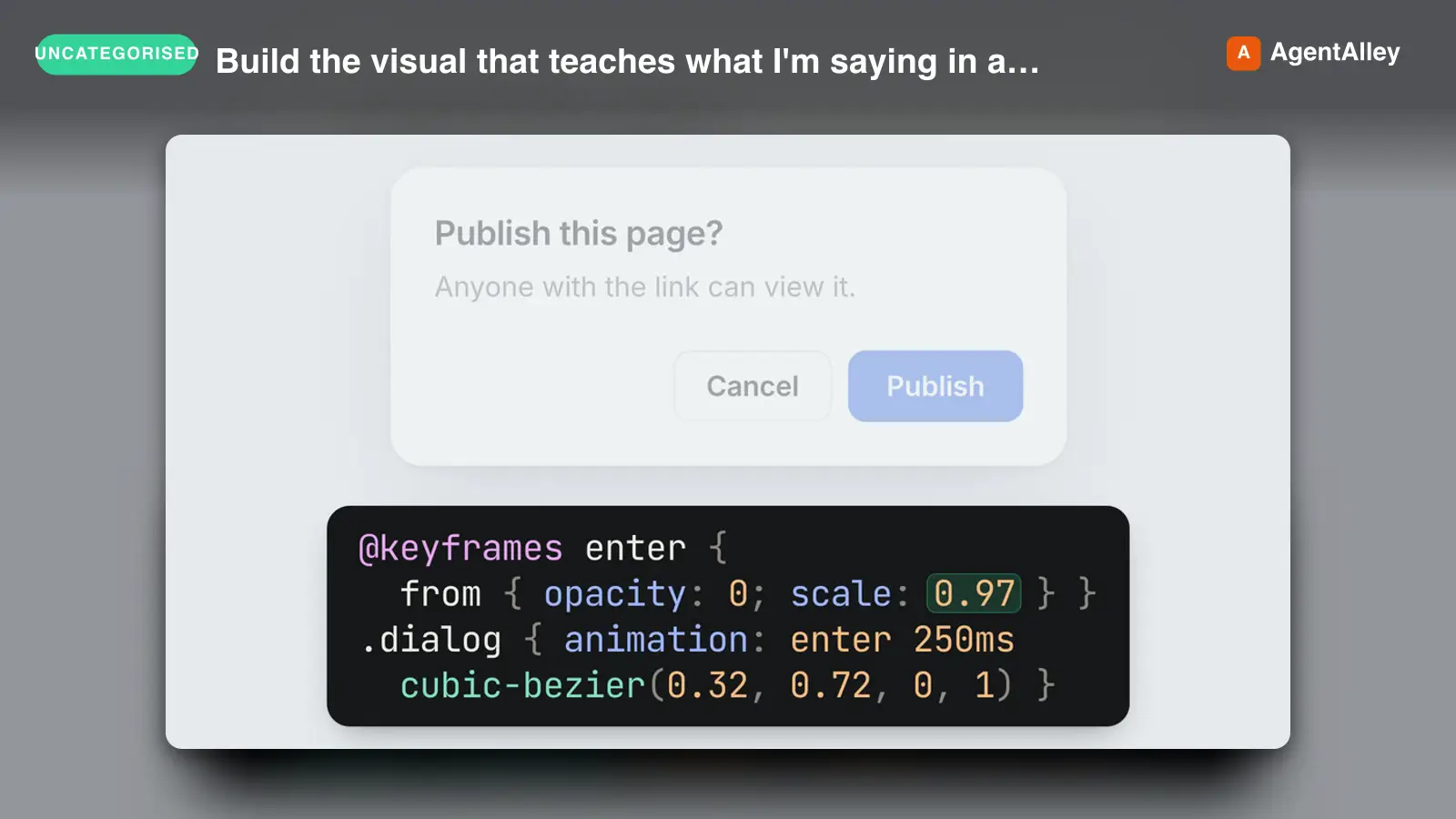 GoalLemonFace0309/charles-skills · by LemonFace0309Build the visual that teaches what I'm saying in a reel - the real thing doing what I describe, a before/after flip or a side-by-side, a mark that shows what changes (a guide, a hatched band, corner brackets, a before|after sweep), a definition tab above the demo, a coloured agent cursor that makes the change on my word or moves the part itself, the CSS or another short caption under it, red marks on a real screenshot - sized for the slot charles-claude-editing gives, timed to my words, and simple enough to read in the 1-5 s a phone viewer gets. Use whenever a video explains a term, a fix, a technique, a number or a mechanism (my list reels, "10 niche ___ hacks", Day N of Removing AI Slop, reverse-engineering explainers), when charles-claude-editing asks for an explainer asset at a size, or when I say a teaching visual is too busy, too fast, too small, stale, hard to read, not engaging, or that it's hard to see what changed.★ 257 GitHub stars
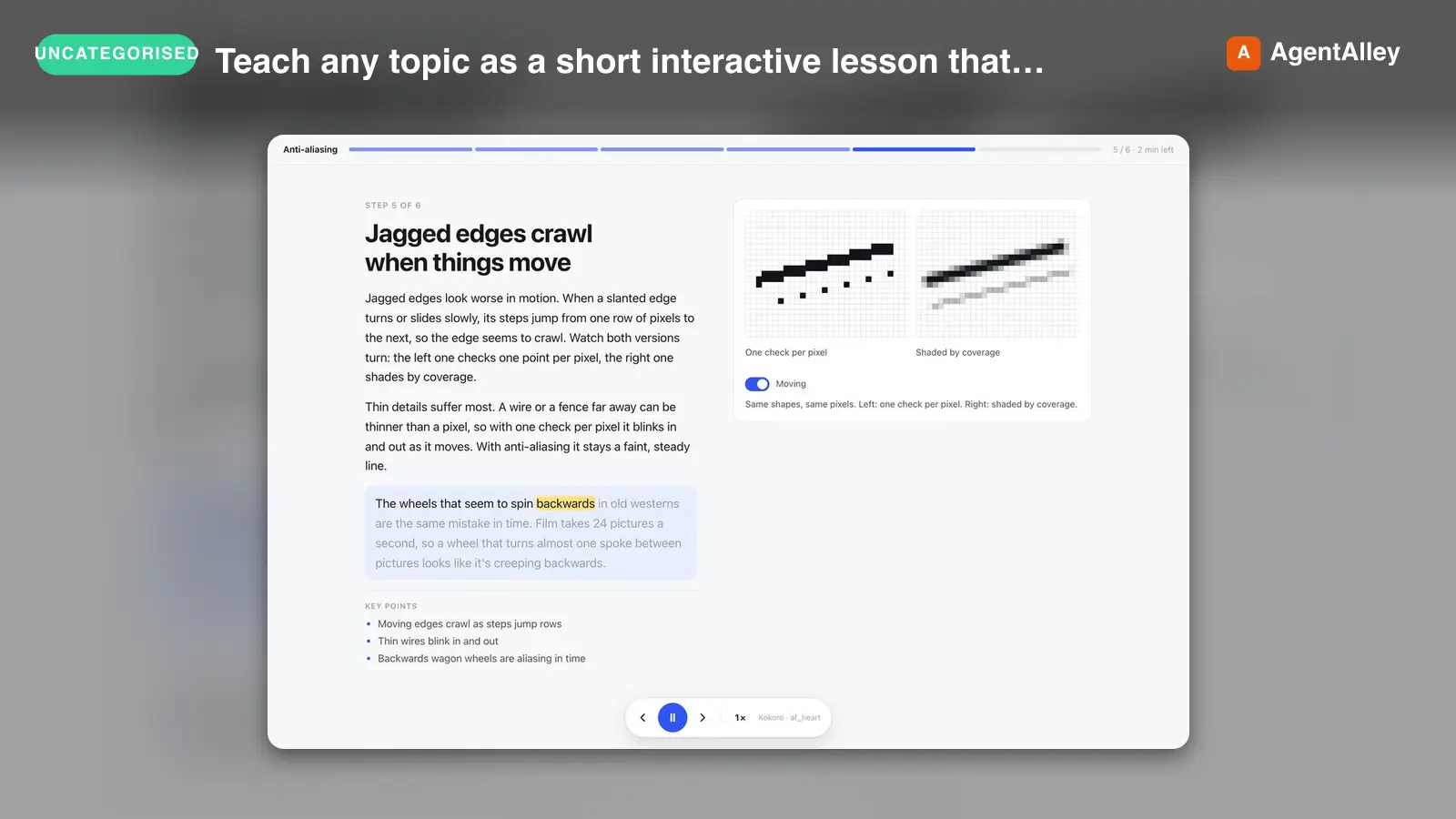 GoalLemonFace0309/charles-skills · by LemonFace0309Teach any topic as a short interactive lesson that opens in Chrome: one idea per screen, each hung on a real-life example, the key terms and an outline first, a predict-first question where people usually guess wrong, small demos to play with that change on the word the narrator says, stand-out facts, dot jots under every step, an acronym or phrase when there's a set to remember, quick checks with instant feedback, and a natural voice that reads along with each word highlighted at the speed you pick. Use when someone says teach me, help me understand, learn anything, walk me through, explain X step by step, make me a lesson on X, or I want to actually get X, and wants to understand a concept fast and properly rather than read a long answer.★ 257 GitHub stars
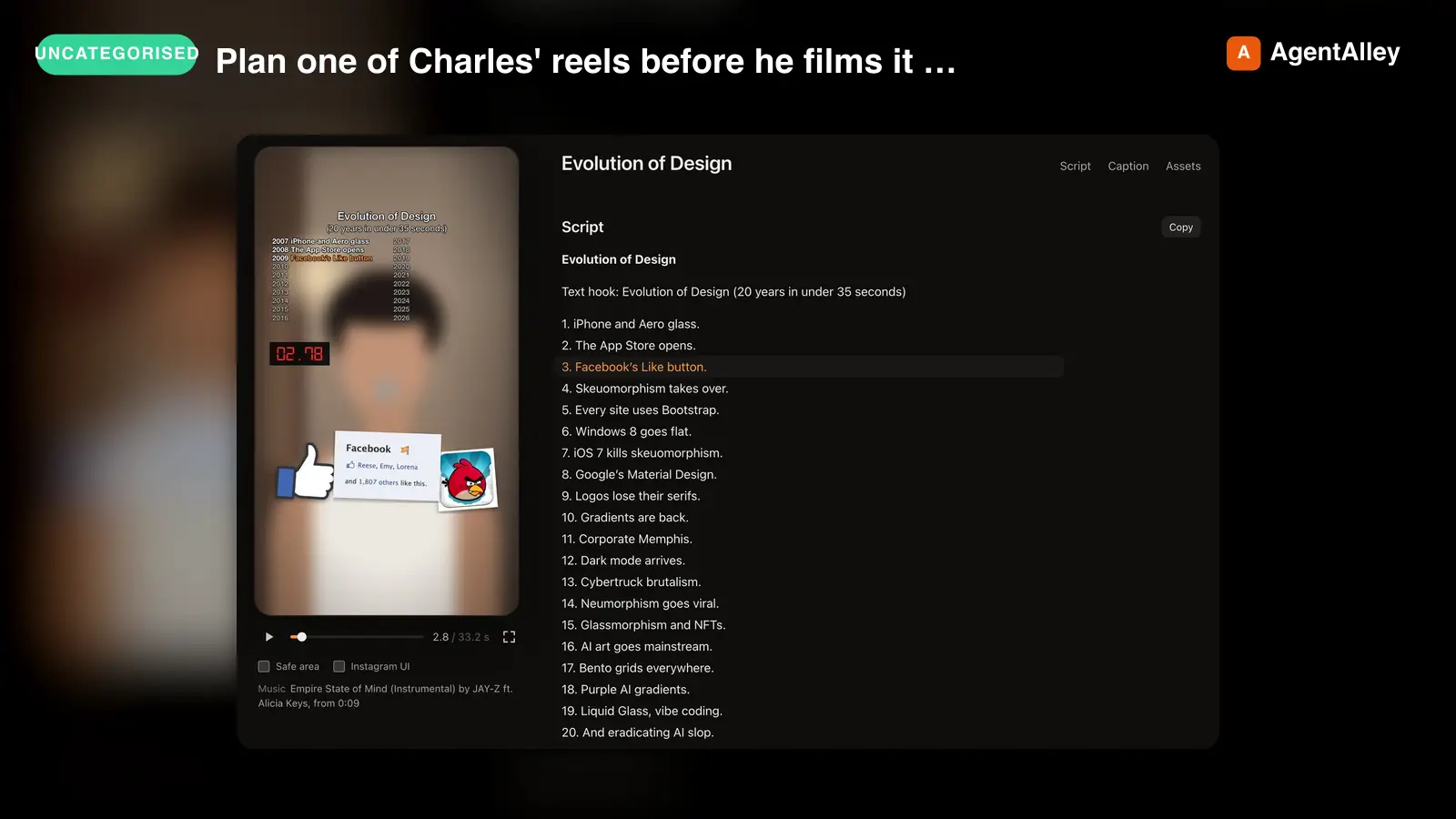 GoalLemonFace0309/charles-skills · by LemonFace0309Plan one of Charles' reels before he films it - from a video idea and a reference (his own reel, someone else's reel, or a post to credit), tear the reference down, write the script in his voice, source the real assets with their licences, write the caption with the credit, pick the music and its start point, write the plan file the edit reads, and publish a shareable plan page (an Artifact): the reel playing as a moving mockup over its music and a blurred stand-in for his footage, with full screen and Safe area and Instagram UI toggles, then the script, the caption options, the assets with their sources and the references the video came from. Use whenever Charles gives a video idea and a reference and wants the script, the assets, the caption, a mockup or a plan before filming ("make a video like this", "plan this reel", "script and assets for", "mock up this video", "do an evolution of ___ like this tweet"), and to update or republish a plan's page.★ 257 GitHub stars