Goal
Make premium, cinematic 3D explainer videos and 3D cutaways
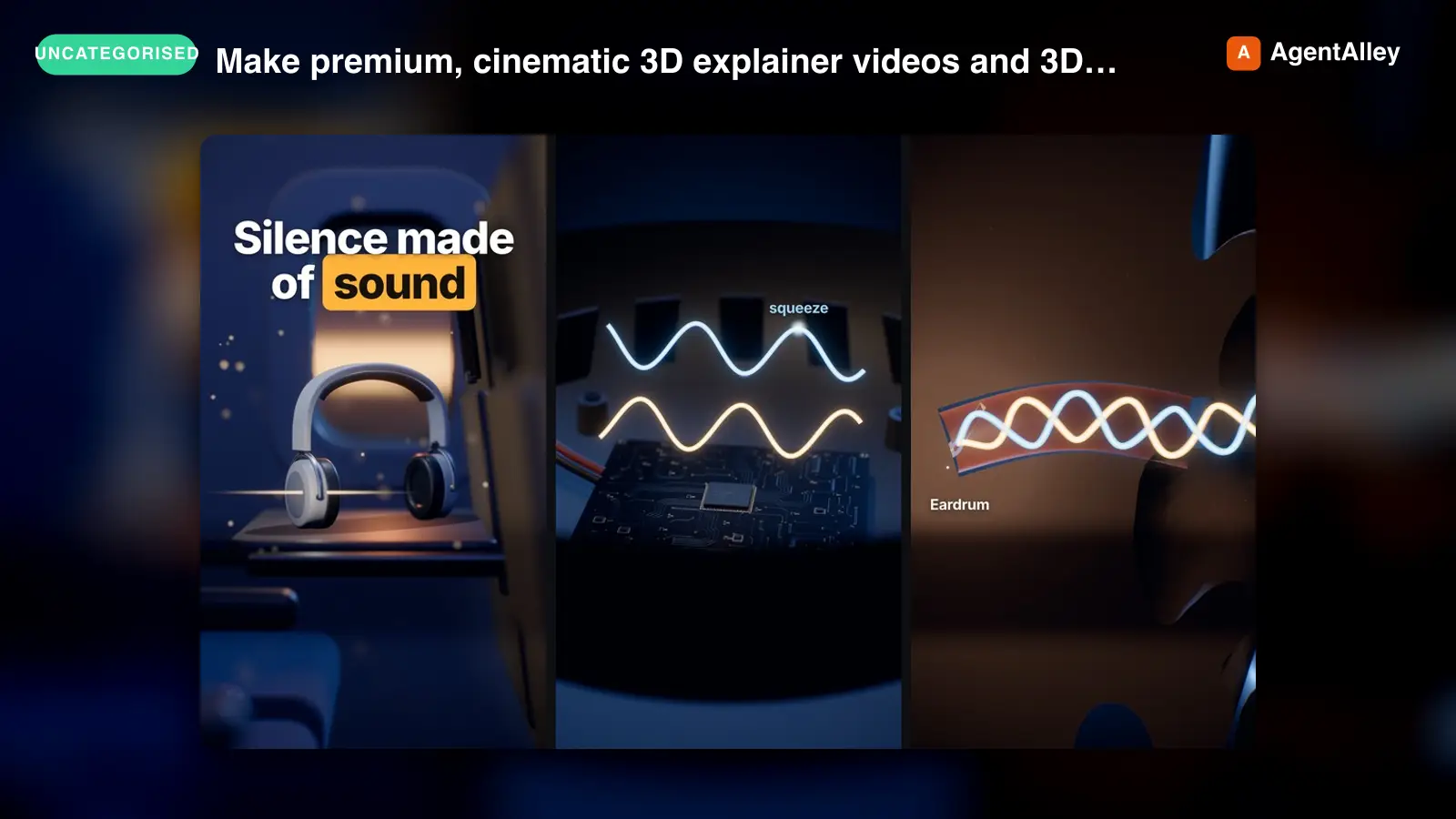
Make premium, cinematic 3D explainer videos and 3D cutaways timed to a voiceover: dark 3D worlds lit with one warm accent, glowing signal paths, hero numbers that land on the word, labels pinned to parts, a running HUD counter, live app…
---
name: charles-3d-explainers
description: "Make premium, cinematic 3D explainer videos and 3D cutaways timed to a voiceover: dark 3D worlds lit with one warm accent, glowing signal paths, hero numbers that land on the word, labels pinned to parts, a running HUD counter, live app screens on 3D devices, and continuous camera moves with real depth of field and motion blur, rendered with three.js in headless Chrome (bun). Use whenever Charles asks for 3D explainers, 3D motion design, 'how X works' visuals, documentary-style or cinematic 3D, educational 3D animation, 3D b-roll for a voiceover, or 3D cutaways that replace parts of a talking-head video, for a whole reel or for one slot of a video he is editing (charles-claude-editing asks for an asset at a size)."
---

# Goal

Every clause of the voiceover becomes something the viewer SEES happen, on its word, in a world that looks like an
expensive 3D render. Something new lands about every second, yet any paused frame has exactly one thing to look at.
The bar is a premium motion-design studio, never "three.js demo" and never AI slop.

`K` is this skill's `kit/` folder. Use absolute paths and bun (`export PATH=$HOME/.bun/bin:$PATH`), never node.

# What you are making

| Ask | Output |
|---|---|
| **Reel**: a whole voiceover | one 1080x1920 mp4 with the audio and captions, visuals for every second |
Overview
Every clause of the voiceover becomes something the viewer SEES happen, on its word, in a world that looks like an expensive 3D render. Something new lands about every second, yet any paused frame has exactly one thing to look at. The bar is a premium motion-design studio, never "three.js demo" and never AI slop.
Manual install (npx, ZIP)
npx skills add LemonFace0309/charles-skills --skill charles-3d-explainers -g -a claude-codenpx degit LemonFace0309/charles-skills/skills/editing/charles-3d-explainers#main ~/.claude/skills/charles-3d-explainersConnects with Agent Alley MCP · agentalley.io/mcp
Files included
SKILL.md35.3 KB
Read SKILL.md here
Show the full text419 lines
Goal
Every clause of the voiceover becomes something the viewer SEES happen, on its word, in a world that looks like an expensive 3D render. Something new lands about every second, yet any paused frame has exactly one thing to look at. The bar is a premium motion-design studio, never "three.js demo" and never AI slop.
K is this skill's kit/ folder. Use absolute paths and bun (export PATH=$HOME/.bun/bin:$PATH), never node.
What you are making
| Ask | Output |
|---|---|
| Reel: a whole voiceover | one 1080x1920 mp4 with the audio and captions, visuals for every second |
| Slot asset: charles-claude-editing picks a layout and asks for a visual at a size, with word times and a text area | one mp4 at exactly that size and length, no audio, captions off, text only inside the area it gave you |
| Cutaways for a talking-head reel: replace stretches of the face with 3D beats | one project per stretch on the creator's own voice, delivered as clips plus a cut list (section "Cutaways") |
| Overlay: an object floating over footage | ask before promising alpha; the kit renders opaque frames |
Slot sizes the editor uses: 1080x1920 new screen, 1080x960 half split, 1080x768 top-40% split, 1280x630 card above
the face, 1280x1550 tall card. Set size in project.json. Positions in this file are for 1080x1920: scale them, and
keep text 60 px inside every edge of the slot (the overlay defaults already scale: type and x by W/1080, y by H/1920;
--audit checks the 60 px).
Setup (once per machine)
cd K && bun install. Google Chrome must be installed (render.mjs finds it, or setCHROME_PATH).FAL_KEYin the environment or a.envup the tree, for transcription and the AI tools (models, plates, clips).
Workflow
Walk these steps in order, every time. Never render a final before step 7 passes.
- Project.
bun K/new.mjs <dir> --audio <voice> [--script script.txt] [--from s --to s] [--palette name]. It cuts the audio, gets word timings, and writesproject.json,plan.md(one row per sentence),shots/andassets/. Always pass--scriptwhen a script exists: it puts the script's exact words, digits and names onto the timings. With a script and no audio, ask for the voiceover first. Why: timing comes from the words, so anything built before the audio is a guess. - Words. Read
words.jsonagainst the script: names, numbers as digits, spellings.captions.replacechanges only how a word reads on screen. - Plan in
plan.md(format below). Decide, for the whole video: one palette, one running example, the HUD quantity if any, the chapters. Then for every beat walk the Shot, Camera and Transition trees, and count events against "Pacing". If Charles is around and did not say "just do it", show him the plan before building. - Build one shot module per camera setup in
shots/, registered inproject.jsonwith its start on a word onset. Start from the closest snippet inreferences/kit.mdor a project inexamples/. Readreferences/look.mdbefore you light anything. - Stills.
bun K/render.mjs <dir> --stills <t1,t2,...>at every key word + 0.2 s. Look at each one at phone size. render.mjs prints each still's tone (YAVG, YLOW, YHIGH, SATAVG) against look.md's ranges: fix every still it flags (give a shot row whose world is not night atonekey: space, screen, warm or hot). Fix and re-render until each still passes the Review checklist on its own. - Draft.
bun K/render.mjs <dir> --draft --audit, then `bun K/sheet.mjs <dir>/out/draft.mp4 --every 1 --words<dir>` and `bun K/check.mjs <dir>/out/draft.mp4 --project <dir>`. Fix every `hook`, `static`, `dark` and `dangling` line, every stale span, lull, flash and unplanned pop (pops on a word you timed are listed as planned), and look at 30 fps strips around every cut (`--strip <t> --span 0.8 --fps 30`). - Review with the checklist at the end, at phone size. Anything that fails goes back to step 4. Note what you
changed in
plan.mdso the next pass does not undo it. Then render 16-sample stills of every shot you changed since its last stills. Last,bun K/render.mjs <dir> --draft --samples 16 --auditand check.mjs on it: a 1-sample draft has no depth of field, and in a test round three of four finals failed astaticrun, a 2.2 s gap or the caption-band audit that their 1-sample drafts had passed. - Final.
bun K/render.mjs <dir> --audit, thencheck.mjson the final and a contact sheet. A final whose audit or check.mjs prints ahook,static,darkor text-over-subject line is not done.
The plan (plan.md)
One row per beat. A beat is one clause of the voiceover, 0.8 to 3 s.
| start-end | words | the visual: what literally happens, on which word | shot type | camera | overlays | link |
|---|
Rules:
- Literal first. Every noun, number, place and app the voice names is visible within 0.2 s of its word, and every verb of change (slow down, speed up, split, add, "two things") gets its own visible change on its word. Why: the eyes confirm what the ears hear; a visual that lags or paraphrases reads as stock footage, and judges count every named idea they could not see.
- One running example (pacing.md section 6): one concrete thing from the viewer's life, introduced in the hook and carried through every beat that can show it (the photo your mom sent, your phone, packet #0847). When one becomes many, single one out with a short tag and follow it. It returns at least every 40 s and is on screen in the last 5 s. Why: continuity turns 40 shots into one story; it is the cheapest retention tool there is.
- Stay in the world. Every beat happens in the running example's world: on, in or around the object, in its
room, on its device, between two of its parts. An empty void (a backdrop, dust and one glowing line) carries at most
one shot of 4 s or less per reel. A field of tiles, bits, packets or glyphs lies on a floor that recedes to a
horizon: the camera 20 to 35 degrees above it, the horizon in the headline band, focus on the near rows (
blur0.015 to 0.02), everything outside the active region at 40% emissive; never a wall square to the camera filling the frame. A signal (a wave, a pulse, bits) travels between two real objects of the running example, both in frame at least once. The world has several places (the room, the device's inside, the street, orbit, the cable under the sea): move to a new place or scale at least every 15 s. Why: the reels that lost the most spent a third of their runtime on a line in a navy void or a flat wall of tiles, which reads as a screensaver, and one backdrop held for 35 s read as monotone even when every shot in it was right. - Teaching frames. Plan the clearest frame first for the 2 or 3 beats that carry the mechanism (its verbs: flips, crosses, calculates, both on). The parts involved fill 50 to 80% of the width, seen square-on to the change. Two states are colour-coded (the accent and the cool secondary), in the world and in the caption highlights. One change at a time, held 1.5 s after it lands. A still of it at phone size can be described in 5 words. Every hero object shows the 2 or 3 features that make it nameable from a still (a silicon boule: seed, neck, growth ridges; a wafer: a bright thin edge). Every number on screen agrees with the others: received minus sent equals the travel time shown, an equation's result checks out, a clock never reads later than the time it stamps. Why: in four of five test reels the frames the video existed for were its least legible, and a judge does the arithmetic.
- Payoff. The last explained idea gets the biggest, clearest image of the reel: the running example, transformed, at 40 to 70% of the width. Never a thin line, a 30 px dot or a shape cut off by the frame. When the voiceover ends mid-sentence, end on that image held 0.6 s instead of looping.
- Hook (pacing.md section 8). Frame 0 is a finished beauty shot: the hero glows from inside or is backlit by a
warm horizon (
k.backdrop({ horizon: 0.4 })), its hottest pixels reach 240, it fills 35 to 60% of the width in the subject band, the headline and the first caption are up. Never an opaque matte object alone in a dark void, never a fade from black. The camera is already moving on frame 0 at 20 to 40 px/s: start the hook's move withease: 'linear'or'outSine'(an in- or inOut-ease sits still for the first second). Within 0.5 s something also visibly changes on the hero (a light sweeping across it, a turn of 5 degrees or more, motes streaming at the camera): a 20 to 40 px/s drift alone reads as a still poster at phone size. Something visibly happens on the hero by 1.0 s (a glint sweep with a bloom streak, an ignition, a pulse arriving). Between 1.0 and 2.0 s the camera dives: a 2- or 3-stage scale journey (into the object, through its surface, to the first thing the voice explains), a stage every 0.5 to 0.8 s, joined by 0.4 to 0.6 szoomtransitions (copyexamples/hook-dive). check.mjs'shookline reads 4 or more. The headline is 2 to 6 words at 110 px or more (one pill, orstyle: 'cond'), the rest of the sentence in a((sub-line)); it states a paradox or a surprising pairing ("How does [[sand]] think?"), never a description of the video, and leaves as the dive starts (1.2 to 2.4 s). The voice opens on the concrete object. Why: in blind tests against premium studio reels, every hook that sat still lost; four of five studio reels dive between 1 and 2 s. - Structure (pacing.md section 10): cold open 5 to 15 s; the question restated over a quiet establishing shot; then chapters of 20 to 40 s, one world or one scale each, each opening on its biggest transition and a new hero number or section word; the last 5 to 10 s pull back to the big picture and end on the opening image, so the reel loops.
Shot tree
Walk the questions in order for each beat; the first yes wins.
1. Names a concrete thing ("This is a transistor")?   → HERO REVEAL: the object alone, sharp, lit, slow push or quarter
                                                        orbit; a label on the part it names
2. Gives a number (count, size, speed, time)?          → HERO NUMBER over a scene that SHOWS the quantity (100 billion →
                                                        a field to the horizon; 30 m → a dimension line in the world);
                                                        a number standing in the world is props.extrude (3D type),
                                                        its text set from ft. A size comparison ("fits on your nail")
                                                        holds its number over the comparison image until the sentence
                                                        ends + 0.5 s, across a cut if needed (globals.js)
3. Says something moves, travels, sends, flows?        → SIGNAL PATH: a glowing path draws on, a pulse travels it, nodes
                                                        light as it passes, the camera follows the pulse
                                                        (cam.follow, pulse.place)
4. Changes scale (inside, from space, microscopic)?    → SCALE JOURNEY: one continuous zoom through nested worlds; a
                                                        scale bar (k.ui.scaleBar) steps down an order of magnitude on
                                                        each zoom word (1 mm, 10 µm, 100 nm)
5. Walks through steps of a mechanism?                 → STAGED MECHANISM: one set for all steps; each step lights or
                                                        moves one part; the step name as the hero term
5b. Says calculate, measure, work out, convert, add up? → EQUATION with real inputs, even when the voice never states
                                                        the formula (distance = 299,792 km/s × 0.0667 s); the terms
                                                        land on their words, the result last in the accent, then it
                                                        moves into the world
6. States a relation or formula?                       → EQUATION: terms land on their words, the result last, in the
                                                        accent, while the scene does the same thing (a curve that
                                                        draws on: glow.plot)
7. Compares two things, or before and after?           → TWO STATES: side by side, or one object morphing on the
                                                        contrast word; the two states in the accent and the cool
                                                        secondary, in the world and in the caption highlights
                                                        (captions.highlight [{ match, color }])
8. Mentions an app, screen, site or message?           → DEVICE SCREEN: a phone or laptop with a live HTML screen doing
                                                        exactly that step. A device action (send, tap, swipe, type)
                                                        is always a device screen with the real UI and a thumb
                                                        (props.hand), never a character clip. A screen in shot never
                                                        shows the reel's own title or captions
9. Names a real place or a distance on Earth?          → GLOBE, CITY or PLATE: the globe with an arc, the city from
                                                        above, an AI plate for a specific interior
10. Shows a person doing something (a habit, a feeling, a reaction)?
                                                     → CHARACTER BEAT: a body part at macro scale (an eye blinking,
                                                        a fingertip, a thumb), graded to the world, 1 to 1.5 s
                                                        (K/clip.mjs, references/characters.md), hard cut on the word,
                                                        then an object shot explains it; never a full cartoon figure
                                                        or a clay mannequin; at most one per 15 s
11. States data: a share, a trend, a ranking?          → CHART: props.bars, lineChart or donut grows on the word; a
                                                        count of things → props.stack with one hero tagged; a running
                                                        total in the world → props.scoreboard
12. Abstract: a feeling, a rule, an idea?              → a METAPHOR OBJECT with one explicit mapping (a lock for
                                                        "encrypted") or a DOODLE, in the running example's world;
                                                        never generic particles, never an empty void
13. Otherwise                                          → stay on the running example and change ONE thing on the key word
Camera tree
Numbers from pacing.md section 4. One move per setup. A reel of 60 s or less moves like the fast story reels: the
camera is never near-still for 3 s in a row (check.mjs static), a real move (a dive, a follow, an orbit of 30
degrees or more, a whip) comes every 2 to 3 s, and pushes run 5 to 15% of the distance a second. Long explainers
(2 minutes or more) use the numbers in brackets. Why: premium short 3D reels move like story reels, and a slow
camera was the second most-penalised dimension in blind tests.
Introducing or explaining one subject?          → push in, 5 to 15% of the distance per second (long: 2 to 6%), for
                                                  1.5 to 4 s
One becomes many, a part shows its whole?       → pull-back reveal, 5 to 20% a second for 1 to 3 s, easing out
Something travels from a sender to a receiver?  → ONE follow shot through both places (cam.follow): it holds its
                                                  screen position while the world streams past at 300 to 600 px/s;
                                                  never cut between the sender and the receiver
Proving a hero object is real 3D?               → quarter orbit, 60 to 90 degrees over 3 to 5 s, with a gentle push
From a detail to the layout?                    → rise to top-down in 1 to 2 s
Orders of magnitude of scale?                   → cam.logZoom over 1 to 3 s; split into two shots joined by a zoom
                                                  transition when a texture would break up close
A number, equation or diagram is being read?    → drift 40 to 80 px/s (long: 20 to 40) for 2 s at most, then move
New angle on the same subject, in a fast run?   → whip (transition tree)
Always: ease in and out (except the hook's first move), drift 0.4 to 0.6 on every shot so no frame freezes, the
subject's silhouette inside x 200 to 880, y 560 to 1280 and never in the caption band (y 1320 to 1500). Why: a
locked-off camera reads as a slideshow, and a subject behind the caption is unreadable twice over.
Land the move before a hard cut. An eased move (a crane, an orbit, a push to a framing) reaches its end pose by
k.out - 0.2, so the last frames only drift. k.out is when the shot is last seen: its end, or a cutaway's out point
(cutOut) when that comes first. Key a move to k.dur + 0.3 only when a whip or a zoom follows, which carries it,
or when the next shot keeps moving the same way at least half as fast; in a cutaway the last shot's k.dur runs on
into the 0.5 s handle after the out point. A constant slow orbit (a linear ramp) is ambient and may run through the
cut. check.mjs warns when a cut or the out point lands while the camera still travels; it measures the camera alone,
so rings rippling or a popup slamming in at the cut never count. Why: a cut from a drift, or from a move into a move
that continues it, reads as one flow; a cut in the tail of a move that is still landing reads as a shot cut off
before the camera arrived (Charles caught a crane over a carousel cut at a fifth of its top speed into a still frame;
in 8 of 15 test cutaways the last move was keyed to k.dur + 0.3 and the face came back with the camera at more than
half its top speed).
Transition tree
From pacing.md section 5. Pick from the story, never for variety.
Same world, attention moves to another part?    → no transition: rack focus (0.3 to 0.6 s, cam.rack) or a short pan
The thing travels to the next place?            → follow it in one shot, no transition
Scale changes (into, out of, down to)?          → "in": {"type": "zoom", "dur": 0.5 to 0.7} plus a push in both shots
Light or energy carries the story, or a chapter changes? → "light", dur 0.5, `at: [x, y]` = the light source's
                                                  screen point as fractions (default [0.5, 0.45]); at most once per
                                                  20 s
Pulling back out to the big picture?            → "zoom" with `out: true`
Time passes, or we leave one world for another? → "dip", dur 0.5
The voice draws an analogy?                     → match cut: the same shape at the same pixel in both shots
New angle on the same subject?                  → "whip", dur 0.3 to 0.45
A different place at the same scale?            → "fade" (a defocus blend), dur 0.3
Enumerated steps ("mix it, heat it, cool it")?  → hard cut on each verb's onset
Something shown small (a screen, a bubble) becomes the next scene? → portal: push into it, then "zoom"
Shots start on word onsets (start = a word's start). The incoming subject appears within about 300 px of where the
outgoing one was. Why: the eye should never have to search after a change. A hard cut between two framings of the
same subject changes its size by 1.5x or more, or its angle by 35 degrees or more; otherwise keep one continuous move
(check.mjs flags a cut that changes too little). Why: a cut that only moves a ring or a label reads as a glitch.
The outgoing shot's labels and numbers leave in the first third of a whip, zoom or light and the incoming ones
arrive in the last third (the kit does this). Never fade between two framings of the same subject: the crossfade
double-exposes it (two cables crossing in a V, ghosted spheres); use a whip, a cut matched on the subject's screen
position, or one continuous move. Fade thin glow lines out before a whip (its smear turns a bright line into a
staircase). Never the same transition three times in a row unless the story repeats.
The look (numbers in references/look.md)
- Dark world, one warm accent. The accent belongs to the protagonist of the explanation (the signal, the active part, the term being solved) and to the caption pill that names it. A cool secondary (cyan) is for time and the system around it, red only for loss or failure. Big areas stay dark and low in chroma. Why: one warm light in a dark world IS the premium look; two accents read as a theme park.
- Saliency agreement. The subject is the brightest, sharpest, most saturated thing, and the one moving with purpose. If any of those points elsewhere, dim it, defocus it or stop it. This is what keeps a fast video calm.
- Light like a night product shoot. A soft, dim key from the top-back; a strong cool rim behind the subject (the brightest pixels after the emissives); warm light only from story objects, each with a point light that pools on its surroundings. When a floor or terrain fills the frame, keep the directional lights dim (look.md section 4 has the rig numbers). Why: evenly lit big surfaces are what reads as milky and cheap.
- Depth of field by shot type. Object and macro shots:
k.lens = { blur: 0.016 to 0.03, focus: <subject> }, only the subject sharp. World shots (planet, city, sea floor, grid):blur0.006 or less, deep focus, detail everywhere; never blur a world shot to hide missing detail. Pull focus over 0.3 to 0.6 s when the caption's subject changes. Nothing out of focus passes in front of the in-focus subject (it renders as stepped copies or a hard band): bring it in at the focus distance, or rack to it. - Materials. A bevel on every hard edge, at least two roughness levels, micro-detail at three scales on anything that fills more than a third of the frame, contact shadows. A product never sits on a seamless colour backdrop: put it in a place (a nightstand at night, a desk, a hand).
- Glow is information. Emissive lines and pulses mean signal, current, path or data; nothing glows for decoration. Lines at intensity 4 to 6, pulse heads 14 to 30.
- Air. 10 to 40 visible motes (
fx.dust), a lighter region behind the subject, dark corners. - Scale cues. When a size is said, put something of known size beside it (a hair, a fingernail, a phone).
- People are never toys. Hands use
props.hand(skin by default), lit dim and cool with a rim; the warm light falls only from the story object. No clay figures or cartoon characters next to hard-surface renders. A CG hand in close-up read as a mannequin in every test reel that used one: keep a hand under 30% of the frame height, rim-lit, the thumb pressing on its word (hand.press), or show the phone on a surface with no hand. - Glass, crystal and liquid heroes need something lit behind them (a horizon glow or an inner point light):
transmission shows only what is behind, so in a dark void glass reads as an opaque pebble. Anything molten uses
mat.molten. - Space is never an empty void: the kit's stars (150 or more visible at phone width),
fx.milkyWay, blacks at 6 to 10. - A product in a night world gets
k.look.productLight(k.scene, product): white plastic reads mid-grey under the night rig without it.
Type (numbers in references/look.md section 2)
| Band | y (1080x1920) | What |
|---|---|---|
| Top UI | 0 to 200 | nothing |
| Headline | 240 to 660 | title, hero number, HUD, section word |
| Subject | 650 to 1270 | the one focal object |
| Captions | 1320 to 1470 | one line, centred at about y 1432 (captions.bottom 450) |
| Bottom | 1540 to 1920 | quiet world only: the platform covers it |
- Captions come from the words: the kit breaks them on phrases (never after 'a', 'the', 'of', 'to', 'and' or
'your'), keeps each up at least 0.7 s and shows the first one from frame 0 (kit defaults are the measured sizes).
check.mjs's
danglingline must be empty; itsflickerline lists only chunks the size caps force: accept them. At most one highlight per chunk and about one chunk in four with one: a number with its unit, the mechanism being named, or the viewer's own object, in the colour that thing has in the world ({ match, color }). Never a filler word. - Title: the hook's headline (see Hook): 2 to 6 words at 110 px or more, one emphasis, an optional sub-line, gone by 2.4 s.
- One statement of a number. While a hero number is up, its words in the caption get no highlight, and the hero's sub-label adds meaning ("light in glass") instead of repeating the caption. Why: judges called the same number in the caption, the hero and a label clutter.
- Legibility. Text that must be read is 40 px or more at the final framing (label sub-lines 34 px), including
in-world text and the UI on a device screen; nothing under 44 px rides a moving anchor. A device screen in shot
keeps its own text and controls above y 1300. While a caption is up, the caption band (y 1320 to 1500) shows only
dark, defocused world: no bright line, edge, screen or text crosses it (
--auditmeasures it;post.captionShade0.3 to 0.5 darkens the band softly when the composition alone cannot). - Hero number: one at a time, lands within 0.2 s of its word (
at: k.word('200,000') - 0.1), rolls up in 0.25 to 0.3 s (count: { dur: 0.3 }) or grows live with the motion it measures, holds 0.8 to 2.6 s. Always a unit, and a sub-label when the unit is not enough. A result is built: inputs land first, the result last, in the accent. - HUD: only for a quantity the story keeps returning to; one corner, never moves; enters when that journey starts, never while the title is up; runs in story time (pacing.md section 6 has the code); the voice quotes it once per chapter.
- Labels: at most two at once, 1 to 3 words, 30 to 150 px from the anchor, never on the subject or in the caption band, 1.5 to 4 s each; no leader line unless the anchor is ambiguous.
- In-world text (tags, scoreboards, signs) belongs to the scene; set changing text from the frame time
ft.
Pacing: fast but not chaotic (numbers in references/pacing.md)
- Plan one event per 0.7 to 1.2 s of voice, each tied to a word. Never 2.0 s without one; never two within 0.25 s. An event is a visible change: something enters, transforms or lights, a number or label lands, the camera reveals or turns, the shot changes. Captions are not events, and neither are a shimmer, a drift or a glow pulsing in place: a hold over 2 s on one subject reads as dead even when check.mjs counts its shimmer.
- About two events in three happen in the world, one in three is type.
- A bigger beat (a transition, a hero number, a scale reveal) every 3 to 5 s. A cut never lands with a number.
- A camera setup lasts 1.5 to 4 s, unless one follow move carries the time with events inside it.
- One change at a time: the camera, the subject and the text take turns. Little text: a caption, at most one hero or counter, at most two labels.
- Many angles, one subject: within a stretch, the angles circle the same subject.
- When a beat needs many things (1,500 packets, 600 cables), show the many as a field and make ONE the hero: lit, in focus, tagged.
Cutaways in a talking-head reel
- Read the edit's transcript and mark stretches whose words describe something you can show: a mechanism, a number, an action, a place, an app. Leave the face for opinions, jokes, direct address and the hook line, and keep it on screen for at least a third of the runtime. Why: the face carries the connection; the cutaways carry the explanation.
- A stretch lasts 2 to 8 s, with a new framing every 1 to 1.5 s, one subject per framing, literal to the words.
- One project per stretch on the edit's own voice:
new.mjs --audio <edit's voice track> --from <s> --to <s> --cut-out <out point>, so everyk.wordis right.--cut-outwrites the out point as project.jsoncutOutin project time (on an existing project, set it by hand: the out point minus--from); it sets the last shot'sk.out, so its move lands before the face returns, and check.mjs tests the camera there. Captions off (the edit's captions run over the clip, so keep y 1300 to 1500 free of key detail); no title. check.mjs'shookline is for a reel's opening: on a cutaway, ignore it. - One palette for every cutaway in a reel. Match the creator's world: a dark studio world for a tech topic.
- Deliver the clips at the slot size plus a cut list (in and out on the edit's timeline). Cuts land on word onsets, and the face returns on a word onset too.
- Keep his receipts: a screenshot, code or text he quotes stays on screen while he reads it; the 3D takes over after. And on the face, a line that names a change over time ("16 years of retention optimization", "it used to...") shows the change happening: the old thing whips out and the new one whips in on the words, with a whoosh, never the old one alone as a static sticker. Why: the change is the point, and motion is what holds a talking-head beat.
Building shots (kit rules)
- Shots are pure functions of time:
update(t, ft)runs many times per frame at slightly differentt(that is how motion blur and depth of field are made). Never accumulate state across calls; usek.rng(seed)andk.ramp/keys/pulse. Set in-world text fromft, the frame time, so it reads crisp. A shot that breaks this flickers or ghosts. - Time everything from words:
const t1 = k.word('billion')(shot-local seconds). Land events on the stressed syllable:t1 - 0.05.k.wordprefers an exact match inside the shot and warns when it reaches outside it; nth counts from 0; time common words by two-word phrases ('AND gate', 'At zero').k.gword(phrase, nth)searches the whole voiceover (shot-local seconds, negative before the shot), for one world built across several rows. truns below 0 and pastk.durduring transitions. Keep the camera moving there.- Heavy defocus raises a shot's samples automatically; set
k.samples = 64on a shot if copies still show. - When the kit lacks something, walk this tree:
k.props has it (references/kit.md section 15: phones, laptops, servers, routers, chips, transistors, molecules,
  fiber, globe, moon, satellites, city, ocean, rooms, heads, ears, hands, headphones, speakers, mics, charts, 3D type)?
                                                                → use it
A simple form (box, cylinder, lathe, extrusion)?               → build it: bevels, two roughness levels, micro-detail
A named product the voice keeps returning to (AirPods, a game console) that the kit prop does not make
  recognisable from a still?                                     → the same model.mjs route below: a generic bud on a
                                                                 stick lost a judge's vote
A specific real object with a complex shape (a tooth, an engine)? → bun K/model.mjs (--dry first; about $0.53 and
                                                                 2 to 3 min, cached), then props.model with a kit
                                                                 material (clay, satin, plastic): AI textures have light
                                                                 baked in. Anything with moving parts or a cutaway is
                                                                 built procedurally: a generated mesh cannot move a part
A real place or an interior too costly to model?               → AI plate (references/plates.md, bun K/plate.mjs)
A person doing something?                                      → character beat (references/characters.md)
A real brand, product UI or logo?                              → the real logo or screenshot (k.imagePlane) or a live
                                                                 HTML screen (k.screen), never a generated imitation
A prop worth keeping goes into kit/engine/props/ for next time, under a name no other props file exports.
Review checklist (every still and every draft)
- Pause anywhere: can you say in 3 words what the frame shows, and is it what the voice says right then?
- Exactly one sharp, bright, purposefully moving subject, its silhouette inside x 200 to 880, y 560 to 1280; nothing bright in the caption band while a caption is up.
- Every named noun and number visible within 0.2 s of its word (sheet.mjs with
--words). - check.mjs:
hook4 or more, nostaticrun, nodarkframe, no stale span over 0.6 s, no gap over 2.0 s between events, median gap 1.0 s or less, no unplanned flash, pop or jump. - Tone inside look.md's ranges for the world (render.mjs prints it for stills).
- Type:
--auditreports nothing (it also measures text over bright 3D); at most one highlight per caption, in its thing's colour; hero numbers on their words, and no caption pill on a number a hero is showing; two labels at most; text that must be read is 40 px or more, on device screens too; every number on screen agrees. - Frame 0 is the finished beauty shot with its headline and caption, the camera is moving, the dive starts by 2.0 s, and the end returns to the opening image (or holds the payoff when the voice ends mid-sentence).
- 30 fps strips around every cut and transition: no pops, the new subject appears where the eye already was, no crossfade double-exposes one subject, and no move is cut off while it is still landing (check.mjs warns).
- At phone size (390 px wide), does it look like an expensive render, or like a three.js demo? Fix everything that fails before calling it done.
- Every explanation beat is in the running example's world: no void shot over 4 s, no field filling the frame square to the camera, and the mechanism and payoff frames pass the 5-word test.
References
references/look.md: measured palettes, tone ranges, type sizes and positions, light, materials, depth of field, what reads as cheap.references/pacing.md: measured event cadence, shot lengths, camera moves, transitions, the running example, the HUD, the hook, whole-video structure.references/kit.md: every API, the project.json schema, CLI flags, tested snippets and gotchas.references/plates.md: AI plates turned into 2.5D sets for real interiors and places.references/characters.md: people doing things, in 1 to 1.5 s beats.examples/: complete projects to copy from.
| 1 | |
| 2 | name charles-3d-explainers |
| 3 | description "Make premium, cinematic 3D explainer videos and 3D cutaways timed to a voiceover: dark 3D worlds lit with one warm accent, glowing signal paths, hero numbers that land on the word, labels pinned to parts, a running HUD counter, live app screens on 3D devices, and continuous camera moves with real depth of field and motion blur, rendered with three.js in headless Chrome (bun). Use whenever Charles asks for 3D explainers, 3D motion design, 'how X works' visuals, documentary-style or cinematic 3D, educational 3D animation, 3D b-roll for a voiceover, or 3D cutaways that replace parts of a talking-head video, for a whole reel or for one slot of a video he is editing (charles-claude-editing asks for an asset at a size)." |
| 4 | |
| 5 | |
| 6 | # Goal |
| 7 | |
| 8 | Every clause of the voiceover becomes something the viewer SEES happen, on its word, in a world that looks like an |
| 9 | expensive 3D render. Something new lands about every second, yet any paused frame has exactly one thing to look at. |
| 10 | The bar is a premium motion-design studio, never "three.js demo" and never AI slop. |
| 11 | |
| 12 | `K` is this skill's `kit/` folder. Use absolute paths and bun (`export PATH=$HOME/.bun/bin:$PATH`), never node. |
| 13 | |
| 14 | # What you are making |
| 15 | |
| 16 | | Ask | Output | |
| 17 | |---|---| |
| 18 | | **Reel**: a whole voiceover | one 1080x1920 mp4 with the audio and captions, visuals for every second | |
| 19 | | **Slot asset**: charles-claude-editing picks a layout and asks for a visual at a size, with word times and a text area | one mp4 at exactly that size and length, no audio, captions off, text only inside the area it gave you | |
| 20 | | **Cutaways** for a talking-head reel: replace stretches of the face with 3D beats | one project per stretch on the creator's own voice, delivered as clips plus a cut list (section "Cutaways") | |
| 21 | | **Overlay**: an object floating over footage | ask before promising alpha; the kit renders opaque frames | |
| 22 | |
| 23 | Slot sizes the editor uses: 1080x1920 new screen, 1080x960 half split, 1080x768 top-40% split, 1280x630 card above |
| 24 | the face, 1280x1550 tall card. Set `size` in project.json. Positions in this file are for 1080x1920: scale them, and |
| 25 | keep text 60 px inside every edge of the slot (the overlay defaults already scale: type and x by W/1080, y by H/1920; |
| 26 | `--audit` checks the 60 px). |
| 27 | |
| 28 | # Setup (once per machine) |
| 29 | |
| 30 | `cd K && bun install`. Google Chrome must be installed (render.mjs finds it, or set `CHROME_PATH`). |
| 31 | `FAL_KEY` in the environment or a `.env` up the tree, for transcription and the AI tools (models, plates, clips). |
| 32 | |
| 33 | # Workflow |
| 34 | |
| 35 | Walk these steps in order, every time. Never render a final before step 7 passes. |
| 36 | |
| 37 | **Project.** `bun K/new.mjs <dir> --audio <voice> [--script script.txt] [--from s --to s] [--palette name]`. It cuts |
| 38 | the audio, gets word timings, and writes `project.json`, `plan.md` (one row per sentence), `shots/` and `assets/`. |
| 39 | Always pass `--script` when a script exists: it puts the script's exact words, digits and names onto the timings. |
| 40 | With a script and no audio, ask for the voiceover first. Why: timing comes from the words, so anything built |
| 41 | before the audio is a guess. |
| 42 | **Words.** Read `words.json` against the script: names, numbers as digits, spellings. `captions.replace` changes |
| 43 | only how a word reads on screen. |
| 44 | **Plan** in `plan.md` (format below). Decide, for the whole video: one palette, one running example, the HUD |
| 45 | quantity if any, the chapters. Then for every beat walk the Shot, Camera and Transition trees, and count events |
| 46 | against "Pacing". If Charles is around and did not say "just do it", show him the plan before building. |
| 47 | **Build** one shot module per camera setup in `shots/`, registered in `project.json` with its start on a word |
| 48 | onset. Start from the closest snippet in `references/kit.md` or a project in `examples/`. Read `references/look.md` |
| 49 | before you light anything. |
| 50 | **Stills.** `bun K/render.mjs <dir> --stills <t1,t2,...>` at every key word + 0.2 s. Look at each one at phone |
| 51 | size. render.mjs prints each still's tone (YAVG, YLOW, YHIGH, SATAVG) against look.md's ranges: fix every still it |
| 52 | flags (give a shot row whose world is not night a `tone` key: space, screen, warm or hot). Fix and re-render until each |
| 53 | still passes the Review checklist on its own. |
| 54 | **Draft.** `bun K/render.mjs <dir> --draft --audit`, then `bun K/sheet.mjs <dir>/out/draft.mp4 --every 1 --words |
| 55 | <dir>` and `bun K/check.mjs <dir>/out/draft.mp4 --project <dir>`. Fix every `hook`, `static`, `dark` and `dangling` |
| 56 | line, every stale span, lull, flash and unplanned pop (pops on a word you timed are listed as planned), |
| 57 | and look at 30 fps strips around every cut (`--strip <t> --span 0.8 --fps 30`). |
| 58 | **Review** with the checklist at the end, at phone size. Anything that fails goes back to step 4. Note what you |
| 59 | changed in `plan.md` so the next pass does not undo it. Then render 16-sample stills of every shot you changed |
| 60 | since its last stills. Last, `bun K/render.mjs <dir> --draft --samples 16 --audit` and check.mjs on it: a 1-sample |
| 61 | draft has no depth of field, and in a test round three of four finals failed a `static` run, a 2.2 s gap or the |
| 62 | caption-band audit that their 1-sample drafts had passed. |
| 63 | **Final.** `bun K/render.mjs <dir> --audit`, then `check.mjs` on the final and a contact sheet. A final whose audit |
| 64 | or check.mjs prints a `hook`, `static`, `dark` or text-over-subject line is not done. |
| 65 | |
| 66 | # The plan (plan.md) |
| 67 | |
| 68 | One row per beat. A beat is one clause of the voiceover, 0.8 to 3 s. |
| 69 | |
| 70 | | start-end | words | the visual: what literally happens, on which word | shot type | camera | overlays | link | |
| 71 | |---|---|---|---|---|---|---| |
| 72 | |
| 73 | Rules: |
| 74 | **Literal first.** Every noun, number, place and app the voice names is visible within 0.2 s of its word, and every |
| 75 | verb of change (slow down, speed up, split, add, "two things") gets its own visible change on its word. Why: the |
| 76 | eyes confirm what the ears hear; a visual that lags or paraphrases reads as stock footage, and judges count every |
| 77 | named idea they could not see. |
| 78 | **One running example** (pacing.md section 6): one concrete thing from the viewer's life, introduced in the hook and |
| 79 | carried through every beat that can show it (the photo your mom sent, your phone, packet #0847). When one becomes |
| 80 | many, single one out with a short tag and follow it. It returns at least every 40 s and is on screen in the last |
| 81 | 5 s. Why: continuity turns 40 shots into one story; it is the cheapest retention tool there is. |
| 82 | **Stay in the world.** Every beat happens in the running example's world: on, in or around the object, in its |
| 83 | room, on its device, between two of its parts. An empty void (a backdrop, dust and one glowing line) carries at most |
| 84 | one shot of 4 s or less per reel. A field of tiles, bits, packets or glyphs lies on a floor that recedes to a |
| 85 | horizon: the camera 20 to 35 degrees above it, the horizon in the headline band, focus on the near rows (`blur` |
| 86 | 0.015 to 0.02), everything outside the active region at 40% emissive; never a wall square to the camera filling |
| 87 | the frame. A signal (a wave, a pulse, bits) travels between two real objects of the running example, both in frame |
| 88 | at least once. The world has several places (the room, the device's inside, the street, orbit, the cable under the |
| 89 | sea): move to a new place or scale at least every 15 s. Why: the reels that lost the most spent a third of their |
| 90 | runtime on a line in a navy void or a flat wall of tiles, which reads as a screensaver, and one backdrop held for |
| 91 | 35 s read as monotone even when every shot in it was right. |
| 92 | **Teaching frames.** Plan the clearest frame first for the 2 or 3 beats that carry the mechanism (its verbs: |
| 93 | flips, crosses, calculates, both on). The parts involved fill 50 to 80% of the width, seen square-on to the change. |
| 94 | Two states are colour-coded (the accent and the cool secondary), in the world and in the caption highlights. One |
| 95 | change at a time, held 1.5 s after it lands. A still of it at phone size can be described in 5 words. Every hero |
| 96 | object shows the 2 or 3 features that make it nameable from a still (a silicon boule: seed, neck, growth ridges; a |
| 97 | wafer: a bright thin edge). Every number on screen agrees with the others: received minus sent equals the travel |
| 98 | time shown, an equation's result checks out, a clock never reads later than the time it stamps. Why: in four of |
| 99 | five test reels the frames the video existed for were its least legible, and a judge does the arithmetic. |
| 100 | **Payoff.** The last explained idea gets the biggest, clearest image of the reel: the running example, transformed, |
| 101 | at 40 to 70% of the width. Never a thin line, a 30 px dot or a shape cut off by the frame. When the voiceover ends |
| 102 | mid-sentence, end on that image held 0.6 s instead of looping. |
| 103 | **Hook** (pacing.md section 8). Frame 0 is a finished beauty shot: the hero glows from inside or is backlit by a |
| 104 | warm horizon (`k.backdrop({ horizon: 0.4 })`), its hottest pixels reach 240, it fills 35 to 60% of the width in the |
| 105 | subject band, the headline and the first caption are up. Never an opaque matte object alone in a dark void, never |
| 106 | a fade from black. The camera is already moving on frame 0 at 20 to 40 px/s: start the hook's move with |
| 107 | `ease: 'linear'` or `'outSine'` (an in- or inOut-ease sits still for the first second). Within 0.5 s something also |
| 108 | visibly changes on the hero (a light sweeping across it, a turn of 5 degrees or more, motes streaming at the |
| 109 | camera): a 20 to 40 px/s drift alone reads as a still poster at phone size. Something visibly happens |
| 110 | on the hero by 1.0 s (a glint sweep with a bloom streak, an ignition, a pulse arriving). Between 1.0 and 2.0 s the |
| 111 | camera dives: a 2- or 3-stage scale journey (into the object, through its surface, to the first thing the voice |
| 112 | explains), a stage every 0.5 to 0.8 s, joined by 0.4 to 0.6 s `zoom` transitions (copy `examples/hook-dive`). |
| 113 | check.mjs's `hook` line reads 4 or more. The headline is 2 to 6 words at 110 px or more (one pill, or |
| 114 | `style: 'cond'`), the rest of the sentence in a `((sub-line))`; it states a paradox or a surprising pairing ("How |
| 115 | does [[sand]] think?"), never a description of the video, and leaves as the dive starts (1.2 to 2.4 s). The voice |
| 116 | opens on the concrete object. Why: in blind tests against premium studio reels, every hook that sat still lost; |
| 117 | four of five studio reels dive between 1 and 2 s. |
| 118 | **Structure** (pacing.md section 10): cold open 5 to 15 s; the question restated over a quiet establishing shot; then |
| 119 | chapters of 20 to 40 s, one world or one scale each, each opening on its biggest transition and a new hero number |
| 120 | or section word; the last 5 to 10 s pull back to the big picture and end on the opening image, so the reel loops. |
| 121 | |
| 122 | ## Shot tree |
| 123 | |
| 124 | Walk the questions in order for each beat; the first yes wins. |
| 125 | |
| 126 | |
| 127 | 1. Names a concrete thing ("This is a transistor")? → HERO REVEAL: the object alone, sharp, lit, slow push or quarter |
| 128 | orbit; a label on the part it names |
| 129 | 2. Gives a number (count, size, speed, time)? → HERO NUMBER over a scene that SHOWS the quantity (100 billion → |
| 130 | a field to the horizon; 30 m → a dimension line in the world); |
| 131 | a number standing in the world is props.extrude (3D type), |
| 132 | its text set from ft. A size comparison ("fits on your nail") |
| 133 | holds its number over the comparison image until the sentence |
| 134 | ends + 0.5 s, across a cut if needed (globals.js) |
| 135 | 3. Says something moves, travels, sends, flows? → SIGNAL PATH: a glowing path draws on, a pulse travels it, nodes |
| 136 | light as it passes, the camera follows the pulse |
| 137 | (cam.follow, pulse.place) |
| 138 | 4. Changes scale (inside, from space, microscopic)? → SCALE JOURNEY: one continuous zoom through nested worlds; a |
| 139 | scale bar (k.ui.scaleBar) steps down an order of magnitude on |
| 140 | each zoom word (1 mm, 10 µm, 100 nm) |
| 141 | 5. Walks through steps of a mechanism? → STAGED MECHANISM: one set for all steps; each step lights or |
| 142 | moves one part; the step name as the hero term |
| 143 | 5b. Says calculate, measure, work out, convert, add up? → EQUATION with real inputs, even when the voice never states |
| 144 | the formula (distance = 299,792 km/s × 0.0667 s); the terms |
| 145 | land on their words, the result last in the accent, then it |
| 146 | moves into the world |
| 147 | 6. States a relation or formula? → EQUATION: terms land on their words, the result last, in the |
| 148 | accent, while the scene does the same thing (a curve that |
| 149 | draws on: glow.plot) |
| 150 | 7. Compares two things, or before and after? → TWO STATES: side by side, or one object morphing on the |
| 151 | contrast word; the two states in the accent and the cool |
| 152 | secondary, in the world and in the caption highlights |
| 153 | (captions.highlight [{ match, color }]) |
| 154 | 8. Mentions an app, screen, site or message? → DEVICE SCREEN: a phone or laptop with a live HTML screen doing |
| 155 | exactly that step. A device action (send, tap, swipe, type) |
| 156 | is always a device screen with the real UI and a thumb |
| 157 | (props.hand), never a character clip. A screen in shot never |
| 158 | shows the reel's own title or captions |
| 159 | 9. Names a real place or a distance on Earth? → GLOBE, CITY or PLATE: the globe with an arc, the city from |
| 160 | above, an AI plate for a specific interior |
| 161 | 10. Shows a person doing something (a habit, a feeling, a reaction)? |
| 162 | → CHARACTER BEAT: a body part at macro scale (an eye blinking, |
| 163 | a fingertip, a thumb), graded to the world, 1 to 1.5 s |
| 164 | (K/clip.mjs, references/characters.md), hard cut on the word, |
| 165 | then an object shot explains it; never a full cartoon figure |
| 166 | or a clay mannequin; at most one per 15 s |
| 167 | 11. States data: a share, a trend, a ranking? → CHART: props.bars, lineChart or donut grows on the word; a |
| 168 | count of things → props.stack with one hero tagged; a running |
| 169 | total in the world → props.scoreboard |
| 170 | 12. Abstract: a feeling, a rule, an idea? → a METAPHOR OBJECT with one explicit mapping (a lock for |
| 171 | "encrypted") or a DOODLE, in the running example's world; |
| 172 | never generic particles, never an empty void |
| 173 | 13. Otherwise → stay on the running example and change ONE thing on the key word |
| 174 | |
| 175 | |
| 176 | ## Camera tree |
| 177 | |
| 178 | Numbers from pacing.md section 4. One move per setup. A reel of 60 s or less moves like the fast story reels: the |
| 179 | camera is never near-still for 3 s in a row (check.mjs `static`), a real move (a dive, a follow, an orbit of 30 |
| 180 | degrees or more, a whip) comes every 2 to 3 s, and pushes run 5 to 15% of the distance a second. Long explainers |
| 181 | (2 minutes or more) use the numbers in brackets. Why: premium short 3D reels move like story reels, and a slow |
| 182 | camera was the second most-penalised dimension in blind tests. |
| 183 | |
| 184 | |
| 185 | Introducing or explaining one subject? → push in, 5 to 15% of the distance per second (long: 2 to 6%), for |
| 186 | 1.5 to 4 s |
| 187 | One becomes many, a part shows its whole? → pull-back reveal, 5 to 20% a second for 1 to 3 s, easing out |
| 188 | Something travels from a sender to a receiver? → ONE follow shot through both places (cam.follow): it holds its |
| 189 | screen position while the world streams past at 300 to 600 px/s; |
| 190 | never cut between the sender and the receiver |
| 191 | Proving a hero object is real 3D? → quarter orbit, 60 to 90 degrees over 3 to 5 s, with a gentle push |
| 192 | From a detail to the layout? → rise to top-down in 1 to 2 s |
| 193 | Orders of magnitude of scale? → cam.logZoom over 1 to 3 s; split into two shots joined by a zoom |
| 194 | transition when a texture would break up close |
| 195 | A number, equation or diagram is being read? → drift 40 to 80 px/s (long: 20 to 40) for 2 s at most, then move |
| 196 | New angle on the same subject, in a fast run? → whip (transition tree) |
| 197 | |
| 198 | |
| 199 | Always: ease in and out (except the hook's first move), `drift` 0.4 to 0.6 on every shot so no frame freezes, the |
| 200 | subject's silhouette inside x 200 to 880, y 560 to 1280 and never in the caption band (y 1320 to 1500). Why: a |
| 201 | locked-off camera reads as a slideshow, and a subject behind the caption is unreadable twice over. |
| 202 | |
| 203 | Land the move before a hard cut. An eased move (a crane, an orbit, a push to a framing) reaches its end pose by |
| 204 | `k.out - 0.2`, so the last frames only drift. `k.out` is when the shot is last seen: its end, or a cutaway's out point |
| 205 | (`cutOut`) when that comes first. Key a move to `k.dur + 0.3` only when a whip or a zoom follows, which carries it, |
| 206 | or when the next shot keeps moving the same way at least half as fast; in a cutaway the last shot's `k.dur` runs on |
| 207 | into the 0.5 s handle after the out point. A constant slow orbit (a linear ramp) is ambient and may run through the |
| 208 | cut. check.mjs warns when a cut or the out point lands while the camera still travels; it measures the camera alone, |
| 209 | so rings rippling or a popup slamming in at the cut never count. Why: a cut from a drift, or from a move into a move |
| 210 | that continues it, reads as one flow; a cut in the tail of a move that is still landing reads as a shot cut off |
| 211 | before the camera arrived (Charles caught a crane over a carousel cut at a fifth of its top speed into a still frame; |
| 212 | in 8 of 15 test cutaways the last move was keyed to `k.dur + 0.3` and the face came back with the camera at more than |
| 213 | half its top speed). |
| 214 | |
| 215 | ## Transition tree |
| 216 | |
| 217 | From pacing.md section 5. Pick from the story, never for variety. |
| 218 | |
| 219 | |
| 220 | Same world, attention moves to another part? → no transition: rack focus (0.3 to 0.6 s, cam.rack) or a short pan |
| 221 | The thing travels to the next place? → follow it in one shot, no transition |
| 222 | Scale changes (into, out of, down to)? → "in": {"type": "zoom", "dur": 0.5 to 0.7} plus a push in both shots |
| 223 | Light or energy carries the story, or a chapter changes? → "light", dur 0.5, `at: [x, y]` = the light source's |
| 224 | screen point as fractions (default [0.5, 0.45]); at most once per |
| 225 | 20 s |
| 226 | Pulling back out to the big picture? → "zoom" with `out: true` |
| 227 | Time passes, or we leave one world for another? → "dip", dur 0.5 |
| 228 | The voice draws an analogy? → match cut: the same shape at the same pixel in both shots |
| 229 | New angle on the same subject? → "whip", dur 0.3 to 0.45 |
| 230 | A different place at the same scale? → "fade" (a defocus blend), dur 0.3 |
| 231 | Enumerated steps ("mix it, heat it, cool it")? → hard cut on each verb's onset |
| 232 | Something shown small (a screen, a bubble) becomes the next scene? → portal: push into it, then "zoom" |
| 233 | |
| 234 | |
| 235 | Shots start on word onsets (`start` = a word's start). The incoming subject appears within about 300 px of where the |
| 236 | outgoing one was. Why: the eye should never have to search after a change. A hard cut between two framings of the |
| 237 | same subject changes its size by 1.5x or more, or its angle by 35 degrees or more; otherwise keep one continuous move |
| 238 | (check.mjs flags a cut that changes too little). Why: a cut that only moves a ring or a label reads as a glitch. |
| 239 | The outgoing shot's labels and numbers leave in the first third of a whip, zoom or light and the incoming ones |
| 240 | arrive in the last third (the kit does this). Never `fade` between two framings of the same subject: the crossfade |
| 241 | double-exposes it (two cables crossing in a V, ghosted spheres); use a whip, a cut matched on the subject's screen |
| 242 | position, or one continuous move. Fade thin glow lines out before a whip (its smear turns a bright line into a |
| 243 | staircase). Never the same transition three times in a row unless the story repeats. |
| 244 | |
| 245 | # The look (numbers in references/look.md) |
| 246 | |
| 247 | **Dark world, one warm accent.** The accent belongs to the protagonist of the explanation (the signal, the active |
| 248 | part, the term being solved) and to the caption pill that names it. A cool secondary (cyan) is for time and the |
| 249 | system around it, red only for loss or failure. Big areas stay dark and low in chroma. Why: one warm light in a dark |
| 250 | world IS the premium look; two accents read as a theme park. |
| 251 | **Saliency agreement.** The subject is the brightest, sharpest, most saturated thing, and the one moving with |
| 252 | purpose. If any of those points elsewhere, dim it, defocus it or stop it. This is what keeps a fast video calm. |
| 253 | **Light like a night product shoot.** A soft, dim key from the top-back; a strong cool rim behind the subject (the |
| 254 | brightest pixels after the emissives); warm light only from story objects, each with a point light that pools on its |
| 255 | surroundings. When a floor or terrain fills the frame, keep the directional lights dim (look.md section 4 has the |
| 256 | rig numbers). Why: evenly lit big surfaces are what reads as milky and cheap. |
| 257 | **Depth of field by shot type.** Object and macro shots: `k.lens = { blur: 0.016 to 0.03, focus: <subject> }`, only |
| 258 | the subject sharp. World shots (planet, city, sea floor, grid): `blur` 0.006 or less, deep focus, detail everywhere; |
| 259 | never blur a world shot to hide missing detail. Pull focus over 0.3 to 0.6 s when the caption's subject changes. |
| 260 | Nothing out of focus passes in front of the in-focus subject (it renders as stepped copies or a hard band): bring |
| 261 | it in at the focus distance, or rack to it. |
| 262 | **Materials.** A bevel on every hard edge, at least two roughness levels, micro-detail at three scales on anything |
| 263 | that fills more than a third of the frame, contact shadows. A product never sits on a seamless colour backdrop: put |
| 264 | it in a place (a nightstand at night, a desk, a hand). |
| 265 | **Glow is information.** Emissive lines and pulses mean signal, current, path or data; nothing glows for decoration. |
| 266 | Lines at intensity 4 to 6, pulse heads 14 to 30. |
| 267 | **Air.** 10 to 40 visible motes (`fx.dust`), a lighter region behind the subject, dark corners. |
| 268 | **Scale cues.** When a size is said, put something of known size beside it (a hair, a fingernail, a phone). |
| 269 | **People are never toys.** Hands use `props.hand` (skin by default), lit dim and cool with a rim; the warm light |
| 270 | falls only from the story object. No clay figures or cartoon characters next to hard-surface renders. A CG hand in |
| 271 | close-up read as a mannequin in every test reel that used one: keep a hand under 30% of the frame height, rim-lit, the |
| 272 | thumb pressing on its word (`hand.press`), or show the phone on a surface with no hand. |
| 273 | **Glass, crystal and liquid heroes** need something lit behind them (a horizon glow or an inner point light): |
| 274 | transmission shows only what is behind, so in a dark void glass reads as an opaque pebble. Anything molten uses |
| 275 | `mat.molten`. |
| 276 | **Space is never an empty void:** the kit's stars (150 or more visible at phone width), `fx.milkyWay`, blacks at |
| 277 | 6 to 10. |
| 278 | **A product in a night world** gets `k.look.productLight(k.scene, product)`: white plastic reads mid-grey under the |
| 279 | night rig without it. |
| 280 | |
| 281 | # Type (numbers in references/look.md section 2) |
| 282 | |
| 283 | | Band | y (1080x1920) | What | |
| 284 | |---|---|---| |
| 285 | | Top UI | 0 to 200 | nothing | |
| 286 | | Headline | 240 to 660 | title, hero number, HUD, section word | |
| 287 | | Subject | 650 to 1270 | the one focal object | |
| 288 | | Captions | 1320 to 1470 | one line, centred at about y 1432 (`captions.bottom` 450) | |
| 289 | | Bottom | 1540 to 1920 | quiet world only: the platform covers it | |
| 290 | |
| 291 | **Captions** come from the words: the kit breaks them on phrases (never after 'a', 'the', 'of', 'to', 'and' or |
| 292 | 'your'), keeps each up at least 0.7 s and shows the first one from frame 0 (kit defaults are the measured sizes). |
| 293 | check.mjs's `dangling` line must be empty; its `flicker` line lists only chunks the size caps force: accept them. |
| 294 | At most one highlight per chunk and about one chunk in four with one: a number with its unit, the mechanism being |
| 295 | named, or the viewer's own object, in the colour that thing has in the world (`{ match, color }`). Never a filler |
| 296 | word. |
| 297 | **Title**: the hook's headline (see Hook): 2 to 6 words at 110 px or more, one emphasis, an optional sub-line, gone |
| 298 | by 2.4 s. |
| 299 | **One statement of a number.** While a hero number is up, its words in the caption get no highlight, and the hero's |
| 300 | sub-label adds meaning ("light in glass") instead of repeating the caption. Why: judges called the same number in |
| 301 | the caption, the hero and a label clutter. |
| 302 | **Legibility.** Text that must be read is 40 px or more at the final framing (label sub-lines 34 px), including |
| 303 | in-world text and the UI on a device screen; nothing under 44 px rides a moving anchor. A device screen in shot |
| 304 | keeps its own text and controls above y 1300. While a caption is up, the caption band (y 1320 to 1500) shows only |
| 305 | dark, defocused world: no bright line, edge, screen or text crosses it (`--audit` measures it; `post.captionShade` |
| 306 | 0.3 to 0.5 darkens the band softly when the composition alone cannot). |
| 307 | **Hero number**: one at a time, lands within 0.2 s of its word (`at: k.word('200,000') - 0.1`), rolls up in 0.25 to |
| 308 | 0.3 s (`count: { dur: 0.3 }`) or grows live with the motion it measures, holds 0.8 to 2.6 s. Always a unit, and a |
| 309 | sub-label when the unit is not enough. A result is built: inputs land first, the result last, in the accent. |
| 310 | **HUD**: only for a quantity the story keeps returning to; one corner, never moves; enters when that journey starts, |
| 311 | never while the title is up; runs in story time (pacing.md section 6 has the code); the voice quotes it once per |
| 312 | chapter. |
| 313 | **Labels**: at most two at once, 1 to 3 words, 30 to 150 px from the anchor, never on the subject or in the caption |
| 314 | band, 1.5 to 4 s each; no leader line unless the anchor is ambiguous. |
| 315 | **In-world text** (tags, scoreboards, signs) belongs to the scene; set changing text from the frame time `ft`. |
| 316 | |
| 317 | # Pacing: fast but not chaotic (numbers in references/pacing.md) |
| 318 | |
| 319 | Plan one event per 0.7 to 1.2 s of voice, each tied to a word. Never 2.0 s without one; never two within 0.25 s. |
| 320 | An event is a visible change: something enters, transforms or lights, a number or label lands, the camera reveals or |
| 321 | turns, the shot changes. Captions are not events, and neither are a shimmer, a drift or a glow pulsing in place: a |
| 322 | hold over 2 s on one subject reads as dead even when check.mjs counts its shimmer. |
| 323 | About two events in three happen in the world, one in three is type. |
| 324 | A bigger beat (a transition, a hero number, a scale reveal) every 3 to 5 s. A cut never lands with a number. |
| 325 | A camera setup lasts 1.5 to 4 s, unless one follow move carries the time with events inside it. |
| 326 | One change at a time: the camera, the subject and the text take turns. Little text: a caption, at most one hero or |
| 327 | counter, at most two labels. |
| 328 | Many angles, one subject: within a stretch, the angles circle the same subject. |
| 329 | When a beat needs many things (1,500 packets, 600 cables), show the many as a field and make ONE the hero: lit, in |
| 330 | focus, tagged. |
| 331 | |
| 332 | # Cutaways in a talking-head reel |
| 333 | |
| 334 | Read the edit's transcript and mark stretches whose words describe something you can show: a mechanism, a number, |
| 335 | an action, a place, an app. Leave the face for opinions, jokes, direct address and the hook line, and keep it on |
| 336 | screen for at least a third of the runtime. Why: the face carries the connection; the cutaways carry the |
| 337 | explanation. |
| 338 | A stretch lasts 2 to 8 s, with a new framing every 1 to 1.5 s, one subject per framing, literal to the words. |
| 339 | One project per stretch on the edit's own voice: `new.mjs --audio <edit's voice track> --from <s> --to <s> |
| 340 | --cut-out <out point>`, so every `k.word` is right. `--cut-out` writes the out point as project.json `cutOut` in |
| 341 | project time (on an existing project, set it by hand: the out point minus `--from`); it sets the last shot's |
| 342 | `k.out`, so its move lands before the face returns, and check.mjs tests the camera there. Captions off (the edit's |
| 343 | captions run over the clip, so keep y 1300 to 1500 free of key detail); no title. check.mjs's `hook` line is for a |
| 344 | reel's opening: on a cutaway, ignore it. |
| 345 | One palette for every cutaway in a reel. Match the creator's world: a dark studio world for a tech topic. |
| 346 | Deliver the clips at the slot size plus a cut list (in and out on the edit's timeline). Cuts land on word onsets, |
| 347 | and the face returns on a word onset too. |
| 348 | Keep his receipts: a screenshot, code or text he quotes stays on screen while he reads it; the 3D takes over after. |
| 349 | And on the face, a line that names a change over time ("16 years of retention optimization", "it used to...") |
| 350 | shows the change happening: the old thing whips out and the new one whips in on the words, with a whoosh, never |
| 351 | the old one alone as a static sticker. Why: the change is the point, and motion is what holds a talking-head beat. |
| 352 | |
| 353 | # Building shots (kit rules) |
| 354 | |
| 355 | Shots are pure functions of time: `update(t, ft)` runs many times per frame at slightly different `t` (that is how |
| 356 | motion blur and depth of field are made). Never accumulate state across calls; use `k.rng(seed)` and |
| 357 | `k.ramp/keys/pulse`. Set in-world text from `ft`, the frame time, so it reads crisp. A shot that breaks this flickers |
| 358 | or ghosts. |
| 359 | Time everything from words: `const t1 = k.word('billion')` (shot-local seconds). Land events on the stressed |
| 360 | syllable: `t1 - 0.05`. `k.word` prefers an exact match inside the shot and warns when it reaches outside it; nth |
| 361 | counts from 0; time common words by two-word phrases ('AND gate', 'At zero'). `k.gword(phrase, nth)` searches the |
| 362 | whole voiceover (shot-local seconds, negative before the shot), for one world built across several rows. |
| 363 | `t` runs below 0 and past `k.dur` during transitions. Keep the camera moving there. |
| 364 | Heavy defocus raises a shot's samples automatically; set `k.samples = 64` on a shot if copies still show. |
| 365 | When the kit lacks something, walk this tree: |
| 366 | |
| 367 | |
| 368 | k.props has it (references/kit.md section 15: phones, laptops, servers, routers, chips, transistors, molecules, |
| 369 | fiber, globe, moon, satellites, city, ocean, rooms, heads, ears, hands, headphones, speakers, mics, charts, 3D type)? |
| 370 | → use it |
| 371 | A simple form (box, cylinder, lathe, extrusion)? → build it: bevels, two roughness levels, micro-detail |
| 372 | A named product the voice keeps returning to (AirPods, a game console) that the kit prop does not make |
| 373 | recognisable from a still? → the same model.mjs route below: a generic bud on a |
| 374 | stick lost a judge's vote |
| 375 | A specific real object with a complex shape (a tooth, an engine)? → bun K/model.mjs (--dry first; about $0.53 and |
| 376 | 2 to 3 min, cached), then props.model with a kit |
| 377 | material (clay, satin, plastic): AI textures have light |
| 378 | baked in. Anything with moving parts or a cutaway is |
| 379 | built procedurally: a generated mesh cannot move a part |
| 380 | A real place or an interior too costly to model? → AI plate (references/plates.md, bun K/plate.mjs) |
| 381 | A person doing something? → character beat (references/characters.md) |
| 382 | A real brand, product UI or logo? → the real logo or screenshot (k.imagePlane) or a live |
| 383 | HTML screen (k.screen), never a generated imitation |
| 384 | |
| 385 | |
| 386 | A prop worth keeping goes into `kit/engine/props/` for next time, under a name no other props file exports. |
| 387 | |
| 388 | # Review checklist (every still and every draft) |
| 389 | |
| 390 | Pause anywhere: can you say in 3 words what the frame shows, and is it what the voice says right then? |
| 391 | Exactly one sharp, bright, purposefully moving subject, its silhouette inside x 200 to 880, y 560 to 1280; |
| 392 | nothing bright in the caption band while a caption is up. |
| 393 | Every named noun and number visible within 0.2 s of its word (sheet.mjs with `--words`). |
| 394 | check.mjs: `hook` 4 or more, no `static` run, no `dark` frame, no stale span over 0.6 s, no gap over 2.0 s between |
| 395 | events, median gap 1.0 s or less, no unplanned flash, pop or jump. |
| 396 | Tone inside look.md's ranges for the world (render.mjs prints it for stills). |
| 397 | Type: `--audit` reports nothing (it also measures text over bright 3D); at most one highlight per caption, in its |
| 398 | thing's colour; hero numbers on their words, and no caption pill on a number a hero is showing; two labels at |
| 399 | most; text that must be read is 40 px or more, on device screens too; every number on screen agrees. |
| 400 | Frame 0 is the finished beauty shot with its headline and caption, the camera is moving, the dive starts by |
| 401 | 2.0 s, and the end returns to the opening image (or holds the payoff when the voice ends mid-sentence). |
| 402 | 30 fps strips around every cut and transition: no pops, the new subject appears where the eye already was, no |
| 403 | crossfade double-exposes one subject, and no move is cut off while it is still landing (check.mjs warns). |
| 404 | At phone size (390 px wide), does it look like an expensive render, or like a three.js demo? Fix everything that |
| 405 | fails before calling it done. |
| 406 | Every explanation beat is in the running example's world: no void shot over 4 s, no field filling the frame |
| 407 | square to the camera, and the mechanism and payoff frames pass the 5-word test. |
| 408 | |
| 409 | # References |
| 410 | |
| 411 | `references/look.md`: measured palettes, tone ranges, type sizes and positions, light, materials, depth of field, |
| 412 | what reads as cheap. |
| 413 | `references/pacing.md`: measured event cadence, shot lengths, camera moves, transitions, the running example, the |
| 414 | HUD, the hook, whole-video structure. |
| 415 | `references/kit.md`: every API, the project.json schema, CLI flags, tested snippets and gotchas. |
| 416 | `references/plates.md`: AI plates turned into 2.5D sets for real interiors and places. |
| 417 | `references/characters.md`: people doing things, in 1 to 1.5 s beats. |
| 418 | `examples/`: complete projects to copy from. |
| 419 |
Details
- License
- MIT
- Stars on the repo
- ★ 257
- Checked
- Source
- LemonFace0309/charles-skills ↗
- Creator
- LemonFace0309 · 15 listings
Similar skills
See all → 3D Game Development Principles
 davila7/claude-code-templates · by davila73D game development principles. Rendering, shaders, physics, cameras.★ 32.3k GitHub stars
 3D Web Experience Builderdavila7/claude-code-templates · by davila7Expert in building 3D experiences for the web - Three.js, React Three Fiber, Spline, WebGL, and interactive 3D scenes. Covers product configurators, 3D portfolios, immersive websites, and bringing depth to web experiences. Use when: 3D website, three.js, WebGL, react three fiber, 3D experience.★ 32.3k GitHub stars
 Pascal 3D Scene Builder
 pascalorg/editor · by pascalorgConnect to Pascal and use its MCP tools to create, inspect, edit, validate, save, or hand off editable 3D building scenes. Use this skill whenever a user asks an agent to work in Pascal, make a room or building model, inspect a Pascal project, perform spatial edits, connect Pascal MCP, or return a verified Pascal editor link. It also governs safe local, existing-account, and explicitly authorized autonomous setup.★ 24.6k GitHub stars
 Isometric Technical Diagram Creator
 wheresryan22/anatomy · by wheresryan22Build crafted, highly detailed, interactive isometric SVG figures that explain a technical idea as a real physical object (a test rig, a dial gauge, a cabinet of drawers, a plotter, a lock), with many small precise solid parts, four-tone shading, correct painter's order, a framed card with title, hint and live readout, and calm eased motion. Use this whenever someone wants an isometric illustration, an explanatory diagram or figure for docs, a blog post, a landing page or an article, a "Linear-style" or "premium" technical drawing, an interactive explainer, or an SVG that shows how a system, algorithm or component works, even if they never say "isometric". Works framework-free (TypeScript/JS that writes SVG and HTML) and in React/Next.js, and can add realistic WebGL shaders (fire, exhaust, water, caustics, lamp light) that live inside the drawing in the same isometric perspective. Also prints a figure as an A4 PDF (poster, drawing or handout) and publishes it to the Anatomy community gallery when asked.★ 16k GitHub stars
 Scroll World Builder
 oso95/scroll-world · by oso95Build an immersive scroll-scrubbed "fly through the world" landing page for any industry or brand using Higgsfield. As the visitor scrolls, a pre-rendered camera flies from outside each scene into its interior, then flows on to the next scene with NO cuts — one continuous connected flight (Emons-style isometric diorama world, or any art direction you pick). The skill interviews the user for the topic, the story beats/sections, and brand kit, then generates cohesive scenes + seamless camera clips with Higgsfield and wires a portable, framework-agnostic scroll-scrub engine. The video chain renders through Monid by default (Seedance 2.0, pay-per-clip USD — capability re-checked each build, see Step 4) with Higgsfield credits as the fallback biller. Use when the user wants a "3D world" / browse-through-the-industry" hero, a scroll cinematic, a diorama landing, or to turn a business into a scrollable world.★ 9.8k GitHub stars
 3D Asset Generator
 scenario-labs/skills · by scenario-labsUse when generating or handling 3D assets through the Scenario MCP server, including text-to-3D or image-to-3D meshes, GPT-6 Astra 3D or Claude Opus 5.5 3D, GLB, FBX, OBJ, STL, or VOX files, PBR-textured or game-ready models, voxel models, multi-view reconstruction, retexture, remesh, UV unwrap, auto-rigging a biped or quadruped, or retargeting an animation, previewing a mesh in the inline 3D viewer, or downloading a model for import into Unity, Unreal, Godot, or Blender.★ 854 GitHub stars
More from LemonFace0309
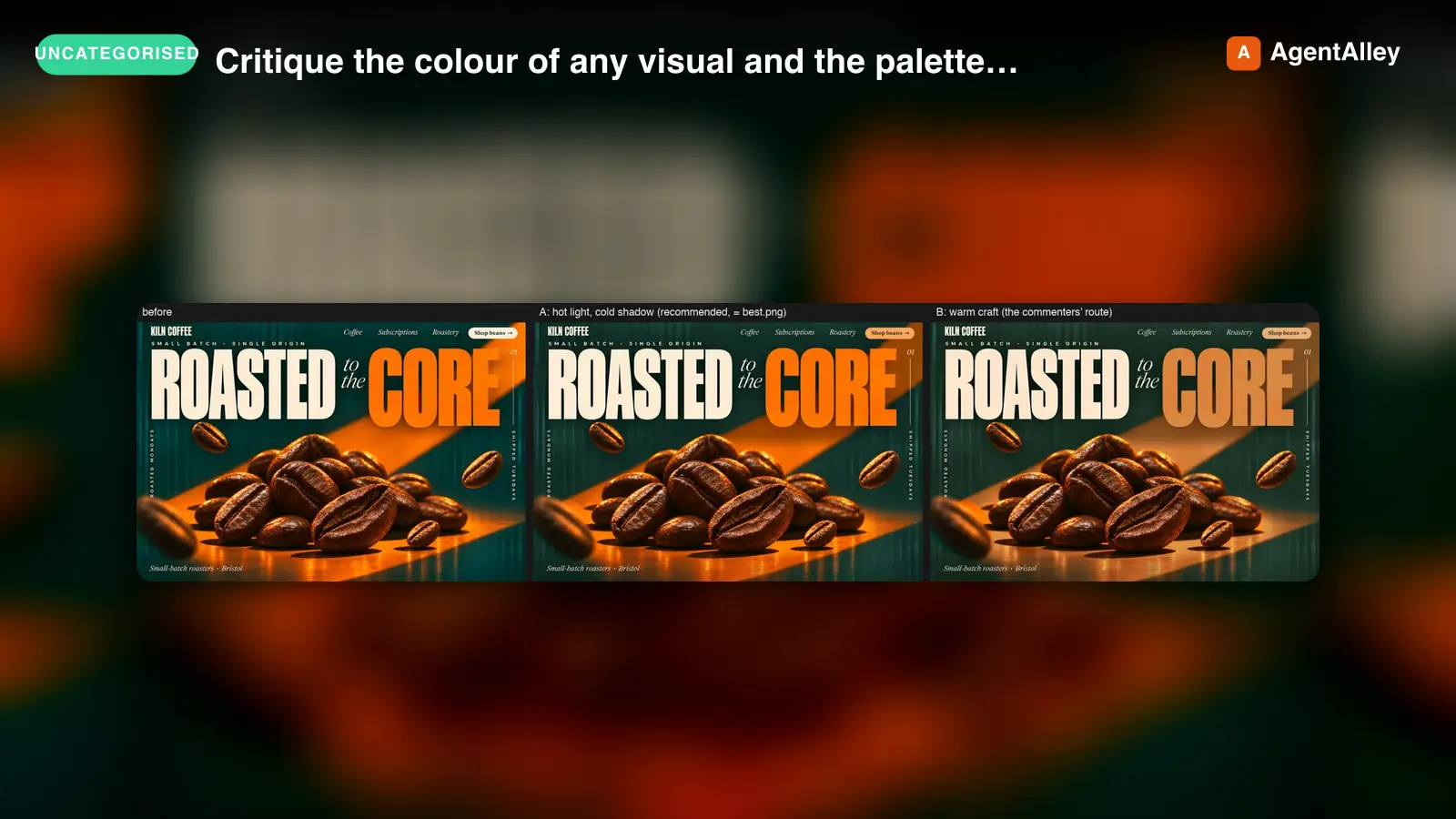 Colour Analysis
 LemonFace0309/charles-skills · by LemonFace0309Critique the colour of any visual and the palette behind it: graphics meant to wow (posters, hero images, ads, thumbnails, social posts), landing pages and onboarding, and product app screens. Routes by what the visual is for, measures the real colours (60/30/10 area split, lightness structure, hue gaps, chroma, temperature, text contrast, colour-blind views), and writes a ranked critique with exact OKLCH and hex fixes, alternative palette directions and before/after previews. Use when someone asks to critique, analyse, review, check or fix colours or a palette; asks why colours clash, feel off, muddy, washed out, garish, cheap, cold or out of place; asks whether a palette or accent works, or whether someone's colour critique is right; or wants colour feedback on a design, screenshot, website, app or brand.★ 257 GitHub stars
 GoalLemonFace0309/charles-skills · by LemonFace0309Make retro pixel-art, video-game style motion design timed to a voiceover, on any topic - a flat pixel mascot (or a cast made for the topic) acting out every line, pixel scenes, rebuilt app UI and the real pages, logos, covers and photos the words name, with counters, charts, stamps and hand-drawn marks landing on the word - rendered to video with HyperFrames from generated art (fal) and code. Use whenever Charles asks for "arcade", game-style, pixel, retro, opusjake-style or "fun" motion graphics or animations, for parts of a video he is editing (often from charles-claude-editing, which picks the layout and asks for an asset at that size: a 2:1 card above his face, a tall card, a split panel, an overlay or a new screen), or for a whole voiceover or reel.★ 257 GitHub stars
 GoalLemonFace0309/charles-skills · by LemonFace0309Edit raw talking-head videos into engaging, organic-looking Instagram Reels / TikToks - cut dead space and stumbles, keep the last clean take, 2-3 word captions, retention-maxing image/video overlays (pop-culture stickers, cutouts, split screens, tweet screenshots), sound effects, a background track from the music folder, and a TikTok-title-style hook when asked. Covers news and education/entertainment videos. Use this whenever Charles shares a talking-head .MOV/.mp4 and asks to edit, cut, caption, add a hook, add overlays/b-roll/images/a split screen, add music or sound effects, "make it a reel", "minoify" it, or fix any of those in a video already edited this way - even if only one of those steps is asked for.★ 257 GitHub stars
 GoalLemonFace0309/charles-skills · by LemonFace0309Build the visual that teaches what I'm saying in a reel - the real thing doing what I describe, a before/after flip or a side-by-side, a mark that shows what changes (a guide, a hatched band, corner brackets, a before|after sweep), a definition tab above the demo, a coloured agent cursor that makes the change on my word or moves the part itself, the CSS or another short caption under it, red marks on a real screenshot - sized for the slot charles-claude-editing gives, timed to my words, and simple enough to read in the 1-5 s a phone viewer gets. Use whenever a video explains a term, a fix, a technique, a number or a mechanism (my list reels, "10 niche ___ hacks", Day N of Removing AI Slop, reverse-engineering explainers), when charles-claude-editing asks for an explainer asset at a size, or when I say a teaching visual is too busy, too fast, too small, stale, hard to read, not engaging, or that it's hard to see what changed.★ 257 GitHub stars
 GoalLemonFace0309/charles-skills · by LemonFace0309Teach any topic as a short interactive lesson that opens in Chrome: one idea per screen, each hung on a real-life example, the key terms and an outline first, a predict-first question where people usually guess wrong, small demos to play with that change on the word the narrator says, stand-out facts, dot jots under every step, an acronym or phrase when there's a set to remember, quick checks with instant feedback, and a natural voice that reads along with each word highlighted at the speed you pick. Use when someone says teach me, help me understand, learn anything, walk me through, explain X step by step, make me a lesson on X, or I want to actually get X, and wants to understand a concept fast and properly rather than read a long answer.★ 257 GitHub stars
 GoalLemonFace0309/charles-skills · by LemonFace0309Plan one of Charles' reels before he films it - from a video idea and a reference (his own reel, someone else's reel, or a post to credit), tear the reference down, write the script in his voice, source the real assets with their licences, write the caption with the credit, pick the music and its start point, write the plan file the edit reads, and publish a shareable plan page (an Artifact): the reel playing as a moving mockup over its music and a blurred stand-in for his footage, with full screen and Safe area and Instagram UI toggles, then the script, the caption options, the assets with their sources and the references the video came from. Use whenever Charles gives a video idea and a reference and wants the script, the assets, the caption, a mockup or a plan before filming ("make a video like this", "plan this reel", "script and assets for", "mock up this video", "do an evolution of ___ like this tweet"), and to update or republish a plan's page.★ 257 GitHub stars