Design a high-CTR YouTube thumbnail
Muapi youtube thumbnail
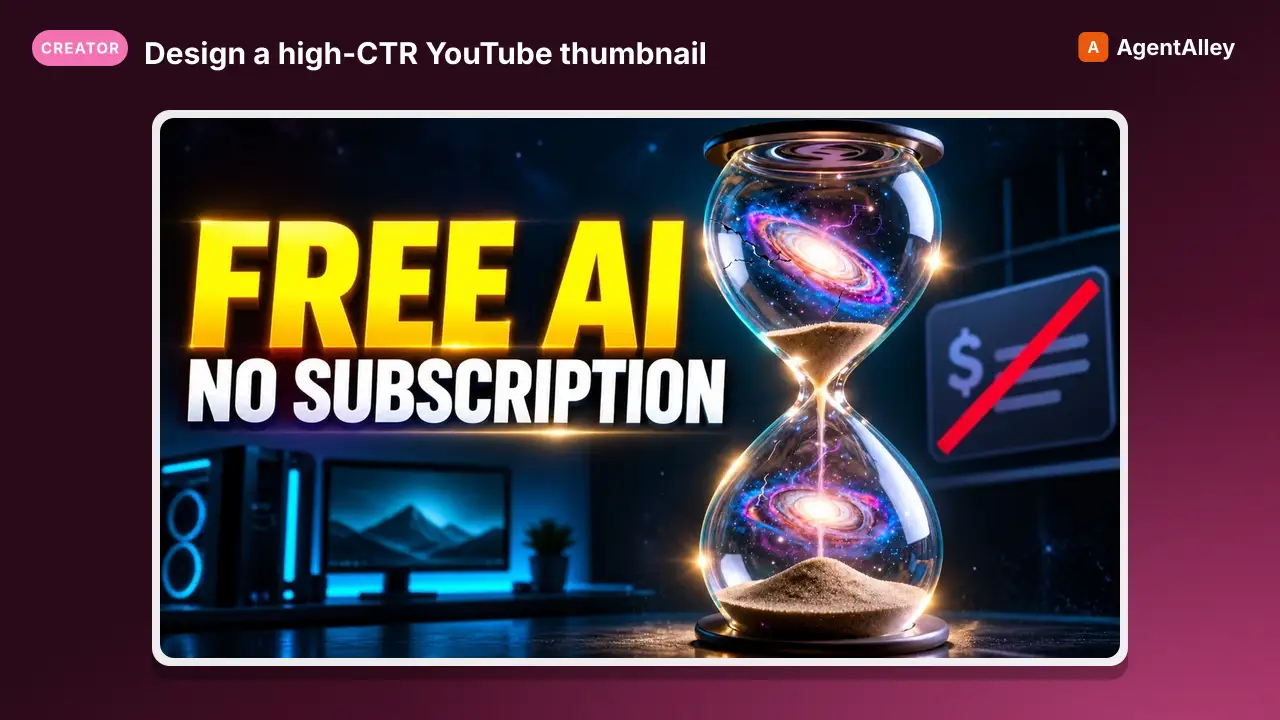
Design a high-CTR YouTube thumbnail — striking imagery, bold text placement, and emotional face/subject if needed.
---
slug: muapi-youtube-thumbnail
name: muapi-youtube-thumbnail
version: "1.0.0"
description: Design a high-CTR YouTube thumbnail — striking imagery, bold text placement, and emotional face/subject if needed.
acceptLicenseTerms: true
---


# YouTube Thumbnail

**Design a high-CTR YouTube thumbnail — striking imagery, bold text placement, and emotional face/subject if needed.**

## Inputs

| Name | Type | Required | Default | Description |
|:---|:---|:---|:---|:---|
| `title` | text | yes | — | The video title or topic (e.g. "I tried 7 AI tools in 24 hours — here's what happened"). |
Overview
Design a high-CTR YouTube thumbnail — striking imagery, bold text placement, and emotional face/subject if needed.
Manual install (npx, ZIP)
Claude Code
npx skills add SamurAIGPT/Generative-Media-Skills --skill muapi-youtube-thumbnail -g -a claude-codeClaude Code (manual)
mkdir -p ~/.claude/skills && curl -sL https://codeload.github.com/SamurAIGPT/Generative-Media-Skills/tar.gz/5519622e885a \
  | tar -xz -C ~/.claude/skills --strip-components=3 Generative-Media-Skills-5519622e885a/.opencode/skills/muapi-youtube-thumbnail
Windows (PowerShell)
New-Item -ItemType Directory -Force "$HOME\.claude\skills" | Out-Null; Invoke-WebRequest "https://m.agentalley.io/zip/5167f8ea744020b464d4/muapi-youtube-thumbnail.zip" -OutFile "$env:TEMP\muapi-youtube-thumbnail.zip"; Expand-Archive "$env:TEMP\muapi-youtube-thumbnail.zip" -DestinationPath "$HOME\.claude\skills" -ForceClaude.ai / desktop
Codex, Cursor, other agents
Connects with Agent Alley MCP · agentalley.io/mcp
Files included
SKILL.md3.2 KB
Read the files here
SamurAIGPT/
SKILL.md
Show the full text66 lines
YouTube Thumbnail
Design a high-CTR YouTube thumbnail — striking imagery, bold text placement, and emotional face/subject if needed.
Inputs
| Name | Type | Required | Default | Description |
|---|---|---|---|---|
title |
text | yes | — | The video title or topic (e.g. "I tried 7 AI tools in 24 hours — here's what happened"). |
channel_style |
text | no | bold, high contrast, bright colors, clean design, YouTube tech aesthetic | Channel brand style (e.g. "dark moody gaming", "bright educational", "minimal corporate"). |
subject_description |
text | no | — | Optional description of the person or subject to feature (e.g. "a surprised young man in a hoodie"). |
Steps
Thumbnails are the #1 factor in YouTube CTR. Generate a single, maximum-impact 16:9 image.
Phase A — Plan the composition
Before generating, briefly reason about the best thumbnail formula for this topic:
- Emotion-first: shocked/curious face if relevant + bold text = high CTR
- Text overlay: 3–5 words max, high-contrast (white/yellow on dark, or vice-versa)
- Contrast & saturation: thumbnails compete in a grid — they must pop
Phase B — Generate the thumbnail
- Build the image generation prompt:
- Subject:
{{subject_description}}if provided, otherwise design an object/scene that dramatizes the topic. - Mood: derives from
{{channel_style}}. - Composition: rule-of-thirds, subject on left or right with empty space for text.
- Style tags:
{{channel_style}}, youtube thumbnail composition, ultra detailed, vibrant, high contrast, 16:9.
- Subject:
- Call
muapi image generate(model=gpt-image-2-text-to-image, aspect_ratio=16:9).
Phase C — Text overlay guidance
After generation, return:
- Suggested overlay text: 3–5 bold words that complement the title
{{title}}. - Text placement: where on the canvas to position text (e.g. "bold yellow text, top-right third").
- Font recommendation: style suggestion (e.g. "Impact-style all-caps with black outline").
Notes
- Never put too much text in the prompt — text rendering in image models is unreliable. Guide the user on adding text in post-production (Canva, Photoshop).
- If the user already has a channel image or face photo in the session, use
muapi image editto incorporate it. - Suggest A/B variants only if the user asks.
Trigger Keywords
youtube thumbnail, yt thumbnail, thumbnail, video thumbnail, youtube cover
Notes for the Executing Agent
- This recipe is LLM-orchestrated: read each phase, gather any missing inputs from the user, then call
muapiCLI commands. Usemuapi auth configurefirst ifMUAPI_API_KEYis unset. - For model IDs without a CLI alias yet, fall back to the raw endpoint via
curl -X POST https://api.muapi.ai/api/v1/<endpoint> -H "x-api-key: $MUAPI_API_KEY" -H 'content-type: application/json' -d '{...}'and poll withmuapi predict wait <request_id>. - Substitute
{{input_name}}placeholders with the user's actual inputs before issuing each call.
| 1 | |
| 2 | slug muapi-youtube-thumbnail |
| 3 | name muapi-youtube-thumbnail |
| 4 | version "1.0.0" |
| 5 | description Design a high-CTR YouTube thumbnail — striking imagery, bold text placement, and emotional face/subject if needed. |
| 6 | acceptLicenseTerms true |
| 7 | |
| 8 | |
| 9 | |
| 10 | # YouTube Thumbnail |
| 11 | |
| 12 | **Design a high-CTR YouTube thumbnail — striking imagery, bold text placement, and emotional face/subject if needed.** |
| 13 | |
| 14 | ## Inputs |
| 15 | |
| 16 | | Name | Type | Required | Default | Description | |
| 17 | |:---|:---|:---|:---|:---| |
| 18 | | `title` | text | yes | — | The video title or topic (e.g. "I tried 7 AI tools in 24 hours — here's what happened"). | |
| 19 | | `channel_style` | text | no | bold, high contrast, bright colors, clean design, YouTube tech aesthetic | Channel brand style (e.g. "dark moody gaming", "bright educational", "minimal corporate"). | |
| 20 | | `subject_description` | text | no | — | Optional description of the person or subject to feature (e.g. "a surprised young man in a hoodie"). | |
| 21 | |
| 22 | |
| 23 | ## Steps |
| 24 | |
| 25 | Thumbnails are the #1 factor in YouTube CTR. Generate a single, maximum-impact 16:9 image. |
| 26 | |
| 27 | ### Phase A — Plan the composition |
| 28 | |
| 29 | Before generating, briefly reason about the best thumbnail formula for this topic: |
| 30 | **Emotion-first**: shocked/curious face if relevant + bold text = high CTR |
| 31 | **Text overlay**: 3–5 words max, high-contrast (white/yellow on dark, or vice-versa) |
| 32 | **Contrast & saturation**: thumbnails compete in a grid — they must pop |
| 33 | |
| 34 | ### Phase B — Generate the thumbnail |
| 35 | |
| 36 | Build the image generation prompt: |
| 37 | Subject: `{{subject_description}}` if provided, otherwise design an object/scene that dramatizes the topic. |
| 38 | Mood: derives from `{{channel_style}}`. |
| 39 | Composition: rule-of-thirds, subject on left or right with empty space for text. |
| 40 | Style tags: `{{channel_style}}, youtube thumbnail composition, ultra detailed, vibrant, high contrast, 16:9`. |
| 41 | Call `muapi image generate` (model=gpt-image-2-text-to-image, aspect_ratio=16:9). |
| 42 | |
| 43 | ### Phase C — Text overlay guidance |
| 44 | |
| 45 | After generation, return: |
| 46 | **Suggested overlay text**: 3–5 bold words that complement the title `{{title}}`. |
| 47 | **Text placement**: where on the canvas to position text (e.g. "bold yellow text, top-right third"). |
| 48 | **Font recommendation**: style suggestion (e.g. "Impact-style all-caps with black outline"). |
| 49 | |
| 50 | ## Notes |
| 51 | Never put too much text in the prompt — text rendering in image models is unreliable. Guide the user on adding text in post-production (Canva, Photoshop). |
| 52 | If the user already has a channel image or face photo in the session, use `muapi image edit` to incorporate it. |
| 53 | Suggest A/B variants only if the user asks. |
| 54 | |
| 55 | ## Trigger Keywords |
| 56 | |
| 57 | `youtube thumbnail`, `yt thumbnail`, `thumbnail`, `video thumbnail`, `youtube cover` |
| 58 | |
| 59 | |
| 60 | |
| 61 | |
| 62 | ## Notes for the Executing Agent |
| 63 | |
| 64 | This recipe is LLM-orchestrated: read each phase, gather any missing inputs from the user, then call `muapi` CLI commands. Use `muapi auth configure` first if `MUAPI_API_KEY` is unset. |
| 65 | For model IDs without a CLI alias yet, fall back to the raw endpoint via `curl -X POST https://api.muapi.ai/api/v1/<endpoint> -H "x-api-key: $MUAPI_API_KEY" -H 'content-type: application/json' -d '{...}'` and poll with `muapi predict wait <request_id>`. |
| 66 | Substitute `{{input_name}}` placeholders with the user's actual inputs before issuing each call. |
Details
- Version
- 1.0.0
- Updated
- Sep 8, 2026
- License
- MIT
- Stars on the repo
- ★ 4,317
- Checked
- Source
- SamurAIGPT/Generative-Media-Skills ↗
- Creator
- SamurAIGPT · 16 listings
Similar skills
See all → SkillGenerate a branded YouTube thumbnail from a video title
 charlie947/social-media-skills · by charlie947Generate a branded YouTube thumbnail from a video title. Uses a reference photo of the creator, high-CTR thumbnail principles, and brand colours to produce a ready-to-generate image prompt for Gemini. Use this skill whenever the user says "thumbnail", "youtube thumbnail", "build me a thumbnail", or wants a video cover image before writing the script. The thumbnail-first workflow mirrors the graphic-first approach for LinkedIn: sells the video before anyone hears a word of the script.★ 3.7k GitHub stars
 SkillGenerate article or newsletter thumbnail candidatesThumbnail Creator Skill (via Gemini)
 mohitagw15856/pm-claude-skills · by mohitagw15856Generate article or newsletter thumbnail candidates using the Gemini API from inside Claude Code. Claude reads article copy, proposes composition concepts, writes image generation prompts incorporating brand specs, calls Gemini to generate the images, evaluates the results via computer vision, and returns ranked candidates with rationale. Use when asked to create thumbnails, generate cover images, or produce visual candidates for an article or newsletter.★ 1.4k GitHub stars
 SkillPlan, write, and publish for YouTube and YouTube ShortsYouTube Marketing Skills
 sergebulaev/youtube-skills · by sergebulaevPlan, write, and publish for YouTube and YouTube Shorts. Use when the user wants high-CTR video titles, an SEO description with chapters and links, a first-30-seconds retention script (or a 3-second Shorts hook), a designer-ready thumbnail brief, a community-tab post or poll, or a weekly upload plan. The user supplies the video; the skills produce the title, description, hook, and thumbnail brief, then on approval upload and schedule via the Publora API.★ 36 GitHub stars
 SkillTurn a YouTube video idea into a designer-ready thumbnailYouTube Thumbnail Briefsergebulaev/youtube-skills · by sergebulaevTurn a YouTube video idea into a designer-ready thumbnail brief: focal subject, face and emotion, a text overlay of 4 words or fewer that the title does not repeat, contrast and composition, and 2 to 3 A/B concepts for Test and Compare. Built on 2026 principles (one focal point, legible at 120 pixels, complements the title). Outputs the brief plus the Publora attach step (the image upload itself is out of band). Use to plan a thumbnail. Not for title words (use yt-title-optimizer).★ 36 GitHub stars
 SkillGenerate high-CTR YouTube thumbnails using Nano Banana ProGenerate youtube thumbnail
 novoads/agent-skills · by novoadsGenerate high-CTR YouTube thumbnails using Nano Banana Pro via the Novoads API. Handles reference image upload, character likeness alignment, proven CTR-tested prompt formulas, and bounded batch generation. Use when the user asks to create a YouTube thumbnail, video thumbnail, A/B test thumbnail variations, or refers to thumbnail design with their face, brand assets, or product photos.★ 23 GitHub stars
 PromptA vertical social media thumbnail comparing an impressionistYouTube Thumbnail - AI Realism Thumbnail: Girls with Lanterns
 YouMind-OpenLab/awesome-gpt-image-2 · by VideoProc AIA vertical social media thumbnail comparing an impressionist oil painting of two girls with lanterns to its photorealistic AI-generated recreation.New listing
More from SamurAIGPT
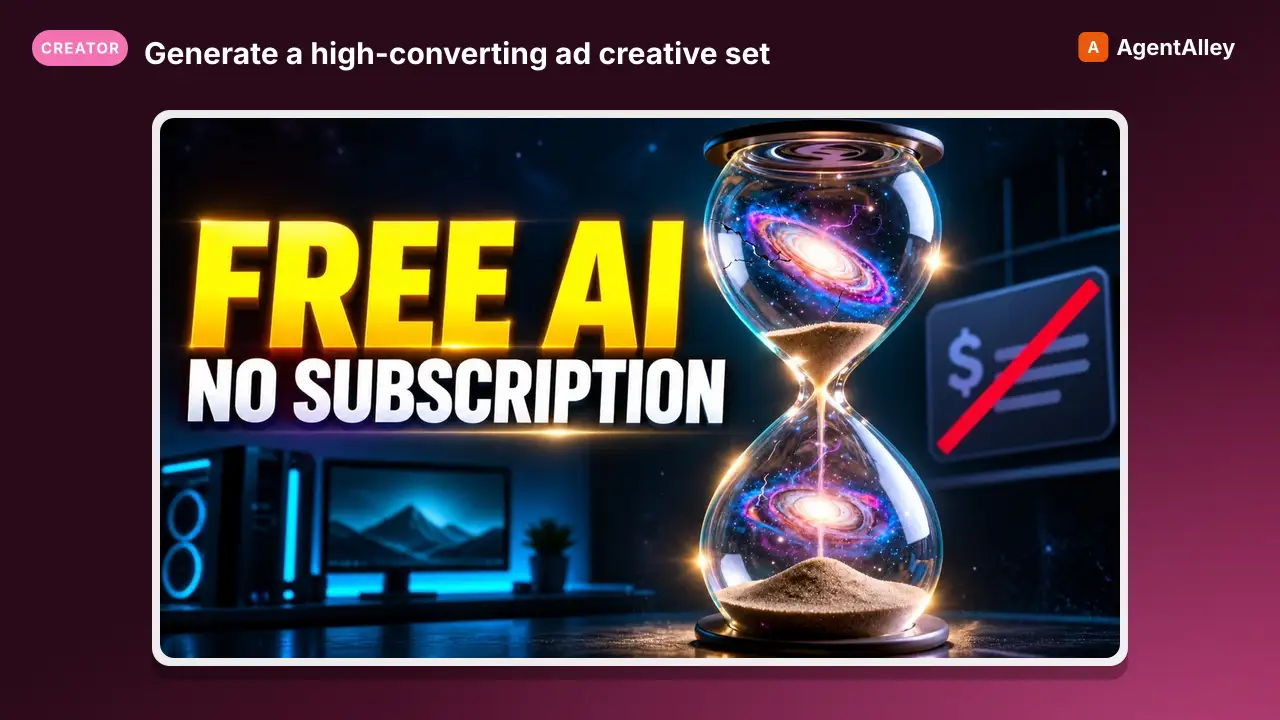 SkillGenerate a high-converting ad creative setMuapi ad creative
 SamurAIGPT/Generative-Media-Skills · by SamurAIGPTGenerate a high-converting ad creative set — hero image, ad copy variations, and platform-optimized crops for Meta, Google Display, and LinkedIn.★ 4.3k GitHub stars
 SkillTurn a long video into N viral-ready short clipsMuapi AI clippingSamurAIGPT/Generative-Media-Skills · by SamurAIGPTTurn a long video into N viral-ready short clips with a single managed API call. Wraps muapi.ai's `/ai-clipping` endpoint, which handles transcription, highlight ranking through a virality framework (hook / emotional peak / opinion bomb / revelation / conflict / quotable / story peak / practical value), overlap dedupe, and vertical face-tracking auto-crop server-side. No local Whisper, no local LLM, no GPU.★ 4.3k GitHub stars
 SkillGenerate a high-cut-density action / fight scene by firstMuapi AI fight sceneSamurAIGPT/Generative-Media-Skills · by SamurAIGPTGenerate a high-cut-density action / fight scene by first composing a 16-cell storyboard image, then driving Seedance 2.0 image-to-video off that storyboard. Stacks GPT-Image-2 (character sheet + storyboard), Nano-Banana-2 (environment concept), and Seedance 2.0 i2v.★ 4.3k GitHub stars
 SkillTurn a real lifestyle photo into a polished chibi cloneMuapi chibi collage effectSamurAIGPT/Generative-Media-Skills · by SamurAIGPTTurn a real lifestyle photo into a polished "chibi clone sticker diary" image — the original person stays photorealistic, surrounded by 5–8 kawaii chibi mini-clones, scrapbook doodles, and handwritten-style captions that match the scene.★ 4.3k GitHub stars
 SkillDirect high-fidelity cinematic video with AIMuapi cinema directorSamurAIGPT/Generative-Media-Skills · by SamurAIGPTDirect high-fidelity cinematic video with AI — translates creative intent into technical cinematographic directives for Veo3, Kling, and Luma video models via muapi.ai★ 4.3k GitHub stars
 SkillCreate a polished, on-brand Instagram postMuapi instagram postSamurAIGPT/Generative-Media-Skills · by SamurAIGPTCreate a polished, on-brand Instagram post — square or portrait hero image with matching caption and hashtags.★ 4.3k GitHub stars