LTX-2.3 Video Generation
AI video generation with LTX-2.3 22B — text-to-video, image-to-video clips for video production.
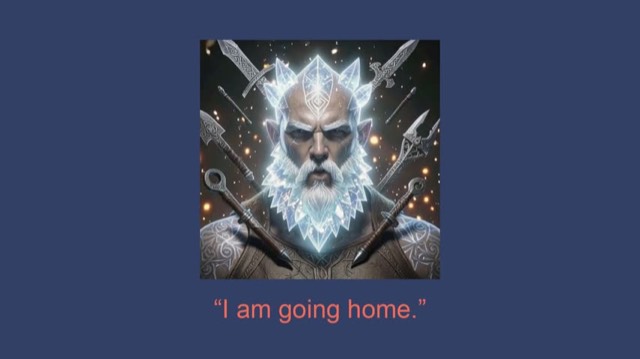
From the digitalsamba/claude-code-video-toolkit README — shows the whole collection, not only this skill. · view on GitHub
How to use it
Claude Code
- Run the line below. It pulls the whole folder into
~/.claude/skills/ltx2, including the files SKILL.md points to. - Describe your job in plain words. Claude Code follows the skill from there.
npx degit digitalsamba/claude-code-video-toolkit/.claude/skills/ltx2#main ~/.claude/skills/ltx2For one project only, change the path to .claude/skills/ltx2. This skill also uses ltx2.py, upscale.py, flux2.py, qwen3_tts.py — copying SKILL.md alone won't be enough. See the folder on GitHub.
Claude (web or desktop app)
- On this page open ⋯ → Download .md.
- Save it as SKILL.md in a folder, zip the folder, then Customize → Skills → + → Create skill → Upload a skill.
- Pick the file and Save. Claude shows the name and description and runs a security scan.
- Check the skill is switched on.
- Start a new chat and describe your job in plain words. The AI follows the skill from there.
ChatGPT or another app
- ChatGPT: make a Project and paste it into Instructions.
- Neither? Paste it at the top of a new chat — it works for that chat.
Not working?
- Check which app you pasted it into — the steps above name the right one.
- Some skills need the paid tier of Claude or ChatGPT.
Paste into Claude, ChatGPT or Cursor.
Source of LTX-2.3 Video Generation
Show the full text223 lines
| name | description |
|---|---|
| ltx2 | AI video generation with LTX-2.3 22B — text-to-video, image-to-video clips for video production. Use when generating video clips, animating images, creating b-roll, animated backgrounds, or motion content. Triggers include video generation, animate image, b-roll, motion, video clip, text-to-video, image-to-video. |
LTX-2.3 Video Generation
Generate ~5 second video clips from text prompts or images using the LTX-2.3 22B DiT model.
Runs on Modal (A100-80GB). Requires MODAL_LTX2_ENDPOINT_URL in .env.
Quick Reference
# Text-to-video
uv run tools/ltx2.py --prompt "A sunset over the ocean, golden light on waves, cinematic" --output sunset.mp4

# Image-to-video (animate a still image)
uv run tools/ltx2.py --prompt "Gentle camera drift, soft ambient motion" --input photo.jpg --output animated.mp4

# Custom resolution and duration
uv run tools/ltx2.py --prompt "..." --width 1024 --height 576 --num-frames 161 --output wide.mp4

# Fast mode (fewer steps, quicker)
uv run tools/ltx2.py --prompt "..." --quality fast --output quick.mp4

# Reproducible output
uv run tools/ltx2.py --prompt "..." --seed 42 --output reproducible.mp4
Parameters
| Parameter | Default | Description |
|---|---|---|
--prompt |
(required) | Text description of the video |
--input |
- | Input image for image-to-video |
--width |
768 | Video width (divisible by 64) |
--height |
512 | Video height (divisible by 64) |
--num-frames |
121 | Frame count, must satisfy (n-1) % 8 == 0 |
--fps |
24 | Frames per second |
--quality |
standard | standard (30 steps) or fast (15 steps) |
--steps |
30 | Override inference steps directly |
--seed |
random | Seed for reproducibility |
--output |
auto | Output file path |
--negative-prompt |
sensible default | What to avoid |
--lora |
none | Style LoRA preset. Currently: crt-terminal. |
Style LoRAs
Style LoRAs bias the output toward a specific visual aesthetic. They're baked into the Modal image and selected per-request; switching LoRAs forces a pipeline rebuild (~60s one-time cost per container lifetime per switch).
crt-terminal — CRT / pixel-art terminals
Base: LTX-2.3 22B, trained by @lovis93 (Apache 2.0).
# Trigger word is auto-prepended — write the prompt normally
uv run tools/ltx2.py --lora crt-terminal \
  --prompt "a terminal typing out \"\\$ claude --continue\" character by character in glowing green pixel font, scanlines, phosphor glow, low choppy frame rate, hacker mood" \
  --output crt_claude.mp4
What the preset changes:
- Prepends
crtanim,to the prompt (the LoRA's trigger word) - Defaults to 1024×1024, 121 frames (the ratio it was trained on)
- Relaxes the default negative prompt so on-screen text isn't filtered out
Prompt pattern: <CRT aesthetic> → <color palette> → <animation style> → <subject> → <literal text in quotes> → <mood>. Keep on-screen text to 1–3 words — the model can't render long strings reliably. The LoRA prefers static framing; ask for camera moves explicitly if you want them.
Valid Frame Counts
(n - 1) % 8 == 0: 25 (~1s), 49 (~2s), 73 (~3s), 97 (~4s), 121 (~5s default), 161 (~6.7s), 193 (~8s max practical).
Common Resolutions
| Resolution | Ratio | Notes |
|---|---|---|
| 768x512 | 3:2 | Default, good balance |
| 512x512 | 1:1 | Square, fastest |
| 1024x576 | 16:9 | Widescreen |
| 576x1024 | 9:16 | Portrait/vertical |
Prompting Guide
LTX-2 responds well to cinematographic descriptions. Layer these dimensions:
- Camera: "Slow dolly forward", "Aerial drone shot", "Tracking shot", "Static wide angle"
- Lighting: "Golden hour", "Cinematic lighting", "Neon-lit", "Soft diffused light"
- Motion: "Timelapse of...", "Slow motion", "Gentle camera drift", "Gradually transitions"
- Style: "Shot on 35mm film", "Documentary style", "Clean minimal aesthetic"
- Negative: Always implicitly avoids "worst quality, blurry, jittery, watermark, text, logo"
Keep prompts under 200 words. Be specific about the scene.
Good Prompts
# Atmospheric b-roll
"Aerial drone shot slowly flying over turquoise ocean waves breaking on white sand, golden hour sunlight, cinematic"

# Product/tech scene
"Close-up of hands typing on a mechanical keyboard, shallow depth of field, soft desk lamp lighting, cozy atmosphere"

# Abstract background
"Dark moody abstract background with flowing blue light streaks, subtle geometric grid, bokeh particles floating, cinematic tech atmosphere"

# Animate a portrait
"Professional headshot, subtle natural head movement, confident warm expression, studio lighting, shallow depth of field"

# Animate a slide/screenshot
"Gentle subtle particle effects floating across a presentation slide, soft ambient light shifts, very slight camera drift"
Bad Prompts
# Too vague
"A cool video"

# Too many competing ideas
"A cat riding a skateboard while juggling fire on the moon during a thunderstorm"

# Describing text/UI (model can't render text reliably)
"A website showing the text 'Welcome to our platform'"
Video Production Use Cases
B-Roll Clips
Generate atmospheric 5s shots for cutaways between narrated scenes:
uv run tools/ltx2.py --prompt "Futuristic holographic interface, glowing data visualizations, clean workspace, cinematic" --output broll_tech.mp4
uv run tools/ltx2.py --prompt "Aerial view of European city at golden hour, modern architecture" --output broll_europe.mp4
Animated Slide Backgrounds
Feed a slide screenshot and add subtle motion:
uv run tools/ltx2.py --prompt "Gentle particle effects, soft ambient light shifts, very slight camera drift" --input slide.png --output animated_slide.mp4
Animated Portraits
Bring still headshots to life:
uv run tools/ltx2.py --prompt "Subtle natural head movement, warm expression, professional lighting" --input headshot.png --output animated_portrait.mp4
Stylized Character Cameo (SadTalker Alternative)
For non-realistic faces — fantasy characters, masked figures, heavy beards, helmets, illustrations — SadTalker often produces uncanny or broken lip sync because it's trained on photoreal humans. LTX-2 image-to-video is frequently a better choice when lip-sync precision isn't critical (the viewer's brain fills in the gap as long as something is moving). Prompt for motion + atmosphere, not phonemes:
uv run tools/ltx2.py \
  --input character_portrait.png \
  --prompt "Ancient warrior speaks slowly with gravitas, beard shifts subtly, glowing aura pulses, embers drift past, slow head movement, cinematic close-up, mystical atmosphere" \
  --width 768 --height 768 \
  --output character_speaking.mp4
When LTX-2 wins over SadTalker:
- Stylized / illustrated / fantasy characters
- Heavy facial hair or accessories obscuring the mouth
- Masked or helmeted figures
- Short cameo lines where atmosphere matters more than precision
- Dramatic VO rather than dialogue
When SadTalker still wins:
- Photoreal human presenters
- Full sentences where mouth shape needs to match phonemes
- Tutorials / talking-head explainers where the viewer is effectively reading lips
Branded Intro/Outro
Generate abstract motion backgrounds for title cards:
uv run tools/ltx2.py --prompt "Dark moody background with flowing blue and coral light streaks, bokeh particles, cinematic tech atmosphere, no text" --output intro_bg.mp4
Combining with Other Tools
LTX-2 generates raw clips. Combine with the rest of the toolkit:
| Workflow | Tools |
|---|---|
| Generate clip → upscale | ltx2.py → upscale.py |
| Generate clip → add to Remotion | ltx2.py → use as <OffthreadVideo> in composition |
| Generate image → animate | flux2.py → ltx2.py --input |
| Generate clip → extract audio | ltx2.py → ffmpeg -i clip.mp4 -vn audio.wav |
| Generate clip → add voiceover | ltx2.py → mix with qwen3_tts.py output |
Technical Details
- Model: LTX-2.3 22B DiT (Lightricks), bf16
- GPU: A100-80GB on Modal (~$4.68/hr)
- Inference: ~2.5 min per clip (768x512, 121 frames, 30 steps)
- Cost: ~$0.20-0.25 per 5s clip
- Cold start: ~60-90s (loading ~55GB weights)
- Output: H.264 MP4 with synchronized ambient audio (24fps)
- Max duration: ~8s (193 frames) per clip
Known Limitations
- Training data artifacts: ~30% of generations may have unwanted logos/text from training data. Re-run with different
--seed. - Text rendering: Cannot reliably generate readable text in video. Use Remotion overlays instead.
- Max duration: ~8s per clip. Longer content needs stitching.
- Audio: Generated audio is ambient/environmental only. Use voiceover/music tools for speech and music.
- License: Community License — free under $10M revenue, commercial license needed above that.
Setup
# 1. Create Modal secret for HuggingFace (one-time)
uv run modal secret create huggingface-token HF_TOKEN=hf_your_token

# 2. Deploy (downloads ~55GB of weights, takes ~10 min)
uv run modal deploy docker/modal-ltx2/app.py

# 3. Save endpoint URL to .env
echo "MODAL_LTX2_ENDPOINT_URL=https://yourname--video-toolkit-ltx2-ltx2-generate.modal.run" >> .env

# 4. Test
uv run tools/ltx2.py --prompt "A candle flickering on a dark table, cinematic" --output test.mp4
Important: HuggingFace token needs read-access scope. Accept the Gemma 3 license before deploying. Unauthenticated downloads are severely rate-limited.
| 1 | |
| 2 | name ltx2 |
| 3 | description AI video generation with LTX-2.3 22B — text-to-video, image-to-video clips for video production. Use when generating video clips, animating images, creating b-roll, animated backgrounds, or motion content. Triggers include video generation, animate image, b-roll, motion, video clip, text-to-video, image-to-video. |
| 4 | |
| 5 | |
| 6 | # LTX-2.3 Video Generation |
| 7 | |
| 8 | Generate ~5 second video clips from text prompts or images using the LTX-2.3 22B DiT model. |
| 9 | Runs on Modal (A100-80GB). Requires `MODAL_LTX2_ENDPOINT_URL` in `.env`. |
| 10 | |
| 11 | ## Quick Reference |
| 12 | |
| 13 | |
| 14 | # Text-to-video |
| 15 | uv run tools/ltx2.py --prompt "A sunset over the ocean, golden light on waves, cinematic" --output sunset.mp4 |
| 16 | |
| 17 | # Image-to-video (animate a still image) |
| 18 | uv run tools/ltx2.py --prompt "Gentle camera drift, soft ambient motion" --input photo.jpg --output animated.mp4 |
| 19 | |
| 20 | # Custom resolution and duration |
| 21 | uv run tools/ltx2.py --prompt "..." --width 1024 --height 576 --num-frames 161 --output wide.mp4 |
| 22 | |
| 23 | # Fast mode (fewer steps, quicker) |
| 24 | uv run tools/ltx2.py --prompt "..." --quality fast --output quick.mp4 |
| 25 | |
| 26 | # Reproducible output |
| 27 | uv run tools/ltx2.py --prompt "..." --seed 42 --output reproducible.mp4 |
| 28 | |
| 29 | |
| 30 | ## Parameters |
| 31 | |
| 32 | | Parameter | Default | Description | |
| 33 | |-----------|---------|-------------| |
| 34 | | `--prompt` | (required) | Text description of the video | |
| 35 | | `--input` | - | Input image for image-to-video | |
| 36 | | `--width` | 768 | Video width (divisible by 64) | |
| 37 | | `--height` | 512 | Video height (divisible by 64) | |
| 38 | | `--num-frames` | 121 | Frame count, must satisfy `(n-1) % 8 == 0` | |
| 39 | | `--fps` | 24 | Frames per second | |
| 40 | | `--quality` | standard | `standard` (30 steps) or `fast` (15 steps) | |
| 41 | | `--steps` | 30 | Override inference steps directly | |
| 42 | | `--seed` | random | Seed for reproducibility | |
| 43 | | `--output` | auto | Output file path | |
| 44 | | `--negative-prompt` | sensible default | What to avoid | |
| 45 | | `--lora` | none | Style LoRA preset. Currently: `crt-terminal`. | |
| 46 | |
| 47 | ## Style LoRAs |
| 48 | |
| 49 | Style LoRAs bias the output toward a specific visual aesthetic. They're baked into the Modal image and selected per-request; switching LoRAs forces a pipeline rebuild (~60s one-time cost per container lifetime per switch). |
| 50 | |
| 51 | ### `crt-terminal` — CRT / pixel-art terminals |
| 52 | |
| 53 | Base: LTX-2.3 22B, trained by [@lovis93] (Apache 2.0). |
| 54 | |
| 55 | |
| 56 | # Trigger word is auto-prepended — write the prompt normally |
| 57 | uv run tools/ltx2.py --lora crt-terminal \ |
| 58 | --prompt "a terminal typing out \"\\$ claude --continue\" character by character in glowing green pixel font, scanlines, phosphor glow, low choppy frame rate, hacker mood" \ |
| 59 | --output crt_claude.mp4 |
| 60 | |
| 61 | |
| 62 | **What the preset changes:** |
| 63 | Prepends `crtanim,` to the prompt (the LoRA's trigger word) |
| 64 | Defaults to 1024×1024, 121 frames (the ratio it was trained on) |
| 65 | Relaxes the default negative prompt so on-screen text isn't filtered out |
| 66 | |
| 67 | **Prompt pattern:** `<CRT aesthetic> → <color palette> → <animation style> → <subject> → <literal text in quotes> → <mood>`. Keep on-screen text to 1–3 words — the model can't render long strings reliably. The LoRA prefers static framing; ask for camera moves explicitly if you want them. |
| 68 | |
| 69 | ## Valid Frame Counts |
| 70 | |
| 71 | `(n - 1) % 8 == 0`: 25 (~1s), 49 (~2s), 73 (~3s), 97 (~4s), **121 (~5s default)**, 161 (~6.7s), 193 (~8s max practical). |
| 72 | |
| 73 | ## Common Resolutions |
| 74 | |
| 75 | | Resolution | Ratio | Notes | |
| 76 | |------------|-------|-------| |
| 77 | | 768x512 | 3:2 | Default, good balance | |
| 78 | | 512x512 | 1:1 | Square, fastest | |
| 79 | | 1024x576 | 16:9 | Widescreen | |
| 80 | | 576x1024 | 9:16 | Portrait/vertical | |
| 81 | |
| 82 | ## Prompting Guide |
| 83 | |
| 84 | LTX-2 responds well to cinematographic descriptions. Layer these dimensions: |
| 85 | |
| 86 | **Camera:** "Slow dolly forward", "Aerial drone shot", "Tracking shot", "Static wide angle" |
| 87 | **Lighting:** "Golden hour", "Cinematic lighting", "Neon-lit", "Soft diffused light" |
| 88 | **Motion:** "Timelapse of...", "Slow motion", "Gentle camera drift", "Gradually transitions" |
| 89 | **Style:** "Shot on 35mm film", "Documentary style", "Clean minimal aesthetic" |
| 90 | **Negative:** Always implicitly avoids "worst quality, blurry, jittery, watermark, text, logo" |
| 91 | |
| 92 | Keep prompts under 200 words. Be specific about the scene. |
| 93 | |
| 94 | ### Good Prompts |
| 95 | |
| 96 | |
| 97 | # Atmospheric b-roll |
| 98 | "Aerial drone shot slowly flying over turquoise ocean waves breaking on white sand, golden hour sunlight, cinematic" |
| 99 | |
| 100 | # Product/tech scene |
| 101 | "Close-up of hands typing on a mechanical keyboard, shallow depth of field, soft desk lamp lighting, cozy atmosphere" |
| 102 | |
| 103 | # Abstract background |
| 104 | "Dark moody abstract background with flowing blue light streaks, subtle geometric grid, bokeh particles floating, cinematic tech atmosphere" |
| 105 | |
| 106 | # Animate a portrait |
| 107 | "Professional headshot, subtle natural head movement, confident warm expression, studio lighting, shallow depth of field" |
| 108 | |
| 109 | # Animate a slide/screenshot |
| 110 | "Gentle subtle particle effects floating across a presentation slide, soft ambient light shifts, very slight camera drift" |
| 111 | |
| 112 | |
| 113 | ### Bad Prompts |
| 114 | |
| 115 | |
| 116 | # Too vague |
| 117 | "A cool video" |
| 118 | |
| 119 | # Too many competing ideas |
| 120 | "A cat riding a skateboard while juggling fire on the moon during a thunderstorm" |
| 121 | |
| 122 | # Describing text/UI (model can't render text reliably) |
| 123 | "A website showing the text 'Welcome to our platform'" |
| 124 | |
| 125 | |
| 126 | ## Video Production Use Cases |
| 127 | |
| 128 | ### B-Roll Clips |
| 129 | Generate atmospheric 5s shots for cutaways between narrated scenes: |
| 130 | |
| 131 | uv run tools/ltx2.py --prompt "Futuristic holographic interface, glowing data visualizations, clean workspace, cinematic" --output broll_tech.mp4 |
| 132 | uv run tools/ltx2.py --prompt "Aerial view of European city at golden hour, modern architecture" --output broll_europe.mp4 |
| 133 | |
| 134 | |
| 135 | ### Animated Slide Backgrounds |
| 136 | Feed a slide screenshot and add subtle motion: |
| 137 | |
| 138 | uv run tools/ltx2.py --prompt "Gentle particle effects, soft ambient light shifts, very slight camera drift" --input slide.png --output animated_slide.mp4 |
| 139 | |
| 140 | |
| 141 | ### Animated Portraits |
| 142 | Bring still headshots to life: |
| 143 | |
| 144 | uv run tools/ltx2.py --prompt "Subtle natural head movement, warm expression, professional lighting" --input headshot.png --output animated_portrait.mp4 |
| 145 | |
| 146 | |
| 147 | ### Stylized Character Cameo (SadTalker Alternative) |
| 148 | For non-realistic faces — fantasy characters, masked figures, heavy beards, helmets, illustrations — SadTalker often produces uncanny or broken lip sync because it's trained on photoreal humans. LTX-2 image-to-video is frequently a better choice when **lip-sync precision isn't critical** (the viewer's brain fills in the gap as long as something is moving). Prompt for *motion + atmosphere*, not phonemes: |
| 149 | |
| 150 | |
| 151 | uv run tools/ltx2.py \ |
| 152 | --input character_portrait.png \ |
| 153 | --prompt "Ancient warrior speaks slowly with gravitas, beard shifts subtly, glowing aura pulses, embers drift past, slow head movement, cinematic close-up, mystical atmosphere" \ |
| 154 | --width 768 --height 768 \ |
| 155 | --output character_speaking.mp4 |
| 156 | |
| 157 | |
| 158 | **When LTX-2 wins over SadTalker:** |
| 159 | Stylized / illustrated / fantasy characters |
| 160 | Heavy facial hair or accessories obscuring the mouth |
| 161 | Masked or helmeted figures |
| 162 | Short cameo lines where atmosphere matters more than precision |
| 163 | Dramatic VO rather than dialogue |
| 164 | |
| 165 | **When SadTalker still wins:** |
| 166 | Photoreal human presenters |
| 167 | Full sentences where mouth shape needs to match phonemes |
| 168 | Tutorials / talking-head explainers where the viewer is effectively reading lips |
| 169 | |
| 170 | ### Branded Intro/Outro |
| 171 | Generate abstract motion backgrounds for title cards: |
| 172 | |
| 173 | uv run tools/ltx2.py --prompt "Dark moody background with flowing blue and coral light streaks, bokeh particles, cinematic tech atmosphere, no text" --output intro_bg.mp4 |
| 174 | |
| 175 | |
| 176 | ### Combining with Other Tools |
| 177 | |
| 178 | LTX-2 generates raw clips. Combine with the rest of the toolkit: |
| 179 | |
| 180 | | Workflow | Tools | |
| 181 | |----------|-------| |
| 182 | | Generate clip → upscale | `ltx2.py` → `upscale.py` | |
| 183 | | Generate clip → add to Remotion | `ltx2.py` → use as `<OffthreadVideo>` in composition | |
| 184 | | Generate image → animate | `flux2.py` → `ltx2.py --input` | |
| 185 | | Generate clip → extract audio | `ltx2.py` → `ffmpeg -i clip.mp4 -vn audio.wav` | |
| 186 | | Generate clip → add voiceover | `ltx2.py` → mix with `qwen3_tts.py` output | |
| 187 | |
| 188 | ## Technical Details |
| 189 | |
| 190 | **Model:** LTX-2.3 22B DiT (Lightricks), bf16 |
| 191 | **GPU:** A100-80GB on Modal (~$4.68/hr) |
| 192 | **Inference:** ~2.5 min per clip (768x512, 121 frames, 30 steps) |
| 193 | **Cost:** ~$0.20-0.25 per 5s clip |
| 194 | **Cold start:** ~60-90s (loading ~55GB weights) |
| 195 | **Output:** H.264 MP4 with synchronized ambient audio (24fps) |
| 196 | **Max duration:** ~8s (193 frames) per clip |
| 197 | |
| 198 | ### Known Limitations |
| 199 | |
| 200 | **Training data artifacts:** ~30% of generations may have unwanted logos/text from training data. Re-run with different `--seed`. |
| 201 | **Text rendering:** Cannot reliably generate readable text in video. Use Remotion overlays instead. |
| 202 | **Max duration:** ~8s per clip. Longer content needs stitching. |
| 203 | **Audio:** Generated audio is ambient/environmental only. Use voiceover/music tools for speech and music. |
| 204 | **License:** Community License — free under $10M revenue, commercial license needed above that. |
| 205 | |
| 206 | ## Setup |
| 207 | |
| 208 | |
| 209 | # 1. Create Modal secret for HuggingFace (one-time) |
| 210 | uv run modal secret create huggingface-token HF_TOKEN=hf_your_token |
| 211 | |
| 212 | # 2. Deploy (downloads ~55GB of weights, takes ~10 min) |
| 213 | uv run modal deploy docker/modal-ltx2/app.py |
| 214 | |
| 215 | # 3. Save endpoint URL to .env |
| 216 | echo "MODAL_LTX2_ENDPOINT_URL=https://yourname--video-toolkit-ltx2-ltx2-generate.modal.run" >> .env |
| 217 | |
| 218 | # 4. Test |
| 219 | uv run tools/ltx2.py --prompt "A candle flickering on a dark table, cinematic" --output test.mp4 |
| 220 | |
| 221 | |
| 222 | **Important:** HuggingFace token needs read-access scope. Accept the [Gemma 3 license] before deploying. Unauthenticated downloads are severely rate-limited. |
| 223 |
Discussion
Browse more free Claude skills or everything in Content creator.