Build WAN 2.2 Text-to-Video workflows
WAN 2.2 Text-to-Video (T2V) Workflows
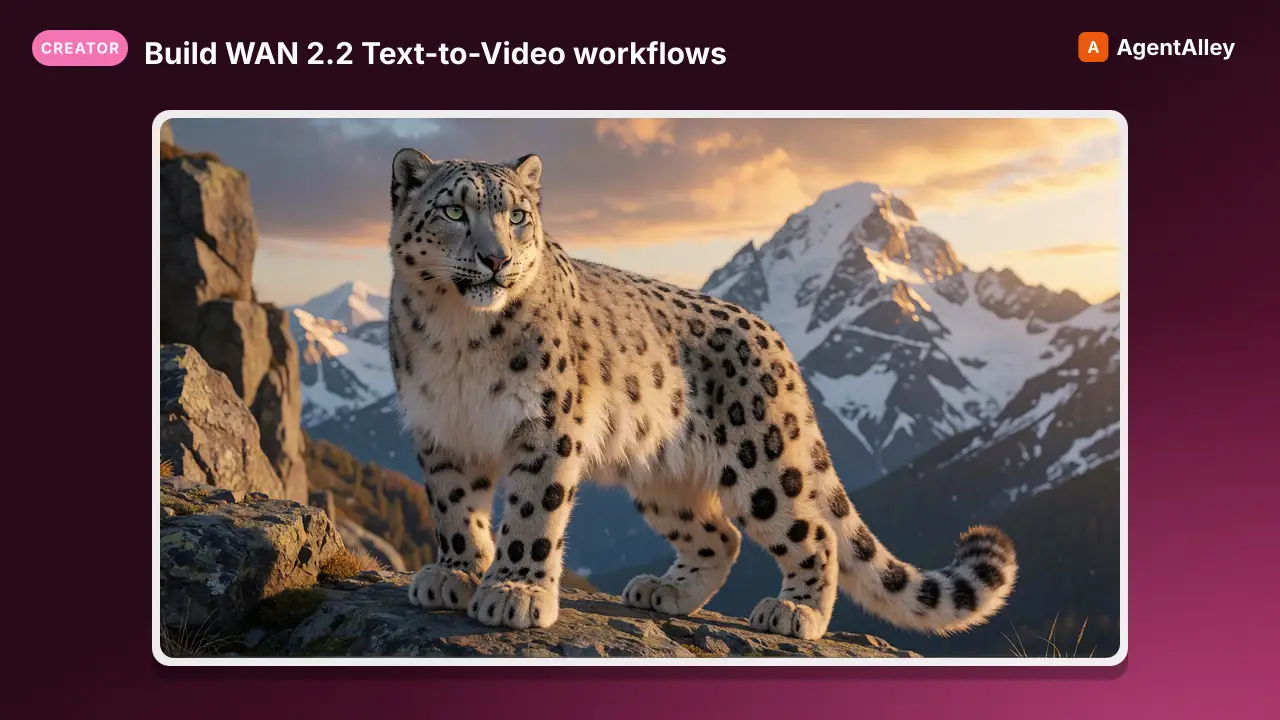
Build WAN 2.2 Text-to-Video workflows.
---
name: wan-t2v-video
description: Build WAN 2.2 Text-to-Video workflows. Dual hi-lo models, lightning LoRAs, VACE modules, and KSamplerAdvanced two-pass
globs:
  - "**/*.json"
---

# WAN 2.2 Text-to-Video (T2V) Workflows

## Overview

WAN 2.2 T2V generates videos from text prompts using a 14B parameter MoE (Mixture of Experts) architecture split across two specialized models:

- HighNoise model handles early denoising. It establishes structure, motion, composition
- LowNoise model handles late denoising. It refines details, sharpens output

This dual-model technique is the same as FLF/I2V (see wan-flf-video skill) but without image conditioning nodes.
Overview
WAN 2.2 T2V generates videos from text prompts using a 14B parameter MoE (Mixture of Experts) architecture split across two specialized models:
Manual install (npx, ZIP)
npx skills add artokun/comfyui-mcp --skill wan-t2v-video -g -a claude-codemkdir -p ~/.claude/skills && curl -sL https://codeload.github.com/artokun/comfyui-mcp/tar.gz/1d5b12b1b499 \
| tar -xz -C ~/.claude/skills --strip-components=3 comfyui-mcp-1d5b12b1b499/plugin/skills/wan-t2v-videoNew-Item -ItemType Directory -Force "$HOME\.claude\skills" | Out-Null; Invoke-WebRequest "https://m.agentalley.io/zip/e63f42cc3cfb4cfe48fb/wan-t2v-video.zip" -OutFile "$env:TEMP\wan-t2v-video.zip"; Expand-Archive "$env:TEMP\wan-t2v-video.zip" -DestinationPath "$HOME\.claude\skills" -ForceConnects with Agent Alley MCP · agentalley.io/mcp
Files included
SKILL.md12.9 KB
Read the files here
artokun/
Show the full text340 lines
WAN 2.2 Text-to-Video (T2V) Workflows
Overview
WAN 2.2 T2V generates videos from text prompts using a 14B parameter MoE (Mixture of Experts) architecture split across two specialized models:
- HighNoise model handles early denoising. It establishes structure, motion, composition
- LowNoise model handles late denoising. It refines details, sharpens output
This dual-model technique is the same as FLF/I2V (see wan-flf-video skill) but without image conditioning nodes.
Key difference from I2V/FLF: T2V does NOT use CLIPVisionEncode, WanFirstLastFrameToVideo, or any image input. It uses EmptyHunyuanLatentVideo for latent initialization and text-only conditioning.
Models
UNET (Installed)
| Model | Loader | Notes |
|---|---|---|
Wan2_2-T2V-A14B_HIGH_fp8_e4m3fn_scaled_KJ.safetensors |
UNETLoader |
HighNoise expert, 14.3GB FP8 |
Wan2_2-T2V-A14B-LOW_fp8_e4m3fn_scaled_KJ.safetensors |
UNETLoader |
LowNoise expert, 14.3GB FP8 |
Text Encoder
| Component | Node | Model | Notes |
|---|---|---|---|
| CLIP (T5) | CLIPLoader (type=wan) |
umt5_xxl_fp8_e4m3fn_scaled.safetensors |
UMT5-XXL fp8, in clip/ |
VAE
| Component | Node | Model |
|---|---|---|
| VAE | VAELoader |
wan_2.1_vae.safetensors |
VACE Modules (Installed — For Advanced Control)
| Model | Size | Notes |
|---|---|---|
Wan2_2_Fun_VACE_module_A14B_HIGH_bf16.safetensors |
5.8GB | HighNoise VACE module |
Wan2_2_Fun_VACE_module_A14B_LOW_bf16.safetensors |
5.8GB | LowNoise VACE module |
VACE modules add reference image / pose / depth conditioning to T2V. See WanVideoWrapper section below.
Lightning LoRAs (Installed)
T2V Lightning v1.1 (Paired Hi/Lo)
| LoRA | Applies To | Path |
|---|---|---|
wan2.2_t2v_lightx2v_4steps_lora_v1.1_high_noise |
HighNoise UNET | Unknown/no tags/ |
wan2.2_t2v_lightx2v_4steps_lora_v1.1_low_noise |
LowNoise UNET | Unknown/no tags/ |
T2V Lightning Seko V2.0 (Alternative Paired)
| LoRA | Path |
|---|---|
Wan2.2_HN_T2V_Lightning_4steps-lora-rank64-Seko_V2.0_HIGH |
Root loras/ |
Wan2.2_HN_T2V_Lightning_4steps-lora-rank64-Seko_V2.0_LOW |
Root loras/ |
T2V CFG-Step Distill (Higher Quality)
| LoRA | Path | Notes |
|---|---|---|
lightx2v_T2V_14B_cfg_step_distill_v2_lora_rank128_bf16 |
Root loras/ | CFG+step distilled, use with more steps |
Sampler Settings
Lightning (4-Step, Recommended for Speed)
| Parameter | Pass 1 (Hi) | Pass 2 (Lo) |
|---|---|---|
| model | Hi + Hi Lightning LoRA | Lo + Lo Lightning LoRA |
| add_noise | enable | disable |
| steps | 4 | 4 |
| cfg | 1.0 | 1.0 |
| sampler_name | euler | euler |
| scheduler | simple | simple |
| start_at_step | 0 | 2 |
| end_at_step | 2 | 4 |
| return_with_leftover_noise | enable | disable |
Standard (20-Step, Full Quality)
| Parameter | Pass 1 (Hi) | Pass 2 (Lo) |
|---|---|---|
| model | Hi + ModelSamplingSD3 (shift=8) | Lo + ModelSamplingSD3 (shift=8) |
| add_noise | enable | disable |
| steps | 20 | 20 |
| cfg | 3.5 | 3.5 |
| sampler_name | euler | euler |
| scheduler | simple | simple |
| start_at_step | 0 | 10 |
| end_at_step | 10 | 20 |
| return_with_leftover_noise | enable | disable |
ModelSamplingSD3
Required for WAN 2.2 flow matching. Apply to BOTH models:
{
  "class_type": "ModelSamplingSD3",
  "inputs": { "model": ["<unet>", 0], "shift": 8 }
}
T2V shift values:
- Standard: shift=8 (good balance of motion and detail)
- Lightning: shift=5 (lower shift for distilled models)
- Range 6 to 9: higher shift = more detail, lower shift = stronger motion
EmptyHunyuanLatentVideo
Creates the initial video latent for T2V (no image input):
{
  "class_type": "EmptyHunyuanLatentVideo",
  "inputs": {
    "width": 832,
    "height": 480,
    "length": 81,
    "batch_size": 1
  }
}
This replaces WanFirstLastFrameToVideo (which is for FLF/I2V only). The latent goes directly to KSamplerAdvanced Pass 1.
Negative Prompt
The tones are vibrant, overexposed, static, details are unclear, subtitles, style, work, painting, image, still, overall grayish, worst quality, low quality, JPEG compression artifacts, ugly, incomplete, extra fingers, poorly drawn hands, poorly drawn faces, deformed, disfigured, distorted limbs, merged fingers, motionless image, cluttered background, three legs, many people in the background, walking backwards
Pipeline Flow
UNETLoader (HIGH T2V) → ModelSamplingSD3 (shift) → LoraLoaderModelOnly (Hi Lightning) → MODEL_HI
UNETLoader (LOW T2V) → ModelSamplingSD3 (shift) → LoraLoaderModelOnly (Lo Lightning) → MODEL_LO
CLIPLoader (wan) → CLIP
  ├─ CLIPTextEncode (positive) → CONDITIONING
  └─ CLIPTextEncode (negative) → CONDITIONING
VAELoader → VAE

EmptyHunyuanLatentVideo (832x480, 81 frames) → LATENT

KSamplerAdvanced (Hi: MODEL_HI, steps 0-2, add_noise=enable, return_leftover=enable)
  → noisy LATENT
KSamplerAdvanced (Lo: MODEL_LO, steps 2-4, add_noise=disable, return_leftover=disable)
  → final LATENT

VAEDecode → IMAGE → VHS_VideoCombine → MP4
Complete Workflow: T2V Lightning (4-Step)
{
  "1": { "class_type": "UNETLoader", "inputs": { "unet_name": "Wan2_2-T2V-A14B_HIGH_fp8_e4m3fn_scaled_KJ.safetensors", "weight_dtype": "default" }, "_meta": { "title": "UNET HighNoise T2V" }},
  "2": { "class_type": "UNETLoader", "inputs": { "unet_name": "Wan2_2-T2V-A14B-LOW_fp8_e4m3fn_scaled_KJ.safetensors", "weight_dtype": "default" }, "_meta": { "title": "UNET LowNoise T2V" }},
  "3": { "class_type": "ModelSamplingSD3", "inputs": { "model": ["1", 0], "shift": 5 }, "_meta": { "title": "Hi Shift" }},
  "4": { "class_type": "ModelSamplingSD3", "inputs": { "model": ["2", 0], "shift": 5 }, "_meta": { "title": "Lo Shift" }},
  "5": { "class_type": "LoraLoaderModelOnly", "inputs": {
    "model": ["3", 0],
    "lora_name": "Unknown\\no tags\\wan2.2_t2v_lightx2v_4steps_lora_v1.1_high_noise.safetensors",
    "strength_model": 1.0
  }, "_meta": { "title": "Hi Lightning" }},
  "6": { "class_type": "LoraLoaderModelOnly", "inputs": {
    "model": ["4", 0],
    "lora_name": "Unknown\\no tags\\wan2.2_t2v_lightx2v_4steps_lora_v1.1_low_noise.safetensors",
    "strength_model": 1.0
  }, "_meta": { "title": "Lo Lightning" }},
  "7": { "class_type": "CLIPLoader", "inputs": { "clip_name": "umt5_xxl_fp8_e4m3fn_scaled.safetensors", "type": "wan" }},
  "8": { "class_type": "VAELoader", "inputs": { "vae_name": "wan_2.1_vae.safetensors" }},
  "9": { "class_type": "CLIPTextEncode", "inputs": { "clip": ["7", 0], "text": "<positive prompt describing the video scene and motion>" }, "_meta": { "title": "Positive" }},
  "10": { "class_type": "CLIPTextEncode", "inputs": { "clip": ["7", 0], "text": "The tones are vibrant, overexposed, static, details are unclear, subtitles, worst quality, low quality, motionless image" }, "_meta": { "title": "Negative" }},
  "11": { "class_type": "EmptyHunyuanLatentVideo", "inputs": {
    "width": 832, "height": 480, "length": 81, "batch_size": 1
  }},
  "12": { "class_type": "KSamplerAdvanced", "inputs": {
    "model": ["5", 0],
    "positive": ["9", 0],
    "negative": ["10", 0],
    "latent_image": ["11", 0],
    "add_noise": "enable", "noise_seed": 0, "steps": 4, "cfg": 1,
    "sampler_name": "euler", "scheduler": "simple",
    "start_at_step": 0, "end_at_step": 2, "return_with_leftover_noise": "enable"
  }, "_meta": { "title": "Hi Pass" }},
  "13": { "class_type": "KSamplerAdvanced", "inputs": {
    "model": ["6", 0],
    "positive": ["9", 0],
    "negative": ["10", 0],
    "latent_image": ["12", 0],
    "add_noise": "disable", "noise_seed": 0, "steps": 4, "cfg": 1,
    "sampler_name": "euler", "scheduler": "simple",
    "start_at_step": 2, "end_at_step": 4, "return_with_leftover_noise": "disable"
  }, "_meta": { "title": "Lo Pass" }},
  "14": { "class_type": "VAEDecode", "inputs": { "samples": ["13", 0], "vae": ["8", 0] }},
  "15": { "class_type": "VHS_VideoCombine", "inputs": {
    "images": ["14", 0], "frame_rate": 16, "loop_count": 0,
    "filename_prefix": "wan_t2v", "format": "video/h264-mp4",
    "pingpong": false, "save_output": true,
    "pix_fmt": "yuv420p", "crf": 19, "save_metadata": true, "trim_to_audio": false
  }}
}
Complete Workflow: T2V Standard (20-Step)
Same structure as above but replace the LoRA and sampler settings:
- Remove LoRA nodes (5 and 6). Connect ModelSamplingSD3 outputs directly to KSamplerAdvanced
- Change
shiftto 8 in ModelSamplingSD3 nodes - Change KSamplerAdvanced settings:
steps: 20,cfg: 3.5- Pass 1:
start_at_step: 0,end_at_step: 10 - Pass 2:
start_at_step: 10,end_at_step: 20
WanVideoWrapper Approach (Advanced)
For more control, use the WanVideoWrapper custom node pack. Key differences from native:
- Uses
WanVideoModelLoader→WANVIDEOMODELtype - Uses
WanVideoSamplerwith built-in shift parameter - Supports TeaCache, context windows, block swap for VRAM management
- LoRAs load via
WanVideoLoraSelect→WanVideoModelLoaderlorainput
⚠️ CRITICAL: merge_loras=false with fp8-scaled models
When a LoRA (e.g. the lightx2v 4-step lightning hi/lo LoRAs) is loaded onto an
fp8-quantized model (quantization=fp8_e4m3fn_scaled) via WanVideoLoraSelect,
set the node's merge_loras widget to false. The default merge_loras=true
tries to bake the LoRA into the already-quantized fp8 weights and hard-crashes
ComfyUI during LoRA loading with no Python traceback (the process dies, which looks
like an unexplained restart/OOM). merge_loras=false applies the LoRA as a runtime
patch instead, which is fp8-safe. Use merge_loras=true only on non-quantized
bf16/fp16 models. Pairs cleanly with WanVideoBlockSwap for fp8 14B on 24GB cards.
WanVideoWrapper T2V Pipeline
WanVideoModelLoader (T2V model) → WANVIDEOMODEL
WanVideoVAELoader → WANVAE
WanVideoTextEncode (positive + negative prompts) → WANVIDEOTEXTEMBEDS
WanVideoImageToVideoEncode (no images — creates empty embeds for T2V)
  → WANVIDIMAGE_EMBEDS

WanVideoSampler (model, image_embeds, text_embeds, steps, cfg, shift, scheduler)
  → LATENT

WanVideoDecode → IMAGE → VHS_VideoCombine → MP4
WanVideoSampler T2V Settings
| Parameter | Standard | Lightning | Notes |
|---|---|---|---|
| steps | 30 | 4 | |
| cfg | 6.0 | 1.0 | |
| shift | 5.0 | 5.0 | Flow matching shift |
| scheduler | unipc | euler | |
| force_offload | true | true |
Concept LoRAs (Installed)
Located in loras/Wan Video 2.2 T2V-A14B/:
concept/PussyLoRA_HighNoise_Wan2.2_HearmemanAI.safetensors+ LowNoise pair
Apply concept LoRAs the same way as lightning LoRAs. Match hi/lo to the correct model pass. Use LoraLoaderModelOnly with strength 0.5 to 1.0.
Resolution & Frame Count
Resolutions
| Aspect | Resolution | Notes |
|---|---|---|
| Landscape 16:9 | 832x480 | Default, recommended |
| Portrait 9:16 | 480x832 | |
| 720p landscape | 1280x720 | Higher quality, more VRAM |
| 720p portrait | 720x1280 |
Width and height must be divisible by 16.
Frame Count (4n + 1)
- 81 frames at 16fps = ~5 seconds (default, recommended)
- 49 frames at 16fps = ~3 seconds (faster)
- 121 frames at 16fps = ~7.5 seconds (longer, more VRAM)
Frame Rate
Standard: 16 fps for WAN 2.2 output.
VRAM Considerations
| Config | VRAM | Notes |
|---|---|---|
| Dual FP8 models + UMT5 fp8 | ~22-24GB | Tight on RTX 4090 |
| Single FP8 model (no dual) | ~14-16GB | Lower quality but safer |
| With VACE modules | +5.8GB per module | Very tight, may need block swap |
- Always
clear_vrambefore switching to WAN T2V from another model family - Lightning (4 steps) cuts generation time to ~70s vs ~5-10 min for 20 steps
- Only one UNET is active during each pass. They swap in/out
Prompt Tips
Describe motion and temporal progression in addition to the scene:
Good: "A beautiful young woman slowly walks through a blooming cherry blossom garden, petals drifting in the breeze, soft sunlight filtering through branches, cinematic slow motion, 4K quality"
Bad: "woman in garden"
Include motion cues: "slowly walks", "camera pans", "wind blowing", "gradually reveals"
T2V vs I2V/FLF Comparison
| Feature | T2V | I2V/FLF |
|---|---|---|
| Input | Text only | Text + start/end images |
| Latent init | EmptyHunyuanLatentVideo | WanFirstLastFrameToVideo |
| CLIPVision | Not used | Required |
| Models | T2V-specific (HIGH/LOW) | I2V-specific (HIGH/LOW) |
| Lightning LoRAs | T2V-specific | I2V-specific |
| Creativity | Full creative freedom | Constrained by input frames |
| Use case | Original content | Transitions, animations |
Sources
- Official: none found.
- Empirical: sampler values, wiring, and prompt notes from working graphs in
packs/and observed renders; not a vendor prompting guide.
| 1 | |
| 2 | name wan-t2v-video |
| 3 | description Build WAN 2.2 Text-to-Video workflows. Dual hi-lo models, lightning LoRAs, VACE modules, and KSamplerAdvanced two-pass |
| 4 | globs |
| 5 | - "**/*.json" |
| 6 | |
| 7 | |
| 8 | # WAN 2.2 Text-to-Video (T2V) Workflows |
| 9 | |
| 10 | ## Overview |
| 11 | |
| 12 | WAN 2.2 T2V generates videos from text prompts using a 14B parameter MoE (Mixture of Experts) architecture split across two specialized models: |
| 13 | |
| 14 | HighNoise model handles early denoising. It establishes structure, motion, composition |
| 15 | LowNoise model handles late denoising. It refines details, sharpens output |
| 16 | |
| 17 | This dual-model technique is the same as FLF/I2V (see wan-flf-video skill) but without image conditioning nodes. |
| 18 | |
| 19 | Key difference from I2V/FLF: T2V does NOT use `CLIPVisionEncode`, `WanFirstLastFrameToVideo`, or any image input. It uses `EmptyHunyuanLatentVideo` for latent initialization and text-only conditioning. |
| 20 | |
| 21 | ## Models |
| 22 | |
| 23 | ### UNET (Installed) |
| 24 | |
| 25 | | Model | Loader | Notes | |
| 26 | |-------|--------|-------| |
| 27 | | `Wan2_2-T2V-A14B_HIGH_fp8_e4m3fn_scaled_KJ.safetensors` | `UNETLoader` | HighNoise expert, 14.3GB FP8 | |
| 28 | | `Wan2_2-T2V-A14B-LOW_fp8_e4m3fn_scaled_KJ.safetensors` | `UNETLoader` | LowNoise expert, 14.3GB FP8 | |
| 29 | |
| 30 | ### Text Encoder |
| 31 | |
| 32 | | Component | Node | Model | Notes | |
| 33 | |-----------|------|-------|-------| |
| 34 | | **CLIP (T5)** | `CLIPLoader` (type=`wan`) | `umt5_xxl_fp8_e4m3fn_scaled.safetensors` | UMT5-XXL fp8, in clip/ | |
| 35 | |
| 36 | ### VAE |
| 37 | |
| 38 | | Component | Node | Model | |
| 39 | |-----------|------|-------| |
| 40 | | **VAE** | `VAELoader` | `wan_2.1_vae.safetensors` | |
| 41 | |
| 42 | ### VACE Modules (Installed — For Advanced Control) |
| 43 | |
| 44 | | Model | Size | Notes | |
| 45 | |-------|------|-------| |
| 46 | | `Wan2_2_Fun_VACE_module_A14B_HIGH_bf16.safetensors` | 5.8GB | HighNoise VACE module | |
| 47 | | `Wan2_2_Fun_VACE_module_A14B_LOW_bf16.safetensors` | 5.8GB | LowNoise VACE module | |
| 48 | |
| 49 | VACE modules add reference image / pose / depth conditioning to T2V. See WanVideoWrapper section below. |
| 50 | |
| 51 | ## Lightning LoRAs (Installed) |
| 52 | |
| 53 | ### T2V Lightning v1.1 (Paired Hi/Lo) |
| 54 | |
| 55 | | LoRA | Applies To | Path | |
| 56 | |------|-----------|------| |
| 57 | | `wan2.2_t2v_lightx2v_4steps_lora_v1.1_high_noise` | HighNoise UNET | `Unknown/no tags/` | |
| 58 | | `wan2.2_t2v_lightx2v_4steps_lora_v1.1_low_noise` | LowNoise UNET | `Unknown/no tags/` | |
| 59 | |
| 60 | ### T2V Lightning Seko V2.0 (Alternative Paired) |
| 61 | |
| 62 | | LoRA | Path | |
| 63 | |------|------| |
| 64 | | `Wan2.2_HN_T2V_Lightning_4steps-lora-rank64-Seko_V2.0_HIGH` | Root loras/ | |
| 65 | | `Wan2.2_HN_T2V_Lightning_4steps-lora-rank64-Seko_V2.0_LOW` | Root loras/ | |
| 66 | |
| 67 | ### T2V CFG-Step Distill (Higher Quality) |
| 68 | |
| 69 | | LoRA | Path | Notes | |
| 70 | |------|------|-------| |
| 71 | | `lightx2v_T2V_14B_cfg_step_distill_v2_lora_rank128_bf16` | Root loras/ | CFG+step distilled, use with more steps | |
| 72 | |
| 73 | ## Sampler Settings |
| 74 | |
| 75 | ### Lightning (4-Step, Recommended for Speed) |
| 76 | |
| 77 | | Parameter | Pass 1 (Hi) | Pass 2 (Lo) | |
| 78 | |-----------|-------------|-------------| |
| 79 | | model | Hi + Hi Lightning LoRA | Lo + Lo Lightning LoRA | |
| 80 | | add_noise | enable | disable | |
| 81 | | steps | 4 | 4 | |
| 82 | | cfg | 1.0 | 1.0 | |
| 83 | | sampler_name | euler | euler | |
| 84 | | scheduler | simple | simple | |
| 85 | | start_at_step | 0 | 2 | |
| 86 | | end_at_step | 2 | 4 | |
| 87 | | return_with_leftover_noise | enable | disable | |
| 88 | |
| 89 | ### Standard (20-Step, Full Quality) |
| 90 | |
| 91 | | Parameter | Pass 1 (Hi) | Pass 2 (Lo) | |
| 92 | |-----------|-------------|-------------| |
| 93 | | model | Hi + ModelSamplingSD3 (shift=8) | Lo + ModelSamplingSD3 (shift=8) | |
| 94 | | add_noise | enable | disable | |
| 95 | | steps | 20 | 20 | |
| 96 | | cfg | 3.5 | 3.5 | |
| 97 | | sampler_name | euler | euler | |
| 98 | | scheduler | simple | simple | |
| 99 | | start_at_step | 0 | 10 | |
| 100 | | end_at_step | 10 | 20 | |
| 101 | | return_with_leftover_noise | enable | disable | |
| 102 | |
| 103 | ### ModelSamplingSD3 |
| 104 | |
| 105 | Required for WAN 2.2 flow matching. Apply to BOTH models: |
| 106 | |
| 107 | |
| 108 | { |
| 109 | "class_type": "ModelSamplingSD3", |
| 110 | "inputs": { "model": ["<unet>", 0], "shift": 8 } |
| 111 | } |
| 112 | |
| 113 | |
| 114 | T2V shift values: |
| 115 | Standard: shift=8 (good balance of motion and detail) |
| 116 | Lightning: shift=5 (lower shift for distilled models) |
| 117 | Range 6 to 9: higher shift = more detail, lower shift = stronger motion |
| 118 | |
| 119 | ## EmptyHunyuanLatentVideo |
| 120 | |
| 121 | Creates the initial video latent for T2V (no image input): |
| 122 | |
| 123 | |
| 124 | { |
| 125 | "class_type": "EmptyHunyuanLatentVideo", |
| 126 | "inputs": { |
| 127 | "width": 832, |
| 128 | "height": 480, |
| 129 | "length": 81, |
| 130 | "batch_size": 1 |
| 131 | } |
| 132 | } |
| 133 | |
| 134 | |
| 135 | This replaces `WanFirstLastFrameToVideo` (which is for FLF/I2V only). The latent goes directly to KSamplerAdvanced Pass 1. |
| 136 | |
| 137 | ## Negative Prompt |
| 138 | |
| 139 | |
| 140 | The tones are vibrant, overexposed, static, details are unclear, subtitles, style, work, painting, image, still, overall grayish, worst quality, low quality, JPEG compression artifacts, ugly, incomplete, extra fingers, poorly drawn hands, poorly drawn faces, deformed, disfigured, distorted limbs, merged fingers, motionless image, cluttered background, three legs, many people in the background, walking backwards |
| 141 | |
| 142 | |
| 143 | ## Pipeline Flow |
| 144 | |
| 145 | |
| 146 | UNETLoader (HIGH T2V) → ModelSamplingSD3 (shift) → LoraLoaderModelOnly (Hi Lightning) → MODEL_HI |
| 147 | UNETLoader (LOW T2V) → ModelSamplingSD3 (shift) → LoraLoaderModelOnly (Lo Lightning) → MODEL_LO |
| 148 | CLIPLoader (wan) → CLIP |
| 149 | ├─ CLIPTextEncode (positive) → CONDITIONING |
| 150 | └─ CLIPTextEncode (negative) → CONDITIONING |
| 151 | VAELoader → VAE |
| 152 | |
| 153 | EmptyHunyuanLatentVideo (832x480, 81 frames) → LATENT |
| 154 | |
| 155 | KSamplerAdvanced (Hi: MODEL_HI, steps 0-2, add_noise=enable, return_leftover=enable) |
| 156 | → noisy LATENT |
| 157 | KSamplerAdvanced (Lo: MODEL_LO, steps 2-4, add_noise=disable, return_leftover=disable) |
| 158 | → final LATENT |
| 159 | |
| 160 | VAEDecode → IMAGE → VHS_VideoCombine → MP4 |
| 161 | |
| 162 | |
| 163 | ## Complete Workflow: T2V Lightning (4-Step) |
| 164 | |
| 165 | |
| 166 | { |
| 167 | "1": { "class_type": "UNETLoader", "inputs": { "unet_name": "Wan2_2-T2V-A14B_HIGH_fp8_e4m3fn_scaled_KJ.safetensors", "weight_dtype": "default" }, "_meta": { "title": "UNET HighNoise T2V" }}, |
| 168 | "2": { "class_type": "UNETLoader", "inputs": { "unet_name": "Wan2_2-T2V-A14B-LOW_fp8_e4m3fn_scaled_KJ.safetensors", "weight_dtype": "default" }, "_meta": { "title": "UNET LowNoise T2V" }}, |
| 169 | "3": { "class_type": "ModelSamplingSD3", "inputs": { "model": ["1", 0], "shift": 5 }, "_meta": { "title": "Hi Shift" }}, |
| 170 | "4": { "class_type": "ModelSamplingSD3", "inputs": { "model": ["2", 0], "shift": 5 }, "_meta": { "title": "Lo Shift" }}, |
| 171 | "5": { "class_type": "LoraLoaderModelOnly", "inputs": { |
| 172 | "model": ["3", 0], |
| 173 | "lora_name": "Unknown\\no tags\\wan2.2_t2v_lightx2v_4steps_lora_v1.1_high_noise.safetensors", |
| 174 | "strength_model": 1.0 |
| 175 | }, "_meta": { "title": "Hi Lightning" }}, |
| 176 | "6": { "class_type": "LoraLoaderModelOnly", "inputs": { |
| 177 | "model": ["4", 0], |
| 178 | "lora_name": "Unknown\\no tags\\wan2.2_t2v_lightx2v_4steps_lora_v1.1_low_noise.safetensors", |
| 179 | "strength_model": 1.0 |
| 180 | }, "_meta": { "title": "Lo Lightning" }}, |
| 181 | "7": { "class_type": "CLIPLoader", "inputs": { "clip_name": "umt5_xxl_fp8_e4m3fn_scaled.safetensors", "type": "wan" }}, |
| 182 | "8": { "class_type": "VAELoader", "inputs": { "vae_name": "wan_2.1_vae.safetensors" }}, |
| 183 | "9": { "class_type": "CLIPTextEncode", "inputs": { "clip": ["7", 0], "text": "<positive prompt describing the video scene and motion>" }, "_meta": { "title": "Positive" }}, |
| 184 | "10": { "class_type": "CLIPTextEncode", "inputs": { "clip": ["7", 0], "text": "The tones are vibrant, overexposed, static, details are unclear, subtitles, worst quality, low quality, motionless image" }, "_meta": { "title": "Negative" }}, |
| 185 | "11": { "class_type": "EmptyHunyuanLatentVideo", "inputs": { |
| 186 | "width": 832, "height": 480, "length": 81, "batch_size": 1 |
| 187 | }}, |
| 188 | "12": { "class_type": "KSamplerAdvanced", "inputs": { |
| 189 | "model": ["5", 0], |
| 190 | "positive": ["9", 0], |
| 191 | "negative": ["10", 0], |
| 192 | "latent_image": ["11", 0], |
| 193 | "add_noise": "enable", "noise_seed": 0, "steps": 4, "cfg": 1, |
| 194 | "sampler_name": "euler", "scheduler": "simple", |
| 195 | "start_at_step": 0, "end_at_step": 2, "return_with_leftover_noise": "enable" |
| 196 | }, "_meta": { "title": "Hi Pass" }}, |
| 197 | "13": { "class_type": "KSamplerAdvanced", "inputs": { |
| 198 | "model": ["6", 0], |
| 199 | "positive": ["9", 0], |
| 200 | "negative": ["10", 0], |
| 201 | "latent_image": ["12", 0], |
| 202 | "add_noise": "disable", "noise_seed": 0, "steps": 4, "cfg": 1, |
| 203 | "sampler_name": "euler", "scheduler": "simple", |
| 204 | "start_at_step": 2, "end_at_step": 4, "return_with_leftover_noise": "disable" |
| 205 | }, "_meta": { "title": "Lo Pass" }}, |
| 206 | "14": { "class_type": "VAEDecode", "inputs": { "samples": ["13", 0], "vae": ["8", 0] }}, |
| 207 | "15": { "class_type": "VHS_VideoCombine", "inputs": { |
| 208 | "images": ["14", 0], "frame_rate": 16, "loop_count": 0, |
| 209 | "filename_prefix": "wan_t2v", "format": "video/h264-mp4", |
| 210 | "pingpong": false, "save_output": true, |
| 211 | "pix_fmt": "yuv420p", "crf": 19, "save_metadata": true, "trim_to_audio": false |
| 212 | }} |
| 213 | } |
| 214 | |
| 215 | |
| 216 | ## Complete Workflow: T2V Standard (20-Step) |
| 217 | |
| 218 | Same structure as above but replace the LoRA and sampler settings: |
| 219 | |
| 220 | Remove LoRA nodes (5 and 6). Connect ModelSamplingSD3 outputs directly to KSamplerAdvanced |
| 221 | Change `shift` to 8 in ModelSamplingSD3 nodes |
| 222 | Change KSamplerAdvanced settings: |
| 223 | `steps`: 20, `cfg`: 3.5 |
| 224 | Pass 1: `start_at_step`: 0, `end_at_step`: 10 |
| 225 | Pass 2: `start_at_step`: 10, `end_at_step`: 20 |
| 226 | |
| 227 | ## WanVideoWrapper Approach (Advanced) |
| 228 | |
| 229 | For more control, use the WanVideoWrapper custom node pack. Key differences from native: |
| 230 | Uses `WanVideoModelLoader` → `WANVIDEOMODEL` type |
| 231 | Uses `WanVideoSampler` with built-in shift parameter |
| 232 | Supports TeaCache, context windows, block swap for VRAM management |
| 233 | LoRAs load via `WanVideoLoraSelect` → `WanVideoModelLoader` `lora` input |
| 234 | |
| 235 | ### ⚠️ CRITICAL: `merge_loras=false` with fp8-scaled models |
| 236 | |
| 237 | When a LoRA (e.g. the `lightx2v` 4-step lightning hi/lo LoRAs) is loaded onto an |
| 238 | fp8-quantized model (`quantization=fp8_e4m3fn_scaled`) via `WanVideoLoraSelect`, |
| 239 | **set the node's `merge_loras` widget to `false`.** The default `merge_loras=true` |
| 240 | tries to bake the LoRA into the already-quantized fp8 weights and hard-crashes |
| 241 | ComfyUI during LoRA loading with no Python traceback (the process dies, which looks |
| 242 | like an unexplained restart/OOM). `merge_loras=false` applies the LoRA as a runtime |
| 243 | patch instead, which is fp8-safe. Use `merge_loras=true` only on non-quantized |
| 244 | bf16/fp16 models. Pairs cleanly with `WanVideoBlockSwap` for fp8 14B on 24GB cards. |
| 245 | |
| 246 | ### WanVideoWrapper T2V Pipeline |
| 247 | |
| 248 | |
| 249 | WanVideoModelLoader (T2V model) → WANVIDEOMODEL |
| 250 | WanVideoVAELoader → WANVAE |
| 251 | WanVideoTextEncode (positive + negative prompts) → WANVIDEOTEXTEMBEDS |
| 252 | WanVideoImageToVideoEncode (no images — creates empty embeds for T2V) |
| 253 | → WANVIDIMAGE_EMBEDS |
| 254 | |
| 255 | WanVideoSampler (model, image_embeds, text_embeds, steps, cfg, shift, scheduler) |
| 256 | → LATENT |
| 257 | |
| 258 | WanVideoDecode → IMAGE → VHS_VideoCombine → MP4 |
| 259 | |
| 260 | |
| 261 | ### WanVideoSampler T2V Settings |
| 262 | |
| 263 | | Parameter | Standard | Lightning | Notes | |
| 264 | |-----------|----------|-----------|-------| |
| 265 | | steps | 30 | 4 | | |
| 266 | | cfg | 6.0 | 1.0 | | |
| 267 | | shift | 5.0 | 5.0 | Flow matching shift | |
| 268 | | scheduler | unipc | euler | | |
| 269 | | force_offload | true | true | | |
| 270 | |
| 271 | ## Concept LoRAs (Installed) |
| 272 | |
| 273 | Located in `loras/Wan Video 2.2 T2V-A14B/`: |
| 274 | `concept/PussyLoRA_HighNoise_Wan2.2_HearmemanAI.safetensors` + LowNoise pair |
| 275 | |
| 276 | Apply concept LoRAs the same way as lightning LoRAs. Match hi/lo to the correct model pass. Use `LoraLoaderModelOnly` with strength 0.5 to 1.0. |
| 277 | |
| 278 | ## Resolution & Frame Count |
| 279 | |
| 280 | ### Resolutions |
| 281 | |
| 282 | | Aspect | Resolution | Notes | |
| 283 | |--------|-----------|-------| |
| 284 | | Landscape 16:9 | 832x480 | Default, recommended | |
| 285 | | Portrait 9:16 | 480x832 | | |
| 286 | | 720p landscape | 1280x720 | Higher quality, more VRAM | |
| 287 | | 720p portrait | 720x1280 | | |
| 288 | |
| 289 | Width and height must be divisible by 16. |
| 290 | |
| 291 | ### Frame Count (`4n + 1`) |
| 292 | |
| 293 | 81 frames at 16fps = ~5 seconds (default, recommended) |
| 294 | 49 frames at 16fps = ~3 seconds (faster) |
| 295 | 121 frames at 16fps = ~7.5 seconds (longer, more VRAM) |
| 296 | |
| 297 | ### Frame Rate |
| 298 | |
| 299 | Standard: 16 fps for WAN 2.2 output. |
| 300 | |
| 301 | ## VRAM Considerations |
| 302 | |
| 303 | | Config | VRAM | Notes | |
| 304 | |--------|------|-------| |
| 305 | | Dual FP8 models + UMT5 fp8 | ~22-24GB | Tight on RTX 4090 | |
| 306 | | Single FP8 model (no dual) | ~14-16GB | Lower quality but safer | |
| 307 | | With VACE modules | +5.8GB per module | Very tight, may need block swap | |
| 308 | |
| 309 | Always `clear_vram` before switching to WAN T2V from another model family |
| 310 | Lightning (4 steps) cuts generation time to ~70s vs ~5-10 min for 20 steps |
| 311 | Only one UNET is active during each pass. They swap in/out |
| 312 | |
| 313 | ## Prompt Tips |
| 314 | |
| 315 | Describe motion and temporal progression in addition to the scene: |
| 316 | |
| 317 | |
| 318 | Good: "A beautiful young woman slowly walks through a blooming cherry blossom garden, petals drifting in the breeze, soft sunlight filtering through branches, cinematic slow motion, 4K quality" |
| 319 | Bad: "woman in garden" |
| 320 | |
| 321 | |
| 322 | Include motion cues: "slowly walks", "camera pans", "wind blowing", "gradually reveals" |
| 323 | |
| 324 | ## T2V vs I2V/FLF Comparison |
| 325 | |
| 326 | | Feature | T2V | I2V/FLF | |
| 327 | |---------|-----|---------| |
| 328 | | Input | Text only | Text + start/end images | |
| 329 | | Latent init | EmptyHunyuanLatentVideo | WanFirstLastFrameToVideo | |
| 330 | | CLIPVision | Not used | Required | |
| 331 | | Models | T2V-specific (HIGH/LOW) | I2V-specific (HIGH/LOW) | |
| 332 | | Lightning LoRAs | T2V-specific | I2V-specific | |
| 333 | | Creativity | Full creative freedom | Constrained by input frames | |
| 334 | | Use case | Original content | Transitions, animations | |
| 335 | |
| 336 | ## Sources |
| 337 | |
| 338 | **Official:** none found. |
| 339 | **Empirical:** sampler values, wiring, and prompt notes from working graphs in `packs/` and observed renders; not a vendor prompting guide. |
| 340 |
Details
- Updated
- Sep 21, 2026
- License
- MIT
- Stars on the repo
- ★ 759
- Checked
- Source
- artokun/comfyui-mcp ↗
- Creator
- artokun · 44 listings
Similar skills
See all → SkillMake a polished video of an app or a featureMake a demo video with OpenScreen
 getopenscreen/openscreen · by getopenscreenMake a polished video of an app or a feature with OpenScreen's MCP tools, from storyboard to recording, editing and export, then either attach it to a pull request or draft a post on X. Use when the user asks for a demo, a demo video, a screen recording, a product video, a launch clip, a video for X/Twitter, LinkedIn or a README, or to show a change in a pull request ("add a video to the PR", "show the feature to reviewers"). Also use to set OpenScreen up for an agent, and to continue an OpenScreen demo in a new session.★ 4.5k GitHub stars
 SkillVideo and audio processing with FFmpegFFmpeg for Video Production
 digitalsamba/claude-code-video-toolkit · by digitalsambaVideo and audio processing with FFmpeg. Use for format conversion, resizing, compression, audio extraction, and preparing assets for Remotion. Triggers include converting GIF to MP4, resizing video, extracting audio, compressing files, or any media transformation task.★ 2.1k GitHub stars
 SkillTurn static SCREENSHOTS into a simulated screen recordingfake-screencast — screenshots → simulated screen recording
 hassancs91/claude-youtube-editor · by hassancs91Turn static SCREENSHOTS into a simulated screen recording (TSX) — a fake screencast with an animated cursor that eases to targets and clicks, a browser URL bar that updates per page, hard-cut navigations, in-page filter crossfades, smooth scroll, and a ken-burns zoom onto the payoff. Use when a beat needs to show a walkthrough of a web app / dashboard / settings page and you'd rather build it from screenshots than get (or ask for) a real screen recording — "fake a screen recording", "turn these screenshots into a screencast", "simulate clicking through the dashboard", "animate this UI walkthrough", "cursor moving through the app". Built on remotion/src/lib/screencast.tsx. This is a technique WITHIN step 2 (make-tsx): defer timeline/render/bake orchestration to make-tsx and raw crash-free TSX rules to vidtsx-2d-generator. Not for a single static page clone (use WebBrowserFrame directly) and not when the point is genuine proof of real speed/output (use a real recording).★ 330 GitHub stars
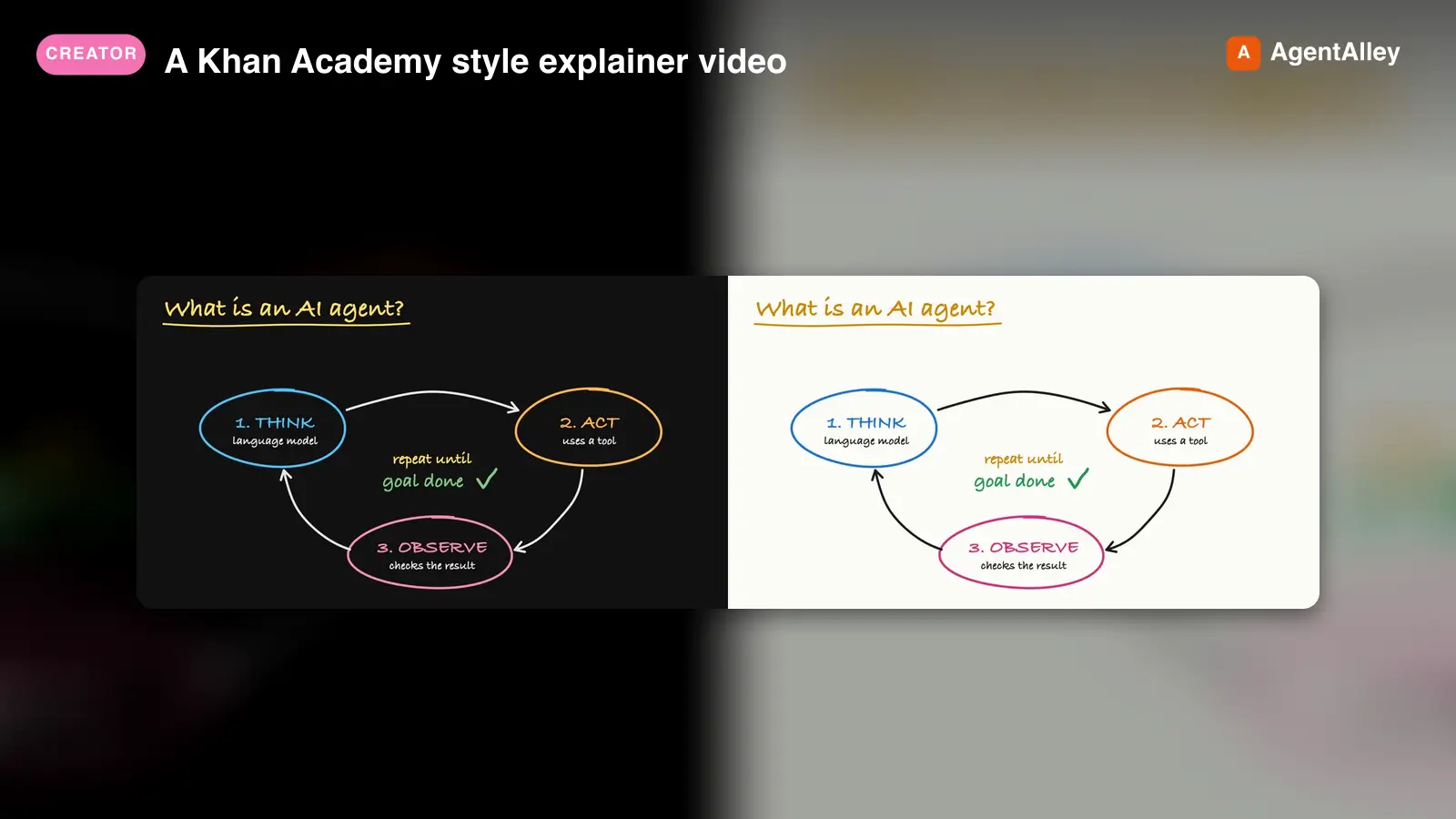 SkillA Khan Academy style explainer videoKhan explainer
 haiderfarooq3/khan-explainer · by haiderfarooq3Use when the user wants a Khan Academy style explainer video, a blackboard or whiteboard lesson, a hand-drawn chalk-talk animation, a short narrated video that teaches a concept ("explain X in a video", "explainer video", "teach X in 30 seconds"), or a tutorial that draws hand-written arrows, circles and captions over product screenshots ("draw over the UI", "annotated walkthrough"), or clips cut from a YouTube video or podcast where the speaker's real audio plays under a blackboard drawn to it ("khanify this video", "clip this with the Khan visual"), especially when it must be free, local, and use no paid APIs or keys. macOS only.★ 113 GitHub stars
 SkillPick the output format that makes an explanation easiestUnderstanding ladder
 ChangWenC/understanding-ladder · by ChangWenCPick the output format that makes an explanation easiest to understand, following Karpathy's understanding ladder — (1) plain controlled text, (2) diagram, (3) interactive HTML page, (4) 3Blue1Brown-style explainer video. Classify the content (definition/steps, process/causality, parameter→outcome, unfolding derivation), recommend the lowest rung that fully answers, then produce it. Works in English and Chinese. Use when the user says "explain this clearly", "help me understand", "draw a diagram", "make it interactive", "make an explainer video", "what's the best way to explain X", "understanding ladder", "Karpathy ladder", or 「讲清楚」「帮我理解」「画个图」「做个交互页」「做个讲解视频」「用哪种方式讲最好懂」「理解阶梯」; also when explaining a non-trivial concept, mechanism, algorithm, or an AI agent's output.★ 108 GitHub stars
 SkillAnimate first frames into A-roll talking head clipsAnimate (A-Roll)
 TheMattBerman/scrollclaw · by TheMattBermanAnimate first frames into A-roll talking head clips. Uses Sora 2 via fal.ai (primary) with Kling 3 auto-fallback when Sora is unavailable or sunset.★ 71 GitHub stars
More from artokun
 SkillTrain custom LoRAs with ostris AI-ToolkitAI-Toolkit LoRA Trainer (WAN 2.2 & Z-Image)
 artokun/comfyui-mcp · by artokunTrain custom LoRAs with ostris AI-Toolkit. Covers WAN 2.2/2.1 (people, styles, video motion) and Z-Image (Turbo & Base, low-VRAM image LoRAs). Use when the user wants to train a WAN or Z-Image LoRA; covers local + RunPod setup, dataset prep, key params, and using the result in a ComfyUI workflow.★ 759 GitHub stars
 SkillAnime/illustration text-to-imageANIMA 1.0 (Anima Base Ultra) Text-to-Image Workflowsartokun/comfyui-mcp · by artokunAnime/illustration text-to-image (ANIMA 1.0, ~2B Cosmos DiT). Use for anime, manga, illustrated characters; accepts Danbooru tags + natural language; runs/trains on <6GB VRAM; includes anime inpainting via Anima-LLLite ControlNet★ 759 GitHub stars
 SkillAuthoring & Publishing ComfyUI Custom Nodesartokun/comfyui-mcp · by artokunAuthoring & publishing ComfyUI custom nodes to the Comfy Registry, covering node structure, pyproject.toml spec, comfy-cli publishing, and CI★ 759 GitHub stars
 SkillTrain a custom anime LoRA on the ANIMA base modelCitron Anima LoRA Trainerartokun/comfyui-mcp · by artokunTrain a custom anime LoRA on the ANIMA base model with Citron's local Gradio trainer (kohya sd-scripts), <6GB VRAM, character/style LoRAs; covers setup, dataset prep, training params, and using the result in the anima-base workflow★ 759 GitHub stars
 SkillDiscover Civitai models with the BUILT-IN downloadmodelCivitai + comfyui-mcpartokun/comfyui-mcp · by artokunDiscover Civitai models with the BUILT-IN download_model action:"search_civitai" and install/generate them locally. Find a checkpoint/LoRA/embedding on Civitai, download it into ComfyUI, and use its trigger words. Optionally pair the official Civitai MCP for community features (images browsing, posting, collections).★ 759 GitHub stars
 SkillDiagnose and fix video/image color OBJECTIVELYColor Correction (measure, don't eyeball)artokun/comfyui-mcp · by artokunDiagnose and fix video/image color OBJECTIVELY with the get_image (action:"analyze_color") tool (scopes/stats such as black/white points, contrast, saturation, clipping, cast) instead of eyeballing a contact sheet. Covers the "washed out" signature, why reference color-match (mkl/ColorMatch/ColorMatchAdobe) CAN'T add contrast a flat source lacks, the levels/contrast-stretch fix (core AdjustContrast / CurveEditor), the measure→fix→re-measure loop, the side-by-side sandbox pattern, and where to place the fix in a render graph (after decode, before save). Use when a render looks washed out / flat / dull / over-saturated / color-cast, or when deciding between a color-match and a contrast/levels fix.★ 759 GitHub stars