Visual brief generator skill
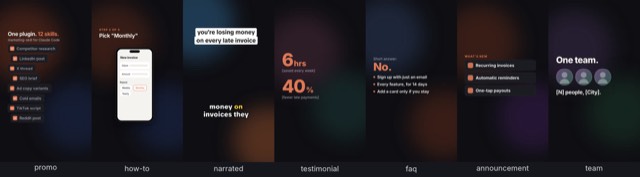
Illustration · not a resultFrom the marcosmodly/marketing-skill README — shows the whole collection, not only this skill.source ↗
Turns content into a structured image or video generation brief: shot list, per-scene AI image/video prompts, aspect ratio per platform, and a style and mood guide, and generates the asset if a visual-generation tool is connected.
by marcosmodly·MIT license·★ 42 Stars on the repo·GitHub ↗
npx degit marcosmodly/marketing-skill/skills/visual-brief-generator#main ~/.claude/skills/visual-brief-generatorChecked ·commit main
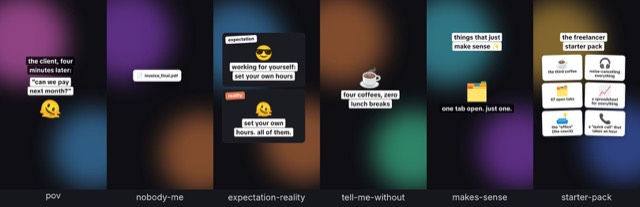
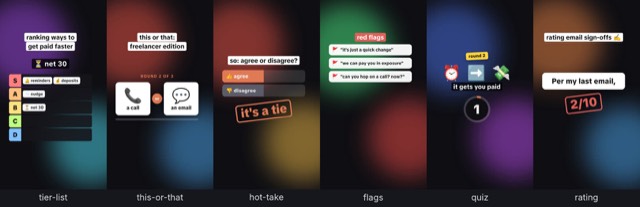
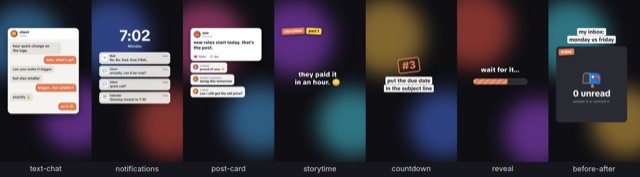
Illustration · not a resultFrom the marcosmodly/marketing-skill README — shows the whole collection, not only this skill.view on GitHub
Files of Visual brief generator
Show the full text175 lines
Visual Brief Generator
Purpose
Turn a piece of content or campaign idea into a structured, copy-paste-ready visual generation brief — a shot list, per-scene prompts, aspect ratios per platform, and a style/mood guide. If a connected image- or video-generation MCP tool is available in the current session and the user wants to generate now, use it. Otherwise the written brief itself is the deliverable.
Important: Higgsfield launched an official hosted MCP server in 2026
(Runway and Midjourney still have no known official one as of this
writing), so it's no longer accurate to assume none of the major
image/video-gen tools has one — but having an MCP server available in
general doesn't mean it's connected in any given session. This skill
checks whatever tools are actually available at runtime instead of
hardcoding a tool name, the same as it always has. For short-form vertical
video specifically (YouTube Shorts/Instagram Reels/TikTok), see the more
targeted short-form-video skill instead, which checks for the same
connectors and also produces platform-specific captions, hashtags, and
posting-time guidance this skill doesn't.
Step-by-step process
Plugin root: if a path below still shows an unexpanded
CLAUDE_PLUGIN_ROOT placeholder (Claude Code fills it in; other agents
such as Codex don't), resolve it before using any of them: take the
output of printenv CLAUDE_PLUGIN_ROOT if it prints a path, otherwise
walk up from this file's folder to the first folder that contains
references/brand-voice.md, and if neither works, ask the user where
this plugin lives. Use that absolute path in every file path and shell
command below.
Check onboarding status. Read
${CLAUDE_PLUGIN_ROOT}/references/brand-voice.md. If it doesn't exist, or its first line is<!-- MARKETING-SKILL:UNCONFIGURED -->, pause and ask the user this plugin's 4 setup questions (priority task; content types to produce; target audience + tone; default output format — same as/marketing-skill:marketing-setup) before continuing, then save the answers into that file and flip the marker toCONFIGUREDwith today's date. Otherwise, read it for mood/tone consistency below.Confirm scope.
- Source content or campaign this brief is for. If the user references
a project feature/launch without describing it, look for it first —
Glob for
README*,CHANGELOG*, anddocs/**/*.mdat the project root, then Read whichever look relevant — before asking them to describe it. Only check documentation-oriented files this way, not arbitrary source code. If nothing relevant turns up, ask directly. - Deliverable type: video, image, or both.
- Target platform(s) — this determines aspect ratio (e.g. Reels/TikTok 9:16, LinkedIn 1:1 or 16:9, YouTube 16:9).
- Roughly how many scenes/shots, and total duration if video.
- Any existing brand assets, colors, or style references to match.
- Source content or campaign this brief is for. If the user references
a project feature/launch without describing it, look for it first —
Glob for
Look for a connected visual-generation tool. Check the tools actually available in this session for one whose name or description indicates image or video generation (for example, a connected Canva connector, or any other connected MCP server for this purpose — do not assume any specific one is present).
- If found: ask the user whether to actually generate the asset(s) now using that tool, with the per-scene prompts below as input.
- If not found: proceed to produce the written brief only.
Draft the brief using the exact section structure below, applying brand voice/tone from
references/brand-voice.md.Report status honestly. Never claim an asset was generated if no tool call actually happened. If no visual-gen tool is connected, say so plainly and point to this plugin's
docs/video.md("Connecting a visual-generation tool").
When to use this skill
Trigger on requests like:
- "Make a visual brief / video brief for..."
- "I need a shot list for..."
- "Write image/video prompts for..."
Output structure (required)
Use this exact section order, as Markdown ## headings:
Brief Overview
Goal, source reference, target platform(s), total duration or frame count.
Shot List
A table: Shot # | Description | Duration/Frames | Camera/Framing notes.
Per-Scene Prompts
One block per shot. Each prompt must be self-contained (no dangling pronouns like "it" referring to a previous scene) and include:
- The generation prompt itself.
- A negative prompt, if relevant to the target tool.
- Aspect ratio for that shot.
- Style/mood keywords.
Aspect Ratio & Format per Platform
A table: Platform | Aspect Ratio | File Type.
Style & Mood Guide
Color palette, tone, pacing, and sound/music direction (if video).
Generation Status / Next Steps
State plainly whether a connected tool was used to actually generate
anything. If not, note how to connect a visual-gen MCP tool (see this
plugin's docs/video.md) or how to paste these prompts into a tool manually.
Formatting rules
- Keep style/mood keywords consistent across scenes unless variation is intentional and called out.
- Respect brand-voice constraints (including any banned words/imagery).
- Never fabricate an asset URL or claim generation succeeded when it didn't.
Example output
Fictional example: a 3-scene, 15-second product-teaser brief for Instagram Reels, brief-only (no visual-gen tool connected).
## Brief Overview
Goal: teaser for the "one-click export" feature launch.
Source: content-repurposer LinkedIn post draft.
Platform: Instagram Reels.
Total duration: 15 seconds (3 scenes, 5s each).

## Shot List
| Shot # | Description | Duration | Camera/Framing notes |
|---|---|---|---|
| 1 | Cluttered desktop, multiple export windows open, looking chaotic | 5s | Close-up, slight overhead angle |
| 2 | Cursor clicks a single "Export" button | 5s | Screen-capture style, centered on the button |
| 3 | Clean report appears instantly, checkmark animation | 5s | Full-screen, centered |

## Per-Scene Prompts
**Scene 1:** "A cluttered computer desktop with five overlapping export
dialog boxes, warm office lighting, slightly messy and stressful mood,
overhead close-up angle." Negative prompt: "no readable text, no logos."
Aspect ratio: 9:16. Style/mood: chaotic, warm-toned, slightly comedic.

**Scene 2:** "A cursor clicks a single glowing 'Export' button on a clean
software interface, satisfying tactile motion, centered framing." Negative
prompt: "no readable brand names." Aspect ratio: 9:16. Style/mood: crisp,
minimal, satisfying.

**Scene 3:** "A finished report appears on screen with a green checkmark
animation, bright and clean, full-screen." Negative prompt: "no clutter."
Aspect ratio: 9:16. Style/mood: bright, resolved, confident.

## Aspect Ratio & Format per Platform
| Platform | Aspect Ratio | File Type |
|---|---|---|
| Instagram Reels | 9:16 | MP4 |

## Style & Mood Guide
Color: cool blues and whites, one warm accent in scene 1 for contrast.
Tone: light, a little playful, resolves into confident/clean. Pacing:
quick cuts, no scene longer than 5s. Sound: upbeat, minimal, a single
"ding" sound cue on scene 3's checkmark.

## Generation Status / Next Steps
No connected image/video-generation tool was available in this session, so
no asset was generated — this brief is the deliverable. To generate
directly, connect a visual-gen MCP tool and re-run this skill (see this
plugin's `docs/video.md`), or paste the per-scene prompts above into your tool of
choice.
| 1 | |
| 2 | name visual-brief-generator |
| 3 | description "Turns content into a structured image or video generation brief: shot list, per-scene AI image/video prompts, aspect ratio per platform, and a style and mood guide, and generates the asset if a visual-generation tool is connected. Use when the user asks for a visual brief, video brief, creative brief, shot list, storyboard, or image or video prompts." |
| 4 | allowed-tools Read, Grep, Glob, Write |
| 5 | |
| 6 | |
| 7 | # Visual Brief Generator |
| 8 | |
| 9 | ## Purpose |
| 10 | |
| 11 | Turn a piece of content or campaign idea into a structured, copy-paste-ready |
| 12 | visual generation brief — a shot list, per-scene prompts, aspect ratios per |
| 13 | platform, and a style/mood guide. If a connected image- or video-generation |
| 14 | MCP tool is available in the current session and the user wants to generate |
| 15 | now, use it. Otherwise the written brief itself is the deliverable. |
| 16 | |
| 17 | **Important:** Higgsfield launched an official hosted MCP server in 2026 |
| 18 | (Runway and Midjourney still have no known official one as of this |
| 19 | writing), so it's no longer accurate to assume none of the major |
| 20 | image/video-gen tools has one — but having an MCP server available in |
| 21 | general doesn't mean it's connected in any given session. This skill |
| 22 | checks whatever tools are actually available at runtime instead of |
| 23 | hardcoding a tool name, the same as it always has. For short-form vertical |
| 24 | video specifically (YouTube Shorts/Instagram Reels/TikTok), see the more |
| 25 | targeted `short-form-video` skill instead, which checks for the same |
| 26 | connectors and also produces platform-specific captions, hashtags, and |
| 27 | posting-time guidance this skill doesn't. |
| 28 | |
| 29 | ## Step-by-step process |
| 30 | |
| 31 | **Plugin root:** if a path below still shows an unexpanded |
| 32 | `CLAUDE_PLUGIN_ROOT` placeholder (Claude Code fills it in; other agents |
| 33 | such as Codex don't), resolve it before using any of them: take the |
| 34 | output of `printenv CLAUDE_PLUGIN_ROOT` if it prints a path, otherwise |
| 35 | walk up from this file's folder to the first folder that contains |
| 36 | `references/brand-voice.md`, and if neither works, ask the user where |
| 37 | this plugin lives. Use that absolute path in every file path and shell |
| 38 | command below. |
| 39 | |
| 40 | **Check onboarding status.** Read |
| 41 | `${CLAUDE_PLUGIN_ROOT}/references/brand-voice.md`. If it doesn't exist, |
| 42 | or its first line is `<!-- MARKETING-SKILL:UNCONFIGURED -->`, pause and |
| 43 | ask the user this plugin's 4 setup questions (priority task; content |
| 44 | types to produce; target audience + tone; default output format — same |
| 45 | as `/marketing-skill:marketing-setup`) before continuing, then save the |
| 46 | answers into that file and flip the marker to `CONFIGURED` with today's |
| 47 | date. Otherwise, read it for mood/tone consistency below. |
| 48 | |
| 49 | **Confirm scope.** |
| 50 | Source content or campaign this brief is for. If the user references |
| 51 | a project feature/launch without describing it, look for it first — |
| 52 | Glob for `README*`, `CHANGELOG*`, and `docs/**/*.md` at the project |
| 53 | root, then Read whichever look relevant — before asking them to |
| 54 | describe it. Only check documentation-oriented files this way, not |
| 55 | arbitrary source code. If nothing relevant turns up, ask directly. |
| 56 | Deliverable type: video, image, or both. |
| 57 | Target platform(s) — this determines aspect ratio (e.g. Reels/TikTok |
| 58 | 9:16, LinkedIn 1:1 or 16:9, YouTube 16:9). |
| 59 | Roughly how many scenes/shots, and total duration if video. |
| 60 | Any existing brand assets, colors, or style references to match. |
| 61 | |
| 62 | **Look for a connected visual-generation tool.** Check the tools |
| 63 | actually available in this session for one whose name or description |
| 64 | indicates image or video generation (for example, a connected Canva |
| 65 | connector, or any other connected MCP server for this purpose — do not |
| 66 | assume any specific one is present). |
| 67 | If found: ask the user whether to actually generate the asset(s) now |
| 68 | using that tool, with the per-scene prompts below as input. |
| 69 | If not found: proceed to produce the written brief only. |
| 70 | |
| 71 | **Draft the brief** using the exact section structure below, applying |
| 72 | brand voice/tone from `references/brand-voice.md`. |
| 73 | |
| 74 | **Report status honestly.** Never claim an asset was generated if no |
| 75 | tool call actually happened. If no visual-gen tool is connected, say so |
| 76 | plainly and point to this plugin's `docs/video.md` ("Connecting a |
| 77 | visual-generation tool"). |
| 78 | |
| 79 | ## When to use this skill |
| 80 | |
| 81 | Trigger on requests like: |
| 82 | "Make a visual brief / video brief for..." |
| 83 | "I need a shot list for..." |
| 84 | "Write image/video prompts for..." |
| 85 | |
| 86 | ## Output structure (required) |
| 87 | |
| 88 | Use this exact section order, as Markdown `##` headings: |
| 89 | |
| 90 | ### Brief Overview |
| 91 | Goal, source reference, target platform(s), total duration or frame count. |
| 92 | |
| 93 | ### Shot List |
| 94 | A table: `Shot # | Description | Duration/Frames | Camera/Framing notes`. |
| 95 | |
| 96 | ### Per-Scene Prompts |
| 97 | One block per shot. Each prompt must be self-contained (no dangling |
| 98 | pronouns like "it" referring to a previous scene) and include: |
| 99 | The generation prompt itself. |
| 100 | A negative prompt, if relevant to the target tool. |
| 101 | Aspect ratio for that shot. |
| 102 | Style/mood keywords. |
| 103 | |
| 104 | ### Aspect Ratio & Format per Platform |
| 105 | A table: `Platform | Aspect Ratio | File Type`. |
| 106 | |
| 107 | ### Style & Mood Guide |
| 108 | Color palette, tone, pacing, and sound/music direction (if video). |
| 109 | |
| 110 | ### Generation Status / Next Steps |
| 111 | State plainly whether a connected tool was used to actually generate |
| 112 | anything. If not, note how to connect a visual-gen MCP tool (see this |
| 113 | plugin's `docs/video.md`) or how to paste these prompts into a tool manually. |
| 114 | |
| 115 | ## Formatting rules |
| 116 | |
| 117 | Keep style/mood keywords consistent across scenes unless variation is |
| 118 | intentional and called out. |
| 119 | Respect brand-voice constraints (including any banned words/imagery). |
| 120 | Never fabricate an asset URL or claim generation succeeded when it |
| 121 | didn't. |
| 122 | |
| 123 | ## Example output |
| 124 | |
| 125 | > Fictional example: a 3-scene, 15-second product-teaser brief for |
| 126 | > Instagram Reels, brief-only (no visual-gen tool connected). |
| 127 | |
| 128 | |
| 129 | ## Brief Overview |
| 130 | Goal: teaser for the "one-click export" feature launch. |
| 131 | Source: content-repurposer LinkedIn post draft. |
| 132 | Platform: Instagram Reels. |
| 133 | Total duration: 15 seconds (3 scenes, 5s each). |
| 134 | |
| 135 | ## Shot List |
| 136 | | Shot # | Description | Duration | Camera/Framing notes | |
| 137 | |---|---|---|---| |
| 138 | | 1 | Cluttered desktop, multiple export windows open, looking chaotic | 5s | Close-up, slight overhead angle | |
| 139 | | 2 | Cursor clicks a single "Export" button | 5s | Screen-capture style, centered on the button | |
| 140 | | 3 | Clean report appears instantly, checkmark animation | 5s | Full-screen, centered | |
| 141 | |
| 142 | ## Per-Scene Prompts |
| 143 | **Scene 1:** "A cluttered computer desktop with five overlapping export |
| 144 | dialog boxes, warm office lighting, slightly messy and stressful mood, |
| 145 | overhead close-up angle." Negative prompt: "no readable text, no logos." |
| 146 | Aspect ratio: 9:16. Style/mood: chaotic, warm-toned, slightly comedic. |
| 147 | |
| 148 | **Scene 2:** "A cursor clicks a single glowing 'Export' button on a clean |
| 149 | software interface, satisfying tactile motion, centered framing." Negative |
| 150 | prompt: "no readable brand names." Aspect ratio: 9:16. Style/mood: crisp, |
| 151 | minimal, satisfying. |
| 152 | |
| 153 | **Scene 3:** "A finished report appears on screen with a green checkmark |
| 154 | animation, bright and clean, full-screen." Negative prompt: "no clutter." |
| 155 | Aspect ratio: 9:16. Style/mood: bright, resolved, confident. |
| 156 | |
| 157 | ## Aspect Ratio & Format per Platform |
| 158 | | Platform | Aspect Ratio | File Type | |
| 159 | |---|---|---| |
| 160 | | Instagram Reels | 9:16 | MP4 | |
| 161 | |
| 162 | ## Style & Mood Guide |
| 163 | Color: cool blues and whites, one warm accent in scene 1 for contrast. |
| 164 | Tone: light, a little playful, resolves into confident/clean. Pacing: |
| 165 | quick cuts, no scene longer than 5s. Sound: upbeat, minimal, a single |
| 166 | "ding" sound cue on scene 3's checkmark. |
| 167 | |
| 168 | ## Generation Status / Next Steps |
| 169 | No connected image/video-generation tool was available in this session, so |
| 170 | no asset was generated — this brief is the deliverable. To generate |
| 171 | directly, connect a visual-gen MCP tool and re-run this skill (see this |
| 172 | plugin's `docs/video.md`), or paste the per-scene prompts above into your tool of |
| 173 | choice. |
| 174 | |
| 175 |
Discussion
Alternatives
 Make a demo video with OpenScreenMake a polished video of an app or a feature with OpenScreen's MCP tools, from storyboard to recording, editing and export, then either attach it to a pull request or draft a post on X. Use when the user asks for a demo, a demo video, a screen recording, a product video, a launch clip, a video for X/Twitter, LinkedIn or a README, or to show a change in a pull request ("add a video to the PR", "show the feature to reviewers"). Also use to set OpenScreen up for an agent, and to continue an OpenScreen demo in a new session.
 FFmpeg for Video ProductionVideo and audio processing with FFmpeg. Use for format conversion, resizing, compression, audio extraction, and preparing assets for Remotion. Triggers include converting GIF to MP4, resizing video, extracting audio, compressing files, or any media transformation task.fake-screencast — screenshots → simulated screen recordingTurn static SCREENSHOTS into a simulated screen recording (TSX) — a fake screencast with an animated cursor that eases to targets and clicks, a browser URL bar that updates per page, hard-cut navigations, in-page filter crossfades, smooth scroll, and a ken-burns zoom onto the payoff. Use when a beat needs to show a walkthrough of a web app / dashboard / settings page and you'd rather build it from screenshots than get (or ask for) a real screen recording — "fake a screen recording", "turn these screenshots into a screencast", "simulate clicking through the dashboard", "animate this UI walkthrough", "cursor moving through the app". Built on remotion/src/lib/screencast.tsx. This is a technique WITHIN step 2 (make-tsx): defer timeline/render/bake orchestration to make-tsx and raw crash-free TSX rules to vidtsx-2d-generator. Not for a single static page clone (use WebBrowserFrame directly) and not when the point is genuine proof of real speed/output (use a real recording).Khan explainerUse when the user wants a Khan Academy style explainer video, a blackboard or whiteboard lesson, a hand-drawn chalk-talk animation, a short narrated video that teaches a concept ("explain X in a video", "explainer video", "teach X in 30 seconds"), or a tutorial that draws hand-written arrows, circles and captions over product screenshots ("draw over the UI", "annotated walkthrough"), or clips cut from a YouTube video or podcast where the speaker's real audio plays under a blackboard drawn to it ("khanify this video", "clip this with the Khan visual"), especially when it must be free, local, and use no paid APIs or keys. macOS only.
Browse more free Claude skills or everything in Content creator.