Create storyboard grids
Storyboard grid
Create storyboard grids.
Overview
Create storyboard grids.
The prompt
| 1 | A clean 3×3 [ratio] storyboard grid with nine equal [ratio] sized panels on [4:5] ratio. |
| 2 | |
| 3 | Use the reference image as the base product reference. Keep the same product, packaging design, branding, materials, colors, proportions and overall identity across all nine panels exactly as the reference. The product must remain clearly recognizable in every frame. The label, logo and proportions must stay exactly the same. |
| 4 | |
| 5 | This storyboard is a high-end designer mockup presentation for a branding portfolio. The focus is on form, composition, materiality and visual rhythm rather than realism or lifestyle narrative. The overall look should feel curated, editorial and design-driven. |
| 6 | |
| 7 | FRAME 1: |
| 8 | Front-facing hero shot of the product in a clean studio setup. Neutral background, balanced composition, calm and confident presentation of the product. |
| 9 | |
| 10 | FRAME 2: |
| 11 | Close-up shot with the focus centered on the middle of the product. Focusing on surface texture, materials and print details. |
| 12 | |
| 13 | FRAME 3: |
| 14 | Shows the reference product placed in an environment that naturally fits the brand and product category. Studio setting inspired by the product design elements and colours. |
| 15 | |
| 16 | FRAME 4: |
| 17 | Product shown in use or interaction on a neutral studio background. Hands and interaction elements are minimal and restrained, the look matches the style of the package. |
| 18 | |
| 19 | FRAME 5: |
| 20 | Isometric composition showing multiple products arranged in a precise geometric order from the top isometric angle. All products are placed at the same isometric top angle, evenly spaced, clean, structured and graphic. |
| 21 | |
| 22 | FRAME 6: |
| 23 | Product levitating slightly tilted on a neutral background that matches the reference image color palette. Floating position is angled and intentional, the product is floating naturally in space. |
| 24 | |
| 25 | FRAME 7: |
| 26 | is an extreme close-up focusing on a specific detail of the label, edge, texture or material behavior. |
| 27 | |
| 28 | FRAME 8: |
| 29 | The product in an unexpected yet aesthetically strong setting that feels bold, editorial and visually striking. |
| 30 | Unexpected but highly stylized setting. Studio-based, and designer-driven. Bold composition that elevates the brand. |
| 31 | |
| 32 | FRAME 9: |
| 33 | Wide composition showing the product in use, placed within a refined designer setup. Clean props, controlled styling, cohesive with the rest of the series. |
| 34 | |
| 35 | CAMERA & STYLE: |
| 36 | Ultra high-quality studio imagery with a real camera look. Different camera angles and framings across frames. Controlled depth of field, precise lighting, accurate materials and reflections. Lighting logic, color palette, mood and visual language must remain consistent across all nine panels as one cohesive series. |
| 37 | |
| 38 | OUTPUT: |
| 39 | A clean 3×3 grid with no borders, no text, no captions and no watermarks. |
Connects with Agent Alley MCP · agentalley.io/mcp
Details
- Updated
- Sep 9, 2026
- License
- CC0-1.0
- Source
- prompts.chat ↗
- Creator
- semih · 6 listings
Similar prompts
See all → SkillMake a polished video of an app or a featureMake a demo video with OpenScreen
 getopenscreen/openscreen · by getopenscreenMake a polished video of an app or a feature with OpenScreen's MCP tools, from storyboard to recording, editing and export, then either attach it to a pull request or draft a post on X. Use when the user asks for a demo, a demo video, a screen recording, a product video, a launch clip, a video for X/Twitter, LinkedIn or a README, or to show a change in a pull request ("add a video to the PR", "show the feature to reviewers"). Also use to set OpenScreen up for an agent, and to continue an OpenScreen demo in a new session.★ 4.5k GitHub stars
 SkillVideo and audio processing with FFmpegFFmpeg for Video Production
 digitalsamba/claude-code-video-toolkit · by digitalsambaVideo and audio processing with FFmpeg. Use for format conversion, resizing, compression, audio extraction, and preparing assets for Remotion. Triggers include converting GIF to MP4, resizing video, extracting audio, compressing files, or any media transformation task.★ 2.1k GitHub stars
 SkillTurn static SCREENSHOTS into a simulated screen recordingfake-screencast — screenshots → simulated screen recording
 hassancs91/claude-youtube-editor · by hassancs91Turn static SCREENSHOTS into a simulated screen recording (TSX) — a fake screencast with an animated cursor that eases to targets and clicks, a browser URL bar that updates per page, hard-cut navigations, in-page filter crossfades, smooth scroll, and a ken-burns zoom onto the payoff. Use when a beat needs to show a walkthrough of a web app / dashboard / settings page and you'd rather build it from screenshots than get (or ask for) a real screen recording — "fake a screen recording", "turn these screenshots into a screencast", "simulate clicking through the dashboard", "animate this UI walkthrough", "cursor moving through the app". Built on remotion/src/lib/screencast.tsx. This is a technique WITHIN step 2 (make-tsx): defer timeline/render/bake orchestration to make-tsx and raw crash-free TSX rules to vidtsx-2d-generator. Not for a single static page clone (use WebBrowserFrame directly) and not when the point is genuine proof of real speed/output (use a real recording).★ 330 GitHub stars
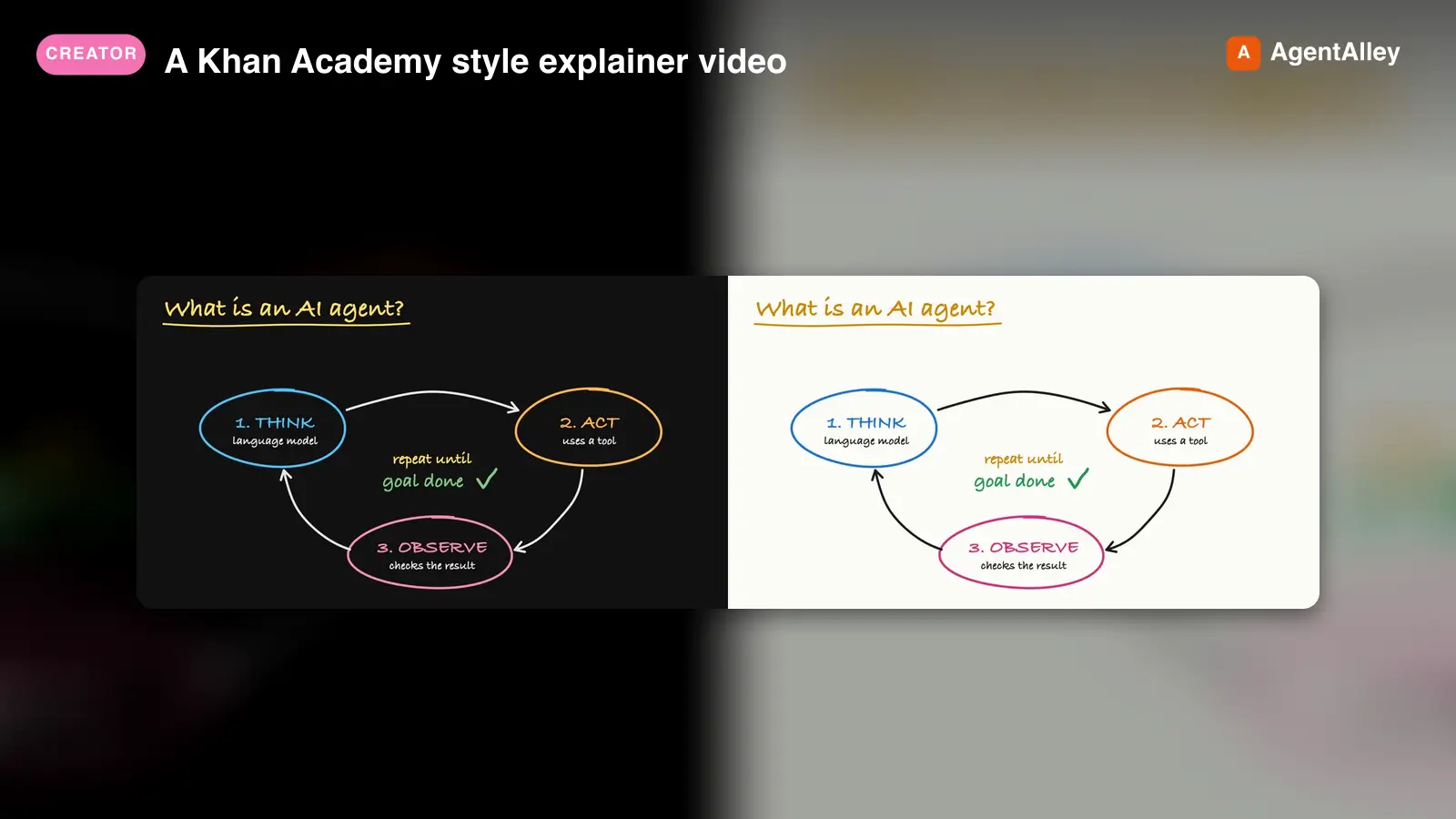 SkillA Khan Academy style explainer videoKhan explainer
 haiderfarooq3/khan-explainer · by haiderfarooq3Use when the user wants a Khan Academy style explainer video, a blackboard or whiteboard lesson, a hand-drawn chalk-talk animation, a short narrated video that teaches a concept ("explain X in a video", "explainer video", "teach X in 30 seconds"), or a tutorial that draws hand-written arrows, circles and captions over product screenshots ("draw over the UI", "annotated walkthrough"), or clips cut from a YouTube video or podcast where the speaker's real audio plays under a blackboard drawn to it ("khanify this video", "clip this with the Khan visual"), especially when it must be free, local, and use no paid APIs or keys. macOS only.★ 113 GitHub stars
 SkillPick the output format that makes an explanation easiestUnderstanding ladder
 ChangWenC/understanding-ladder · by ChangWenCPick the output format that makes an explanation easiest to understand, following Karpathy's understanding ladder — (1) plain controlled text, (2) diagram, (3) interactive HTML page, (4) 3Blue1Brown-style explainer video. Classify the content (definition/steps, process/causality, parameter→outcome, unfolding derivation), recommend the lowest rung that fully answers, then produce it. Works in English and Chinese. Use when the user says "explain this clearly", "help me understand", "draw a diagram", "make it interactive", "make an explainer video", "what's the best way to explain X", "understanding ladder", "Karpathy ladder", or 「讲清楚」「帮我理解」「画个图」「做个交互页」「做个讲解视频」「用哪种方式讲最好懂」「理解阶梯」; also when explaining a non-trivial concept, mechanism, algorithm, or an AI agent's output.★ 108 GitHub stars
 SkillAnimate first frames into A-roll talking head clipsAnimate (A-Roll)
 TheMattBerman/scrollclaw · by TheMattBermanAnimate first frames into A-roll talking head clips. Uses Sora 2 via fal.ai (primary) with Kling 3 auto-fallback when Sora is unavailable or sunset.★ 71 GitHub stars
More from semih
 PromptYour story as a blockbuster comic pageAmerican comic
 f/prompts.chat · by semihYour story as a blockbuster comic page.New listing
 PromptHigh quality icons for your appsCreate iconsf/prompts.chat · by semihHigh quality icons for your apps.New listing
 PromptHand-illustrated educational infographicsCreate infographicsf/prompts.chat · by semihHand-illustrated educational infographics.New listing
 PromptCreate stunning videos with Remotionf/prompts.chat · by semihCreate stunning videos with Remotion.New listing
 PromptCreate elegant hand drawn diagramsWhiteboard diagramsf/prompts.chat · by semihCreate elegant hand drawn diagrams.New listing