Screen demo skill
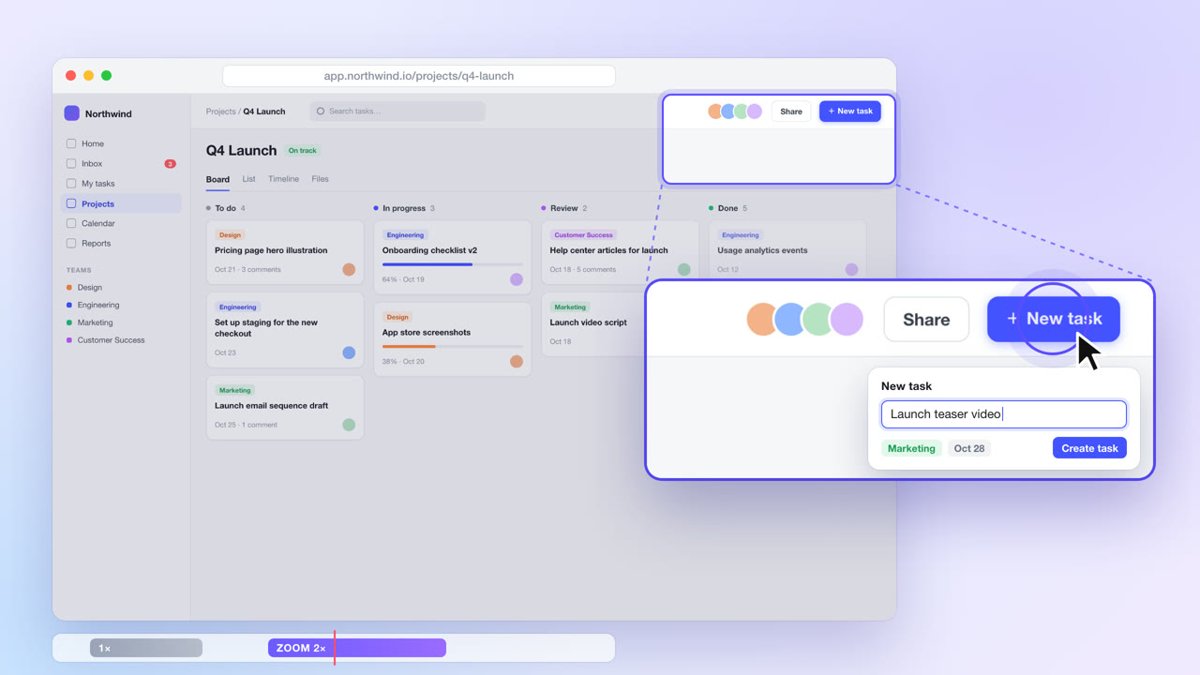
Illustration · not a resultFrom the openfilm/openfilm README — shows the whole collection, not only this skill.source ↗
Turn a screen recording into a polished product demo or tutorial: the view follows the action, dead time is gone, every step is easy to see, and the product looks as good as it is.
by openfilm·MIT license·★ 975 Stars on the repo·GitHub ↗
npx degit openfilm/openfilm/packages/openfilm/skills/screen-demo#main ~/.claude/skills/screen-demoChecked ·commit main
Files of Screen demo
Show the full text36 lines
Screen demo
Make the demo that shows this product at its best and is effortless to follow: the viewer always knows where to look, sees each step land, never waits, and could do the same in the product today.
What has to be true
- The real product. Its own screens, actions and results, from the person's recording or captured from the live product; never a redrawn interface or a result that did not happen. Where it must be simpler, crop and zoom into the real thing.
- Clear where to look, at the size it will be watched: the action, its text and its result readable on that screen, a phone too when the demo is vertical.
- Nothing private in any frame: keys, tokens, passwords, emails, names, customer data, notifications, other tabs and bookmarks are hidden, or that part is recorded again.
- Honest time. Waiting can go; where speed is what the product sells, the real time stays or the speed-up is shown.
- It holds up next to the best product demos you know. Watch the whole film as a viewer would, and keep refining until it does.
What you have
The recording, cut by its in and out points and sped up with speed, never re-encoded; a page can also play it,
silent, with its time set from t, so the picture can move over it. A voice from npx openfilm get tts, music and
sound from get, your own built-in tools, services the person has keys for, and anything you can make pictures and
motion with.
With the person
What they ask for comes before anything here. The recording or the product (its address, and an account to show it with), who the demo is for, and the one thing it must show. Ask without holding up the work. When done, tell them in a few lines what it shows, what you sped up or left out, and what you hid.
| 1 | |
| 2 | name screen-demo |
| 3 | description Turn a screen recording into a polished product demo or tutorial: the view follows the action, dead time is gone, every step is easy to see, and the product looks as good as it is. Use when the person gives a screen recording (or a product to capture) and asks for a demo, walkthrough, tutorial, feature video or how-to (录屏演示, 产品演示, 教程, 操作视频, 功能介绍). |
| 4 | |
| 5 | |
| 6 | # Screen demo |
| 7 | |
| 8 | Make the demo that shows this product at its best and is effortless to follow: the viewer always knows where to look, |
| 9 | sees each step land, never waits, and could do the same in the product today. |
| 10 | |
| 11 | ## What has to be true |
| 12 | |
| 13 | **The real product.** Its own screens, actions and results, from the person's recording or captured from the live |
| 14 | product; never a redrawn interface or a result that did not happen. Where it must be simpler, crop and zoom into the |
| 15 | real thing. |
| 16 | **Clear where to look**, at the size it will be watched: the action, its text and its result readable on that |
| 17 | screen, a phone too when the demo is vertical. |
| 18 | **Nothing private in any frame**: keys, tokens, passwords, emails, names, customer data, notifications, other tabs |
| 19 | and bookmarks are hidden, or that part is recorded again. |
| 20 | **Honest time.** Waiting can go; where speed is what the product sells, the real time stays or the speed-up is shown. |
| 21 | **It holds up next to the best product demos you know.** Watch the whole film as a viewer would, and keep refining |
| 22 | until it does. |
| 23 | |
| 24 | ## What you have |
| 25 | |
| 26 | The recording, cut by its in and out points and sped up with `speed`, never re-encoded; a page can also play it, |
| 27 | silent, with its time set from t, so the picture can move over it. A voice from `npx openfilm get tts`, music and |
| 28 | sound from `get`, your own built-in tools, services the person has keys for, and anything you can make pictures and |
| 29 | motion with. |
| 30 | |
| 31 | ## With the person |
| 32 | |
| 33 | What they ask for comes before anything here. The recording or the product (its address, and an account to show it |
| 34 | with), who the demo is for, and the one thing it must show. Ask without holding up the work. When done, tell them in a |
| 35 | few lines what it shows, what you sped up or left out, and what you hid. |
| 36 |
Discussion
Alternatives
 Make a demo video with OpenScreenMake a polished video of an app or a feature with OpenScreen's MCP tools, from storyboard to recording, editing and export, then either attach it to a pull request or draft a post on X. Use when the user asks for a demo, a demo video, a screen recording, a product video, a launch clip, a video for X/Twitter, LinkedIn or a README, or to show a change in a pull request ("add a video to the PR", "show the feature to reviewers"). Also use to set OpenScreen up for an agent, and to continue an OpenScreen demo in a new session.
 FFmpeg for Video ProductionVideo and audio processing with FFmpeg. Use for format conversion, resizing, compression, audio extraction, and preparing assets for Remotion. Triggers include converting GIF to MP4, resizing video, extracting audio, compressing files, or any media transformation task.fake-screencast — screenshots → simulated screen recordingTurn static SCREENSHOTS into a simulated screen recording (TSX) — a fake screencast with an animated cursor that eases to targets and clicks, a browser URL bar that updates per page, hard-cut navigations, in-page filter crossfades, smooth scroll, and a ken-burns zoom onto the payoff. Use when a beat needs to show a walkthrough of a web app / dashboard / settings page and you'd rather build it from screenshots than get (or ask for) a real screen recording — "fake a screen recording", "turn these screenshots into a screencast", "simulate clicking through the dashboard", "animate this UI walkthrough", "cursor moving through the app". Built on remotion/src/lib/screencast.tsx. This is a technique WITHIN step 2 (make-tsx): defer timeline/render/bake orchestration to make-tsx and raw crash-free TSX rules to vidtsx-2d-generator. Not for a single static page clone (use WebBrowserFrame directly) and not when the point is genuine proof of real speed/output (use a real recording).Khan explainerUse when the user wants a Khan Academy style explainer video, a blackboard or whiteboard lesson, a hand-drawn chalk-talk animation, a short narrated video that teaches a concept ("explain X in a video", "explainer video", "teach X in 30 seconds"), or a tutorial that draws hand-written arrows, circles and captions over product screenshots ("draw over the UI", "annotated walkthrough"), or clips cut from a YouTube video or podcast where the speaker's real audio plays under a blackboard drawn to it ("khanify this video", "clip this with the Khan visual"), especially when it must be free, local, and use no paid APIs or keys. macOS only.
Browse more free Claude skills or everything in Content creator.