Rough Cut: Trim the Fat
Rough cut: trim the fat
Trim the fat from raw talking footage. Turns raw video into a tight first cut by removing dead air, ums and uhs, stutters, false starts and bad takes (keeping the last good take), then checks the result by listening to it again.
---
name: rough-cut
description: Trim the fat from raw talking footage. Turns raw video into a tight first cut by removing dead air, ums and uhs, stutters, false starts and bad takes (keeping the last good take), then checks the result by listening to it again. Use when the user says "rough cut", "first cut", "trim the fat", "cut the pauses", "remove the ums", "cut my retakes", "make it snappy", or hands over raw footage to edit.
---

# Rough cut: trim the fat

Editors call this the **assembly** and the **rough cut**. Every usable line goes in, in order, and everything that doesn't earn its place comes out. It is not the finished video. It is the version where every second is the speaker saying the line well, so the later passes (pacing, colour, graphics, sound) work on good material.

The idea behind it: **edit the words, not the waveform.** Get a transcript where every word has a start and end time, decide what to keep by reading it, and the cuts follow from the timings. Descript and the text-based editing in Premiere and Resolve work this way. This skill adds two things they don't do: it snaps every cut to the real sound, and it checks the render by listening to it again.

## Setup (once)

```
sh ~/simcraft/skills/video/rough-cut/setup.sh
```
Creates `.venv` next to this file with Whisper (mlx-whisper on Apple Silicon, faster-whisper elsewhere). Needs ffmpeg: `ffmpeg` on PATH, or set `$FFMPEG` to its path. Run every script below with `~/simcraft/skills/video/rough-cut/.venv/bin/python`.
Overview
Editors call this the assembly and the rough cut. Every usable line goes in, in order, and everything that doesn't earn its place comes out. It is not the finished video. It is the version where every second is the speaker saying the line well, so the later passes (pacing, colour, graphics, sound) work on good material.
Manual install (npx, ZIP)
npx skills add dotslashsimran/simcraft --skill rough-cut -g -a claude-codenpx degit dotslashsimran/simcraft/skills/video/rough-cut#main ~/.claude/skills/rough-cutConnects with Agent Alley MCP · agentalley.io/mcp
Files included
SKILL.md8.3 KB
Read SKILL.md here
Show the full text116 lines
Rough cut: trim the fat
Editors call this the assembly and the rough cut. Every usable line goes in, in order, and everything that doesn't earn its place comes out. It is not the finished video. It is the version where every second is the speaker saying the line well, so the later passes (pacing, colour, graphics, sound) work on good material.
The idea behind it: edit the words, not the waveform. Get a transcript where every word has a start and end time, decide what to keep by reading it, and the cuts follow from the timings. Descript and the text-based editing in Premiere and Resolve work this way. This skill adds two things they don't do: it snaps every cut to the real sound, and it checks the render by listening to it again.
Setup (once)
sh ~/simcraft/skills/video/rough-cut/setup.sh
Creates .venv next to this file with Whisper (mlx-whisper on Apple Silicon, faster-whisper elsewhere). Needs ffmpeg: ffmpeg on PATH, or set $FFMPEG to its path. Run every script below with ~/simcraft/skills/video/rough-cut/.venv/bin/python.
Workspace
One folder per video. If the user hasn't made one, make ~/Movies/edits/YYYY-MM-DD-<slug>/ and copy (never move) the raw files into raw/. Scripts write audio/, cuts/ and renders/ next to it. Nothing in raw/ is ever changed.
The pass, in order
1. Transcribe
python scripts/transcribe.py <workspace> [--lang en]
Writes audio/words.json (every word: start, end, text, confidence) and audio/transcript.txt (one line per take). About 1 minute per 2 minutes of footage on an M-series Mac.
Pass --lang en when it's English (more accurate). Leave it off for Hindi/English mixed speech.
How it stays accurate (each one fixes a failure we hit on real footage):
- Every take is transcribed on its own. The audio is split at every pause of 0.5s or more. Transcribing a whole file at once, Whisper writes a line said five times only once, so the extra takes have no words and can't be cut.
- Fillers are kept in the transcript. Whisper drops "um" and "uh" by default. A hesitation-filled prompt brings them back so they can be cut.
- Transcription loops are dropped. Whisper sometimes repeats a phrase dozens of times over noise ("there you go there you go ..."). More than 7 words a second is impossible, so those lines are thrown out.
2. Find the cuts
python scripts/find_cuts.py <workspace> [--gap 0.35] [--keep-fillers]
Writes cuts/edl.json (pieces to keep, in order) and cuts/cut_sheet.md (every cut and why, plus low-confidence words to check).
| Cut | Rule |
|---|---|
| Dead air | Any pause longer than --gap (0.35s). Head and tail silence too. |
| Fillers | um, uh, erm, hmm, mm, ah. |
| Repeats | A word or chunk of up to 4 words said twice in a row ("so the so the"): keeps the second. |
| Retakes | The same line said again within 20s, matched by letters so mishearings still match ("Northwind" / "North wind", "1" / "one"): keeps the last take. |
| False starts | A line abandoned partway and then said in full ("A 300 billion." then "A 300 million dollar business."). |
| Same ending | A line rephrased at the start but ending the same way ("That's, it's Northwind's own founder" then "And that's not me saying it, it's Northwind's own founder"). |
| Ghost words | A word on its own with no voice under it. Whisper invents these in silence ("Thank you.", "hallelujah"). |
Where each cut lands:
- Every edge is snapped to where the voice really starts and stops, measured from loudness in 10ms steps with a threshold that adapts to the room. Whisper's word times can be off by 0.1–0.3s.
- An edge only moves later by up to 0.12s, because clipping a word is worse than keeping a breath.
- 0.06s of room is left before the voice and 0.10s after.
- When there is no real gap, such as an "uh" glued onto the next word, the cut goes at the quietest 10ms point between them.
- A pause hiding inside one long Whisper "word" is still found and cut.
3. Judgement pass (the real edit, never skip it)
Read cuts/cut_sheet.md next to audio/transcript.txt and fix cuts/edl.json by hand. A script can't judge these:
- Which take is best. The last take is kept by default, but the best one is the one with energy, a clean ending and no laugh breaking it. Sometimes the first half of one take plus the end of another is best.
- Fillers that are part of the joke. A deliberate "uhh" before a punchline stays.
- "like", "you know", "I mean", "basically". These are never cut automatically. Cut only the ones that are pure stalling. Cutting all of them makes the speaker sound unlike themselves.
- Pauses that are beats. A pause before a punchline, a reaction, or a look to camera stays. Not every silence is dead air.
- Saying the same point twice in different words. Cut whole sentences.
- Non-speech moments, like a song, a visual gag or a reaction shot. Only speech is kept, so add these pieces by hand.
- Order. Pieces follow file order. Move the strongest line to the top for a cold open if the user wants one.
- The "check these words" list. Low confidence often means mumbling. If the line is unclear, look for a cleaner take.
Each piece is {"clip", "in", "out", "text"}, and "speed" is optional. Keep cuts between words.
4. Pace (ask first)
The cut sheet reports words per second. Snappy talking-head content sits around 3.3–3.8. If the speaker is slower, suggest a speed of 1.05–1.2 and set "speed" in edl.json for the whole video, or per piece. Pitch stays the same. Never speed up music or reactions.
5. Preview render
python scripts/render.py <workspace> --w 854 --v 1 [--aspect 9:16]
A 480p preview goes to renders/v1_854.mp4. Bump --v for every round of notes so old versions stay.
- Each piece is rendered with an exact frame count and uncompressed audio, then all pieces are joined by decoding. Stream-copy joins drop frames at cuts and the audio drifts about 2s over a few minutes.
- Every piece gets a 12ms fade in and a 20ms fade out, so cuts don't click.
- Clips with a different shape sit on a blurred copy of themselves instead of black bars.
6. Verify (always, before showing the user)
python scripts/verify.py <workspace> --v 1 [--lang en]
It listens to the render again, piece by piece, compares it with the cut list, and writes cuts/verify_v1.md. The report has four sections:
- Cuts that land while the voice is still going: a sound test that doesn't depend on Whisper. This is the real clipped-word detector. Fix each one by moving that edge in edl.json.
- Missing words: expected but not heard.
- Unexpected words: a filler or a bit of a retake leaking through.
- Mishearings: the two transcripts disagree on wording. That's usually mumbling, not a cut problem.
On clean audio the target is 100% of words present, 0 cuts inside sound and 0 unexpected words. Noisy or mumbled audio gives some missing/unexpected pairs that are really mishearings. Trust the sound test over them.
Fix what it finds, render again, and verify again.
7. Show the user, then the final
- Tell the user: the length before and after, the number of cuts, the verify result, and any judgement calls you made (which take you kept, a pause you kept on purpose).
- Log their notes before making the next version.
- Only after they approve the preview:
python scripts/render.py <workspace> --w <source width> --v N.
Results on real footage
On 3 minutes of raw talking-head footage with heavy retakes (9 takes of one line, 4 of another), 2:55 of talking became 0:36. It kept the last clean take of every line, and verify found 100% of words present, 0 cuts inside sound and 0 leaks.
The user's taste
- Snappy. Jump cuts on word gaps are good; constant alternating punch-in zooms are not.
- Keep swears, banter and the funny bits. Never clean up the personality.
- No whooshes, and no colour grade at this stage.
- When the user asks for "only the good bits, X minutes tops", cut whole moments, not just pauses.
| 1 | |
| 2 | name rough-cut |
| 3 | description Trim the fat from raw talking footage. Turns raw video into a tight first cut by removing dead air, ums and uhs, stutters, false starts and bad takes (keeping the last good take), then checks the result by listening to it again. Use when the user says "rough cut", "first cut", "trim the fat", "cut the pauses", "remove the ums", "cut my retakes", "make it snappy", or hands over raw footage to edit. |
| 4 | |
| 5 | |
| 6 | # Rough cut: trim the fat |
| 7 | |
| 8 | Editors call this the **assembly** and the **rough cut**. Every usable line goes in, in order, and everything that doesn't earn its place comes out. It is not the finished video. It is the version where every second is the speaker saying the line well, so the later passes (pacing, colour, graphics, sound) work on good material. |
| 9 | |
| 10 | The idea behind it: **edit the words, not the waveform.** Get a transcript where every word has a start and end time, decide what to keep by reading it, and the cuts follow from the timings. Descript and the text-based editing in Premiere and Resolve work this way. This skill adds two things they don't do: it snaps every cut to the real sound, and it checks the render by listening to it again. |
| 11 | |
| 12 | ## Setup (once) |
| 13 | |
| 14 | |
| 15 | sh ~/simcraft/skills/video/rough-cut/setup.sh |
| 16 | |
| 17 | Creates `.venv` next to this file with Whisper (mlx-whisper on Apple Silicon, faster-whisper elsewhere). Needs ffmpeg: `ffmpeg` on PATH, or set `$FFMPEG` to its path. Run every script below with `~/simcraft/skills/video/rough-cut/.venv/bin/python`. |
| 18 | |
| 19 | ## Workspace |
| 20 | |
| 21 | One folder per video. If the user hasn't made one, make `~/Movies/edits/YYYY-MM-DD-<slug>/` and **copy** (never move) the raw files into `raw/`. Scripts write `audio/`, `cuts/` and `renders/` next to it. Nothing in `raw/` is ever changed. |
| 22 | |
| 23 | ## The pass, in order |
| 24 | |
| 25 | ### 1. Transcribe |
| 26 | |
| 27 | python scripts/transcribe.py <workspace> [--lang en] |
| 28 | |
| 29 | Writes `audio/words.json` (every word: start, end, text, confidence) and `audio/transcript.txt` (one line per take). About 1 minute per 2 minutes of footage on an M-series Mac. |
| 30 | |
| 31 | Pass `--lang en` when it's English (more accurate). Leave it off for Hindi/English mixed speech. |
| 32 | |
| 33 | How it stays accurate (each one fixes a failure we hit on real footage): |
| 34 | **Every take is transcribed on its own.** The audio is split at every pause of 0.5s or more. Transcribing a whole file at once, Whisper writes a line said five times only once, so the extra takes have no words and can't be cut. |
| 35 | **Fillers are kept in the transcript.** Whisper drops "um" and "uh" by default. A hesitation-filled prompt brings them back so they can be cut. |
| 36 | **Transcription loops are dropped.** Whisper sometimes repeats a phrase dozens of times over noise ("there you go there you go ..."). More than 7 words a second is impossible, so those lines are thrown out. |
| 37 | |
| 38 | ### 2. Find the cuts |
| 39 | |
| 40 | python scripts/find_cuts.py <workspace> [--gap 0.35] [--keep-fillers] |
| 41 | |
| 42 | Writes `cuts/edl.json` (pieces to keep, in order) and `cuts/cut_sheet.md` (every cut and why, plus low-confidence words to check). |
| 43 | |
| 44 | | Cut | Rule | |
| 45 | |---|---| |
| 46 | | Dead air | Any pause longer than `--gap` (0.35s). Head and tail silence too. | |
| 47 | | Fillers | um, uh, erm, hmm, mm, ah. | |
| 48 | | Repeats | A word or chunk of up to 4 words said twice in a row ("so the so the"): keeps the second. | |
| 49 | | Retakes | The same line said again within 20s, matched by letters so mishearings still match ("Northwind" / "North wind", "1" / "one"): keeps the **last** take. | |
| 50 | | False starts | A line abandoned partway and then said in full ("A 300 billion." then "A 300 million dollar business."). | |
| 51 | | Same ending | A line rephrased at the start but ending the same way ("That's, it's Northwind's own founder" then "And that's not me saying it, it's Northwind's own founder"). | |
| 52 | | Ghost words | A word on its own with no voice under it. Whisper invents these in silence ("Thank you.", "hallelujah"). | |
| 53 | |
| 54 | **Where each cut lands:** |
| 55 | Every edge is snapped to where the voice really starts and stops, measured from loudness in 10ms steps with a threshold that adapts to the room. Whisper's word times can be off by 0.1–0.3s. |
| 56 | An edge only moves later by up to 0.12s, because clipping a word is worse than keeping a breath. |
| 57 | 0.06s of room is left before the voice and 0.10s after. |
| 58 | When there is no real gap, such as an "uh" glued onto the next word, the cut goes at the quietest 10ms point between them. |
| 59 | A pause hiding inside one long Whisper "word" is still found and cut. |
| 60 | |
| 61 | ### 3. Judgement pass (the real edit, never skip it) |
| 62 | Read `cuts/cut_sheet.md` next to `audio/transcript.txt` and fix `cuts/edl.json` by hand. A script can't judge these: |
| 63 | |
| 64 | **Which take is best.** The last take is kept by default, but the best one is the one with energy, a clean ending and no laugh breaking it. Sometimes the first half of one take plus the end of another is best. |
| 65 | **Fillers that are part of the joke.** A deliberate "uhh" before a punchline stays. |
| 66 | **"like", "you know", "I mean", "basically".** These are never cut automatically. Cut only the ones that are pure stalling. Cutting all of them makes the speaker sound unlike themselves. |
| 67 | **Pauses that are beats.** A pause before a punchline, a reaction, or a look to camera stays. Not every silence is dead air. |
| 68 | **Saying the same point twice in different words.** Cut whole sentences. |
| 69 | **Non-speech moments**, like a song, a visual gag or a reaction shot. Only speech is kept, so add these pieces by hand. |
| 70 | **Order.** Pieces follow file order. Move the strongest line to the top for a cold open if the user wants one. |
| 71 | **The "check these words" list.** Low confidence often means mumbling. If the line is unclear, look for a cleaner take. |
| 72 | |
| 73 | Each piece is `{"clip", "in", "out", "text"}`, and `"speed"` is optional. Keep cuts between words. |
| 74 | |
| 75 | ### 4. Pace (ask first) |
| 76 | The cut sheet reports words per second. Snappy talking-head content sits around 3.3–3.8. If the speaker is slower, suggest a speed of 1.05–1.2 and set `"speed"` in edl.json for the whole video, or per piece. Pitch stays the same. Never speed up music or reactions. |
| 77 | |
| 78 | ### 5. Preview render |
| 79 | |
| 80 | python scripts/render.py <workspace> --w 854 --v 1 [--aspect 9:16] |
| 81 | |
| 82 | A 480p preview goes to `renders/v1_854.mp4`. Bump `--v` for every round of notes so old versions stay. |
| 83 | Each piece is rendered with an exact frame count and uncompressed audio, then all pieces are joined by decoding. Stream-copy joins drop frames at cuts and the audio drifts about 2s over a few minutes. |
| 84 | Every piece gets a 12ms fade in and a 20ms fade out, so cuts don't click. |
| 85 | Clips with a different shape sit on a blurred copy of themselves instead of black bars. |
| 86 | |
| 87 | ### 6. Verify (always, before showing the user) |
| 88 | |
| 89 | python scripts/verify.py <workspace> --v 1 [--lang en] |
| 90 | |
| 91 | It listens to the render again, piece by piece, compares it with the cut list, and writes `cuts/verify_v1.md`. The report has four sections: |
| 92 | **Cuts that land while the voice is still going:** a sound test that doesn't depend on Whisper. This is the real clipped-word detector. Fix each one by moving that edge in edl.json. |
| 93 | **Missing words:** expected but not heard. |
| 94 | **Unexpected words:** a filler or a bit of a retake leaking through. |
| 95 | **Mishearings:** the two transcripts disagree on wording. That's usually mumbling, not a cut problem. |
| 96 | |
| 97 | On clean audio the target is 100% of words present, 0 cuts inside sound and 0 unexpected words. Noisy or mumbled audio gives some missing/unexpected pairs that are really mishearings. Trust the sound test over them. |
| 98 | |
| 99 | Fix what it finds, render again, and verify again. |
| 100 | |
| 101 | ### 7. Show the user, then the final |
| 102 | Tell the user: the length before and after, the number of cuts, the verify result, and any judgement calls you made (which take you kept, a pause you kept on purpose). |
| 103 | Log their notes before making the next version. |
| 104 | Only after they approve the preview: `python scripts/render.py <workspace> --w <source width> --v N`. |
| 105 | |
| 106 | ## Results on real footage |
| 107 | |
| 108 | On 3 minutes of raw talking-head footage with heavy retakes (9 takes of one line, 4 of another), 2:55 of talking became 0:36. It kept the last clean take of every line, and verify found 100% of words present, 0 cuts inside sound and 0 leaks. |
| 109 | |
| 110 | ## The user's taste |
| 111 | |
| 112 | Snappy. Jump cuts on word gaps are good; constant alternating punch-in zooms are not. |
| 113 | Keep swears, banter and the funny bits. Never clean up the personality. |
| 114 | No whooshes, and no colour grade at this stage. |
| 115 | When the user asks for "only the good bits, X minutes tops", cut whole moments, not just pauses. |
| 116 |
Details
- License
- MIT
- Stars on the repo
- ★ 546
- Checked
- Source
- dotslashsimran/simcraft ↗
- Creator
- dotslashsimran · 9 listings
Similar skills
See all → Video Clip Pipeline
 ericosiu/ai-marketing-skills · by ericosiupython3 telemetry/versioncheck.py 2>/dev/null || true★ 3.6k GitHub stars
 Prose Naturalizer
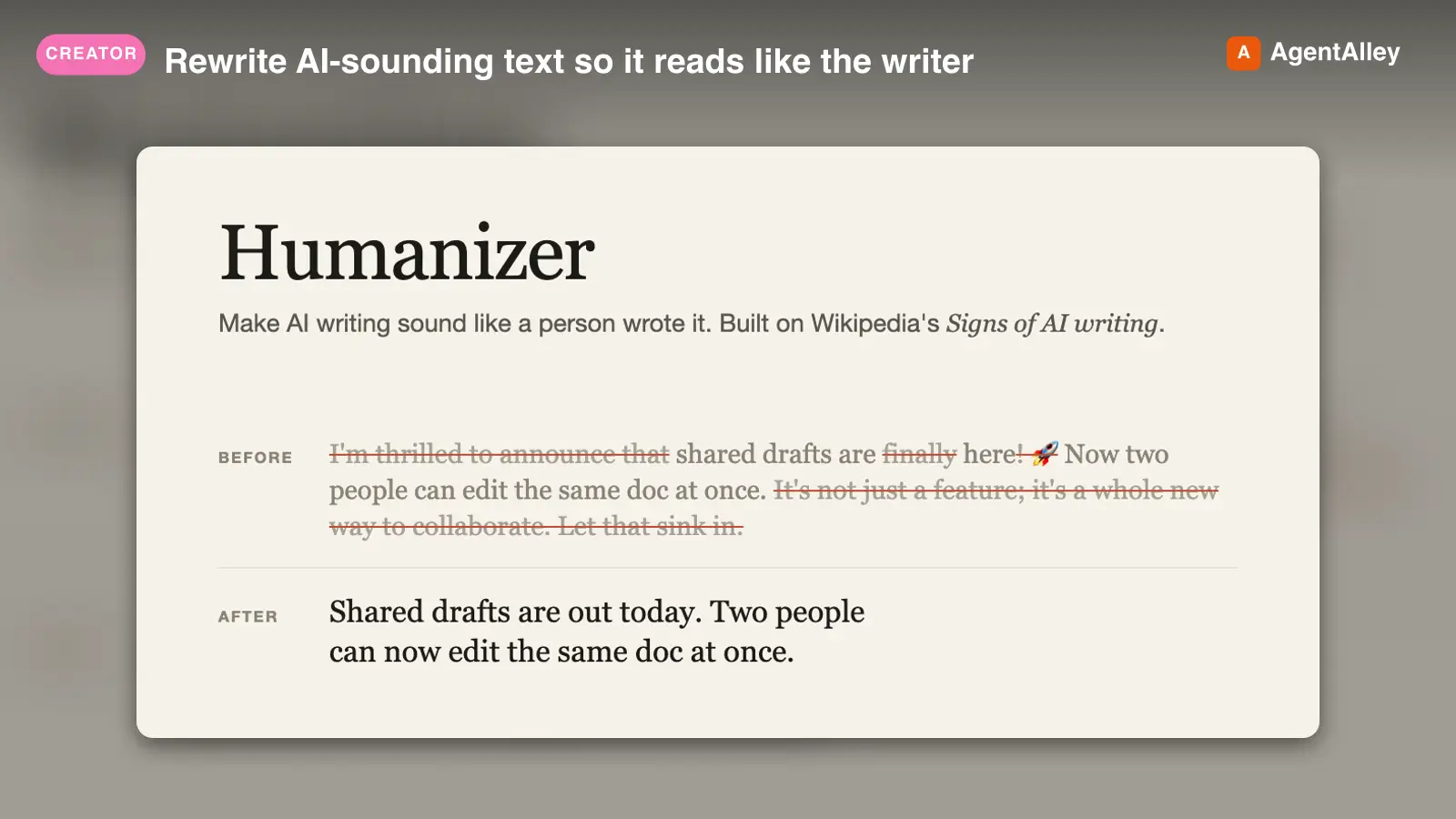
 blader/humanizer · by bladerRewrite AI-sounding text so it reads like the writer without changing what it says. Use when editing or reviewing prose for AI tells: not-X-but-Y contrasts, one-line closers, staged openers, forced triads, dashes everywhere, inflated claims, sales language, stock AI words, bold labels, or filler. Based on Wikipedia's "Signs of AI writing.★ 53.6k GitHub stars
 3D Game Development Principles
 davila7/claude-code-templates · by davila73D game development principles. Rendering, shaders, physics, cameras.★ 32.3k GitHub stars
 3D Web Experience Builderdavila7/claude-code-templates · by davila7Expert in building 3D experiences for the web - Three.js, React Three Fiber, Spline, WebGL, and interactive 3D scenes. Covers product configurators, 3D portfolios, immersive websites, and bringing depth to web experiences. Use when: 3D website, three.js, WebGL, react three fiber, 3D experience.★ 32.3k GitHub stars
 Article Illustration Generator
 JimLiu/baoyu-skills · by JimLiuAnalyzes article structure, identifies positions requiring visual aids, generates illustrations with Type × Style × Palette three-dimension approach. Use when user asks to "illustrate article", "add images", "generate images for article", or "为文章配图".★ 26.6k GitHub stars
 Article Cover DesignerJimLiu/baoyu-skills · by JimLiuGenerates article cover images with 5 dimensions (type, palette, rendering, text, mood) combining 11 color palettes and 7 rendering styles. Supports cinematic (2.35:1), widescreen (16:9), and square (1:1) aspects. Use when user asks to "generate cover image", "create article cover", or "make cover".★ 26.6k GitHub stars
More from dotslashsimran
 Clean Audio
 dotslashsimran/simcraft · by dotslashsimranClean up voice audio in a video: rumble, electrical hum, background noise and hiss, muddy or harsh tone, sharp S sounds, uneven volume, and loudness for YouTube/Instagram/TikTok. Measures the audio first, picks the strongest cleanup that doesn't make the words less clear, and keeps lip sync exact. Use when the user says "clean up the audio", "fix the sound", "remove background noise", "remove hum", "my audio is too quiet/loud", "make it sound better", or after a rough cut.★ 546 GitHub stars
 From Scratchdotslashsimran/simcraft · by dotslashsimranLearn how something really works by building the smallest working version of it from scratch, Karpathy style, one small step at a time, with the user predicting what each step will do before running it. Works for ML and AI ideas (attention, tokenizers, backprop, RAG, agents), systems (a database, an HTTP server, git, a shell) and anything else that can be coded. Use when the user says "teach me how X works", "build X from scratch", "I want to really understand X", "explain X from first principles", or "implement X without the library".★ 546 GitHub stars
 Image Gendotslashsimran/simcraft · by dotslashsimranGenerate images with the user's own API keys (Google Gemini "Nano Banana" or OpenAI gpt-image). Use when asked to generate, create or make an image, illustration, icon, cut-out, sticker, thumbnail, texture, mockup or visual asset, to edit an image, or to make several images that stay consistent (same character or object). Also used by the vox-explainer skill for collage cut-outs.★ 546 GitHub stars
 Perspective Illusiondotslashsimran/simcraft · by dotslashsimranMake a looping illustrated 3D video in the Japanese perspective-illusion style (e.g. @garments__) of any place, such as a street, crossing, station, shop aisle, room, park or rooftop. A clean line-art scene squashed flat by a telephoto lens opens into deep perspective with dolly zooms, swings round to corner views that first read flat and then turn 3D, and objects quietly swap depth while the view is flat. Use when asked for a perspective or optical-illusion video, a "dolly zoom" or "flat to 3D" loop, an isometric-looking illustrated scene that turns out to be 3D, or to recreate one of these clips.★ 546 GitHub stars
 Repo Timelapsedotslashsimran/simcraft · by dotslashsimranTurn a git repo's history into a video of the project growing. Files appear as a living treemap coloured by language that grows with the code, glows when touched and fades on delete, with a date, a lines-of-code counter, commit messages typing in as captions and an activity sparkline. 16:9 or 9:16, dark or light. Use when the user says "timelapse of my repo", "visualise git history", "build in public video", "show how the project grew", "animate my commits", or wants a video of a codebase evolving.★ 546 GitHub stars
 Reverse Engineer a Videodotslashsimran/simcraft · by dotslashsimranBreak down a reference or viral video clip so it can be remade. Finds every cut and dissolve, times each shot, measures pacing, works out the camera move in each shot (static, pan, tilt, zoom or push in, roll, handheld shake, with speed), finds beats and loudness jumps and checks whether the cuts land on them, and reads on-screen text and speech when the tools are installed. Makes a contact sheet, a timeline strip, breakdown.md with a beat map and a remake plan, and breakdown.json. Also makes side-by-side or stacked comparison videos of a remake against the reference. Use when the user says "break down this video", "reverse engineer this clip", "how was this edited", "shot list from this video", "why does this go viral", "recreate/remake this video", "what camera moves are in this", "do the cuts hit the beat", or "compare my remake with the original".★ 546 GitHub stars