Clean Audio
Clean audio
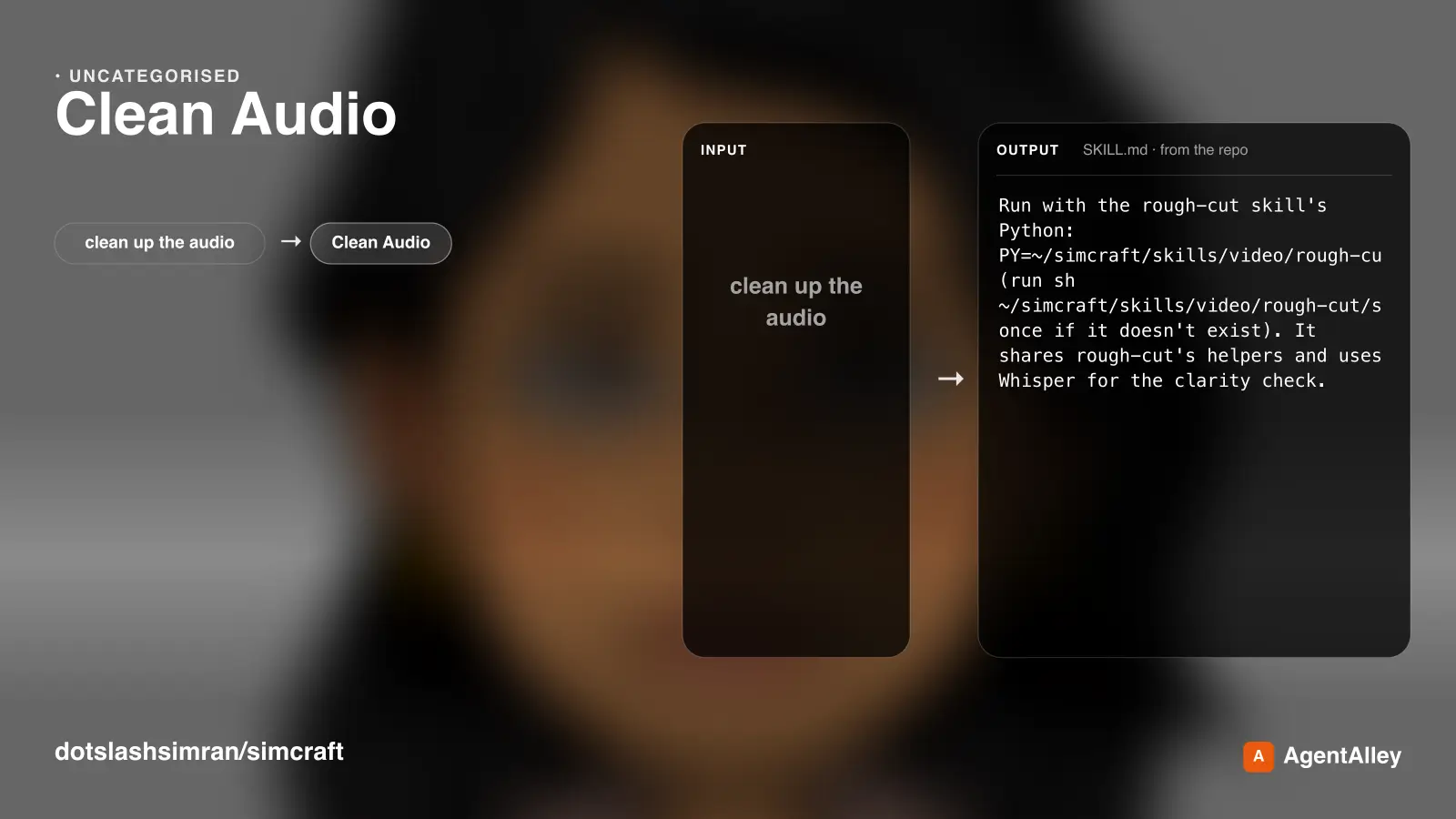
Clean up voice audio in a video: rumble, electrical hum, background noise and hiss, muddy or harsh tone, sharp S sounds, uneven volume, and loudness for YouTube/Instagram/TikTok. Measures the audio first, picks the strongest cleanup…
---
name: clean-audio
description: Clean up voice audio in a video: rumble, electrical hum, background noise and hiss, muddy or harsh tone, sharp S sounds, uneven volume, and loudness for YouTube/Instagram/TikTok. Measures the audio first, picks the strongest cleanup that doesn't make the words less clear, and keeps lip sync exact. Use when the user says "clean up the audio", "fix the sound", "remove background noise", "remove hum", "my audio is too quiet/loud", "make it sound better", or after a rough cut.
---

# Clean audio

Run with the rough-cut skill's Python: `PY=~/simcraft/skills/video/rough-cut/.venv/bin/python` (run `sh ~/simcraft/skills/video/rough-cut/setup.sh` once if it doesn't exist). It shares rough-cut's helpers and uses Whisper for the clarity check.

## Steps

1. **Listen test first.** Make a 10-second before/after of the busiest talking moment. Both are set to the same loudness, so the comparison is about quality, not volume:
   ```
   $PY scripts/clean_audio.py <video> --sample
   ```
   Open both wav files for the user (`open <before> <after>`) and give them the report.

2. **Apply.** There are two ways to run it:
Overview
Run with the rough-cut skill's Python: PY=~/simcraft/skills/video/rough-cut/.venv/bin/python (run sh ~/simcraft/skills/video/rough-cut/setup.sh once if it doesn't exist). It shares rough-cut's helpers and uses Whisper for the clarity check.
Manual install (npx, ZIP)
npx skills add dotslashsimran/simcraft --skill clean-audio -g -a claude-codenpx degit dotslashsimran/simcraft/skills/video/clean-audio#main ~/.claude/skills/clean-audioConnects with Agent Alley MCP · agentalley.io/mcp
Files included
SKILL.md2.7 KB
Read SKILL.md here
Show the full text51 lines
Clean audio
Run with the rough-cut skill's Python: PY=~/simcraft/skills/video/rough-cut/.venv/bin/python (run sh ~/simcraft/skills/video/rough-cut/setup.sh once if it doesn't exist). It shares rough-cut's helpers and uses Whisper for the clarity check.
Steps
Listen test first. Make a 10-second before/after of the busiest talking moment. Both are set to the same loudness, so the comparison is about quality, not volume:
$PY scripts/clean_audio.py <video> --sampleOpen both wav files for the user (
open <before> <after>) and give them the report.Apply. There are two ways to run it:
- In a rough-cut workspace, before rendering. It cleans each raw clip into
audio/<clip>.clean.wav, and rough-cut'srender.pyuses those automatically:
Then render and verify as usual. The report is saved to$PY scripts/clean_audio.py <workspace>audio/cleanup.md. - On a single video. It writes
<name>_clean.<ext>next to the original, with the video copied untouched:$PY scripts/clean_audio.py <video>
- In a rough-cut workspace, before rendering. It cleans each raw clip into
Report in plain words:
- the speech-vs-background gap before and after,
- the final loudness,
- what was found (hum, clipping),
- which strength the clarity check settled on.
If the report says leftover noise is voices or music, tell the user that these filters can't remove it, and suggest an AI voice isolator.
Options
--strength strong|medium|lightsets the strongest denoise to try. The default is medium, and the clarity check steps it down on its own.--target -14sets the loudness in LUFS. -14 is right for YouTube, Instagram and TikTok; use -16 for podcasts.--no-eqskips the tone shaping, if the user likes their voice as it is.
Rules
- Clean the raw clips before cutting, not after. The noise is learned from a pause, and the rough cut removes the pauses.
- Never touch the original files.
- Never trade clarity for quiet. The clarity check enforces this: no lost words, and confidence within 0.015 of the original.
- Don't push audio to digital silence between words. A little room sound is kept on purpose.
What each step does, why it's built this way, and the test numbers: reference.md.
| 1 | |
| 2 | name clean-audio |
| 3 | description Clean up voice audio in a video: rumble, electrical hum, background noise and hiss, muddy or harsh tone, sharp S sounds, uneven volume, and loudness for YouTube/Instagram/TikTok. Measures the audio first, picks the strongest cleanup that doesn't make the words less clear, and keeps lip sync exact. Use when the user says "clean up the audio", "fix the sound", "remove background noise", "remove hum", "my audio is too quiet/loud", "make it sound better", or after a rough cut. |
| 4 | |
| 5 | |
| 6 | # Clean audio |
| 7 | |
| 8 | Run with the rough-cut skill's Python: `PY=~/simcraft/skills/video/rough-cut/.venv/bin/python` (run `sh ~/simcraft/skills/video/rough-cut/setup.sh` once if it doesn't exist). It shares rough-cut's helpers and uses Whisper for the clarity check. |
| 9 | |
| 10 | ## Steps |
| 11 | |
| 12 | **Listen test first.** Make a 10-second before/after of the busiest talking moment. Both are set to the same loudness, so the comparison is about quality, not volume: |
| 13 | |
| 14 | $PY scripts/clean_audio.py <video> --sample |
| 15 | |
| 16 | Open both wav files for the user (`open <before> <after>`) and give them the report. |
| 17 | |
| 18 | **Apply.** There are two ways to run it: |
| 19 | In a rough-cut workspace, before rendering. It cleans each raw clip into `audio/<clip>.clean.wav`, and rough-cut's `render.py` uses those automatically: |
| 20 | |
| 21 | $PY scripts/clean_audio.py <workspace> |
| 22 | |
| 23 | Then render and verify as usual. The report is saved to `audio/cleanup.md`. |
| 24 | On a single video. It writes `<name>_clean.<ext>` next to the original, with the video copied untouched: |
| 25 | |
| 26 | $PY scripts/clean_audio.py <video> |
| 27 | |
| 28 | |
| 29 | **Report** in plain words: |
| 30 | the speech-vs-background gap before and after, |
| 31 | the final loudness, |
| 32 | what was found (hum, clipping), |
| 33 | which strength the clarity check settled on. |
| 34 | |
| 35 | If the report says leftover noise is voices or music, tell the user that these filters can't remove it, and suggest an AI voice isolator. |
| 36 | |
| 37 | ## Options |
| 38 | |
| 39 | `--strength strong|medium|light` sets the strongest denoise to try. The default is medium, and the clarity check steps it down on its own. |
| 40 | `--target -14` sets the loudness in LUFS. -14 is right for YouTube, Instagram and TikTok; use -16 for podcasts. |
| 41 | `--no-eq` skips the tone shaping, if the user likes their voice as it is. |
| 42 | |
| 43 | ## Rules |
| 44 | |
| 45 | **Clean the raw clips before cutting, not after.** The noise is learned from a pause, and the rough cut removes the pauses. |
| 46 | Never touch the original files. |
| 47 | Never trade clarity for quiet. The clarity check enforces this: no lost words, and confidence within 0.015 of the original. |
| 48 | Don't push audio to digital silence between words. A little room sound is kept on purpose. |
| 49 | |
| 50 | What each step does, why it's built this way, and the test numbers: [reference.md]. |
| 51 |
Details
- License
- MIT
- Stars on the repo
- ★ 546
- Checked
- Source
- dotslashsimran/simcraft ↗
- Creator
- dotslashsimran · 9 listings
Similar skills
See all → Last 30 Days Research
 mvanhorn/last30days-skill · by mvanhornResearch what people actually say about any topic in the last 30 days. Pulls posts and engagement from Reddit, X, YouTube, TikTok, Hacker News, Polymarket, GitHub, and the web. Includes a doctor health check to diagnose broken or missing sources.★ 63.5k GitHub stars
 Social Platform Scraper
 danielmiessler/LifeOS · by danielmiesslerScrapes social platforms, business data, and e-commerce via Apify actors — Instagram, LinkedIn, TikTok, YouTube, Facebook, Google Maps, Amazon, and web crawls — filtering in code. USE WHEN scrape Instagram, scrape LinkedIn, scrape TikTok, scrape YouTube, scrape Facebook, Google Maps leads, Amazon reviews, business intelligence, multi-platform social listening, competitive analysis, lead generation, social monitoring, Apify actors, web crawl, extract contacts. NOT FOR X/Twitter account operations like posting, threads, or bookmarks (those need a dedicated X API client), 4-tier progressive scraping with proxy escalation (use BrightData), or real-Chrome bot bypass and computer use (use Interceptor).★ 19.3k GitHub stars
 WeChat Article Publisher
 tsingyuai/growth-lab · by tsingyuai微信公众号长文增长闭环 —— 从读者问题与复刻锚选题、写出可验证的公众号长文、预览与合规检查、同步微信草稿、三重确认下受控发布,到回收阅读与转化数据并复盘。用户要求写公众号、把内容改成公众号、同步或发布微信草稿、查看公众号数据或复盘时使用。★ 2k GitHub stars
 Twitter Content Search
 ReScienceLab/opc-skills · by ReScienceLabSearch and retrieve content from Twitter/X. Get user info, tweets, replies, followers, communities, spaces, and trends via twitterapi.io. Use when user mentions Twitter, X, or tweets.★ 1.8k GitHub stars
 YouTube Script Writer
 cwinvestments/memstack · by cwinvestmentsUse this skill when the user says 'YouTube script', 'video script', 'write script for YouTube', 'YouTube video outline', or is creating scripted content for a YouTube video with hooks, chapters, and CTAs. Do NOT use for TikTok/Reels short-form scripts or webinar presentations.★ 423 GitHub stars
 Internet Research Router
 Ootto-AI/claude-content-skills · by Ootto-AIMUST USE when user wants to 调研/research/搜索/search/查/找/look up anything on the internet — e.g. 全网调研 X / 帮我调研一下 X / 查一下 X / 搜搜 X / 看看大家怎么评价 X / X 上有什么讨论 / research this topic。 Also MUST USE when user mentions any platform or shares any URL/链接: 小红书/xiaohongshu/xhs, Twitter/推特/X, B站/bilibili, Reddit, V2EX, LinkedIn/领英/招聘/求职/jobs, YouTube, GitHub code search, 小宇宙播客, 雪球/股票行情, RSS feeds, or any web URL. 13 platforms, multi-backend routing (OpenCLI / per-platform CLIs / APIs). Zero config for 6 channels. Run `agent-reach doctor --json` to see which backend serves each platform right now. NOT for: 写报告/数据分析/翻译等内容加工(本 skill 只负责从互联网获取内容); 发帖/评论/点赞等写操作;已有专门 skill 的平台(先用专门 skill)。 【路由方式】SKILL.md 包含路由表和常用命令,复杂场景需按需阅读对应分类的 references/*.md。 分类:search / social (小红书/推特/B站/V2EX/Reddit) / career(LinkedIn) / dev(github) / web(网页/文章/RSS) / video(YouTube/B站/播客)。★ 139 GitHub stars
More from dotslashsimran
 From Scratch
 dotslashsimran/simcraft · by dotslashsimranLearn how something really works by building the smallest working version of it from scratch, Karpathy style, one small step at a time, with the user predicting what each step will do before running it. Works for ML and AI ideas (attention, tokenizers, backprop, RAG, agents), systems (a database, an HTTP server, git, a shell) and anything else that can be coded. Use when the user says "teach me how X works", "build X from scratch", "I want to really understand X", "explain X from first principles", or "implement X without the library".★ 546 GitHub stars
 Image Gendotslashsimran/simcraft · by dotslashsimranGenerate images with the user's own API keys (Google Gemini "Nano Banana" or OpenAI gpt-image). Use when asked to generate, create or make an image, illustration, icon, cut-out, sticker, thumbnail, texture, mockup or visual asset, to edit an image, or to make several images that stay consistent (same character or object). Also used by the vox-explainer skill for collage cut-outs.★ 546 GitHub stars
 Perspective Illusiondotslashsimran/simcraft · by dotslashsimranMake a looping illustrated 3D video in the Japanese perspective-illusion style (e.g. @garments__) of any place, such as a street, crossing, station, shop aisle, room, park or rooftop. A clean line-art scene squashed flat by a telephoto lens opens into deep perspective with dolly zooms, swings round to corner views that first read flat and then turn 3D, and objects quietly swap depth while the view is flat. Use when asked for a perspective or optical-illusion video, a "dolly zoom" or "flat to 3D" loop, an isometric-looking illustrated scene that turns out to be 3D, or to recreate one of these clips.★ 546 GitHub stars
 Repo Timelapsedotslashsimran/simcraft · by dotslashsimranTurn a git repo's history into a video of the project growing. Files appear as a living treemap coloured by language that grows with the code, glows when touched and fades on delete, with a date, a lines-of-code counter, commit messages typing in as captions and an activity sparkline. 16:9 or 9:16, dark or light. Use when the user says "timelapse of my repo", "visualise git history", "build in public video", "show how the project grew", "animate my commits", or wants a video of a codebase evolving.★ 546 GitHub stars
 Reverse Engineer a Videodotslashsimran/simcraft · by dotslashsimranBreak down a reference or viral video clip so it can be remade. Finds every cut and dissolve, times each shot, measures pacing, works out the camera move in each shot (static, pan, tilt, zoom or push in, roll, handheld shake, with speed), finds beats and loudness jumps and checks whether the cuts land on them, and reads on-screen text and speech when the tools are installed. Makes a contact sheet, a timeline strip, breakdown.md with a beat map and a remake plan, and breakdown.json. Also makes side-by-side or stacked comparison videos of a remake against the reference. Use when the user says "break down this video", "reverse engineer this clip", "how was this edited", "shot list from this video", "why does this go viral", "recreate/remake this video", "what camera moves are in this", "do the cuts hit the beat", or "compare my remake with the original".★ 546 GitHub stars
 Rough Cut: Trim the Fatdotslashsimran/simcraft · by dotslashsimranTrim the fat from raw talking footage. Turns raw video into a tight first cut by removing dead air, ums and uhs, stutters, false starts and bad takes (keeping the last good take), then checks the result by listening to it again. Use when the user says "rough cut", "first cut", "trim the fat", "cut the pauses", "remove the ums", "cut my retakes", "make it snappy", or hands over raw footage to edit.★ 546 GitHub stars