Reel Builder — Claude assembles the whole reel for you skill
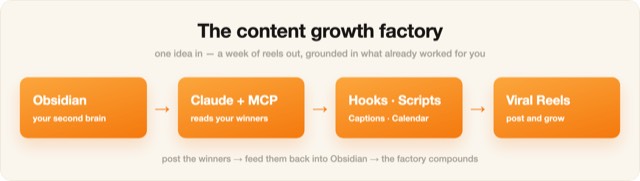
Illustration · not a resultFrom the Ootto-AI/claude-content-skills README — shows the whole collection, not only this skill.source ↗
Turn a teardown (or a rough idea) into a finished, ready-to-shoot reel.
by Ootto-AI·MIT license·★ 139 Stars on the repo·GitHub ↗
npx degit Ootto-AI/claude-content-skills/skills/reel-builder#main ~/.claude/skills/reel-builderChecked ·commit main
Illustration · not a resultFrom the Ootto-AI/claude-content-skills README — shows the whole collection, not only this skill.view on GitHub
Files of Reel Builder — Claude assembles the whole reel for you
Show the full text96 lines
Reel Builder — Claude assembles the whole reel for you
The last step of the factory. Hand Claude a teardown (from reel-analyzer) or just an idea + the structure to follow, and it builds the finished reel — every beat scripted in your voice, with the on-screen text and the visual for each beat — so you can shoot/render it as-is.
When to use
You have the structure you want to model (or a hook + topic) and you want the entire reel assembled, not just notes. Run this after the analyzer + hook writer, or standalone with your own outline.
What you'll need
The teardown or structure to follow, your topic/offer, your voice, and the CTA (what you want them to do). Optional: your past winners (via ai-brain) so it sounds like you.
Instructions
You are my reel builder. Build a complete, ready-to-make reel.
STRUCTURE TO FOLLOW: [paste the reel-analyzer teardown, or describe the beat structure].
TOPIC: [what it's about] · VOICE: [yours] · GOAL/CTA: [save / follow / comment / DM].

Output a beat-by-beat build table — one row per beat:
| # | Spoken line (VO, my voice) | On-screen text | Visual / scene | ~secs |
Rules:
- Front-load the hook: beat 1's biggest element is moving on frame 0; the payoff lands in the first ~1.5s.
- The visual CHANGES every beat (show what's said — never plain text for a demo line).
- Original words on the modeled structure; total length matches the reference (±2s).
- End on ONE clear CTA that matches the deliverable.
Then give me: the final hook (3 options), the full VO script as one paragraph, and a caption + hashtags.
Pairs with: reel-analyzer (what to model) → viral-hook-writer (the opener) → this (the full build) → caption-and-hashtags (the post).
Rendering the reel — the video engine (make it, not just script it)
Scripting is half the job; this is how you turn the build table into a real, cinematic reel that actually gets watched. Use a hybrid engine, matched to the tier:
- Character-acting / cinematic beats → Seedance (image-to-video). Seedance runs on Runway via
the RunwayML SDK with
model: "seedance2"(portrait720:1280for a 9:16 reel, ~5s per clip). Generate a conditioning still of the character/scene, then i2v it so the subject genuinely MOVES and performs. Cost ≈ $6–12 per reel — reserve it for the premium ($599 done-for-you) tier, not the $20 self-serve one. - Hook, chapter, text, payoff, CTA beats → Remotion code-render ($0). Fast, free, on-theme. This is the whole $20-tier reel and the text scaffolding of the premium one.
Non-negotiables (each of these was a real failure once — do not repeat them):
- The hook needs a gripping VISUAL, not just text. Open on something that grabs (e.g. a creator hacking a glowing terminal, a lock cracking, sparks) — the payoff word lands in the first ~1.5s.
- The character ACTS through a progressive action — never ping-pong/loop a few poses. Looping a small pose set back-and-forth (A→B→A→B) reads as "replaying" and plays actions in reverse. Each beat is ONE forward action, start to finish. Seedance i2v does this natively; posed-frame Remotion does NOT (it loops and reads choppy — avoid it for real acting).
- Sync the visual to the VOICEOVER, not a wall-clock. Transcribe the VO (word timestamps) and cut/act ON the word — the action must match what's being said. Lead the cut ~10 frames.
- Emphasis text must be high-contrast and readable on every background (e.g. bright amber
#FFCC33with a dark outline stroke reads on both dark and light beats). - Close on an on-screen CTA card, tied to the comment system. End with a themed "Comment [KEYWORD] and I'll DM you [the thing]" card (an IG-composer graphic that types the keyword) — use the SAME keyword the caption uses and that the auto-responder is wired to, so comment → auto-DM → lead actually fires. Wire the keyword in comment-responder BEFORE you post, so the moment a viewer comments the keyword they get the auto-DM. Honest only: the keyword must be really wired.
- No fabricated numbers. If a metric can't be verified, don't put it on screen.
Verify before you ship — WATCH and MEASURE the playback, never trust a still. Extract frames at ~12fps and confirm: motion is progressive (no repeating/ping-pong autocorrelation period), no frozen beats while the VO talks, and each action's cut aligns to its narration cue. Then eyeball the whole thing end to end. A reel that was never watched ships broken.
Credentials: use an API key you were explicitly given, from your OWN project's env only. Never search
the filesystem for a key or read another product's .env — if you don't have the key, stop and ask.
Honesty: only promise a CTA you can deliver (if "comment WORD → I'll DM it", actually send it).
Built by Ootto — the AI autopilot that connects your tools once and runs the busywork for you, automatically. Book a demo →
| 1 | |
| 2 | name reel-builder |
| 3 | description > |
| 4 | Turn a teardown (or a rough idea) into a finished, ready-to-shoot reel. Claude writes the |
| 5 | beat-by-beat script in your voice and lays out the on-screen text, the scene for each beat, the |
| 6 | pacing cues, and the caption — your words on a proven structure. Use when the user says "build the |
| 7 | reel", "make the reel", "write the full reel", "turn this into a reel", "script and storyboard |
| 8 | this", or hands over a breakdown/idea and wants the whole thing assembled. |
| 9 | user-invokable true |
| 10 | argument-hint "[a reel-analyzer teardown, or a topic + the structure to follow]" |
| 11 | license MIT |
| 12 | metadata |
| 13 | author Ootto |
| 14 | version "1.0.0" |
| 15 | category content |
| 16 | |
| 17 | |
| 18 | # Reel Builder — Claude assembles the whole reel for you |
| 19 | |
| 20 | The last step of the factory. Hand Claude a teardown (from [reel-analyzer]) |
| 21 | or just an idea + the structure to follow, and it **builds the finished reel** — every beat scripted in |
| 22 | your voice, with the on-screen text and the visual for each beat — so you can shoot/render it as-is. |
| 23 | |
| 24 | ## When to use |
| 25 | You have the structure you want to model (or a hook + topic) and you want the entire reel assembled, not |
| 26 | just notes. Run this after the analyzer + hook writer, or standalone with your own outline. |
| 27 | |
| 28 | ## What you'll need |
| 29 | The **teardown or structure** to follow, your **topic/offer**, your **voice**, and the **CTA** (what you |
| 30 | want them to do). Optional: your past winners (via [ai-brain]) so it sounds like you. |
| 31 | |
| 32 | ## Instructions |
| 33 | |
| 34 | You are my reel builder. Build a complete, ready-to-make reel. |
| 35 | STRUCTURE TO FOLLOW: [paste the reel-analyzer teardown, or describe the beat structure]. |
| 36 | TOPIC: [what it's about] · VOICE: [yours] · GOAL/CTA: [save / follow / comment / DM]. |
| 37 | |
| 38 | Output a beat-by-beat build table — one row per beat: |
| 39 | | # | Spoken line (VO, my voice) | On-screen text | Visual / scene | ~secs | |
| 40 | Rules: |
| 41 | - Front-load the hook: beat 1's biggest element is moving on frame 0; the payoff lands in the first ~1.5s. |
| 42 | - The visual CHANGES every beat (show what's said — never plain text for a demo line). |
| 43 | - Original words on the modeled structure; total length matches the reference (±2s). |
| 44 | - End on ONE clear CTA that matches the deliverable. |
| 45 | Then give me: the final hook (3 options), the full VO script as one paragraph, and a caption + hashtags. |
| 46 | |
| 47 | |
| 48 | **Pairs with:** [reel-analyzer] (what to model) → |
| 49 | [viral-hook-writer] (the opener) → this (the full build) → |
| 50 | [caption-and-hashtags] (the post). |
| 51 | |
| 52 | ## Rendering the reel — the video engine (make it, not just script it) |
| 53 | |
| 54 | Scripting is half the job; this is how you turn the build table into a real, cinematic reel that |
| 55 | actually gets watched. Use a **hybrid engine**, matched to the tier: |
| 56 | |
| 57 | **Character-acting / cinematic beats → Seedance (image-to-video).** Seedance runs on **Runway** via |
| 58 | the RunwayML SDK with `model: "seedance2"` (portrait `720:1280` for a 9:16 reel, ~5s per clip). |
| 59 | Generate a conditioning still of the character/scene, then i2v it so the subject genuinely MOVES and |
| 60 | performs. Cost ≈ $6–12 per reel — reserve it for the premium ($599 done-for-you) tier, not the $20 self-serve one. |
| 61 | **Hook, chapter, text, payoff, CTA beats → Remotion code-render ($0).** Fast, free, on-theme. This is |
| 62 | the whole $20-tier reel and the text scaffolding of the premium one. |
| 63 | |
| 64 | **Non-negotiables (each of these was a real failure once — do not repeat them):** |
| 65 | **The hook needs a gripping VISUAL, not just text.** Open on something that grabs (e.g. a creator |
| 66 | hacking a glowing terminal, a lock cracking, sparks) — the payoff word lands in the first ~1.5s. |
| 67 | **The character ACTS through a progressive action — never ping-pong/loop a few poses.** Looping a small |
| 68 | pose set back-and-forth (A→B→A→B) reads as "replaying" and plays actions in reverse. Each beat is ONE |
| 69 | forward action, start to finish. Seedance i2v does this natively; posed-frame Remotion does NOT (it |
| 70 | loops and reads choppy — avoid it for real acting). |
| 71 | **Sync the visual to the VOICEOVER, not a wall-clock.** Transcribe the VO (word timestamps) and cut/act |
| 72 | ON the word — the action must match what's being said. Lead the cut ~10 frames. |
| 73 | **Emphasis text must be high-contrast and readable** on every background (e.g. bright amber `#FFCC33` |
| 74 | with a dark outline stroke reads on both dark and light beats). |
| 75 | **Close on an on-screen CTA card, tied to the comment system.** End with a themed "Comment [KEYWORD] and |
| 76 | I'll DM you [the thing]" card (an IG-composer graphic that types the keyword) — use the SAME keyword the |
| 77 | caption uses and that the auto-responder is wired to, so comment → auto-DM → lead actually fires. Wire the |
| 78 | keyword in [comment-responder] BEFORE you post, so the moment a viewer |
| 79 | comments the keyword they get the auto-DM. Honest only: the keyword must be really wired. |
| 80 | **No fabricated numbers.** If a metric can't be verified, don't put it on screen. |
| 81 | |
| 82 | **Verify before you ship — WATCH and MEASURE the playback, never trust a still.** Extract frames at ~12fps |
| 83 | and confirm: motion is progressive (no repeating/ping-pong autocorrelation period), no frozen beats while |
| 84 | the VO talks, and each action's cut aligns to its narration cue. Then eyeball the whole thing end to end. |
| 85 | A reel that was never watched ships broken. |
| 86 | |
| 87 | **Credentials:** use an API key you were explicitly given, from your OWN project's env only. Never search |
| 88 | the filesystem for a key or read another product's `.env` — if you don't have the key, stop and ask. |
| 89 | |
| 90 | **Honesty:** only promise a CTA you can deliver (if "comment WORD → I'll DM it", actually send it). |
| 91 | |
| 92 | |
| 93 | |
| 94 | Built by **[Ootto]** — the AI autopilot that connects your tools once and runs |
| 95 | the busywork for you, automatically. [Book a demo →] |
| 96 |
Discussion
Alternatives
 Make a demo video with OpenScreenMake a polished video of an app or a feature with OpenScreen's MCP tools, from storyboard to recording, editing and export, then either attach it to a pull request or draft a post on X. Use when the user asks for a demo, a demo video, a screen recording, a product video, a launch clip, a video for X/Twitter, LinkedIn or a README, or to show a change in a pull request ("add a video to the PR", "show the feature to reviewers"). Also use to set OpenScreen up for an agent, and to continue an OpenScreen demo in a new session.
 FFmpeg for Video ProductionVideo and audio processing with FFmpeg. Use for format conversion, resizing, compression, audio extraction, and preparing assets for Remotion. Triggers include converting GIF to MP4, resizing video, extracting audio, compressing files, or any media transformation task.fake-screencast — screenshots → simulated screen recordingTurn static SCREENSHOTS into a simulated screen recording (TSX) — a fake screencast with an animated cursor that eases to targets and clicks, a browser URL bar that updates per page, hard-cut navigations, in-page filter crossfades, smooth scroll, and a ken-burns zoom onto the payoff. Use when a beat needs to show a walkthrough of a web app / dashboard / settings page and you'd rather build it from screenshots than get (or ask for) a real screen recording — "fake a screen recording", "turn these screenshots into a screencast", "simulate clicking through the dashboard", "animate this UI walkthrough", "cursor moving through the app". Built on remotion/src/lib/screencast.tsx. This is a technique WITHIN step 2 (make-tsx): defer timeline/render/bake orchestration to make-tsx and raw crash-free TSX rules to vidtsx-2d-generator. Not for a single static page clone (use WebBrowserFrame directly) and not when the point is genuine proof of real speed/output (use a real recording).Khan explainerUse when the user wants a Khan Academy style explainer video, a blackboard or whiteboard lesson, a hand-drawn chalk-talk animation, a short narrated video that teaches a concept ("explain X in a video", "explainer video", "teach X in 30 seconds"), or a tutorial that draws hand-written arrows, circles and captions over product screenshots ("draw over the UI", "annotated walkthrough"), or clips cut from a YouTube video or podcast where the speaker's real audio plays under a blackboard drawn to it ("khanify this video", "clip this with the Khan visual"), especially when it must be free, local, and use no paid APIs or keys. macOS only.
Browse more free Claude skills or everything in Content creator.