Brand-aware social media video creator
Muapi social media video
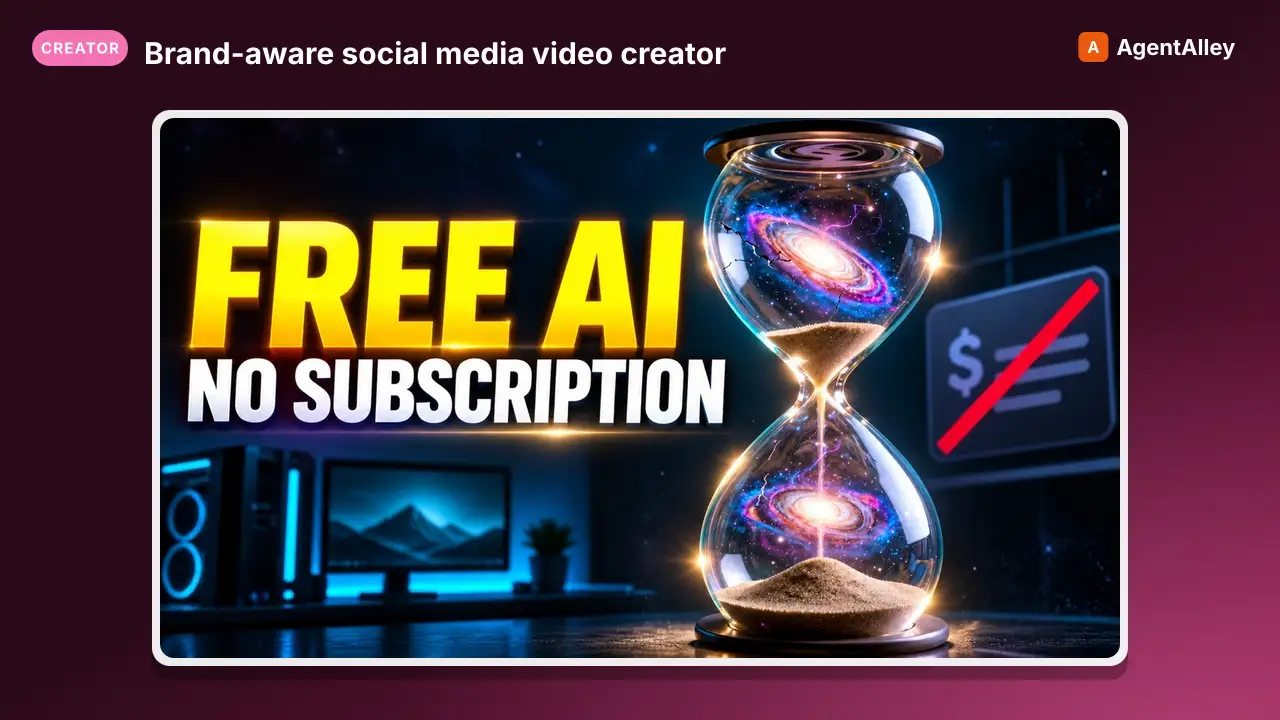
Brand-aware social media video creator. Reads brand-identity.md, ICP.md, and messaging.md to write a post/storyboard, craft an optimized Seedance 2.0 Director prompt, generate reference frames with the best available image model, and…
---
slug: muapi-social-media-video
name: muapi-social-media-video
version: "1.0.0"
description: Brand-aware social media video creator. Reads brand-identity.md, ICP.md, and messaging.md to write a post/storyboard, craft an optimized Seedance 2.0 Director prompt, generate reference frames with the best available image model, and produce platform-ready video.
acceptLicenseTerms: true
---

# Social Media Video Creator

**End-to-end pipeline: Brand Files → Storyboard → Reference Images → Seedance 2.0 Video.**

Reads your brand identity, ICP, and messaging documents to produce on-brand social video — fully optimized for Seedance 2.0's instructional prompt grammar and your target platform.

---

## Agent Execution Protocol
Overview
End-to-end pipeline: Brand Files → Storyboard → Reference Images → Seedance 2.0 Video.
Manual install (npx, ZIP)
npx skills add SamurAIGPT/Generative-Media-Skills --skill muapi-social-media-video -g -a claude-codemkdir -p ~/.claude/skills && curl -sL https://codeload.github.com/SamurAIGPT/Generative-Media-Skills/tar.gz/5519622e885a \
| tar -xz -C ~/.claude/skills --strip-components=3 Generative-Media-Skills-5519622e885a/.opencode/skills/muapi-social-media-videoNew-Item -ItemType Directory -Force "$HOME\.claude\skills" | Out-Null; Invoke-WebRequest "https://m.agentalley.io/zip/73ddc1cfdbe06a5d89a1/muapi-social-media-video.zip" -OutFile "$env:TEMP\muapi-social-media-video.zip"; Expand-Archive "$env:TEMP\muapi-social-media-video.zip" -DestinationPath "$HOME\.claude\skills" -ForceConnects with Agent Alley MCP · agentalley.io/mcp
Files included
SKILL.md11.2 KB
Read the files here
SamurAIGPT/
Shared references1SKILL.md reads these from elsewhere in the repo. Not in the ZIP.
Get them on GitHub ↗Show the full text277 lines
Social Media Video Creator
End-to-end pipeline: Brand Files → Storyboard → Reference Images → Seedance 2.0 Video.
Reads your brand identity, ICP, and messaging documents to produce on-brand social video — fully optimized for Seedance 2.0's instructional prompt grammar and your target platform.
Agent Execution Protocol
Step 1 — Read Brand Files
Before writing anything, the agent MUST read all available brand files. Look for them in the working directory or any brand/ subdirectory:
| File | What to extract |
|---|---|
brand-identity.md |
Visual style, color palette, tone, logo/product aesthetics, brand personality |
ICP.md |
Target audience — who they are, their pain points, what motivates them |
messaging.md |
Core value props, hooks, CTAs, campaign themes, taglines |
If a file is missing, proceed with what's available and note the gap.
Step 2 — Write the Social Post + Storyboard
Use brand context to produce:
Social Post Copy (for caption/copy):
- Hook line (first 1–2 sentences — must stop the scroll)
- Body (3–5 sentences: problem → solution → proof → CTA)
- Hashtags (5–8 relevant tags)
- CTA (one clear action)
Storyboard (match duration to platform spec):
0–3s:  [Opening scene — hook/visual surprise — camera move]
3–7s:  [Core message — product/subject in action — camera move]
7–10s: [Resolution — brand moment — CTA text on screen]
10–15s: [Logo/tagline hold — background music fade]
Tone must match brand personality. If brand is playful → upbeat transitions, bright grade. If brand is premium → slow reveals, dark luxury aesthetic, moody lighting.
Step 3 — Craft the Seedance 2.0 Director Prompt
Transform the storyboard into a technical Director Brief for Seedance 2.0.
Rules:
- Never use vague descriptors ("beautiful", "amazing", "8k"). Use technical cinematography language.
- Always specify camera movement, lens type, and lighting physically.
- For 10s+ videos, use timecode segments:
0–3s: [...] 3–7s: [...] 7–10s: [...] - Integrate
@image1,@image2reference tags if images are provided. - Always include sound direction (even brief) — Seedance generates audio.
- Lead with composition, end with texture and micro-motion.
Director Brief Template:
[SCENE] {environment, lighting, time of day}
[SUBJECT] {product/character/subject with specific detail}
[ACTION] {what happens — fluid, continuous, physically plausible}
[CAMERA] {movement + lens + framing}
[STYLE] {color grade, mood, film reference if helpful}
[SOUND] {music tone, sound effects, ambient}
0–Xs: {if multi-beat}
Step 4 — Generate Reference Images (If Needed)
When to generate reference images:
| Scenario | Mode | Images Needed |
|---|---|---|
| Product showcase | i2v |
1 product shot as first frame |
| Scene transition | first-last |
2 images — opening and closing frame |
| Brand character | i2v |
1 character reference |
| Pure concept | t2v |
None — text only |
| Mood/style anchor | i2v |
1 style reference image |
Image generation — best models by use case:
| Use Case | Recommended Model | Why |
|---|---|---|
| Photorealistic product/scene | google-imagen4-ultra |
Highest realism, great lighting |
| Concept art / stylized | flux-kontext-pro-t2i |
Creative fidelity, style adherence |
| Fastest turnaround | google-imagen4-fast |
Speed with good quality |
| Highly detailed/editorial | hidream-i1-full |
Fine detail, editorial quality |
| Character with identity | ideogram-v3-t2i |
Strong text + character rendering |
Reference image prompt format: Write a clean, technical image prompt (not a Seedance prompt). Include:
- Subject description + key product/brand visual elements
- Lighting (studio, golden hour, etc.)
- Shot framing (medium shot, product close-up, etc.)
- Mood/color palette matching brand identity
- NO motion language (this is for a still frame)
Execute image generation:
bash core/media/generate-image.sh \
  --model google-imagen4-ultra \
  --prompt "your image prompt" \
  --aspect-ratio 9:16 \
  --view
Step 5 — Generate the Video
Choose mode, tier, and camera based on content type and available assets.
Mode selection:
| Situation | Mode | Command |
|---|---|---|
| No reference images | t2v |
default |
| 1 image (first frame) | i2v |
--mode i2v --file ref.jpg |
| Start + end frames | first-last |
--mode first-last --tier global --file start.jpg --file end.jpg |
| Multi-ref blend | i2v |
up to 9 images |
Invoke the script:
bash library/social/social-media-video/scripts/run-social-video.sh \
  --prompt "your director brief here" \
  --platform instagram \
  --camera drone \
  [--mode t2v|i2v|first-last] \
  [--file ref_image.jpg] \
  [--gen-ref "reference image prompt"] \
  [--tier global] \
  [--quality high] \
  [--view]
Platform Specs
| Platform | Format | Aspect | Duration | Notes |
|---|---|---|---|---|
| Instagram Reels | Vertical | 9:16 | 10–15s | Hook in first 1s |
| Instagram Feed | Square | 1:1 | 10s | Static-feel works well |
| TikTok | Vertical | 9:16 | 10–15s | High energy, fast cuts |
| YouTube Shorts | Vertical | 9:16 | 15s | Max quality |
| Landscape | 16:9 | 10–15s | Professional tone | |
| Twitter/X | Landscape | 16:9 | 10s | Punchy, direct |
| YouTube (long) | Landscape | 16:9 | 15s | Cinematic, slow builds |
| Portrait | 4:3 | 10s | Lifestyle-forward |
Tier note: Use
--tier globalor--tier vipfor1:1and21:9formats. Chinese tier supports only 16:9, 9:16, 4:3, 3:4.
Camera Language Reference
Standard Camera Intents (--camera / --intent flags)
| Intent | Movement | Best For |
|---|---|---|
reveal |
Slow crane up, wide establishing | Product launches, brand reveals |
epic |
Dolly in + orbit, low hero angle | Brand manifesto, emotional story |
product |
Static macro orbit, precision reveal | E-commerce, product demo |
narrative |
Tracking shot, Steadicam | Testimonials, story-driven |
tense |
Handheld jitter, dutch angle | High-energy, urgency |
comedy |
Reactive handheld, punchy zooms | Lighthearted brand content |
Specialty Camera Intents (New)
| Intent | Description | Best For |
|---|---|---|
fpv |
First-person subjective POV — immersive GoPro-style, continuous forward motion, peripheral detail close-ups | Action brands, travel, sports, tech demos |
drone |
Aerial cinematic flythrough — smooth gimbal-stabilized, sweeping laterals, descend from high altitude into scene | Real estate, luxury, outdoor brands, epic reveals |
flythrough |
Ground-level architectural flythrough — continuous dolly through space, seamless portal transitions | Architecture, interior design, venue showcases |
FPV Prompt Enrichment:
Immersive first-person POV shot. Camera glides forward through [scene] at eye level.
Slight natural motion stabilization with GoPro-style wide angle.
Peripheral detail rushing past — [details]. Smooth continuous forward motion.
No cuts throughout. [Subject] visible in foreground periphery.
Drone Flythrough Prompt Enrichment:
Cinematic aerial drone shot. Camera descends from 200m altitude toward [subject/scene],
sweeping lateral arc as it descends. Gimbal-stabilized smooth motion.
Golden hour atmosphere, long shadows across [terrain/scene].
Final frame settles into medium establishing shot.
Aerial cinematography, DJI Inspire aesthetic.
Prompt Quality Checklist
Before finalizing the Seedance prompt, verify:
- Scene environment is physically specific (not "nice background")
- Camera movement named explicitly (dolly in, orbit, drone flythrough, FPV, etc.)
- Lighting described technically (volumetric god rays, rim lighting, soft diffused, etc.)
- Subject/product described with visual specifics from brand-identity.md
- Sound direction included (even one line)
- Timecodes used for 10s+ videos
-
@image1etc. referenced if images are provided - Brand CTA or tagline included in final seconds
- No vague adjectives ("amazing", "beautiful", "stunning") — replaced with technical terms
Example: Full Workflow
User: "Make an Instagram Reel for our cold brew coffee brand, drone shot, premium feel"
Step 1 — Brand read: Read brand-identity.md (minimalist packaging, dark roast, black + gold palette), ICP.md (urban professionals 25–40, values quality), messaging.md ("Precision Brewed. Zero Compromise.")
Step 2 — Storyboard:
0–2s:  Drone descends over rooftop terrace at sunrise, fog below.
2–5s:  Drone swoops down toward coffee cup on white marble, steam rising.
5–9s:  Close-up orbit of bottle, specular gold highlights, ice cubes.
9–11s: Product settles, black screen fades in: "Zero Compromise." + logo
Sound: Minimal lounge beat, coffee pour sound effect at 5s.
Step 3 — Seedance Director Prompt:
0–2s: Cinematic aerial drone shot. Camera descends at 30° angle toward a rooftop terrace at sunrise.
Golden hour atmosphere, San Francisco bay fog below horizon. Gimbal-stabilized smooth descent.
2–5s: Drone rapidly closes toward a glass of cold brew coffee on white marble.
Steam curling upward. Macro lens approach. Caustic light patterns on wet glass surface.
5–9s: Slow precision orbit around cold brew bottle. Black matte label with gold embossed text catching
specular highlights. Ice cubes with subsurface light scattering. Commercial macro aesthetic.
9–11s: Static product hero shot. Letterbox crop, deep focus, black fade in from sides.
Sound: Minimal ambient beat, single piano note, coffee liquid sound effect at 5s mark.
Maintain cinematic color grade — deep blacks, warm gold midtones throughout.
Step 4 — Generate reference: google-imagen4-ultra → cold brew bottle product shot (9:16)
Step 5 — Generate video:
bash library/social/social-media-video/scripts/run-social-video.sh \
  --prompt "0–2s: Cinematic aerial drone shot..." \
  --platform instagram \
  --camera drone \
  --mode i2v \
  --file media_outputs/coldbrew_ref.jpg \
  --duration 11 \
  --tier global \
  --view
Common Mistakes to Avoid
- Reading brand files and ignoring them — the storyboard must visually match the brand palette and tone.
- Generic prompts — "a nice video of a product" produces generic output. Every token must direct.
- Wrong tier for aspect ratio — 1:1 and 21:9 require
--tier globalor--tier vip. - Forgetting sound — Seedance generates audio. Direct it, or you get random results.
- FPV with static subject — FPV requires continuous motion in the scene. Pair with movement-rich environments.
- Drone without establishing shot — drone works best when it resolves INTO something (a product, a scene, a subject).
- Too many scene changes in 5s — match complexity to duration. 5s = 1 beat. 15s = 3–4 beats.
| 1 | |
| 2 | slug muapi-social-media-video |
| 3 | name muapi-social-media-video |
| 4 | version "1.0.0" |
| 5 | description Brand-aware social media video creator. Reads brand-identity.md, ICP.md, and messaging.md to write a post/storyboard, craft an optimized Seedance 2.0 Director prompt, generate reference frames with the best available image model, and produce platform-ready video. |
| 6 | acceptLicenseTerms true |
| 7 | |
| 8 | |
| 9 | # Social Media Video Creator |
| 10 | |
| 11 | **End-to-end pipeline: Brand Files → Storyboard → Reference Images → Seedance 2.0 Video.** |
| 12 | |
| 13 | Reads your brand identity, ICP, and messaging documents to produce on-brand social video — fully optimized for Seedance 2.0's instructional prompt grammar and your target platform. |
| 14 | |
| 15 | |
| 16 | |
| 17 | ## Agent Execution Protocol |
| 18 | |
| 19 | ### Step 1 — Read Brand Files |
| 20 | |
| 21 | Before writing anything, the agent MUST read all available brand files. Look for them in the working directory or any `brand/` subdirectory: |
| 22 | |
| 23 | | File | What to extract | |
| 24 | |:---|:---| |
| 25 | | `brand-identity.md` | Visual style, color palette, tone, logo/product aesthetics, brand personality | |
| 26 | | `ICP.md` | Target audience — who they are, their pain points, what motivates them | |
| 27 | | `messaging.md` | Core value props, hooks, CTAs, campaign themes, taglines | |
| 28 | |
| 29 | If a file is missing, proceed with what's available and note the gap. |
| 30 | |
| 31 | |
| 32 | |
| 33 | ### Step 2 — Write the Social Post + Storyboard |
| 34 | |
| 35 | Use brand context to produce: |
| 36 | |
| 37 | **Social Post Copy** (for caption/copy): |
| 38 | Hook line (first 1–2 sentences — must stop the scroll) |
| 39 | Body (3–5 sentences: problem → solution → proof → CTA) |
| 40 | Hashtags (5–8 relevant tags) |
| 41 | CTA (one clear action) |
| 42 | |
| 43 | **Storyboard** (match duration to platform spec): |
| 44 | |
| 45 | 0–3s: [Opening scene — hook/visual surprise — camera move] |
| 46 | 3–7s: [Core message — product/subject in action — camera move] |
| 47 | 7–10s: [Resolution — brand moment — CTA text on screen] |
| 48 | 10–15s: [Logo/tagline hold — background music fade] |
| 49 | |
| 50 | |
| 51 | Tone must match brand personality. If brand is playful → upbeat transitions, bright grade. |
| 52 | If brand is premium → slow reveals, dark luxury aesthetic, moody lighting. |
| 53 | |
| 54 | |
| 55 | |
| 56 | ### Step 3 — Craft the Seedance 2.0 Director Prompt |
| 57 | |
| 58 | Transform the storyboard into a **technical Director Brief** for Seedance 2.0. |
| 59 | |
| 60 | **Rules:** |
| 61 | Never use vague descriptors ("beautiful", "amazing", "8k"). Use technical cinematography language. |
| 62 | Always specify camera movement, lens type, and lighting physically. |
| 63 | For 10s+ videos, use timecode segments: `0–3s: [...] 3–7s: [...] 7–10s: [...]` |
| 64 | Integrate `@image1`, `@image2` reference tags if images are provided. |
| 65 | Always include sound direction (even brief) — Seedance generates audio. |
| 66 | Lead with composition, end with texture and micro-motion. |
| 67 | |
| 68 | **Director Brief Template:** |
| 69 | |
| 70 | [SCENE] {environment, lighting, time of day} |
| 71 | [SUBJECT] {product/character/subject with specific detail} |
| 72 | [ACTION] {what happens — fluid, continuous, physically plausible} |
| 73 | [CAMERA] {movement + lens + framing} |
| 74 | [STYLE] {color grade, mood, film reference if helpful} |
| 75 | [SOUND] {music tone, sound effects, ambient} |
| 76 | 0–Xs: {if multi-beat} |
| 77 | |
| 78 | |
| 79 | |
| 80 | |
| 81 | ### Step 4 — Generate Reference Images (If Needed) |
| 82 | |
| 83 | **When to generate reference images:** |
| 84 | |
| 85 | | Scenario | Mode | Images Needed | |
| 86 | |:---|:---|:---| |
| 87 | | Product showcase | `i2v` | 1 product shot as first frame | |
| 88 | | Scene transition | `first-last` | 2 images — opening and closing frame | |
| 89 | | Brand character | `i2v` | 1 character reference | |
| 90 | | Pure concept | `t2v` | None — text only | |
| 91 | | Mood/style anchor | `i2v` | 1 style reference image | |
| 92 | |
| 93 | **Image generation — best models by use case:** |
| 94 | |
| 95 | | Use Case | Recommended Model | Why | |
| 96 | |:---|:---|:---| |
| 97 | | Photorealistic product/scene | `google-imagen4-ultra` | Highest realism, great lighting | |
| 98 | | Concept art / stylized | `flux-kontext-pro-t2i` | Creative fidelity, style adherence | |
| 99 | | Fastest turnaround | `google-imagen4-fast` | Speed with good quality | |
| 100 | | Highly detailed/editorial | `hidream-i1-full` | Fine detail, editorial quality | |
| 101 | | Character with identity | `ideogram-v3-t2i` | Strong text + character rendering | |
| 102 | |
| 103 | **Reference image prompt format:** |
| 104 | Write a clean, technical image prompt (not a Seedance prompt). Include: |
| 105 | Subject description + key product/brand visual elements |
| 106 | Lighting (studio, golden hour, etc.) |
| 107 | Shot framing (medium shot, product close-up, etc.) |
| 108 | Mood/color palette matching brand identity |
| 109 | NO motion language (this is for a still frame) |
| 110 | |
| 111 | Execute image generation: |
| 112 | |
| 113 | bash core/media/generate-image.sh \ |
| 114 | --model google-imagen4-ultra \ |
| 115 | --prompt "your image prompt" \ |
| 116 | --aspect-ratio 9:16 \ |
| 117 | --view |
| 118 | |
| 119 | |
| 120 | |
| 121 | |
| 122 | ### Step 5 — Generate the Video |
| 123 | |
| 124 | Choose mode, tier, and camera based on content type and available assets. |
| 125 | |
| 126 | **Mode selection:** |
| 127 | |
| 128 | | Situation | Mode | Command | |
| 129 | |:---|:---|:---| |
| 130 | | No reference images | `t2v` | default | |
| 131 | | 1 image (first frame) | `i2v` | `--mode i2v --file ref.jpg` | |
| 132 | | Start + end frames | `first-last` | `--mode first-last --tier global --file start.jpg --file end.jpg` | |
| 133 | | Multi-ref blend | `i2v` | up to 9 images | |
| 134 | |
| 135 | **Invoke the script:** |
| 136 | |
| 137 | bash library/social/social-media-video/scripts/run-social-video.sh \ |
| 138 | --prompt "your director brief here" \ |
| 139 | --platform instagram \ |
| 140 | --camera drone \ |
| 141 | [--mode t2v|i2v|first-last] \ |
| 142 | [--file ref_image.jpg] \ |
| 143 | [--gen-ref "reference image prompt"] \ |
| 144 | [--tier global] \ |
| 145 | [--quality high] \ |
| 146 | [--view] |
| 147 | |
| 148 | |
| 149 | |
| 150 | |
| 151 | ## Platform Specs |
| 152 | |
| 153 | | Platform | Format | Aspect | Duration | Notes | |
| 154 | |:---|:---|:---|:---|:---| |
| 155 | | Instagram Reels | Vertical | 9:16 | 10–15s | Hook in first 1s | |
| 156 | | Instagram Feed | Square | 1:1 | 10s | Static-feel works well | |
| 157 | | TikTok | Vertical | 9:16 | 10–15s | High energy, fast cuts | |
| 158 | | YouTube Shorts | Vertical | 9:16 | 15s | Max quality | |
| 159 | | LinkedIn | Landscape | 16:9 | 10–15s | Professional tone | |
| 160 | | Twitter/X | Landscape | 16:9 | 10s | Punchy, direct | |
| 161 | | YouTube (long) | Landscape | 16:9 | 15s | Cinematic, slow builds | |
| 162 | | Pinterest | Portrait | 4:3 | 10s | Lifestyle-forward | |
| 163 | |
| 164 | > **Tier note:** Use `--tier global` or `--tier vip` for `1:1` and `21:9` formats. Chinese tier supports only 16:9, 9:16, 4:3, 3:4. |
| 165 | |
| 166 | |
| 167 | |
| 168 | ## Camera Language Reference |
| 169 | |
| 170 | ### Standard Camera Intents (--camera / --intent flags) |
| 171 | |
| 172 | | Intent | Movement | Best For | |
| 173 | |:---|:---|:---| |
| 174 | | `reveal` | Slow crane up, wide establishing | Product launches, brand reveals | |
| 175 | | `epic` | Dolly in + orbit, low hero angle | Brand manifesto, emotional story | |
| 176 | | `product` | Static macro orbit, precision reveal | E-commerce, product demo | |
| 177 | | `narrative` | Tracking shot, Steadicam | Testimonials, story-driven | |
| 178 | | `tense` | Handheld jitter, dutch angle | High-energy, urgency | |
| 179 | | `comedy` | Reactive handheld, punchy zooms | Lighthearted brand content | |
| 180 | |
| 181 | ### Specialty Camera Intents (New) |
| 182 | |
| 183 | | Intent | Description | Best For | |
| 184 | |:---|:---|:---| |
| 185 | | `fpv` | First-person subjective POV — immersive GoPro-style, continuous forward motion, peripheral detail close-ups | Action brands, travel, sports, tech demos | |
| 186 | | `drone` | Aerial cinematic flythrough — smooth gimbal-stabilized, sweeping laterals, descend from high altitude into scene | Real estate, luxury, outdoor brands, epic reveals | |
| 187 | | `flythrough` | Ground-level architectural flythrough — continuous dolly through space, seamless portal transitions | Architecture, interior design, venue showcases | |
| 188 | |
| 189 | **FPV Prompt Enrichment:** |
| 190 | |
| 191 | Immersive first-person POV shot. Camera glides forward through [scene] at eye level. |
| 192 | Slight natural motion stabilization with GoPro-style wide angle. |
| 193 | Peripheral detail rushing past — [details]. Smooth continuous forward motion. |
| 194 | No cuts throughout. [Subject] visible in foreground periphery. |
| 195 | |
| 196 | |
| 197 | **Drone Flythrough Prompt Enrichment:** |
| 198 | |
| 199 | Cinematic aerial drone shot. Camera descends from 200m altitude toward [subject/scene], |
| 200 | sweeping lateral arc as it descends. Gimbal-stabilized smooth motion. |
| 201 | Golden hour atmosphere, long shadows across [terrain/scene]. |
| 202 | Final frame settles into medium establishing shot. |
| 203 | Aerial cinematography, DJI Inspire aesthetic. |
| 204 | |
| 205 | |
| 206 | |
| 207 | |
| 208 | ## Prompt Quality Checklist |
| 209 | |
| 210 | Before finalizing the Seedance prompt, verify: |
| 211 | |
| 212 | [ ] Scene environment is physically specific (not "nice background") |
| 213 | [ ] Camera movement named explicitly (dolly in, orbit, drone flythrough, FPV, etc.) |
| 214 | [ ] Lighting described technically (volumetric god rays, rim lighting, soft diffused, etc.) |
| 215 | [ ] Subject/product described with visual specifics from brand-identity.md |
| 216 | [ ] Sound direction included (even one line) |
| 217 | [ ] Timecodes used for 10s+ videos |
| 218 | [ ] `@image1` etc. referenced if images are provided |
| 219 | [ ] Brand CTA or tagline included in final seconds |
| 220 | [ ] No vague adjectives ("amazing", "beautiful", "stunning") — replaced with technical terms |
| 221 | |
| 222 | |
| 223 | |
| 224 | ## Example: Full Workflow |
| 225 | |
| 226 | **User**: "Make an Instagram Reel for our cold brew coffee brand, drone shot, premium feel" |
| 227 | |
| 228 | **Step 1 — Brand read**: Read `brand-identity.md` (minimalist packaging, dark roast, black + gold palette), `ICP.md` (urban professionals 25–40, values quality), `messaging.md` ("Precision Brewed. Zero Compromise.") |
| 229 | |
| 230 | **Step 2 — Storyboard**: |
| 231 | |
| 232 | 0–2s: Drone descends over rooftop terrace at sunrise, fog below. |
| 233 | 2–5s: Drone swoops down toward coffee cup on white marble, steam rising. |
| 234 | 5–9s: Close-up orbit of bottle, specular gold highlights, ice cubes. |
| 235 | 9–11s: Product settles, black screen fades in: "Zero Compromise." + logo |
| 236 | Sound: Minimal lounge beat, coffee pour sound effect at 5s. |
| 237 | |
| 238 | |
| 239 | **Step 3 — Seedance Director Prompt**: |
| 240 | |
| 241 | 0–2s: Cinematic aerial drone shot. Camera descends at 30° angle toward a rooftop terrace at sunrise. |
| 242 | Golden hour atmosphere, San Francisco bay fog below horizon. Gimbal-stabilized smooth descent. |
| 243 | 2–5s: Drone rapidly closes toward a glass of cold brew coffee on white marble. |
| 244 | Steam curling upward. Macro lens approach. Caustic light patterns on wet glass surface. |
| 245 | 5–9s: Slow precision orbit around cold brew bottle. Black matte label with gold embossed text catching |
| 246 | specular highlights. Ice cubes with subsurface light scattering. Commercial macro aesthetic. |
| 247 | 9–11s: Static product hero shot. Letterbox crop, deep focus, black fade in from sides. |
| 248 | Sound: Minimal ambient beat, single piano note, coffee liquid sound effect at 5s mark. |
| 249 | Maintain cinematic color grade — deep blacks, warm gold midtones throughout. |
| 250 | |
| 251 | |
| 252 | **Step 4 — Generate reference**: `google-imagen4-ultra` → cold brew bottle product shot (9:16) |
| 253 | |
| 254 | **Step 5 — Generate video**: |
| 255 | |
| 256 | bash library/social/social-media-video/scripts/run-social-video.sh \ |
| 257 | --prompt "0–2s: Cinematic aerial drone shot..." \ |
| 258 | --platform instagram \ |
| 259 | --camera drone \ |
| 260 | --mode i2v \ |
| 261 | --file media_outputs/coldbrew_ref.jpg \ |
| 262 | --duration 11 \ |
| 263 | --tier global \ |
| 264 | --view |
| 265 | |
| 266 | |
| 267 | |
| 268 | |
| 269 | ## Common Mistakes to Avoid |
| 270 | |
| 271 | **Reading brand files and ignoring them** — the storyboard must visually match the brand palette and tone. |
| 272 | **Generic prompts** — "a nice video of a product" produces generic output. Every token must direct. |
| 273 | **Wrong tier for aspect ratio** — 1:1 and 21:9 require `--tier global` or `--tier vip`. |
| 274 | **Forgetting sound** — Seedance generates audio. Direct it, or you get random results. |
| 275 | **FPV with static subject** — FPV requires continuous motion in the scene. Pair with movement-rich environments. |
| 276 | **Drone without establishing shot** — drone works best when it resolves INTO something (a product, a scene, a subject). |
| 277 | **Too many scene changes in 5s** — match complexity to duration. 5s = 1 beat. 15s = 3–4 beats. |
Details
- Version
- 1.0.0
- Updated
- Sep 8, 2026
- License
- MIT
- Stars on the repo
- ★ 4,317
- Checked
- Source
- SamurAIGPT/Generative-Media-Skills ↗
- Creator
- SamurAIGPT · 16 listings
Similar skills
See all → PromptYüklenen ve Doğum bilgileri girilen görselin Astrolojik 20262026 Size Neler getirecek
 f/prompts.chat · by Ali AydınlıYüklenen ve Doğum bilgileri girilen görselin Astrolojik 2026 yılıNew listing
 PromptCreate a 15-second ultra-realistic cinematic winterArctic winter adventure vlog
 YouMind-OpenLab/awesome-seedance-2-prompts · by ayzalnoorCreate a 15-second ultra-realistic cinematic winter adventure video set in a breathtaking Arctic-style snowy mountain landscape.New listing
 PromptA prompt for generating polished semi-realistic anime artComic / Storyboard - Cinematic 2D Anime IllustrationYouMind-OpenLab/awesome-nano-banana-pro-prompts · by ZayanA prompt for generating polished semi-realistic anime art with a nostalgic 90s/00s vibe and moody teal-and-amber color grading.New listing
 PromptA candid, photorealistic iPhone-style selfie capturingA moment shared with the wildf/prompts.chat · by Semih KışlarA candid, photorealistic iPhone-style selfie capturing a relaxed moment between a human and a wild {WILD_ANIMAL} in its natural habitat. Natural light, subtle motion, and authentic details create the feeling of a real, spontaneous encounter in the wild.New listing
 PromptGenerates a photorealisticAlpine golden hour granola portraitf/prompts.chat · by Alejandro García GarayGenerates a photorealistic, vertical 3:4 medium shot of a young woman with a relaxed "granola girl" aesthetic by a tranquil mountain lake. She wears a patterned sherpa fleece jacket and messy bun, looking over her shoulder with a warm smile. Bathed in golden hour sunlight, the image features crisp deep focus on both the subject and the dramatic alpine cliffs, rendered in sharp 8K iPhone 16 Pro Max quality.New listing
 Prompt[medium front-facing shot of student seated at deskCelebratory student exam result revealf/prompts.chat · by Ahmet Sonuç"composition": ["medium front-facing shot of student seated at desk, holding up smartphone toward camera with green screen display…New listing
More from SamurAIGPT
 SkillGenerate a high-converting ad creative setMuapi ad creative
 SamurAIGPT/Generative-Media-Skills · by SamurAIGPTGenerate a high-converting ad creative set — hero image, ad copy variations, and platform-optimized crops for Meta, Google Display, and LinkedIn.★ 4.3k GitHub stars
 SkillTurn a long video into N viral-ready short clipsMuapi AI clippingSamurAIGPT/Generative-Media-Skills · by SamurAIGPTTurn a long video into N viral-ready short clips with a single managed API call. Wraps muapi.ai's `/ai-clipping` endpoint, which handles transcription, highlight ranking through a virality framework (hook / emotional peak / opinion bomb / revelation / conflict / quotable / story peak / practical value), overlap dedupe, and vertical face-tracking auto-crop server-side. No local Whisper, no local LLM, no GPU.★ 4.3k GitHub stars
 SkillGenerate a high-cut-density action / fight scene by firstMuapi AI fight sceneSamurAIGPT/Generative-Media-Skills · by SamurAIGPTGenerate a high-cut-density action / fight scene by first composing a 16-cell storyboard image, then driving Seedance 2.0 image-to-video off that storyboard. Stacks GPT-Image-2 (character sheet + storyboard), Nano-Banana-2 (environment concept), and Seedance 2.0 i2v.★ 4.3k GitHub stars
 SkillTurn a real lifestyle photo into a polished chibi cloneMuapi chibi collage effectSamurAIGPT/Generative-Media-Skills · by SamurAIGPTTurn a real lifestyle photo into a polished "chibi clone sticker diary" image — the original person stays photorealistic, surrounded by 5–8 kawaii chibi mini-clones, scrapbook doodles, and handwritten-style captions that match the scene.★ 4.3k GitHub stars
 SkillDirect high-fidelity cinematic video with AIMuapi cinema directorSamurAIGPT/Generative-Media-Skills · by SamurAIGPTDirect high-fidelity cinematic video with AI — translates creative intent into technical cinematographic directives for Veo3, Kling, and Luma video models via muapi.ai★ 4.3k GitHub stars
 SkillCreate a polished, on-brand Instagram postMuapi instagram postSamurAIGPT/Generative-Media-Skills · by SamurAIGPTCreate a polished, on-brand Instagram post — square or portrait hero image with matching caption and hashtags.★ 4.3k GitHub stars