Launch runbook
Plan and execute a launch runbook covering pre-launch verification, go-live procedures, DNS cutover, post-launch monitoring, and rollback procedures.
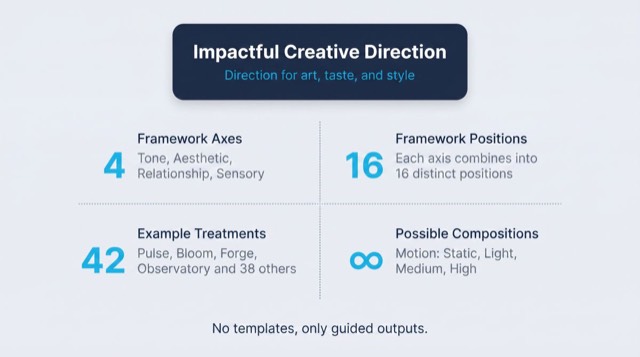
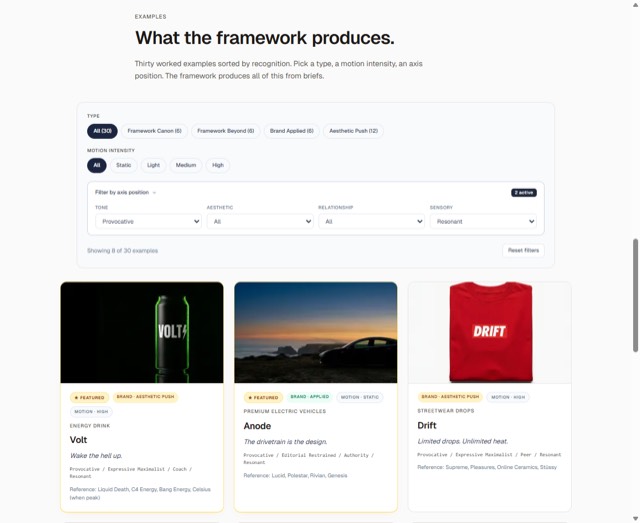
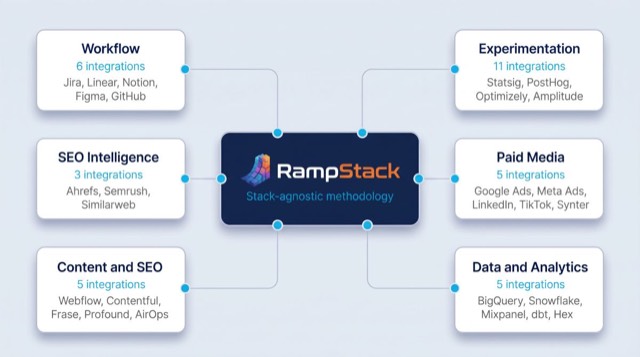
From the rampstackco/claude-skills README — shows the whole collection, not only this skill. · view on GitHub
How to use it
Claude Code
- Run the line below. It pulls the whole folder into
~/.claude/skills/launch-runbook. - Describe your job in plain words. Claude Code follows the skill from there.
npx degit rampstackco/claude-skills/skills/launch-runbook#main ~/.claude/skills/launch-runbookFor one project only, change the path to .claude/skills/launch-runbook.
Claude (web or desktop app)
- On this page open ⋯ → Download .md.
- Save it as SKILL.md in a folder, zip the folder, then Customize → Skills → + → Create skill → Upload a skill.
- Pick the file and Save. Claude shows the name and description and runs a security scan.
- Check the skill is switched on.
- Start a new chat and describe your job in plain words. The AI follows the skill from there.
ChatGPT or another app
- ChatGPT: make a Project and paste it into Instructions.
- Neither? Paste it at the top of a new chat — it works for that chat.
Not working?
- Check which app you pasted it into — the steps above name the right one.
- Some skills need the paid tier of Claude or ChatGPT.
Paste into Claude, ChatGPT or Cursor.
Source of Launch runbook
Show the full text237 lines
| name | description | category | catalog_summary | display_order |
|---|---|---|---|---|
| launch-runbook | Plan and execute a launch runbook covering pre-launch verification, go-live procedures, DNS cutover, post-launch monitoring, and rollback procedures. Use this skill whenever the user is preparing to launch a website or product, planning a DNS cutover, building a go-live checklist, or executing a launch day. Triggers on launch runbook, go-live, launch day, DNS cutover, deploy to production, site launch, product launch, cutover plan, launch checklist, deployment procedure. Also triggers when a launch is approaching and the team needs structured coordination, even if 'runbook' is not explicitly stated. | operations | Go-live runbook, DNS cutover, deploy day procedures | 1 |
Launch Runbook
Plan and execute the launch of a website, product, or major release. The runbook is the document everyone uses on launch day. Stack-agnostic.
This skill is for the launch event. For pre-launch QA, use qa-testing. For post-launch incident handling, use incident-response.
When to use
- Launching a new website or major redesign
- Migrating from one platform to another
- Releasing a major product or feature
- Coordinating cross-team launches
- Building a runbook for a recurring deploy
When NOT to use
- Pre-launch testing (use
qa-testing) - Post-launch incident response (use
incident-response) - After-launch retrospective (use
after-action-report)
Required inputs
- The launch scope (what's being launched)
- The launch window (date, time, duration)
- The team (roles, on-call rotation)
- The rollback criteria (when to abort)
- The communication plan (who tells whom what, when)
The framework: 4 phases
A launch has four phases. The runbook covers all four.
Phase 1: Pre-launch (T-30 days to T-1 hour)
Verify everything is ready before the launch window.
T-30 days:
- Final scope locked
- Cross-team commitments confirmed
- Pre-launch QA scheduled
- Comms plan drafted
T-7 days:
- Pre-launch QA complete
- All critical and major issues resolved
- Performance baseline measured
- Rollback procedures documented and tested
- DNS TTL lowered (if DNS change is part of launch)
T-1 day:
- Final go/no-go meeting
- Roles confirmed
- Communication channels set up
- Backup of current production state
T-1 hour:
- Team assembled in shared communication channel
- Tools and access verified
- Final smoke test on staging
Phase 2: Cutover (T-0)
The actual launch. Sequenced steps with owners and verifications.
Standard cutover steps:
- Announce start to internal team
- Enable maintenance mode (if applicable)
- Run final database migrations (if applicable)
- Deploy code to production
- Verify deploy completed without errors
- Run smoke tests on production
- DNS cutover (if applicable)
- Verify DNS propagation
- Disable maintenance mode
- Run full smoke tests on production
- Announce launch to internal team
- Begin monitoring window
Each step has:
- Owner
- Pre-conditions
- Action
- Verification
- Time estimate
- Rollback procedure
Phase 3: Verification (T+0 to T+24 hours)
Confirm the launch is healthy.
Within first hour:
- Critical user flows working (checkout, signup, login)
- No spike in error rates
- Performance within expected ranges
- Analytics tracking firing
- Email and notifications working
Within first 24 hours:
- No regression in key business metrics
- No accumulating error patterns
- Core Web Vitals stable
- Search Console showing no critical issues (if SEO-relevant)
Phase 4: Stabilization (T+24 hours to T+7 days)
Monitor the long tail.
- Track error rates day over day
- Track performance day over day
- Track key business metrics vs baseline
- Address any non-blocking issues identified
- Plan the AAR (after-action report)
Roles and responsibilities
A launch has clear role assignments. Ambiguity here is the most common cause of launch chaos.
| Role | Responsibility |
|---|---|
| Launch lead | Owns the runbook. Calls go/no-go. Calls rollback. |
| Deploy operator | Executes the technical deploy steps. |
| QA lead | Runs verification tests and confirms each milestone. |
| Comms lead | Posts internal updates, manages external messaging. |
| On-call engineer | Available for issues during and after launch. |
| Stakeholder rep | Approves on behalf of business stakeholders. |
For small teams, one person may fill multiple roles. Each role's responsibilities should still be explicit.
Rollback criteria
Define before the launch. Decisions are easier to make pre-emptively than under pressure.
Automatic rollback triggers:
- Error rate exceeds X percent of normal
- Critical user flow (defined) is broken
- Database integrity issue
- Security vulnerability discovered post-deploy
Discretionary rollback triggers:
- Performance degradation beyond Y percent
- Significant degradation in key business metric
- Customer-facing error patterns
Decision authority: The launch lead calls rollback. Pre-define who acts as deputy if launch lead is unavailable.
Communication plan
Internal channels
- Primary launch channel: Real-time chat for the launch team only
- Status channel: Broader internal updates
- War room: Optional video call for high-stakes launches
Update cadence during launch
- Every 15 minutes during cutover
- Every hour during verification phase
- Daily during stabilization phase
External communication
- Customer-facing announcement: Pre-drafted, scheduled to publish at confirmed-success milestone
- Status page: Updated proactively if any user impact
- Support team: Briefed in advance on what's launching, common questions, escalation path
Workflow
- Build the runbook 30 days out. Scope, sequence, roles, rollback criteria, comms plan.
- Test the rollback procedure. Untested rollback is hope, not procedure.
- Run a tabletop exercise. Walk through the runbook with the full team. Find gaps.
- Lower DNS TTL 48 to 72 hours before launch (if DNS change is part of launch).
- Day-of: Run the runbook step by step. Verify each step before moving to next.
- Monitor. First hour, first day, first week. Document anything noteworthy.
- Schedule the AAR within 1 to 2 weeks of launch.
Failure patterns
- Runbook written by one person, not reviewed. Single perspective misses scenarios.
- No tested rollback. Discovering rollback is broken at the moment you need it.
- Vague step descriptions. "Deploy to production" without specifying which tool, which command, which environment.
- No verification step after each action. Errors propagate.
- Communication gaps. Team doesn't know launch is happening, or doesn't know it succeeded.
- Launching at end of day Friday. Or before a holiday. Reduce the time available to respond.
- Skipping pre-launch QA to hit a date. The bugs appear on launch day instead.
- Launch fatigue. Long launches without breaks lead to errors. Plan rest cycles for multi-day launches.
- No on-call for first 24 hours. Someone must be reachable.
Output format
Default output: a markdown runbook at launch-runbook-[project].md plus supporting checklists.
Structure:
- Launch metadata (what, when, who)
- Roles and responsibilities
- Pre-launch checklist (T-30, T-7, T-1, T-1hr)
- Cutover sequence (numbered steps, owners, verifications)
- Rollback procedure
- Rollback criteria (automatic and discretionary)
- Communication plan
- Verification checklist (first hour, first day)
- Stabilization plan (first week)
- Contacts (escalation paths, on-call)
Reference files
references/runbook-template.md- Fillable runbook template with example cutover sequences.
| 1 | |
| 2 | name launch-runbook |
| 3 | description "Plan and execute a launch runbook covering pre-launch verification, go-live procedures, DNS cutover, post-launch monitoring, and rollback procedures. Use this skill whenever the user is preparing to launch a website or product, planning a DNS cutover, building a go-live checklist, or executing a launch day. Triggers on launch runbook, go-live, launch day, DNS cutover, deploy to production, site launch, product launch, cutover plan, launch checklist, deployment procedure. Also triggers when a launch is approaching and the team needs structured coordination, even if 'runbook' is not explicitly stated." |
| 4 | category operations |
| 5 | catalog_summary "Go-live runbook, DNS cutover, deploy day procedures" |
| 6 | display_order 1 |
| 7 | |
| 8 | |
| 9 | # Launch Runbook |
| 10 | |
| 11 | Plan and execute the launch of a website, product, or major release. The runbook is the document everyone uses on launch day. Stack-agnostic. |
| 12 | |
| 13 | This skill is for the launch event. For pre-launch QA, use `qa-testing`. For post-launch incident handling, use `incident-response`. |
| 14 | |
| 15 | |
| 16 | |
| 17 | ## When to use |
| 18 | |
| 19 | Launching a new website or major redesign |
| 20 | Migrating from one platform to another |
| 21 | Releasing a major product or feature |
| 22 | Coordinating cross-team launches |
| 23 | Building a runbook for a recurring deploy |
| 24 | |
| 25 | ## When NOT to use |
| 26 | |
| 27 | Pre-launch testing (use `qa-testing`) |
| 28 | Post-launch incident response (use `incident-response`) |
| 29 | After-launch retrospective (use `after-action-report`) |
| 30 | |
| 31 | |
| 32 | |
| 33 | ## Required inputs |
| 34 | |
| 35 | The launch scope (what's being launched) |
| 36 | The launch window (date, time, duration) |
| 37 | The team (roles, on-call rotation) |
| 38 | The rollback criteria (when to abort) |
| 39 | The communication plan (who tells whom what, when) |
| 40 | |
| 41 | |
| 42 | |
| 43 | ## The framework: 4 phases |
| 44 | |
| 45 | A launch has four phases. The runbook covers all four. |
| 46 | |
| 47 | ### Phase 1: Pre-launch (T-30 days to T-1 hour) |
| 48 | |
| 49 | Verify everything is ready before the launch window. |
| 50 | |
| 51 | **T-30 days:** |
| 52 | Final scope locked |
| 53 | Cross-team commitments confirmed |
| 54 | Pre-launch QA scheduled |
| 55 | Comms plan drafted |
| 56 | |
| 57 | **T-7 days:** |
| 58 | Pre-launch QA complete |
| 59 | All critical and major issues resolved |
| 60 | Performance baseline measured |
| 61 | Rollback procedures documented and tested |
| 62 | DNS TTL lowered (if DNS change is part of launch) |
| 63 | |
| 64 | **T-1 day:** |
| 65 | Final go/no-go meeting |
| 66 | Roles confirmed |
| 67 | Communication channels set up |
| 68 | Backup of current production state |
| 69 | |
| 70 | **T-1 hour:** |
| 71 | Team assembled in shared communication channel |
| 72 | Tools and access verified |
| 73 | Final smoke test on staging |
| 74 | |
| 75 | ### Phase 2: Cutover (T-0) |
| 76 | |
| 77 | The actual launch. Sequenced steps with owners and verifications. |
| 78 | |
| 79 | **Standard cutover steps:** |
| 80 | |
| 81 | Announce start to internal team |
| 82 | Enable maintenance mode (if applicable) |
| 83 | Run final database migrations (if applicable) |
| 84 | Deploy code to production |
| 85 | Verify deploy completed without errors |
| 86 | Run smoke tests on production |
| 87 | DNS cutover (if applicable) |
| 88 | Verify DNS propagation |
| 89 | Disable maintenance mode |
| 90 | Run full smoke tests on production |
| 91 | Announce launch to internal team |
| 92 | Begin monitoring window |
| 93 | |
| 94 | Each step has: |
| 95 | Owner |
| 96 | Pre-conditions |
| 97 | Action |
| 98 | Verification |
| 99 | Time estimate |
| 100 | Rollback procedure |
| 101 | |
| 102 | ### Phase 3: Verification (T+0 to T+24 hours) |
| 103 | |
| 104 | Confirm the launch is healthy. |
| 105 | |
| 106 | **Within first hour:** |
| 107 | Critical user flows working (checkout, signup, login) |
| 108 | No spike in error rates |
| 109 | Performance within expected ranges |
| 110 | Analytics tracking firing |
| 111 | Email and notifications working |
| 112 | |
| 113 | **Within first 24 hours:** |
| 114 | No regression in key business metrics |
| 115 | No accumulating error patterns |
| 116 | Core Web Vitals stable |
| 117 | Search Console showing no critical issues (if SEO-relevant) |
| 118 | |
| 119 | ### Phase 4: Stabilization (T+24 hours to T+7 days) |
| 120 | |
| 121 | Monitor the long tail. |
| 122 | |
| 123 | Track error rates day over day |
| 124 | Track performance day over day |
| 125 | Track key business metrics vs baseline |
| 126 | Address any non-blocking issues identified |
| 127 | Plan the AAR (after-action report) |
| 128 | |
| 129 | |
| 130 | |
| 131 | ## Roles and responsibilities |
| 132 | |
| 133 | A launch has clear role assignments. Ambiguity here is the most common cause of launch chaos. |
| 134 | |
| 135 | | Role | Responsibility | |
| 136 | |---|---| |
| 137 | | Launch lead | Owns the runbook. Calls go/no-go. Calls rollback. | |
| 138 | | Deploy operator | Executes the technical deploy steps. | |
| 139 | | QA lead | Runs verification tests and confirms each milestone. | |
| 140 | | Comms lead | Posts internal updates, manages external messaging. | |
| 141 | | On-call engineer | Available for issues during and after launch. | |
| 142 | | Stakeholder rep | Approves on behalf of business stakeholders. | |
| 143 | |
| 144 | For small teams, one person may fill multiple roles. Each role's responsibilities should still be explicit. |
| 145 | |
| 146 | |
| 147 | |
| 148 | ## Rollback criteria |
| 149 | |
| 150 | Define before the launch. Decisions are easier to make pre-emptively than under pressure. |
| 151 | |
| 152 | **Automatic rollback triggers:** |
| 153 | Error rate exceeds X percent of normal |
| 154 | Critical user flow (defined) is broken |
| 155 | Database integrity issue |
| 156 | Security vulnerability discovered post-deploy |
| 157 | |
| 158 | **Discretionary rollback triggers:** |
| 159 | Performance degradation beyond Y percent |
| 160 | Significant degradation in key business metric |
| 161 | Customer-facing error patterns |
| 162 | |
| 163 | **Decision authority:** The launch lead calls rollback. Pre-define who acts as deputy if launch lead is unavailable. |
| 164 | |
| 165 | |
| 166 | |
| 167 | ## Communication plan |
| 168 | |
| 169 | ### Internal channels |
| 170 | |
| 171 | **Primary launch channel:** Real-time chat for the launch team only |
| 172 | **Status channel:** Broader internal updates |
| 173 | **War room:** Optional video call for high-stakes launches |
| 174 | |
| 175 | ### Update cadence during launch |
| 176 | |
| 177 | Every 15 minutes during cutover |
| 178 | Every hour during verification phase |
| 179 | Daily during stabilization phase |
| 180 | |
| 181 | ### External communication |
| 182 | |
| 183 | **Customer-facing announcement:** Pre-drafted, scheduled to publish at confirmed-success milestone |
| 184 | **Status page:** Updated proactively if any user impact |
| 185 | **Support team:** Briefed in advance on what's launching, common questions, escalation path |
| 186 | |
| 187 | |
| 188 | |
| 189 | ## Workflow |
| 190 | |
| 191 | **Build the runbook 30 days out.** Scope, sequence, roles, rollback criteria, comms plan. |
| 192 | **Test the rollback procedure.** Untested rollback is hope, not procedure. |
| 193 | **Run a tabletop exercise.** Walk through the runbook with the full team. Find gaps. |
| 194 | **Lower DNS TTL** 48 to 72 hours before launch (if DNS change is part of launch). |
| 195 | **Day-of:** Run the runbook step by step. Verify each step before moving to next. |
| 196 | **Monitor.** First hour, first day, first week. Document anything noteworthy. |
| 197 | **Schedule the AAR** within 1 to 2 weeks of launch. |
| 198 | |
| 199 | |
| 200 | |
| 201 | ## Failure patterns |
| 202 | |
| 203 | **Runbook written by one person, not reviewed.** Single perspective misses scenarios. |
| 204 | **No tested rollback.** Discovering rollback is broken at the moment you need it. |
| 205 | **Vague step descriptions.** "Deploy to production" without specifying which tool, which command, which environment. |
| 206 | **No verification step after each action.** Errors propagate. |
| 207 | **Communication gaps.** Team doesn't know launch is happening, or doesn't know it succeeded. |
| 208 | **Launching at end of day Friday.** Or before a holiday. Reduce the time available to respond. |
| 209 | **Skipping pre-launch QA** to hit a date. The bugs appear on launch day instead. |
| 210 | **Launch fatigue.** Long launches without breaks lead to errors. Plan rest cycles for multi-day launches. |
| 211 | **No on-call for first 24 hours.** Someone must be reachable. |
| 212 | |
| 213 | |
| 214 | |
| 215 | ## Output format |
| 216 | |
| 217 | Default output: a markdown runbook at `launch-runbook-[project].md` plus supporting checklists. |
| 218 | |
| 219 | Structure: |
| 220 | |
| 221 | Launch metadata (what, when, who) |
| 222 | Roles and responsibilities |
| 223 | Pre-launch checklist (T-30, T-7, T-1, T-1hr) |
| 224 | Cutover sequence (numbered steps, owners, verifications) |
| 225 | Rollback procedure |
| 226 | Rollback criteria (automatic and discretionary) |
| 227 | Communication plan |
| 228 | Verification checklist (first hour, first day) |
| 229 | Stabilization plan (first week) |
| 230 | Contacts (escalation paths, on-call) |
| 231 | |
| 232 | |
| 233 | |
| 234 | ## Reference files |
| 235 | |
| 236 | [`references/runbook-template.md`] - Fillable runbook template with example cutover sequences. |
| 237 |
Discussion
Browse more free Claude skills or everything in Product.