Creates a new graphics format spec
Create Goose Graphics Format
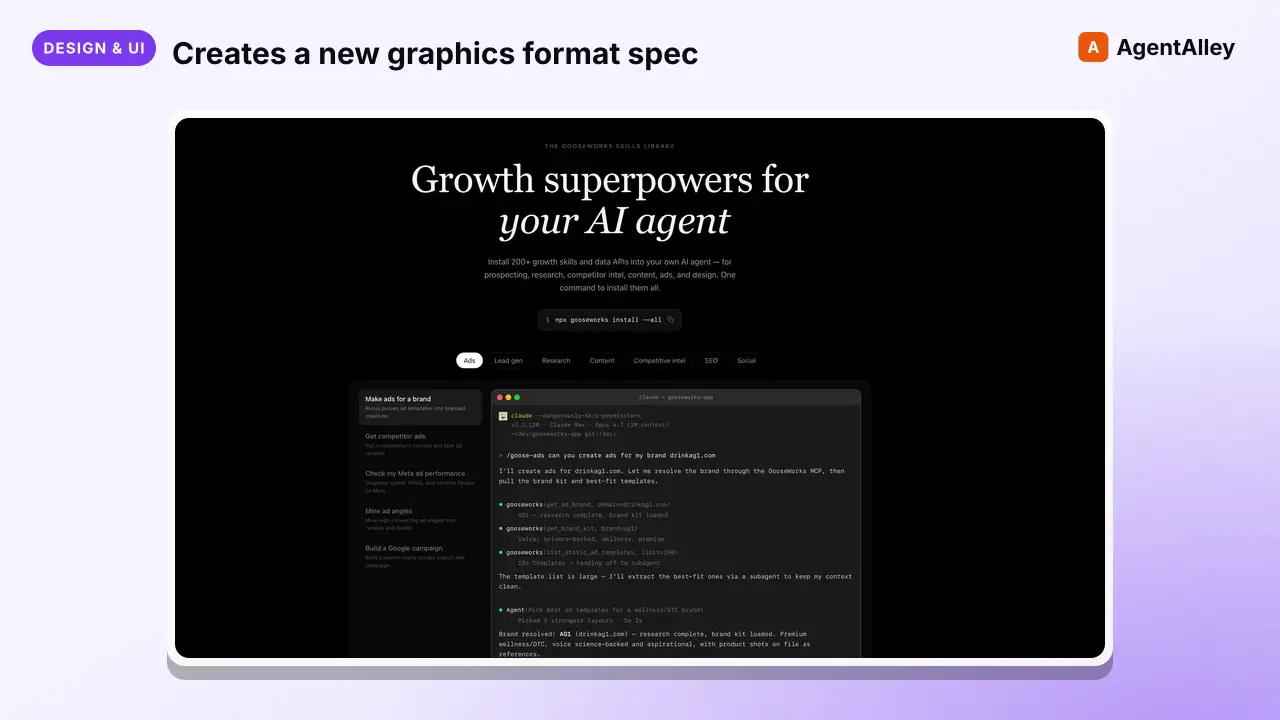
Creates a new graphics format spec (custom canvas dimensions + content rules) and publishes it to the Gooseworks library so any agent can render against it. Use when the existing community formats (carousel, story, infographic, slides,…
---
name: goose-graphics-create-format
description: >
  Creates a new graphics format spec (custom canvas dimensions + content rules)
  and publishes it to the Gooseworks library so any agent can render against it.
  Use when the existing community formats (carousel, story, infographic, slides,
  poster, chart, tweet, plus community additions) don't fit the user's canvas —
  e.g., LinkedIn banner 1584×396, story cover 1080×1920, event flyer 8.5×11in.
  Mirrors goose-graphics-create-style but for formats.
tags: [design, content]
---

# Create Goose Graphics Format

Authors a new graphics format and publishes it to the central Gooseworks library
via `npx gooseworks formats publish`. The output is a working directory with a
`gooseworks-format.json` manifest plus at least one rendered example PNG paired
with an existing style.
Overview
Authors a new graphics format and publishes it to the central Gooseworks library via npx gooseworks formats publish. The output is a working directory with a gooseworks-format.json manifest plus at least one rendered example PNG paired with an existing style.
Manual install (npx, ZIP)
npx skills add gooseworks-ai/goose-skills --skill goose-graphics-create-format -g -a claude-codemkdir -p ~/.claude/skills && curl -sL https://codeload.github.com/gooseworks-ai/goose-skills/tar.gz/615c685f34f8 \
| tar -xz -C ~/.claude/skills --strip-components=4 goose-skills-615c685f34f8/skills/design/composites/goose-graphics-create-formatNew-Item -ItemType Directory -Force "$HOME\.claude\skills" | Out-Null; Invoke-WebRequest "https://m.agentalley.io/zip/af37cf62f638aced48d5/goose-graphics-create-format.zip" -OutFile "$env:TEMP\goose-graphics-create-format.zip"; Expand-Archive "$env:TEMP\goose-graphics-create-format.zip" -DestinationPath "$HOME\.claude\skills" -ForceConnects with Agent Alley MCP · agentalley.io/mcp
Files included
SKILL.md13.0 KBskill.meta.json654 B
Read the files here
gooseworks-ai/
Shared references1SKILL.md reads these from elsewhere in the repo. Not in the ZIP.
Get them on GitHub ↗Show the full text313 lines
Create Goose Graphics Format
Authors a new graphics format and publishes it to the central Gooseworks library
via npx gooseworks formats publish. The output is a working directory with a
gooseworks-format.json manifest plus at least one rendered example PNG paired
with an existing style.
When to use this skill
Use when the user wants a new named format with its own content rules — a story cover, a podcast cover, a square testimonial — that maps to one of the seven built-in canvas sizes (carousel, infographic, slides, poster, story, chart, tweet). The new format defines new rules and a new slug; it inherits dimensions from one of those canvases.
Custom canvas dimensions are not supported. If the user wants a
canvas size that isn't in the seven built-ins (e.g. LinkedIn banner
1584×396, US Letter 2550×3300), tell them honestly — that requires a
code change to the goose-graphics skill pack's FORMAT_CONFIGS and is
out of scope for this skill. Suggest the closest existing canvas
instead.
Always check first: run npx gooseworks formats list (or formats search "banner" etc.) to see whether a community-published format already covers the
use case. If one fits, just use it via the regular goose-graphics flow.
Prerequisites
- The
goose-graphicsskill must be installed in the same workspace — this skill usesgoose-graphics/screenshot/screenshot.jsto render examples and pulls style specs vianpx gooseworks styles get <slug>. Install via:
(Swapnpx gooseworks install --claude --with goose-graphics--claudefor--cursoror--codexas needed.) See the install page on the hub for the canonical command: https://skills.gooseworks.ai/skills/goose-graphics - The screenshot tool's dependencies must be installed
(
goose-graphics/screenshot/node_modules/must exist). If not:cd <path-to>/goose-graphics/screenshot && npm install && npx playwright install chromium - The user must be signed in to gooseworks (
npx gooseworks login) for publish to authenticate.
Inputs
- A brief describing the canvas: dimensions, intended use (platform / surface), and content density rules.
- Optional: a reference image showing the desired layout.
Outputs (in a working directory)
<working-dir>/
  gooseworks-format.json    # manifest (see "Manifest format" below)
  example-1.png             # at least one rendered example (REQUIRED)
  example-2.png             # optional; recommend 2–3 examples across styles
  example-3.png
The backend rejects publish with an empty examples array — at least one
rendered example is mandatory.
Workflow
Step 1 — Pick a canvas (from the fixed allow-list) and confirm intent
A new format is a new slug + new content rules over one of the seven
built-in canvas sizes — not a new canvas. Custom dimensions are not
supported: every renderer in the system (CLI screenshot tool, hub, other
agents) is locked to this allow-list, and creating a format with custom
width/height would produce something nobody can render.
Pick the canvas the new format should use:
| Canvas slug | Dimensions | Best for |
|---|---|---|
poster |
1080×1350 | Vertical hero composition, single panel |
infographic |
1080×var. | Tall vertical scroll, multi-section |
carousel |
1080×1080 | Square single panel / multi-slide |
slides |
1920×1080 | Widescreen / presentation |
story |
1080×1920 | Vertical full-screen (IG/TikTok stories) |
chart |
1080×1080 | Square data viz |
tweet |
1080×1080 | Square testimonial / social card |
Then ask the user:
- Which canvas best fits the use case? (Pick from the table above.)
- What is this format for? (Surface, platform, audience.)
- What is the maximum content density? (Title length, body length, item counts, whether it's single-panel or multi-panel.)
The new format inherits the canvas's width/height exactly. Set the
manifest's width/height fields to the canvas's dimensions verbatim
(e.g. 1080/1350 for a poster-canvas format). Do not invent new
dimensions — the publish step will reject anything that doesn't match
one of the seven canvases.
If the user wants a canvas that isn't in the list (e.g. LinkedIn banner
1584×396), tell them honestly: that's a code change to the
goose-graphics skill pack's FORMAT_CONFIGS and is out of scope for
this skill. Suggest the closest existing canvas instead.
Step 2 — Pick a name and slug
Suggest 2–3 descriptive names that lead with the platform / surface
(e.g., linkedin-banner, story-cover, podcast-cover, event-flyer-letter).
Slug must be lowercase-kebab-case ([a-z0-9-]+).
Collision check: run npx gooseworks formats get <slug> — if the catalog
returns a hit, the slug is taken. Suggest an alternative.
(The user may omit slug from the manifest; the backend auto-generates one.
On 409 the CLI prompts you to accept the server's suggested slug; pass
--yes at publish time to auto-accept.)
Step 3 — Draft contentRulesMd
This is the load-bearing field — it teaches future agents how to fill the canvas. Cover, in this order:
- When to use this format vs the alternatives. One or two sentences.
- Maximum content density. Exact limits: title word count, body word count, number of items / panels / slides, whether images are required or optional.
- Per-section content rules. Header, body, CTA, footer — what goes where, what shape, what size. If the format is single-panel, list the elements (title, hero, byline, etc.) and their max sizes.
- Typography signals. Recommended display font sizes and hierarchy at this canvas size (e.g., "Display hero ~140–180px on a 1584×396 banner").
- Spacing and rhythm. Padding, margins, vertical rhythm.
Aim for at least 50 chars (the minimum) but 300–800 chars is the sweet spot.
Treat contentRulesMd as the spec a fresh agent would read to render this
format correctly without further guidance.
Step 4 — Render at least one example
Pair the new format with an existing published style. Recommended: render 2–3 examples across different styles so the catalog tile demonstrates the format's flexibility.
For each example:
- Pick a style:
npx gooseworks styles list | headand choose 2–3 with contrasting moods (e.g.,matt-gray,neon-dashboard,brutalist). - Fetch its slim spec:
npx gooseworks styles get <slug>. - Generate HTML at the exact target dimensions, using the chosen style's
palette, fonts, and signature visual moves. The HTML rules from the
goose-graphicsrendering pipeline apply:- Self-contained single HTML file with inline
<style>block + Google Fonts<link>. - Fixed pixel sizes only — no
vw/vh/%/rem/em/clamp(). - Outer dimensions match exactly:
html, body { width: <W>px; height: <H>px; overflow: hidden; }.
- Self-contained single HTML file with inline
- Render via the screenshot tool from the
goose-graphicsskill pack, passing the canvas slug (carousel/infographic/slides/poster/story/ chart/tweet — the one chosen in Step 1), not the new format's slug:
This works out of the box — the new format inherits the canvas's dimensions, so no code changes are needed anywhere.node <path-to>/goose-graphics/screenshot/screenshot.js \ --format <canvas-slug> \ --input <path-to-html> \ --output <working-dir>/example-N.png \ --font-delay 1500
Step 5 — Write gooseworks-format.json
Match the shape documented in goose-graphics/SKILL.md §17.2. Required:
{
  "name": "Story Cover",
  "slug": "story-cover",
  "description": "1080×1920 vertical cover slide for Instagram and TikTok stories. Single hero panel, 5-word title max, optional brand mark in the lower 10%. Use for product launches and event reminders where the viewer scrolls past in 2 seconds.",
  "width": 1080,
  "height": 1920,
  "contentRulesMd": "## Rules\n\n- Title: 5 words max, large display, centered or top-left\n- One hero element (image, stat, or large icon) in the upper 70% of the canvas\n- Optional brand mark in the lower 10%, ≤8% of canvas height\n…",
  "tags": ["story", "vertical", "social", "instagram", "tiktok"],
  "examples": [
    { "file": "./example-1.png", "styleSlug": "matt-gray", "caption": "Paired with matt-gray" },
    { "file": "./example-2.png", "styleSlug": "neon-dashboard" }
  ]
}
Constraints to respect:
name: 1–120 charsdescription: 20–1000 chars (required). See guidelines below.width/height: must match one of the seven built-in canvases exactly (1080×1080, 1080×1350, 1920×1080, 1080×1920, or 1080×variable for infographic). Custom dimensions will render fine locally if you stretch the rules but will fail for any other agent that pulls the format later, since theirscreenshot.jsonly accepts the built-in canvas slugs.contentRulesMd: minimum 50 chars (required)tags: 3–10 lowercase strings. See guidelines below.examples: minimum 1 (required);styleSlugis optional but recommended.
Step 6 — Publish
cd <working-dir>
npx gooseworks formats publish
The CLI reads gooseworks-format.json, validates it client-side, uploads the
manifest plus the example PNGs, and registers the format in the catalog.
Slug-collision UX: if the slug is taken, the CLI prompts
Slug 'X' is taken. Use 'Y' instead? with the server's suggestion. Pass
--yes to auto-accept (useful for scripted runs):
npx gooseworks formats publish --yes
Success output:
Published format: <slug>
https://skills.gooseworks.ai/formats/<slug>
Exit codes: 0 success, 1 transient/auth (network, 401, 5xx), 2 user
error (400 validation, 403 not owner, 413 file too large, declined 409).
Amending a published format later:
npx gooseworks formats update <slug>
Same manifest format; no slug-collision retry (the slug is locked).
Step 7 — Confirm
Tell the user:
- The published slug and the URL where the format lives in the catalog.
- The dimensions and the styles used for the examples.
- How any agent can now use it:
/goose-graphics --style <any-slug> --format <new-slug> --brief "..."
Description-writing guidelines
Same shape as styles — 50–200 words, keyword-dense — but lead with canvas and content density instead of mood.
- Lead with canvas + surface:
"1080×1080 square testimonial card for X feed posts." - Mention single-panel vs multi-panel and approximate text limits.
- Mention intended platform / surface (
Instagram Stories,LinkedIn,print event flyer, etc.). - Mention audience and use case
(
"Use for product launches and event reminders where the viewer scrolls past in 2 seconds."). - Avoid generic adjectives. Be concrete: pixel counts, word counts, surfaces.
Example:
"1080×1920 vertical canvas for Instagram and TikTok stories. Single-panel composition, 5-word title max, large hero image or stat, optional brand mark in the lower 10% of the canvas. Use for quick announcements and engagement posts where the viewer scrolls past in 2 seconds."
Tag-writing guidelines
3–10 lowercase tags. Common format tags:
- Aspect:
vertical,square,portrait,landscape,banner,panoramic - Structure:
single-panel,multi-slide,multi-panel - Surface:
story,feed,cover,flyer,presentation,print - Use:
social,ad,editorial,event - Platform fit:
linkedin,instagram,tiktok,youtube,twitter
Skip tags that just restate the slug.
Anti-patterns to avoid
- Don't ship without rendered examples. The backend rejects empty
examples. Render at least one — recommend 2–3 across contrasting styles. - Don't bake style decisions into
contentRulesMd. The format describes canvas + content density; the style describes palette + typography. Keep them separate so any style can pair with any format. - Don't skip the dimensions sanity-check. A typo here is permanent — every agent rendering against the format will produce off-size output.
- Don't reference local files in this skill pack in the published manifest.
All paths in
examples[].fileare relative to the working directory and live on the user's machine, not in this repo. - Don't publish without checking
npx gooseworks formats listfirst — if the format already exists, point the user at it instead of publishing a duplicate.
| 1 | |
| 2 | name goose-graphics-create-format |
| 3 | description > |
| 4 | Creates a new graphics format spec (custom canvas dimensions + content rules) |
| 5 | and publishes it to the Gooseworks library so any agent can render against it. |
| 6 | Use when the existing community formats (carousel, story, infographic, slides, |
| 7 | poster, chart, tweet, plus community additions) don't fit the user's canvas — |
| 8 | e.g., LinkedIn banner 1584×396, story cover 1080×1920, event flyer 8.5×11in. |
| 9 | Mirrors goose-graphics-create-style but for formats. |
| 10 | tags [design, content] |
| 11 | |
| 12 | |
| 13 | # Create Goose Graphics Format |
| 14 | |
| 15 | Authors a new graphics format and publishes it to the central Gooseworks library |
| 16 | via `npx gooseworks formats publish`. The output is a working directory with a |
| 17 | `gooseworks-format.json` manifest plus at least one rendered example PNG paired |
| 18 | with an existing style. |
| 19 | |
| 20 | ## When to use this skill |
| 21 | |
| 22 | Use when the user wants a new named format with its own content rules — |
| 23 | a story cover, a podcast cover, a square testimonial — that maps to one |
| 24 | of the seven built-in canvas sizes (carousel, infographic, slides, |
| 25 | poster, story, chart, tweet). The new format defines new rules and a |
| 26 | new slug; it inherits dimensions from one of those canvases. |
| 27 | |
| 28 | **Custom canvas dimensions are not supported.** If the user wants a |
| 29 | canvas size that isn't in the seven built-ins (e.g. LinkedIn banner |
| 30 | 1584×396, US Letter 2550×3300), tell them honestly — that requires a |
| 31 | code change to the `goose-graphics` skill pack's `FORMAT_CONFIGS` and is |
| 32 | out of scope for this skill. Suggest the closest existing canvas |
| 33 | instead. |
| 34 | |
| 35 | **Always check first:** run `npx gooseworks formats list` (or `formats search |
| 36 | "banner"` etc.) to see whether a community-published format already covers the |
| 37 | use case. If one fits, just use it via the regular `goose-graphics` flow. |
| 38 | |
| 39 | ## Prerequisites |
| 40 | |
| 41 | The `goose-graphics` skill must be installed in the same workspace — |
| 42 | this skill uses `goose-graphics/screenshot/screenshot.js` to render |
| 43 | examples and pulls style specs via `npx gooseworks styles get <slug>`. |
| 44 | Install via: |
| 45 | |
| 46 | npx gooseworks install --claude --with goose-graphics |
| 47 | |
| 48 | (Swap `--claude` for `--cursor` or `--codex` as needed.) See the install |
| 49 | page on the hub for the canonical command: |
| 50 | https://skills.gooseworks.ai/skills/goose-graphics |
| 51 | The screenshot tool's dependencies must be installed |
| 52 | (`goose-graphics/screenshot/node_modules/` must exist). If not: |
| 53 | |
| 54 | cd <path-to>/goose-graphics/screenshot && npm install && npx playwright install chromium |
| 55 | |
| 56 | The user must be signed in to gooseworks (`npx gooseworks login`) for publish |
| 57 | to authenticate. |
| 58 | |
| 59 | ## Inputs |
| 60 | |
| 61 | A brief describing the canvas: dimensions, intended use (platform / surface), |
| 62 | and content density rules. |
| 63 | Optional: a reference image showing the desired layout. |
| 64 | |
| 65 | ## Outputs (in a working directory) |
| 66 | |
| 67 | |
| 68 | <working-dir>/ |
| 69 | gooseworks-format.json # manifest (see "Manifest format" below) |
| 70 | example-1.png # at least one rendered example (REQUIRED) |
| 71 | example-2.png # optional; recommend 2–3 examples across styles |
| 72 | example-3.png |
| 73 | |
| 74 | |
| 75 | The backend rejects publish with an empty `examples` array — at least one |
| 76 | rendered example is mandatory. |
| 77 | |
| 78 | ## Workflow |
| 79 | |
| 80 | ### Step 1 — Pick a canvas (from the fixed allow-list) and confirm intent |
| 81 | |
| 82 | A new format is **a new slug + new content rules over one of the seven |
| 83 | built-in canvas sizes** — *not* a new canvas. Custom dimensions are not |
| 84 | supported: every renderer in the system (CLI screenshot tool, hub, other |
| 85 | agents) is locked to this allow-list, and creating a format with custom |
| 86 | `width`/`height` would produce something nobody can render. |
| 87 | |
| 88 | Pick the canvas the new format should use: |
| 89 | |
| 90 | | Canvas slug | Dimensions | Best for | |
| 91 | |---------------|------------|--------------------------------------------| |
| 92 | | `poster` | 1080×1350 | Vertical hero composition, single panel | |
| 93 | | `infographic` | 1080×var. | Tall vertical scroll, multi-section | |
| 94 | | `carousel` | 1080×1080 | Square single panel / multi-slide | |
| 95 | | `slides` | 1920×1080 | Widescreen / presentation | |
| 96 | | `story` | 1080×1920 | Vertical full-screen (IG/TikTok stories) | |
| 97 | | `chart` | 1080×1080 | Square data viz | |
| 98 | | `tweet` | 1080×1080 | Square testimonial / social card | |
| 99 | |
| 100 | Then ask the user: |
| 101 | |
| 102 | Which canvas best fits the use case? (Pick from the table above.) |
| 103 | What is this format for? (Surface, platform, audience.) |
| 104 | What is the maximum content density? (Title length, body length, item |
| 105 | counts, whether it's single-panel or multi-panel.) |
| 106 | |
| 107 | The new format inherits the canvas's `width`/`height` exactly. Set the |
| 108 | manifest's `width`/`height` fields to the canvas's dimensions verbatim |
| 109 | (e.g. 1080/1350 for a poster-canvas format). Do not invent new |
| 110 | dimensions — the publish step will reject anything that doesn't match |
| 111 | one of the seven canvases. |
| 112 | |
| 113 | If the user wants a canvas that isn't in the list (e.g. LinkedIn banner |
| 114 | 1584×396), tell them honestly: that's a code change to the |
| 115 | `goose-graphics` skill pack's `FORMAT_CONFIGS` and is out of scope for |
| 116 | this skill. Suggest the closest existing canvas instead. |
| 117 | |
| 118 | ### Step 2 — Pick a name and slug |
| 119 | |
| 120 | Suggest 2–3 descriptive names that lead with the platform / surface |
| 121 | (e.g., `linkedin-banner`, `story-cover`, `podcast-cover`, `event-flyer-letter`). |
| 122 | Slug must be lowercase-kebab-case (`[a-z0-9-]+`). |
| 123 | |
| 124 | **Collision check:** run `npx gooseworks formats get <slug>` — if the catalog |
| 125 | returns a hit, the slug is taken. Suggest an alternative. |
| 126 | |
| 127 | (The user may omit `slug` from the manifest; the backend auto-generates one. |
| 128 | On 409 the CLI prompts you to accept the server's suggested slug; pass |
| 129 | `--yes` at publish time to auto-accept.) |
| 130 | |
| 131 | ### Step 3 — Draft `contentRulesMd` |
| 132 | |
| 133 | This is the load-bearing field — it teaches future agents how to fill the |
| 134 | canvas. Cover, in this order: |
| 135 | |
| 136 | **When to use this format vs the alternatives.** One or two sentences. |
| 137 | **Maximum content density.** Exact limits: title word count, body word count, |
| 138 | number of items / panels / slides, whether images are required or optional. |
| 139 | **Per-section content rules.** Header, body, CTA, footer — what goes where, |
| 140 | what shape, what size. If the format is single-panel, list the elements |
| 141 | (title, hero, byline, etc.) and their max sizes. |
| 142 | **Typography signals.** Recommended display font sizes and hierarchy at this |
| 143 | canvas size (e.g., "Display hero ~140–180px on a 1584×396 banner"). |
| 144 | **Spacing and rhythm.** Padding, margins, vertical rhythm. |
| 145 | |
| 146 | Aim for at least 50 chars (the minimum) but 300–800 chars is the sweet spot. |
| 147 | Treat `contentRulesMd` as the spec a fresh agent would read to render this |
| 148 | format correctly without further guidance. |
| 149 | |
| 150 | ### Step 4 — Render at least one example |
| 151 | |
| 152 | Pair the new format with an existing published style. Recommended: render |
| 153 | **2–3 examples across different styles** so the catalog tile demonstrates the |
| 154 | format's flexibility. |
| 155 | |
| 156 | For each example: |
| 157 | |
| 158 | Pick a style: `npx gooseworks styles list | head` and choose 2–3 with |
| 159 | contrasting moods (e.g., `matt-gray`, `neon-dashboard`, `brutalist`). |
| 160 | Fetch its slim spec: `npx gooseworks styles get <slug>`. |
| 161 | Generate HTML at the **exact** target dimensions, using the chosen style's |
| 162 | palette, fonts, and signature visual moves. The HTML rules from the |
| 163 | `goose-graphics` rendering pipeline apply: |
| 164 | Self-contained single HTML file with inline `<style>` block + Google Fonts |
| 165 | `<link>`. |
| 166 | Fixed pixel sizes only — no `vw`/`vh`/`%`/`rem`/`em`/`clamp()`. |
| 167 | Outer dimensions match exactly: |
| 168 | `html, body { width: <W>px; height: <H>px; overflow: hidden; }`. |
| 169 | Render via the screenshot tool from the `goose-graphics` skill pack, |
| 170 | passing the **canvas slug** (carousel/infographic/slides/poster/story/ |
| 171 | chart/tweet — the one chosen in Step 1), not the new format's slug: |
| 172 | |
| 173 | node <path-to>/goose-graphics/screenshot/screenshot.js \ |
| 174 | --format <canvas-slug> \ |
| 175 | --input <path-to-html> \ |
| 176 | --output <working-dir>/example-N.png \ |
| 177 | --font-delay 1500 |
| 178 | |
| 179 | This works out of the box — the new format inherits the canvas's |
| 180 | dimensions, so no code changes are needed anywhere. |
| 181 | |
| 182 | ### Step 5 — Write `gooseworks-format.json` |
| 183 | |
| 184 | Match the shape documented in `goose-graphics/SKILL.md` §17.2. Required: |
| 185 | |
| 186 | |
| 187 | { |
| 188 | "name": "Story Cover", |
| 189 | "slug": "story-cover", |
| 190 | "description": "1080×1920 vertical cover slide for Instagram and TikTok stories. Single hero panel, 5-word title max, optional brand mark in the lower 10%. Use for product launches and event reminders where the viewer scrolls past in 2 seconds.", |
| 191 | "width": 1080, |
| 192 | "height": 1920, |
| 193 | "contentRulesMd": "## Rules\n\n- Title: 5 words max, large display, centered or top-left\n- One hero element (image, stat, or large icon) in the upper 70% of the canvas\n- Optional brand mark in the lower 10%, ≤8% of canvas height\n…", |
| 194 | "tags": ["story", "vertical", "social", "instagram", "tiktok"], |
| 195 | "examples": [ |
| 196 | { "file": "./example-1.png", "styleSlug": "matt-gray", "caption": "Paired with matt-gray" }, |
| 197 | { "file": "./example-2.png", "styleSlug": "neon-dashboard" } |
| 198 | ] |
| 199 | } |
| 200 | |
| 201 | |
| 202 | **Constraints to respect:** |
| 203 | |
| 204 | `name`: 1–120 chars |
| 205 | `description`: 20–1000 chars (**required**). See guidelines below. |
| 206 | `width` / `height`: **must match one of the seven built-in canvases |
| 207 | exactly** (1080×1080, 1080×1350, 1920×1080, 1080×1920, or |
| 208 | 1080×variable for infographic). Custom dimensions will render fine |
| 209 | locally if you stretch the rules but will fail for any other agent that |
| 210 | pulls the format later, since their `screenshot.js` only accepts the |
| 211 | built-in canvas slugs. |
| 212 | `contentRulesMd`: minimum 50 chars (**required**) |
| 213 | `tags`: 3–10 lowercase strings. See guidelines below. |
| 214 | `examples`: minimum 1 (**required**); `styleSlug` is optional but recommended. |
| 215 | |
| 216 | ### Step 6 — Publish |
| 217 | |
| 218 | |
| 219 | cd <working-dir> |
| 220 | npx gooseworks formats publish |
| 221 | |
| 222 | |
| 223 | The CLI reads `gooseworks-format.json`, validates it client-side, uploads the |
| 224 | manifest plus the example PNGs, and registers the format in the catalog. |
| 225 | |
| 226 | **Slug-collision UX:** if the slug is taken, the CLI prompts |
| 227 | `Slug 'X' is taken. Use 'Y' instead?` with the server's suggestion. Pass |
| 228 | `--yes` to auto-accept (useful for scripted runs): |
| 229 | |
| 230 | |
| 231 | npx gooseworks formats publish --yes |
| 232 | |
| 233 | |
| 234 | **Success output:** |
| 235 | |
| 236 | |
| 237 | Published format: <slug> |
| 238 | https://skills.gooseworks.ai/formats/<slug> |
| 239 | |
| 240 | |
| 241 | **Exit codes:** `0` success, `1` transient/auth (network, 401, 5xx), `2` user |
| 242 | error (400 validation, 403 not owner, 413 file too large, declined 409). |
| 243 | |
| 244 | **Amending a published format later:** |
| 245 | |
| 246 | |
| 247 | npx gooseworks formats update <slug> |
| 248 | |
| 249 | |
| 250 | Same manifest format; no slug-collision retry (the slug is locked). |
| 251 | |
| 252 | ### Step 7 — Confirm |
| 253 | |
| 254 | Tell the user: |
| 255 | |
| 256 | The published slug and the URL where the format lives in the catalog. |
| 257 | The dimensions and the styles used for the examples. |
| 258 | How any agent can now use it: |
| 259 | |
| 260 | /goose-graphics --style <any-slug> --format <new-slug> --brief "..." |
| 261 | |
| 262 | |
| 263 | ## Description-writing guidelines |
| 264 | |
| 265 | Same shape as styles — 50–200 words, keyword-dense — but lead with **canvas |
| 266 | and content density** instead of mood. |
| 267 | |
| 268 | Lead with canvas + surface: `"1080×1080 square testimonial card for X |
| 269 | feed posts."` |
| 270 | Mention single-panel vs multi-panel and approximate text limits. |
| 271 | Mention intended platform / surface (`Instagram Stories`, `LinkedIn`, |
| 272 | `print event flyer`, etc.). |
| 273 | Mention audience and use case |
| 274 | (`"Use for product launches and event reminders where the viewer scrolls past |
| 275 | in 2 seconds."`). |
| 276 | Avoid generic adjectives. Be concrete: pixel counts, word counts, surfaces. |
| 277 | |
| 278 | Example: |
| 279 | |
| 280 | > "1080×1920 vertical canvas for Instagram and TikTok stories. Single-panel |
| 281 | > composition, 5-word title max, large hero image or stat, optional brand mark |
| 282 | > in the lower 10% of the canvas. Use for quick announcements and engagement |
| 283 | > posts where the viewer scrolls past in 2 seconds." |
| 284 | |
| 285 | ## Tag-writing guidelines |
| 286 | |
| 287 | 3–10 lowercase tags. Common format tags: |
| 288 | |
| 289 | **Aspect:** `vertical`, `square`, `portrait`, `landscape`, `banner`, |
| 290 | `panoramic` |
| 291 | **Structure:** `single-panel`, `multi-slide`, `multi-panel` |
| 292 | **Surface:** `story`, `feed`, `cover`, `flyer`, `presentation`, `print` |
| 293 | **Use:** `social`, `ad`, `editorial`, `event` |
| 294 | **Platform fit:** `linkedin`, `instagram`, `tiktok`, `youtube`, `twitter` |
| 295 | |
| 296 | Skip tags that just restate the slug. |
| 297 | |
| 298 | ## Anti-patterns to avoid |
| 299 | |
| 300 | **Don't ship without rendered examples.** The backend rejects empty |
| 301 | `examples`. Render at least one — recommend 2–3 across contrasting styles. |
| 302 | **Don't bake style decisions into `contentRulesMd`.** The format describes |
| 303 | canvas + content density; the style describes palette + typography. Keep them |
| 304 | separate so any style can pair with any format. |
| 305 | **Don't skip the dimensions sanity-check.** A typo here is permanent — every |
| 306 | agent rendering against the format will produce off-size output. |
| 307 | **Don't reference local files in this skill pack** in the published manifest. |
| 308 | All paths in `examples[].file` are relative to the working directory and live |
| 309 | on the user's machine, not in this repo. |
| 310 | **Don't publish without checking `npx gooseworks formats list` first** — if |
| 311 | the format already exists, point the user at it instead of publishing a |
| 312 | duplicate. |
| 313 |
Details
- Updated
- Sep 21, 2026
- License
- MIT
- Stars on the repo
- ★ 1,220
- Checked
- Source
- gooseworks-ai/goose-skills ↗
- Creator
- gooseworks-ai · 206 listings
Made with goose-graphics-create-format

Similar skills
See all → SkillTell us what your banner is for and what it should sayBanner Design - Multi-Format Creative Banner System
 nextlevelbuilder/ui-ux-pro-max-skill · by claudekitTell us what your banner is for and what it should say, and get back polished, ready-to-post cover and ad images sized correctly for each platform.★ 130k GitHub stars
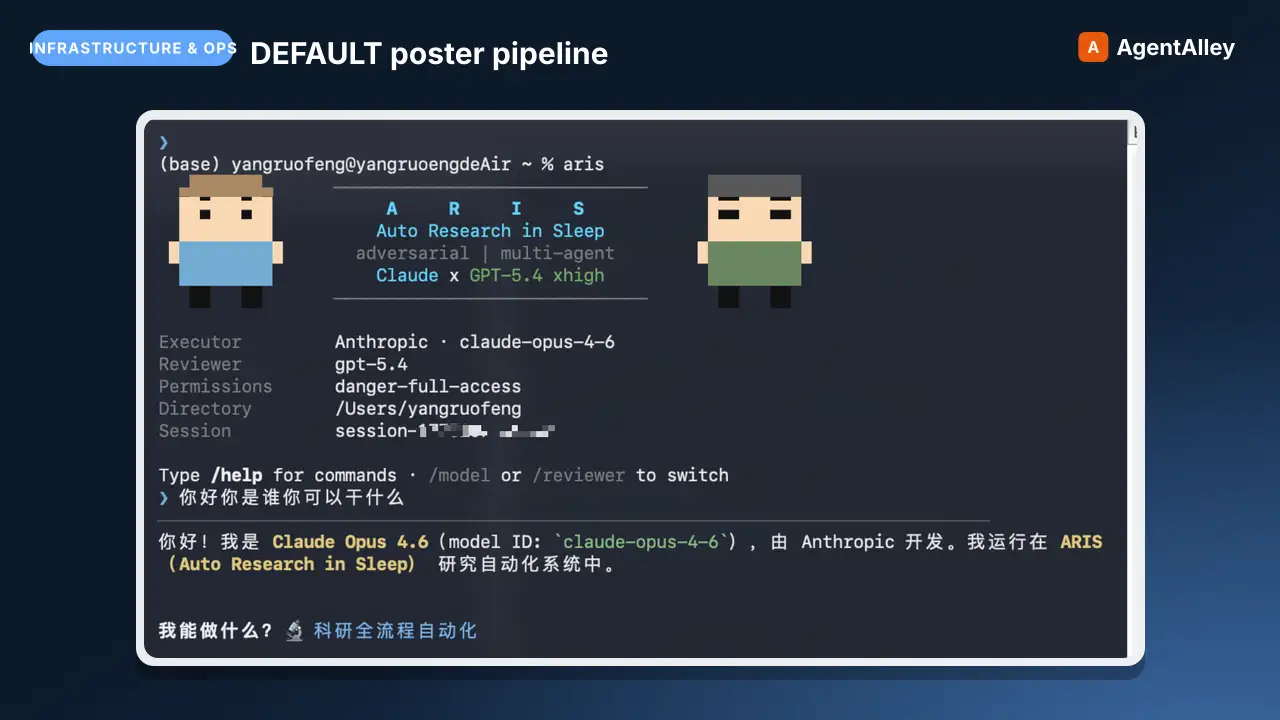 SkillDEFAULT poster pipelinePaper Poster (HTML): measurement-gated poster generation
 wanshuiyin/Auto-claude-code-research-in-sleep · by wanshuiyinDEFAULT poster pipeline — build an academic conference poster (ICML/NeurIPS/ICLR/CVPR/...) as a single HTML/CSS file with measurement-driven hard gates, real paper figures, a two-hue design-token system, and print-ready PDF via headless Chromium. Use when the★ 16.5k GitHub stars
 SkillGenerate or edit images with Codex's built-in imageQiaomu codex imagegen
 joeseesun/qiaomu-codex-imagegen · by joeseesunGenerate or edit images with Codex's built-in image generation from any agent, through an MCP tool or a plain CLI. For every image request it first proposes at least four divergent style directions (24 distilled templates, 48 presets, 20 Mondo poster artists), lets the user pick, expands the prompt, generates, and checks the result. Scenario craft for 视频封面, 视频海报, 小红书配图, 公众号封面, X 封面, 朋友圈海报, 书籍封面, 专辑封面, 产品海报, 人物写真, 节气海报, 展览海报, PPT 页面, 图生图. Use for 生图, 配图, 海报, 封面, "给我几个风格", "用 Codex 画一张". Excludes: editing photos with local tools, charts or diagrams from data, UI mockups, video generation, or anything that needs an API key-based image service.★ 133 GitHub stars
 SkillPromptfilm — turns one sentence into a researched 3D motion
 Seokwoooo/promptfilm · by SeokwooooPromptfilm — turns one sentence into a researched 3D motion graphic — one self-contained real-time HTML file (Three.js) that loops seamlessly and records straight into a video — 9:16 for Shorts/Reels by default, or 16:9, 1:1, 4:5; captions in one or two languages (English + the requester's language by default); paced the way the requester edits; checked by automated QA, a fresh-eyes visual review and a delivery gate; reviewed and exported as a frame-exact MP4 in a local Studio. Use it for any motion graphic — product ads, game or app demos, journeys through scale (Earth to the universe, a chip down to atoms), how-it-works explainers, recreations of a known scene, logo stings, data stories — when the user asks for a motion graphic, a 3D animation or video as HTML, or "an HTML like the cosmic-scale / Blackwell one", even naming only a topic (often in Korean, e.g. "…모션그래픽 만들어줘", "…부터 …까지 확대하는 영상 html 만들어줘"); and for follow-ups on such a film ("리뷰 반영해줘", "mp4로 뽑아줘", "스튜디오 열어줘").★ 26 GitHub stars
 SkillMake real, accurate maps as one self-contained HTMLMap design
 incline-ltd/map-design · by incline-ltdMake real, accurate maps as one self-contained HTML, SVG and PNG. Choropleths by country, state, province or US county; bubble, spike and point maps; routes and voyages; flow maps; locator maps with an inset globe; and OpenStreetMap city posters. Use whenever the user asks for a map, a "where is" graphic, data by country/state/county/region, a trip, flight or shipping route, a city poster, or any geographic visualization. Ships Natural Earth, US Census and OurAirports data, so coastlines, borders and coordinates are real rather than drawn from memory.★ 8 GitHub stars
 Prompt${primarytext:Megane}{ category: STUDIORACECARSIDEPROFILECar poster
 f/prompts.chat · by Kyllimir${primary_text:Megane}{ "category": "STUDIO_RACE_CAR_SIDE_PROFILE", "subject": { "vehicle_type": "GT endurance race car", "base_form": "Modern GT-class silhouetNew listing
More from gooseworks-ai
 SkillMine the highest-converting ad angles from customer reviewsAd angle miner
 gooseworks-ai/goose-skills · by gooseworks-aiMine the highest-converting ad angles from customer reviews, Reddit complaints, support tickets, and competitor ads. Extracts actual pain language, competitor weaknesses, and outcome phrases that real buyers use. Outputs a ranked angle bank with proof quotes and recommended ad formats per angle.★ 1.2k GitHub stars
 SkillAnalyze ad campaign performance data to identify what'sAd campaign analyzergooseworks-ai/goose-skills · by gooseworks-aiAnalyze ad campaign performance data (Google, Meta, LinkedIn) to identify what's working, what's wasting budget, and specific cut/scale/test recommendations. Runs statistical analysis, funnel diagnostics, and multi-channel budget reallocation with specific dollar-amount shift recommendations and scenario modeling.★ 1.2k GitHub stars
 SkillFor paid lead-gen and participant-recruitment adsAd lead quality analyzergooseworks-ai/goose-skills · by gooseworks-aiFor paid lead-gen and participant-recruitment ads, replaces vanity CPA with true CAC per qualified lead by joining ad-platform data with downstream funnel events, surfaces tracking gaps, and classifies every creative into Scale / Keep / Investigate / Cut.★ 1.2k GitHub stars
 SkillAnalyze the message match between your ads and landing pagesAd to landing page auditorgooseworks-ai/goose-skills · by gooseworks-aiAnalyze the message match between your ads and landing pages. Checks if the promise in the ad copy carries through to the landing page headline, body, and CTA. Flags disconnects that kill conversion rates. Works with Google, Meta, and LinkedIn ads.★ 1.2k GitHub stars
 SkillCheck and improve your brand's visibility across AI searchAeogooseworks-ai/goose-skills · by gooseworks-aiCheck and improve your brand's visibility across AI search engines (ChatGPT, Perplexity, Gemini, Grok, Claude, DeepSeek). Set up tracking, run visibility analyses, audit your website for AI readability, and get actionable recommendations. Uses the npx goose-aeo@latest CLI.★ 1.2k GitHub stars
 SkillSearch Amazon products - find items, compare pricesAmazon Product Searchgooseworks-ai/goose-skills · by gooseworks-aiSearch Amazon products - find items, compare prices, read reviews★ 1.2k GitHub stars