Map design skill
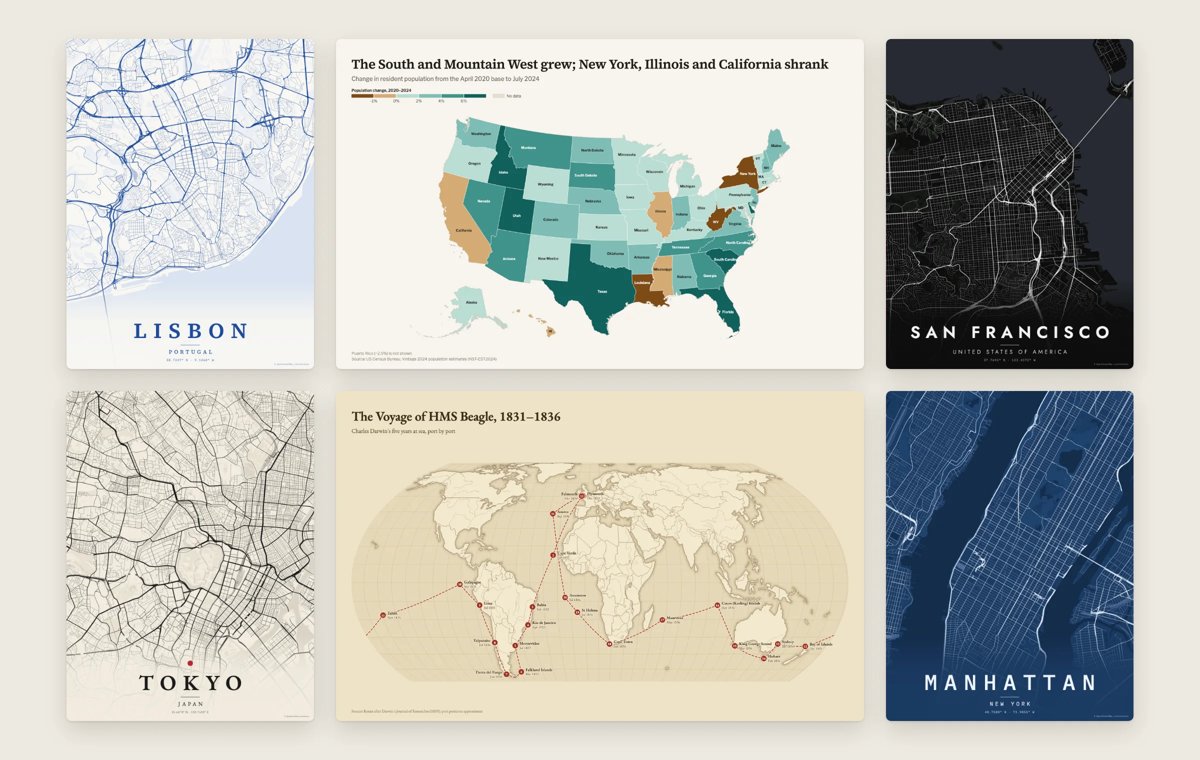
Illustration · not a resultFrom the incline-ltd/map-design README — shows the whole collection, not only this skill.source ↗
Make real, accurate maps as one self-contained HTML, SVG and PNG.
by incline-ltd·MIT license·★ 8 Stars on the repo·GitHub ↗
npx degit incline-ltd/map-design/skills/map-design#main ~/.claude/skills/map-designChecked ·commit main
Files of Map design
Show the full text148 lines
Map Design
You cannot draw a coastline from memory, and neither can any model. This skill gives you real geography: bundled boundary data, an offline gazetteer, proper projections, and a renderer with an editorial design system. You write a short JSON spec; the CLI draws the map.
Never hand-write map geometry, SVG paths or coordinates for countries,
coasts or borders. Always go through scripts/map.mjs.
<skill-dir> below is this skill's base directory. The CLI needs Node.js 20+
and nothing else. PNG export uses a local Chrome, Edge, Brave or Chromium if
one exists; HTML and SVG always work.
Workflow
- Pick the kind from the table below. If the request is ambiguous, choose the closest kind and state the choice; ask only when the data is missing.
- Get the data. Use the user's file as is (CSV or JSON, path relative to
the spec). For public statistics, fetch from a primary source and record it
in
source. Never invent values. If you must show placeholder numbers, say so insubtitleornote. - Write the spec as
<name>.jsonwhere the outputs should go. Start from the matching example in references/spec.md. - Run
node <skill-dir>/scripts/map.mjs render <name>.json. It writes<name>.html,<name>.svgand<name>.pngnext to the spec and prints what it matched. - Read the report. Fix every
NOT MATCHEDrow (use the suggestions, an ISO code, orlon/lat) and every ambiguity warning, then render again.node <skill-dir>/scripts/map.mjs check <name>.jsonvalidates without writing. - Look at the PNG before you call it done. Check that the title states the point, labels are legible, nothing important is cut off, and the legend matches the data. Adjust and re-render; one or two passes is normal.
- Deliver the file paths, the data source, and anything left unmatched.
Choosing a kind
| The user has or wants | kind | Notes |
|---|---|---|
| A rate or share per country, state, province or county | choropleth |
Rates, not raw counts. |
| Counts or totals at places | bubbles |
Circle area ∝ value. |
| Many values at points, dense areas | spikes |
Height ∝ value; good for population. |
| Locations, optionally by category | points |
Stores, offices, sightings. |
| An ordered trip, voyage or itinerary | route |
mode: "flight" uses airport codes. |
| Movement between places with volume | flows |
Migration, trade, flights. |
| "Where is X?" | locator |
Highlight a country, region or place, with an inset globe. |
| A city or neighborhood as art | poster |
Streets from OpenStreetMap; needs network. |
Raw counts on a choropleth mostly show which areas are large. Divide by
population or area, or switch to bubbles. The CLI warns when a value column
looks like a count.
Spec essentials
{
  "kind": "choropleth",
  "title": "Where people are packed in",
  "subtitle": "People per square kilometre, by country",
  "data": "builtin:countries",
  "join": "iso3",
  "value": "density",
  "scale": { "type": "threshold", "breaks": [10, 25, 50, 100, 250], "palette": "purple" },
  "legend": { "title": "People per km²" },
  "source": "Natural Earth (2019 estimates)"
}
This one runs as is: builtin:countries is bundled.
region:"world"(default; Antarctica cropped unless"antarctica": true),"usa", a continent or area ("europe","africa","south asia", …), one country ("IND","Brazil"), a list of countries,[west, south, east, north], or"auto"to frame the data.- Locations in rows:
lon/lat,iata,place(+ optionalcountry),country, USstate, oradmin1+country. Gazetteer place names cover about 7,300 cities and towns; anything smaller needslon/lat. theme:paper(default),atlas,ink,antique,swiss,blueprint. Posters:noir,paper,blueprint,sumi,terracotta,azulejo,neon,forest,mono.size:landscape,wide,square,portrait,story,poster, or{ "width": W, "height": H }. Default: chosen from the region's shape.annotations:[{ "at": "Lagos", "text": "Africa's largest city\n15.4 million", "dx": 60, "dy": -40 }].
Everything else, per kind: references/spec.md.
Design rules
- The title states the finding; the subtitle says what is measured, where and when.
- Always set
source. Addnotefor caveats (estimates, missing data, borders). - 4–6 classes for choropleths. Use
quantilefor even groups,thresholdwith round breaks when the numbers mean something to readers,jenksfor clusters. - Sequential palettes for magnitude; diverging (
red-blue,brown-teal, …) only with a meaningful midpoint, set viascale.center. - Do not add Mercator to world maps; the defaults (Equal Earth, conic, azimuthal
equal-area, Albers USA) already preserve area. Use
"projection": "globe"for an orthographic view. - Label sparingly: the top values, the places the story is about. The renderer drops overlapping labels and lists them in the report.
- Pick the theme for the audience:
paperorswissfor reports,inkfor slides and dark UIs,atlasfor reference,antiquefor history.
More guidance with examples: references/cartography.md.
Data you can use without fetching anything
"data": "builtin:countries"givesiso3,name,continent,region,population,gdpMillionsUsd,gdpPerCapita,areaKm2,densityandincomefor every country (Natural Earth, 2019 estimates). Cite it as "Natural Earth (2019 estimates)".findlooks up anything in the bundled data:node <skill-dir>/scripts/map.mjs find "Springfield" --country USA.
Datasets, join keys, licenses and border caveats: references/data.md.
City posters
node <skill-dir>/scripts/map.mjs poster --place "Lisbon" --country PRT --theme azulejo --radius 4
Or a spec with "kind": "poster". radiusKm is half the poster's width on the
ground: 1.5–3 for an old town, 4–6 for a city center, 8–15 for a metro area
(larger areas switch to major roads only). Add --pin "Label" (or
markers in a spec) to mark a spot. Neighborhoods and landmarks need
coordinates: ask the user rather than guessing. Posters download OpenStreetMap data
from the public Overpass API, cache it, and must keep the
"© OpenStreetMap contributors" credit. Details: references/posters.md.
When something goes wrong
Could not locate "X": use the suggested match, addcountry, or givelon/lat.matched no countries feature: use ISO alpha-3 codes in the join column.- A point "falls outside this projection": Albers USA only covers the 50 states
and DC; use
"region": "auto"or a bbox. - No PNG: no supported browser was found. Set
MAP_DESIGN_BROWSERto a Chrome or Edge binary, or use the HTML's PNG button. - Overpass errors for posters: wait a minute and retry, reduce
radiusKm, or set"overpass"to another endpoint.
| 1 | |
| 2 | name map-design |
| 3 | description Make real, accurate maps as one self-contained HTML, SVG and PNG. Choropleths by country, state, province or US county; bubble, spike and point maps; routes and voyages; flow maps; locator maps with an inset globe; and OpenStreetMap city posters. Use whenever the user asks for a map, a "where is" graphic, data by country/state/county/region, a trip, flight or shipping route, a city poster, or any geographic visualization. Ships Natural Earth, US Census and OurAirports data, so coastlines, borders and coordinates are real rather than drawn from memory. |
| 4 | license MIT |
| 5 | metadata |
| 6 | version "0.1" |
| 7 | |
| 8 | |
| 9 | # Map Design |
| 10 | |
| 11 | You cannot draw a coastline from memory, and neither can any model. This skill |
| 12 | gives you real geography: bundled boundary data, an offline gazetteer, proper |
| 13 | projections, and a renderer with an editorial design system. You write a short |
| 14 | JSON spec; the CLI draws the map. |
| 15 | |
| 16 | **Never hand-write map geometry, SVG paths or coordinates for countries, |
| 17 | coasts or borders.** Always go through `scripts/map.mjs`. |
| 18 | |
| 19 | `<skill-dir>` below is this skill's base directory. The CLI needs Node.js 20+ |
| 20 | and nothing else. PNG export uses a local Chrome, Edge, Brave or Chromium if |
| 21 | one exists; HTML and SVG always work. |
| 22 | |
| 23 | ## Workflow |
| 24 | |
| 25 | **Pick the kind** from the table below. If the request is ambiguous, choose |
| 26 | the closest kind and state the choice; ask only when the data is missing. |
| 27 | **Get the data.** Use the user's file as is (CSV or JSON, path relative to |
| 28 | the spec). For public statistics, fetch from a primary source and record it |
| 29 | in `source`. Never invent values. If you must show placeholder numbers, |
| 30 | say so in `subtitle` or `note`. |
| 31 | **Write the spec** as `<name>.json` where the outputs should go. Start from |
| 32 | the matching example in [references/spec.md]. |
| 33 | **Run** `node <skill-dir>/scripts/map.mjs render <name>.json`. |
| 34 | It writes `<name>.html`, `<name>.svg` and `<name>.png` next to the spec and |
| 35 | prints what it matched. |
| 36 | **Read the report.** Fix every `NOT MATCHED` row (use the suggestions, an |
| 37 | ISO code, or `lon`/`lat`) and every ambiguity warning, then render again. |
| 38 | `node <skill-dir>/scripts/map.mjs check <name>.json` validates without writing. |
| 39 | **Look at the PNG** before you call it done. Check that the title states the |
| 40 | point, labels are legible, nothing important is cut off, and the legend |
| 41 | matches the data. Adjust and re-render; one or two passes is normal. |
| 42 | **Deliver** the file paths, the data source, and anything left unmatched. |
| 43 | |
| 44 | ## Choosing a kind |
| 45 | |
| 46 | | The user has or wants | kind | Notes | |
| 47 | | --- | --- | --- | |
| 48 | | A rate or share per country, state, province or county | `choropleth` | Rates, not raw counts. | |
| 49 | | Counts or totals at places | `bubbles` | Circle area ∝ value. | |
| 50 | | Many values at points, dense areas | `spikes` | Height ∝ value; good for population. | |
| 51 | | Locations, optionally by category | `points` | Stores, offices, sightings. | |
| 52 | | An ordered trip, voyage or itinerary | `route` | `mode: "flight"` uses airport codes. | |
| 53 | | Movement between places with volume | `flows` | Migration, trade, flights. | |
| 54 | | "Where is X?" | `locator` | Highlight a country, region or place, with an inset globe. | |
| 55 | | A city or neighborhood as art | `poster` | Streets from OpenStreetMap; needs network. | |
| 56 | |
| 57 | Raw counts on a choropleth mostly show which areas are large. Divide by |
| 58 | population or area, or switch to `bubbles`. The CLI warns when a value column |
| 59 | looks like a count. |
| 60 | |
| 61 | ## Spec essentials |
| 62 | |
| 63 | |
| 64 | { |
| 65 | "kind": "choropleth", |
| 66 | "title": "Where people are packed in", |
| 67 | "subtitle": "People per square kilometre, by country", |
| 68 | "data": "builtin:countries", |
| 69 | "join": "iso3", |
| 70 | "value": "density", |
| 71 | "scale": { "type": "threshold", "breaks": [10, 25, 50, 100, 250], "palette": "purple" }, |
| 72 | "legend": { "title": "People per km²" }, |
| 73 | "source": "Natural Earth (2019 estimates)" |
| 74 | } |
| 75 | |
| 76 | |
| 77 | This one runs as is: `builtin:countries` is bundled. |
| 78 | |
| 79 | `region`: `"world"` (default; Antarctica cropped unless `"antarctica": true`), |
| 80 | `"usa"`, a continent or area (`"europe"`, `"africa"`, `"south asia"`, …), one |
| 81 | country (`"IND"`, `"Brazil"`), a list of countries, `[west, south, east, north]`, |
| 82 | or `"auto"` to frame the data. |
| 83 | Locations in rows: `lon`/`lat`, `iata`, `place` (+ optional `country`), |
| 84 | `country`, US `state`, or `admin1` + `country`. Gazetteer place names cover |
| 85 | about 7,300 cities and towns; anything smaller needs `lon`/`lat`. |
| 86 | `theme`: `paper` (default), `atlas`, `ink`, `antique`, `swiss`, `blueprint`. |
| 87 | Posters: `noir`, `paper`, `blueprint`, `sumi`, `terracotta`, `azulejo`, |
| 88 | `neon`, `forest`, `mono`. |
| 89 | `size`: `landscape`, `wide`, `square`, `portrait`, `story`, `poster`, or |
| 90 | `{ "width": W, "height": H }`. Default: chosen from the region's shape. |
| 91 | `annotations`: `[{ "at": "Lagos", "text": "Africa's largest city\n15.4 million", "dx": 60, "dy": -40 }]`. |
| 92 | |
| 93 | Everything else, per kind: [references/spec.md]. |
| 94 | |
| 95 | ## Design rules |
| 96 | |
| 97 | The title states the finding; the subtitle says what is measured, where and when. |
| 98 | Always set `source`. Add `note` for caveats (estimates, missing data, borders). |
| 99 | 4–6 classes for choropleths. Use `quantile` for even groups, `threshold` with |
| 100 | round breaks when the numbers mean something to readers, `jenks` for clusters. |
| 101 | Sequential palettes for magnitude; diverging (`red-blue`, `brown-teal`, …) only |
| 102 | with a meaningful midpoint, set via `scale.center`. |
| 103 | Do not add Mercator to world maps; the defaults (Equal Earth, conic, azimuthal |
| 104 | equal-area, Albers USA) already preserve area. Use `"projection": "globe"` |
| 105 | for an orthographic view. |
| 106 | Label sparingly: the top values, the places the story is about. The renderer |
| 107 | drops overlapping labels and lists them in the report. |
| 108 | Pick the theme for the audience: `paper` or `swiss` for reports, `ink` for |
| 109 | slides and dark UIs, `atlas` for reference, `antique` for history. |
| 110 | |
| 111 | More guidance with examples: [references/cartography.md]. |
| 112 | |
| 113 | ## Data you can use without fetching anything |
| 114 | |
| 115 | `"data": "builtin:countries"` gives `iso3`, `name`, `continent`, `region`, |
| 116 | `population`, `gdpMillionsUsd`, `gdpPerCapita`, `areaKm2`, `density` and |
| 117 | `income` for every country (Natural Earth, 2019 estimates). Cite it as |
| 118 | "Natural Earth (2019 estimates)". |
| 119 | `find` looks up anything in the bundled data: |
| 120 | `node <skill-dir>/scripts/map.mjs find "Springfield" --country USA`. |
| 121 | |
| 122 | Datasets, join keys, licenses and border caveats: [references/data.md]. |
| 123 | |
| 124 | ## City posters |
| 125 | |
| 126 | |
| 127 | node <skill-dir>/scripts/map.mjs poster --place "Lisbon" --country PRT --theme azulejo --radius 4 |
| 128 | |
| 129 | |
| 130 | Or a spec with `"kind": "poster"`. `radiusKm` is half the poster's width on the |
| 131 | ground: 1.5–3 for an old town, 4–6 for a city center, 8–15 for a metro area |
| 132 | (larger areas switch to major roads only). Add `--pin "Label"` (or |
| 133 | `markers` in a spec) to mark a spot. Neighborhoods and landmarks need |
| 134 | coordinates: ask the user rather than guessing. Posters download OpenStreetMap data |
| 135 | from the public Overpass API, cache it, and must keep the |
| 136 | "© OpenStreetMap contributors" credit. Details: [references/posters.md]. |
| 137 | |
| 138 | ## When something goes wrong |
| 139 | |
| 140 | `Could not locate "X"`: use the suggested match, add `country`, or give `lon`/`lat`. |
| 141 | `matched no countries feature`: use ISO alpha-3 codes in the join column. |
| 142 | A point "falls outside this projection": Albers USA only covers the 50 states |
| 143 | and DC; use `"region": "auto"` or a bbox. |
| 144 | No PNG: no supported browser was found. Set `MAP_DESIGN_BROWSER` to a Chrome |
| 145 | or Edge binary, or use the HTML's PNG button. |
| 146 | Overpass errors for posters: wait a minute and retry, reduce `radiusKm`, or |
| 147 | set `"overpass"` to another endpoint. |
| 148 |
Discussion
Alternatives
 Qiaomu codex imagegenGenerate or edit images with Codex's built-in image generation from any agent, through an MCP tool or a plain CLI. For every image request it first proposes at least four divergent style directions (24 distilled templates, 48 presets, 20 Mondo poster artists), lets the user pick, expands the prompt, generates, and checks the result. Scenario craft for 视频封面, 视频海报, 小红书配图, 公众号封面, X 封面, 朋友圈海报, 书籍封面, 专辑封面, 产品海报, 人物写真, 节气海报, 展览海报, PPT 页面, 图生图. Use for 生图, 配图, 海报, 封面, "给我几个风格", "用 Codex 画一张". Excludes: editing photos with local tools, charts or diagrams from data, UI mockups, video generation, or anything that needs an API key-based image service.PromptfilmPromptfilm — turns one sentence into a researched 3D motion graphic — one self-contained real-time HTML file (Three.js) that loops seamlessly and records straight into a video — 9:16 for Shorts/Reels by default, or 16:9, 1:1, 4:5; captions in one or two languages (English + the requester's language by default); paced the way the requester edits; checked by automated QA, a fresh-eyes visual review and a delivery gate; reviewed and exported as a frame-exact MP4 in a local Studio. Use it for any motion graphic — product ads, game or app demos, journeys through scale (Earth to the universe, a chip down to atoms), how-it-works explainers, recreations of a known scene, logo stings, data stories — when the user asks for a motion graphic, a 3D animation or video as HTML, or "an HTML like the cosmic-scale / Blackwell one", even naming only a topic (often in Korean, e.g. "…모션그래픽 만들어줘", "…부터 …까지 확대하는 영상 html 만들어줘"); and for follow-ups on such a film ("리뷰 반영해줘", "mp4로 뽑아줘", "스튜디오 열어줘").
Browse more free Claude skills or everything in Design.