Promptfilm skill
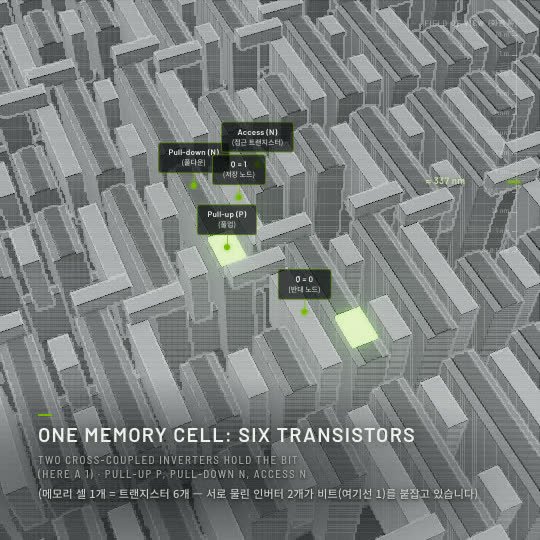
Illustration · not a resultFrom the Seokwoooo/promptfilm README — shows the whole collection, not only this skill.source ↗
Promptfilm — turns one sentence into a researched 3D motion graphic — one self-contained real-time HTML file (Three.js) that loops seamlessly and records straight into a video — 9:16 for Shorts/Reels by default, or 16:9, 1:1, 4:5.
by Seokwoooo·MIT license·★ 26 Stars on the repo·GitHub ↗
npx degit Seokwoooo/promptfilm/skills/promptfilm#main ~/.claude/skills/promptfilmChecked ·commit main
Files of Promptfilm
Show the full text257 lines
Promptfilm
Make one self-contained .html file that plays a real-time 3D film: a subject shown with striking light, clear motion and captions,
looping seamlessly, ready to be recorded straight into a video. (A later stage records it and adds subtitles and music; this skill makes
the HTML.)
The quality bar is two films the requester praised (in examples/): a GPU from the data hall down to one silicon atom, and a size ladder
from Earth to the observable universe. Their principles, engine and checks are in this skill; their content and format are not a
template. Any subject, any format: derive everything from the request.
Recommended environment: Claude Code, with Claude Opus 5.5, Sonnet 5.5 or Fable 5.1 — or a newer version of any of them — at medium effort or above — the setup the skill is made and checked in. Elsewhere it still runs, with a notice that the quality can't be guaranteed (step 0).
Who this is for — the taste profile
Who the films are for, how to talk to them, their format defaults, pace and look, and what must never happen are in the taste
profile: ./.promptfilm/taste.md in the working folder if it exists, else ~/.promptfilm/taste.md, else <skill>/taste.md (the
default: a Korean creator making Shorts for a general audience, who gives nothing but the request). Where the profile and the principles
disagree, the profile wins. This skill is written in English for clarity; talk to the requester in their language (the language of the
request), unless the profile says otherwise.
Workflow
<skill> below is this skill's folder (where this SKILL.md is). Work through the steps in order, with a one-line progress note to the
requester at each step (a film takes hours; silence is worse).
0. Setup and environment notice (first, once per session)
One command makes sure this machine can make films — installing what is missing — and checks that this is the recommended environment (Claude Code, Claude Opus 5.5, Sonnet 5.5 or Fable 5.1 or newer, effort medium or above):
sh <skill>/scripts/setup.sh --model <your exact model id> --lang ko|en (ko for a Korean-speaking requester, else en)
- Setup (setup.mjs): Node.js 20+ (installed with Homebrew when missing and Homebrew is there), the scripts' packages (npm), a Chrome
that runs headless (else Playwright's Chromium) and ffmpeg (else a local copy in the skill's node_modules) — nothing needs admin rights.
When everything is there it takes a second and prints
setup: ready — …: say nothing about it. The first run on a machine may download about 200 MB and take a few minutes (run it with a 10-minute timeout); tell the requester in one line that you are getting the tools ready, and afterwards what was installed. When it ends withSETUP MISSING …lines, show them to the requester with the command to run (they can type it with a!in front), wait until it is done, and run setup.sh again — no film can be made without them. - Updates (update.mjs, first): promptfilm updates the way Claude Code updates plugins — with Claude Code's own auto-update for its
marketplace (/plugin → Marketplaces → Enable auto-update). Installed as a plugin, setup looks for a newer version: with auto-update
on it installs it at once, with it off it does nothing, and when it was never set it prints
setup: a newer promptfilm is out: … ask the requester. Then ask once (one AskUserQuestion call in their language, apart from the kickoff question; the "what changed" link in it): turn on automatic updates (recommended — Claude Code then keeps promptfilm current by itself and nobody asks again) · update just this once · don't update — and runnode <skill>/scripts/update.mjs --auto-on,--installor--auto-off. When a run printssetup: promptfilm updated <old> → <new>. From now on <skill> is <path> …, say so in one line, read the SKILL.md in that folder and follow it from step 0, with that path as<skill>in every command. Never update on your own; when the requester later asks to update, or to switch automatic updates on or off, run the same commands. A line saying a version could not be installed: show it as it is and go on. - Environment notice (env_check.mjs, printed last): pass the model id your instructions give you (e.g.
claude-opus-5-5); a model that isn't Claude passes its own name. In any host that is not Claude Code the notice always shows (the script tells the host from the processes that launched it). If it prints a ⚠️ notice, show it to the requester as it is (translated, when they speak neither Korean nor English), once, at the start of your first reply — then carry on normally: it is information for them, not a reason to stop, to ask, or to lower the bar. When everything matches, say nothing about it. Without a shell (another host), judge the same three things yourself and, if one fails, show the same one line in the requester's language: "⚠️ Not the recommended setup (Claude Code · Opus 5.5+ / Sonnet 5.5+ / Fable 5.1+ · effort medium+), so quality can't be guaranteed. (Now: <what differs>)" — in Korean: "⚠️ 권장 환경(Claude Code · Opus 5.5↑ / Sonnet 5.5↑ / Fable 5.1↑ · effort medium↑)이 아니라서 품질을 보장할 수 없어요. (지금: <what differs>)"
1. Read and understand
- Read the active taste profile, then
references/principles.mdcompletely — each principle prevents a result the requester has rejected. - Read the request. Decide the purpose, the format and the camera language yourself (
references/formats.md): a journey through scale, a product ad, a game or app demo, a how-it-works explainer, a recreation of a known scene, a logo sting, a data story — or a mix, or something new derived from the plan. - Don't ask the requester for materials or choices you can make. The one question you do ask is the kickoff question (step 2). Beyond it, ask only what nobody but them can answer — typically nothing; at most "what is the product?" when it can't be identified from the request, the working folder, their website or the conversation.
- Pick the film folder: the one the requester names, else
./<slug>/in the working directory.
2. Kickoff question (references/research.md §1–2)
List what you must know to show each scene truthfully. Size the research: light (~5 min), medium (10–20 min) or deep (20–60 min).
Ask once, with one AskUserQuestion call holding up to four questions, in the requester's language:
- Research — only when medium or deep: what will be researched, the time estimate, deep research then build (recommended) / quick essentials only / no research.
- Aspect — 9:16 · 16:9 · 1:1 · 4:5.
- Length of one loop — 45–60 s · 25–35 s · 15–20 s · 60–90 s.
- Caption languages — the profile's default first (default taste: English + the requester's language — English + Korean for a Korean request, English only for an English one), then the other usual choices: the requester's language only · English only · English + Korean (others through "Other", e.g. "Japanese + English").
The first option of each is the recommended one: last time's answer from
./.promptfilm/settings.json, else the taste profile's default. Leave out a question the request already answers ("16:9로", "30초짜리") or the format settles (a 10 s logo sting needs no length question); when nothing is left to ask, don't ask.Save the answers to
./.promptfilm/settings.json({ "aspect": "9x16", "length": "45-60", "langs": "en ko" }), then start at once and continue without asking again — the storyboard (step 4) is the one review point before the build.
3. Research (references/research.md)
- Research on the web (WebSearch/WebFetch; tavily or deep-research skills if present; research subagents only after consent). Find the
requester's own things yourself. Look at real photos; when the subject moves or is a scene people remember, watch it:
sh <skill>/scripts/video_refs.sh <url|file> <film>/research/refs/video(contact sheets + key frames, no API keys). Writeresearch/facts.md,inventory.md,visual-notes.md,gaps.md,sources.md.
4. Plan
node <skill>/scripts/new_film.mjs <film-dir> <name> --aspect 9x16 --length 45-60 --langs "en ko" (the kickoff answers; sh new_film.sh does the same) creates the folder (engine parts with the format written onto the frame and the right fonts, empty film parts,
build.mjs + build.sh, plan.md, research/, qa/).
Fill plan.md: request, purpose, format, Q1–Q9 (facts, context and ending, scenes, repeated elements and hero, every transition and
camera move, insides, pace budget, risk list per principle, quality bar, fact vs illustration). Read references/pacing.md and
references/layout.md (composition and text placement for the chosen aspect) now. Budget the time before the scene list is final
(pacing.md §2): every thing a caption names is a stop — the camera arrives, the thing fills the frame, the camera holds while the
caption is read — moves stay under 3 e-folds/s, the way back ≤ 12% of the loop. That fixes how many stops fit (45–60 s ≈ 8–11); a story
with more steps is merged or cut, never flown past (P3). Each storyboard card gives the view's width at its stop (field, metres), and
node <skill>/scripts/budget.mjs <film> checks the stops, the e-folds between them and the way back against the length: it must say
"the plan fits" before the requester sees the storyboard (a journey whose span can't be travelled at 3 e-folds/s in the length is found
here, not after hours of building).
Then the storyboard (references/storyboard.md): write <film>/storyboard.json — a short card per stop the viewer would name (as
many as budget.mjs allows — 45–60 s: at most 11): one picture, one plain sentence of what is seen, the caption, played seconds; camera, facts and sources only as details.
The picture shows the film, not the research: build the look of the hook and the 2–3 main scenes first — following step 5 (read its
references; the quality bar applies) — and put their real renders on those cards (look frames); once a build plays, the Studio fills
every card with the build's own frame. Open the Studio on it and start
its watcher (step 5's two commands), and wait for their answer (approve, or changes → a revised version).
Skip it only when the taste profile says so or the request asks to start at once.
5. Build
- Read
references/engine.md(contract, API: keys, tweens, beats, captions, labels, assets, depth of field) andreferences/techniques.md(proven methods for studio light, materials, repeats, detail by distance, luminous bodies, crowds of things, volumes, continuous camera moves, explaining one thing — the stop (§21), exploded views, characters, lettering; with pointers intoexamples/andengine/demo*). - Model everything to the quality bar (P29): real proportions, bevels / seams / labels, surface micro-structure, physically based materials in studio light. Nothing may look like a mock-up — not even in a test.
- Tools: step 0's setup.sh made sure of them. If a script later can't find one (
Cannot find package …, no Chrome, no ffmpeg), run setup.sh again.node <skill>/scripts/selftest.mjschecks the whole toolchain on a machine, the checks catching planted faults included (≈5 min; run it withrun_in_background). - Write the world in
parts/p3_*.js…p6_*.jsand the timeline inparts/p8_*.js; edit the title and header comment inp1_head.html(story, data sources, look, what is illustrative, pacing, keys). Split long code over several files and writes. - Author in τ, then mark every stretch with a beat (
hook,key,normal,transit,return) — the engine plays them at the taste profile's speeds (default ×2 / ×2 / ×3.5 / ×8 / ×3) so one loop lasts the kickoff length; author each stretch with its speed in mind (pacing.md §2: a move ≤ 3 e-folds/s once played, a stop still for its reading time once played). Each caption is up for its reading time with the camera held on what it names — and says what that is:caption(t0, t1, title, line, second, THING), the object drawn for it (a mesh or group, or asubject(…, { obj })). QAreadmeasures it on the pixels — visible, framed, ≥ 40% of the frame, while the camera holds, for the reading time; the caption goes up as the camera arrives, not during the move (techniques §21). Then set each storyboard card'sat(a moment inside its stop, in playback seconds), so the storyboard shows the build's own frame of every scene. - Close every model the camera can see from any side: a one-sided sheet seen from behind, a box without its lid, a room without walls
is a hole in the picture; a two-sided shell without a roof is a hollow model. Thin parts meant to be seen from both sides are
side: THREE.DoubleSidewithmaterial.userData.thin = true; a surface the camera may pass through (a water surface, a cloud layer) isuserData.passable = true. Everything else the camera never enters or crosses (QAsurfaces). - Captions and labels in the kickoff languages: first language for titles and lines, the second (if any) in parentheses in plain words.
- Every number on screen comes from FACTS (from research/facts.md), with its source; derived totals are asserted.
- Build with
node <film>/build.mjs(orsh <film>/build.sh; it stops if a film name repeats an engine name — all parts share one scope); serve the parent folder over http (node <skill>/scripts/serve.mjs <parent-folder> --port 8765, in the background); runnode <skill>/scripts/qa.mjs <url> --out <film>/qa --only load,engine,err,pace,read,empty,surfacesafter every significant change (a minute or two). Look while building:node <skill>/scripts/shot.mjs <url> --out <dir> --sheet 4 t1 t2 …gives one tiled image of chosen moments. (The scripts open the film at its own aspect and take the length target from it.) - Back up parts before a large change (
parts/v<N>/). - After the first build that plays, open the Studio on the film and start its watcher, both in the background
(
node <skill>/studio/server.mjs <working-dir> --film <film-id>, thennode <skill>/studio/await.mjs --film <film-id>; references/studio.md). The page opens by itself (or the open one switches to the film): they watch, scrub, change the pace, pin comments on the frame and export there. Run the server command again whenever there is something new to see — it only opens the page when the Studio is already running. When the watcher exits, they pressed Send to Claude: do step 6's comment round, then start the watcher again (always with--film: other sessions may be working on other films in the same folder). parts/p8z_pace.jsholds the requester's own pace edits from the Studio: keep them, and carry them over when you restructure beats (references/studio.md §4).
6. QA and review (references/qa.md, references/studio.md)
Comments first: at the start of every round, when the watcher (await.mjs) exits with a request, and whenever the requester says they
left comments, read <film>/review.json — every
pin not done (time, spot, the snapshot image, the authored τ) is a finding. Fix it and its kind across the film, then answer in the file
(status: "done", a short reply in their language, resolvedIn); the Studio shows the answer and reloads the new build by itself —
run the server command again at the end of the round so the page is in front of them.
Then, whenever a round is done: node <skill>/scripts/ship.mjs <film>, with run_in_background (about 4–5× the loop: a 60 s
loop ≈ 5 min, more on a slower machine — too long for a foreground command's time limit) — it builds, runs the full QA (every check
passes or you fix it; for flicker, find the kind and the cause with scripts/flicker_probe.mjs first, qa.md §5), makes the visual
review's material and prints the brief. Look yourself at what QA flagged and at every stop (qa.md §4); then give the brief to a fresh
subagent that did not build the film (references/visual-review.md) — it writes <film>/qa/visual-review.md. Fix every finding (and its
kind across the film), run ship.mjs again, review again: a build that failed a review stays failed until it is rebuilt.
The film is done only when node <skill>/scripts/gate.mjs <film>/<name>.html says READY — this build passed the full QA and its
visual review. Nothing short of that is reported as finished. A check the requester explicitly accepts as it is ("깜빡임은 그대로 둬도
돼") goes in <film>/qa/accepted.json with their words (qa.md §3) — never on your own judgement.
7. Deliver
- Save
<name>.html(latest) and<name>.v<N>.html(this version) side by side; never delete earlier versions. - The video: the Studio's "MP4 만들기" (Export), or
node <skill>/scripts/render.mjs <film>/<name>.html --out <film>/render/<name>.v<N>.mp4(frame-exact, one seamless loop, 1080 px on the short side; a few minutes: withrun_in_background). The video only — the captions are already in the picture; write a subtitle file (--srt) only when the requester asks for one. Render the final once the requester is happy, or when asked. render.mjs makes a final video only of a build the gate calls READY; when the requester wants a video of a build that isn't ("일단 뽑아줘"), finish the checks first if they are close, else render with--uncheckedand say plainly in the report that this video has not passed its checks, and which ones (a--draftpreview needs no gate). - If the session can publish Claude artifacts and the requester uses them, update the same private artifact URL each version (the page
body without
<!DOCTYPE>,<html>,<head>, charset/viewport meta and the<body>wrapper). - Open the Studio on the film (the server command again) as you report, so they can watch it at once.
- Report in the requester's language, plainly, with the taste profile's labels (default: exactly 한줄 결론: / 바뀐 점 / 검사 결과 / 한계 / 파일 in Korean; Bottom line: / What changed / Checks / Limits / Files in English). Only measured numbers; say what could not be checked; list what was drawn as illustrative because it is not public, and any principle the taste profile overrode. 검사 결과 (Checks) starts with the gate line for this build (READY, or NOT READY and why) and the visual review's verdict — never "passed" for checks that ran on an earlier build or only in part. Keep it short.
Pace in one table (default taste; details: references/pacing.md)
| Beat | Plays at | Use for | Played length |
|---|---|---|---|
| hook | ×2 | a striking opening + title | 1.5–3.5 s, the title readable |
| key | ×2 | what people came for: the hero alone and large, an inside or mechanism revealed, the climax, the end card | its caption's reading time (≈ 2.5–4 s), camera held ≥ 2.4 s |
| normal | ×3.5 | moving on, comparisons, a run of steps or shots | held ≥ 1.8 s where it carries a caption |
| transit | ×8 | long moves where nothing new appears | as long as the move needs at ≤ 3 e-folds/s |
| return | ×3 | back to the opening frame | ≤ 12% of the loop |
Every caption is a stop: up for its reading time, the camera held on what it names, framed and large. Nothing but the way back zooms
faster than 3 e-folds/s (the requester's fastest edit ran 2.4); the camera holds for at least half the loop. QA pace, read, empty
and surfaces measure it; the visual review (fresh eyes) and the gate make sure nothing ships without it.
Ambient motion (spin, flow, flames, pulsing lights) runs on playback time with whole cycles per loop; every animated value is back at its first-frame value when the loop closes.
Never do these
The taste profile's §5 lists what the requester has rejected — popping in, lighting up on entry, cuts and camera jumps, mock-up modelling, fake or wrong objects, runs of near-identical shots, flicker, skipping steps (flown past, captions over something else, empty frames), anything that looks broken, changing the text design, asking for things you can find. Read it at step 1 and check the film against it before delivering. And never call a film finished, or render its final video, before the gate says READY (step 6).
Reference map
| File | Read when |
|---|---|
| taste.md (or the user's own profile) | first, always |
| references/principles.md | first, always |
| references/formats.md | step 1 — deciding the film's shape |
| references/research.md | steps 2–3 — the kickoff question and research |
| references/plan-template.md | copied to plan.md by new_film.sh |
| references/pacing.md | planning beats; when the requester re-edits a film (then scripts/edit-analysis) |
| references/layout.md | composing shots and placing text, per aspect |
| references/engine.md | before writing film code |
| references/techniques.md | building the world |
| references/qa.md | QA (incl. pace, read, empty, surfaces) and your own look-through |
| references/visual-review.md | the review by fresh eyes before anything is delivered; the gate (with review-examples/: rejected and praised frames) |
| references/storyboard.md | step 4: the plan as scene cards with real renders (look frames, then the build's frames), reviewed in the Studio before the build |
| references/studio.md | the Studio (look, comment, render), review.json, rendering the MP4 |
| references/bugs.md | when something breaks |
| references/cases.md | how principles became decisions in the two reference films |
| examples/ | code patterns only (cosmic-scale parts; the Blackwell film as one file); not content |
| engine/build_demo.sh | test films for the engine and QA: a journey (demo) and a product film at the quality bar (demo-ad) |
| scripts/video_refs.sh | reference frames from a video (a scene to recreate, an ad, a demo): contact sheets + key frames |
| scripts/flicker_probe.mjs | what flickers at one moment and which kind (nondeterministic / static / motion stepping), by group |
| scripts/embed_assets.mjs | packing found or supplied images / models into the film |
| scripts/serve.mjs | the local http server QA and rendering open films from (127.0.0.1 only) |
| studio/server.mjs | the Studio: a local page to play, scrub, comment and render; opens itself on --film (references/studio.md) |
| scripts/render.mjs | the MP4 (or one frame as PNG), frame-exact and deterministic; a final video only of a build the gate calls READY |
| scripts/budget.mjs | step 4: does the storyboard fit the length with every card a real stop? |
| scripts/ship.mjs | step 6: build → full QA → the review's material and brief → the gate, in one command |
| scripts/review.mjs · scripts/gate.mjs | step 6: the visual review's material · is this build READY (full QA + visual review)? |
| scripts/setup.sh | step 0: installs what this machine is missing (setup.mjs), then the environment notice (env_check.mjs: host, model, effort) |
| scripts/update.mjs | step 0, run by setup.sh first: a newer promptfilm, through Claude Code's own auto-update switch (--auto-on · --install · --auto-off) |
| scripts/selftest.mjs | after changing the engine, the scripts or the Studio (and on a new machine): the skill checks itself end to end |
| 1 | |
| 2 | name promptfilm |
| 3 | description Promptfilm — turns one sentence into a researched 3D motion graphic — one self-contained real-time HTML file (Three.js) that loops seamlessly and records straight into a video — 9:16 for Shorts/Reels by default, or 16:9, 1:1, 4:5; captions in one or two languages (English + the requester's language by default); paced the way the requester edits; checked by automated QA, a fresh-eyes visual review and a delivery gate; reviewed and exported as a frame-exact MP4 in a local Studio. Use it for any motion graphic — product ads, game or app demos, journeys through scale (Earth to the universe, a chip down to atoms), how-it-works explainers, recreations of a known scene, logo stings, data stories — when the user asks for a motion graphic, a 3D animation or video as HTML, or "an HTML like the cosmic-scale / Blackwell one", even naming only a topic (often in Korean, e.g. "…모션그래픽 만들어줘", "…부터 …까지 확대하는 영상 html 만들어줘"); and for follow-ups on such a film ("리뷰 반영해줘", "mp4로 뽑아줘", "스튜디오 열어줘"). |
| 4 | |
| 5 | |
| 6 | # Promptfilm |
| 7 | |
| 8 | Make one self-contained `.html` file that plays a real-time 3D film: a subject shown with striking light, clear motion and captions, |
| 9 | looping seamlessly, ready to be recorded straight into a video. (A later stage records it and adds subtitles and music; this skill makes |
| 10 | the HTML.) |
| 11 | |
| 12 | The quality bar is two films the requester praised (in `examples/`): a GPU from the data hall down to one silicon atom, and a size ladder |
| 13 | from Earth to the observable universe. Their **principles, engine and checks** are in this skill; their **content and format** are not a |
| 14 | template. Any subject, any format: derive everything from the request. |
| 15 | |
| 16 | **Recommended environment**: Claude Code, with Claude Opus 5.5, Sonnet 5.5 or Fable 5.1 — or a newer version of any of them — at medium effort or above — the |
| 17 | setup the skill is made and checked in. Elsewhere it still runs, with a notice that the quality can't be guaranteed (step 0). |
| 18 | |
| 19 | ## Who this is for — the taste profile |
| 20 | |
| 21 | Who the films are for, how to talk to them, their format defaults, pace and look, and what must never happen are in the **taste |
| 22 | profile**: `./.promptfilm/taste.md` in the working folder if it exists, else `~/.promptfilm/taste.md`, else `<skill>/taste.md` (the |
| 23 | default: a Korean creator making Shorts for a general audience, who gives nothing but the request). Where the profile and the principles |
| 24 | disagree, the profile wins. This skill is written in English for clarity; talk to the requester in their language (the language of the |
| 25 | request), unless the profile says otherwise. |
| 26 | |
| 27 | ## Workflow |
| 28 | |
| 29 | `<skill>` below is this skill's folder (where this SKILL.md is). Work through the steps in order, with a one-line progress note to the |
| 30 | requester at each step (a film takes hours; silence is worse). |
| 31 | |
| 32 | ### 0. Setup and environment notice (first, once per session) |
| 33 | |
| 34 | One command makes sure this machine can make films — installing what is missing — and checks that this is the recommended environment |
| 35 | (Claude Code, Claude Opus 5.5, Sonnet 5.5 or Fable 5.1 or newer, effort medium or above): |
| 36 | |
| 37 | |
| 38 | sh <skill>/scripts/setup.sh --model <your exact model id> --lang ko|en (ko for a Korean-speaking requester, else en) |
| 39 | |
| 40 | |
| 41 | **Setup** (setup.mjs): Node.js 20+ (installed with Homebrew when missing and Homebrew is there), the scripts' packages (npm), a Chrome |
| 42 | that runs headless (else Playwright's Chromium) and ffmpeg (else a local copy in the skill's node_modules) — nothing needs admin rights. |
| 43 | When everything is there it takes a second and prints `setup: ready — …`: say nothing about it. The first run on a machine may |
| 44 | download about 200 MB and take a few minutes (run it with a 10-minute timeout); tell the requester in one line that you are getting |
| 45 | the tools ready, and afterwards what was installed. When it ends with `SETUP MISSING …` lines, show them to the requester with the |
| 46 | command to run (they can type it with a `!` in front), wait until it is done, and run setup.sh again — no film can be made without them. |
| 47 | **Updates** (update.mjs, first): promptfilm updates the way Claude Code updates plugins — with Claude Code's own auto-update for its |
| 48 | marketplace (/plugin → Marketplaces → Enable auto-update). Installed as a plugin, setup looks for a newer version: with auto-update |
| 49 | on it installs it at once, with it off it does nothing, and when it was never set it prints `setup: a newer promptfilm is out: … |
| 50 | ask the requester`. Then ask once (one AskUserQuestion call in their language, apart from the kickoff question; the "what changed" |
| 51 | link in it): turn on automatic updates (recommended — Claude Code then keeps promptfilm current by itself and nobody asks again) · |
| 52 | update just this once · don't update — and run `node <skill>/scripts/update.mjs --auto-on`, `--install` or `--auto-off`. When a |
| 53 | run prints `setup: promptfilm updated <old> → <new>. From now on <skill> is <path> …`, say so in one line, read the SKILL.md in that |
| 54 | folder and follow it from step 0, with that path as `<skill>` in every command. Never update on your own; when the requester later |
| 55 | asks to update, or to switch automatic updates on or off, run the same commands. A line saying a version could not be installed: |
| 56 | show it as it is and go on. |
| 57 | **Environment notice** (env_check.mjs, printed last): pass the model id your instructions give you (e.g. `claude-opus-5-5`); a model |
| 58 | that isn't Claude passes its own name. In any host that is not Claude Code the notice always shows (the script tells the host from the |
| 59 | processes that launched it). If it prints a ⚠️ notice, show it to the requester as it is (translated, when they speak neither Korean |
| 60 | nor English), once, at the start of your first reply — then carry on normally: it is information for them, not a reason to stop, to |
| 61 | ask, or to lower the bar. When everything matches, say nothing about it. Without a shell (another host), judge the same three things |
| 62 | yourself and, if one fails, show the same one line in the requester's language: "⚠️ Not the recommended setup (Claude Code · Opus |
| 63 | 5.5+ / Sonnet 5.5+ / Fable 5.1+ · effort medium+), so quality can't be guaranteed. (Now: <what differs>)" — in Korean: "⚠️ 권장 |
| 64 | 환경(Claude Code · Opus 5.5↑ / Sonnet 5.5↑ / Fable 5.1↑ · effort medium↑)이 아니라서 품질을 보장할 수 없어요. (지금: <what differs>)" |
| 65 | |
| 66 | ### 1. Read and understand |
| 67 | |
| 68 | Read the active taste profile, then `references/principles.md` completely — each principle prevents a result the requester has rejected. |
| 69 | Read the request. Decide the purpose, the format and the camera language yourself (`references/formats.md`): a journey through scale, |
| 70 | a product ad, a game or app demo, a how-it-works explainer, a recreation of a known scene, a logo sting, a data story — or a mix, or |
| 71 | something new derived from the plan. |
| 72 | Don't ask the requester for materials or choices you can make. The one question you do ask is the kickoff question (step 2). Beyond it, |
| 73 | ask only what nobody but them can answer — typically nothing; at most "what is the product?" when it can't be identified from the |
| 74 | request, the working folder, their website or the conversation. |
| 75 | Pick the film folder: the one the requester names, else `./<slug>/` in the working directory. |
| 76 | |
| 77 | ### 2. Kickoff question (references/research.md §1–2) |
| 78 | |
| 79 | List what you must know to show each scene truthfully. Size the research: light (~5 min), medium (10–20 min) or deep (20–60 min). |
| 80 | Ask **once**, with one AskUserQuestion call holding up to four questions, in the requester's language: |
| 81 | **Research** — only when medium or deep: what will be researched, the time estimate, deep research then build (recommended) / |
| 82 | quick essentials only / no research. |
| 83 | **Aspect** — 9:16 · 16:9 · 1:1 · 4:5. |
| 84 | **Length** of one loop — 45–60 s · 25–35 s · 15–20 s · 60–90 s. |
| 85 | **Caption languages** — the profile's default first (default taste: English + the requester's language — English + Korean for a |
| 86 | Korean request, English only for an English one), then the other usual choices: the requester's language only · English only · |
| 87 | English + Korean (others through "Other", e.g. "Japanese + English"). |
| 88 | |
| 89 | The first option of each is the recommended one: last time's answer from `./.promptfilm/settings.json`, else the taste profile's |
| 90 | default. Leave out a question the request already answers ("16:9로", "30초짜리") or the format settles (a 10 s logo sting needs no |
| 91 | length question); when nothing is left to ask, don't ask. |
| 92 | Save the answers to `./.promptfilm/settings.json` (`{ "aspect": "9x16", "length": "45-60", "langs": "en ko" }`), then start at once and |
| 93 | continue without asking again — the storyboard (step 4) is the one review point before the build. |
| 94 | |
| 95 | ### 3. Research (references/research.md) |
| 96 | |
| 97 | Research on the web (WebSearch/WebFetch; tavily or deep-research skills if present; research subagents only after consent). Find the |
| 98 | requester's own things yourself. Look at real photos; when the subject moves or is a scene people remember, watch it: |
| 99 | `sh <skill>/scripts/video_refs.sh <url|file> <film>/research/refs/video` (contact sheets + key frames, no API keys). |
| 100 | Write `research/facts.md`, `inventory.md`, `visual-notes.md`, `gaps.md`, `sources.md`. |
| 101 | |
| 102 | ### 4. Plan |
| 103 | |
| 104 | `node <skill>/scripts/new_film.mjs <film-dir> <name> --aspect 9x16 --length 45-60 --langs "en ko"` (the kickoff answers; `sh |
| 105 | new_film.sh` does the same) creates the folder (engine parts with the format written onto the frame and the right fonts, empty film parts, |
| 106 | `build.mjs` + `build.sh`, `plan.md`, `research/`, `qa/`). |
| 107 | Fill `plan.md`: request, purpose, format, Q1–Q9 (facts, context and ending, scenes, repeated elements and hero, every transition and |
| 108 | camera move, insides, pace budget, risk list per principle, quality bar, fact vs illustration). Read `references/pacing.md` and |
| 109 | `references/layout.md` (composition and text placement for the chosen aspect) now. Budget the time before the scene list is final |
| 110 | (pacing.md §2): every thing a caption names is a **stop** — the camera arrives, the thing fills the frame, the camera holds while the |
| 111 | caption is read — moves stay under 3 e-folds/s, the way back ≤ 12% of the loop. That fixes how many stops fit (45–60 s ≈ 8–11); a story |
| 112 | with more steps is merged or cut, never flown past (P3). Each storyboard card gives the view's width at its stop (`field`, metres), and |
| 113 | `node <skill>/scripts/budget.mjs <film>` checks the stops, the e-folds between them and the way back against the length: it must say |
| 114 | "the plan fits" before the requester sees the storyboard (a journey whose span can't be travelled at 3 e-folds/s in the length is found |
| 115 | here, not after hours of building). |
| 116 | |
| 117 | Then the **storyboard** (references/storyboard.md): write `<film>/storyboard.json` — a short card per stop the viewer would name (as |
| 118 | many as budget.mjs allows — 45–60 s: at most 11): one picture, one plain sentence of what is seen, the caption, played seconds; camera, facts and sources only as details. |
| 119 | The picture shows the film, not the research: build the look of the hook and the 2–3 main scenes first — following step 5 (read its |
| 120 | references; the quality bar applies) — and put their real renders on those cards (look frames); once a build plays, the Studio fills |
| 121 | every card with the build's own frame. Open the Studio on it and start |
| 122 | its watcher (step 5's two commands), and wait for their answer (approve, or changes → a revised version). |
| 123 | Skip it only when the taste profile says so or the request asks to start at once. |
| 124 | |
| 125 | ### 5. Build |
| 126 | |
| 127 | Read `references/engine.md` (contract, API: keys, tweens, beats, captions, labels, assets, depth of field) and `references/techniques.md` |
| 128 | (proven methods for studio light, materials, repeats, detail by distance, luminous bodies, crowds of things, volumes, continuous camera |
| 129 | moves, explaining one thing — the stop (§21), exploded views, characters, lettering; with pointers into `examples/` and `engine/demo*`). |
| 130 | Model everything to the quality bar (P29): real proportions, bevels / seams / labels, surface micro-structure, physically based materials in |
| 131 | studio light. Nothing may look like a mock-up — not even in a test. |
| 132 | Tools: step 0's setup.sh made sure of them. If a script later can't find one (`Cannot find package …`, no Chrome, no ffmpeg), run |
| 133 | setup.sh again. `node <skill>/scripts/selftest.mjs` checks the whole toolchain on a machine, the checks catching planted faults |
| 134 | included (≈5 min; run it with `run_in_background`). |
| 135 | Write the world in `parts/p3_*.js` … `p6_*.js` and the timeline in `parts/p8_*.js`; edit the title and header comment in `p1_head.html` |
| 136 | (story, data sources, look, what is illustrative, pacing, keys). Split long code over several files and writes. |
| 137 | Author in τ, then mark every stretch with a beat (`hook`, `key`, `normal`, `transit`, `return`) — the engine plays them at the taste |
| 138 | profile's speeds (default ×2 / ×2 / ×3.5 / ×8 / ×3) so one loop lasts the kickoff length; author each stretch with its speed in mind |
| 139 | (pacing.md §2: a move ≤ 3 e-folds/s once played, a stop still for its reading time once played). Each caption is up for its |
| 140 | reading time with the camera held on what it names — and says what that is: `caption(t0, t1, title, line, second, THING)`, the object |
| 141 | drawn for it (a mesh or group, or a `subject(…, { obj })`). QA `read` measures it on the pixels — visible, framed, ≥ 40% of the frame, |
| 142 | while the camera holds, for the reading time; the caption goes up as the camera arrives, not during the move (techniques §21). Then set |
| 143 | each storyboard card's `at` (a moment inside its stop, in playback seconds), so the storyboard shows the build's own frame of every scene. |
| 144 | Close every model the camera can see from any side: a one-sided sheet seen from behind, a box without its lid, a room without walls |
| 145 | is a hole in the picture; a two-sided shell without a roof is a hollow model. Thin parts meant to be seen from both sides are |
| 146 | `side: THREE.DoubleSide` with `material.userData.thin = true`; a surface the camera may pass through (a water surface, a cloud layer) |
| 147 | is `userData.passable = true`. Everything else the camera never enters or crosses (QA `surfaces`). |
| 148 | Captions and labels in the kickoff languages: first language for titles and lines, the second (if any) in parentheses in plain words. |
| 149 | Every number on screen comes from FACTS (from research/facts.md), with its source; derived totals are asserted. |
| 150 | Build with `node <film>/build.mjs` (or `sh <film>/build.sh`; it stops if a film name repeats an engine name — all parts share one scope); serve the parent |
| 151 | folder over http (`node <skill>/scripts/serve.mjs <parent-folder> --port 8765`, in the background); run `node <skill>/scripts/qa.mjs <url> --out <film>/qa --only |
| 152 | load,engine,err,pace,read,empty,surfaces` after every significant change (a minute or two). Look while building: `node <skill>/scripts/shot.mjs <url> --out <dir> --sheet 4 t1 t2 …` |
| 153 | gives one tiled image of chosen moments. (The scripts open the film at its own aspect and take the length target from it.) |
| 154 | Back up parts before a large change (`parts/v<N>/`). |
| 155 | After the first build that plays, open the **Studio** on the film and start its **watcher**, both in the background |
| 156 | (`node <skill>/studio/server.mjs <working-dir> --film <film-id>`, then `node <skill>/studio/await.mjs --film <film-id>`; |
| 157 | references/studio.md). The page opens by itself (or the open one switches to the film): they watch, scrub, change the pace, pin |
| 158 | comments on the frame and export there. Run the server command again whenever there is something new to see — it only opens the page |
| 159 | when the Studio is already running. When the watcher exits, they pressed **Send to Claude**: do step 6's comment round, then start the |
| 160 | watcher again (always with `--film`: other sessions may be working on other films in the same folder). |
| 161 | `parts/p8z_pace.js` holds the requester's own pace edits from the Studio: keep them, and carry them over when you restructure beats |
| 162 | (references/studio.md §4). |
| 163 | |
| 164 | ### 6. QA and review (references/qa.md, references/studio.md) |
| 165 | |
| 166 | **Comments first**: at the start of every round, when the watcher (await.mjs) exits with a request, and whenever the requester says they |
| 167 | left comments, read `<film>/review.json` — every |
| 168 | pin not `done` (time, spot, the snapshot image, the authored τ) is a finding. Fix it and its kind across the film, then answer in the file |
| 169 | (`status: "done"`, a short `reply` in their language, `resolvedIn`); the Studio shows the answer and reloads the new build by itself — |
| 170 | run the server command again at the end of the round so the page is in front of them. |
| 171 | |
| 172 | Then, whenever a round is done: **`node <skill>/scripts/ship.mjs <film>`**, with `run_in_background` (about 4–5× the loop: a 60 s |
| 173 | loop ≈ 5 min, more on a slower machine — too long for a foreground command's time limit) — it builds, runs the **full** QA (every check |
| 174 | passes or you fix it; for flicker, find the kind and the cause with `scripts/flicker_probe.mjs` first, qa.md §5), makes the visual |
| 175 | review's material and prints the brief. Look yourself at what QA flagged and at every stop (qa.md §4); then give the brief to a **fresh |
| 176 | subagent that did not build the film** (references/visual-review.md) — it writes `<film>/qa/visual-review.md`. Fix every finding (and its |
| 177 | kind across the film), run ship.mjs again, review again: a build that failed a review stays failed until it is rebuilt. |
| 178 | **The film is done only when `node <skill>/scripts/gate.mjs <film>/<name>.html` says READY** — this build passed the full QA and its |
| 179 | visual review. Nothing short of that is reported as finished. A check the requester explicitly accepts as it is ("깜빡임은 그대로 둬도 |
| 180 | 돼") goes in `<film>/qa/accepted.json` with their words (qa.md §3) — never on your own judgement. |
| 181 | |
| 182 | ### 7. Deliver |
| 183 | |
| 184 | Save `<name>.html` (latest) and `<name>.v<N>.html` (this version) side by side; never delete earlier versions. |
| 185 | The video: the Studio's "MP4 만들기" (Export), or `node <skill>/scripts/render.mjs <film>/<name>.html --out <film>/render/<name>.v<N>.mp4` |
| 186 | (frame-exact, one seamless loop, 1080 px on the short side; a few minutes: with `run_in_background`). The video only — the captions |
| 187 | are already in the picture; write a subtitle file (`--srt`) only when the requester asks for one. Render the final once the |
| 188 | requester is happy, or when asked. render.mjs makes a final video only of a build the gate calls READY; when the requester wants a |
| 189 | video of a build that isn't ("일단 뽑아줘"), finish the checks first if they are close, else render with `--unchecked` **and say |
| 190 | plainly in the report that this video has not passed its checks, and which ones** (a `--draft` preview needs no gate). |
| 191 | If the session can publish Claude artifacts and the requester uses them, update the same private artifact URL each version (the page |
| 192 | body without `<!DOCTYPE>`, `<html>`, `<head>`, charset/viewport meta and the `<body>` wrapper). |
| 193 | Open the Studio on the film (the server command again) as you report, so they can watch it at once. |
| 194 | Report in the requester's language, plainly, with the taste profile's labels (default: exactly **한줄 결론:** / **바뀐 점** / |
| 195 | **검사 결과** / **한계** / **파일** in Korean; **Bottom line:** / **What changed** / **Checks** / **Limits** / **Files** in English). |
| 196 | Only measured numbers; say what could not be checked; list what was drawn as illustrative because it is not public, and any principle |
| 197 | the taste profile overrode. **검사 결과** (**Checks**) starts with the gate line for this build (READY, or NOT READY and why) and the |
| 198 | visual review's verdict — never "passed" for checks that ran on an earlier build or only in part. Keep it short. |
| 199 | |
| 200 | ## Pace in one table (default taste; details: references/pacing.md) |
| 201 | |
| 202 | | Beat | Plays at | Use for | Played length | |
| 203 | |---|---|---|---| |
| 204 | | hook | ×2 | a striking opening + title | 1.5–3.5 s, the title readable | |
| 205 | | key | ×2 | what people came for: the hero alone and large, an inside or mechanism revealed, the climax, the end card | its caption's reading time (≈ 2.5–4 s), camera held ≥ 2.4 s | |
| 206 | | normal | ×3.5 | moving on, comparisons, a run of steps or shots | held ≥ 1.8 s where it carries a caption | |
| 207 | | transit | ×8 | long moves where nothing new appears | as long as the move needs at ≤ 3 e-folds/s | |
| 208 | | return | ×3 | back to the opening frame | ≤ 12% of the loop | |
| 209 | |
| 210 | Every caption is a stop: up for its reading time, the camera held on what it names, framed and large. Nothing but the way back zooms |
| 211 | faster than 3 e-folds/s (the requester's fastest edit ran 2.4); the camera holds for at least half the loop. QA `pace`, `read`, `empty` |
| 212 | and `surfaces` measure it; the visual review (fresh eyes) and the gate make sure nothing ships without it. |
| 213 | |
| 214 | Ambient motion (spin, flow, flames, pulsing lights) runs on playback time with whole cycles per loop; every animated value is back at its |
| 215 | first-frame value when the loop closes. |
| 216 | |
| 217 | ## Never do these |
| 218 | |
| 219 | The taste profile's §5 lists what the requester has rejected — popping in, lighting up on entry, cuts and camera jumps, mock-up modelling, |
| 220 | fake or wrong objects, runs of near-identical shots, flicker, skipping steps (flown past, captions over something else, empty frames), |
| 221 | anything that looks broken, changing the text design, asking for things you can find. Read it at step 1 and check the film against it |
| 222 | before delivering. And never call a film finished, or render its final video, before the gate says READY (step 6). |
| 223 | |
| 224 | ## Reference map |
| 225 | |
| 226 | | File | Read when | |
| 227 | |---|---| |
| 228 | | taste.md (or the user's own profile) | first, always | |
| 229 | | references/principles.md | first, always | |
| 230 | | references/formats.md | step 1 — deciding the film's shape | |
| 231 | | references/research.md | steps 2–3 — the kickoff question and research | |
| 232 | | references/plan-template.md | copied to plan.md by new_film.sh | |
| 233 | | references/pacing.md | planning beats; when the requester re-edits a film (then scripts/edit-analysis) | |
| 234 | | references/layout.md | composing shots and placing text, per aspect | |
| 235 | | references/engine.md | before writing film code | |
| 236 | | references/techniques.md | building the world | |
| 237 | | references/qa.md | QA (incl. pace, read, empty, surfaces) and your own look-through | |
| 238 | | references/visual-review.md | the review by fresh eyes before anything is delivered; the gate (with `review-examples/`: rejected and praised frames) | |
| 239 | | references/storyboard.md | step 4: the plan as scene cards with real renders (look frames, then the build's frames), reviewed in the Studio before the build | |
| 240 | | references/studio.md | the Studio (look, comment, render), review.json, rendering the MP4 | |
| 241 | | references/bugs.md | when something breaks | |
| 242 | | references/cases.md | how principles became decisions in the two reference films | |
| 243 | | examples/ | code patterns only (cosmic-scale parts; the Blackwell film as one file); not content | |
| 244 | | engine/build_demo.sh | test films for the engine and QA: a journey (demo) and a product film at the quality bar (demo-ad) | |
| 245 | | scripts/video_refs.sh | reference frames from a video (a scene to recreate, an ad, a demo): contact sheets + key frames | |
| 246 | | scripts/flicker_probe.mjs | what flickers at one moment and which kind (nondeterministic / static / motion stepping), by group | |
| 247 | | scripts/embed_assets.mjs | packing found or supplied images / models into the film | |
| 248 | | scripts/serve.mjs | the local http server QA and rendering open films from (127.0.0.1 only) | |
| 249 | | studio/server.mjs | the Studio: a local page to play, scrub, comment and render; opens itself on `--film` (references/studio.md) | |
| 250 | | scripts/render.mjs | the MP4 (or one frame as PNG), frame-exact and deterministic; a final video only of a build the gate calls READY | |
| 251 | | scripts/budget.mjs | step 4: does the storyboard fit the length with every card a real stop? | |
| 252 | | scripts/ship.mjs | step 6: build → full QA → the review's material and brief → the gate, in one command | |
| 253 | | scripts/review.mjs · scripts/gate.mjs | step 6: the visual review's material · is this build READY (full QA + visual review)? | |
| 254 | | scripts/setup.sh | step 0: installs what this machine is missing (setup.mjs), then the environment notice (env_check.mjs: host, model, effort) | |
| 255 | | scripts/update.mjs | step 0, run by setup.sh first: a newer promptfilm, through Claude Code's own auto-update switch (`--auto-on` · `--install` · `--auto-off`) | |
| 256 | | scripts/selftest.mjs | after changing the engine, the scripts or the Studio (and on a new machine): the skill checks itself end to end | |
| 257 |
Discussion
Alternatives
 Qiaomu codex imagegenGenerate or edit images with Codex's built-in image generation from any agent, through an MCP tool or a plain CLI. For every image request it first proposes at least four divergent style directions (24 distilled templates, 48 presets, 20 Mondo poster artists), lets the user pick, expands the prompt, generates, and checks the result. Scenario craft for 视频封面, 视频海报, 小红书配图, 公众号封面, X 封面, 朋友圈海报, 书籍封面, 专辑封面, 产品海报, 人物写真, 节气海报, 展览海报, PPT 页面, 图生图. Use for 生图, 配图, 海报, 封面, "给我几个风格", "用 Codex 画一张". Excludes: editing photos with local tools, charts or diagrams from data, UI mockups, video generation, or anything that needs an API key-based image service.Map designMake real, accurate maps as one self-contained HTML, SVG and PNG. Choropleths by country, state, province or US county; bubble, spike and point maps; routes and voyages; flow maps; locator maps with an inset globe; and OpenStreetMap city posters. Use whenever the user asks for a map, a "where is" graphic, data by country/state/county/region, a trip, flight or shipping route, a city poster, or any geographic visualization. Ships Natural Earth, US Census and OurAirports data, so coastlines, borders and coordinates are real rather than drawn from memory.
Browse more free Claude skills or everything in Design.