Code Review for Web
Review web application code for bugs, security issues, performance problems, and stack-specific anti-patterns.
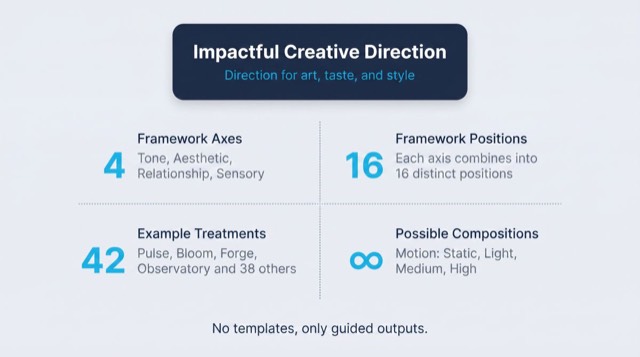
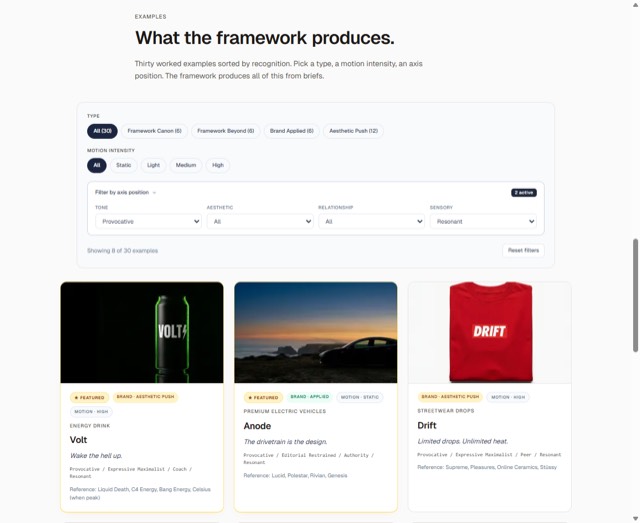
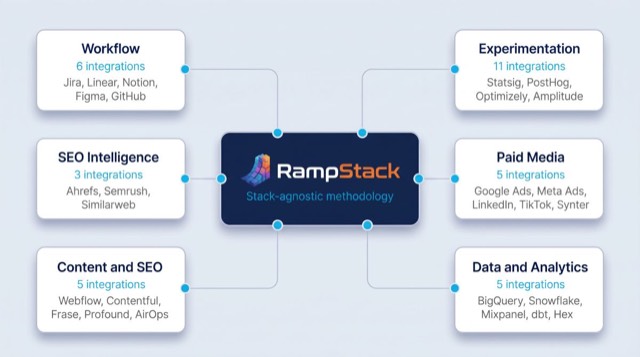
From the rampstackco/claude-skills README — shows the whole collection, not only this skill. · view on GitHub
How to use it
Claude Code
- Run the line below. It pulls the whole folder into
~/.claude/skills/code-review-web, including the files SKILL.md points to. - Describe your job in plain words. Claude Code follows the skill from there.
npx degit rampstackco/claude-skills/skills/code-review-web#main ~/.claude/skills/code-review-webFor one project only, change the path to .claude/skills/code-review-web. This skill also uses Next.js — copying SKILL.md alone won't be enough. See the folder on GitHub.
Claude (web or desktop app)
- On this page open ⋯ → Download .md.
- Save it as SKILL.md in a folder, zip the folder, then Customize → Skills → + → Create skill → Upload a skill.
- Pick the file and Save. Claude shows the name and description and runs a security scan.
- Check the skill is switched on.
- Start a new chat and describe your job in plain words. The AI follows the skill from there.
ChatGPT or another app
- ChatGPT: make a Project and paste it into Instructions.
- Neither? Paste it at the top of a new chat — it works for that chat.
Not working?
- Check which app you pasted it into — the steps above name the right one.
- Some skills need the paid tier of Claude or ChatGPT.
Paste into Claude, ChatGPT or Cursor.
Source of Code Review for Web
Show the full text214 lines
| name | description | category | catalog_summary | display_order |
|---|---|---|---|---|
| code-review-web | Review web application code for bugs, security issues, performance problems, and stack-specific anti-patterns. Use this skill whenever the user wants to review code, debug a production issue, investigate a build failure, audit security, or check a PR before merging. Triggers on code review, review my code, debug, build error, broken, not working, why is X failing, check this code, security check, PR review, audit code, refactor. Also triggers when investigating 4xx or 5xx errors, deploy failures, environment variable issues, and CMS integration problems. | development | PR review, build error diagnosis, security and quality checks | 1 |
Code Review for Web
Review and debug web application code with a focus on the patterns that actually break production. Stack-agnostic principles in SKILL.md. Stack-specific patterns in references.
When to use
- Reviewing a pull request before merging
- Debugging a production issue
- Investigating a build failure
- Auditing security or performance of existing code
- Investigating environment variable or configuration issues
- Triaging a "the site is broken" report
When NOT to use
- Writing a new feature spec (use
pm-spec-writing) - Pre-launch QA against the running site (use
qa-testing) - Performance deep-dive on Core Web Vitals (use
performance-optimization) - Deep accessibility compliance review (use
accessibility-audit)
Required inputs
- The code, PR, error message, or symptom under review
- Access to logs (build logs, function logs, server logs) if debugging
- The stack (framework, hosting, database) - even at high level
If just a symptom is provided ("the site is broken"), the workflow's first step is gathering enough context to investigate.
The framework: 5 review dimensions
Every code review covers five dimensions. Pick the depth based on the situation.
1. Correctness
Does the code do what it claims to do?
- Logic matches the intent stated in the spec or PR description
- Edge cases handled (empty states, error states, network failures)
- Off-by-one errors, null/undefined handling, async race conditions
- Tests exist for the change, or there's a reason they don't
- The change does not break existing functionality (regression risk)
2. Security
Does the code expose anything sensitive or open an attack surface?
- Secrets handling. No secrets, API keys, or service-role credentials in client-side code or version control
- Auth checks. Every mutation endpoint validates the caller before acting
- Input validation. User input sanitized before use in queries, file paths, or HTML
- External requests. Outbound URLs validated; no SSRF on user-controlled inputs
- CSRF protection. State-changing requests require a token or same-origin policy
- Rate limiting. Public-facing mutation endpoints have rate limits
- HTTPS-only. No HTTP in production code paths
- Cookies. Session cookies have
Secure,HttpOnly,SameSiteattributes set - Environment variables. Server-only secrets are not prefixed with anything that exposes them to the client bundle
3. Performance
Will this code scale and stay fast?
- Database queries. No N+1 patterns. Joins or batch fetches preferred over loops with queries.
- Pagination. Large result sets paginated, never loaded entirely.
- Caching. Appropriate cache strategy for the data freshness needs.
- Bundle size. Client-side dependencies justified. Tree-shaking working.
- Image handling. Modern formats, lazy loading, explicit dimensions.
- Background work. Slow operations moved off the request path.
- Cold start sensitivity. Cold paths optimized if frequently triggered.
4. Reliability
What happens when this fails?
- Error handling. Caught and handled, not swallowed. Errors logged with context.
- Retries. Network calls have retry logic for transient failures.
- Timeouts. External calls have explicit timeouts (no infinite waits).
- Graceful degradation. Failure of non-critical paths does not crash the page.
- Idempotency. Mutations that might be retried are safe to retry.
- Logging. Enough context in logs to diagnose without reproducing.
5. Maintainability
Will the next person (or future you) understand this in six months?
- Naming. Functions and variables named for what they do, not how.
- Comments. Explain why, not what. The code says what.
- Complexity. Functions do one thing. If a function takes 200 lines, it's doing too much.
- Duplication. Same logic in multiple places gets extracted.
- Dependencies. New dependencies justified. Each one is a maintenance burden.
- Magic values. No literal
60000in code. Use named constants.
Common bug patterns (stack-agnostic)
Patterns that recur across stacks and are worth checking on every review.
Build and deploy
- Build-time data fetches that timeout. Routes that query a database during static generation can fail at scale. Mark them as runtime-rendered if the data must be fresh.
- Environment variables not propagating. A var that works locally but breaks in production usually means it was not added to the production environment.
- Mismatched env between preview and production. Deploys that work in preview but break on the production domain often have stack-specific URLs hardcoded.
URL and domain issues
- Canonical pointing at staging or preview URL. Caused by client-exposed environment variables that pick up the wrong domain. Canonical domain should come from a server-only environment variable.
- API URL pointing at the main domain that loops back. After a DNS cutover, the main domain may now serve a different application. APIs should live on dedicated subdomains.
- HTTPS upgrade issues. Mixed content (HTTP resources loaded into HTTPS pages) breaks browsers' security model.
Cache invalidation
- Stale content after deploy. Either the cache was not invalidated, or the invalidation requires a manual trigger that did not run.
- CDN serving old asset under same filename. Always use a new filename or cache-bust query string when replacing assets.
- Cache headers too aggressive. Long max-age on resources that change frequently leads to users seeing stale content for hours or days.
Database and data
- N+1 queries. Loop with a query inside the loop. Replace with batch fetch or join.
- Missing limits on table scans. Forgetting
LIMITon queries that hit large tables. - Connection pool exhaustion. Too many concurrent connections, often from build-time fetches in parallel routes.
- Schema migration without backfill. Adding a NOT NULL column without populating it for existing rows.
Image handling
- Image not loading after upload. CDN cached the previous filename. Use new filenames for replacements.
- Layout shift from images. Missing width/height attributes. Always specify both.
- Slow LCP from large images. Hero images not optimized for size or format.
External integrations
- Bot mitigation blocking server-to-server calls. CDN or firewall is challenging legitimate automated traffic. Whitelist server IPs or disable challenges for API endpoints.
- API rate limit triggered in production. Worked locally where traffic was tiny. Add backoff and rate limiting awareness.
Security
- Unprotected revalidation or admin endpoints. Always require a secret token.
- PII in URLs. Visible in server logs, browser history, referrer headers.
- Secrets exposed in client bundle. Anything that gets sent to the browser is public.
Workflow
- Gather context. What stack? What's broken or under review? Logs available?
- Pick the depth. Quick scan for a small PR. Full review for a major change. Deep dive for a production incident.
- Run through the 5 dimensions. Note issues by severity (blocker, important, minor).
- Check stack-specific patterns. Reference the appropriate stack guide.
- For incidents: identify the smallest hypothesis-driven fix. Reproduce locally if possible.
- Write the review. Use the template in
references/review-template.mdfor formal reviews.
Failure patterns
- "Looks good to me" on a 500-line PR. If the review takes 5 minutes on a large PR, the review didn't happen.
- Reviewing without running the code. Some bugs only surface at runtime. Pull the branch and run it.
- Over-indexing on style. Bikeshedding on formatting while missing logic bugs.
- Skipping security review on "internal" features. Internal becomes external faster than expected.
- Treating warnings as decoration. Build warnings often become production errors after a dependency update.
- Debugging without reading the full error message. First line of the stack trace is often not the actual cause. Read all of it.
Debugging workflow
When a production issue is reported:
- Read the full error message. Including the stack trace.
- Check hosting build and function logs. The exact failing line is usually here.
- Identify the last working version.
git log --onelineand check recent commits. - Reproduce locally. Confirms it's a code issue and not an environment issue.
- Check environment variables. Especially after deploys or DNS changes.
- Check cache state. Force a cache invalidation before concluding it's a code bug.
- Make the minimal fix. Big refactors during incidents create more incidents.
- Verify in production. Check the actual fix worked, not just that the deploy succeeded.
- Document. What was the root cause? What would have prevented it? File the learnings.
Output format
For PR reviews: comments inline on the PR, plus a summary if needed.
For formal code reviews: a markdown document at code-review-[date].md with:
- Scope (what was reviewed)
- Summary (overall assessment)
- Critical issues (blockers)
- Important issues
- Minor issues
- Suggestions for follow-up
For incidents: a postmortem document. See after-action-report for that format.
Reference files
references/review-template.md- Markdown template for formal code reviews.references/nextjs-patterns.md- Stack-specific patterns for Next.js (App Router, ISR, Server Components, common bugs).references/wordpress-headless-patterns.md- Stack-specific patterns for headless WordPress integrations.
| 1 | |
| 2 | name code-review-web |
| 3 | description "Review web application code for bugs, security issues, performance problems, and stack-specific anti-patterns. Use this skill whenever the user wants to review code, debug a production issue, investigate a build failure, audit security, or check a PR before merging. Triggers on code review, review my code, debug, build error, broken, not working, why is X failing, check this code, security check, PR review, audit code, refactor. Also triggers when investigating 4xx or 5xx errors, deploy failures, environment variable issues, and CMS integration problems." |
| 4 | category development |
| 5 | catalog_summary "PR review, build error diagnosis, security and quality checks" |
| 6 | display_order 1 |
| 7 | |
| 8 | |
| 9 | # Code Review for Web |
| 10 | |
| 11 | Review and debug web application code with a focus on the patterns that actually break production. Stack-agnostic principles in SKILL.md. Stack-specific patterns in references. |
| 12 | |
| 13 | |
| 14 | |
| 15 | ## When to use |
| 16 | |
| 17 | Reviewing a pull request before merging |
| 18 | Debugging a production issue |
| 19 | Investigating a build failure |
| 20 | Auditing security or performance of existing code |
| 21 | Investigating environment variable or configuration issues |
| 22 | Triaging a "the site is broken" report |
| 23 | |
| 24 | ## When NOT to use |
| 25 | |
| 26 | Writing a new feature spec (use `pm-spec-writing`) |
| 27 | Pre-launch QA against the running site (use `qa-testing`) |
| 28 | Performance deep-dive on Core Web Vitals (use `performance-optimization`) |
| 29 | Deep accessibility compliance review (use `accessibility-audit`) |
| 30 | |
| 31 | |
| 32 | |
| 33 | ## Required inputs |
| 34 | |
| 35 | The code, PR, error message, or symptom under review |
| 36 | Access to logs (build logs, function logs, server logs) if debugging |
| 37 | The stack (framework, hosting, database) - even at high level |
| 38 | |
| 39 | If just a symptom is provided ("the site is broken"), the workflow's first step is gathering enough context to investigate. |
| 40 | |
| 41 | |
| 42 | |
| 43 | ## The framework: 5 review dimensions |
| 44 | |
| 45 | Every code review covers five dimensions. Pick the depth based on the situation. |
| 46 | |
| 47 | ### 1. Correctness |
| 48 | |
| 49 | Does the code do what it claims to do? |
| 50 | |
| 51 | Logic matches the intent stated in the spec or PR description |
| 52 | Edge cases handled (empty states, error states, network failures) |
| 53 | Off-by-one errors, null/undefined handling, async race conditions |
| 54 | Tests exist for the change, or there's a reason they don't |
| 55 | The change does not break existing functionality (regression risk) |
| 56 | |
| 57 | ### 2. Security |
| 58 | |
| 59 | Does the code expose anything sensitive or open an attack surface? |
| 60 | |
| 61 | **Secrets handling.** No secrets, API keys, or service-role credentials in client-side code or version control |
| 62 | **Auth checks.** Every mutation endpoint validates the caller before acting |
| 63 | **Input validation.** User input sanitized before use in queries, file paths, or HTML |
| 64 | **External requests.** Outbound URLs validated; no SSRF on user-controlled inputs |
| 65 | **CSRF protection.** State-changing requests require a token or same-origin policy |
| 66 | **Rate limiting.** Public-facing mutation endpoints have rate limits |
| 67 | **HTTPS-only.** No HTTP in production code paths |
| 68 | **Cookies.** Session cookies have `Secure`, `HttpOnly`, `SameSite` attributes set |
| 69 | **Environment variables.** Server-only secrets are not prefixed with anything that exposes them to the client bundle |
| 70 | |
| 71 | ### 3. Performance |
| 72 | |
| 73 | Will this code scale and stay fast? |
| 74 | |
| 75 | **Database queries.** No N+1 patterns. Joins or batch fetches preferred over loops with queries. |
| 76 | **Pagination.** Large result sets paginated, never loaded entirely. |
| 77 | **Caching.** Appropriate cache strategy for the data freshness needs. |
| 78 | **Bundle size.** Client-side dependencies justified. Tree-shaking working. |
| 79 | **Image handling.** Modern formats, lazy loading, explicit dimensions. |
| 80 | **Background work.** Slow operations moved off the request path. |
| 81 | **Cold start sensitivity.** Cold paths optimized if frequently triggered. |
| 82 | |
| 83 | ### 4. Reliability |
| 84 | |
| 85 | What happens when this fails? |
| 86 | |
| 87 | **Error handling.** Caught and handled, not swallowed. Errors logged with context. |
| 88 | **Retries.** Network calls have retry logic for transient failures. |
| 89 | **Timeouts.** External calls have explicit timeouts (no infinite waits). |
| 90 | **Graceful degradation.** Failure of non-critical paths does not crash the page. |
| 91 | **Idempotency.** Mutations that might be retried are safe to retry. |
| 92 | **Logging.** Enough context in logs to diagnose without reproducing. |
| 93 | |
| 94 | ### 5. Maintainability |
| 95 | |
| 96 | Will the next person (or future you) understand this in six months? |
| 97 | |
| 98 | **Naming.** Functions and variables named for what they do, not how. |
| 99 | **Comments.** Explain why, not what. The code says what. |
| 100 | **Complexity.** Functions do one thing. If a function takes 200 lines, it's doing too much. |
| 101 | **Duplication.** Same logic in multiple places gets extracted. |
| 102 | **Dependencies.** New dependencies justified. Each one is a maintenance burden. |
| 103 | **Magic values.** No literal `60000` in code. Use named constants. |
| 104 | |
| 105 | |
| 106 | |
| 107 | ## Common bug patterns (stack-agnostic) |
| 108 | |
| 109 | Patterns that recur across stacks and are worth checking on every review. |
| 110 | |
| 111 | ### Build and deploy |
| 112 | |
| 113 | **Build-time data fetches that timeout.** Routes that query a database during static generation can fail at scale. Mark them as runtime-rendered if the data must be fresh. |
| 114 | **Environment variables not propagating.** A var that works locally but breaks in production usually means it was not added to the production environment. |
| 115 | **Mismatched env between preview and production.** Deploys that work in preview but break on the production domain often have stack-specific URLs hardcoded. |
| 116 | |
| 117 | ### URL and domain issues |
| 118 | |
| 119 | **Canonical pointing at staging or preview URL.** Caused by client-exposed environment variables that pick up the wrong domain. Canonical domain should come from a server-only environment variable. |
| 120 | **API URL pointing at the main domain that loops back.** After a DNS cutover, the main domain may now serve a different application. APIs should live on dedicated subdomains. |
| 121 | **HTTPS upgrade issues.** Mixed content (HTTP resources loaded into HTTPS pages) breaks browsers' security model. |
| 122 | |
| 123 | ### Cache invalidation |
| 124 | |
| 125 | **Stale content after deploy.** Either the cache was not invalidated, or the invalidation requires a manual trigger that did not run. |
| 126 | **CDN serving old asset under same filename.** Always use a new filename or cache-bust query string when replacing assets. |
| 127 | **Cache headers too aggressive.** Long max-age on resources that change frequently leads to users seeing stale content for hours or days. |
| 128 | |
| 129 | ### Database and data |
| 130 | |
| 131 | **N+1 queries.** Loop with a query inside the loop. Replace with batch fetch or join. |
| 132 | **Missing limits on table scans.** Forgetting `LIMIT` on queries that hit large tables. |
| 133 | **Connection pool exhaustion.** Too many concurrent connections, often from build-time fetches in parallel routes. |
| 134 | **Schema migration without backfill.** Adding a NOT NULL column without populating it for existing rows. |
| 135 | |
| 136 | ### Image handling |
| 137 | |
| 138 | **Image not loading after upload.** CDN cached the previous filename. Use new filenames for replacements. |
| 139 | **Layout shift from images.** Missing width/height attributes. Always specify both. |
| 140 | **Slow LCP from large images.** Hero images not optimized for size or format. |
| 141 | |
| 142 | ### External integrations |
| 143 | |
| 144 | **Bot mitigation blocking server-to-server calls.** CDN or firewall is challenging legitimate automated traffic. Whitelist server IPs or disable challenges for API endpoints. |
| 145 | **API rate limit triggered in production.** Worked locally where traffic was tiny. Add backoff and rate limiting awareness. |
| 146 | |
| 147 | ### Security |
| 148 | |
| 149 | **Unprotected revalidation or admin endpoints.** Always require a secret token. |
| 150 | **PII in URLs.** Visible in server logs, browser history, referrer headers. |
| 151 | **Secrets exposed in client bundle.** Anything that gets sent to the browser is public. |
| 152 | |
| 153 | |
| 154 | |
| 155 | ## Workflow |
| 156 | |
| 157 | **Gather context.** What stack? What's broken or under review? Logs available? |
| 158 | **Pick the depth.** Quick scan for a small PR. Full review for a major change. Deep dive for a production incident. |
| 159 | **Run through the 5 dimensions.** Note issues by severity (blocker, important, minor). |
| 160 | **Check stack-specific patterns.** Reference the appropriate stack guide. |
| 161 | **For incidents:** identify the smallest hypothesis-driven fix. Reproduce locally if possible. |
| 162 | **Write the review.** Use the template in [`references/review-template.md`] for formal reviews. |
| 163 | |
| 164 | |
| 165 | |
| 166 | ## Failure patterns |
| 167 | |
| 168 | **"Looks good to me" on a 500-line PR.** If the review takes 5 minutes on a large PR, the review didn't happen. |
| 169 | **Reviewing without running the code.** Some bugs only surface at runtime. Pull the branch and run it. |
| 170 | **Over-indexing on style.** Bikeshedding on formatting while missing logic bugs. |
| 171 | **Skipping security review on "internal" features.** Internal becomes external faster than expected. |
| 172 | **Treating warnings as decoration.** Build warnings often become production errors after a dependency update. |
| 173 | **Debugging without reading the full error message.** First line of the stack trace is often not the actual cause. Read all of it. |
| 174 | |
| 175 | |
| 176 | |
| 177 | ## Debugging workflow |
| 178 | |
| 179 | When a production issue is reported: |
| 180 | |
| 181 | **Read the full error message.** Including the stack trace. |
| 182 | **Check hosting build and function logs.** The exact failing line is usually here. |
| 183 | **Identify the last working version.** `git log --oneline` and check recent commits. |
| 184 | **Reproduce locally.** Confirms it's a code issue and not an environment issue. |
| 185 | **Check environment variables.** Especially after deploys or DNS changes. |
| 186 | **Check cache state.** Force a cache invalidation before concluding it's a code bug. |
| 187 | **Make the minimal fix.** Big refactors during incidents create more incidents. |
| 188 | **Verify in production.** Check the actual fix worked, not just that the deploy succeeded. |
| 189 | **Document.** What was the root cause? What would have prevented it? File the learnings. |
| 190 | |
| 191 | |
| 192 | |
| 193 | ## Output format |
| 194 | |
| 195 | For PR reviews: comments inline on the PR, plus a summary if needed. |
| 196 | |
| 197 | For formal code reviews: a markdown document at `code-review-[date].md` with: |
| 198 | Scope (what was reviewed) |
| 199 | Summary (overall assessment) |
| 200 | Critical issues (blockers) |
| 201 | Important issues |
| 202 | Minor issues |
| 203 | Suggestions for follow-up |
| 204 | |
| 205 | For incidents: a postmortem document. See `after-action-report` for that format. |
| 206 | |
| 207 | |
| 208 | |
| 209 | ## Reference files |
| 210 | |
| 211 | [`references/review-template.md`] - Markdown template for formal code reviews. |
| 212 | [`references/nextjs-patterns.md`] - Stack-specific patterns for Next.js (App Router, ISR, Server Components, common bugs). |
| 213 | [`references/wordpress-headless-patterns.md`] - Stack-specific patterns for headless WordPress integrations. |
| 214 |
Discussion
Browse more free Claude skills or everything in Development.