Build Z-Image txt2img workflows
Z-Image Text-to-Image Workflows
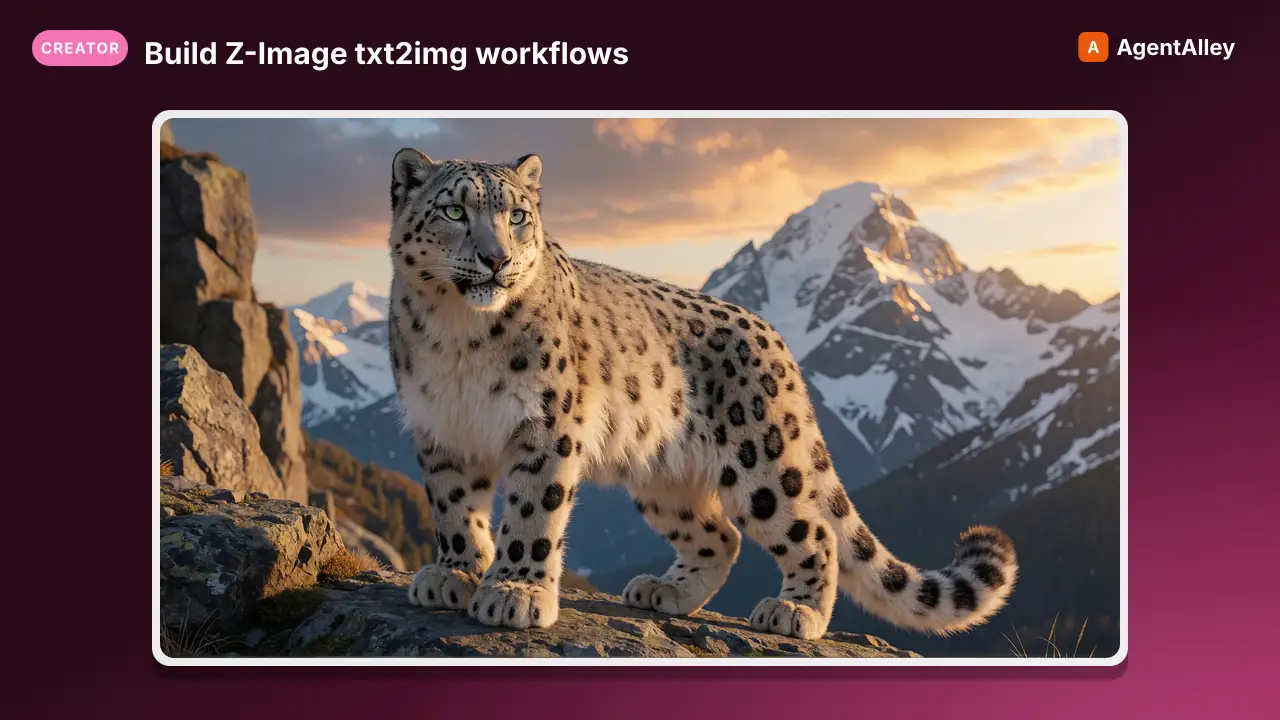
Build Z-Image txt2img workflows.
---
name: z-image-txt2img
description: Build Z-Image txt2img workflows. RedCraft checkpoint, Z-Image Turbo/Base LoRAs, ControlNet, and sampler presets
globs:
  - "**/*.json"
---

# Z-Image Text-to-Image Workflows

> **Launch flag.** Z-Image does not sample correctly under
> `--use-sage-attention` (black / garbled output). Launch ComfyUI with
> `--use-pytorch-cross-attention` for Z-Image. See
> [`comfyui-launch-flags`](../comfyui-launch-flags/SKILL.md).

## Overview

Z-Image is a 6B-parameter image generation model from Alibaba's Tongyi Lab using a Scalable Single-Stream DiT (S3-DiT) architecture. It uses a Qwen text encoder (not CLIP-L/T5). Its VAE shares the Flux VAE architecture (same tensor shapes, so the file is the same 320MB size) but ships different weights. It is NOT byte-identical to Flux's `ae.safetensors` and must be kept as a separate file (`z-image-ae.safetensors`) to avoid clobbering the Flux VAE. Two variants:
Overview
Z-Image is a 6B-parameter image generation model from Alibaba's Tongyi Lab using a Scalable Single-Stream DiT (S3-DiT) architecture. It uses a Qwen text encoder (not CLIP-L/T5). Its VAE shares the Flux VAE architecture (same tensor shapes, so the file is the same 320MB size) but ships different weights. It is NOT byte-identical to Flux's ae.safetensors and must be kept as a separate file (z-image-ae.safetensors) to avoid clobbering the Flux VAE. Two variants:
Manual install (npx, ZIP)
npx skills add artokun/comfyui-mcp --skill z-image-txt2img -g -a claude-codemkdir -p ~/.claude/skills && curl -sL https://codeload.github.com/artokun/comfyui-mcp/tar.gz/1d5b12b1b499 \
| tar -xz -C ~/.claude/skills --strip-components=3 comfyui-mcp-1d5b12b1b499/plugin/skills/z-image-txt2imgNew-Item -ItemType Directory -Force "$HOME\.claude\skills" | Out-Null; Invoke-WebRequest "https://m.agentalley.io/zip/05f96422a4aa4677c1c2/z-image-txt2img.zip" -OutFile "$env:TEMP\z-image-txt2img.zip"; Expand-Archive "$env:TEMP\z-image-txt2img.zip" -DestinationPath "$HOME\.claude\skills" -ForceConnects with Agent Alley MCP · agentalley.io/mcp
Files included
SKILL.md11.1 KB
Read the files here
artokun/
Shared references1SKILL.md reads these from elsewhere in the repo. Not in the ZIP.
Get them on GitHub ↗Show the full text305 lines
Z-Image Text-to-Image Workflows
Launch flag. Z-Image does not sample correctly under
--use-sage-attention(black / garbled output). Launch ComfyUI with--use-pytorch-cross-attentionfor Z-Image. Seecomfyui-launch-flags.
Overview
Z-Image is a 6B-parameter image generation model from Alibaba's Tongyi Lab using a Scalable Single-Stream DiT (S3-DiT) architecture. It uses a Qwen text encoder (not CLIP-L/T5). Its VAE shares the Flux VAE architecture (same tensor shapes, so the file is the same 320MB size) but ships different weights. It is NOT byte-identical to Flux's ae.safetensors and must be kept as a separate file (z-image-ae.safetensors) to avoid clobbering the Flux VAE. Two variants:
- Z-Image Base (and RedCraft finetune). Full model, supports negative prompts, LoRA training, ControlNet. 10-30 steps.
- Z-Image Turbo. DMD-distilled, 8-10 steps, no effective negative prompts (CFG baked in).
Models
RedCraft Redzimage DX1 (Installed — Combined Checkpoint)
| Component | Node | Model | Notes |
|---|---|---|---|
| Checkpoint | CheckpointLoaderSimple |
redcraftRedzimageUpdatedJAN30_redzibDX1.safetensors |
17GB, bundles UNET+CLIP+VAE |
RedCraft is a Z-Image Base finetune by the RedCraft team. Designed for faster inference than stock Z-Image Base. Uses CheckpointLoaderSimple since it's a combined checkpoint, so no separate loaders are needed.
Z-Image Turbo (Separate Components — May Need Download)
| Component | Node | Model | Notes |
|---|---|---|---|
| UNET | UNETLoader |
z_image_turbo_bf16.safetensors |
Not currently installed |
| CLIP | CLIPLoader (type=qwen_image) |
qwen_3_4b.safetensors |
Not currently installed |
| VAE | VAELoader |
z-image-ae.safetensors |
320MB. Flux VAE architecture but different weights — NOT the same file as Flux's ae.safetensors. From Comfy-Org/z_image_turbo (split_files/vae/ae.safetensors) |
Z-Image Base (Separate Components — May Need Download)
| Component | Node | Model | Notes |
|---|---|---|---|
| UNET | UNETLoader |
z_image_base_bf16.safetensors |
Not currently installed |
| CLIP | CLIPLoader (type=qwen_image) |
qwen_3_4b.safetensors |
Not currently installed |
| VAE | VAELoader |
z-image-ae.safetensors |
320MB. Flux VAE architecture but different weights — NOT the same file as Flux's ae.safetensors |
Conditioning
TextEncodeZImageOmni (Built-in)
For Z-Image separate component loading. Supports reference images via CLIP Vision:
Required Inputs:
  - clip: CLIP
  - prompt: STRING (multiline)
  - auto_resize_images: BOOLEAN (default true)

Optional Inputs:
  - image_encoder: CLIP_VISION (for reference images)
  - vae: VAE
  - image1-3: IMAGE (up to 3 reference images)

Outputs:
  [0] CONDITIONING
CLIPTextEncode (For RedCraft Checkpoint)
When using CheckpointLoaderSimple, standard CLIPTextEncode works since the checkpoint bundles the correct tokenizer:
{
  "class_type": "CLIPTextEncode",
  "inputs": { "clip": ["<checkpoint>", 1], "text": "<prompt>" }
}
Sampler Settings
RedCraft DX1
| Preset | Steps | CFG | Sampler | Scheduler | Notes |
|---|---|---|---|---|---|
| Distilled Fast | 10 | 1.0 | euler | simple | Quick iteration |
| Standard | 30 | 4.0 | euler | simple | Full quality |
Z-Image Turbo
| Preset | Steps | CFG | Sampler | Scheduler | Notes |
|---|---|---|---|---|---|
| Author recommended | 14 | 1.0 | res_2s | simple | CopaxTimeless author pick |
| Beauty/fashion | 10 | 1.0 | euler_ancestral | beta | Smooth skin, fashion photography |
| Sharpest | 10 | 1.0 | dpmpp_sde | beta | Sharpest, most natural (560-image test) |
Z-Image Base (Two-Stage)
Stage 1, primary generation:
| Parameter | Value |
|---|---|
| Steps | 22 |
| CFG | 4.0 (range 4–7) |
| Sampler | res_2s |
| Scheduler | beta |
| Denoise | 1.0 |
Stage 2, detail refinement (optional img2img pass):
| Parameter | Value |
|---|---|
| Steps | 3 |
| CFG | 4.0 |
| Sampler | res_2s |
| Scheduler | normal |
| Denoise | 0.15 |
Negative Prompts
RedCraft / Z-Image Base
Supports negative prompts at CFG > 1.0:
3D, ai generated, semi realistic, illustrated, drawing, comic, digital painting, 3D model, blender, video game screenshot, screenshot, render, high-fidelity, smooth textures, CGI, masterpiece, text, writing, subtitle, watermark, logo, blurry, low quality, jpeg, artifacts, grainy
Z-Image Turbo
Negative prompts are not effective. CFG is baked in via distillation. Use the positive prompt to guide away from unwanted elements instead.
Recommended positive-side avoidance template:
over-smooth skin, plastic skin, doll face, anime, CGI, waxy texture, blurry face, fake pores, exaggerated makeup, over-sharpening, unrealistic symmetry, flat lighting, low detail skin, extra fingers, distorted anatomy
Resolutions
| Aspect | Resolution | Notes |
|---|---|---|
| Square | 1024x1024 | Standard |
| Square (native) | 1328x1328 | Higher quality at native resolution |
| Portrait 3:4 | 896x1152 | |
| Portrait 5:8 | 832x1216 | |
| Portrait 9:16 | 768x1344 | |
| Landscape 16:9 | 1280x720 |
Dimensions must be divisible by 16.
LoRA System
ZImageTurbo LoRAs
Located in loras/ZImageTurbo/ with subfolders:
style/: style LoRAs (e.g.,TurboPussyZ_v2.safetensors)concept/: concept LoRAs (e.g.,body from below.safetensors,ZITnsfwLoRA.safetensors)character/: character LoRAs (e.g.,NSFW_master_ZIT_000008766.safetensors)action/: action LoRAs
Use with Z-Image Turbo base model. Typical LoRA strength: 0.6 to 1.0.
ZImageBase LoRAs
Located in loras/ZImageBase/ with subfolders:
style/: style LoRAs (e.g.,NSGIRL-Z-Image-LoRA-By-MM744.safetensors)concept/: concept LoRAs
Use with Z-Image Base or RedCraft. Typical LoRA strength: 0.6 to 1.0.
Z-Image-Aesthetic-Base v1
General aesthetic improvement LoRA:
- File:
Z-Image-Aesthetic-Base v1.safetensors(352MB) - Settings: euler_ancestral + beta, 30 steps, CFG 4, strength 0.6 to 1.0
Applying LoRAs
{
  "class_type": "LoraLoader",
  "inputs": {
    "model": ["<checkpoint_or_unet>", 0],
    "clip": ["<checkpoint_or_clip>", 1],
    "lora_name": "ZImageTurbo\\style\\TurboPussyZ_v2.safetensors",
    "strength_model": 0.8,
    "strength_clip": 0.8
  }
}
When using CheckpointLoaderSimple for RedCraft, model output is index 0 and CLIP output is index 1. When stacking multiple LoRAs, chain them sequentially.
ControlNet
ZImageFunControlnet (Built-in)
Experimental built-in node for Z-Image ControlNet. Patches the model with a control signal:
Required Inputs:
  - model: MODEL
  - model_patch: MODEL_PATCH (from ControlNet loader)
  - vae: VAE
  - strength: FLOAT (default 1.0, range -10 to 10)

Optional Inputs:
  - image: IMAGE (reference/control image)
  - inpaint_image: IMAGE
  - mask: MASK

Outputs:
  [0] MODEL (patched)
Z-Image-Turbo-Fun-Controlnet-Union
A unified ControlNet supporting multiple condition types:
- Canny, HED, Depth, Pose, MLSD
- Strength: 0.65 to 0.80 (v2.1 recommended range)
- Best paired with
res_2s,res_5s, orres_2msamplers +beta57scheduler
Complete Workflow: RedCraft DX1 (Fast, 10-Step)
{
  "1": { "class_type": "CheckpointLoaderSimple", "inputs": { "ckpt_name": "redcraftRedzimageUpdatedJAN30_redzibDX1.safetensors" }},
  "2": { "class_type": "CLIPTextEncode", "inputs": { "clip": ["1", 1], "text": "<positive prompt>" }, "_meta": { "title": "Positive" }},
  "3": { "class_type": "CLIPTextEncode", "inputs": { "clip": ["1", 1], "text": "" }, "_meta": { "title": "Negative" }},
  "4": { "class_type": "EmptyLatentImage", "inputs": { "width": 1024, "height": 1024, "batch_size": 1 }},
  "5": { "class_type": "KSampler", "inputs": {
    "model": ["1", 0],
    "positive": ["2", 0],
    "negative": ["3", 0],
    "latent_image": ["4", 0],
    "seed": 42, "steps": 10, "cfg": 1, "sampler_name": "euler", "scheduler": "simple", "denoise": 1
  }},
  "6": { "class_type": "VAEDecode", "inputs": { "samples": ["5", 0], "vae": ["1", 2] }},
  "7": { "class_type": "SaveImage", "inputs": { "images": ["6", 0], "filename_prefix": "redcraft" }}
}
Complete Workflow: RedCraft DX1 with LoRA Stack
{
  "1": { "class_type": "CheckpointLoaderSimple", "inputs": { "ckpt_name": "redcraftRedzimageUpdatedJAN30_redzibDX1.safetensors" }},
  "2": { "class_type": "LoraLoader", "inputs": {
    "model": ["1", 0], "clip": ["1", 1],
    "lora_name": "Z-Image-Aesthetic-Base v1.safetensors",
    "strength_model": 0.8, "strength_clip": 0.8
  }},
  "3": { "class_type": "LoraLoader", "inputs": {
    "model": ["2", 0], "clip": ["2", 1],
    "lora_name": "ZImageBase\\style\\NSGIRL-Z-Image-LoRA-By-MM744.safetensors",
    "strength_model": 0.7, "strength_clip": 0.7
  }},
  "4": { "class_type": "CLIPTextEncode", "inputs": { "clip": ["3", 1], "text": "<positive prompt>" }},
  "5": { "class_type": "CLIPTextEncode", "inputs": { "clip": ["3", 1], "text": "<negative prompt>" }},
  "6": { "class_type": "EmptyLatentImage", "inputs": { "width": 896, "height": 1152, "batch_size": 1 }},
  "7": { "class_type": "KSampler", "inputs": {
    "model": ["3", 0],
    "positive": ["4", 0],
    "negative": ["5", 0],
    "latent_image": ["6", 0],
    "seed": 42, "steps": 30, "cfg": 4, "sampler_name": "euler", "scheduler": "simple", "denoise": 1
  }},
  "8": { "class_type": "VAEDecode", "inputs": { "samples": ["7", 0], "vae": ["1", 2] }},
  "9": { "class_type": "SaveImage", "inputs": { "images": ["8", 0], "filename_prefix": "redcraft_lora" }}
}
Prompt Style
Natural language descriptions work best (uses Qwen LLM tokenizer, not CLIP):
Good: "Professional headshot of a confident businesswoman in her 30s, natural makeup, soft studio lighting, neutral gray background, sharp focus on eyes, Canon EOS R5"
Bad: "masterpiece, best quality, 1girl, businesswoman, studio"
VRAM Considerations
| Config | VRAM | Notes |
|---|---|---|
| RedCraft DX1 checkpoint | ~17GB | Fits comfortably on RTX 4090 |
| Z-Image Turbo separate | ~8GB UNET + CLIP | Very lightweight |
| Z-Image Base separate | ~12GB |
- Always
clear_vrambefore switching to Z-Image from another model family - RedCraft is one of the most VRAM-efficient quality models available
Tips
- RedCraft DX1 with 10 steps / CFG 1.0 is fast and high quality for quick iteration
- For maximum sharpness with Turbo LoRAs, use
dpmpp_sde+betascheduler - The
Z-Image-Aesthetic-Base v1LoRA at 0.6 to 0.8 strength improves output quality across all Z-Image Base variants - Z-Image is strong at photorealistic human generation and is the go-to for portrait and fashion photography
- When switching between Turbo and Base LoRAs, use the matching base model variant
Sources
- Official: none found.
- Empirical: sampler values, wiring, and prompt notes from working graphs in
packs/and observed renders; not a vendor prompting guide.
| 1 | |
| 2 | name z-image-txt2img |
| 3 | description Build Z-Image txt2img workflows. RedCraft checkpoint, Z-Image Turbo/Base LoRAs, ControlNet, and sampler presets |
| 4 | globs |
| 5 | - "**/*.json" |
| 6 | |
| 7 | |
| 8 | # Z-Image Text-to-Image Workflows |
| 9 | |
| 10 | > **Launch flag.** Z-Image does not sample correctly under |
| 11 | > `--use-sage-attention` (black / garbled output). Launch ComfyUI with |
| 12 | > `--use-pytorch-cross-attention` for Z-Image. See |
| 13 | > [`comfyui-launch-flags`]. |
| 14 | |
| 15 | ## Overview |
| 16 | |
| 17 | Z-Image is a 6B-parameter image generation model from Alibaba's Tongyi Lab using a Scalable Single-Stream DiT (S3-DiT) architecture. It uses a Qwen text encoder (not CLIP-L/T5). Its VAE shares the Flux VAE architecture (same tensor shapes, so the file is the same 320MB size) but ships different weights. It is NOT byte-identical to Flux's `ae.safetensors` and must be kept as a separate file (`z-image-ae.safetensors`) to avoid clobbering the Flux VAE. Two variants: |
| 18 | |
| 19 | Z-Image Base (and RedCraft finetune). Full model, supports negative prompts, LoRA training, ControlNet. 10-30 steps. |
| 20 | Z-Image Turbo. DMD-distilled, 8-10 steps, no effective negative prompts (CFG baked in). |
| 21 | |
| 22 | ## Models |
| 23 | |
| 24 | ### RedCraft Redzimage DX1 (Installed — Combined Checkpoint) |
| 25 | |
| 26 | | Component | Node | Model | Notes | |
| 27 | |-----------|------|-------|-------| |
| 28 | | **Checkpoint** | `CheckpointLoaderSimple` | `redcraftRedzimageUpdatedJAN30_redzibDX1.safetensors` | 17GB, bundles UNET+CLIP+VAE | |
| 29 | |
| 30 | RedCraft is a Z-Image Base finetune by the RedCraft team. Designed for faster inference than stock Z-Image Base. Uses `CheckpointLoaderSimple` since it's a combined checkpoint, so no separate loaders are needed. |
| 31 | |
| 32 | ### Z-Image Turbo (Separate Components — May Need Download) |
| 33 | |
| 34 | | Component | Node | Model | Notes | |
| 35 | |-----------|------|-------|-------| |
| 36 | | **UNET** | `UNETLoader` | `z_image_turbo_bf16.safetensors` | Not currently installed | |
| 37 | | **CLIP** | `CLIPLoader` (type=`qwen_image`) | `qwen_3_4b.safetensors` | Not currently installed | |
| 38 | | **VAE** | `VAELoader` | `z-image-ae.safetensors` | 320MB. Flux VAE architecture but different weights — NOT the same file as Flux's `ae.safetensors`. From `Comfy-Org/z_image_turbo` (`split_files/vae/ae.safetensors`) | |
| 39 | |
| 40 | ### Z-Image Base (Separate Components — May Need Download) |
| 41 | |
| 42 | | Component | Node | Model | Notes | |
| 43 | |-----------|------|-------|-------| |
| 44 | | **UNET** | `UNETLoader` | `z_image_base_bf16.safetensors` | Not currently installed | |
| 45 | | **CLIP** | `CLIPLoader` (type=`qwen_image`) | `qwen_3_4b.safetensors` | Not currently installed | |
| 46 | | **VAE** | `VAELoader` | `z-image-ae.safetensors` | 320MB. Flux VAE architecture but different weights — NOT the same file as Flux's `ae.safetensors` | |
| 47 | |
| 48 | ## Conditioning |
| 49 | |
| 50 | ### TextEncodeZImageOmni (Built-in) |
| 51 | |
| 52 | For Z-Image separate component loading. Supports reference images via CLIP Vision: |
| 53 | |
| 54 | |
| 55 | Required Inputs: |
| 56 | - clip: CLIP |
| 57 | - prompt: STRING (multiline) |
| 58 | - auto_resize_images: BOOLEAN (default true) |
| 59 | |
| 60 | Optional Inputs: |
| 61 | - image_encoder: CLIP_VISION (for reference images) |
| 62 | - vae: VAE |
| 63 | - image1-3: IMAGE (up to 3 reference images) |
| 64 | |
| 65 | Outputs: |
| 66 | [0] CONDITIONING |
| 67 | |
| 68 | |
| 69 | ### CLIPTextEncode (For RedCraft Checkpoint) |
| 70 | |
| 71 | When using `CheckpointLoaderSimple`, standard `CLIPTextEncode` works since the checkpoint bundles the correct tokenizer: |
| 72 | |
| 73 | |
| 74 | { |
| 75 | "class_type": "CLIPTextEncode", |
| 76 | "inputs": { "clip": ["<checkpoint>", 1], "text": "<prompt>" } |
| 77 | } |
| 78 | |
| 79 | |
| 80 | ## Sampler Settings |
| 81 | |
| 82 | ### RedCraft DX1 |
| 83 | |
| 84 | | Preset | Steps | CFG | Sampler | Scheduler | Notes | |
| 85 | |--------|-------|-----|---------|-----------|-------| |
| 86 | | **Distilled Fast** | 10 | 1.0 | euler | simple | Quick iteration | |
| 87 | | **Standard** | 30 | 4.0 | euler | simple | Full quality | |
| 88 | |
| 89 | ### Z-Image Turbo |
| 90 | |
| 91 | | Preset | Steps | CFG | Sampler | Scheduler | Notes | |
| 92 | |--------|-------|-----|---------|-----------|-------| |
| 93 | | Author recommended | 14 | 1.0 | res_2s | simple | CopaxTimeless author pick | |
| 94 | | Beauty/fashion | 10 | 1.0 | euler_ancestral | beta | Smooth skin, fashion photography | |
| 95 | | **Sharpest** | 10 | 1.0 | dpmpp_sde | beta | Sharpest, most natural (560-image test) | |
| 96 | |
| 97 | ### Z-Image Base (Two-Stage) |
| 98 | |
| 99 | Stage 1, primary generation: |
| 100 | |
| 101 | | Parameter | Value | |
| 102 | |-----------|-------| |
| 103 | | Steps | 22 | |
| 104 | | CFG | 4.0 (range 4–7) | |
| 105 | | Sampler | res_2s | |
| 106 | | Scheduler | beta | |
| 107 | | Denoise | 1.0 | |
| 108 | |
| 109 | Stage 2, detail refinement (optional img2img pass): |
| 110 | |
| 111 | | Parameter | Value | |
| 112 | |-----------|-------| |
| 113 | | Steps | 3 | |
| 114 | | CFG | 4.0 | |
| 115 | | Sampler | res_2s | |
| 116 | | Scheduler | normal | |
| 117 | | Denoise | 0.15 | |
| 118 | |
| 119 | ## Negative Prompts |
| 120 | |
| 121 | ### RedCraft / Z-Image Base |
| 122 | |
| 123 | Supports negative prompts at CFG > 1.0: |
| 124 | |
| 125 | |
| 126 | 3D, ai generated, semi realistic, illustrated, drawing, comic, digital painting, 3D model, blender, video game screenshot, screenshot, render, high-fidelity, smooth textures, CGI, masterpiece, text, writing, subtitle, watermark, logo, blurry, low quality, jpeg, artifacts, grainy |
| 127 | |
| 128 | |
| 129 | ### Z-Image Turbo |
| 130 | |
| 131 | Negative prompts are not effective. CFG is baked in via distillation. Use the positive prompt to guide away from unwanted elements instead. |
| 132 | |
| 133 | Recommended positive-side avoidance template: |
| 134 | |
| 135 | over-smooth skin, plastic skin, doll face, anime, CGI, waxy texture, blurry face, fake pores, exaggerated makeup, over-sharpening, unrealistic symmetry, flat lighting, low detail skin, extra fingers, distorted anatomy |
| 136 | |
| 137 | |
| 138 | ## Resolutions |
| 139 | |
| 140 | | Aspect | Resolution | Notes | |
| 141 | |--------|-----------|-------| |
| 142 | | Square | 1024x1024 | Standard | |
| 143 | | Square (native) | 1328x1328 | Higher quality at native resolution | |
| 144 | | Portrait 3:4 | 896x1152 | | |
| 145 | | Portrait 5:8 | 832x1216 | | |
| 146 | | Portrait 9:16 | 768x1344 | | |
| 147 | | Landscape 16:9 | 1280x720 | | |
| 148 | |
| 149 | Dimensions must be divisible by 16. |
| 150 | |
| 151 | ## LoRA System |
| 152 | |
| 153 | ### ZImageTurbo LoRAs |
| 154 | |
| 155 | Located in `loras/ZImageTurbo/` with subfolders: |
| 156 | `style/`: style LoRAs (e.g., `TurboPussyZ_v2.safetensors`) |
| 157 | `concept/`: concept LoRAs (e.g., `body from below.safetensors`, `ZITnsfwLoRA.safetensors`) |
| 158 | `character/`: character LoRAs (e.g., `NSFW_master_ZIT_000008766.safetensors`) |
| 159 | `action/`: action LoRAs |
| 160 | |
| 161 | Use with Z-Image Turbo base model. Typical LoRA strength: 0.6 to 1.0. |
| 162 | |
| 163 | ### ZImageBase LoRAs |
| 164 | |
| 165 | Located in `loras/ZImageBase/` with subfolders: |
| 166 | `style/`: style LoRAs (e.g., `NSGIRL-Z-Image-LoRA-By-MM744.safetensors`) |
| 167 | `concept/`: concept LoRAs |
| 168 | |
| 169 | Use with Z-Image Base or RedCraft. Typical LoRA strength: 0.6 to 1.0. |
| 170 | |
| 171 | ### Z-Image-Aesthetic-Base v1 |
| 172 | |
| 173 | General aesthetic improvement LoRA: |
| 174 | File: `Z-Image-Aesthetic-Base v1.safetensors` (352MB) |
| 175 | Settings: euler_ancestral + beta, 30 steps, CFG 4, strength 0.6 to 1.0 |
| 176 | |
| 177 | ### Applying LoRAs |
| 178 | |
| 179 | |
| 180 | { |
| 181 | "class_type": "LoraLoader", |
| 182 | "inputs": { |
| 183 | "model": ["<checkpoint_or_unet>", 0], |
| 184 | "clip": ["<checkpoint_or_clip>", 1], |
| 185 | "lora_name": "ZImageTurbo\\style\\TurboPussyZ_v2.safetensors", |
| 186 | "strength_model": 0.8, |
| 187 | "strength_clip": 0.8 |
| 188 | } |
| 189 | } |
| 190 | |
| 191 | |
| 192 | When using `CheckpointLoaderSimple` for RedCraft, model output is index 0 and CLIP output is index 1. When stacking multiple LoRAs, chain them sequentially. |
| 193 | |
| 194 | ## ControlNet |
| 195 | |
| 196 | ### ZImageFunControlnet (Built-in) |
| 197 | |
| 198 | Experimental built-in node for Z-Image ControlNet. Patches the model with a control signal: |
| 199 | |
| 200 | |
| 201 | Required Inputs: |
| 202 | - model: MODEL |
| 203 | - model_patch: MODEL_PATCH (from ControlNet loader) |
| 204 | - vae: VAE |
| 205 | - strength: FLOAT (default 1.0, range -10 to 10) |
| 206 | |
| 207 | Optional Inputs: |
| 208 | - image: IMAGE (reference/control image) |
| 209 | - inpaint_image: IMAGE |
| 210 | - mask: MASK |
| 211 | |
| 212 | Outputs: |
| 213 | [0] MODEL (patched) |
| 214 | |
| 215 | |
| 216 | ### Z-Image-Turbo-Fun-Controlnet-Union |
| 217 | |
| 218 | A unified ControlNet supporting multiple condition types: |
| 219 | Canny, HED, Depth, Pose, MLSD |
| 220 | Strength: 0.65 to 0.80 (v2.1 recommended range) |
| 221 | Best paired with `res_2s`, `res_5s`, or `res_2m` samplers + `beta57` scheduler |
| 222 | |
| 223 | ## Complete Workflow: RedCraft DX1 (Fast, 10-Step) |
| 224 | |
| 225 | |
| 226 | { |
| 227 | "1": { "class_type": "CheckpointLoaderSimple", "inputs": { "ckpt_name": "redcraftRedzimageUpdatedJAN30_redzibDX1.safetensors" }}, |
| 228 | "2": { "class_type": "CLIPTextEncode", "inputs": { "clip": ["1", 1], "text": "<positive prompt>" }, "_meta": { "title": "Positive" }}, |
| 229 | "3": { "class_type": "CLIPTextEncode", "inputs": { "clip": ["1", 1], "text": "" }, "_meta": { "title": "Negative" }}, |
| 230 | "4": { "class_type": "EmptyLatentImage", "inputs": { "width": 1024, "height": 1024, "batch_size": 1 }}, |
| 231 | "5": { "class_type": "KSampler", "inputs": { |
| 232 | "model": ["1", 0], |
| 233 | "positive": ["2", 0], |
| 234 | "negative": ["3", 0], |
| 235 | "latent_image": ["4", 0], |
| 236 | "seed": 42, "steps": 10, "cfg": 1, "sampler_name": "euler", "scheduler": "simple", "denoise": 1 |
| 237 | }}, |
| 238 | "6": { "class_type": "VAEDecode", "inputs": { "samples": ["5", 0], "vae": ["1", 2] }}, |
| 239 | "7": { "class_type": "SaveImage", "inputs": { "images": ["6", 0], "filename_prefix": "redcraft" }} |
| 240 | } |
| 241 | |
| 242 | |
| 243 | ## Complete Workflow: RedCraft DX1 with LoRA Stack |
| 244 | |
| 245 | |
| 246 | { |
| 247 | "1": { "class_type": "CheckpointLoaderSimple", "inputs": { "ckpt_name": "redcraftRedzimageUpdatedJAN30_redzibDX1.safetensors" }}, |
| 248 | "2": { "class_type": "LoraLoader", "inputs": { |
| 249 | "model": ["1", 0], "clip": ["1", 1], |
| 250 | "lora_name": "Z-Image-Aesthetic-Base v1.safetensors", |
| 251 | "strength_model": 0.8, "strength_clip": 0.8 |
| 252 | }}, |
| 253 | "3": { "class_type": "LoraLoader", "inputs": { |
| 254 | "model": ["2", 0], "clip": ["2", 1], |
| 255 | "lora_name": "ZImageBase\\style\\NSGIRL-Z-Image-LoRA-By-MM744.safetensors", |
| 256 | "strength_model": 0.7, "strength_clip": 0.7 |
| 257 | }}, |
| 258 | "4": { "class_type": "CLIPTextEncode", "inputs": { "clip": ["3", 1], "text": "<positive prompt>" }}, |
| 259 | "5": { "class_type": "CLIPTextEncode", "inputs": { "clip": ["3", 1], "text": "<negative prompt>" }}, |
| 260 | "6": { "class_type": "EmptyLatentImage", "inputs": { "width": 896, "height": 1152, "batch_size": 1 }}, |
| 261 | "7": { "class_type": "KSampler", "inputs": { |
| 262 | "model": ["3", 0], |
| 263 | "positive": ["4", 0], |
| 264 | "negative": ["5", 0], |
| 265 | "latent_image": ["6", 0], |
| 266 | "seed": 42, "steps": 30, "cfg": 4, "sampler_name": "euler", "scheduler": "simple", "denoise": 1 |
| 267 | }}, |
| 268 | "8": { "class_type": "VAEDecode", "inputs": { "samples": ["7", 0], "vae": ["1", 2] }}, |
| 269 | "9": { "class_type": "SaveImage", "inputs": { "images": ["8", 0], "filename_prefix": "redcraft_lora" }} |
| 270 | } |
| 271 | |
| 272 | |
| 273 | ## Prompt Style |
| 274 | |
| 275 | Natural language descriptions work best (uses Qwen LLM tokenizer, not CLIP): |
| 276 | |
| 277 | |
| 278 | Good: "Professional headshot of a confident businesswoman in her 30s, natural makeup, soft studio lighting, neutral gray background, sharp focus on eyes, Canon EOS R5" |
| 279 | Bad: "masterpiece, best quality, 1girl, businesswoman, studio" |
| 280 | |
| 281 | |
| 282 | ## VRAM Considerations |
| 283 | |
| 284 | | Config | VRAM | Notes | |
| 285 | |--------|------|-------| |
| 286 | | RedCraft DX1 checkpoint | ~17GB | Fits comfortably on RTX 4090 | |
| 287 | | Z-Image Turbo separate | ~8GB UNET + CLIP | Very lightweight | |
| 288 | | Z-Image Base separate | ~12GB | | |
| 289 | |
| 290 | Always `clear_vram` before switching to Z-Image from another model family |
| 291 | RedCraft is one of the most VRAM-efficient quality models available |
| 292 | |
| 293 | ## Tips |
| 294 | |
| 295 | RedCraft DX1 with 10 steps / CFG 1.0 is fast and high quality for quick iteration |
| 296 | For maximum sharpness with Turbo LoRAs, use `dpmpp_sde` + `beta` scheduler |
| 297 | The `Z-Image-Aesthetic-Base v1` LoRA at 0.6 to 0.8 strength improves output quality across all Z-Image Base variants |
| 298 | Z-Image is strong at photorealistic human generation and is the go-to for portrait and fashion photography |
| 299 | When switching between Turbo and Base LoRAs, use the matching base model variant |
| 300 | |
| 301 | ## Sources |
| 302 | |
| 303 | **Official:** none found. |
| 304 | **Empirical:** sampler values, wiring, and prompt notes from working graphs in `packs/` and observed renders; not a vendor prompting guide. |
| 305 |
Details
- Updated
- Sep 21, 2026
- License
- MIT
- Stars on the repo
- ★ 759
- Checked
- Source
- artokun/comfyui-mcp ↗
- Creator
- artokun · 44 listings
Similar skills
See all → SkillMake Japanese TV-anime style videos with codeAnime cel
 edenfunf/reelmimic · by edenfunfMake Japanese TV-anime style videos (MP4) with code — cel-shaded characters with tapered line art, big detailed eyes, hair clumps with a specular band, comedic anime reactions (sweat drop, anger vein, sparkle eyes, ≥< eyes, dot eyes, tears), painted skies with cumulus clouds, school/street/classroom/rooftop sets with time-of-day palettes, speed/focus lines, impact frames, dramatic zooms, smears, sakura petals and anime subtitles (CJK). Canvas 2D rendered frame by frame in headless Chrome, encoded with ffmpeg. Use when a reference video or brief calls for anime / 動畫 / 日系動畫 / アニメ / cel-shaded / slice-of-life / school romance / shōnen-style reactions, or when the video-clone router picks the anime-cel style. 2D only; characters are original (Hina, Ren) or new ones built on the same rig.★ 3.6k GitHub stars
 SkillDirect and produce a short film made entirely in codeLemo opuscar
 lemomo-ai/lemo-opuscar · by lemomo-aiDirect and produce a short film made entirely in code, in one of the styles of the Lemo-Opuscar library (e.g. Impasto Oil Painting 油画厚涂, Watercolor Brush 水彩笔刷, Ukiyo-e 浮世绘, Satellite Briefing 卫星简报, Exploded Teardown 产品拆解, Microscope Story 显微叙事). Use when the user asks for a video, film, short, promo, explainer or animation (视频、短片、动画、宣传片) in a named style, including data, science and product explainers built from real material such as satellite imagery, laser scans, CAD files or archive scans (数据解说、科普、产品拆解); when they want a film made about their own topic and haven't chosen a style (help them choose); or when they ask which film styles there are. Not for editing or converting existing video files.★ 3k GitHub stars
 SkillGenerate Ian-style Xiaohei illustrations for articles, posts
 dzhng/skills · by dzhngGenerate Ian-style Xiaohei illustrations for articles, posts, blogs, Notion documents, workflows, methods, processes, structures, states, metaphors, and opinions. Use when the user asks for weird, hand-drawn, Xiaohei, article, editorial, body illustrations, illustration ideas, shot lists, title removal, image edits, or image regeneration. By default, all image text and annotations are English, even when the source article is Chinese; only use another language when the user explicitly asks.★ 1.3k GitHub stars
 SkillCreating game art through Scenario MCP: spritesScenario game assets
 scenario-labs/skills · by scenario-labsUse when creating game art through Scenario MCP: sprites, sprite sheets, icons, props, loot, tilesets and autotile terrain transitions, seamless tiles, isometric buildings, top-down maps, pixel art, UI buttons and panels, parallax background layers or depth planes for side-scrollers, and character or concept art; or when assets need transparent backgrounds, background removal, style-consistent variation batches, upscaling, pixel-grid cleanup, or PNG export for Unity, Godot, or Unreal.★ 854 GitHub stars
 SkillTrain custom LoRAs with ostris AI-ToolkitAI-Toolkit LoRA Trainer (WAN 2.2 & Z-Image)
 artokun/comfyui-mcp · by artokunTrain custom LoRAs with ostris AI-Toolkit. Covers WAN 2.2/2.1 (people, styles, video motion) and Z-Image (Turbo & Base, low-VRAM image LoRAs). Use when the user wants to train a WAN or Z-Image LoRA; covers local + RunPod setup, dataset prep, key params, and using the result in a ComfyUI workflow.★ 759 GitHub stars
 SkillAnime/illustration text-to-imageANIMA 1.0 (Anima Base Ultra) Text-to-Image Workflowsartokun/comfyui-mcp · by artokunAnime/illustration text-to-image (ANIMA 1.0, ~2B Cosmos DiT). Use for anime, manga, illustrated characters; accepts Danbooru tags + natural language; runs/trains on <6GB VRAM; includes anime inpainting via Anima-LLLite ControlNet★ 759 GitHub stars
More from artokun
SkillTrain custom LoRAs with ostris AI-ToolkitAI-Toolkit LoRA Trainer (WAN 2.2 & Z-Image)artokun/comfyui-mcp · by artokunTrain custom LoRAs with ostris AI-Toolkit. Covers WAN 2.2/2.1 (people, styles, video motion) and Z-Image (Turbo & Base, low-VRAM image LoRAs). Use when the user wants to train a WAN or Z-Image LoRA; covers local + RunPod setup, dataset prep, key params, and using the result in a ComfyUI workflow.★ 759 GitHub starsSkillAnime/illustration text-to-imageANIMA 1.0 (Anima Base Ultra) Text-to-Image Workflowsartokun/comfyui-mcp · by artokunAnime/illustration text-to-image (ANIMA 1.0, ~2B Cosmos DiT). Use for anime, manga, illustrated characters; accepts Danbooru tags + natural language; runs/trains on <6GB VRAM; includes anime inpainting via Anima-LLLite ControlNet★ 759 GitHub stars SkillAuthoring & Publishing ComfyUI Custom Nodesartokun/comfyui-mcp · by artokunAuthoring & publishing ComfyUI custom nodes to the Comfy Registry, covering node structure, pyproject.toml spec, comfy-cli publishing, and CI★ 759 GitHub stars
 SkillTrain a custom anime LoRA on the ANIMA base modelCitron Anima LoRA Trainerartokun/comfyui-mcp · by artokunTrain a custom anime LoRA on the ANIMA base model with Citron's local Gradio trainer (kohya sd-scripts), <6GB VRAM, character/style LoRAs; covers setup, dataset prep, training params, and using the result in the anima-base workflow★ 759 GitHub stars
 SkillDiscover Civitai models with the BUILT-IN downloadmodelCivitai + comfyui-mcpartokun/comfyui-mcp · by artokunDiscover Civitai models with the BUILT-IN download_model action:"search_civitai" and install/generate them locally. Find a checkpoint/LoRA/embedding on Civitai, download it into ComfyUI, and use its trigger words. Optionally pair the official Civitai MCP for community features (images browsing, posting, collections).★ 759 GitHub stars
 SkillDiagnose and fix video/image color OBJECTIVELYColor Correction (measure, don't eyeball)artokun/comfyui-mcp · by artokunDiagnose and fix video/image color OBJECTIVELY with the get_image (action:"analyze_color") tool (scopes/stats such as black/white points, contrast, saturation, clipping, cast) instead of eyeballing a contact sheet. Covers the "washed out" signature, why reference color-match (mkl/ColorMatch/ColorMatchAdobe) CAN'T add contrast a flat source lacks, the levels/contrast-stretch fix (core AdjustContrast / CurveEditor), the measure→fix→re-measure loop, the side-by-side sandbox pattern, and where to place the fix in a render graph (after decode, before save). Use when a render looks washed out / flat / dull / over-saturated / color-cast, or when deciding between a color-match and a contrast/levels fix.★ 759 GitHub stars