OpenSEO SEO Project Setup
Populate a project's shared OpenSEO context
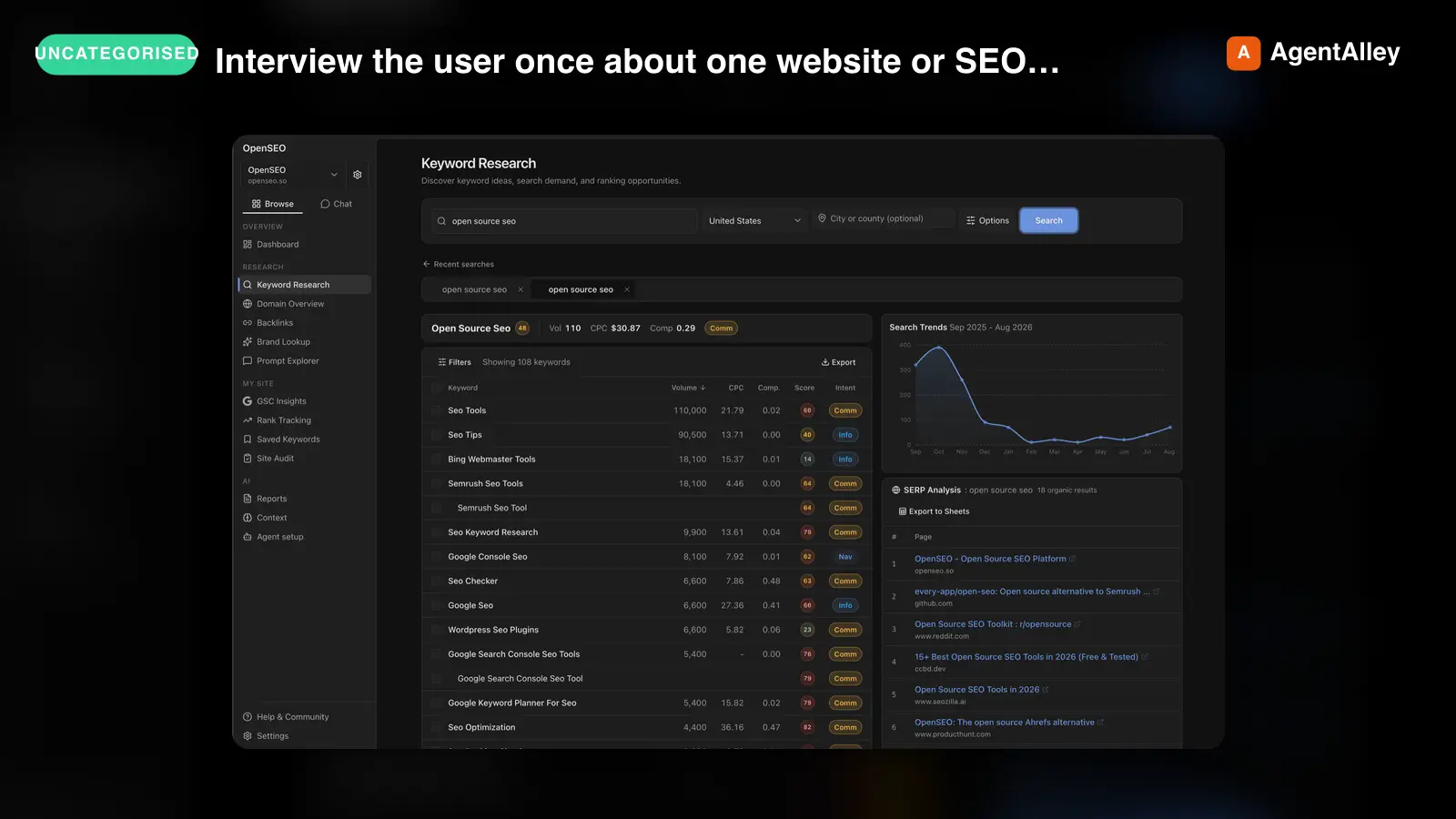
Populate a project's shared OpenSEO context — site scope, goals, positioning, competitors, key pages, and preferences — plus MCP checks and Search Console intake.
---
name: seo-project-setup
description: Populate a project's shared OpenSEO context — site scope, goals, positioning, competitors, key pages, and preferences — plus MCP checks and Search Console intake.
---

# OpenSEO SEO Project Setup

## Goal

Interview the user once about one website or SEO project, and store the answers in that project's shared context in OpenSEO with `update_project_context`. That context is read by every other skill and by the user on the project's Context page (in the sidebar under AI) — so it survives new sessions, new machines, and new agents. This is a context setup workflow, not a full audit.

## Tone

Be friendly, practical, and structured. Ask questions in small batches. Explain why each item matters only when useful. Do not overwhelm a beginner with jargon.

## Where the answers go

Two project-context MCP tools do all the writing. Both are free — they spend no credits.
Overview
Interview the user once about one website or SEO project, and store the answers in that project's shared context in OpenSEO with update_project_context. That context is read by every other skill and by the user on the project's Context page (in the sidebar under AI) — so it survives new sessions, new machines, and new agents. This is a context setup workflow, not a full audit.
What you get
OpenSEO MCP/project status
Sites in scope
Known positioning
Competitors saved
Key pages saved
Search Console status and any local files
Manual install (npx, ZIP)
npx skills add every-app/open-seo --skill seo-project-setup -g -a claude-codenpx degit every-app/open-seo/plugins/openseo/skills/seo-project-setup#main ~/.claude/skills/seo-project-setupConnects with Agent Alley MCP · agentalley.io/mcp
Files included
SKILL.md9.3 KB
Read SKILL.md here
Show the full text196 lines
OpenSEO SEO Project Setup
Goal
Interview the user once about one website or SEO project, and store the answers in that project's shared context in OpenSEO with update_project_context. That context is read by every other skill and by the user on the project's Context page (in the sidebar under AI) — so it survives new sessions, new machines, and new agents. This is a context setup workflow, not a full audit.
Tone
Be friendly, practical, and structured. Ask questions in small batches. Explain why each item matters only when useful. Do not overwhelm a beginner with jargon.
Where the answers go
Two project-context MCP tools do all the writing. Both are free — they spend no credits.
get_project_context(projectId): everything already known about the project, plus amissingSectionslist.update_project_context(projectId, updates): a list of patch ops. The ones this skill uses:{ section: "business_overview" | "current_goal" | "positioning" | "writing_preferences", content }{ addCompetitors: [{ domain, name?, notes? }] }{ addKeyPages: [{ url, role: "hub" | "spoke" | "money" | "other", topic?, notes? }] }{ customSection: "<slug>", title?, content }for anything that does not fit a typed section{ appendResearchLog: { summary } }when this session spends credits
Write in batches as the interview progresses — do not hold every answer until the end. Sections are prose (~4,000 characters each), so a few tight paragraphs, not a transcript.
Checklist
1. Verify OpenSEO MCP and resolve the project
Writes need a projectId, so do this first:
- Use
whoamiif available. - Use
list_projectsto confirm the user can access projects. - Match the project to the website/domain they want to rank for.
- If the project list is ambiguous, ask the user which project should be used.
- If no project matches, offer to create one with
create_project. - If the MCP is unavailable, tell the user to connect OpenSEO MCP; without it, nothing can be saved.
Do not run research tools just to test connectivity; whoami and list_projects are enough.
2. Read what is already there
Call get_project_context. Show the user a short summary of what OpenSEO already knows and what is missing. Confirm or correct existing entries rather than re-asking questions that are already answered — this skill is often re-run after another skill filled in part of the context.
3. Collect website scope
Ask for:
- Primary website/domain
- Additional domains or subdomains
- Important products, services, categories, or pages
- Target countries/languages
- Whether the site is new, established, migrating, or recovering from a drop
- CMS or publishing workflow, if relevant
Write the durable parts to business_overview: what the business does, who it is for, the target markets/locales, and the site's current stage.
4. Capture goals
Ask the user what they want from SEO:
- More qualified leads
- More signups/trials
- More ecommerce revenue
- More newsletter/audience growth
- More brand/category awareness
- Recovery from traffic loss
- Better ranking for specific pages
Ask for success metrics and timeframe. If goals are vague, help turn them into measurable goals such as "increase non-branded organic signups" or "rank top 10 for 20 buying-intent terms."
Write the result to current_goal, including the metric and timeframe.
5. Capture positioning and strategy context
Ask what research they have already done about the company, product, audience, and competitors. Request any notes, docs, customer interviews, positioning docs, pitch decks, landing pages, or strategy memos they can share.
Probe for:
- Who the product or site is for
- What pain it solves
- Why users choose it over alternatives
- Competitors and substitutes
- Strong opinions or positioning claims
- Best customers and bad-fit customers
- Existing content that already converts
- Topics they do not want to target
If the user has not done this yet, offer to help research positioning using the company website, competitor pages, reviews, forums, and web search.
Write to positioning: audience, the problem, the differentiator, and any claims the user wants defended. Ask about voice, banned words or phrases, and topics to avoid, and write those to writing_preferences — content-drafting workflows read that section.
6. Save competitors
Turn the competitors and substitutes from step 5 into addCompetitors entries: one row per domain, with a short notes line on why they matter ("direct competitor, owns the comparison pages"). If the user is unsure who competes in search, find_serp_competitors on a handful of seed keywords will name them — confirm the list with the user before saving, and log the spend.
Competitors saved here are reused by competitive-landscape, competitor-analysis, and link-prospecting.
7. Inventory key assets
Ask for or discover:
- Sitemap or important URL list
- Current blog/resources/content library
- Product/category/feature pages
- Existing keyword lists
- Current rank trackers
- Backlink or PR assets
- Linkable assets such as studies, templates, tools, datasets, calculators, or original opinions
Save the pages that actually matter with addKeyPages — money pages, topic hubs, and the linkable assets. This is a curated shortlist, not a site inventory: 10 to 30 URLs is normal. Give each one a role and, where known, the topic it targets.
8. Connect Google Search Console
GSC is the richest first-party signal: existing impressions, near-ranking terms, cannibalization, and pages that already have search demand.
Preferred (hosted): connect it natively. On the project's Integrations page, connect Google Search Console and pull live data with get_search_console_performance. If the user has already connected a Google account there, you can pick the property yourself: list_search_console_sites shows what each connected account can see, and set_search_console_site binds one to the project (list_google_analytics_properties / set_google_analytics_property do the same for GA4). Once connected, the agent reads it directly in keyword-research and keyword-clustering — no manual files to maintain.
Fallback (self-hosted, or if the user prefers files): ask the user to export CSVs from Search Console into a local working folder (see step 9).
Recommended exports:
- Queries: last 3 months and last 16 months if available
- Pages: last 3 months and last 16 months if available
- Query + page combinations when possible
- Countries/devices if relevant
Ask them to drop files into gsc/ and use names like:
gsc/queries-last-3-months.csv
gsc/pages-last-3-months.csv
gsc/queries-last-16-months.csv
gsc/pages-last-16-months.csv
9. Set up a local folder only for file work
Project knowledge lives in OpenSEO, not on disk. A local folder is still useful for the things that are actually files: GSC CSV exports, crawls, drafts, briefs, and reports.
If the user wants one, suggest ~/SEO/<company-or-site>/ or a folder beside the website/content repo, with a structure like:
seo-workspace/
  gsc/
  drafts/
  reports/
Do not create folders unless the user asks, and do not duplicate goals, positioning, or competitors into a local file — that is what the project context is for.
10. Recommend first workflow
After intake, recommend one next OpenSEO workflow:
seo-audit: when the site already exists and the user wants to know what to fix or do first, especially if they are new to SEOkeyword-research: when the user needs ideas from seed topicskeyword-clustering: when they have keywords or GSC data to map to pagescompetitive-landscape: when the market is unclearcompetitor-analysis: when they know a competitor to studylink-prospecting: when they have a linkable asset or target page
Output format
Use a checklist with statuses:
| Step | Status | Notes | Next action |
|---|
Then summarize:
- OpenSEO MCP/project status
- Sites in scope
- Goals
- Known positioning
- Competitors saved
- Key pages saved
- Search Console status and any local files
- Sections still missing from project context
- Recommended next workflow
Tell the user they can read and edit everything saved here on the project's Context page, in the sidebar under AI.
Guardrails
- Keep setup lightweight. The user should feel oriented, not assigned homework.
- Confirm facts with the user before writing them. Inferences from the site are fine to propose, but they get saved as agreed answers, not guesses.
- Do not pretend a GSC CSV has been uploaded unless you can see it, and do not claim Search Console is connected unless
get_search_console_performanceconfirms it (it returns a "not connected" message otherwise). - Keep project setup focused on setup and context unless the user asks for live research. If a step does spend credits, append a research log entry so other skills do not re-buy it.
- If web search or scraping is used for positioning research, distinguish source evidence from inference.
- Overwriting a section replaces it. When context already exists, merge the new answers into the existing prose instead of discarding it.
| 1 | |
| 2 | name seo-project-setup |
| 3 | description Populate a project's shared OpenSEO context — site scope, goals, positioning, competitors, key pages, and preferences — plus MCP checks and Search Console intake. |
| 4 | |
| 5 | |
| 6 | # OpenSEO SEO Project Setup |
| 7 | |
| 8 | ## Goal |
| 9 | |
| 10 | Interview the user once about one website or SEO project, and store the answers in that project's shared context in OpenSEO with `update_project_context`. That context is read by every other skill and by the user on the project's Context page (in the sidebar under AI) — so it survives new sessions, new machines, and new agents. This is a context setup workflow, not a full audit. |
| 11 | |
| 12 | ## Tone |
| 13 | |
| 14 | Be friendly, practical, and structured. Ask questions in small batches. Explain why each item matters only when useful. Do not overwhelm a beginner with jargon. |
| 15 | |
| 16 | ## Where the answers go |
| 17 | |
| 18 | Two project-context MCP tools do all the writing. Both are free — they spend no credits. |
| 19 | |
| 20 | `get_project_context(projectId)`: everything already known about the project, plus a `missingSections` list. |
| 21 | `update_project_context(projectId, updates)`: a list of patch ops. The ones this skill uses: |
| 22 | `{ section: "business_overview" | "current_goal" | "positioning" | "writing_preferences", content }` |
| 23 | `{ addCompetitors: [{ domain, name?, notes? }] }` |
| 24 | `{ addKeyPages: [{ url, role: "hub" | "spoke" | "money" | "other", topic?, notes? }] }` |
| 25 | `{ customSection: "<slug>", title?, content }` for anything that does not fit a typed section |
| 26 | `{ appendResearchLog: { summary } }` when this session spends credits |
| 27 | |
| 28 | Write in batches as the interview progresses — do not hold every answer until the end. Sections are prose (~4,000 characters each), so a few tight paragraphs, not a transcript. |
| 29 | |
| 30 | ## Checklist |
| 31 | |
| 32 | ### 1. Verify OpenSEO MCP and resolve the project |
| 33 | |
| 34 | Writes need a `projectId`, so do this first: |
| 35 | |
| 36 | Use `whoami` if available. |
| 37 | Use `list_projects` to confirm the user can access projects. |
| 38 | Match the project to the website/domain they want to rank for. |
| 39 | If the project list is ambiguous, ask the user which project should be used. |
| 40 | If no project matches, offer to create one with `create_project`. |
| 41 | If the MCP is unavailable, tell the user to connect OpenSEO MCP; without it, nothing can be saved. |
| 42 | |
| 43 | Do not run research tools just to test connectivity; `whoami` and `list_projects` are enough. |
| 44 | |
| 45 | ### 2. Read what is already there |
| 46 | |
| 47 | Call `get_project_context`. Show the user a short summary of what OpenSEO already knows and what is missing. Confirm or correct existing entries rather than re-asking questions that are already answered — this skill is often re-run after another skill filled in part of the context. |
| 48 | |
| 49 | ### 3. Collect website scope |
| 50 | |
| 51 | Ask for: |
| 52 | |
| 53 | Primary website/domain |
| 54 | Additional domains or subdomains |
| 55 | Important products, services, categories, or pages |
| 56 | Target countries/languages |
| 57 | Whether the site is new, established, migrating, or recovering from a drop |
| 58 | CMS or publishing workflow, if relevant |
| 59 | |
| 60 | Write the durable parts to `business_overview`: what the business does, who it is for, the target markets/locales, and the site's current stage. |
| 61 | |
| 62 | ### 4. Capture goals |
| 63 | |
| 64 | Ask the user what they want from SEO: |
| 65 | |
| 66 | More qualified leads |
| 67 | More signups/trials |
| 68 | More ecommerce revenue |
| 69 | More newsletter/audience growth |
| 70 | More brand/category awareness |
| 71 | Recovery from traffic loss |
| 72 | Better ranking for specific pages |
| 73 | |
| 74 | Ask for success metrics and timeframe. If goals are vague, help turn them into measurable goals such as "increase non-branded organic signups" or "rank top 10 for 20 buying-intent terms." |
| 75 | |
| 76 | Write the result to `current_goal`, including the metric and timeframe. |
| 77 | |
| 78 | ### 5. Capture positioning and strategy context |
| 79 | |
| 80 | Ask what research they have already done about the company, product, audience, and competitors. Request any notes, docs, customer interviews, positioning docs, pitch decks, landing pages, or strategy memos they can share. |
| 81 | |
| 82 | Probe for: |
| 83 | |
| 84 | Who the product or site is for |
| 85 | What pain it solves |
| 86 | Why users choose it over alternatives |
| 87 | Competitors and substitutes |
| 88 | Strong opinions or positioning claims |
| 89 | Best customers and bad-fit customers |
| 90 | Existing content that already converts |
| 91 | Topics they do not want to target |
| 92 | |
| 93 | If the user has not done this yet, offer to help research positioning using the company website, competitor pages, reviews, forums, and web search. |
| 94 | |
| 95 | Write to `positioning`: audience, the problem, the differentiator, and any claims the user wants defended. Ask about voice, banned words or phrases, and topics to avoid, and write those to `writing_preferences` — content-drafting workflows read that section. |
| 96 | |
| 97 | ### 6. Save competitors |
| 98 | |
| 99 | Turn the competitors and substitutes from step 5 into `addCompetitors` entries: one row per domain, with a short `notes` line on why they matter ("direct competitor, owns the comparison pages"). If the user is unsure who competes in search, `find_serp_competitors` on a handful of seed keywords will name them — confirm the list with the user before saving, and log the spend. |
| 100 | |
| 101 | Competitors saved here are reused by `competitive-landscape`, `competitor-analysis`, and `link-prospecting`. |
| 102 | |
| 103 | ### 7. Inventory key assets |
| 104 | |
| 105 | Ask for or discover: |
| 106 | |
| 107 | Sitemap or important URL list |
| 108 | Current blog/resources/content library |
| 109 | Product/category/feature pages |
| 110 | Existing keyword lists |
| 111 | Current rank trackers |
| 112 | Backlink or PR assets |
| 113 | Linkable assets such as studies, templates, tools, datasets, calculators, or original opinions |
| 114 | |
| 115 | Save the pages that actually matter with `addKeyPages` — money pages, topic hubs, and the linkable assets. This is a curated shortlist, not a site inventory: 10 to 30 URLs is normal. Give each one a `role` and, where known, the `topic` it targets. |
| 116 | |
| 117 | ### 8. Connect Google Search Console |
| 118 | |
| 119 | GSC is the richest first-party signal: existing impressions, near-ranking terms, cannibalization, and pages that already have search demand. |
| 120 | |
| 121 | **Preferred (hosted): connect it natively.** On the project's Integrations page, connect Google Search Console and pull live data with `get_search_console_performance`. If the user has already connected a Google account there, you can pick the property yourself: `list_search_console_sites` shows what each connected account can see, and `set_search_console_site` binds one to the project (`list_google_analytics_properties` / `set_google_analytics_property` do the same for GA4). Once connected, the agent reads it directly in `keyword-research` and `keyword-clustering` — no manual files to maintain. |
| 122 | |
| 123 | **Fallback (self-hosted, or if the user prefers files):** ask the user to export CSVs from Search Console into a local working folder (see step 9). |
| 124 | |
| 125 | Recommended exports: |
| 126 | |
| 127 | Queries: last 3 months and last 16 months if available |
| 128 | Pages: last 3 months and last 16 months if available |
| 129 | Query + page combinations when possible |
| 130 | Countries/devices if relevant |
| 131 | |
| 132 | Ask them to drop files into `gsc/` and use names like: |
| 133 | |
| 134 | |
| 135 | gsc/queries-last-3-months.csv |
| 136 | gsc/pages-last-3-months.csv |
| 137 | gsc/queries-last-16-months.csv |
| 138 | gsc/pages-last-16-months.csv |
| 139 | |
| 140 | |
| 141 | ### 9. Set up a local folder only for file work |
| 142 | |
| 143 | Project knowledge lives in OpenSEO, not on disk. A local folder is still useful for the things that are actually files: GSC CSV exports, crawls, drafts, briefs, and reports. |
| 144 | |
| 145 | If the user wants one, suggest `~/SEO/<company-or-site>/` or a folder beside the website/content repo, with a structure like: |
| 146 | |
| 147 | |
| 148 | seo-workspace/ |
| 149 | gsc/ |
| 150 | drafts/ |
| 151 | reports/ |
| 152 | |
| 153 | |
| 154 | Do not create folders unless the user asks, and do not duplicate goals, positioning, or competitors into a local file — that is what the project context is for. |
| 155 | |
| 156 | ### 10. Recommend first workflow |
| 157 | |
| 158 | After intake, recommend one next OpenSEO workflow: |
| 159 | |
| 160 | `seo-audit`: when the site already exists and the user wants to know what to fix or do first, especially if they are new to SEO |
| 161 | `keyword-research`: when the user needs ideas from seed topics |
| 162 | `keyword-clustering`: when they have keywords or GSC data to map to pages |
| 163 | `competitive-landscape`: when the market is unclear |
| 164 | `competitor-analysis`: when they know a competitor to study |
| 165 | `link-prospecting`: when they have a linkable asset or target page |
| 166 | |
| 167 | ## Output format |
| 168 | |
| 169 | Use a checklist with statuses: |
| 170 | |
| 171 | | Step | Status | Notes | Next action | |
| 172 | | ---- | ------ | ----- | ----------- | |
| 173 | |
| 174 | Then summarize: |
| 175 | |
| 176 | OpenSEO MCP/project status |
| 177 | Sites in scope |
| 178 | Goals |
| 179 | Known positioning |
| 180 | Competitors saved |
| 181 | Key pages saved |
| 182 | Search Console status and any local files |
| 183 | Sections still missing from project context |
| 184 | Recommended next workflow |
| 185 | |
| 186 | Tell the user they can read and edit everything saved here on the project's Context page, in the sidebar under AI. |
| 187 | |
| 188 | ## Guardrails |
| 189 | |
| 190 | Keep setup lightweight. The user should feel oriented, not assigned homework. |
| 191 | Confirm facts with the user before writing them. Inferences from the site are fine to propose, but they get saved as agreed answers, not guesses. |
| 192 | Do not pretend a GSC CSV has been uploaded unless you can see it, and do not claim Search Console is connected unless `get_search_console_performance` confirms it (it returns a "not connected" message otherwise). |
| 193 | Keep project setup focused on setup and context unless the user asks for live research. If a step does spend credits, append a research log entry so other skills do not re-buy it. |
| 194 | If web search or scraping is used for positioning research, distinguish source evidence from inference. |
| 195 | Overwriting a section replaces it. When context already exists, merge the new answers into the existing prose instead of discarding it. |
| 196 |
Details
- License
- MIT
- Stars on the repo
- ★ 28,622
- Checked
- Source
- every-app/open-seo ↗
- Creator
- every-app · 7 listings
Similar skills
See all → Agent Browsing Auditor
 AgriciDaniel/claude-seo · by AgriciDanielAudit and fix agent readiness: the Lighthouse Agentic Browsing fraction, accessibility tree for agents, robots.txt and Content-Signal for AI agents, WAF treatment of agent traffic, llms.txt, Markdown delivery, ai-catalog.json, /.well-known discovery files, and WebMCP tools. Exclude AI citability and brand signals (seo-geo) and commerce protocol depth (seo-ecommerce).★ 17.4k GitHub stars
 Backlink Profile AnalysisAgriciDaniel/claude-seo · by AgriciDanielBacklink profile analysis: referring domains, anchor text distribution, toxic link detection, competitor gap analysis. Works with free APIs (Moz, Bing Webmaster, Common Crawl) and DataForSEO extension. Use when user says backlinks, link profile, referring domains, anchor text, toxic links, link gap, link building, disavow, or backlink audit.★ 17.4k GitHub stars
 CMS Configuration Helper
 nowork-studio/notfair-plugin · by nowork-studioConnect a CMS to notfair SEO tools. Guides users through configuring WordPress, Strapi, Contentful, or Ghost — tests the connection, and writes credentials to .env.local. Once set up, seo-analysis automatically cross- references CMS content against Google Search Console data. Use whenever the user says "connect my CMS", "set up WordPress", "configure Strapi", "add Contentful", "connect Ghost", or "CMS setup". Also trigger if the user asks why no CMS data appears in a seo-analysis report.★ 3.9k GitHub stars
 Backlink Comparison Tool
 Ryze-AI-Adgent/open-seo-mcp-skills · by Ryze-AI-AdgentBacklink profile for any domain — referring domains, authority, anchors, new/lost links, and a side-by-side vs a competitor. Use when asked "check my backlinks", "backlink profile of X", "who links to them", or "link gap vs competitor".★ 3.1k GitHub stars
 Web Vitals Auditor
 addyosmani/web-quality-skills · by addyosmaniOptimize Core Web Vitals (LCP, INP, CLS) for better page experience using field and lab evidence. Use when asked to "improve Core Web Vitals", "fix LCP", "reduce CLS", "optimize INP", "page experience optimization", or "fix layout shifts".★ 2.8k GitHub stars
 SEO Publishing Loop
 tsingyuai/growth-lab · by tsingyuaiRun an SEO page observation-action-review loop with persistent Memory by coordinating demand research, page creation, adversarial review, image generation, IndexNow submission, and performance review. Use when taking an SEO page from opportunity discovery through publication, measurement, iteration, or continuing a previous SEO loop from Memory.★ 2k GitHub stars
More from every-app
 AI Prompt Research
 every-app/open-seo · by every-appFind the questions people ask about a market, how ChatGPT answers them, and which sites get cited in the answers. Use when the user asks what people ask AI about their niche, wants prompt ideas, or wants to know where their brand is missing before choosing prompts to track. Research only; it never saves tracking or starts answer collection.★ 28.6k GitHub stars
 OpenSEO Coachevery-app/open-seo · by every-appEnter a friendly OpenSEO coach mode that explains workflows, recommends next steps, and helps users use agents, web search, scraping, and MCP data effectively.★ 28.6k GitHub stars
 OpenSEO Keyword Clusteringevery-app/open-seo · by every-appCluster keywords by intent and map them to existing or proposed pages.★ 28.6k GitHub stars
 OpenSEO Link Prospectingevery-app/open-seo · by every-appFind link prospects, discover contact paths, and draft outreach from SERPs and backlink signals.★ 28.6k GitHub stars
 OpenSEO Reportevery-app/open-seo · by every-appWrite and save an OpenSEO report as one self-contained HTML page. Use when a skill has finished its research, and whenever the user asks for a report, check-in, or summary, or names a report template.★ 28.6k GitHub stars
 Setup Openseoevery-app/open-seo · by every-appSet up OpenSEO in the current AI agent. Use when a user pastes the OpenSEO installation prompt or asks to connect its plugin, MCP, and skills.★ 28.6k GitHub stars