Extract competitor and customer intelligence from any
Landing page intel
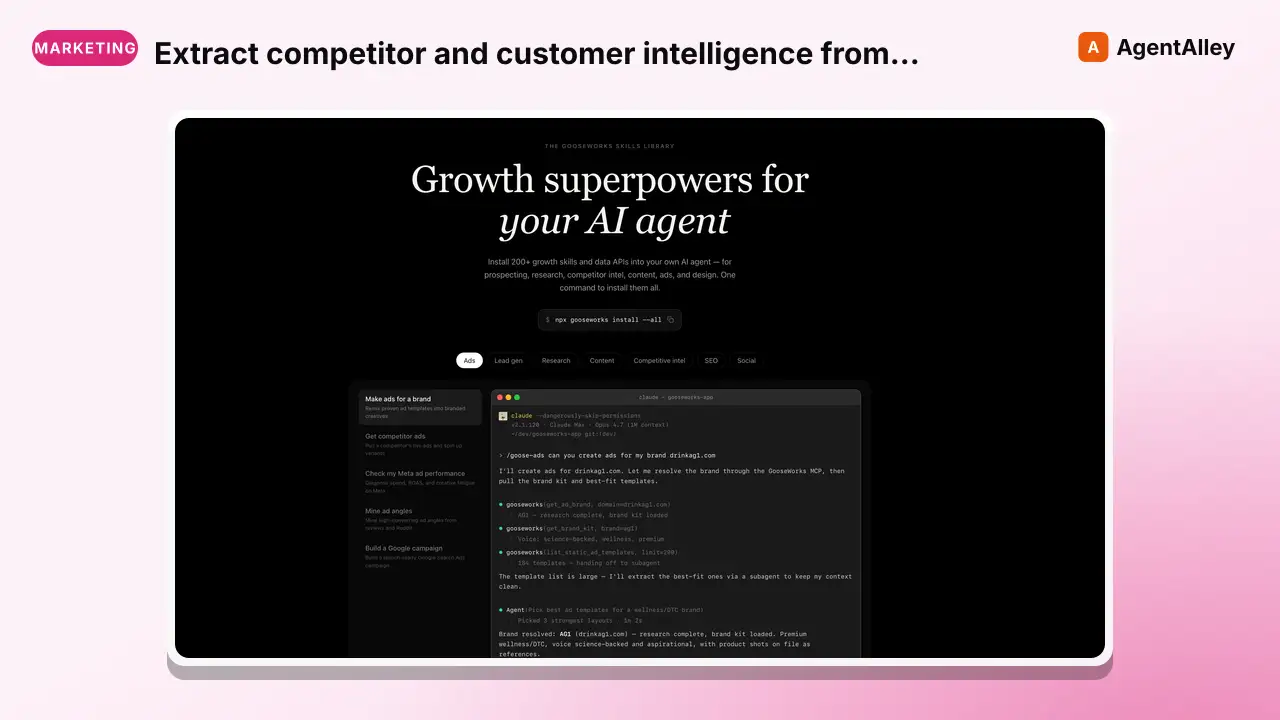
Extract competitor and customer intelligence from any company's landing page HTML. Discovers tech stack, analytics tools, ad pixels, customer logos, SEO metadata, CTAs, hidden elements, and more.
---
name: landing-page-intel
description: >
  Extract competitor and customer intelligence from any company's landing page HTML.
  Discovers tech stack, analytics tools, ad pixels, customer logos, SEO metadata,
  CTAs, hidden elements, and more. No API keys required.
---

# Landing Page Intel

Extract GTM-relevant intelligence from any company's landing page by scraping its HTML source.

## Quick Start

Only dependency is `pip install requests`. No API key needed.

```bash
# Basic scan of a single URL
Overview
Extract GTM-relevant intelligence from any company's landing page by scraping its HTML source.
Manual install (npx, ZIP)
Claude Code
npx skills add gooseworks-ai/goose-skills --skill landing-page-intel -g -a claude-codeClaude Code (manual)
mkdir -p ~/.claude/skills && curl -sL https://codeload.github.com/gooseworks-ai/goose-skills/tar.gz/615c685f34f8 \
  | tar -xz -C ~/.claude/skills --strip-components=4 goose-skills-615c685f34f8/skills/competitive-intel/capabilities/landing-page-intel
Windows (PowerShell)
New-Item -ItemType Directory -Force "$HOME\.claude\skills" | Out-Null; Invoke-WebRequest "https://m.agentalley.io/zip/2a7c19a63ce7af35c787/landing-page-intel.zip" -OutFile "$env:TEMP\landing-page-intel.zip"; Expand-Archive "$env:TEMP\landing-page-intel.zip" -DestinationPath "$HOME\.claude\skills" -ForceClaude.ai / desktop
Codex, Cursor, other agents
Connects with Agent Alley MCP · agentalley.io/mcp
Files included
SKILL.md3.0 KBskill.meta.json268 Bscripts/1 file · 23.4 KB
Read the files here
SKILL.md
Show the full text68 lines
Landing Page Intel
Extract GTM-relevant intelligence from any company's landing page by scraping its HTML source.
Quick Start
Only dependency is pip install requests. No API key needed.
# Basic scan of a single URL
python3 skills/landing-page-intel/scripts/scrape_landing_page.py \
  --url "https://example.com"

# Scan multiple pages of the same site
python3 skills/landing-page-intel/scripts/scrape_landing_page.py \
  --url "https://example.com" --pages "/,/pricing,/about"

# Output as summary table instead of JSON
python3 skills/landing-page-intel/scripts/scrape_landing_page.py \
  --url "https://example.com" --output summary

# Save full report to file
python3 skills/landing-page-intel/scripts/scrape_landing_page.py \
  --url "https://example.com" --output json > report.json
What It Extracts
| Category | Details |
|---|---|
| Tech Stack | Analytics (GA4, Mixpanel, Amplitude, PostHog, Heap), marketing automation (HubSpot, Marketo, Pardot), chat widgets (Intercom, Drift, Crisp, Zendesk), A/B testing (Optimizely, VWO, LaunchDarkly), session recording (Hotjar, FullStory, LogRocket), CDPs (Segment, Clearbit, 6sense) |
| Ad Pixels | Meta Pixel, Google Ads, LinkedIn Insight Tag, TikTok pixel, Twitter pixel |
| Customer Logos | Image URLs from "trusted by" / logo carousel sections, grouped by directory |
| SEO Metadata | Title, meta description, Open Graph tags, Twitter Cards, canonical URL, structured data (JSON-LD), hreflang tags |
| CTAs & Sales Motion | All CTA button text and links — reveals PLG vs sales-led motion |
| Social Proof | Testimonials, customer counts, case study links, badge images |
| Integrations | Links to integration/partner pages, embedded third-party widgets |
| Hidden Elements | Content in display:none, hidden, or HTML comments that may reveal upcoming features |
| Infrastructure | CMS platform (Webflow, WordPress, Next.js, etc.), detected from HTML signatures |
CLI Reference
| Flag | Default | Description |
|---|---|---|
--url |
required | Target website URL |
--pages |
/ |
Comma-separated paths to scan (e.g., /,/pricing,/about) |
--output |
json |
Output format: json or summary |
--timeout |
15 |
Request timeout in seconds |
GTM Use Cases
- Competitive intel: See what tools competitors use, how they position, who their customers are
- Prospect research: Before a sales call, scan a prospect's site to understand their stack and maturity
- Market mapping: Scan multiple competitors to compare positioning, customer segments, and GTM motions
- Customer discovery: Extract competitor customer logos as potential prospects for your own product
Cost
Free. No API keys required. Uses only HTTP requests to fetch public HTML.
| 1 | |
| 2 | name landing-page-intel |
| 3 | description > |
| 4 | Extract competitor and customer intelligence from any company's landing page HTML. |
| 5 | Discovers tech stack, analytics tools, ad pixels, customer logos, SEO metadata, |
| 6 | CTAs, hidden elements, and more. No API keys required. |
| 7 | |
| 8 | |
| 9 | # Landing Page Intel |
| 10 | |
| 11 | Extract GTM-relevant intelligence from any company's landing page by scraping its HTML source. |
| 12 | |
| 13 | ## Quick Start |
| 14 | |
| 15 | Only dependency is `pip install requests`. No API key needed. |
| 16 | |
| 17 | |
| 18 | # Basic scan of a single URL |
| 19 | python3 skills/landing-page-intel/scripts/scrape_landing_page.py \ |
| 20 | --url "https://example.com" |
| 21 | |
| 22 | # Scan multiple pages of the same site |
| 23 | python3 skills/landing-page-intel/scripts/scrape_landing_page.py \ |
| 24 | --url "https://example.com" --pages "/,/pricing,/about" |
| 25 | |
| 26 | # Output as summary table instead of JSON |
| 27 | python3 skills/landing-page-intel/scripts/scrape_landing_page.py \ |
| 28 | --url "https://example.com" --output summary |
| 29 | |
| 30 | # Save full report to file |
| 31 | python3 skills/landing-page-intel/scripts/scrape_landing_page.py \ |
| 32 | --url "https://example.com" --output json > report.json |
| 33 | |
| 34 | |
| 35 | ## What It Extracts |
| 36 | |
| 37 | | Category | Details | |
| 38 | |----------|---------| |
| 39 | | **Tech Stack** | Analytics (GA4, Mixpanel, Amplitude, PostHog, Heap), marketing automation (HubSpot, Marketo, Pardot), chat widgets (Intercom, Drift, Crisp, Zendesk), A/B testing (Optimizely, VWO, LaunchDarkly), session recording (Hotjar, FullStory, LogRocket), CDPs (Segment, Clearbit, 6sense) | |
| 40 | | **Ad Pixels** | Meta Pixel, Google Ads, LinkedIn Insight Tag, TikTok pixel, Twitter pixel | |
| 41 | | **Customer Logos** | Image URLs from "trusted by" / logo carousel sections, grouped by directory | |
| 42 | | **SEO Metadata** | Title, meta description, Open Graph tags, Twitter Cards, canonical URL, structured data (JSON-LD), hreflang tags | |
| 43 | | **CTAs & Sales Motion** | All CTA button text and links — reveals PLG vs sales-led motion | |
| 44 | | **Social Proof** | Testimonials, customer counts, case study links, badge images | |
| 45 | | **Integrations** | Links to integration/partner pages, embedded third-party widgets | |
| 46 | | **Hidden Elements** | Content in `display:none`, `hidden`, or HTML comments that may reveal upcoming features | |
| 47 | | **Infrastructure** | CMS platform (Webflow, WordPress, Next.js, etc.), detected from HTML signatures | |
| 48 | |
| 49 | ## CLI Reference |
| 50 | |
| 51 | | Flag | Default | Description | |
| 52 | |------|---------|-------------| |
| 53 | | `--url` | *required* | Target website URL | |
| 54 | | `--pages` | `/` | Comma-separated paths to scan (e.g., `/,/pricing,/about`) | |
| 55 | | `--output` | `json` | Output format: `json` or `summary` | |
| 56 | | `--timeout` | `15` | Request timeout in seconds | |
| 57 | |
| 58 | ## GTM Use Cases |
| 59 | |
| 60 | **Competitive intel**: See what tools competitors use, how they position, who their customers are |
| 61 | **Prospect research**: Before a sales call, scan a prospect's site to understand their stack and maturity |
| 62 | **Market mapping**: Scan multiple competitors to compare positioning, customer segments, and GTM motions |
| 63 | **Customer discovery**: Extract competitor customer logos as potential prospects for your own product |
| 64 | |
| 65 | ## Cost |
| 66 | |
| 67 | Free. No API keys required. Uses only HTTP requests to fetch public HTML. |
| 68 |
Details
- Updated
- Sep 21, 2026
- License
- MIT
- Stars on the repo
- ★ 1,220
- Checked
- Source
- gooseworks-ai/goose-skills ↗
- Creator
- gooseworks-ai · 206 listings
Made with landing-page-intel

Landing page intel — CleanShot 2026-07-13 at 20 16 54@2x (from the gooseworks-ai/goose-skills README)
Similar skills
See all → SkillAnalyze active ads from Meta/Facebook, GoogleAd library teardown
 ScrapeCreators/social-media-research-skills · by ScrapeCreatorsUse when the user wants to analyze active ads from Meta/Facebook, Google, or LinkedIn ad libraries; tear down a competitor's messaging; extract hooks, offers, CTAs, video transcripts, landing page claims, and test ideas from public ads.★ 2.6k GitHub stars
 SkillTurn product materials into listing visuals for Taobao, JDEcommerce visual copywriting
 feichanggege/ecommerce-visual-copywriting-skill · by feichanggegeTurn product materials into listing visuals for Taobao, JD, Douyin, Amazon, Shopify and TikTok Shop: main-image and detail-page storyboards, in-image copy, image prompts, plus an evidence and ad-compliance check.★ 985 GitHub stars
 SkillTell us about your plans and pricesPricing Page (High‑Conversion) — Web Design Skill
 boraoztunc/skills · by Meng ToTell us about your plans and prices, and get back a ready-to-build pricing page: plan layout, what each tier includes, buttons, and answers to common buyer questions.★ 361 GitHub stars
 SkillWrites opening hooks and post titles for long-form articlesCopywriting hooks
 samber/cc-skills · by samberWrites opening hooks and post titles for long-form articles in EN or FR — blog posts, Substack/Medium/dev.to, LinkedIn long-form, newsletters, essays. Trigger whenever the user asks for a hook, opening, lede, intro, first sentence/paragraph, opener, accroche, attaque, phrase d'accroche, or première phrase — including punching up a flat intro or draft opening — or for a post title, titre d'article, or headline. Do NOT trigger for social posts (LinkedIn feed, Twitter/X, TikTok, Bluesky), READMEs, taglines, email subjects, ad copy, landing-page headlines, press releases, SEO meta, or body rewrites. Do NOT use for end-of-article CTAs — use samber/cc-skills@copywriting-cta instead.★ 222 GitHub stars
 SkillSomeone wants landing page ideas, conceptsEcom landing pages
 kgelster/awesome-ecom-skills · by kgelsterUse when someone wants landing page ideas, concepts, or angles for a store: give me landing page concepts", "LP ideas", "landing page angles", a campaign or ad landing page, pages for a new audience/segment, a seasonal/event/promo page, or a geo/local page. Also use when a chosen concept gets picked and needs building out into an actual page (section-by-section blueprint), or when auditing an existing landing page against best practice. The core insight: one product becomes dozens of pages by varying the ANGLE, not the product. Not for full-site information architecture, product detail pages, collection pages, or blog/SEO content (a landing page has ONE goal, no site chrome). Use an SEO/content skill. Not for the ad or email creative itself, though message match with the page matters.★ 49 GitHub stars
 SkillWrite sales pages, email sequencesEW Skill — Sales Copy
 Deupaxx/EveryDay-Writer · by DeupaxxWrite sales pages, email sequences, and direct-response copy that converts through clarity and specificity rather than manipulation. Use for launches, offers, and conversion-focused email. Enforces the EW anti-AI rules, proof standards, and the writer's voice profile.★ 32 GitHub stars
More from gooseworks-ai
 SkillMine the highest-converting ad angles from customer reviewsAd angle miner
 gooseworks-ai/goose-skills · by gooseworks-aiMine the highest-converting ad angles from customer reviews, Reddit complaints, support tickets, and competitor ads. Extracts actual pain language, competitor weaknesses, and outcome phrases that real buyers use. Outputs a ranked angle bank with proof quotes and recommended ad formats per angle.★ 1.2k GitHub stars
 SkillAnalyze ad campaign performance data to identify what'sAd campaign analyzergooseworks-ai/goose-skills · by gooseworks-aiAnalyze ad campaign performance data (Google, Meta, LinkedIn) to identify what's working, what's wasting budget, and specific cut/scale/test recommendations. Runs statistical analysis, funnel diagnostics, and multi-channel budget reallocation with specific dollar-amount shift recommendations and scenario modeling.★ 1.2k GitHub stars
 SkillFor paid lead-gen and participant-recruitment adsAd lead quality analyzergooseworks-ai/goose-skills · by gooseworks-aiFor paid lead-gen and participant-recruitment ads, replaces vanity CPA with true CAC per qualified lead by joining ad-platform data with downstream funnel events, surfaces tracking gaps, and classifies every creative into Scale / Keep / Investigate / Cut.★ 1.2k GitHub stars
 SkillAnalyze the message match between your ads and landing pagesAd to landing page auditorgooseworks-ai/goose-skills · by gooseworks-aiAnalyze the message match between your ads and landing pages. Checks if the promise in the ad copy carries through to the landing page headline, body, and CTA. Flags disconnects that kill conversion rates. Works with Google, Meta, and LinkedIn ads.★ 1.2k GitHub stars
 SkillCheck and improve your brand's visibility across AI searchAeogooseworks-ai/goose-skills · by gooseworks-aiCheck and improve your brand's visibility across AI search engines (ChatGPT, Perplexity, Gemini, Grok, Claude, DeepSeek). Set up tracking, run visibility analyses, audit your website for AI readability, and get actionable recommendations. Uses the npx goose-aeo@latest CLI.★ 1.2k GitHub stars
 SkillSearch Amazon products - find items, compare pricesAmazon Product Searchgooseworks-ai/goose-skills · by gooseworks-aiSearch Amazon products - find items, compare prices, read reviews★ 1.2k GitHub stars