Tell us about your plans and prices
Pricing Page (High‑Conversion) — Web Design Skill
Tell us about your plans and prices, and get back a ready-to-build pricing page: plan layout, what each tier includes, buttons, and answers to common buyer questions.
---
name: pricing-page
description: Use when designing or rewriting a high-converting SaaS pricing page (structure, plan design, copywriting, SEO/AEO, FAQs, layout patterns, experiments). Includes checklists, templates, and common pitfalls.
---

# Pricing Page (High‑Conversion) — Web Design Skill

Design a pricing page that helps visitors **choose** and feel good about it.
Your job is not to “show prices.”
Your job is to **reduce uncertainty**.

## Before you design/write
Gather (ask if missing):

### 1) Offer + audience
- What are you selling? (category)
- Who is it for? (ICP + primary use case)
- What’s the main value metric? (seat, usage, project, revenue, etc.)
Overview
Design a pricing page that helps visitors choose and feel good about it. Your job is not to “show prices.” Your job is to reduce uncertainty.
What you get
- ❌ “Unlimited projects”
- ✅ “Ship unlimited client sites without extra fees”
Manual install (npx, ZIP)
Claude Code
npx skills add boraoztunc/skills --skill pricing-page -g -a claude-codeClaude Code (manual)
mkdir -p ~/.claude/skills && curl -sL https://codeload.github.com/boraoztunc/skills/tar.gz/645553ca7622 \
  | tar -xz -C ~/.claude/skills --strip-components=1 skills-645553ca7622/pricing-page
Windows (PowerShell)
New-Item -ItemType Directory -Force "$HOME\.claude\skills" | Out-Null; Invoke-WebRequest "https://m.agentalley.io/zip/22f33d309e8d3b5629a2/pricing-page.zip" -OutFile "$env:TEMP\pricing-page.zip"; Expand-Archive "$env:TEMP\pricing-page.zip" -DestinationPath "$HOME\.claude\skills" -ForceClaude.ai / desktop
Codex, Cursor, other agents
Connects with Agent Alley MCP · agentalley.io/mcp
Files included
SKILL.md5.7 KBREFERENCES.md278 B
Read the files here
boraoztunc/
SKILL.md
Show the full text213 lines
Pricing Page (High‑Conversion) — Web Design Skill
Design a pricing page that helps visitors choose and feel good about it. Your job is not to “show prices.” Your job is to reduce uncertainty.
Before you design/write
Gather (ask if missing):
1) Offer + audience
- What are you selling? (category)
- Who is it for? (ICP + primary use case)
- What’s the main value metric? (seat, usage, project, revenue, etc.)
2) Plans
- Plan names + prices (monthly/annual)
- Limits per plan (the 3–6 limits that matter)
- What’s the upgrade trigger? (what causes people to move up?)
3) Objections + risk
- Top 3 reasons people don’t buy today
- Security/compliance needs? (SOC2, GDPR, etc.)
- Can you offer: free trial, free plan, money-back, demo?
4) Proof
- Testimonials, logos, results, case studies, metrics
5) Traffic context
- Are visitors coming from: homepage, feature pages, ads, comparison pages?
- What do they already know?
Core structure (what a pricing page should have)
Above the fold (must)
- Clear value headline (what outcome, for who)
- Monthly/Annual toggle with annual savings callout
- 3‑plan pricing table (most common) or 2‑plan (simple product)
- Primary CTA per plan (consistent verbs)
Below the fold (high leverage)
- Plan comparison (feature matrix or “what you get” bullets)
- FAQ (objection handling)
- Social proof near decision points
- Security / compliance / procurement section (if B2B)
- Final CTA + contact sales
Layout types (pick one)
A) Classic 3‑card
Best when:
- you have 3 natural tiers (Starter / Pro / Business)
- pricing is simple
Rules:
- 1 plan labeled Recommended
- show “most popular” without yelling
B) Value metric slider
Best when:
- pricing scales with usage (seats, events, credits)
Rules:
- keep math obvious
- keep a safe default (median customer)
C) “Pick your path” (two columns)
Best when:
- different audiences (Individuals vs Teams)
Rules:
- separate by persona first, then price
D) Enterprise last mile
Best when:
- you have a self-serve path + sales-led path
Rules:
- Enterprise should read like procurement reassurance
High‑conversion strategies (practical)
1) Make the decision easy
- 3 plans max (unless you have a strong reason)
- One recommended plan
- Bullets describe outcomes, not internal features
2) Anchor value (without being shady)
- Annual toggle with “Save X%”
- Show “Starting at” only if your pricing is truly variable
- Avoid surprise fees
3) Reduce risk
Choose at least one:
- Free trial
- Free plan
- Money‑back guarantee
- “Talk to sales” with a clear promise (response time, demo)
4) Handle objections before they bounce
Most effective FAQ topics:
- “Can I cancel anytime?”
- “What happens if I hit limits?”
- “Do you offer discounts?”
- “Is this for freelancers/teams?”
- “Security / data / compliance”
5) Provide a comparison that’s readable
- Avoid huge spreadsheets
- Group by: Core, Collaboration, Admin/Security, Support
- Highlight what changes at each tier
Copywriting (templates)
Headlines (choose a formula)
- “{Outcome} for {audience}—without {pain}”
- “Plans that scale from {small} to {big}”
- “Start small. Upgrade when {trigger}.”
Plan description (2 lines)
- Who it’s for
- What it unlocks
Example:
- Pro — For designers shipping weekly. Better components, faster iteration.
CTA buttons
Rules:
- Use verbs that match the motion:
- “Start free trial”
- “Buy Pro”
- “Contact sales”
- Keep CTAs consistent across plans (don’t mix “Get started” / “Try now” / “Sign up”).
Feature bullets (write like outcomes)
- ❌ “Unlimited projects”
- ✅ “Ship unlimited client sites without extra fees”
Pricing table checklist (UI)
- Visible monthly/annual toggle
- “Save X%” callout on annual
- Recommended plan styling (subtle)
- Key limits visible (3–6 max)
- Included items visible (3–6 max)
- Clear next step under each plan (trial/buy/contact)
- Link: “Compare plans” (scrolls to matrix)
- Mobile: table becomes stacked cards (not a horizontal scroll nightmare)
SEO + AEO (AI answers) checklist
SEO basics
- Title: “Pricing — {Product}” + outcome keyword
- Meta description: 1 sentence on value + 1 sentence on pricing starting point
- Clean URL:
/pricing - Internal links from:
- homepage CTA
- feature pages
- comparison pages
AEO (answer engines)
- Add an FAQ section that answers:
- refund policy
- trial length
- cancellation
- what counts as a seat/usage
- enterprise procurement
- Write FAQs in plain Q/A format.
- Optional: FAQ schema (if your stack supports it).
Common pitfalls
- Too many plans (analysis paralysis)
- Features listed with no context (why it matters)
- Pricing hidden behind “Contact sales” for everything
- Switching value metric mid-page (confusing)
- Over-designed table that harms readability
Output format (when generating a pricing page)
Return:
- Page outline (sections + order)
- Pricing table spec (plans, bullets, limits, CTA)
- FAQ list (6–12 Q/A)
- SEO/AEO (title + meta + FAQ schema suggestion)
- Layout recommendation (A/B/C/D + why)
Quick questions (if user gives you only “make a pricing page”)
- Free plan or trial?
- Monthly/annual pricing numbers?
- Value metric?
- Recommended plan (which one and why)?
- Top 3 objections?
| 1 | |
| 2 | name pricing-page |
| 3 | description Use when designing or rewriting a high-converting SaaS pricing page (structure, plan design, copywriting, SEO/AEO, FAQs, layout patterns, experiments). Includes checklists, templates, and common pitfalls. |
| 4 | |
| 5 | |
| 6 | # Pricing Page (High‑Conversion) — Web Design Skill |
| 7 | |
| 8 | Design a pricing page that helps visitors **choose** and feel good about it. |
| 9 | Your job is not to “show prices.” |
| 10 | Your job is to **reduce uncertainty**. |
| 11 | |
| 12 | ## Before you design/write |
| 13 | Gather (ask if missing): |
| 14 | |
| 15 | ### 1) Offer + audience |
| 16 | What are you selling? (category) |
| 17 | Who is it for? (ICP + primary use case) |
| 18 | What’s the main value metric? (seat, usage, project, revenue, etc.) |
| 19 | |
| 20 | ### 2) Plans |
| 21 | Plan names + prices (monthly/annual) |
| 22 | Limits per plan (the 3–6 limits that matter) |
| 23 | What’s the upgrade trigger? (what causes people to move up?) |
| 24 | |
| 25 | ### 3) Objections + risk |
| 26 | Top 3 reasons people don’t buy today |
| 27 | Security/compliance needs? (SOC2, GDPR, etc.) |
| 28 | Can you offer: free trial, free plan, money-back, demo? |
| 29 | |
| 30 | ### 4) Proof |
| 31 | Testimonials, logos, results, case studies, metrics |
| 32 | |
| 33 | ### 5) Traffic context |
| 34 | Are visitors coming from: homepage, feature pages, ads, comparison pages? |
| 35 | What do they already know? |
| 36 | |
| 37 | |
| 38 | |
| 39 | ## Core structure (what a pricing page should have) |
| 40 | |
| 41 | ### Above the fold (must) |
| 42 | **Clear value headline** (what outcome, for who) |
| 43 | **Monthly/Annual toggle** with annual savings callout |
| 44 | **3‑plan pricing table** (most common) or 2‑plan (simple product) |
| 45 | **Primary CTA** per plan (consistent verbs) |
| 46 | |
| 47 | ### Below the fold (high leverage) |
| 48 | **Plan comparison** (feature matrix or “what you get” bullets) |
| 49 | **FAQ** (objection handling) |
| 50 | **Social proof** near decision points |
| 51 | **Security / compliance / procurement** section (if B2B) |
| 52 | **Final CTA** + contact sales |
| 53 | |
| 54 | |
| 55 | |
| 56 | ## Layout types (pick one) |
| 57 | |
| 58 | ### A) Classic 3‑card |
| 59 | Best when: |
| 60 | you have 3 natural tiers (Starter / Pro / Business) |
| 61 | pricing is simple |
| 62 | |
| 63 | Rules: |
| 64 | 1 plan labeled **Recommended** |
| 65 | show “most popular” without yelling |
| 66 | |
| 67 | ### B) Value metric slider |
| 68 | Best when: |
| 69 | pricing scales with usage (seats, events, credits) |
| 70 | |
| 71 | Rules: |
| 72 | keep math obvious |
| 73 | keep a safe default (median customer) |
| 74 | |
| 75 | ### C) “Pick your path” (two columns) |
| 76 | Best when: |
| 77 | different audiences (Individuals vs Teams) |
| 78 | |
| 79 | Rules: |
| 80 | separate by persona first, then price |
| 81 | |
| 82 | ### D) Enterprise last mile |
| 83 | Best when: |
| 84 | you have a self-serve path + sales-led path |
| 85 | |
| 86 | Rules: |
| 87 | Enterprise should read like **procurement reassurance** |
| 88 | |
| 89 | |
| 90 | |
| 91 | ## High‑conversion strategies (practical) |
| 92 | |
| 93 | ### 1) Make the decision easy |
| 94 | 3 plans max (unless you have a strong reason) |
| 95 | One recommended plan |
| 96 | Bullets describe **outcomes**, not internal features |
| 97 | |
| 98 | ### 2) Anchor value (without being shady) |
| 99 | Annual toggle with “Save X%” |
| 100 | Show “Starting at” only if your pricing is truly variable |
| 101 | Avoid surprise fees |
| 102 | |
| 103 | ### 3) Reduce risk |
| 104 | Choose at least one: |
| 105 | Free trial |
| 106 | Free plan |
| 107 | Money‑back guarantee |
| 108 | “Talk to sales” with a clear promise (response time, demo) |
| 109 | |
| 110 | ### 4) Handle objections before they bounce |
| 111 | Most effective FAQ topics: |
| 112 | “Can I cancel anytime?” |
| 113 | “What happens if I hit limits?” |
| 114 | “Do you offer discounts?” |
| 115 | “Is this for freelancers/teams?” |
| 116 | “Security / data / compliance” |
| 117 | |
| 118 | ### 5) Provide a comparison that’s readable |
| 119 | Avoid huge spreadsheets |
| 120 | Group by: Core, Collaboration, Admin/Security, Support |
| 121 | Highlight what changes at each tier |
| 122 | |
| 123 | |
| 124 | |
| 125 | ## Copywriting (templates) |
| 126 | |
| 127 | ### Headlines (choose a formula) |
| 128 | “{Outcome} for {audience}—without {pain}” |
| 129 | “Plans that scale from {small} to {big}” |
| 130 | “Start small. Upgrade when {trigger}.” |
| 131 | |
| 132 | ### Plan description (2 lines) |
| 133 | Who it’s for |
| 134 | What it unlocks |
| 135 | |
| 136 | Example: |
| 137 | **Pro** — For designers shipping weekly. Better components, faster iteration. |
| 138 | |
| 139 | ### CTA buttons |
| 140 | Rules: |
| 141 | Use verbs that match the motion: |
| 142 | “Start free trial” |
| 143 | “Buy Pro” |
| 144 | “Contact sales” |
| 145 | Keep CTAs consistent across plans (don’t mix “Get started” / “Try now” / “Sign up”). |
| 146 | |
| 147 | ### Feature bullets (write like outcomes) |
| 148 | ❌ “Unlimited projects” |
| 149 | ✅ “Ship unlimited client sites without extra fees” |
| 150 | |
| 151 | |
| 152 | |
| 153 | ## Pricing table checklist (UI) |
| 154 | Visible monthly/annual toggle |
| 155 | “Save X%” callout on annual |
| 156 | Recommended plan styling (subtle) |
| 157 | Key limits visible (3–6 max) |
| 158 | Included items visible (3–6 max) |
| 159 | Clear next step under each plan (trial/buy/contact) |
| 160 | Link: “Compare plans” (scrolls to matrix) |
| 161 | Mobile: table becomes stacked cards (not a horizontal scroll nightmare) |
| 162 | |
| 163 | |
| 164 | |
| 165 | ## SEO + AEO (AI answers) checklist |
| 166 | |
| 167 | ### SEO basics |
| 168 | Title: “Pricing — {Product}” + outcome keyword |
| 169 | Meta description: 1 sentence on value + 1 sentence on pricing starting point |
| 170 | Clean URL: `/pricing` |
| 171 | Internal links from: |
| 172 | homepage CTA |
| 173 | feature pages |
| 174 | comparison pages |
| 175 | |
| 176 | ### AEO (answer engines) |
| 177 | Add an FAQ section that answers: |
| 178 | refund policy |
| 179 | trial length |
| 180 | cancellation |
| 181 | what counts as a seat/usage |
| 182 | enterprise procurement |
| 183 | Write FAQs in **plain Q/A** format. |
| 184 | Optional: FAQ schema (if your stack supports it). |
| 185 | |
| 186 | |
| 187 | |
| 188 | ## Common pitfalls |
| 189 | Too many plans (analysis paralysis) |
| 190 | Features listed with no context (why it matters) |
| 191 | Pricing hidden behind “Contact sales” for everything |
| 192 | Switching value metric mid-page (confusing) |
| 193 | Over-designed table that harms readability |
| 194 | |
| 195 | |
| 196 | |
| 197 | ## Output format (when generating a pricing page) |
| 198 | Return: |
| 199 | 1) **Page outline** (sections + order) |
| 200 | 2) **Pricing table spec** (plans, bullets, limits, CTA) |
| 201 | 3) **FAQ list** (6–12 Q/A) |
| 202 | 4) **SEO/AEO** (title + meta + FAQ schema suggestion) |
| 203 | 5) **Layout recommendation** (A/B/C/D + why) |
| 204 | |
| 205 | |
| 206 | |
| 207 | ## Quick questions (if user gives you only “make a pricing page”) |
| 208 | Free plan or trial? |
| 209 | Monthly/annual pricing numbers? |
| 210 | Value metric? |
| 211 | Recommended plan (which one and why)? |
| 212 | Top 3 objections? |
| 213 |
Details
- Updated
- Aug 15, 2026
- License
- MIT
- Stars on the repo
- ★ 361
- Checked
- Source
- boraoztunc/skills ↗
- Creator
- Meng To · 1 listing
Similar skills
See all → SkillAnalyze active ads from Meta/Facebook, GoogleAd library teardown
 ScrapeCreators/social-media-research-skills · by ScrapeCreatorsUse when the user wants to analyze active ads from Meta/Facebook, Google, or LinkedIn ad libraries; tear down a competitor's messaging; extract hooks, offers, CTAs, video transcripts, landing page claims, and test ideas from public ads.★ 2.6k GitHub stars
 SkillTurn product materials into listing visuals for Taobao, JDEcommerce visual copywriting
 feichanggege/ecommerce-visual-copywriting-skill · by feichanggegeTurn product materials into listing visuals for Taobao, JD, Douyin, Amazon, Shopify and TikTok Shop: main-image and detail-page storyboards, in-image copy, image prompts, plus an evidence and ad-compliance check.★ 985 GitHub stars
 SkillWrites opening hooks and post titles for long-form articlesCopywriting hooks
 samber/cc-skills · by samberWrites opening hooks and post titles for long-form articles in EN or FR — blog posts, Substack/Medium/dev.to, LinkedIn long-form, newsletters, essays. Trigger whenever the user asks for a hook, opening, lede, intro, first sentence/paragraph, opener, accroche, attaque, phrase d'accroche, or première phrase — including punching up a flat intro or draft opening — or for a post title, titre d'article, or headline. Do NOT trigger for social posts (LinkedIn feed, Twitter/X, TikTok, Bluesky), READMEs, taglines, email subjects, ad copy, landing-page headlines, press releases, SEO meta, or body rewrites. Do NOT use for end-of-article CTAs — use samber/cc-skills@copywriting-cta instead.★ 222 GitHub stars
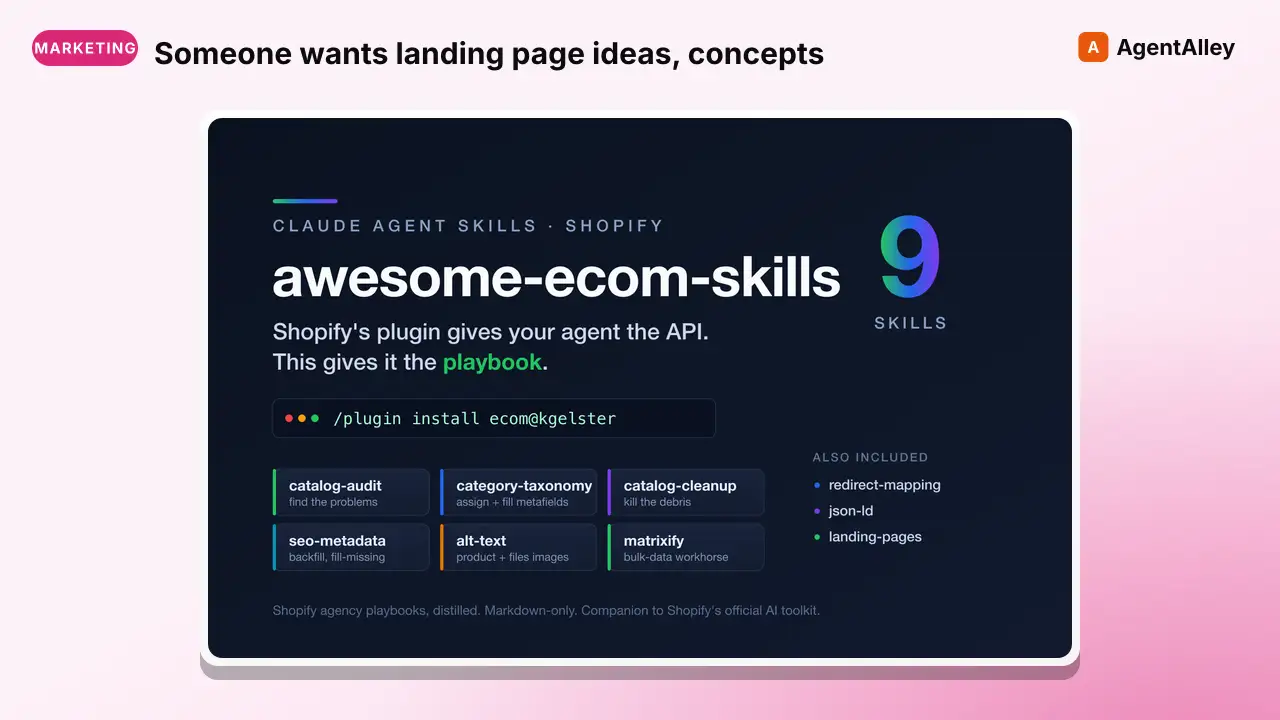 SkillSomeone wants landing page ideas, conceptsEcom landing pages
 kgelster/awesome-ecom-skills · by kgelsterUse when someone wants landing page ideas, concepts, or angles for a store: give me landing page concepts", "LP ideas", "landing page angles", a campaign or ad landing page, pages for a new audience/segment, a seasonal/event/promo page, or a geo/local page. Also use when a chosen concept gets picked and needs building out into an actual page (section-by-section blueprint), or when auditing an existing landing page against best practice. The core insight: one product becomes dozens of pages by varying the ANGLE, not the product. Not for full-site information architecture, product detail pages, collection pages, or blog/SEO content (a landing page has ONE goal, no site chrome). Use an SEO/content skill. Not for the ad or email creative itself, though message match with the page matters.★ 49 GitHub stars
 SkillWrite sales pages, email sequencesEW Skill — Sales Copy
 Deupaxx/EveryDay-Writer · by DeupaxxWrite sales pages, email sequences, and direct-response copy that converts through clarity and specificity rather than manipulation. Use for launches, offers, and conversion-focused email. Enforces the EW anti-AI rules, proof standards, and the writer's voice profile.★ 32 GitHub stars
 SkillWrite and rewrite landing-page headlines, hero sectionsHeadline Copywriting — Hero Sections That Convert
 oathdriven/rymac-skills · by oathdrivenWrite and rewrite landing-page headlines, hero sections, and their CTAs using a pain + dream-outcome formula, awareness-stage diagnosis, and a curated SaaS swipe file. Use when the user asks to "write a headline", "rewrite the hero", "fix the landing page headline", "give me headline options", "punch up the hero", or works on above-the-fold copy for allodra.ai, sierra6ai.com, or any writing-room landing page. Make sure to use this skill whenever a headline, hero section, subheadline, or CTA button copy is being written or critiqued.★ 28 GitHub stars