Landing page copy
Write landing page copy with attention to the hero, value proposition, social proof, objection handling, and conversion-focused CTAs.
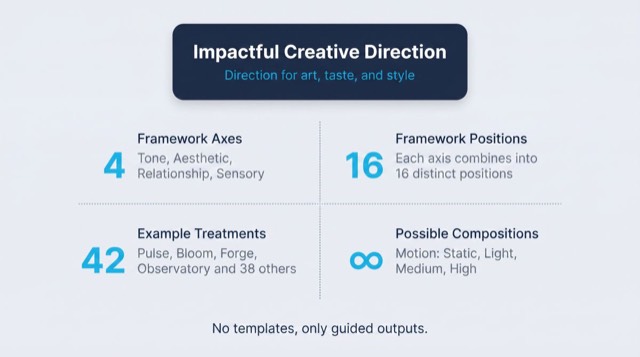
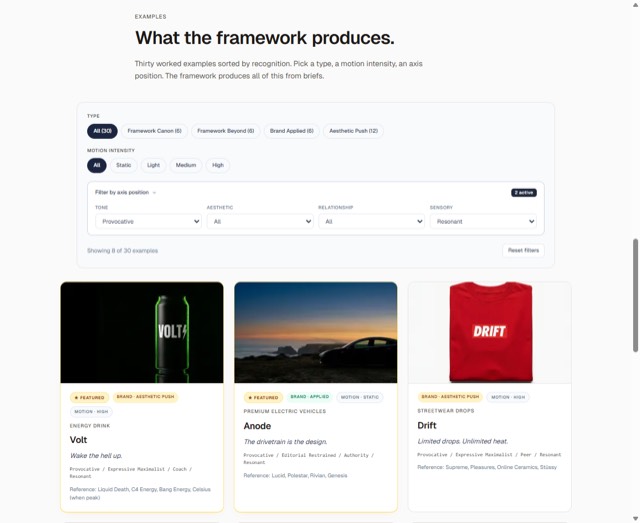
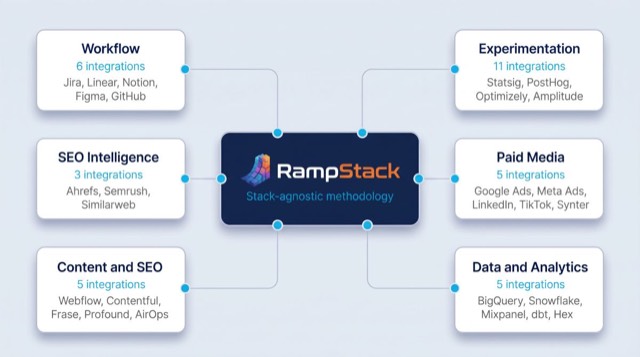
From the rampstackco/claude-skills README — shows the whole collection, not only this skill. · view on GitHub
How to use it
Claude Code
- Run the line below. It pulls the whole folder into
~/.claude/skills/landing-page-copy-2. - Describe your job in plain words. Claude Code follows the skill from there.
npx degit rampstackco/claude-skills/skills/landing-page-copy#main ~/.claude/skills/landing-page-copy-2For one project only, change the path to .claude/skills/landing-page-copy-2.
Claude (web or desktop app)
- On this page open ⋯ → Download .md.
- Save it as SKILL.md in a folder, zip the folder, then Customize → Skills → + → Create skill → Upload a skill.
- Pick the file and Save. Claude shows the name and description and runs a security scan.
- Check the skill is switched on.
- Start a new chat and describe your job in plain words. The AI follows the skill from there.
ChatGPT or another app
- ChatGPT: make a Project and paste it into Instructions.
- Neither? Paste it at the top of a new chat — it works for that chat.
Not working?
- Check which app you pasted it into — the steps above name the right one.
- Some skills need the paid tier of Claude or ChatGPT.
Paste into Claude, ChatGPT or Cursor.
Source of Landing page copy
Show the full text267 lines
| name | description | category | catalog_summary | display_order |
|---|---|---|---|---|
| landing-page-copy | Write landing page copy with attention to the hero, value proposition, social proof, objection handling, and conversion-focused CTAs. Use this skill whenever the user wants to write a landing page, sales page, hero section, or any conversion-focused web copy. Triggers on landing page, sales page, hero copy, value proposition, headline, subheadline, hero section, CTA copy, conversion copy, opt-in page, squeeze page. Also triggers when the user has a marketing campaign or product launch needing dedicated conversion copy. Use `cro-optimization` instead when the page already exists and the ask is to lift its conversion rate through testing rather than to write the copy. | content | Landing pages, sales pages, hero-to-CTA flow | 4 |
Landing Page Copy
Write copy for pages with a single conversion goal: signup, purchase, demo request, download, lead capture. Stack-agnostic.
This skill is narrower than content-and-copy. Landing pages exist to drive a specific action, not to inform broadly.
When to use
- Writing a hero section for a homepage or product page
- Writing a sales page or long-form sales letter
- Drafting opt-in or lead-capture page copy
- Campaign-specific landing pages
- Pricing page copy
- Demo or signup CTAs
When NOT to use
- Long-form blog content (use
content-and-copy) - Email sequences (use
email-sequences) - Brand voice definition (use
brand-voice) - Page design and layout decisions (use
design-standards)
Required inputs
- The product, service, or offer
- The target audience and the specific objection they bring
- The conversion goal (one specific action)
- Brand voice
- Existing customer language (testimonials, support tickets, sales calls)
- Any constraints (length, format, regulatory)
If audience is unclear or objections are unknown, run brand-discovery or pull from sales call recordings before writing.
The framework: 7 sections
A landing page does seven things in sequence. The structure can flex (combine, reorder, expand), but the elements stay constant.
1. Hero
The first 3 to 5 seconds. Decides whether the visitor stays.
Three components:
- Headline. The promise. Specific, outcome-focused, free of cliche.
- Subheadline. The mechanism. How you deliver the promise.
- Primary CTA. The action. One button, descriptive label.
Strong hero patterns:
- Outcome + audience + mechanism. "Ship features 3x faster, for engineering teams who hate meetings, with our async-first project tool."
- Pain reversal. "Stop losing customers to slow page loads."
- Surprising claim. "The note-taking app that gets used. We have data."
- Direct address. "You have 47 unread Slack messages. Here's what to do about it."
Weak hero patterns:
- Generic adjective stacking ("Powerful, intuitive, scalable")
- "Welcome to our platform"
- Brand-name-only headlines ("Acme: The Future of X")
- Vague benefits ("Streamline your workflow")
2. Social proof (early)
Within the first scroll, prove someone else trusts you.
Forms:
- Customer logos (recognizable beats unknown)
- Quantitative trust signal ("Over 10,000 teams")
- One strong testimonial with name and role
- Press mentions (logos of where you've been featured)
Placement: Right below the hero, before the visitor invests in reading more.
3. Problem / promise
Establish that you understand the visitor's situation.
Pattern:
- 1 to 3 paragraphs naming the specific problem
- Use the visitor's language (mined from research, not your marketing language)
- Stop before you sell. Resonate first.
Test: Read the problem section aloud. Does the target audience nod? If they don't, you don't understand them yet.
4. Solution / mechanism
How you solve the problem. The "what we actually do" section.
Effective structure:
- One headline summarizing the solution
- 3 to 5 specific features or capabilities, each with a 1-2 sentence explanation
- Each feature framed as the benefit it produces, not the technical detail
- Visual support (screenshots, illustrations, video clips)
Failure mode: Listing features without translating to outcomes. "Real-time collaboration" is a feature. "Edit together without copying-pasting from email" is the outcome.
5. Proof and detail
The expanded social proof and case studies section.
Components:
- 1 to 3 detailed case studies (specific customer, specific outcome, specific numbers)
- Multiple testimonials with attribution
- Specific data points (usage stats, success metrics, growth)
- Awards, certifications, or third-party validation
The deeper proof section is where committed visitors convert. Skim-readers won't make it here, but the ones who do are ready to buy.
6. Objection handling
Anticipate the reasons people say no. Address them directly.
Common objection types:
- Price. "Is this worth it?"
- Time. "Will this take forever to set up?"
- Trust. "Will this actually work for my situation?"
- Risk. "What if I commit and it's wrong?"
- Comparison. "How is this different from [competitor]?"
- Implementation. "Can my team handle the change?"
Handling formats:
- FAQ section. Structured, scannable.
- Comparison table. Vs. competitors or vs. alternatives.
- Risk reversal. Money-back guarantee, free trial, no-contract terms.
- Proof of effort needed. "Setup takes 5 minutes, not 5 weeks."
7. Final CTA
The closer. Re-state the offer. Re-state the action.
Strong final CTAs:
- Repeat the primary CTA from the hero (consistency)
- Frame in terms of the visitor's situation ("Get your team set up in 5 minutes")
- Remove friction ("No credit card required")
- One action only (avoid offering 5 alternatives that paralyze decision)
Avoid:
- Multiple CTAs competing for attention at the bottom
- New offers introduced only at the bottom (visitor is now confused)
- Long forms that ask for more information than needed for the action
The CTA itself
Buttons matter. Treat the button copy as a whole-page-worth of attention.
Strong CTA patterns:
- Action + outcome. "Start your free trial," "Get my pricing," "Send me the guide"
- First-person. "Show me how" outperforms "Show you how"
- Specific. "Book a 15-minute demo" beats "Contact us"
- Low-friction. "Free trial, no credit card" reduces commitment cost
Weak CTAs:
- "Submit" (functional but lifeless)
- "Click here" (no value statement)
- "Learn more" (vague; about what?)
- "Get started" (started doing what?)
Workflow
- Confirm the offer. What exactly is being offered? At what price (if any)? What does the visitor get?
- Confirm the audience and objection. Specific segment. The specific worry they bring.
- Mine the language. Customer testimonials, support tickets, sales calls. Use real customer phrases.
- Draft the hero. Headline, subheadline, CTA. Test 5 to 10 variations.
- Build the structure. All 7 sections in order. Sections can combine for shorter pages.
- Draft sections. Section by section. Don't polish until the structure is sound.
- Edit for friction. Remove every word that doesn't earn its place. Landing pages do not have words to spare.
- Test the CTA. Read the page aloud. By the end, is the visitor's next action obvious?
- Hand off with a post-import checklist. The deliverable is a markdown document, not a built page, so step 9 is not something you perform: it is a list you attach for whoever builds the page. Spell-check the copy yourself, then hand over the rest. Every destination URL resolves. Mobile preview of the built page. SEO basics if SEO is a goal. If the page is already built and you are revising it in place, run the checklist yourself instead of handing it over.
Failure patterns
- Hero that explains instead of sells. "We're an X for Y" is description. "Get X without Y" is sell.
- Feature lists with no outcomes. Features without benefits read as a spec sheet.
- Generic testimonials. "Great product!" is worth less than nothing. "We cut onboarding time from 2 weeks to 4 days" is gold.
- Multiple competing CTAs. Pick one primary action. Everything else is noise.
- Walls of text. Visitors scan. Use short paragraphs, bullet lists, and visual breakpoints.
- No social proof. Trust is the first hurdle. Without proof, the rest of the page does not earn the chance to be read.
- Mismatched headline and CTA. Hero promises X, CTA asks for Y. Visitor confused.
- Writing for everyone. "Our solution works for any business" appeals to no one. Specificity converts.
- Ignoring mobile. Most visitors are on mobile. Test the page at 375px first.
Output format
Default output is a structured markdown document for the page, with each section labeled. The markdown is ready to import into the CMS or hand to design.
Structure:
# [Page Title]

## SECTION: Hero
- Headline: [text]
- Subheadline: [text]
- Primary CTA: [button text]
- Supporting cue: [optional, e.g., "No credit card required"]
- Hero visual notes: [if any]

## SECTION: Social proof (early)
- Logo bar: [list customer/press logos]
- Trust statistic: [if any]

## SECTION: Problem / promise
[2 to 3 paragraphs]

## SECTION: Solution
- Headline: [text]
- Feature 1: [headline + description]
- Feature 2: [headline + description]
- Feature 3: [headline + description]

## SECTION: Proof
- Case study 1: [customer, outcome, numbers, or state the gap per the data-availability rule]
- Testimonials: [list]
- Data points: [list]

## SECTION: Objection handling
- FAQ: [questions and answers]
- OR Comparison table: [vs alternatives]
- OR Risk reversal: [guarantee, terms]

## SECTION: Final CTA
- Headline: [text]
- Final CTA button: [text]
- Supporting cue: [optional]

## Variants for testing
- [Alternate headlines]
- [Alternate CTAs]
- [Alternate proof framings]
If required data is unavailable
This skill's output depends on data, measurements, or tool results it cannot generate on its own. When a required input, tool, or data source is unavailable or unverifiable, the sanctioned output is the deliverable with the gap stated: what was needed, what was actually obtained or verified, and which parts of the output are affected. Fabricating, estimating, or interpolating a required number to complete the deliverable is never sanctioned. A stated gap is a complete answer.
Reference files
references/hero-formulas.md- Patterns and formulas for hero headlines.references/objection-library.md- Common objections by category, with handling strategies.
| 1 | |
| 2 | name landing-page-copy |
| 3 | description "Write landing page copy with attention to the hero, value proposition, social proof, objection handling, and conversion-focused CTAs. Use this skill whenever the user wants to write a landing page, sales page, hero section, or any conversion-focused web copy. Triggers on landing page, sales page, hero copy, value proposition, headline, subheadline, hero section, CTA copy, conversion copy, opt-in page, squeeze page. Also triggers when the user has a marketing campaign or product launch needing dedicated conversion copy. Use `cro-optimization` instead when the page already exists and the ask is to lift its conversion rate through testing rather than to write the copy." |
| 4 | category content |
| 5 | catalog_summary "Landing pages, sales pages, hero-to-CTA flow" |
| 6 | display_order 4 |
| 7 | |
| 8 | |
| 9 | # Landing Page Copy |
| 10 | |
| 11 | Write copy for pages with a single conversion goal: signup, purchase, demo request, download, lead capture. Stack-agnostic. |
| 12 | |
| 13 | This skill is narrower than `content-and-copy`. Landing pages exist to drive a specific action, not to inform broadly. |
| 14 | |
| 15 | |
| 16 | |
| 17 | ## When to use |
| 18 | |
| 19 | Writing a hero section for a homepage or product page |
| 20 | Writing a sales page or long-form sales letter |
| 21 | Drafting opt-in or lead-capture page copy |
| 22 | Campaign-specific landing pages |
| 23 | Pricing page copy |
| 24 | Demo or signup CTAs |
| 25 | |
| 26 | ## When NOT to use |
| 27 | |
| 28 | Long-form blog content (use `content-and-copy`) |
| 29 | Email sequences (use `email-sequences`) |
| 30 | Brand voice definition (use `brand-voice`) |
| 31 | Page design and layout decisions (use `design-standards`) |
| 32 | |
| 33 | |
| 34 | |
| 35 | ## Required inputs |
| 36 | |
| 37 | The product, service, or offer |
| 38 | The target audience and the specific objection they bring |
| 39 | The conversion goal (one specific action) |
| 40 | Brand voice |
| 41 | Existing customer language (testimonials, support tickets, sales calls) |
| 42 | Any constraints (length, format, regulatory) |
| 43 | |
| 44 | If audience is unclear or objections are unknown, run `brand-discovery` or pull from sales call recordings before writing. |
| 45 | |
| 46 | |
| 47 | |
| 48 | ## The framework: 7 sections |
| 49 | |
| 50 | A landing page does seven things in sequence. The structure can flex (combine, reorder, expand), but the elements stay constant. |
| 51 | |
| 52 | ### 1. Hero |
| 53 | |
| 54 | The first 3 to 5 seconds. Decides whether the visitor stays. |
| 55 | |
| 56 | **Three components:** |
| 57 | |
| 58 | **Headline.** The promise. Specific, outcome-focused, free of cliche. |
| 59 | **Subheadline.** The mechanism. How you deliver the promise. |
| 60 | **Primary CTA.** The action. One button, descriptive label. |
| 61 | |
| 62 | **Strong hero patterns:** |
| 63 | |
| 64 | **Outcome + audience + mechanism.** "Ship features 3x faster, for engineering teams who hate meetings, with our async-first project tool." |
| 65 | **Pain reversal.** "Stop losing customers to slow page loads." |
| 66 | **Surprising claim.** "The note-taking app that gets used. We have data." |
| 67 | **Direct address.** "You have 47 unread Slack messages. Here's what to do about it." |
| 68 | |
| 69 | **Weak hero patterns:** |
| 70 | |
| 71 | Generic adjective stacking ("Powerful, intuitive, scalable") |
| 72 | "Welcome to our platform" |
| 73 | Brand-name-only headlines ("Acme: The Future of X") |
| 74 | Vague benefits ("Streamline your workflow") |
| 75 | |
| 76 | ### 2. Social proof (early) |
| 77 | |
| 78 | Within the first scroll, prove someone else trusts you. |
| 79 | |
| 80 | **Forms:** |
| 81 | Customer logos (recognizable beats unknown) |
| 82 | Quantitative trust signal ("Over 10,000 teams") |
| 83 | One strong testimonial with name and role |
| 84 | Press mentions (logos of where you've been featured) |
| 85 | |
| 86 | **Placement:** Right below the hero, before the visitor invests in reading more. |
| 87 | |
| 88 | ### 3. Problem / promise |
| 89 | |
| 90 | Establish that you understand the visitor's situation. |
| 91 | |
| 92 | **Pattern:** |
| 93 | 1 to 3 paragraphs naming the specific problem |
| 94 | Use the visitor's language (mined from research, not your marketing language) |
| 95 | Stop before you sell. Resonate first. |
| 96 | |
| 97 | **Test:** Read the problem section aloud. Does the target audience nod? If they don't, you don't understand them yet. |
| 98 | |
| 99 | ### 4. Solution / mechanism |
| 100 | |
| 101 | How you solve the problem. The "what we actually do" section. |
| 102 | |
| 103 | **Effective structure:** |
| 104 | One headline summarizing the solution |
| 105 | 3 to 5 specific features or capabilities, each with a 1-2 sentence explanation |
| 106 | Each feature framed as the benefit it produces, not the technical detail |
| 107 | Visual support (screenshots, illustrations, video clips) |
| 108 | |
| 109 | **Failure mode:** Listing features without translating to outcomes. "Real-time collaboration" is a feature. "Edit together without copying-pasting from email" is the outcome. |
| 110 | |
| 111 | ### 5. Proof and detail |
| 112 | |
| 113 | The expanded social proof and case studies section. |
| 114 | |
| 115 | **Components:** |
| 116 | 1 to 3 detailed case studies (specific customer, specific outcome, specific numbers) |
| 117 | Multiple testimonials with attribution |
| 118 | Specific data points (usage stats, success metrics, growth) |
| 119 | Awards, certifications, or third-party validation |
| 120 | |
| 121 | The deeper proof section is where committed visitors convert. Skim-readers won't make it here, but the ones who do are ready to buy. |
| 122 | |
| 123 | ### 6. Objection handling |
| 124 | |
| 125 | Anticipate the reasons people say no. Address them directly. |
| 126 | |
| 127 | **Common objection types:** |
| 128 | **Price.** "Is this worth it?" |
| 129 | **Time.** "Will this take forever to set up?" |
| 130 | **Trust.** "Will this actually work for my situation?" |
| 131 | **Risk.** "What if I commit and it's wrong?" |
| 132 | **Comparison.** "How is this different from [competitor]?" |
| 133 | **Implementation.** "Can my team handle the change?" |
| 134 | |
| 135 | **Handling formats:** |
| 136 | **FAQ section.** Structured, scannable. |
| 137 | **Comparison table.** Vs. competitors or vs. alternatives. |
| 138 | **Risk reversal.** Money-back guarantee, free trial, no-contract terms. |
| 139 | **Proof of effort needed.** "Setup takes 5 minutes, not 5 weeks." |
| 140 | |
| 141 | ### 7. Final CTA |
| 142 | |
| 143 | The closer. Re-state the offer. Re-state the action. |
| 144 | |
| 145 | **Strong final CTAs:** |
| 146 | Repeat the primary CTA from the hero (consistency) |
| 147 | Frame in terms of the visitor's situation ("Get your team set up in 5 minutes") |
| 148 | Remove friction ("No credit card required") |
| 149 | One action only (avoid offering 5 alternatives that paralyze decision) |
| 150 | |
| 151 | **Avoid:** |
| 152 | Multiple CTAs competing for attention at the bottom |
| 153 | New offers introduced only at the bottom (visitor is now confused) |
| 154 | Long forms that ask for more information than needed for the action |
| 155 | |
| 156 | |
| 157 | |
| 158 | ## The CTA itself |
| 159 | |
| 160 | Buttons matter. Treat the button copy as a whole-page-worth of attention. |
| 161 | |
| 162 | **Strong CTA patterns:** |
| 163 | |
| 164 | **Action + outcome.** "Start your free trial," "Get my pricing," "Send me the guide" |
| 165 | **First-person.** "Show me how" outperforms "Show you how" |
| 166 | **Specific.** "Book a 15-minute demo" beats "Contact us" |
| 167 | **Low-friction.** "Free trial, no credit card" reduces commitment cost |
| 168 | |
| 169 | **Weak CTAs:** |
| 170 | "Submit" (functional but lifeless) |
| 171 | "Click here" (no value statement) |
| 172 | "Learn more" (vague; about what?) |
| 173 | "Get started" (started doing what?) |
| 174 | |
| 175 | |
| 176 | |
| 177 | ## Workflow |
| 178 | |
| 179 | **Confirm the offer.** What exactly is being offered? At what price (if any)? What does the visitor get? |
| 180 | **Confirm the audience and objection.** Specific segment. The specific worry they bring. |
| 181 | **Mine the language.** Customer testimonials, support tickets, sales calls. Use real customer phrases. |
| 182 | **Draft the hero.** Headline, subheadline, CTA. Test 5 to 10 variations. |
| 183 | **Build the structure.** All 7 sections in order. Sections can combine for shorter pages. |
| 184 | **Draft sections.** Section by section. Don't polish until the structure is sound. |
| 185 | **Edit for friction.** Remove every word that doesn't earn its place. Landing pages do not have words to spare. |
| 186 | **Test the CTA.** Read the page aloud. By the end, is the visitor's next action obvious? |
| 187 | **Hand off with a post-import checklist.** The deliverable is a markdown document, not a built page, so step 9 is not something you perform: it is a list you attach for whoever builds the page. Spell-check the copy yourself, then hand over the rest. Every destination URL resolves. Mobile preview of the built page. SEO basics if SEO is a goal. If the page is already built and you are revising it in place, run the checklist yourself instead of handing it over. |
| 188 | |
| 189 | |
| 190 | |
| 191 | ## Failure patterns |
| 192 | |
| 193 | **Hero that explains instead of sells.** "We're an X for Y" is description. "Get X without Y" is sell. |
| 194 | **Feature lists with no outcomes.** Features without benefits read as a spec sheet. |
| 195 | **Generic testimonials.** "Great product!" is worth less than nothing. "We cut onboarding time from 2 weeks to 4 days" is gold. |
| 196 | **Multiple competing CTAs.** Pick one primary action. Everything else is noise. |
| 197 | **Walls of text.** Visitors scan. Use short paragraphs, bullet lists, and visual breakpoints. |
| 198 | **No social proof.** Trust is the first hurdle. Without proof, the rest of the page does not earn the chance to be read. |
| 199 | **Mismatched headline and CTA.** Hero promises X, CTA asks for Y. Visitor confused. |
| 200 | **Writing for everyone.** "Our solution works for any business" appeals to no one. Specificity converts. |
| 201 | **Ignoring mobile.** Most visitors are on mobile. Test the page at 375px first. |
| 202 | |
| 203 | |
| 204 | |
| 205 | ## Output format |
| 206 | |
| 207 | Default output is a structured markdown document for the page, with each section labeled. The markdown is ready to import into the CMS or hand to design. |
| 208 | |
| 209 | Structure: |
| 210 | |
| 211 | |
| 212 | # [Page Title] |
| 213 | |
| 214 | ## SECTION: Hero |
| 215 | - Headline: [text] |
| 216 | - Subheadline: [text] |
| 217 | - Primary CTA: [button text] |
| 218 | - Supporting cue: [optional, e.g., "No credit card required"] |
| 219 | - Hero visual notes: [if any] |
| 220 | |
| 221 | ## SECTION: Social proof (early) |
| 222 | - Logo bar: [list customer/press logos] |
| 223 | - Trust statistic: [if any] |
| 224 | |
| 225 | ## SECTION: Problem / promise |
| 226 | [2 to 3 paragraphs] |
| 227 | |
| 228 | ## SECTION: Solution |
| 229 | - Headline: [text] |
| 230 | - Feature 1: [headline + description] |
| 231 | - Feature 2: [headline + description] |
| 232 | - Feature 3: [headline + description] |
| 233 | |
| 234 | ## SECTION: Proof |
| 235 | - Case study 1: [customer, outcome, numbers, or state the gap per the data-availability rule] |
| 236 | - Testimonials: [list] |
| 237 | - Data points: [list] |
| 238 | |
| 239 | ## SECTION: Objection handling |
| 240 | - FAQ: [questions and answers] |
| 241 | - OR Comparison table: [vs alternatives] |
| 242 | - OR Risk reversal: [guarantee, terms] |
| 243 | |
| 244 | ## SECTION: Final CTA |
| 245 | - Headline: [text] |
| 246 | - Final CTA button: [text] |
| 247 | - Supporting cue: [optional] |
| 248 | |
| 249 | ## Variants for testing |
| 250 | - [Alternate headlines] |
| 251 | - [Alternate CTAs] |
| 252 | - [Alternate proof framings] |
| 253 | |
| 254 | |
| 255 | |
| 256 | |
| 257 | ## If required data is unavailable |
| 258 | |
| 259 | This skill's output depends on data, measurements, or tool results it cannot generate on its own. When a required input, tool, or data source is unavailable or unverifiable, the sanctioned output is the deliverable with the gap stated: what was needed, what was actually obtained or verified, and which parts of the output are affected. Fabricating, estimating, or interpolating a required number to complete the deliverable is never sanctioned. A stated gap is a complete answer. |
| 260 | |
| 261 | |
| 262 | |
| 263 | ## Reference files |
| 264 | |
| 265 | [`references/hero-formulas.md`] - Patterns and formulas for hero headlines. |
| 266 | [`references/objection-library.md`] - Common objections by category, with handling strategies. |
| 267 |
Discussion
Browse more free Claude skills or everything in Marketing.