Build Krea 2 Turbo txt2img workflows with the native krea2
Krea 2 Text-to-Image Workflows
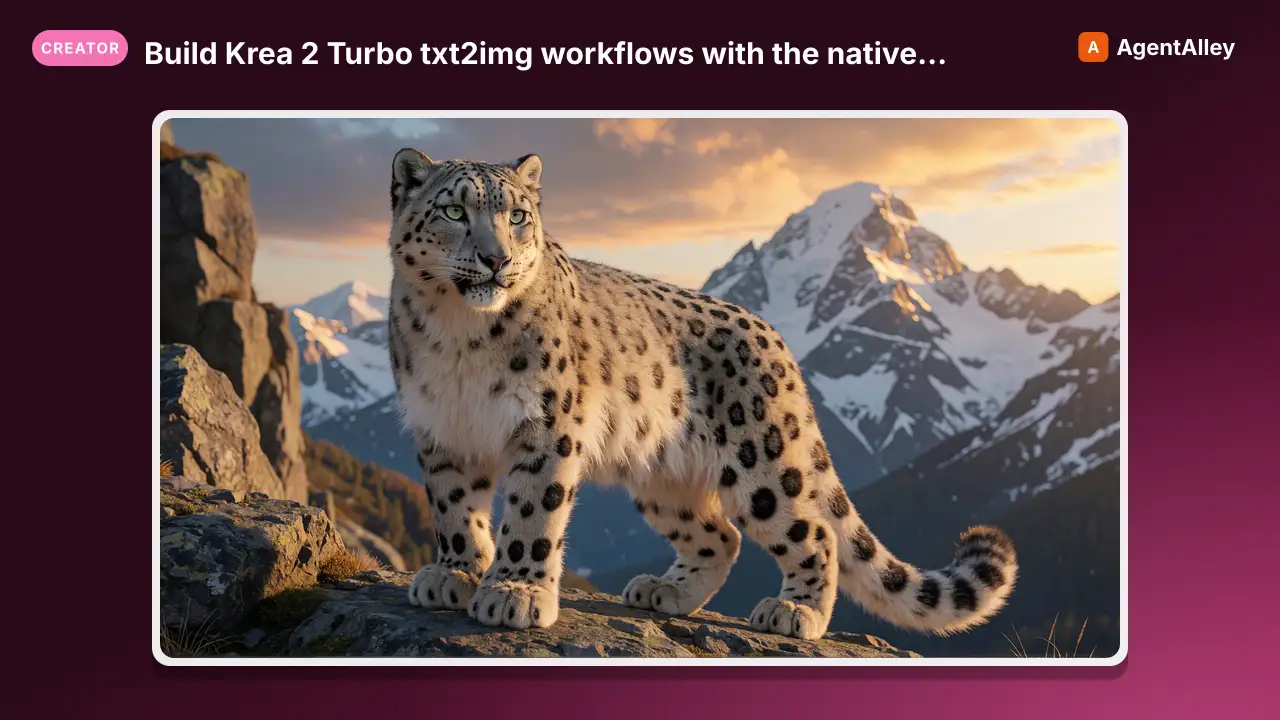
Build Krea 2 Turbo txt2img workflows with the native krea2 CLIPLoader, Qwen3-VL encoder, Qwen image VAE, 8-step turbo settings, and Ideogram-style JSON prompting
---
name: krea2-txt2img
description: Build Krea 2 Turbo txt2img workflows with the native krea2 CLIPLoader, Qwen3-VL encoder, Qwen image VAE, 8-step turbo settings, and Ideogram-style JSON prompting
globs:
  - "**/*.json"
---

# Krea 2 Text-to-Image Workflows

## Overview

Krea 2 is a **12B-parameter Diffusion Transformer** from Krea.ai (released June
2026, weights open-sourced under the Krea 2 Community License, free commercial
use up to 50 seats). Two variants:

1. **Krea 2 Raw** is the base checkpoint before extra post-training. For
   fine-tuning / maximum fidelity, more steps.
2. **Krea 2 Turbo** is post-trained and **distilled**; it generates in **~8 steps
Overview
Krea 2 is a 12B-parameter Diffusion Transformer from Krea.ai (released June 2026, weights open-sourced under the Krea 2 Community License, free commercial use up to 50 seats). Two variants:
Manual install (npx, ZIP)
npx skills add artokun/comfyui-mcp --skill krea2-txt2img -g -a claude-codemkdir -p ~/.claude/skills && curl -sL https://codeload.github.com/artokun/comfyui-mcp/tar.gz/1d5b12b1b499 \
| tar -xz -C ~/.claude/skills --strip-components=3 comfyui-mcp-1d5b12b1b499/plugin/skills/krea2-txt2imgNew-Item -ItemType Directory -Force "$HOME\.claude\skills" | Out-Null; Invoke-WebRequest "https://m.agentalley.io/zip/56e96b1b6d98e6f088a1/krea2-txt2img.zip" -OutFile "$env:TEMP\krea2-txt2img.zip"; Expand-Archive "$env:TEMP\krea2-txt2img.zip" -DestinationPath "$HOME\.claude\skills" -ForceConnects with Agent Alley MCP · agentalley.io/mcp
Files included
SKILL.md7.3 KB
Read the files here
artokun/
Shared references1SKILL.md reads these from elsewhere in the repo. Not in the ZIP.
Get them on GitHub ↗Show the full text143 lines
Krea 2 Text-to-Image Workflows
Overview
Krea 2 is a 12B-parameter Diffusion Transformer from Krea.ai (released June 2026, weights open-sourced under the Krea 2 Community License, free commercial use up to 50 seats). Two variants:
- Krea 2 Raw is the base checkpoint before extra post-training. For fine-tuning / maximum fidelity, more steps.
- Krea 2 Turbo is post-trained and distilled; it generates in ~8 steps at cfg 1. This is what the krea2 txt2img packs ship.
Three packs (V2 — no group toggles)
Sliced from the KREA2 ULTRA V2 monolith into standalone single-pipeline packs. Pick by how you prompt and what you want:
krea2-txt2img-manual: plain prose prompt (theMANUAL PROMPTnode).krea2-txt2img-json: Ideogram-4-style structured JSON / area prompting (Ideogram4PromptBuilderKJ).krea2-combo: two-pass detail boost, a first pass then a low-denoise refine (denoise 0.3), with the krea2 turbo LoRA @0.2 on both passes plus the optional IdeoKrea LoRA. JSON/Ideogram-style prompting; saves both passes to compare.
Each pack's one prompt source is active (no prompt-mode bypass to flip).
ImageSharpenKJ runs before SaveImage. V2 adds the Krea2T-Enhancer MODEL
detail-boost patch (ships active) and drops v1's ConditioningKrea2Rebalance.
RBG_Smart_Seed_Variance ships bypassed (optional, see below).
Krea 2 has native ComfyUI support (comfy/text_encoders/krea2.py, ComfyUI ≥
v0.26.0). The CLIPLoader uses type=krea2, with a Qwen3-VL 4B text
encoder and the Qwen image VAE. The Qwen3-VL encoder drives strong prompt
adherence and structured-JSON prompts.
Models (all from the Aitrepreneur/FLX mirror; official: krea/Krea-2-Turbo)
| Slot | File | Notes |
|---|---|---|
diffusion_models/ |
krea2_turbo_fp8.safetensors |
12B Turbo, fp8 — RTX 4000/3000/2000 |
diffusion_models/ |
krea2_turbo_mxfp8.safetensors |
RTX 5000 (Blackwell) native fp8 |
text_encoders/ |
qwen3vl_4b_fp8_scaled.safetensors |
Qwen3-VL 4B encoder |
vae/ |
qwen_image_vae.safetensors |
Qwen image VAE |
loras/ |
krea2_turbo_lora_rank_64_bf16.safetensors |
turbo LoRA — combo only, @0.2 both passes |
loras/ |
IdeoKrea-test.safetensors |
OPTIONAL Ideogram-style LoRA (Aitrepreneur/IdeoKrea) — combo add-in |
Node stack
- core:
UNETLoader(krea2_turbo) →CLIPLoader(type=krea2) →VAELoader(qwen_image_vae), wired via KJNodesSetNode/GetNodebuses into a subgraph (CLIPTextEncode→KSampler→VAEDecode). An rgthreeAny Switchsits in front of the encoder; in each pack only that pack's prompt source is wired to it (manual node in-manual, JSON builder in-json). - rgthree-comfy: Power Lora Loader, Any Switch, Label, Fast Groups.
- ComfyUI-KJNodes: Set/Get,
Ideogram4PromptBuilderKJ,ImageSharpenKJ,INTConstant. - ComfyUI-Krea2T-Enhancer (
capitan01R):Krea2T-Enhancer, the V2 MODEL→MODEL detail-boost patch, wired in the model path (PowerLora → Krea2T-Enhancer → sampler). Ships active; bypass to compare against the un-boosted result. - ComfyUI-RBG-SmartSeedVariance:
RBG_Smart_Seed_Variance, optional, ships bypassed in the positive-conditioning loop. - ComfyUI_essentials (
cubiq):ImageResize+, combo only (the two-pass VAE-roundtrip resize).
Settings that matter
- steps 8, cfg 1. Turbo is distilled; more steps or higher cfg over-cooks it.
- sampler
er_sde, schedulersimpleare the verified defaults. - 1920×1080 default; Krea 2 handles a wide aspect range.
- The prompt source is fixed per pack (manual node vs JSON builder). There is no prompt-mode bypass to flip.
V2 detail boost (Krea2T-Enhancer) + combo
Krea2T-Enhanceris a MODEL→MODEL patch (the V2 "massive detail boost"). It sits inline in the model path and ships active in all three packs. Widgets are[on, strength, …]; bypass it (or toggleon) to A/B the boost.krea2-combois the full demonstration of the boost, a two-pass refine: FIRST PASS (8 steps,er_sde, denoise 1) → VAE roundtrip → SECOND PASS (4 steps,euler, denoise 0.3), with the turbo LoRA @0.2 on both passes. It SAVES BOTH passes so you can see the boost. The IdeoKrea LoRA is downloaded but NOT wired by default. Drop it into the Power Lora Loader's empty slot (start ~0.5 to 1.0; it's a test LoRA) for the turbo + IdeoKrea Ideogram-style combo.
Optional post-proc (ships bypassed — un-bypass to use)
All packs leave RBG_Smart_Seed_Variance in the positive-conditioning loop
bypassed (passthrough). Un-bypass on the live canvas with panel_set_node_mode
(or in the UI) for controlled variations of the same prompt without changing the
composition. Set its seed mode to randomize and tune the variance mode (e.g.
🌿 Balanced) / strength widgets. Leave bypassed for a deterministic result.
JSON / area prompting
Like Ideogram 4, Krea 2's Qwen3-VL encoder reads structured prompts (per-region
desc + bounding boxes + palettes). For structured prompting use the
krea2-txt2img-json pack; its Ideogram4PromptBuilderKJ drives the encoder
directly (no bypass to flip). After the render, VERIFY the image matches the JSON
you set (view it) BEFORE continuing; if it doesn't, a field is probably stale.
Fix and rerun. Gotchas learned the hard way:
- Set ALL the builder fields, not only the prompt/boxes:
background,technical,style,lighting(widgets 3/5/6/7). Leaving stale values leaks content (a leftover celebrity portrait bled into a tea still-life). - Keep palettes minimal or empty. A top-level palette with many colors can render as a
literal color-swatch strip down the edge of the image. Empty
palette: [](top-level and per-box) gives a clean full-frame result. - Add "no people / single full-frame photograph" to
stylefor object/landscape scenes. Krea 2 follows it well.
Verification status
- v1 (
-manual/-jsoncore graph): render-verified, crisp 1920×1080 / 8 steps / cfg 1 / er_sde (snow-leopard prose + tea-still-life JSON with each object in its bbox). - V2 additions (the
Krea2T-Enhanceractive patch + thekrea2-combotwo-pass) are statically validated (clean slice + structural lint) but not yet live-rendered. They need theComfyUI-Krea2T-Enhancernode, the turbo/IdeoKrea LoRAs installed, and a healthy ComfyUI. Re-runscripts/verify-render.mjsonce those are present. - Note: the
ImageSharpenKJ(rcas 0.55) beforeSaveImageis active. Bypassing it drops the image link (a converter gap: bypass-passthrough doesn't cross a subgraph IMAGE output), and the contrast-adaptive sharpen suits Krea 2's crisp look anyway.
Gotchas
CLIPLoader: 'krea2' not in list→ ComfyUI too old; update to ≥ v0.26.0.Torch not compiled with CUDA enabled→ reinstall torch for your CUDA tag (--index-url https://download.pytorch.org/whl/cu128).
Sources
- Official: none found.
- Empirical: sampler values, wiring, and prompt notes from working graphs in
packs/and observed renders; not a vendor prompting guide.
| 1 | |
| 2 | name krea2-txt2img |
| 3 | description Build Krea 2 Turbo txt2img workflows with the native krea2 CLIPLoader, Qwen3-VL encoder, Qwen image VAE, 8-step turbo settings, and Ideogram-style JSON prompting |
| 4 | globs |
| 5 | - "**/*.json" |
| 6 | |
| 7 | |
| 8 | # Krea 2 Text-to-Image Workflows |
| 9 | |
| 10 | ## Overview |
| 11 | |
| 12 | Krea 2 is a **12B-parameter Diffusion Transformer** from Krea.ai (released June |
| 13 | 2026, weights open-sourced under the Krea 2 Community License, free commercial |
| 14 | use up to 50 seats). Two variants: |
| 15 | |
| 16 | **Krea 2 Raw** is the base checkpoint before extra post-training. For |
| 17 | fine-tuning / maximum fidelity, more steps. |
| 18 | **Krea 2 Turbo** is post-trained and **distilled**; it generates in **~8 steps |
| 19 | at cfg 1**. This is what the krea2 txt2img packs ship. |
| 20 | |
| 21 | ## Three packs (V2 — no group toggles) |
| 22 | |
| 23 | Sliced from the **KREA2 ULTRA V2** monolith into standalone single-pipeline packs. |
| 24 | Pick by how you prompt and what you want: |
| 25 | |
| 26 | **`krea2-txt2img-manual`**: plain prose prompt (the `MANUAL PROMPT` node). |
| 27 | **`krea2-txt2img-json`**: Ideogram-4-style structured JSON / area prompting |
| 28 | (`Ideogram4PromptBuilderKJ`). |
| 29 | **`krea2-combo`**: two-pass **detail boost**, a first pass then a low-denoise |
| 30 | refine (denoise 0.3), with the krea2 **turbo LoRA** @0.2 on both passes plus |
| 31 | the optional **IdeoKrea** LoRA. JSON/Ideogram-style prompting; saves both |
| 32 | passes to compare. |
| 33 | |
| 34 | Each pack's one prompt source is active (no prompt-mode bypass to flip). |
| 35 | `ImageSharpenKJ` runs before `SaveImage`. **V2** adds the `Krea2T-Enhancer` MODEL |
| 36 | detail-boost patch (ships **active**) and drops v1's `ConditioningKrea2Rebalance`. |
| 37 | `RBG_Smart_Seed_Variance` ships **bypassed** (optional, see below). |
| 38 | |
| 39 | Krea 2 has **native ComfyUI support** (`comfy/text_encoders/krea2.py`, ComfyUI ≥ |
| 40 | v0.26.0). The `CLIPLoader` uses **`type=krea2`**, with a **Qwen3-VL 4B** text |
| 41 | encoder and the **Qwen image VAE**. The Qwen3-VL encoder drives strong prompt |
| 42 | adherence and structured-JSON prompts. |
| 43 | |
| 44 | ## Models (all from the `Aitrepreneur/FLX` mirror; official: `krea/Krea-2-Turbo`) |
| 45 | |
| 46 | | Slot | File | Notes | |
| 47 | |---|---|---| |
| 48 | | `diffusion_models/` | `krea2_turbo_fp8.safetensors` | 12B Turbo, fp8 — RTX 4000/3000/2000 | |
| 49 | | `diffusion_models/` | `krea2_turbo_mxfp8.safetensors` | RTX 5000 (Blackwell) native fp8 | |
| 50 | | `text_encoders/` | `qwen3vl_4b_fp8_scaled.safetensors` | Qwen3-VL 4B encoder | |
| 51 | | `vae/` | `qwen_image_vae.safetensors` | Qwen image VAE | |
| 52 | | `loras/` | `krea2_turbo_lora_rank_64_bf16.safetensors` | turbo LoRA — **combo** only, @0.2 both passes | |
| 53 | | `loras/` | `IdeoKrea-test.safetensors` | OPTIONAL Ideogram-style LoRA (`Aitrepreneur/IdeoKrea`) — combo add-in | |
| 54 | |
| 55 | ## Node stack |
| 56 | |
| 57 | **core**: `UNETLoader` (krea2_turbo) → `CLIPLoader` (type=krea2) → `VAELoader` |
| 58 | (qwen_image_vae), wired via KJNodes `SetNode`/`GetNode` buses into a subgraph |
| 59 | (`CLIPTextEncode` → `KSampler` → `VAEDecode`). An rgthree `Any Switch` sits in |
| 60 | front of the encoder; in each pack only that pack's prompt source is wired to it |
| 61 | (manual node in `-manual`, JSON builder in `-json`). |
| 62 | **rgthree-comfy**: Power Lora Loader, Any Switch, Label, Fast Groups. |
| 63 | **ComfyUI-KJNodes**: Set/Get, `Ideogram4PromptBuilderKJ`, `ImageSharpenKJ`, `INTConstant`. |
| 64 | **ComfyUI-Krea2T-Enhancer** (`capitan01R`): `Krea2T-Enhancer`, the **V2** MODEL→MODEL |
| 65 | detail-boost patch, wired in the model path (PowerLora → Krea2T-Enhancer → |
| 66 | sampler). Ships **active**; bypass to compare against the un-boosted result. |
| 67 | **ComfyUI-RBG-SmartSeedVariance**: `RBG_Smart_Seed_Variance`, **optional**, ships |
| 68 | **bypassed** in the positive-conditioning loop. |
| 69 | **ComfyUI_essentials** (`cubiq`): `ImageResize+`, **combo** only (the two-pass |
| 70 | VAE-roundtrip resize). |
| 71 | |
| 72 | ## Settings that matter |
| 73 | |
| 74 | **steps 8, cfg 1.** Turbo is distilled; more steps or higher cfg over-cooks it. |
| 75 | **sampler `er_sde`, scheduler `simple`** are the verified defaults. |
| 76 | **1920×1080** default; Krea 2 handles a wide aspect range. |
| 77 | The prompt source is fixed per pack (manual node vs JSON builder). There is no |
| 78 | prompt-mode bypass to flip. |
| 79 | |
| 80 | ## V2 detail boost (`Krea2T-Enhancer`) + combo |
| 81 | |
| 82 | **`Krea2T-Enhancer`** is a MODEL→MODEL patch (the V2 "massive detail boost"). It |
| 83 | sits inline in the model path and ships **active** in all three packs. Widgets |
| 84 | are `[on, strength, …]`; bypass it (or toggle `on`) to A/B the boost. |
| 85 | **`krea2-combo`** is the full demonstration of the boost, a two-pass refine: |
| 86 | FIRST PASS (8 steps, `er_sde`, denoise 1) → VAE roundtrip → SECOND PASS (4 steps, |
| 87 | `euler`, denoise **0.3**), with the **turbo LoRA** @0.2 on both passes. It SAVES |
| 88 | BOTH passes so you can see the boost. The **IdeoKrea** LoRA is downloaded but NOT |
| 89 | wired by default. Drop it into the Power Lora Loader's empty slot (start ~0.5 to |
| 90 | 1.0; it's a test LoRA) for the turbo + IdeoKrea Ideogram-style combo. |
| 91 | |
| 92 | ## Optional post-proc (ships bypassed — un-bypass to use) |
| 93 | |
| 94 | All packs leave `RBG_Smart_Seed_Variance` in the positive-conditioning loop |
| 95 | **bypassed** (passthrough). Un-bypass on the live canvas with `panel_set_node_mode` |
| 96 | (or in the UI) for controlled variations of the same prompt without changing the |
| 97 | composition. Set its seed mode to `randomize` and tune the variance mode (e.g. |
| 98 | `🌿 Balanced`) / strength widgets. Leave bypassed for a deterministic result. |
| 99 | |
| 100 | ## JSON / area prompting |
| 101 | |
| 102 | Like Ideogram 4, Krea 2's Qwen3-VL encoder reads structured prompts (per-region |
| 103 | desc + bounding boxes + palettes). For structured prompting use the |
| 104 | **`krea2-txt2img-json`** pack; its `Ideogram4PromptBuilderKJ` drives the encoder |
| 105 | directly (no bypass to flip). After the render, VERIFY the image matches the JSON |
| 106 | you set (view it) BEFORE continuing; if it doesn't, a field is probably stale. |
| 107 | Fix and rerun. Gotchas learned the hard way: |
| 108 | |
| 109 | **Set ALL the builder fields**, not only the prompt/boxes: `background`, |
| 110 | `technical`, `style`, `lighting` (widgets 3/5/6/7). Leaving stale values leaks |
| 111 | content (a leftover celebrity portrait bled into a tea still-life). |
| 112 | **Keep palettes minimal or empty.** A top-level palette with many colors can render as a |
| 113 | literal color-swatch strip down the edge of the image. Empty `palette: []` |
| 114 | (top-level and per-box) gives a clean full-frame result. |
| 115 | Add "no people / single full-frame photograph" to `style` for object/landscape |
| 116 | scenes. Krea 2 follows it well. |
| 117 | |
| 118 | ## Verification status |
| 119 | |
| 120 | **v1 (`-manual` / `-json` core graph)**: render-verified, crisp 1920×1080 / 8 |
| 121 | steps / cfg 1 / er_sde (snow-leopard prose + tea-still-life JSON with each object |
| 122 | in its bbox). |
| 123 | **V2 additions** (the `Krea2T-Enhancer` active patch + the `krea2-combo` two-pass) |
| 124 | are **statically validated** (clean slice + structural lint) but **not yet |
| 125 | live-rendered**. They need the `ComfyUI-Krea2T-Enhancer` node, the turbo/IdeoKrea |
| 126 | LoRAs installed, and a healthy ComfyUI. Re-run `scripts/verify-render.mjs` once |
| 127 | those are present. |
| 128 | **Note:** the `ImageSharpenKJ` (rcas 0.55) before `SaveImage` is **active**. |
| 129 | Bypassing it drops the image link (a converter gap: bypass-passthrough doesn't |
| 130 | cross a subgraph IMAGE output), and the contrast-adaptive sharpen suits Krea 2's |
| 131 | crisp look anyway. |
| 132 | |
| 133 | ## Gotchas |
| 134 | |
| 135 | `CLIPLoader: 'krea2' not in list` → ComfyUI too old; update to ≥ v0.26.0. |
| 136 | `Torch not compiled with CUDA enabled` → reinstall torch for your CUDA tag |
| 137 | (`--index-url https://download.pytorch.org/whl/cu128`). |
| 138 | |
| 139 | ## Sources |
| 140 | |
| 141 | **Official:** none found. |
| 142 | **Empirical:** sampler values, wiring, and prompt notes from working graphs in `packs/` and observed renders; not a vendor prompting guide. |
| 143 |
Details
- Updated
- Sep 21, 2026
- License
- MIT
- Stars on the repo
- ★ 759
- Checked
- Source
- artokun/comfyui-mcp ↗
- Creator
- artokun · 44 listings
Similar skills
See all →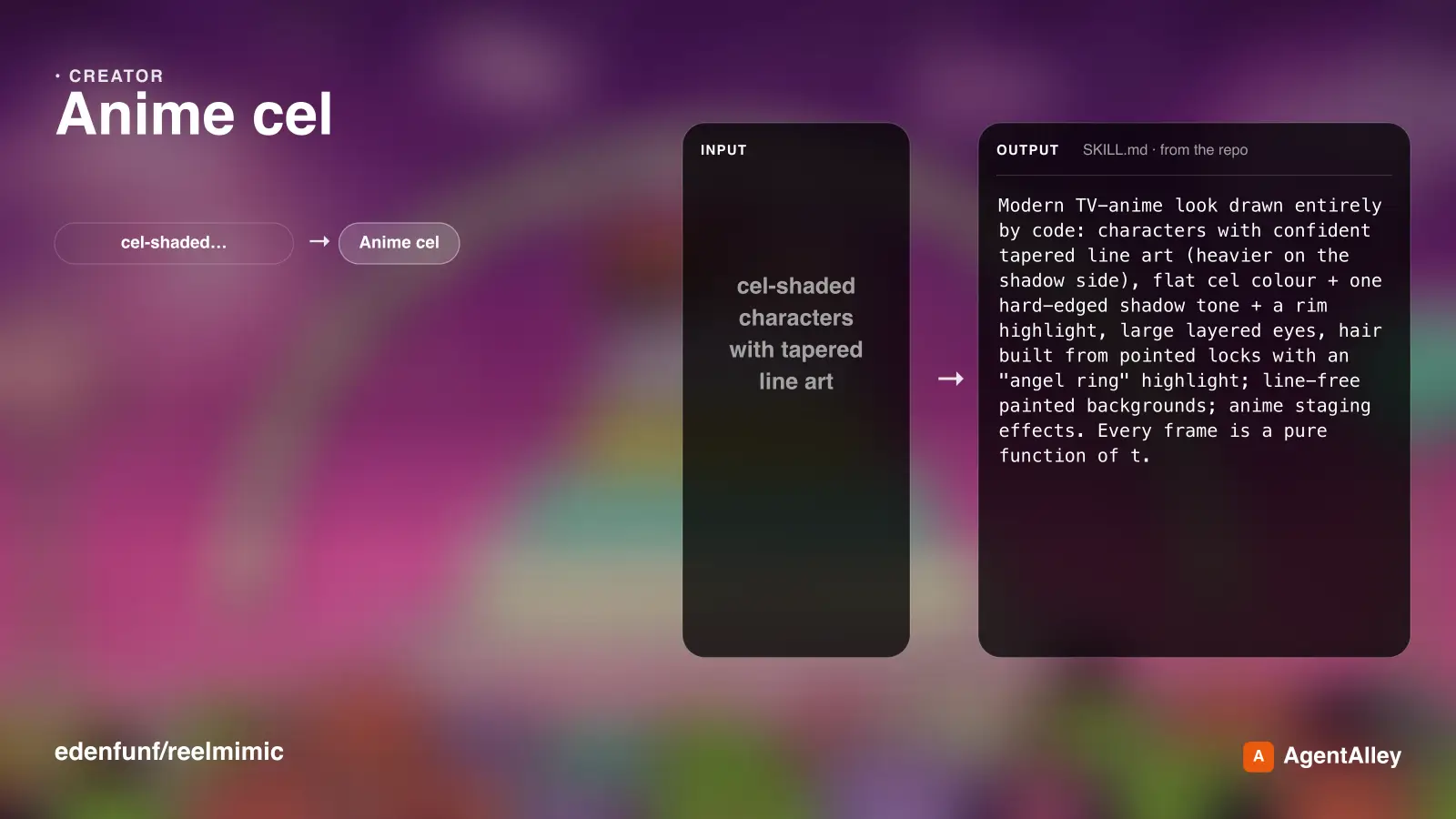 SkillMake Japanese TV-anime style videos with codeAnime cel
 edenfunf/reelmimic · by edenfunfMake Japanese TV-anime style videos (MP4) with code — cel-shaded characters with tapered line art, big detailed eyes, hair clumps with a specular band, comedic anime reactions (sweat drop, anger vein, sparkle eyes, ≥< eyes, dot eyes, tears), painted skies with cumulus clouds, school/street/classroom/rooftop sets with time-of-day palettes, speed/focus lines, impact frames, dramatic zooms, smears, sakura petals and anime subtitles (CJK). Canvas 2D rendered frame by frame in headless Chrome, encoded with ffmpeg. Use when a reference video or brief calls for anime / 動畫 / 日系動畫 / アニメ / cel-shaded / slice-of-life / school romance / shōnen-style reactions, or when the video-clone router picks the anime-cel style. 2D only; characters are original (Hina, Ren) or new ones built on the same rig.★ 3.6k GitHub stars
 SkillDirect and produce a short film made entirely in codeLemo opuscar
 lemomo-ai/lemo-opuscar · by lemomo-aiDirect and produce a short film made entirely in code, in one of the styles of the Lemo-Opuscar library (e.g. Impasto Oil Painting 油画厚涂, Watercolor Brush 水彩笔刷, Ukiyo-e 浮世绘, Satellite Briefing 卫星简报, Exploded Teardown 产品拆解, Microscope Story 显微叙事). Use when the user asks for a video, film, short, promo, explainer or animation (视频、短片、动画、宣传片) in a named style, including data, science and product explainers built from real material such as satellite imagery, laser scans, CAD files or archive scans (数据解说、科普、产品拆解); when they want a film made about their own topic and haven't chosen a style (help them choose); or when they ask which film styles there are. Not for editing or converting existing video files.★ 3k GitHub stars
 SkillGenerate Ian-style Xiaohei illustrations for articles, posts
 dzhng/skills · by dzhngGenerate Ian-style Xiaohei illustrations for articles, posts, blogs, Notion documents, workflows, methods, processes, structures, states, metaphors, and opinions. Use when the user asks for weird, hand-drawn, Xiaohei, article, editorial, body illustrations, illustration ideas, shot lists, title removal, image edits, or image regeneration. By default, all image text and annotations are English, even when the source article is Chinese; only use another language when the user explicitly asks.★ 1.3k GitHub stars
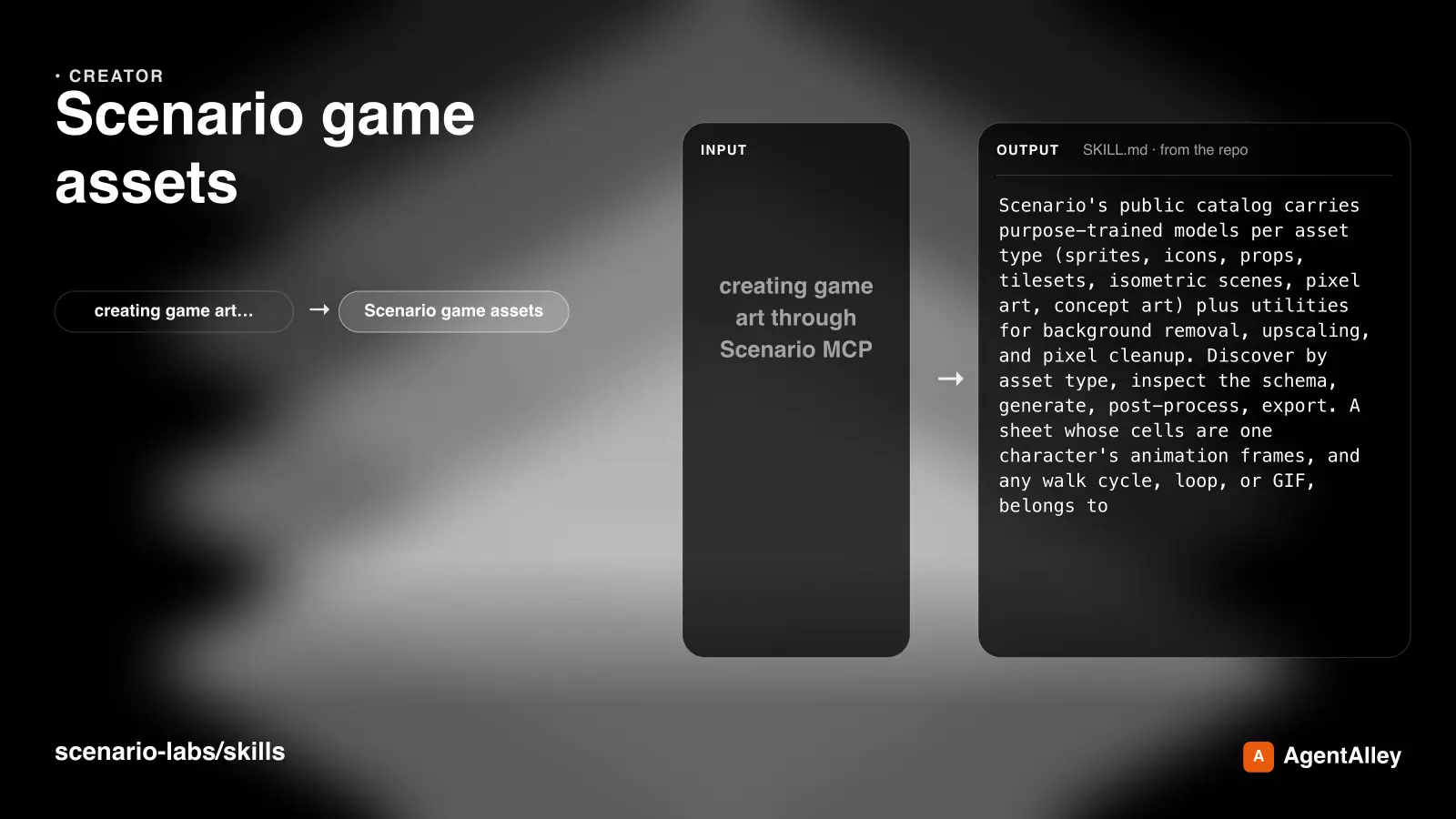 SkillCreating game art through Scenario MCP: spritesScenario game assets
 scenario-labs/skills · by scenario-labsUse when creating game art through Scenario MCP: sprites, sprite sheets, icons, props, loot, tilesets and autotile terrain transitions, seamless tiles, isometric buildings, top-down maps, pixel art, UI buttons and panels, parallax background layers or depth planes for side-scrollers, and character or concept art; or when assets need transparent backgrounds, background removal, style-consistent variation batches, upscaling, pixel-grid cleanup, or PNG export for Unity, Godot, or Unreal.★ 854 GitHub stars
 SkillTrain custom LoRAs with ostris AI-ToolkitAI-Toolkit LoRA Trainer (WAN 2.2 & Z-Image)
 artokun/comfyui-mcp · by artokunTrain custom LoRAs with ostris AI-Toolkit. Covers WAN 2.2/2.1 (people, styles, video motion) and Z-Image (Turbo & Base, low-VRAM image LoRAs). Use when the user wants to train a WAN or Z-Image LoRA; covers local + RunPod setup, dataset prep, key params, and using the result in a ComfyUI workflow.★ 759 GitHub stars
 SkillAnime/illustration text-to-imageANIMA 1.0 (Anima Base Ultra) Text-to-Image Workflowsartokun/comfyui-mcp · by artokunAnime/illustration text-to-image (ANIMA 1.0, ~2B Cosmos DiT). Use for anime, manga, illustrated characters; accepts Danbooru tags + natural language; runs/trains on <6GB VRAM; includes anime inpainting via Anima-LLLite ControlNet★ 759 GitHub stars
More from artokun
SkillTrain custom LoRAs with ostris AI-ToolkitAI-Toolkit LoRA Trainer (WAN 2.2 & Z-Image)artokun/comfyui-mcp · by artokunTrain custom LoRAs with ostris AI-Toolkit. Covers WAN 2.2/2.1 (people, styles, video motion) and Z-Image (Turbo & Base, low-VRAM image LoRAs). Use when the user wants to train a WAN or Z-Image LoRA; covers local + RunPod setup, dataset prep, key params, and using the result in a ComfyUI workflow.★ 759 GitHub starsSkillAnime/illustration text-to-imageANIMA 1.0 (Anima Base Ultra) Text-to-Image Workflowsartokun/comfyui-mcp · by artokunAnime/illustration text-to-image (ANIMA 1.0, ~2B Cosmos DiT). Use for anime, manga, illustrated characters; accepts Danbooru tags + natural language; runs/trains on <6GB VRAM; includes anime inpainting via Anima-LLLite ControlNet★ 759 GitHub stars SkillAuthoring & Publishing ComfyUI Custom Nodesartokun/comfyui-mcp · by artokunAuthoring & publishing ComfyUI custom nodes to the Comfy Registry, covering node structure, pyproject.toml spec, comfy-cli publishing, and CI★ 759 GitHub stars
 SkillTrain a custom anime LoRA on the ANIMA base modelCitron Anima LoRA Trainerartokun/comfyui-mcp · by artokunTrain a custom anime LoRA on the ANIMA base model with Citron's local Gradio trainer (kohya sd-scripts), <6GB VRAM, character/style LoRAs; covers setup, dataset prep, training params, and using the result in the anima-base workflow★ 759 GitHub stars
 SkillDiscover Civitai models with the BUILT-IN downloadmodelCivitai + comfyui-mcpartokun/comfyui-mcp · by artokunDiscover Civitai models with the BUILT-IN download_model action:"search_civitai" and install/generate them locally. Find a checkpoint/LoRA/embedding on Civitai, download it into ComfyUI, and use its trigger words. Optionally pair the official Civitai MCP for community features (images browsing, posting, collections).★ 759 GitHub stars
 SkillDiagnose and fix video/image color OBJECTIVELYColor Correction (measure, don't eyeball)artokun/comfyui-mcp · by artokunDiagnose and fix video/image color OBJECTIVELY with the get_image (action:"analyze_color") tool (scopes/stats such as black/white points, contrast, saturation, clipping, cast) instead of eyeballing a contact sheet. Covers the "washed out" signature, why reference color-match (mkl/ColorMatch/ColorMatchAdobe) CAN'T add contrast a flat source lacks, the levels/contrast-stretch fix (core AdjustContrast / CurveEditor), the measure→fix→re-measure loop, the side-by-side sandbox pattern, and where to place the fix in a render graph (after decode, before save). Use when a render looks washed out / flat / dull / over-saturated / color-cast, or when deciding between a color-match and a contrast/levels fix.★ 759 GitHub stars