
Generates a detailed, multi-column infographic analyzing hand features, palm lines, and fingerprints with personalized interpretations.
Overview
Generates a detailed, multi-column infographic analyzing hand features, palm lines, and fingerprints with personalized interpretations.
The prompt
| 1 | Goal: Create a vertical infographic-style palmistry guide titled {argument name="title text" default="你的个人指南"}. |
| 2 | Canvas: A clean, modern layout with a white background and black text, divided into three main columns. The style is minimalist and educational, resembling a high-end wellness or self-improvement app interface. |
| 3 | Layout: |
| 4 | - Left Column: Top section has the title "你的个人指南" in large bold characters, followed by the subtitle "认识自己 · 专注成长 · 持续进化". Below this is a realistic photo of an open right hand (palm facing forward). Further down are sections for "你的手" (Your Hand) listing details like dominant hand, element, shape, and finger traits; "快速总结" (Quick Summary); "优势" (Strengths) as a bulleted list; and "关键关注点" (Key Focus Points) as another bulleted list. |
| 5 | - Center Column: Top section shows a detailed black-and-white fingerprint scan image labeled "掌印图" (Palm Print Image). Below that is a line-drawing diagram of a hand labeled "主要掌纹图" (Main Palm Lines Diagram), with numbered lines (1-5) corresponding to specific palm lines. Underneath is a bar chart section "手型类型" (Hand Type) showing percentages for Fire, Wind, Earth, and Water elements. At the bottom is a legend for "掌丘" (Mounts) explaining their meanings. |
| 6 | - Right Column: Contains five distinct cards detailing specific palm lines: 1. 感情线 (Heart Line), 2. 智慧线 (Head Line), 3. 生命线 (Life Line), 4. 命运线 (Fate Line), and 5. 太阳线 (Sun Line). Each card includes a description and interpretation. Below these is a final advice box "最终建议" and a notes section "备注". |
| 7 | Visual Style: Use thin black borders for cards. Icons should be simple line art (e.g., heart, brain, shield). Text should be crisp sans-serif Chinese characters. The fingerprint image should have high contrast with visible ridges. |
| 8 | Text Content: Ensure all Chinese labels match the provided image exactly, including headings like "手相解读", "掌印图", and the specific interpretations for each line. |
Similar prompts
See all →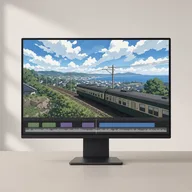 Anime celMake Japanese TV-anime style videos (MP4) with code — cel-shaded characters with tapered line art, big detailed eyes, hair clumps with a specular band, comedic anime reactions (sweat drop, anger vein, sparkle eyes, ≥< eyes, dot eyes, tears), painted skies with cumulus clouds, school/street/classroom/rooftop sets with time-of-day palettes, speed/focus lines, impact frames, dramatic zooms, smears, sakura petals and anime subtitles (CJK). Canvas 2D rendered frame by frame in headless Chrome, encoded with ffmpeg. Use when a reference video or brief calls for anime / 動畫 / 日系動畫 / アニメ / cel-shaded / slice-of-life / school romance / shōnen-style reactions, or when the video-clone router picks the anime-cel style. 2D only; characters are original (Hina, Ren) or new ones built on the same rig.
 by edenfunf · ★ 3.6k
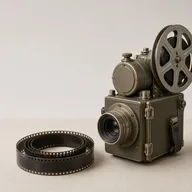 Lemo opuscarDirect and produce a short film made entirely in code, in one of the styles of the Lemo-Opuscar library (e.g. Impasto Oil Painting 油画厚涂, Watercolor Brush 水彩笔刷, Ukiyo-e 浮世绘, Satellite Briefing 卫星简报, Exploded Teardown 产品拆解, Microscope Story 显微叙事). Use when the user asks for a video, film, short, promo, explainer or animation (视频、短片、动画、宣传片) in a named style, including data, science and product explainers built from real material such as satellite imagery, laser scans, CAD files or archive scans (数据解说、科普、产品拆解); when they want a film made about their own topic and haven't chosen a style (help them choose); or when they ask which film styles there are. Not for editing or converting existing video files.
 by lemomo-ai · ★ 3.0k
 Xiaohei illustrationsGenerate Ian-style Xiaohei illustrations for articles, posts, blogs, Notion documents, workflows, methods, processes, structures, states, metaphors, and opinions. Use when the user asks for weird, hand-drawn, Xiaohei, article, editorial, body illustrations, illustration ideas, shot lists, title removal, image edits, or image regeneration. By default, all image text and annotations are English, even when the source article is Chinese; only use another language when the user explicitly asks.
 by dzhng · ★ 1.3k
 Scenario game assetsUse when creating game art through Scenario MCP: sprites, sprite sheets, icons, props, loot, tilesets and autotile terrain transitions, seamless tiles, isometric buildings, top-down maps, pixel art, UI buttons and panels, parallax background layers or depth planes for side-scrollers, and character or concept art; or when assets need transparent backgrounds, background removal, style-consistent variation batches, upscaling, pixel-grid cleanup, or PNG export for Unity, Godot, or Unreal.
 by scenario-labs · ★ 854
 AI-Toolkit LoRA Trainer (WAN 2.2 & Z-Image)Train custom LoRAs with ostris AI-Toolkit. Covers WAN 2.2/2.1 (people, styles, video motion) and Z-Image (Turbo & Base, low-VRAM image LoRAs). Use when the user wants to train a WAN or Z-Image LoRA; covers local + RunPod setup, dataset prep, key params, and using the result in a ComfyUI workflow.
 by artokun · ★ 759
 ANIMA 1.0 (Anima Base Ultra) Text-to-Image WorkflowsAnime/illustration text-to-image (ANIMA 1.0, ~2B Cosmos DiT). Use for anime, manga, illustrated characters; accepts Danbooru tags + natural language; runs/trains on <6GB VRAM; includes anime inpainting via Anima-LLLite ControlNetby artokun · ★ 759
Your agent, with every skill.
Connect once. Free when signed in.