A prompt for GPT Image 2 to create a hand-drawn style infographic card explaining the water cycle, with specific layout and color instructions.
Overview
A prompt for GPT Image 2 to create a hand-drawn style infographic card explaining the water cycle, with specific layout and color instructions.
The prompt
| 1 | Two vertically connected rounded rectangular panels are anchored by extremely thick, slightly undulating black hand-drawn outlines, with white buckles crossing the panel edges, forming striking paired modules and clear vertical rhythm. Content is organized using Gestalt proximity and layout zoning, with each panel internally divided into a stable left-image/right-text column, balancing left and right weights, titles and information read top-to-bottom in the right column; the overall visual center falls on the junction of the two panels and their respective prominent large titles, keeping the page header area independent with logos and main title. Images and text connect via juxtaposition and backing: the left side is reserved for character or theme illustrations, placed on irregular rounded clean light-colored bases; the right side uses prominent large characters to lead multiple lines of explanation, accompanied by small line-drawing symbols adjacent to text to indicate content. Text hierarchy is always distinct, large titles are thick and striking, explanatory text is thinner with generous line spacing, small text and symbols create rhythm points; glyph construction is upright and readable, with clear counters, crisp endings, and compact faces complementing handwritten images, maintaining this hierarchy regardless of text volume; when text is insufficient, secondary small text is supplemented based on the theme. Text edges are flat and clear, forming a clean typography layer outside the hand-drawn lines. Whitespace includes gaps between panels, backing whitespace around image bases, reading gaps between text lines, and pauses between header and body; each remains spacious, allowing thick frames, illustrations, and titles to stand out clearly. Illustration content is provided by the appended theme, adopting a complete, concentrated, slightly tilted hand-drawn composition within the left column, with simple main outlines, light dynamic details, and upright load-bearing parts; content density is about half-frame, mainly concentrated in the left column of each panel, the rest being white or light-colored rounded bases, flat panel color blocks, and bottom whitespace, generating no scenery. Uses a composite of techniques: outlining frames and characters with continuous, slightly shaky thick black lines; spreading large panel areas and local illustration colors with clean, smooth digital flat coloring; pressing information areas with crisp text typesetting; overall resembling an illustration arrangement synthesized from hand-drawn lines, computer flat coloring, and clear typesetting. Color scheme maintains a high-brightness keynote, colors vivid, saturated but not glaring, the most intense color surfaces fall within the paired panels echoed by character locals; pairing warm light backgrounds with varying brightness levels of light color surfaces, stabilizing layers with strong black-and-white line text contrast. Overall warm and cheerful, friendly and energetic, resembling matte digital color blocks combined with dense marker lines; hue follows the theme, but brightness/darkness, thickness/thinness, saturation/dilution, warm tendencies, and cheerful friendly psychological feelings maintain this personality regardless of theme. Overall temperament is light, friendly, and orderly. Appended theme, accurate text, usage, and aspect ratio take priority; grouping of upper/lower panels, left-image/right-text, thick black hand-drawn borders, image backing, clear text hierarchy, and high-brightness warm-thick color schemes remain unchanged. |
| 2 | |
| 3 | ------ |
| 4 | Theme: Water Cycle Educational Poster |
Similar prompts
See all →Anime celMake Japanese TV-anime style videos (MP4) with code — cel-shaded characters with tapered line art, big detailed eyes, hair clumps with a specular band, comedic anime reactions (sweat drop, anger vein, sparkle eyes, ≥< eyes, dot eyes, tears), painted skies with cumulus clouds, school/street/classroom/rooftop sets with time-of-day palettes, speed/focus lines, impact frames, dramatic zooms, smears, sakura petals and anime subtitles (CJK). Canvas 2D rendered frame by frame in headless Chrome, encoded with ffmpeg. Use when a reference video or brief calls for anime / 動畫 / 日系動畫 / アニメ / cel-shaded / slice-of-life / school romance / shōnen-style reactions, or when the video-clone router picks the anime-cel style. 2D only; characters are original (Hina, Ren) or new ones built on the same rig. by edenfunf · ★ 3.6kLemo opuscarDirect and produce a short film made entirely in code, in one of the styles of the Lemo-Opuscar library (e.g. Impasto Oil Painting 油画厚涂, Watercolor Brush 水彩笔刷, Ukiyo-e 浮世绘, Satellite Briefing 卫星简报, Exploded Teardown 产品拆解, Microscope Story 显微叙事). Use when the user asks for a video, film, short, promo, explainer or animation (视频、短片、动画、宣传片) in a named style, including data, science and product explainers built from real material such as satellite imagery, laser scans, CAD files or archive scans (数据解说、科普、产品拆解); when they want a film made about their own topic and haven't chosen a style (help them choose); or when they ask which film styles there are. Not for editing or converting existing video files.
 by lemomo-ai · ★ 3.0kXiaohei illustrationsGenerate Ian-style Xiaohei illustrations for articles, posts, blogs, Notion documents, workflows, methods, processes, structures, states, metaphors, and opinions. Use when the user asks for weird, hand-drawn, Xiaohei, article, editorial, body illustrations, illustration ideas, shot lists, title removal, image edits, or image regeneration. By default, all image text and annotations are English, even when the source article is Chinese; only use another language when the user explicitly asks.
 by dzhng · ★ 1.3k
 Scenario game assetsUse when creating game art through Scenario MCP: sprites, sprite sheets, icons, props, loot, tilesets and autotile terrain transitions, seamless tiles, isometric buildings, top-down maps, pixel art, UI buttons and panels, parallax background layers or depth planes for side-scrollers, and character or concept art; or when assets need transparent backgrounds, background removal, style-consistent variation batches, upscaling, pixel-grid cleanup, or PNG export for Unity, Godot, or Unreal.
 by scenario-labs · ★ 854AI-Toolkit LoRA Trainer (WAN 2.2 & Z-Image)Train custom LoRAs with ostris AI-Toolkit. Covers WAN 2.2/2.1 (people, styles, video motion) and Z-Image (Turbo & Base, low-VRAM image LoRAs). Use when the user wants to train a WAN or Z-Image LoRA; covers local + RunPod setup, dataset prep, key params, and using the result in a ComfyUI workflow.
 by artokun · ★ 759ANIMA 1.0 (Anima Base Ultra) Text-to-Image WorkflowsAnime/illustration text-to-image (ANIMA 1.0, ~2B Cosmos DiT). Use for anime, manga, illustrated characters; accepts Danbooru tags + natural language; runs/trains on <6GB VRAM; includes anime inpainting via Anima-LLLite ControlNetby artokun · ★ 759
by edenfunf · ★ 3.6kLemo opuscarDirect and produce a short film made entirely in code, in one of the styles of the Lemo-Opuscar library (e.g. Impasto Oil Painting 油画厚涂, Watercolor Brush 水彩笔刷, Ukiyo-e 浮世绘, Satellite Briefing 卫星简报, Exploded Teardown 产品拆解, Microscope Story 显微叙事). Use when the user asks for a video, film, short, promo, explainer or animation (视频、短片、动画、宣传片) in a named style, including data, science and product explainers built from real material such as satellite imagery, laser scans, CAD files or archive scans (数据解说、科普、产品拆解); when they want a film made about their own topic and haven't chosen a style (help them choose); or when they ask which film styles there are. Not for editing or converting existing video files.by lemomo-ai · ★ 3.0kXiaohei illustrationsGenerate Ian-style Xiaohei illustrations for articles, posts, blogs, Notion documents, workflows, methods, processes, structures, states, metaphors, and opinions. Use when the user asks for weird, hand-drawn, Xiaohei, article, editorial, body illustrations, illustration ideas, shot lists, title removal, image edits, or image regeneration. By default, all image text and annotations are English, even when the source article is Chinese; only use another language when the user explicitly asks.by dzhng · ★ 1.3kScenario game assetsUse when creating game art through Scenario MCP: sprites, sprite sheets, icons, props, loot, tilesets and autotile terrain transitions, seamless tiles, isometric buildings, top-down maps, pixel art, UI buttons and panels, parallax background layers or depth planes for side-scrollers, and character or concept art; or when assets need transparent backgrounds, background removal, style-consistent variation batches, upscaling, pixel-grid cleanup, or PNG export for Unity, Godot, or Unreal.by scenario-labs · ★ 854AI-Toolkit LoRA Trainer (WAN 2.2 & Z-Image)Train custom LoRAs with ostris AI-Toolkit. Covers WAN 2.2/2.1 (people, styles, video motion) and Z-Image (Turbo & Base, low-VRAM image LoRAs). Use when the user wants to train a WAN or Z-Image LoRA; covers local + RunPod setup, dataset prep, key params, and using the result in a ComfyUI workflow.by artokun · ★ 759ANIMA 1.0 (Anima Base Ultra) Text-to-Image WorkflowsAnime/illustration text-to-image (ANIMA 1.0, ~2B Cosmos DiT). Use for anime, manga, illustrated characters; accepts Danbooru tags + natural language; runs/trains on <6GB VRAM; includes anime inpainting via Anima-LLLite ControlNetby artokun · ★ 759More from 小小东
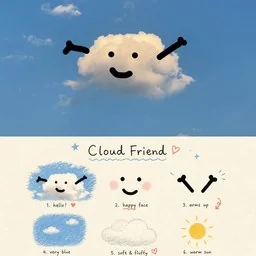 Comic / Storyboard - Cloud Friend Scrapbook PosterA whimsical vertical poster featuring a smiling cloud in a blue sky above a nine-part hand-drawn cloud-themed mood board.
 by 小小东
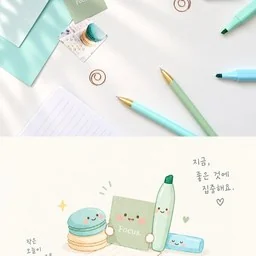 Infographic / Edu Visual - Cute Focus Desk Flat Lay and Kawaii IllustrationA dual-panel image showing a realistic overhead shot of pastel stationery alongside a matching cute watercolor illustration of the items as characters.by 小小东
 Infographic / Edu Visual - Golden Deer Morning Felt TransformationCreates a split-screen scene comparing a misty golden forest deer photograph with a minimalist needle-felt wool illustration.by 小小东
 Infographic / Edu Visual - Mid-Autumn Festival Typography Poster PromptA prompt for generating a minimalist, experimental typography poster with a Mid-Autumn theme, featuring large sans-serif characters and Gucci red accents.by 小小东
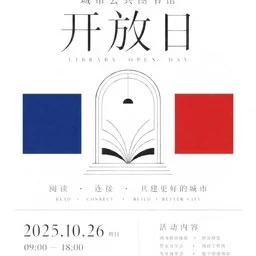 Infographic / Edu Visual - Minimalist Ceremony Poster Prompt for GPT Image 2A detailed prompt for generating minimalist, high-aesthetic posters with a sense of ceremony and rationality using GPT Image 2. It specifies layout, typography, color usage, and negative constraints to achieve a museum-like white space effect.by 小小东
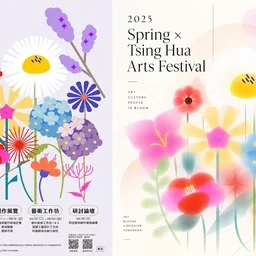 Infographic / Edu Visual - Tsing Hua Arts Festival Poster DesignA dual-panel promotional poster for the 2025 Tsing Hua University Arts Festival featuring colorful floral illustrations in both sharp vector and soft-focus styles.by 小小东
Your agent, with every skill.
Connect once. Free when signed in.