Create Ian Xiaohei-style HTML/SVG motion illustrations
Ian xiaohei SVG motion
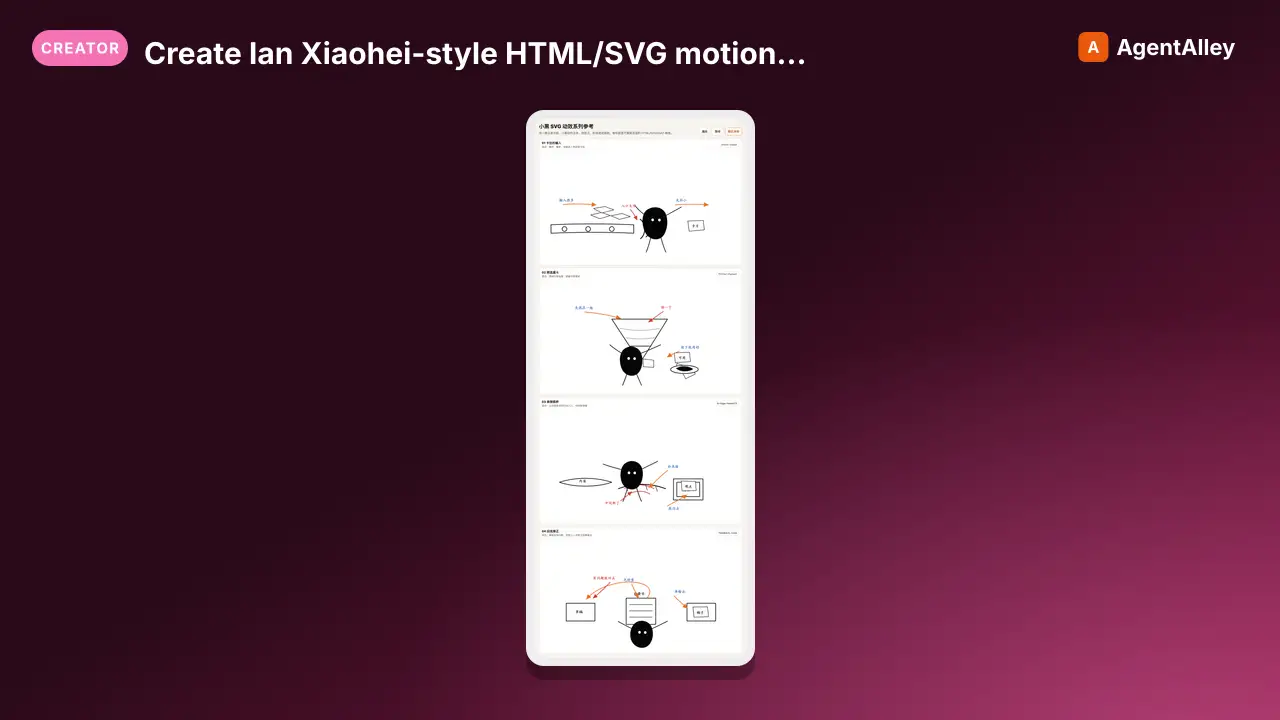
Create Ian Xiaohei-style HTML/SVG motion illustrations for Chinese articles, scripts, storyboard scenes, workflow explanations, concept metaphors, and short video visual aids. Use when the user asks for 小黑 SVG、漫画感 HTML、分层 SVG 动效、把小黑生图做成…
---
name: ian-xiaohei-svg-motion
description: Create Ian Xiaohei-style HTML/SVG motion illustrations for Chinese articles, scripts, storyboard scenes, workflow explanations, concept metaphors, and short video visual aids. Use when the user asks for 小黑 SVG、漫画感 HTML、分层 SVG 动效、把小黑生图做成 HTML/SVG、可编辑矢量动效、口播流程动画、手绘漫画动效、正文配图动画, or wants a Xiaohei illustration style adapted into controllable HTML/SVG/GSAP output instead of raster image generation.
---

# Ian Xiaohei SVG Motion

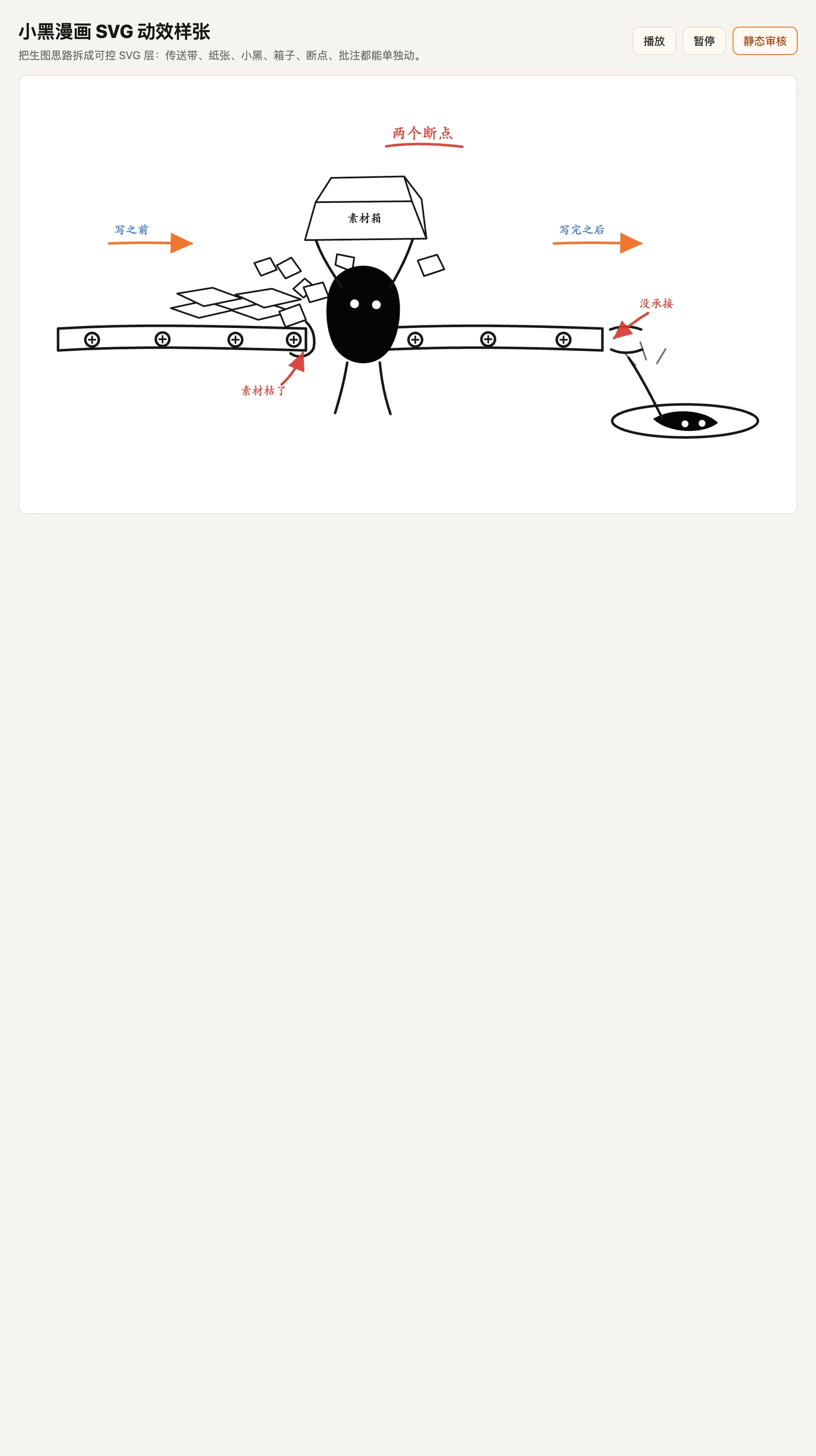
把 Ian 小黑正文配图的原则,改造成可控的 `HTML + SVG + GSAP timeline` 动效。目标不是复刻生图像素,而是把文章里的一个认知动作重建成分层漫画舞台,方便录视频、按字幕 cue 对齐、后续改文案和元素。

## Core Rule

Do not auto-vectorize a PNG and animate the resulting path soup. Use raster images only as composition references. Rebuild the scene as semantic SVG groups:

```text
idea -> shot plan -> SVG layer plan -> HTML/SVG template -> GSAP timeline -> static + motion review
```

## Workflow
Overview
把 Ian 小黑正文配图的原则,改造成可控的 HTML + SVG + GSAP timeline 动效。目标不是复刻生图像素,而是把文章里的一个认知动作重建成分层漫画舞台,方便录视频、按字幕 cue 对齐、后续改文案和元素。
Manual install (npx, ZIP)
npx skills add Agentchengfeng/chengfeng-videocut-skills --skill ian-xiaohei-svg-motion -g -a claude-codemkdir -p ~/.claude/skills && curl -sL https://codeload.github.com/Agentchengfeng/chengfeng-videocut-skills/tar.gz/a33b43e08c34 \
| tar -xz -C ~/.claude/skills --strip-components=6 chengfeng-videocut-skills-a33b43e08c34/plugins/chengfeng-videocut/skills/chengfeng-visual/animation-styles/ian-xiaohei-svg-motionNew-Item -ItemType Directory -Force "$HOME\.claude\skills" | Out-Null; Invoke-WebRequest "https://m.agentalley.io/zip/e6d531ca832d5c6eb005/ian-xiaohei-svg-motion.zip" -OutFile "$env:TEMP\ian-xiaohei-svg-motion.zip"; Expand-Archive "$env:TEMP\ian-xiaohei-svg-motion.zip" -DestinationPath "$HOME\.claude\skills" -ForceConnects with Agent Alley MCP · agentalley.io/mcp
Files included
SKILL.md4.8 KBagents/1 file · 325 Bassets/35 files · 1.6 MBreferences/3 files · 8.6 KB
Read the files here
Agentchengfeng/
- chatgpt.svg6.4 KB
- claude.svg2.5 KB
- codex-color.png7.4 KB
- deepseek.svg2.1 KB
- flash-lightning.svg759 B
- index.json1.3 KB
- qwen.svg2.0 KB
- README.md633 B
- stepfun.svg676 B
- brain.svg677 B
- bug.svg689 B
- chart-line.svg362 B
- clipboard-list.svg537 B
- code-2.svg371 B
- copy.svg414 B
- database.svg408 B
- gauge.svg354 B
- globe.svg407 B
- image.svg434 B
- table.svg408 B
- trending-down.svg357 B
- zap.svg453 B
Show the full text102 lines
Ian Xiaohei SVG Motion
把 Ian 小黑正文配图的原则,改造成可控的 HTML + SVG + GSAP timeline 动效。目标不是复刻生图像素,而是把文章里的一个认知动作重建成分层漫画舞台,方便录视频、按字幕 cue 对齐、后续改文案和元素。
Core Rule
Do not auto-vectorize a PNG and animate the resulting path soup. Use raster images only as composition references. Rebuild the scene as semantic SVG groups:
idea -> shot plan -> SVG layer plan -> HTML/SVG template -> GSAP timeline -> static + motion review
Workflow
- Extract one cognitive anchor from the article, script, screenshot, or storyboard scene.
- Choose one physical metaphor: sorting, carrying, bridging, leaking, catching, folding, weighing, opening, rerouting, or falling.
- Make Xiaohei perform the core action. If removing Xiaohei does not change the meaning, redesign.
- Design a 16:9 white canvas with one main scene, 35%+ whitespace, and 3-5 short handwritten annotations at most.
- Build semantic SVG groups for every moving object.
- Animate with GSAP timeline. Use
x,y,rotation,scale,opacity, and SVG stroke drawing. Avoid layout animations. - Save both a playable HTML page and a static review screenshot.
- If this is for a 口播成片 project, map timeline segments to subtitle/cue timing before final render.
Read When Needed
- Read
references/style-rules.mdbefore designing a new scene or judging whether the result still feels like Ian Xiaohei. - Read
references/svg-layering.mdbefore writing or editing the SVG structure. - Read
references/motion-rules.mdbefore writing GSAP animation.
Output Contract
Default output folder:
output/<slug>-xiaohei-svg-motion/
Required files:
index.html
README.md
preview.png
vendor/gsap.min.js
Optional files:
source.png        # reference image, if provided by the user
cue-map.md        # when aligning to spoken script or subtitles
Reusable Assets
AI model and interface icons live in:
assets/icons/
Use assets/icons/index.json as the source of truth. Keep original SVG files in subfolders and inline their complete SVG content into scene SVGs during generation, so gradients, strokes, and brand colors are preserved.
Icon rules:
- If
index.jsonalready has the exact model, provider, or semantic icon, use that icon. Do not replace ChatGPT, Claude, Flash lightning, Step, DeepSeek, Qwen, bug, table, chart, database, or web icons with generic boxes, stars, sparks, or abstract marks. - When the user provides a new SVG icon, save the raw SVG under
assets/icons/<category>/, add an entry toindex.json, and then reference it by id in the scene plan. - For comparison scenes, icon choice is part of the meaning. Keep model icons visually consistent in size and placement so the viewer can identify the actors before Xiaohei starts moving objects.
Template
Use assets/templates/xiaohei-comic-motion/ as the starter when the request resembles a hand-drawn comic scene with moving objects, arrows, annotations, or a Xiaohei action.
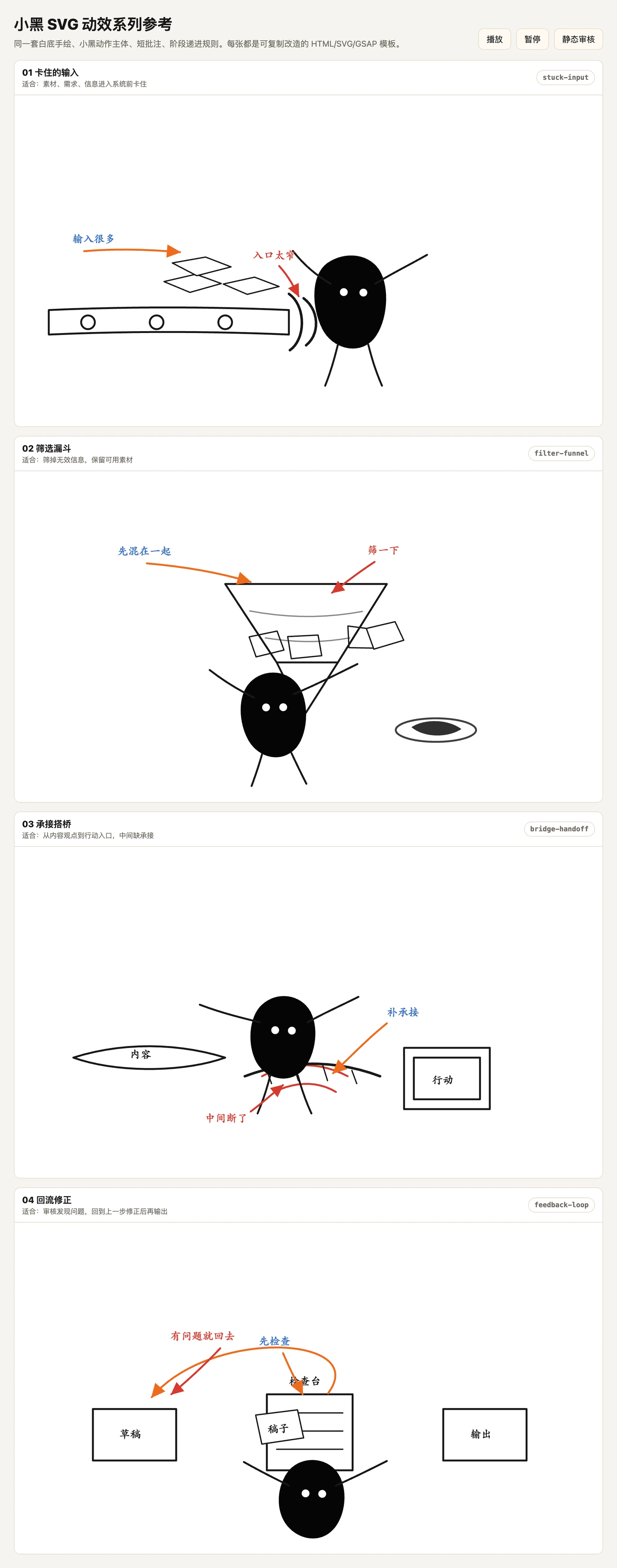
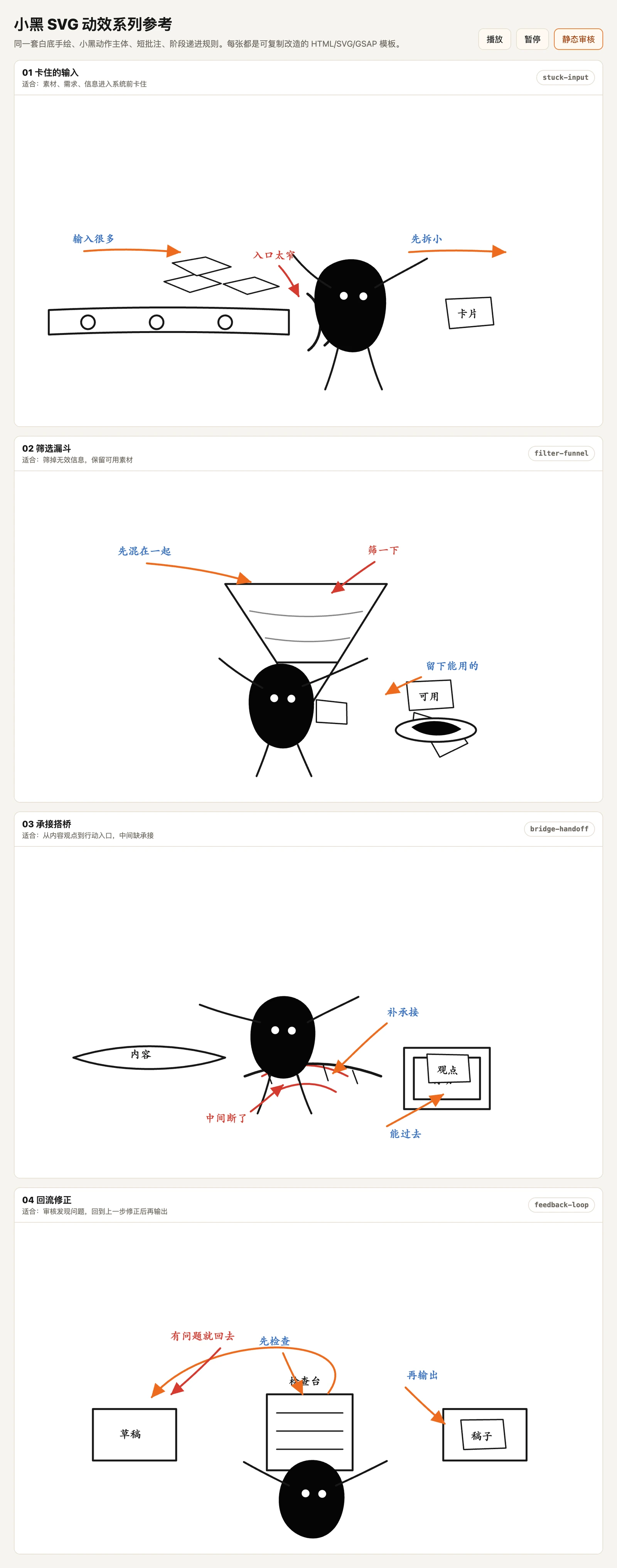
Use assets/templates/xiaohei-series-reference/ when the request asks for multiple variants, a reusable series, or a broader reference set for 口播 explanation scenes.
Copy the template into the project output folder, then edit:
- SVG group names.
- Handwritten labels.
- Object positions.
- Timeline labels and durations.
- README notes for the scene-specific metaphor.
Quality Gate
Before final response:
- Open the HTML in a local server.
- Check console for errors.
- Capture a static screenshot with
?static=1. - Capture at least one playback mid-frame when the scene has multiple beats. If available, use
?frame=midfor a deterministic review frame. - Visually inspect that text, arrows, Xiaohei, props, belts, pits, cards, and final impact points do not overlap.
- Confirm the animation has visible progression: context first, action second, problem/result third, summary last.
- Confirm annotations appear only after the object/action they explain.
- Remove decorative or semi-transparent guide arrows if the object motion already shows direction.
- Confirm Xiaohei is part of the action.
- Confirm the page is not just a PNG in an
<img>tag unless the user explicitly asked for PNG-only camera moves.
| 1 | |
| 2 | name ian-xiaohei-svg-motion |
| 3 | description Create Ian Xiaohei-style HTML/SVG motion illustrations for Chinese articles, scripts, storyboard scenes, workflow explanations, concept metaphors, and short video visual aids. Use when the user asks for 小黑 SVG、漫画感 HTML、分层 SVG 动效、把小黑生图做成 HTML/SVG、可编辑矢量动效、口播流程动画、手绘漫画动效、正文配图动画, or wants a Xiaohei illustration style adapted into controllable HTML/SVG/GSAP output instead of raster image generation. |
| 4 | |
| 5 | |
| 6 | # Ian Xiaohei SVG Motion |
| 7 | |
| 8 | 把 Ian 小黑正文配图的原则,改造成可控的 `HTML + SVG + GSAP timeline` 动效。目标不是复刻生图像素,而是把文章里的一个认知动作重建成分层漫画舞台,方便录视频、按字幕 cue 对齐、后续改文案和元素。 |
| 9 | |
| 10 | ## Core Rule |
| 11 | |
| 12 | Do not auto-vectorize a PNG and animate the resulting path soup. Use raster images only as composition references. Rebuild the scene as semantic SVG groups: |
| 13 | |
| 14 | |
| 15 | idea -> shot plan -> SVG layer plan -> HTML/SVG template -> GSAP timeline -> static + motion review |
| 16 | |
| 17 | |
| 18 | ## Workflow |
| 19 | |
| 20 | Extract one cognitive anchor from the article, script, screenshot, or storyboard scene. |
| 21 | Choose one physical metaphor: sorting, carrying, bridging, leaking, catching, folding, weighing, opening, rerouting, or falling. |
| 22 | Make Xiaohei perform the core action. If removing Xiaohei does not change the meaning, redesign. |
| 23 | Design a 16:9 white canvas with one main scene, 35%+ whitespace, and 3-5 short handwritten annotations at most. |
| 24 | Build semantic SVG groups for every moving object. |
| 25 | Animate with GSAP timeline. Use `x`, `y`, `rotation`, `scale`, `opacity`, and SVG stroke drawing. Avoid layout animations. |
| 26 | Save both a playable HTML page and a static review screenshot. |
| 27 | If this is for a 口播成片 project, map timeline segments to subtitle/cue timing before final render. |
| 28 | |
| 29 | ## Read When Needed |
| 30 | |
| 31 | Read `references/style-rules.md` before designing a new scene or judging whether the result still feels like Ian Xiaohei. |
| 32 | Read `references/svg-layering.md` before writing or editing the SVG structure. |
| 33 | Read `references/motion-rules.md` before writing GSAP animation. |
| 34 | |
| 35 | ## Output Contract |
| 36 | |
| 37 | Default output folder: |
| 38 | |
| 39 | |
| 40 | output/<slug>-xiaohei-svg-motion/ |
| 41 | |
| 42 | |
| 43 | Required files: |
| 44 | |
| 45 | |
| 46 | index.html |
| 47 | README.md |
| 48 | preview.png |
| 49 | vendor/gsap.min.js |
| 50 | |
| 51 | |
| 52 | Optional files: |
| 53 | |
| 54 | |
| 55 | source.png # reference image, if provided by the user |
| 56 | cue-map.md # when aligning to spoken script or subtitles |
| 57 | |
| 58 | |
| 59 | ## Reusable Assets |
| 60 | |
| 61 | AI model and interface icons live in: |
| 62 | |
| 63 | |
| 64 | assets/icons/ |
| 65 | |
| 66 | |
| 67 | Use `assets/icons/index.json` as the source of truth. Keep original SVG files in subfolders and inline their complete SVG content into scene SVGs during generation, so gradients, strokes, and brand colors are preserved. |
| 68 | |
| 69 | Icon rules: |
| 70 | |
| 71 | If `index.json` already has the exact model, provider, or semantic icon, use that icon. Do not replace ChatGPT, Claude, Flash lightning, Step, DeepSeek, Qwen, bug, table, chart, database, or web icons with generic boxes, stars, sparks, or abstract marks. |
| 72 | When the user provides a new SVG icon, save the raw SVG under `assets/icons/<category>/`, add an entry to `index.json`, and then reference it by id in the scene plan. |
| 73 | For comparison scenes, icon choice is part of the meaning. Keep model icons visually consistent in size and placement so the viewer can identify the actors before Xiaohei starts moving objects. |
| 74 | |
| 75 | ## Template |
| 76 | |
| 77 | Use `assets/templates/xiaohei-comic-motion/` as the starter when the request resembles a hand-drawn comic scene with moving objects, arrows, annotations, or a Xiaohei action. |
| 78 | |
| 79 | Use `assets/templates/xiaohei-series-reference/` when the request asks for multiple variants, a reusable series, or a broader reference set for 口播 explanation scenes. |
| 80 | |
| 81 | Copy the template into the project output folder, then edit: |
| 82 | |
| 83 | SVG group names. |
| 84 | Handwritten labels. |
| 85 | Object positions. |
| 86 | Timeline labels and durations. |
| 87 | README notes for the scene-specific metaphor. |
| 88 | |
| 89 | ## Quality Gate |
| 90 | |
| 91 | Before final response: |
| 92 | |
| 93 | Open the HTML in a local server. |
| 94 | Check console for errors. |
| 95 | Capture a static screenshot with `?static=1`. |
| 96 | Capture at least one playback mid-frame when the scene has multiple beats. If available, use `?frame=mid` for a deterministic review frame. |
| 97 | Visually inspect that text, arrows, Xiaohei, props, belts, pits, cards, and final impact points do not overlap. |
| 98 | Confirm the animation has visible progression: context first, action second, problem/result third, summary last. |
| 99 | Confirm annotations appear only after the object/action they explain. |
| 100 | Remove decorative or semi-transparent guide arrows if the object motion already shows direction. |
| 101 | Confirm Xiaohei is part of the action. |
| 102 | Confirm the page is not just a PNG in an `<img>` tag unless the user explicitly asked for PNG-only camera moves. |
Details
- Updated
- Sep 20, 2026
- License
- Apache-2.0
- Stars on the repo
- ★ 3,005
- Checked
- Source
- Agentchengfeng/chengfeng-videocut-skills ↗
- Creator
- Agentchengfeng · 1 listing
Made with ian-xiaohei-svg-motion
Similar skills
See all → SkillMake Japanese TV-anime style videos with codeAnime cel
 edenfunf/reelmimic · by edenfunfMake Japanese TV-anime style videos (MP4) with code — cel-shaded characters with tapered line art, big detailed eyes, hair clumps with a specular band, comedic anime reactions (sweat drop, anger vein, sparkle eyes, ≥< eyes, dot eyes, tears), painted skies with cumulus clouds, school/street/classroom/rooftop sets with time-of-day palettes, speed/focus lines, impact frames, dramatic zooms, smears, sakura petals and anime subtitles (CJK). Canvas 2D rendered frame by frame in headless Chrome, encoded with ffmpeg. Use when a reference video or brief calls for anime / 動畫 / 日系動畫 / アニメ / cel-shaded / slice-of-life / school romance / shōnen-style reactions, or when the video-clone router picks the anime-cel style. 2D only; characters are original (Hina, Ren) or new ones built on the same rig.★ 3.6k GitHub stars
 SkillDirect and produce a short film made entirely in codeLemo opuscar
 lemomo-ai/lemo-opuscar · by lemomo-aiDirect and produce a short film made entirely in code, in one of the styles of the Lemo-Opuscar library (e.g. Impasto Oil Painting 油画厚涂, Watercolor Brush 水彩笔刷, Ukiyo-e 浮世绘, Satellite Briefing 卫星简报, Exploded Teardown 产品拆解, Microscope Story 显微叙事). Use when the user asks for a video, film, short, promo, explainer or animation (视频、短片、动画、宣传片) in a named style, including data, science and product explainers built from real material such as satellite imagery, laser scans, CAD files or archive scans (数据解说、科普、产品拆解); when they want a film made about their own topic and haven't chosen a style (help them choose); or when they ask which film styles there are. Not for editing or converting existing video files.★ 3k GitHub stars
 SkillGenerate Ian-style Xiaohei illustrations for articles, posts
 dzhng/skills · by dzhngGenerate Ian-style Xiaohei illustrations for articles, posts, blogs, Notion documents, workflows, methods, processes, structures, states, metaphors, and opinions. Use when the user asks for weird, hand-drawn, Xiaohei, article, editorial, body illustrations, illustration ideas, shot lists, title removal, image edits, or image regeneration. By default, all image text and annotations are English, even when the source article is Chinese; only use another language when the user explicitly asks.★ 1.3k GitHub stars
 SkillCreating game art through Scenario MCP: spritesScenario game assets
 scenario-labs/skills · by scenario-labsUse when creating game art through Scenario MCP: sprites, sprite sheets, icons, props, loot, tilesets and autotile terrain transitions, seamless tiles, isometric buildings, top-down maps, pixel art, UI buttons and panels, parallax background layers or depth planes for side-scrollers, and character or concept art; or when assets need transparent backgrounds, background removal, style-consistent variation batches, upscaling, pixel-grid cleanup, or PNG export for Unity, Godot, or Unreal.★ 854 GitHub stars
 SkillTrain custom LoRAs with ostris AI-ToolkitAI-Toolkit LoRA Trainer (WAN 2.2 & Z-Image)
 artokun/comfyui-mcp · by artokunTrain custom LoRAs with ostris AI-Toolkit. Covers WAN 2.2/2.1 (people, styles, video motion) and Z-Image (Turbo & Base, low-VRAM image LoRAs). Use when the user wants to train a WAN or Z-Image LoRA; covers local + RunPod setup, dataset prep, key params, and using the result in a ComfyUI workflow.★ 759 GitHub stars
 SkillAnime/illustration text-to-imageANIMA 1.0 (Anima Base Ultra) Text-to-Image Workflowsartokun/comfyui-mcp · by artokunAnime/illustration text-to-image (ANIMA 1.0, ~2B Cosmos DiT). Use for anime, manga, illustrated characters; accepts Danbooru tags + natural language; runs/trains on <6GB VRAM; includes anime inpainting via Anima-LLLite ControlNet★ 759 GitHub stars