Build Baidu ERNIE-Image / ERNIE-Image-Turbo workflows
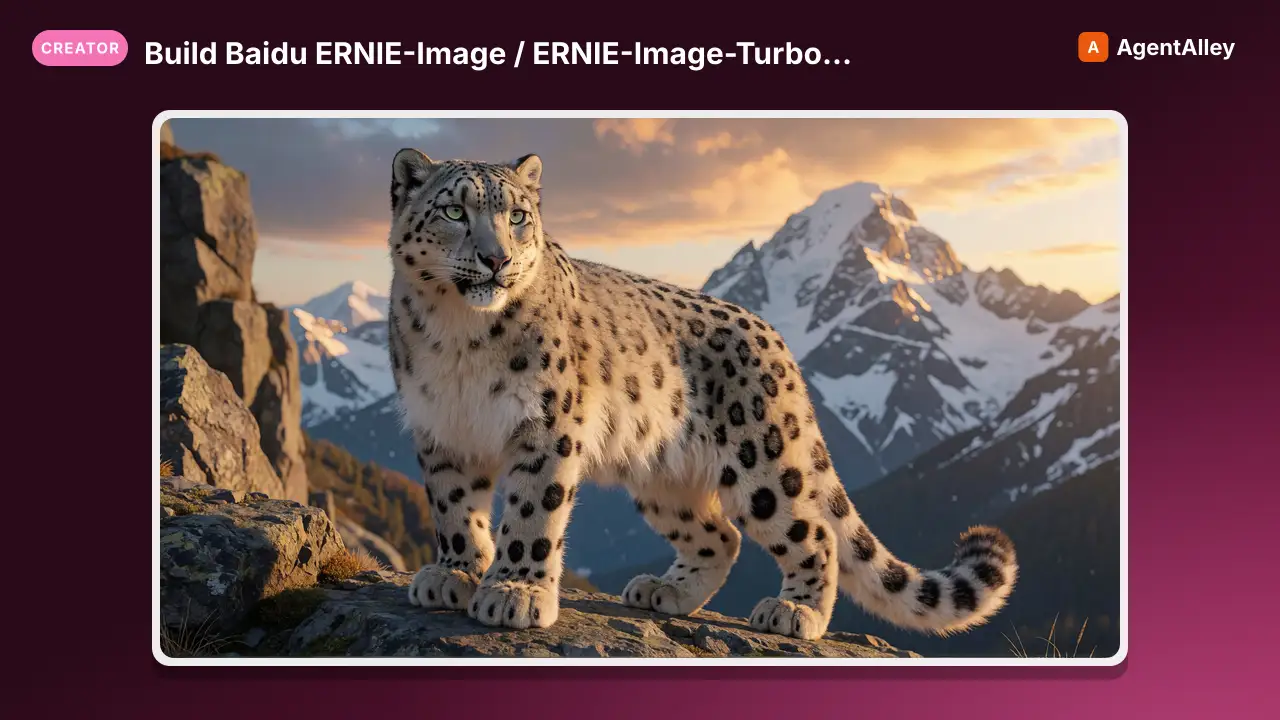
Build Baidu ERNIE-Image / ERNIE-Image-Turbo workflows, primarily TEXT-TO-IMAGE. Pick ERNIE when you need precise multilingual text rendering, posters/signage, manga/anime multi-panel layouts, or strong instruction following for complex…
---
name: ernie-image
description: Build Baidu ERNIE-Image / ERNIE-Image-Turbo workflows, primarily TEXT-TO-IMAGE. Pick ERNIE when you need precise multilingual text rendering, posters/signage, manga/anime multi-panel layouts, or strong instruction following for complex multi-object scenes. Also supports denoise-based image-to-image refine (NOT instruction-grounded editing; use Qwen-Image-Edit or Flux Kontext for "change X in this photo" edits).
globs:
  - "**/*.json"
---

# ERNIE-Image / ERNIE-Image-Turbo Workflows

## What this is (read first)

ERNIE-Image is Baidu's open-weight TEXT-TO-IMAGE model, an ~8B single-stream Diffusion Transformer (DiT), Apache-2.0, released April 2026 and repackaged for ComfyUI by Comfy-Org. It is not an instruction-based image editor.

- ERNIE-Image (base): ~50 steps for peak quality.
- ERNIE-Image-Turbo: distilled (Distribution Matching Distillation + RL), high-fidelity in ~8 steps at cfg 1. The downloaded pack uses Turbo (`ernie-image-turbo-*.gguf`).

Pick ERNIE when the job is precise text/typography rendering (multilingual, including Chinese), posters/signage/UI mockups, manga/anime storyboards and multi-panel layouts, or structured multi-object scenes from a complex prompt.
Do not pick ERNIE for "edit this photo / change the shirt / swap the background". That is instruction-grounded editing, which ERNIE does not do. Use `qwen-image-edit` or Flux Kontext for those. ERNIE's "image-to-image" here is plain denoise-based refinement (style pass / detail pass), not reference-grounded editing.
Overview
ERNIE-Image is Baidu's open-weight TEXT-TO-IMAGE model, an ~8B single-stream Diffusion Transformer (DiT), Apache-2.0, released April 2026 and repackaged for ComfyUI by Comfy-Org. It is not an instruction-based image editor.
Manual install (npx, ZIP)
npx skills add artokun/comfyui-mcp --skill ernie-image -g -a claude-codemkdir -p ~/.claude/skills && curl -sL https://codeload.github.com/artokun/comfyui-mcp/tar.gz/1d5b12b1b499 \
| tar -xz -C ~/.claude/skills --strip-components=3 comfyui-mcp-1d5b12b1b499/plugin/skills/ernie-imageNew-Item -ItemType Directory -Force "$HOME\.claude\skills" | Out-Null; Invoke-WebRequest "https://m.agentalley.io/zip/b372c1ef2d3994a93b58/ernie-image.zip" -OutFile "$env:TEMP\ernie-image.zip"; Expand-Archive "$env:TEMP\ernie-image.zip" -DestinationPath "$HOME\.claude\skills" -ForceConnects with Agent Alley MCP · agentalley.io/mcp
Files included
SKILL.md17.9 KB
Read the files here
artokun/
Show the full text242 lines
ERNIE-Image / ERNIE-Image-Turbo Workflows
What this is (read first)
ERNIE-Image is Baidu's open-weight TEXT-TO-IMAGE model, an ~8B single-stream Diffusion Transformer (DiT), Apache-2.0, released April 2026 and repackaged for ComfyUI by Comfy-Org. It is not an instruction-based image editor.
- ERNIE-Image (base): ~50 steps for peak quality.
- ERNIE-Image-Turbo: distilled (Distribution Matching Distillation + RL), high-fidelity in ~8 steps at cfg 1. The downloaded pack uses Turbo (
ernie-image-turbo-*.gguf).
Pick ERNIE when the job is precise text/typography rendering (multilingual, including Chinese), posters/signage/UI mockups, manga/anime storyboards and multi-panel layouts, or structured multi-object scenes from a complex prompt.
Do not pick ERNIE for "edit this photo / change the shirt / swap the background". That is instruction-grounded editing, which ERNIE does not do. Use qwen-image-edit or Flux Kontext for those. ERNIE's "image-to-image" here is plain denoise-based refinement (style pass / detail pass), not reference-grounded editing.
Niche vs siblings. ERNIE is the best open-weight text rendering + layout T2I. Qwen-Image-Edit does instruction editing. Flux Kontext does reference editing. Z-Image Turbo does fast general T2I, and this same pack pairs the two; see Combo pipelines.
Separated packs (render-verified)
The original ernie monolith was a single toggle-template graph (every pipeline shipped bypassed; you activated one via the rgthree group toggles). It's now split into standalone, single-purpose packs, each a clean activated graph that renders headlessly with no group-toggling:
| Pack | Use | Models | VRAM |
|---|---|---|---|
ernie-txt2img |
text-to-image (flagship) | ERNIE only (4) | <8GB |
ernie-img2img |
denoise refine of a source image | ERNIE only (4) | <8GB |
ernie-combo |
ERNIE × Z-Image-Turbo combo pipelines | ERNIE + Z-Image (7, ~32GB) | 12GB+ |
Working details verified live: the prompt-enhancer LLM is OFF by default (the ENHANCE PROMPT boolean is false; leave it off unless you want the 3B enhancer to rewrite the prompt). The grain/sharpen post-proc (FastFilmGrain/FastLaplacianSharpen, comfyui-vrgamedevgirl) needs librosa installed. In ernie-combo the Z-Image half's VAE is saved as z-image-ae.safetensors; its weights differ from Flux/ERNIE's ae.safetensors despite the same size, and the rename avoids a filename clash.
Source of truth & a provenance warning
This skill is derived from the actual pack files in C:\Users\Artokun\Downloads\:
ERNIE-IMAGE-ULTRA-WORKFLOW.json(authoritative; the ComfyUI graph)ERNIE-IMAGE_ULTRA-MODELS-NODES_INSTALL.bat,...-COMFYUI-MANAGER_AUTO_INSTALL.bat,...-AUTO_INSTALL-RUNPOD.sh
Installer warning (verified). The three install scripts are copy-pasted from a Z-Image pack. Their headers literally say "Z-IMAGE-BASE"/"Z-IMAGE Base", and they download both ERNIE and Z-Image files. The model URLs/folders below are taken from those scripts but mirror this confusion. They pull
z_image_turbo-*.gguf,Qwen3-4B-*.gguf, andae.safetensors, which belong to the Z-Image half of the combo, not ERNIE. The ERNIE-only files are flagged below. All weights come from a third-party mirrorhuggingface.co/Aitrepreneur/FLX, not the officialhuggingface.co/Comfy-Org/ERNIE-Image(which hosts the same filenames; see Official sources).
Models
ERNIE-Image (the files ERNIE actually uses)
Confirmed from the workflow's virtual wires (Set_*/GetNode): the nodes tagged "ERNIE" resolve to these exact files.
| Component | Node (type) | File (in workflow) | Folder | Notes |
|---|---|---|---|---|
| UNet (GGUF) | UnetLoaderGGUF |
ernie-image-turbo-Q8_0.gguf |
models/unet/ |
Turbo DiT. Q5_K_S / Q6_K / Q8_0 quants offered by installer |
| Text encoder | CLIPLoader (type=flux2) |
ministral-3-3b.safetensors |
models/text_encoders/ |
Ministral-3-3B is ERNIE's text encoder. Loaded with CLIP type flux2 |
| VAE | VAELoader |
flux2-vae.safetensors |
models/vae/ |
ERNIE reuses the Flux 2 VAE |
| Prompt enhancer | CLIPLoader (type=flux2) → TextGenerate |
ernie-image-prompt-enhancer.safetensors |
models/text_encoders/ |
3B LLM that auto-expands a short prompt into a rich description (see Prompt enhancer). Optional, toggled per-pipeline |
Quant guidance from the installer: Q5_K_S for GPUs <8 GB · Q6_K for 8 to 12 GB · Q8_0 for 12 to 16 GB+.
Z-Image Turbo (bundled in the same pack — the "ZIT" half)
The workflow also wires a parallel Z-Image Turbo pipeline for ERNIE→ZIT / ZIT→ERNIE combos. These files are Z-Image's, not ERNIE's. Do not confuse them:
| Component | Node | File | Folder |
|---|---|---|---|
| UNet (GGUF) | UnetLoaderGGUF |
z_image_turbo-Q8_0.gguf |
models/unet/ |
| Text encoder | CLIPLoaderGGUF (type=lumina2) |
Qwen3-4B-UD-Q6_K_XL.gguf |
models/text_encoders/ |
| VAE | VAELoader |
ae.safetensors |
models/vae/ |
LoRAs (referenced in the Power Lora Loader, off by default)
hirohiko-araki-style-ERNIE_000001250.safetensors and ernie-anime-v1.safetensors are community ERNIE style LoRAs, loaded via Power Lora Loader (rgthree) (both toggled off in the shipped graph). Not in the installer; user-supplied.
Upscalers / post (shared)
4x-ClearRealityV1.pth, RealESRGAN_x4plus_anime_6B.pth → models/upscale_models/.
Installation
Custom nodes (git clone into ComfyUI/custom_nodes/)
All three installers clone the same set:
| Node pack | Repo | Why it's needed |
|---|---|---|
| ComfyUI-Manager | https://github.com/ltdrdata/ComfyUI-Manager.git |
management |
| ComfyUI-GGUF | https://github.com/city96/ComfyUI-GGUF |
UnetLoaderGGUF, CLIPLoaderGGUF |
| rgthree-comfy | https://github.com/rgthree/rgthree-comfy |
Power Lora Loader, Label, Fast Groups Bypasser, Image Comparer |
| ComfyUI-Easy-Use | https://github.com/yolain/ComfyUI-Easy-Use |
easy cleanGpuUsed, easy clearCacheAll |
| ComfyUI-KJNodes | https://github.com/kijai/ComfyUI-KJNodes |
utility nodes |
| ComfyUI_essentials | https://github.com/cubiq/ComfyUI_essentials |
ImageResize+ |
| wlsh_nodes | https://github.com/wallish77/wlsh_nodes |
Upscale by Factor with Model (WLSH) |
| comfyui-vrgamedevgirl | https://github.com/vrgamegirl19/comfyui-vrgamedevgirl |
FastFilmGrain, FastLaplacianSharpen |
| RES4LYF | https://github.com/ClownsharkBatwing/RES4LYF |
advanced samplers |
The graph also uses TextGenerate, TextBox1, StringReplace, ComfySwitchNode, PreviewAny, SetNode/GetNode, PrimitiveBoolean, ModelSamplingAuraFlow, ConditioningZeroOut, EmptySD3LatentImage, EmptyFlux2LatentImage. Most are builtin or come from the packs above. SetNode/GetNode are from KJNodes. TextGenerate (runs the prompt-enhancer LLM) has an unverified pack origin; verify which pack provides it via ComfyUI-Manager if it shows as missing.
Model downloads (exact URLs from the installer)
Base URL HF = https://huggingface.co/Aitrepreneur/FLX/resolve/main (third-party mirror). !MODEL_VERSION! ∈ {Q5_K_S, Q6_K, Q8_0}.
# ERNIE (the files ERNIE actually uses)
unet/ernie-image-turbo-<Q>.gguf                <HF>/ernie-image-turbo-<Q>.gguf?download=true
text_encoders/ministral-3-3b.safetensors       <HF>/ministral-3-3b.safetensors?download=true
text_encoders/ernie-image-prompt-enhancer.safetensors  <HF>/ernie-image-prompt-enhancer.safetensors?download=true
vae/flux2-vae.safetensors                       <HF>/flux2-vae.safetensors?download=true

# Z-Image half (bundled; only needed for the ZIT combo pipelines)
unet/z_image_turbo-<Q>.gguf                      <HF>/z_image_turbo-<Q>.gguf?download=true
text_encoders/Qwen3-4B-UD-Q6_K_XL.gguf          <HF>/Qwen3-4B-UD-Q6_K_XL.gguf?download=true
vae/ae.safetensors                               <HF>/ae.safetensors?download=true

# Upscalers
upscale_models/4x-ClearRealityV1.pth            <HF>/4x-ClearRealityV1.pth?download=true
upscale_models/RealESRGAN_x4plus_anime_6B.pth   <HF>/RealESRGAN_x4plus_anime_6B.pth?download=true
Official sources (prefer these over the mirror)
The same filenames are hosted officially at huggingface.co/Comfy-Org/ERNIE-Image (unet|diffusion_models/, text_encoders/, vae/). Apache-2.0. Original model: github.com/baidu/ERNIE-Image. Comfy day-0 docs: docs.comfy.org/tutorials/image/ernie-image/ernie-image. The official repo also ships non-GGUF ernie-image.safetensors / ernie-image-turbo.safetensors (load with UNETLoader instead of UnetLoaderGGUF).
How the pipeline works (at a glance)
The big graph is a menu of group-boxed pipelines built from the same blocks. Core ERNIE-Image text-to-image flow:
UnetLoaderGGUF (ernie-image-turbo) ──► Power Lora Loader (rgthree) ──► ModelSamplingAuraFlow (shift=3.1) ──► MODEL
CLIPLoader (ministral-3-3b, type=flux2) ──► CLIP ──► CLIPTextEncode (positive)
                                              └──► ConditioningZeroOut  ──► negative   (cfg=1, so negative ≈ unused)
VAELoader (flux2-vae) ──► VAE
EmptySD3LatentImage (1920×1088) ──► LATENT
        │
KSampler (steps≈8–9, cfg=1, euler, simple, denoise=1) ──► VAEDecode ──► SaveImage / post
In the optional prompt enhancer path, the short user prompt + {width}/{height} are templated into a Chinese system prompt, fed to TextGenerate (which runs ernie-image-prompt-enhancer), and a ComfySwitchNode chooses raw prompt (switch=false) vs. enhanced prompt (switch=true) before CLIPTextEncode.
The image-to-image (refine) path is not editing. The graph's "ERNIE IMAGE TO IMAGE" groups take a LoadImage → ImageResize+ (1024, keep proportion, lanczos) and VAEEncode it, then run KSampler at low denoise (0.35 to 0.4) to refine or restyle. This is a denoise pass over a single source image; it does not follow edit instructions.
About the ~5 LoadImage + ~5 VAEEncode nodes: they are not multi-reference compositing. Each LoadImage feeds a separate pipeline variant (single-image img2img, or the combo refine stages). One source image per pipeline. The extra VAEEncodes are the encode steps for those independent img2img / two-pass refine chains.
The combo pipelines (ERNIE↔ZIT), with group titles ERNIE ---> ZIT COMBO, ZIT ---> ERNIE COMBO, TWO TIMES COMBO ..., chain ERNIE and Z-Image Turbo as a two-pass generate→refine, with optional film-grain (FastFilmGrain) or sharpening (FastLaplacianSharpen) finishing and SIMPLE UPSCALE.
Settings (extracted from the shipped KSamplers)
| Pipeline | Steps | CFG | Sampler | Scheduler | Denoise | Shift |
|---|---|---|---|---|---|---|
| ERNIE text-to-image (Turbo) | 8–9 | 1 | euler | simple | 1.0 | 3.1 |
| ERNIE image-to-image refine | 8 | 1 | euler | simple | 0.4 | 3.1 |
| Combo refine pass (2nd stage) | 9 | 1 | euler | simple | 0.25–0.35 | 3.1 |
ModelSamplingAuraFlowshift = 3.1 is applied to the ERNIE model before sampling (flow-matching shift). Keep it.- CFG = 1 for Turbo, so negative conditioning is effectively inert; the graph still wires a
ConditioningZeroOutas the negative. - The shipped latent is 1920×1088 (
EmptySD3LatentImage). ERNIE is a high-res-capable DiT; 1024 to 2048 on the long edge is reasonable. UseEmptySD3LatentImagefor ERNIE latents. - For base (non-Turbo)
ernie-image, bump steps to ~50 and raise cfg (e.g. 3.5 to 5) since it is not distilled.
Prompt / instruction style
ERNIE rewards descriptive, structured natural-language prompts, and is unusually strong at literal text rendering. Write the exact text you want to appear in quotes.
A vintage travel poster of Kyoto in autumn, bold title text reading "KYOTO" at the top,
maple leaves, Mount fuji silhouette, clean vector layout, muted warm palette
A 3-panel manga page: panel 1 a samurai drawing his sword, panel 2 close-up of his eyes,
panel 3 a wide shot of cherry blossoms falling, black-and-white ink, speech bubble "参る"
- For typography/signage, state the literal string ("a neon sign that says 'OPEN'"), placement, and font feel.
- For layout, name the panel/grid structure and what goes in each region.
- Multilingual prompts (incl. Chinese) work; the built-in enhancer's system prompt is Chinese.
- This is txt2img phrasing, not edit phrasing. Do not write "change the…/remove the…" expecting grounded edits.
Complete API-format workflow (ERNIE-Image-Turbo text-to-image)
Derived from the source graph, flattened to API format (no subgraphs/virtual wires). The enhancer is omitted for clarity; CLIPTextEncode takes the prompt directly.
{
  "1": { "class_type": "UnetLoaderGGUF", "inputs": { "unet_name": "ernie-image-turbo-Q8_0.gguf" } },
  "2": { "class_type": "CLIPLoader", "inputs": { "clip_name": "ministral-3-3b.safetensors", "type": "flux2", "device": "default" } },
  "3": { "class_type": "VAELoader", "inputs": { "vae_name": "flux2-vae.safetensors" } },
  "4": { "class_type": "ModelSamplingAuraFlow", "inputs": { "model": ["1", 0], "shift": 3.1 } },
  "5": { "class_type": "CLIPTextEncode", "inputs": { "clip": ["2", 0], "text": "A vintage travel poster of Kyoto in autumn, bold title text reading \"KYOTO\" at the top, maple leaves, clean vector layout, muted warm palette" } },
  "6": { "class_type": "ConditioningZeroOut", "inputs": { "conditioning": ["5", 0] } },
  "7": { "class_type": "EmptySD3LatentImage", "inputs": { "width": 1920, "height": 1088, "batch_size": 1 } },
  "8": { "class_type": "KSampler", "inputs": {
    "model": ["4", 0], "positive": ["5", 0], "negative": ["6", 0], "latent_image": ["7", 0],
    "seed": 997032332094579, "steps": 9, "cfg": 1, "sampler_name": "euler", "scheduler": "simple", "denoise": 1
  } },
  "9": { "class_type": "VAEDecode", "inputs": { "samples": ["8", 0], "vae": ["3", 0] } },
  "10": { "class_type": "SaveImage", "inputs": { "images": ["9", 0], "filename_prefix": "ernie_image" } }
}
Image-to-image (refine) variant
Replace the empty latent with an encoded source image and lower denoise. This restyles or refines a single image; it is not instruction editing.
{
  "11": { "class_type": "LoadImage", "inputs": { "image": "source.png" } },
  "12": { "class_type": "ImageResize+", "inputs": { "image": ["11", 0], "width": 1024, "height": 1024, "interpolation": "lanczos", "method": "keep proportion", "condition": "always", "multiple_of": 0 } },
  "13": { "class_type": "VAEEncode", "inputs": { "pixels": ["12", 0], "vae": ["3", 0] } }
}
Then in the KSampler set "latent_image": ["13", 0] and "denoise": 0.4.
Adding LoRAs
Insert a Power Lora Loader (rgthree) between the UNet loader and ModelSamplingAuraFlow (model: ["1",0] → loader → ["4"].model). In API format you can substitute LoraLoaderModelOnly with lora_name: "ernie-anime-v1.safetensors", strength_model: 0.5.
VRAM
- ERNIE-Image-Turbo GGUF: Q5_K_S for <8 GB · Q6_K for 8 to 12 GB · Q8_0 for 12 to 16 GB+ (installer's own guidance).
- The Ministral-3-3B encoder + Flux2 VAE add a few GB. The graph includes
easy cleanGpuUsed/easy clearCacheAllnodes between stages. Keep them for the combo/two-pass pipelines so VRAM is freed before swapping models. - Running the ERNIE↔ZIT combos loads two UNets; budget for both or run the single-model ERNIE group only.
Troubleshooting
UnetLoaderGGUF/CLIPLoaderGGUFmissing. Install ComfyUI-GGUF (city96).Power Lora Loader/Image Comparer/Labelmissing. Install rgthree-comfy.ImageResize+missing. Install ComfyUI_essentials.TextGeneratemissing (prompt enhancer). Install via ComfyUI-Manager search; pack origin unverified. If unavailable, set theComfySwitchNodeto use the raw prompt (switch=false) and skip enhancement.- CLIP type error on ministral. Ensure
CLIPLoadertypeisflux2(notqwen_image/lumina2). Thelumina2type belongs to the Z-Image (Qwen3) encoder, not ERNIE. - Wrong VAE artifacts. ERNIE must use
flux2-vae.safetensors;ae.safetensorsis the Z-Image VAE. - Blurry / undercooked output. Confirm
ModelSamplingAuraFlow shift=3.1is wired and steps ≥8 for Turbo; for baseernie-imageuse ~50 steps + higher cfg. - You wanted to EDIT a photo and it ignored the instruction. Expected. ERNIE is txt2img; use the
qwen-image-editskill or Flux Kontext for grounded edits. - Installer pulled Z-Image files too. Expected (the scripts are Z-Image-derived). Harmless; those files only feed the combo pipelines.
Tips
- Lead with the literal text you want rendered, in quotes. That's ERNIE's headline strength.
- Use the prompt enhancer for short/lazy prompts; turn it off (
ComfySwitchNodefalse) when you've written a detailed prompt yourself. - Use
get_workflow (action:"analyze")before executing the shipped graph. It has dozens of group-boxed variants gated byFast Groups Bypasser (rgthree); the analyzer summary is far easier than reading raw JSON. - Most groups are bypassed (mode 4) by default in the source file. Enable only the pipeline you want via the group bypasser, or build the clean API workflow above.
- To choose a model: ERNIE for text/layout T2I, Z-Image Turbo for fast general T2I, Qwen-Image-Edit / Flux Kontext for actual editing.
Sources
- Official: https://github.com/baidu/ERNIE-Image and https://docs.comfy.org/tutorials/image/ernie-image/ernie-image
- Empirical: sampler values and combo wiring from the pack graphs (see Source of truth above); installer scripts are Z-Image-derived.
| 1 | |
| 2 | name ernie-image |
| 3 | description Build Baidu ERNIE-Image / ERNIE-Image-Turbo workflows, primarily TEXT-TO-IMAGE. Pick ERNIE when you need precise multilingual text rendering, posters/signage, manga/anime multi-panel layouts, or strong instruction following for complex multi-object scenes. Also supports denoise-based image-to-image refine (NOT instruction-grounded editing; use Qwen-Image-Edit or Flux Kontext for "change X in this photo" edits). |
| 4 | globs |
| 5 | - "**/*.json" |
| 6 | |
| 7 | |
| 8 | # ERNIE-Image / ERNIE-Image-Turbo Workflows |
| 9 | |
| 10 | ## What this is (read first) |
| 11 | |
| 12 | ERNIE-Image is Baidu's open-weight TEXT-TO-IMAGE model, an ~8B single-stream Diffusion Transformer (DiT), Apache-2.0, released April 2026 and repackaged for ComfyUI by Comfy-Org. It is not an instruction-based image editor. |
| 13 | |
| 14 | ERNIE-Image (base): ~50 steps for peak quality. |
| 15 | ERNIE-Image-Turbo: distilled (Distribution Matching Distillation + RL), high-fidelity in ~8 steps at cfg 1. The downloaded pack uses Turbo (`ernie-image-turbo-*.gguf`). |
| 16 | |
| 17 | Pick ERNIE when the job is precise text/typography rendering (multilingual, including Chinese), posters/signage/UI mockups, manga/anime storyboards and multi-panel layouts, or structured multi-object scenes from a complex prompt. |
| 18 | Do not pick ERNIE for "edit this photo / change the shirt / swap the background". That is instruction-grounded editing, which ERNIE does not do. Use `qwen-image-edit` or Flux Kontext for those. ERNIE's "image-to-image" here is plain denoise-based refinement (style pass / detail pass), not reference-grounded editing. |
| 19 | |
| 20 | > Niche vs siblings. ERNIE is the best open-weight text rendering + layout T2I. Qwen-Image-Edit does instruction editing. Flux Kontext does reference editing. Z-Image Turbo does fast general T2I, and this same pack pairs the two; see Combo pipelines. |
| 21 | |
| 22 | ## Separated packs (render-verified) |
| 23 | |
| 24 | The original `ernie` monolith was a single toggle-template graph (every pipeline shipped bypassed; you activated one via the rgthree group toggles). It's now split into standalone, single-purpose packs, each a clean activated graph that renders headlessly with no group-toggling: |
| 25 | |
| 26 | | Pack | Use | Models | VRAM | |
| 27 | |------|-----|--------|------| |
| 28 | | `ernie-txt2img` | text-to-image (flagship) | ERNIE only (4) | <8GB | |
| 29 | | `ernie-img2img` | denoise refine of a source image | ERNIE only (4) | <8GB | |
| 30 | | `ernie-combo` | ERNIE × Z-Image-Turbo combo pipelines | ERNIE + Z-Image (7, ~32GB) | 12GB+ | |
| 31 | |
| 32 | Working details verified live: the prompt-enhancer LLM is OFF by default (the `ENHANCE PROMPT` boolean is false; leave it off unless you want the 3B enhancer to rewrite the prompt). The grain/sharpen post-proc (`FastFilmGrain`/`FastLaplacianSharpen`, comfyui-vrgamedevgirl) needs librosa installed. In `ernie-combo` the Z-Image half's VAE is saved as `z-image-ae.safetensors`; its weights differ from Flux/ERNIE's `ae.safetensors` despite the same size, and the rename avoids a filename clash. |
| 33 | |
| 34 | ## Source of truth & a provenance warning |
| 35 | |
| 36 | This skill is derived from the actual pack files in `C:\Users\Artokun\Downloads\`: |
| 37 | `ERNIE-IMAGE-ULTRA-WORKFLOW.json` (authoritative; the ComfyUI graph) |
| 38 | `ERNIE-IMAGE_ULTRA-MODELS-NODES_INSTALL.bat`, `...-COMFYUI-MANAGER_AUTO_INSTALL.bat`, `...-AUTO_INSTALL-RUNPOD.sh` |
| 39 | |
| 40 | > Installer warning (verified). The three install scripts are copy-pasted from a Z-Image pack. Their headers literally say "Z-IMAGE-BASE"/"Z-IMAGE Base", and they download both ERNIE *and* Z-Image files. The model URLs/folders below are taken from those scripts but mirror this confusion. They pull `z_image_turbo-*.gguf`, `Qwen3-4B-*.gguf`, and `ae.safetensors`, which belong to the Z-Image half of the combo, not ERNIE. The ERNIE-only files are flagged below. All weights come from a third-party mirror `huggingface.co/Aitrepreneur/FLX`, not the official `huggingface.co/Comfy-Org/ERNIE-Image` (which hosts the same filenames; see Official sources). |
| 41 | |
| 42 | ## Models |
| 43 | |
| 44 | ### ERNIE-Image (the files ERNIE actually uses) |
| 45 | |
| 46 | Confirmed from the workflow's virtual wires (`Set_*`/`GetNode`): the nodes tagged "ERNIE" resolve to these exact files. |
| 47 | |
| 48 | | Component | Node (type) | File (in workflow) | Folder | Notes | |
| 49 | |-----------|-------------|--------------------|--------|-------| |
| 50 | | **UNet (GGUF)** | `UnetLoaderGGUF` | `ernie-image-turbo-Q8_0.gguf` | `models/unet/` | Turbo DiT. Q5_K_S / Q6_K / Q8_0 quants offered by installer | |
| 51 | | **Text encoder** | `CLIPLoader` (type=`flux2`) | `ministral-3-3b.safetensors` | `models/text_encoders/` | **Ministral-3-3B** is ERNIE's text encoder. Loaded with CLIP type `flux2` | |
| 52 | | **VAE** | `VAELoader` | `flux2-vae.safetensors` | `models/vae/` | ERNIE reuses the **Flux 2 VAE** | |
| 53 | | **Prompt enhancer** | `CLIPLoader` (type=`flux2`) → `TextGenerate` | `ernie-image-prompt-enhancer.safetensors` | `models/text_encoders/` | 3B LLM that auto-expands a short prompt into a rich description (see Prompt enhancer). Optional, toggled per-pipeline | |
| 54 | |
| 55 | > Quant guidance from the installer: Q5_K_S for GPUs <8 GB · Q6_K for 8 to 12 GB · Q8_0 for 12 to 16 GB+. |
| 56 | |
| 57 | ### Z-Image Turbo (bundled in the same pack — the "ZIT" half) |
| 58 | |
| 59 | The workflow also wires a parallel Z-Image Turbo pipeline for ERNIE→ZIT / ZIT→ERNIE combos. These files are Z-Image's, not ERNIE's. Do not confuse them: |
| 60 | |
| 61 | | Component | Node | File | Folder | |
| 62 | |-----------|------|------|--------| |
| 63 | | UNet (GGUF) | `UnetLoaderGGUF` | `z_image_turbo-Q8_0.gguf` | `models/unet/` | |
| 64 | | Text encoder | `CLIPLoaderGGUF` (type=`lumina2`) | `Qwen3-4B-UD-Q6_K_XL.gguf` | `models/text_encoders/` | |
| 65 | | VAE | `VAELoader` | `ae.safetensors` | `models/vae/` | |
| 66 | |
| 67 | ### LoRAs (referenced in the Power Lora Loader, off by default) |
| 68 | |
| 69 | `hirohiko-araki-style-ERNIE_000001250.safetensors` and `ernie-anime-v1.safetensors` are community ERNIE style LoRAs, loaded via `Power Lora Loader (rgthree)` (both toggled off in the shipped graph). Not in the installer; user-supplied. |
| 70 | |
| 71 | ### Upscalers / post (shared) |
| 72 | |
| 73 | `4x-ClearRealityV1.pth`, `RealESRGAN_x4plus_anime_6B.pth` → `models/upscale_models/`. |
| 74 | |
| 75 | ## Installation |
| 76 | |
| 77 | ### Custom nodes (git clone into `ComfyUI/custom_nodes/`) |
| 78 | |
| 79 | All three installers clone the same set: |
| 80 | |
| 81 | | Node pack | Repo | Why it's needed | |
| 82 | |-----------|------|-----------------| |
| 83 | | ComfyUI-Manager | `https://github.com/ltdrdata/ComfyUI-Manager.git` | management | |
| 84 | | **ComfyUI-GGUF** | `https://github.com/city96/ComfyUI-GGUF` | `UnetLoaderGGUF`, `CLIPLoaderGGUF` | |
| 85 | | **rgthree-comfy** | `https://github.com/rgthree/rgthree-comfy` | `Power Lora Loader`, `Label`, `Fast Groups Bypasser`, `Image Comparer` | |
| 86 | | **ComfyUI-Easy-Use** | `https://github.com/yolain/ComfyUI-Easy-Use` | `easy cleanGpuUsed`, `easy clearCacheAll` | |
| 87 | | **ComfyUI-KJNodes** | `https://github.com/kijai/ComfyUI-KJNodes` | utility nodes | |
| 88 | | **ComfyUI_essentials** | `https://github.com/cubiq/ComfyUI_essentials` | `ImageResize+` | |
| 89 | | wlsh_nodes | `https://github.com/wallish77/wlsh_nodes` | `Upscale by Factor with Model (WLSH)` | |
| 90 | | comfyui-vrgamedevgirl | `https://github.com/vrgamegirl19/comfyui-vrgamedevgirl` | `FastFilmGrain`, `FastLaplacianSharpen` | |
| 91 | | RES4LYF | `https://github.com/ClownsharkBatwing/RES4LYF` | advanced samplers | |
| 92 | |
| 93 | The graph also uses `TextGenerate`, `TextBox1`, `StringReplace`, `ComfySwitchNode`, `PreviewAny`, `SetNode`/`GetNode`, `PrimitiveBoolean`, `ModelSamplingAuraFlow`, `ConditioningZeroOut`, `EmptySD3LatentImage`, `EmptyFlux2LatentImage`. Most are builtin or come from the packs above. `SetNode`/`GetNode` are from KJNodes. `TextGenerate` (runs the prompt-enhancer LLM) has an unverified pack origin; verify which pack provides it via ComfyUI-Manager if it shows as missing. |
| 94 | |
| 95 | ### Model downloads (exact URLs from the installer) |
| 96 | |
| 97 | Base URL `HF = https://huggingface.co/Aitrepreneur/FLX/resolve/main` (third-party mirror). `!MODEL_VERSION!` ∈ `{Q5_K_S, Q6_K, Q8_0}`. |
| 98 | |
| 99 | |
| 100 | # ERNIE (the files ERNIE actually uses) |
| 101 | unet/ernie-image-turbo-<Q>.gguf <HF>/ernie-image-turbo-<Q>.gguf?download=true |
| 102 | text_encoders/ministral-3-3b.safetensors <HF>/ministral-3-3b.safetensors?download=true |
| 103 | text_encoders/ernie-image-prompt-enhancer.safetensors <HF>/ernie-image-prompt-enhancer.safetensors?download=true |
| 104 | vae/flux2-vae.safetensors <HF>/flux2-vae.safetensors?download=true |
| 105 | |
| 106 | # Z-Image half (bundled; only needed for the ZIT combo pipelines) |
| 107 | unet/z_image_turbo-<Q>.gguf <HF>/z_image_turbo-<Q>.gguf?download=true |
| 108 | text_encoders/Qwen3-4B-UD-Q6_K_XL.gguf <HF>/Qwen3-4B-UD-Q6_K_XL.gguf?download=true |
| 109 | vae/ae.safetensors <HF>/ae.safetensors?download=true |
| 110 | |
| 111 | # Upscalers |
| 112 | upscale_models/4x-ClearRealityV1.pth <HF>/4x-ClearRealityV1.pth?download=true |
| 113 | upscale_models/RealESRGAN_x4plus_anime_6B.pth <HF>/RealESRGAN_x4plus_anime_6B.pth?download=true |
| 114 | |
| 115 | |
| 116 | ### Official sources (prefer these over the mirror) |
| 117 | |
| 118 | The same filenames are hosted officially at `huggingface.co/Comfy-Org/ERNIE-Image` (`unet|diffusion_models/`, `text_encoders/`, `vae/`). Apache-2.0. Original model: `github.com/baidu/ERNIE-Image`. Comfy day-0 docs: `docs.comfy.org/tutorials/image/ernie-image/ernie-image`. The official repo also ships non-GGUF `ernie-image.safetensors` / `ernie-image-turbo.safetensors` (load with `UNETLoader` instead of `UnetLoaderGGUF`). |
| 119 | |
| 120 | ## How the pipeline works (at a glance) |
| 121 | |
| 122 | The big graph is a menu of group-boxed pipelines built from the same blocks. Core ERNIE-Image text-to-image flow: |
| 123 | |
| 124 | |
| 125 | UnetLoaderGGUF (ernie-image-turbo) ──► Power Lora Loader (rgthree) ──► ModelSamplingAuraFlow (shift=3.1) ──► MODEL |
| 126 | CLIPLoader (ministral-3-3b, type=flux2) ──► CLIP ──► CLIPTextEncode (positive) |
| 127 | └──► ConditioningZeroOut ──► negative (cfg=1, so negative ≈ unused) |
| 128 | VAELoader (flux2-vae) ──► VAE |
| 129 | EmptySD3LatentImage (1920×1088) ──► LATENT |
| 130 | │ |
| 131 | KSampler (steps≈8–9, cfg=1, euler, simple, denoise=1) ──► VAEDecode ──► SaveImage / post |
| 132 | |
| 133 | |
| 134 | In the optional prompt enhancer path, the short user prompt + `{width}`/`{height}` are templated into a Chinese system prompt, fed to `TextGenerate` (which runs `ernie-image-prompt-enhancer`), and a `ComfySwitchNode` chooses raw prompt (switch=false) vs. enhanced prompt (switch=true) before `CLIPTextEncode`. |
| 135 | |
| 136 | The image-to-image (refine) path is not editing. The graph's "ERNIE IMAGE TO IMAGE" groups take a `LoadImage → ImageResize+ (1024, keep proportion, lanczos)` and `VAEEncode` it, then run KSampler at low denoise (0.35 to 0.4) to refine or restyle. This is a denoise pass over a single source image; it does not follow edit instructions. |
| 137 | |
| 138 | About the ~5 LoadImage + ~5 VAEEncode nodes: they are not multi-reference compositing. Each LoadImage feeds a *separate* pipeline variant (single-image img2img, or the combo refine stages). One source image per pipeline. The extra VAEEncodes are the encode steps for those independent img2img / two-pass refine chains. |
| 139 | |
| 140 | The combo pipelines (ERNIE↔ZIT), with group titles `ERNIE ---> ZIT COMBO`, `ZIT ---> ERNIE COMBO`, `TWO TIMES COMBO ...`, chain ERNIE and Z-Image Turbo as a two-pass generate→refine, with optional film-grain (`FastFilmGrain`) or sharpening (`FastLaplacianSharpen`) finishing and `SIMPLE UPSCALE`. |
| 141 | |
| 142 | ## Settings (extracted from the shipped KSamplers) |
| 143 | |
| 144 | | Pipeline | Steps | CFG | Sampler | Scheduler | Denoise | Shift | |
| 145 | |----------|-------|-----|---------|-----------|---------|-------| |
| 146 | | ERNIE text-to-image (Turbo) | 8–9 | 1 | euler | simple | 1.0 | 3.1 | |
| 147 | | ERNIE image-to-image refine | 8 | 1 | euler | simple | **0.4** | 3.1 | |
| 148 | | Combo refine pass (2nd stage) | 9 | 1 | euler | simple | **0.25–0.35** | 3.1 | |
| 149 | |
| 150 | `ModelSamplingAuraFlow` shift = 3.1 is applied to the ERNIE model before sampling (flow-matching shift). Keep it. |
| 151 | CFG = 1 for Turbo, so negative conditioning is effectively inert; the graph still wires a `ConditioningZeroOut` as the negative. |
| 152 | The shipped latent is 1920×1088 (`EmptySD3LatentImage`). ERNIE is a high-res-capable DiT; 1024 to 2048 on the long edge is reasonable. Use `EmptySD3LatentImage` for ERNIE latents. |
| 153 | For base (non-Turbo) `ernie-image`, bump steps to ~50 and raise cfg (e.g. 3.5 to 5) since it is not distilled. |
| 154 | |
| 155 | ## Prompt / instruction style |
| 156 | |
| 157 | ERNIE rewards descriptive, structured natural-language prompts, and is unusually strong at literal text rendering. Write the exact text you want to appear in quotes. |
| 158 | |
| 159 | |
| 160 | A vintage travel poster of Kyoto in autumn, bold title text reading "KYOTO" at the top, |
| 161 | maple leaves, Mount fuji silhouette, clean vector layout, muted warm palette |
| 162 | |
| 163 | |
| 164 | A 3-panel manga page: panel 1 a samurai drawing his sword, panel 2 close-up of his eyes, |
| 165 | panel 3 a wide shot of cherry blossoms falling, black-and-white ink, speech bubble "参る" |
| 166 | |
| 167 | |
| 168 | For typography/signage, state the literal string ("a neon sign that says 'OPEN'"), placement, and font feel. |
| 169 | For layout, name the panel/grid structure and what goes in each region. |
| 170 | Multilingual prompts (incl. Chinese) work; the built-in enhancer's system prompt is Chinese. |
| 171 | This is txt2img phrasing, not edit phrasing. Do not write "change the…/remove the…" expecting grounded edits. |
| 172 | |
| 173 | ## Complete API-format workflow (ERNIE-Image-Turbo text-to-image) |
| 174 | |
| 175 | Derived from the source graph, flattened to API format (no subgraphs/virtual wires). The enhancer is omitted for clarity; `CLIPTextEncode` takes the prompt directly. |
| 176 | |
| 177 | |
| 178 | { |
| 179 | "1": { "class_type": "UnetLoaderGGUF", "inputs": { "unet_name": "ernie-image-turbo-Q8_0.gguf" } }, |
| 180 | "2": { "class_type": "CLIPLoader", "inputs": { "clip_name": "ministral-3-3b.safetensors", "type": "flux2", "device": "default" } }, |
| 181 | "3": { "class_type": "VAELoader", "inputs": { "vae_name": "flux2-vae.safetensors" } }, |
| 182 | "4": { "class_type": "ModelSamplingAuraFlow", "inputs": { "model": ["1", 0], "shift": 3.1 } }, |
| 183 | "5": { "class_type": "CLIPTextEncode", "inputs": { "clip": ["2", 0], "text": "A vintage travel poster of Kyoto in autumn, bold title text reading \"KYOTO\" at the top, maple leaves, clean vector layout, muted warm palette" } }, |
| 184 | "6": { "class_type": "ConditioningZeroOut", "inputs": { "conditioning": ["5", 0] } }, |
| 185 | "7": { "class_type": "EmptySD3LatentImage", "inputs": { "width": 1920, "height": 1088, "batch_size": 1 } }, |
| 186 | "8": { "class_type": "KSampler", "inputs": { |
| 187 | "model": ["4", 0], "positive": ["5", 0], "negative": ["6", 0], "latent_image": ["7", 0], |
| 188 | "seed": 997032332094579, "steps": 9, "cfg": 1, "sampler_name": "euler", "scheduler": "simple", "denoise": 1 |
| 189 | } }, |
| 190 | "9": { "class_type": "VAEDecode", "inputs": { "samples": ["8", 0], "vae": ["3", 0] } }, |
| 191 | "10": { "class_type": "SaveImage", "inputs": { "images": ["9", 0], "filename_prefix": "ernie_image" } } |
| 192 | } |
| 193 | |
| 194 | |
| 195 | ### Image-to-image (refine) variant |
| 196 | |
| 197 | Replace the empty latent with an encoded source image and lower denoise. This restyles or refines a single image; it is not instruction editing. |
| 198 | |
| 199 | |
| 200 | { |
| 201 | "11": { "class_type": "LoadImage", "inputs": { "image": "source.png" } }, |
| 202 | "12": { "class_type": "ImageResize+", "inputs": { "image": ["11", 0], "width": 1024, "height": 1024, "interpolation": "lanczos", "method": "keep proportion", "condition": "always", "multiple_of": 0 } }, |
| 203 | "13": { "class_type": "VAEEncode", "inputs": { "pixels": ["12", 0], "vae": ["3", 0] } } |
| 204 | } |
| 205 | |
| 206 | Then in the KSampler set `"latent_image": ["13", 0]` and `"denoise": 0.4`. |
| 207 | |
| 208 | ### Adding LoRAs |
| 209 | |
| 210 | Insert a `Power Lora Loader (rgthree)` between the UNet loader and `ModelSamplingAuraFlow` (`model: ["1",0]` → loader → `["4"].model`). In API format you can substitute `LoraLoaderModelOnly` with `lora_name: "ernie-anime-v1.safetensors", strength_model: 0.5`. |
| 211 | |
| 212 | ## VRAM |
| 213 | |
| 214 | ERNIE-Image-Turbo GGUF: Q5_K_S for <8 GB · Q6_K for 8 to 12 GB · Q8_0 for 12 to 16 GB+ (installer's own guidance). |
| 215 | The Ministral-3-3B encoder + Flux2 VAE add a few GB. The graph includes `easy cleanGpuUsed` / `easy clearCacheAll` nodes between stages. Keep them for the combo/two-pass pipelines so VRAM is freed before swapping models. |
| 216 | Running the ERNIE↔ZIT combos loads two UNets; budget for both or run the single-model ERNIE group only. |
| 217 | |
| 218 | ## Troubleshooting |
| 219 | |
| 220 | **`UnetLoaderGGUF` / `CLIPLoaderGGUF` missing.** Install ComfyUI-GGUF (city96). |
| 221 | **`Power Lora Loader` / `Image Comparer` / `Label` missing.** Install rgthree-comfy. |
| 222 | **`ImageResize+` missing.** Install ComfyUI_essentials. |
| 223 | **`TextGenerate` missing** (prompt enhancer). Install via ComfyUI-Manager search; pack origin unverified. If unavailable, set the `ComfySwitchNode` to use the raw prompt (switch=false) and skip enhancement. |
| 224 | **CLIP type error on ministral.** Ensure `CLIPLoader` `type` is `flux2` (not `qwen_image`/`lumina2`). The `lumina2` type belongs to the Z-Image (Qwen3) encoder, not ERNIE. |
| 225 | **Wrong VAE artifacts.** ERNIE must use `flux2-vae.safetensors`; `ae.safetensors` is the Z-Image VAE. |
| 226 | **Blurry / undercooked output.** Confirm `ModelSamplingAuraFlow shift=3.1` is wired and steps ≥8 for Turbo; for base `ernie-image` use ~50 steps + higher cfg. |
| 227 | **You wanted to EDIT a photo and it ignored the instruction.** Expected. ERNIE is txt2img; use the `qwen-image-edit` skill or Flux Kontext for grounded edits. |
| 228 | **Installer pulled Z-Image files too.** Expected (the scripts are Z-Image-derived). Harmless; those files only feed the combo pipelines. |
| 229 | |
| 230 | ## Tips |
| 231 | |
| 232 | Lead with the literal text you want rendered, in quotes. That's ERNIE's headline strength. |
| 233 | Use the prompt enhancer for short/lazy prompts; turn it off (`ComfySwitchNode` false) when you've written a detailed prompt yourself. |
| 234 | Use `get_workflow (action:"analyze")` before executing the shipped graph. It has dozens of group-boxed variants gated by `Fast Groups Bypasser (rgthree)`; the analyzer summary is far easier than reading raw JSON. |
| 235 | Most groups are bypassed (mode 4) by default in the source file. Enable only the pipeline you want via the group bypasser, or build the clean API workflow above. |
| 236 | To choose a model: ERNIE for text/layout T2I, Z-Image Turbo for fast general T2I, Qwen-Image-Edit / Flux Kontext for actual editing. |
| 237 | |
| 238 | ## Sources |
| 239 | |
| 240 | **Official:** https://github.com/baidu/ERNIE-Image and https://docs.comfy.org/tutorials/image/ernie-image/ernie-image |
| 241 | **Empirical:** sampler values and combo wiring from the pack graphs (see Source of truth above); installer scripts are Z-Image-derived. |
| 242 |
Details
- Updated
- Sep 21, 2026
- License
- MIT
- Stars on the repo
- ★ 759
- Checked
- Source
- artokun/comfyui-mcp ↗
- Creator
- artokun · 44 listings
Similar skills
See all → SkillMake Japanese TV-anime style videos with codeAnime cel
 edenfunf/reelmimic · by edenfunfMake Japanese TV-anime style videos (MP4) with code — cel-shaded characters with tapered line art, big detailed eyes, hair clumps with a specular band, comedic anime reactions (sweat drop, anger vein, sparkle eyes, ≥< eyes, dot eyes, tears), painted skies with cumulus clouds, school/street/classroom/rooftop sets with time-of-day palettes, speed/focus lines, impact frames, dramatic zooms, smears, sakura petals and anime subtitles (CJK). Canvas 2D rendered frame by frame in headless Chrome, encoded with ffmpeg. Use when a reference video or brief calls for anime / 動畫 / 日系動畫 / アニメ / cel-shaded / slice-of-life / school romance / shōnen-style reactions, or when the video-clone router picks the anime-cel style. 2D only; characters are original (Hina, Ren) or new ones built on the same rig.★ 3.6k GitHub stars
 SkillDirect and produce a short film made entirely in codeLemo opuscar
 lemomo-ai/lemo-opuscar · by lemomo-aiDirect and produce a short film made entirely in code, in one of the styles of the Lemo-Opuscar library (e.g. Impasto Oil Painting 油画厚涂, Watercolor Brush 水彩笔刷, Ukiyo-e 浮世绘, Satellite Briefing 卫星简报, Exploded Teardown 产品拆解, Microscope Story 显微叙事). Use when the user asks for a video, film, short, promo, explainer or animation (视频、短片、动画、宣传片) in a named style, including data, science and product explainers built from real material such as satellite imagery, laser scans, CAD files or archive scans (数据解说、科普、产品拆解); when they want a film made about their own topic and haven't chosen a style (help them choose); or when they ask which film styles there are. Not for editing or converting existing video files.★ 3k GitHub stars
 SkillGenerate Ian-style Xiaohei illustrations for articles, posts
 dzhng/skills · by dzhngGenerate Ian-style Xiaohei illustrations for articles, posts, blogs, Notion documents, workflows, methods, processes, structures, states, metaphors, and opinions. Use when the user asks for weird, hand-drawn, Xiaohei, article, editorial, body illustrations, illustration ideas, shot lists, title removal, image edits, or image regeneration. By default, all image text and annotations are English, even when the source article is Chinese; only use another language when the user explicitly asks.★ 1.3k GitHub stars
 SkillCreating game art through Scenario MCP: spritesScenario game assets
 scenario-labs/skills · by scenario-labsUse when creating game art through Scenario MCP: sprites, sprite sheets, icons, props, loot, tilesets and autotile terrain transitions, seamless tiles, isometric buildings, top-down maps, pixel art, UI buttons and panels, parallax background layers or depth planes for side-scrollers, and character or concept art; or when assets need transparent backgrounds, background removal, style-consistent variation batches, upscaling, pixel-grid cleanup, or PNG export for Unity, Godot, or Unreal.★ 854 GitHub stars
 SkillTrain custom LoRAs with ostris AI-ToolkitAI-Toolkit LoRA Trainer (WAN 2.2 & Z-Image)
 artokun/comfyui-mcp · by artokunTrain custom LoRAs with ostris AI-Toolkit. Covers WAN 2.2/2.1 (people, styles, video motion) and Z-Image (Turbo & Base, low-VRAM image LoRAs). Use when the user wants to train a WAN or Z-Image LoRA; covers local + RunPod setup, dataset prep, key params, and using the result in a ComfyUI workflow.★ 759 GitHub stars
 SkillAnime/illustration text-to-imageANIMA 1.0 (Anima Base Ultra) Text-to-Image Workflowsartokun/comfyui-mcp · by artokunAnime/illustration text-to-image (ANIMA 1.0, ~2B Cosmos DiT). Use for anime, manga, illustrated characters; accepts Danbooru tags + natural language; runs/trains on <6GB VRAM; includes anime inpainting via Anima-LLLite ControlNet★ 759 GitHub stars
More from artokun
SkillTrain custom LoRAs with ostris AI-ToolkitAI-Toolkit LoRA Trainer (WAN 2.2 & Z-Image)artokun/comfyui-mcp · by artokunTrain custom LoRAs with ostris AI-Toolkit. Covers WAN 2.2/2.1 (people, styles, video motion) and Z-Image (Turbo & Base, low-VRAM image LoRAs). Use when the user wants to train a WAN or Z-Image LoRA; covers local + RunPod setup, dataset prep, key params, and using the result in a ComfyUI workflow.★ 759 GitHub starsSkillAnime/illustration text-to-imageANIMA 1.0 (Anima Base Ultra) Text-to-Image Workflowsartokun/comfyui-mcp · by artokunAnime/illustration text-to-image (ANIMA 1.0, ~2B Cosmos DiT). Use for anime, manga, illustrated characters; accepts Danbooru tags + natural language; runs/trains on <6GB VRAM; includes anime inpainting via Anima-LLLite ControlNet★ 759 GitHub stars SkillAuthoring & Publishing ComfyUI Custom Nodesartokun/comfyui-mcp · by artokunAuthoring & publishing ComfyUI custom nodes to the Comfy Registry, covering node structure, pyproject.toml spec, comfy-cli publishing, and CI★ 759 GitHub stars
 SkillTrain a custom anime LoRA on the ANIMA base modelCitron Anima LoRA Trainerartokun/comfyui-mcp · by artokunTrain a custom anime LoRA on the ANIMA base model with Citron's local Gradio trainer (kohya sd-scripts), <6GB VRAM, character/style LoRAs; covers setup, dataset prep, training params, and using the result in the anima-base workflow★ 759 GitHub stars
 SkillDiscover Civitai models with the BUILT-IN downloadmodelCivitai + comfyui-mcpartokun/comfyui-mcp · by artokunDiscover Civitai models with the BUILT-IN download_model action:"search_civitai" and install/generate them locally. Find a checkpoint/LoRA/embedding on Civitai, download it into ComfyUI, and use its trigger words. Optionally pair the official Civitai MCP for community features (images browsing, posting, collections).★ 759 GitHub stars
 SkillDiagnose and fix video/image color OBJECTIVELYColor Correction (measure, don't eyeball)artokun/comfyui-mcp · by artokunDiagnose and fix video/image color OBJECTIVELY with the get_image (action:"analyze_color") tool (scopes/stats such as black/white points, contrast, saturation, clipping, cast) instead of eyeballing a contact sheet. Covers the "washed out" signature, why reference color-match (mkl/ColorMatch/ColorMatchAdobe) CAN'T add contrast a flat source lacks, the levels/contrast-stretch fix (core AdjustContrast / CurveEditor), the measure→fix→re-measure loop, the side-by-side sandbox pattern, and where to place the fix in a render graph (after decode, before save). Use when a render looks washed out / flat / dull / over-saturated / color-cast, or when deciding between a color-match and a contrast/levels fix.★ 759 GitHub stars