Write content skill
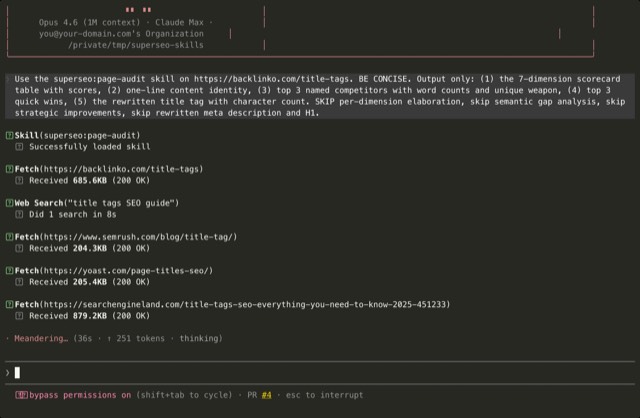
Illustration · not a resultFrom the inhouseseo/superseo-skills README — shows the whole collection, not only this skill.source ↗
Use when writing a complete SEO article.
by inhouseseo·Apache-2.0 license·★ 353 Stars on the repo·GitHub ↗
npx degit inhouseseo/superseo-skills/skills/write-content#main ~/.claude/skills/write-contentChecked ·commit main
Files of Write content
Show the full text181 lines
Write Content
Writes a complete SEO-optimized article. Four phases: research → content type decision → knowledge extraction → write. Includes the full anti-AI-slop ruleset and the voice rules that make the output sound like a practitioner, not a press release.
Input
- Topic or target keyword (required)
- (Optional) An existing content brief — skip the research phase if provided
- (Optional) Expert interview output from the
expert-interviewskill
If no topic is given, ask for one before proceeding.
Business context persistence
Business context (audience, tone, language, brand voice, examples) shapes every article. Don't re-ask these questions every session.
First use: ask 4-5 questions and save the answers somewhere persistent in your agent's environment. Use the safest default first:
- Claude Code:
~/.claude/projects/<path>/memory/business-context.mdis the recommended default. Do NOT write to./CLAUDE.mdunless the user explicitly asks for it —CLAUDE.mdis the user's project instructions file and appending unsolicited content to it can surprise them on every subsequent agent turn. - Claude Desktop / Claude.ai: save to a Project's context or a pinned note.
- Cursor:
.cursor/rules/business-context.md. - Any other agent:
seo-context.mdin the working directory.
Always confirm the write location with the user before saving. If any of these are unavailable or the user objects, fall back to re-asking the questions each session.
Every use after that: load that file first. If missing, ask where the user saved it or re-ask the questions.
Questions on first use:
- What does the business do, and who is it for?
- What's the brand's tone of voice? (Professional / Casual / Technical / Authoritative / Conversational)
- What language should content be written in?
- What topics should NEVER appear? (compliance, competitor mentions, etc.)
- Who are the 2-3 main competitors?
Phase 1: Research
If a content brief wasn't provided, Google the topic and read the top 5 results. Note: what formats are ranking, what angles exist, what gaps you see. 3-5 bullet points, not a full brief.
Skip this phase entirely if a brief or prior conversation context already contains SERP analysis.
Phase 2: Content Type Decision
Based on what's ranking, pick a content type: how-to, definition/explainer, comparison (X vs Y), listicle/roundup, product review, case study, pillar/ultimate guide, FAQ, landing page, service page, news/trend analysis.
State it plainly: "The top results for [keyword] are all [format]. I'll write a [content type] with [key structural element]. Sound good, or did you have something else in mind?"
Wait for confirmation. If the user already asked for the article in one go, or there's nobody to respond (autonomous run), state your choice with a one-line reason and keep going.
Load references/content-types-overview.md for the decision table covering all 23 content types. Then load the specific template from references/content-types/<type>.md (e.g., references/content-types/how-to.md) for H1/H2 structure, schema, featured snippet format, CTA placement, word count targets. The 19 content types bundled as full templates: how-to, definition, comparison, listicle, pillar-page, faq-page, landing-page, service-page, case-study, statistics-page, news-article, glossary-page, alternatives-page, buying-guide, product-page, category-page, integration-page, location-page, programmatic-page. For the 4 types covered only by the overview table (thought-leadership, product-reviews, pricing-pages, about-pages), those live under eeat-audit/references/content-types/ because the E-E-A-T bar for them is the load-bearing factor.
Phase 3: Knowledge Extraction
Ask 2-3 quick questions to extract unique knowledge the user has. Pick from:
- "What do most people get wrong about [topic]?"
- "Can you give me a specific example — a client, a project, a number?"
- "What surprised you when you actually did this?"
- "Who should NOT follow this advice, and why?"
Ask one at a time. Keep it quick.
If the user can't or won't answer — autonomous run, or they skip the questions — write from Phase 1 research alone and note in the delivery where first-party input would lift the article.
Adapt style:
- Newer/smaller site, less SEO-savvy user: conversational, explain why each question matters
- Established site, experienced user: fast, direct, no hand-holding
Phase 4: Write the Article
Length: Do not target a specific word count. Match the depth of top-ranking content from Phase 1. Length follows intent and competition — never pad to hit a number.
Produce the complete article in clean markdown. Follow ALL of these rules:
Voice and Stance
- Write like a practitioner talking to a peer. Not a textbook, not a press release.
- Take clear positions. "We tested this and X works better than Y" beats "both X and Y have merits."
- Use "you" and "I/we" — write to one person, not an audience.
- Include specific numbers, names, dates. Never "many companies" — always "[Company] in [year]."
- Specifics must be real: pulled from the Phase 1 research, the interview answers, or the business context. Never invent a number, name, study, or citation — an invented specific is worse than a generic sentence. No real one available? Ask, or cut the claim.
- Weave in interview answers as first-person experience. Preserve phrasing where it sounds natural.
- Use contractions: "doesn't" not "does not."
- Show thinking changing: "At first I thought this was a branding problem — turns out it was pricing all along." Self-correction is a human signal.
- Anchor in real context — reference current events, industry shifts, or cultural touchstones where relevant.
Rhythm and Structure
- Vary sentence length dramatically. Mix 5-word punches with 30-word complexes. Never 3+ consecutive sentences of similar length.
- Vary paragraph length. One-sentence paragraphs are fine. So are 6-sentence ones.
- Use fragments for emphasis. Start sentences with "And" or "But" when natural.
- Include parenthetical asides and brief tangents — humans do this, AI doesn't.
- Shift registers. After a technical explanation, drop into a casual aside. Uniform register = AI tell.
- Break the topic-sentence-support pattern. Start some paragraphs with an example, a question, or a statement that only makes sense after reading on.
- Cover sections asymmetrically. Spend 500 words on the interesting part and 50 on the boring-but-necessary one.
- Don't summarize at the end of sections unless genuinely complex (3+ subsections).
Show, Don't Just State
- Don't state facts. Show them through brief scenarios. Instead of "page speed affects rankings" — "You click a search result. Three seconds pass. Still loading. You hit back. Google tracked every millisecond."
- For claims backed by experience, narrate the moment: what was tried, what happened, what surprised you.
Anti-Slop Rules
NEVER use these words — highest-signal AI tells: delve, landscape (metaphorical), testament, leverage, utilize, robust, seamless, furthermore, moreover, additionally, pivotal, multifaceted, harness, embark, navigate (metaphorical), showcase, streamline, paramount, culminate, spearhead, commence, endeavor, vibrant, innovative, comprehensive (as adjective).
NEVER use these phrases: "It's worth noting", "In today's [anything]", "Let's dive in", "In conclusion", "plays a crucial/vital/pivotal role", "It goes without saying", "In the realm of".
Avoid these structural patterns:
- Rule-of-three groupings (use 2 or 4 items instead)
- Synonym cycling (repeat the right word rather than finding alternatives)
- Copula avoidance ("serves as" — just say "is")
- Em-dash chains (max 1-2 per 1000 words)
- Binary contrasts ("it's not X, it's Y" — just make the argument)
- Participial tack-ons ("...highlighting the importance of X" — delete or make a separate sentence)
- Clustering of: however, notably, essentially, that said, arguably — fine individually, but 3+ in one article flags AI
Content Type Structure
- How-to: 40-60 word quick answer first (featured snippet target), then numbered steps, each step = one action with "what goes wrong"
- Comparison: Verdict first ("Choose A if... Choose B if..."), then detailed analysis
- Listicle: Summary table above fold, consistent evaluation framework per item
- Definition: "[Term] is..." in the first sentence, no preamble
- Case study: Lead with the result number, then the story (PAS framework)
- Pillar page: Table of contents, overview, then link to deep-dive articles
- Service/landing page: PAS framework. Pain point first, agitate consequences, then solution
SEO Structure
- Primary keyword in meta title, H1, first 100 words, 2-3 H2s. ~2% body density, naturally distributed.
- Place a 40-60 word direct answer immediately after the most important H2 — targets featured snippets. "How" queries get ordered lists, "what is" gets paragraphs, comparisons get tables.
- Weave 2-3 PAA questions into the article as H2/H3 headings with direct answers.
- Include 3-5 internal links per 1,000 words. Use descriptive anchor text — never "click here."
- Front-load value. The first screen is the highest-value real estate. No preamble paragraphs.
Long Article Strategy (1,500+ words)
- Write section by section. Track what you've covered to prevent repetition and voice drift.
- At least 30% of the article must contain details no generic AI could produce: the user's data, examples, opinions, experience.
Final Checks
- "So What?" test: For each major section — could anyone have written this, for anyone, about anything? If yes, inject specific knowledge.
- Self-check: Scan for blacklisted words, sections where every paragraph starts with a topic sentence, unnecessary section summaries, participial tack-ons. Fix before delivering.
Output
Clean markdown. Title + article content. Nothing else.
Language
Write in the language from the business context. If not specified, match the language of the user's messages.
Bundled references
Load from references/ only when the step or rule calls for them. Don't preload — each file is heavy enough to blow context if stacked.
Content type templates (references/content-types/) — load one after Phase 2:
- Common:
how-to.md,definition.md,comparison.md,listicle.md,pillar-page.md,faq-page.md,landing-page.md,service-page.md,case-study.md - Content and news:
statistics-page.md,news-article.md,glossary-page.md - Commercial:
alternatives-page.md,buying-guide.md,product-page.md,category-page.md,integration-page.md,location-page.md,programmatic-page.md references/content-types-overview.mdfor the decision table across all 23 content types (load this FIRST if unsure which type to pick)
Writing technique modules (references/) — load when the matching Phase 4 rule needs more depth:
anti-slop-ruleset.md— full tiered banned vocab + structural tell list (when the inline anti-slop block isn't catching something)voice-injection-playbook.md— voice and register techniques (when the draft reads flat)information-gain-writing.md— the 30% rule and how to satisfy it (for the "So What" test)serp-driven-writing.md— how Phase 1 research shapes the article (if the draft drifts from the SERP intent)intent-matching.md— length and format decisions from intent (when the SERP is mixed)eeat-signal-embedding.md— how to surface experience without a bio sectionstructured-data-snippets.md— JSON-LD and featured snippet formatting per content typegeo-optimization.md— optimizing for AI Overview / generative engine citationnavboost-engagement.md— engagement signal writing (dwell time, scroll depth)quality-scoring.md— self-scoring rubric to run before deliverywriting-pipeline.md— the research → draft → edit loopseo-optimization-layer.md— keyword placement, internal linking, metadata passfact-checking.md— how to verify every specific number and claimhuman-input-framework.md— the knowledge-extraction questions (reinforces Phase 3)
| 1 | |
| 2 | name write-content |
| 3 | description Use when writing a complete SEO article. Includes the full anti-AI-slop ruleset (banned vocabulary, banned phrases, banned structural patterns) and voice rules. The agent researches the SERP itself if needed — no keyword data exports required. |
| 4 | |
| 5 | |
| 6 | # Write Content |
| 7 | |
| 8 | Writes a complete SEO-optimized article. Four phases: research → content type decision → knowledge extraction → write. Includes the full anti-AI-slop ruleset and the voice rules that make the output sound like a practitioner, not a press release. |
| 9 | |
| 10 | ## Input |
| 11 | |
| 12 | **Topic or target keyword** (required) |
| 13 | *(Optional)* An existing content brief — skip the research phase if provided |
| 14 | *(Optional)* Expert interview output from the `expert-interview` skill |
| 15 | |
| 16 | If no topic is given, ask for one before proceeding. |
| 17 | |
| 18 | ## Business context persistence |
| 19 | |
| 20 | Business context (audience, tone, language, brand voice, examples) shapes every article. Don't re-ask these questions every session. |
| 21 | |
| 22 | **First use**: ask 4-5 questions and save the answers somewhere persistent in your agent's environment. Use the safest default first: |
| 23 | |
| 24 | **Claude Code**: `~/.claude/projects/<path>/memory/business-context.md` is the recommended default. Do NOT write to `./CLAUDE.md` unless the user explicitly asks for it — `CLAUDE.md` is the user's project instructions file and appending unsolicited content to it can surprise them on every subsequent agent turn. |
| 25 | **Claude Desktop / Claude.ai**: save to a Project's context or a pinned note. |
| 26 | **Cursor**: `.cursor/rules/business-context.md`. |
| 27 | **Any other agent**: `seo-context.md` in the working directory. |
| 28 | |
| 29 | Always confirm the write location with the user before saving. If any of these are unavailable or the user objects, fall back to re-asking the questions each session. |
| 30 | |
| 31 | **Every use after that**: load that file first. If missing, ask where the user saved it or re-ask the questions. |
| 32 | |
| 33 | Questions on first use: |
| 34 | What does the business do, and who is it for? |
| 35 | What's the brand's tone of voice? (Professional / Casual / Technical / Authoritative / Conversational) |
| 36 | What language should content be written in? |
| 37 | What topics should NEVER appear? (compliance, competitor mentions, etc.) |
| 38 | Who are the 2-3 main competitors? |
| 39 | |
| 40 | ## Phase 1: Research |
| 41 | |
| 42 | If a content brief wasn't provided, Google the topic and read the top 5 results. Note: what formats are ranking, what angles exist, what gaps you see. 3-5 bullet points, not a full brief. |
| 43 | |
| 44 | Skip this phase entirely if a brief or prior conversation context already contains SERP analysis. |
| 45 | |
| 46 | ## Phase 2: Content Type Decision |
| 47 | |
| 48 | Based on what's ranking, pick a content type: how-to, definition/explainer, comparison (X vs Y), listicle/roundup, product review, case study, pillar/ultimate guide, FAQ, landing page, service page, news/trend analysis. |
| 49 | |
| 50 | State it plainly: |
| 51 | "The top results for [keyword] are all [format]. I'll write a [content type] with [key structural element]. Sound good, or did you have something else in mind?" |
| 52 | |
| 53 | Wait for confirmation. If the user already asked for the article in one go, or there's nobody to respond (autonomous run), state your choice with a one-line reason and keep going. |
| 54 | |
| 55 | Load `references/content-types-overview.md` for the decision table covering all 23 content types. Then load the specific template from `references/content-types/<type>.md` (e.g., `references/content-types/how-to.md`) for H1/H2 structure, schema, featured snippet format, CTA placement, word count targets. The 19 content types bundled as full templates: how-to, definition, comparison, listicle, pillar-page, faq-page, landing-page, service-page, case-study, statistics-page, news-article, glossary-page, alternatives-page, buying-guide, product-page, category-page, integration-page, location-page, programmatic-page. For the 4 types covered only by the overview table (thought-leadership, product-reviews, pricing-pages, about-pages), those live under `eeat-audit/references/content-types/` because the E-E-A-T bar for them is the load-bearing factor. |
| 56 | |
| 57 | ## Phase 3: Knowledge Extraction |
| 58 | |
| 59 | Ask 2-3 quick questions to extract unique knowledge the user has. Pick from: |
| 60 | |
| 61 | "What do most people get wrong about [topic]?" |
| 62 | "Can you give me a specific example — a client, a project, a number?" |
| 63 | "What surprised you when you actually did this?" |
| 64 | "Who should NOT follow this advice, and why?" |
| 65 | |
| 66 | Ask one at a time. Keep it quick. |
| 67 | |
| 68 | If the user can't or won't answer — autonomous run, or they skip the questions — write from Phase 1 research alone and note in the delivery where first-party input would lift the article. |
| 69 | |
| 70 | **Adapt style**: |
| 71 | Newer/smaller site, less SEO-savvy user: conversational, explain why each question matters |
| 72 | Established site, experienced user: fast, direct, no hand-holding |
| 73 | |
| 74 | ## Phase 4: Write the Article |
| 75 | |
| 76 | **Length**: Do not target a specific word count. Match the depth of top-ranking content from Phase 1. Length follows intent and competition — never pad to hit a number. |
| 77 | |
| 78 | Produce the complete article in clean markdown. Follow ALL of these rules: |
| 79 | |
| 80 | ### Voice and Stance |
| 81 | Write like a practitioner talking to a peer. Not a textbook, not a press release. |
| 82 | Take clear positions. "We tested this and X works better than Y" beats "both X and Y have merits." |
| 83 | Use "you" and "I/we" — write to one person, not an audience. |
| 84 | Include specific numbers, names, dates. Never "many companies" — always "[Company] in [year]." |
| 85 | Specifics must be real: pulled from the Phase 1 research, the interview answers, or the business context. Never invent a number, name, study, or citation — an invented specific is worse than a generic sentence. No real one available? Ask, or cut the claim. |
| 86 | Weave in interview answers as first-person experience. Preserve phrasing where it sounds natural. |
| 87 | Use contractions: "doesn't" not "does not." |
| 88 | Show thinking changing: "At first I thought this was a branding problem — turns out it was pricing all along." Self-correction is a human signal. |
| 89 | Anchor in real context — reference current events, industry shifts, or cultural touchstones where relevant. |
| 90 | |
| 91 | ### Rhythm and Structure |
| 92 | Vary sentence length dramatically. Mix 5-word punches with 30-word complexes. Never 3+ consecutive sentences of similar length. |
| 93 | Vary paragraph length. One-sentence paragraphs are fine. So are 6-sentence ones. |
| 94 | Use fragments for emphasis. Start sentences with "And" or "But" when natural. |
| 95 | Include parenthetical asides and brief tangents — humans do this, AI doesn't. |
| 96 | Shift registers. After a technical explanation, drop into a casual aside. Uniform register = AI tell. |
| 97 | Break the topic-sentence-support pattern. Start some paragraphs with an example, a question, or a statement that only makes sense after reading on. |
| 98 | Cover sections asymmetrically. Spend 500 words on the interesting part and 50 on the boring-but-necessary one. |
| 99 | Don't summarize at the end of sections unless genuinely complex (3+ subsections). |
| 100 | |
| 101 | ### Show, Don't Just State |
| 102 | Don't state facts. Show them through brief scenarios. Instead of "page speed affects rankings" — "You click a search result. Three seconds pass. Still loading. You hit back. Google tracked every millisecond." |
| 103 | For claims backed by experience, narrate the moment: what was tried, what happened, what surprised you. |
| 104 | |
| 105 | ### Anti-Slop Rules |
| 106 | |
| 107 | **NEVER use these words** — highest-signal AI tells: |
| 108 | delve, landscape (metaphorical), testament, leverage, utilize, robust, seamless, furthermore, moreover, additionally, pivotal, multifaceted, harness, embark, navigate (metaphorical), showcase, streamline, paramount, culminate, spearhead, commence, endeavor, vibrant, innovative, comprehensive (as adjective). |
| 109 | |
| 110 | **NEVER use these phrases:** |
| 111 | "It's worth noting", "In today's [anything]", "Let's dive in", "In conclusion", "plays a crucial/vital/pivotal role", "It goes without saying", "In the realm of". |
| 112 | |
| 113 | **Avoid these structural patterns:** |
| 114 | Rule-of-three groupings (use 2 or 4 items instead) |
| 115 | Synonym cycling (repeat the right word rather than finding alternatives) |
| 116 | Copula avoidance ("serves as" — just say "is") |
| 117 | Em-dash chains (max 1-2 per 1000 words) |
| 118 | Binary contrasts ("it's not X, it's Y" — just make the argument) |
| 119 | Participial tack-ons ("...highlighting the importance of X" — delete or make a separate sentence) |
| 120 | Clustering of: however, notably, essentially, that said, arguably — fine individually, but 3+ in one article flags AI |
| 121 | |
| 122 | ### Content Type Structure |
| 123 | |
| 124 | **How-to**: 40-60 word quick answer first (featured snippet target), then numbered steps, each step = one action with "what goes wrong" |
| 125 | **Comparison**: Verdict first ("Choose A if... Choose B if..."), then detailed analysis |
| 126 | **Listicle**: Summary table above fold, consistent evaluation framework per item |
| 127 | **Definition**: "[Term] is..." in the first sentence, no preamble |
| 128 | **Case study**: Lead with the result number, then the story (PAS framework) |
| 129 | **Pillar page**: Table of contents, overview, then link to deep-dive articles |
| 130 | **Service/landing page**: PAS framework. Pain point first, agitate consequences, then solution |
| 131 | |
| 132 | ### SEO Structure |
| 133 | Primary keyword in meta title, H1, first 100 words, 2-3 H2s. ~2% body density, naturally distributed. |
| 134 | Place a 40-60 word direct answer immediately after the most important H2 — targets featured snippets. "How" queries get ordered lists, "what is" gets paragraphs, comparisons get tables. |
| 135 | Weave 2-3 PAA questions into the article as H2/H3 headings with direct answers. |
| 136 | Include 3-5 internal links per 1,000 words. Use descriptive anchor text — never "click here." |
| 137 | Front-load value. The first screen is the highest-value real estate. No preamble paragraphs. |
| 138 | |
| 139 | ### Long Article Strategy (1,500+ words) |
| 140 | Write section by section. Track what you've covered to prevent repetition and voice drift. |
| 141 | At least 30% of the article must contain details no generic AI could produce: the user's data, examples, opinions, experience. |
| 142 | |
| 143 | ### Final Checks |
| 144 | |
| 145 | **"So What?" test**: For each major section — could anyone have written this, for anyone, about anything? If yes, inject specific knowledge. |
| 146 | **Self-check**: Scan for blacklisted words, sections where every paragraph starts with a topic sentence, unnecessary section summaries, participial tack-ons. Fix before delivering. |
| 147 | |
| 148 | ### Output |
| 149 | |
| 150 | Clean markdown. Title + article content. Nothing else. |
| 151 | |
| 152 | ### Language |
| 153 | |
| 154 | Write in the language from the business context. If not specified, match the language of the user's messages. |
| 155 | |
| 156 | ## Bundled references |
| 157 | |
| 158 | Load from `references/` only when the step or rule calls for them. Don't preload — each file is heavy enough to blow context if stacked. |
| 159 | |
| 160 | **Content type templates** (`references/content-types/`) — load one after Phase 2: |
| 161 | Common: `how-to.md`, `definition.md`, `comparison.md`, `listicle.md`, `pillar-page.md`, `faq-page.md`, `landing-page.md`, `service-page.md`, `case-study.md` |
| 162 | Content and news: `statistics-page.md`, `news-article.md`, `glossary-page.md` |
| 163 | Commercial: `alternatives-page.md`, `buying-guide.md`, `product-page.md`, `category-page.md`, `integration-page.md`, `location-page.md`, `programmatic-page.md` |
| 164 | `references/content-types-overview.md` for the decision table across all 23 content types (load this FIRST if unsure which type to pick) |
| 165 | |
| 166 | **Writing technique modules** (`references/`) — load when the matching Phase 4 rule needs more depth: |
| 167 | `anti-slop-ruleset.md` — full tiered banned vocab + structural tell list (when the inline anti-slop block isn't catching something) |
| 168 | `voice-injection-playbook.md` — voice and register techniques (when the draft reads flat) |
| 169 | `information-gain-writing.md` — the 30% rule and how to satisfy it (for the "So What" test) |
| 170 | `serp-driven-writing.md` — how Phase 1 research shapes the article (if the draft drifts from the SERP intent) |
| 171 | `intent-matching.md` — length and format decisions from intent (when the SERP is mixed) |
| 172 | `eeat-signal-embedding.md` — how to surface experience without a bio section |
| 173 | `structured-data-snippets.md` — JSON-LD and featured snippet formatting per content type |
| 174 | `geo-optimization.md` — optimizing for AI Overview / generative engine citation |
| 175 | `navboost-engagement.md` — engagement signal writing (dwell time, scroll depth) |
| 176 | `quality-scoring.md` — self-scoring rubric to run before delivery |
| 177 | `writing-pipeline.md` — the research → draft → edit loop |
| 178 | `seo-optimization-layer.md` — keyword placement, internal linking, metadata pass |
| 179 | `fact-checking.md` — how to verify every specific number and claim |
| 180 | `human-input-framework.md` — the knowledge-extraction questions (reinforces Phase 3) |
| 181 |
Discussion
Alternatives
Browse more free Claude skills or everything in Marketing.