Jina Search - fast web search returning SERP results
Jina Search - Web Search API
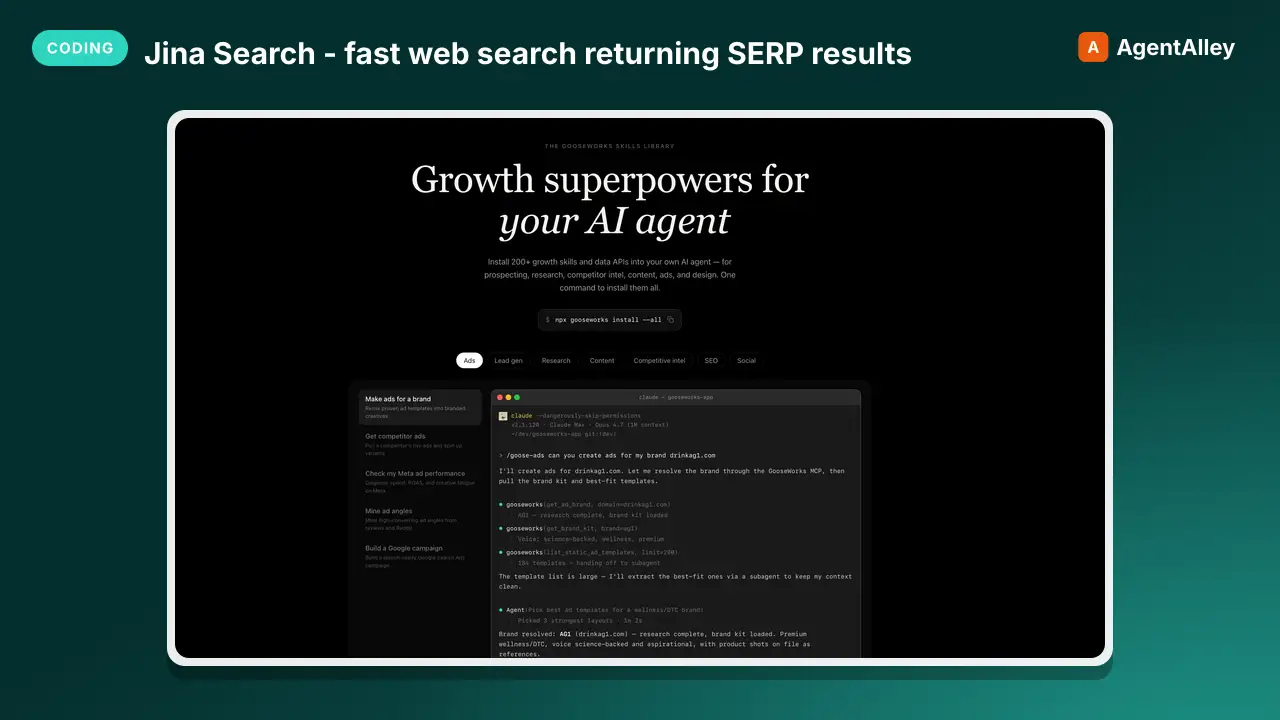
Jina Search - fast web search returning SERP results
---
name: web-search-jina
description: Jina Search - fast web search returning SERP results
source: orthogonal
---


# Jina Search - Web Search API

## Setup

Read your credentials from ~/.gooseworks/credentials.json:
```bash
export GOOSEWORKS_API_KEY=$(python3 -c "import json;print(json.load(open('$HOME/.gooseworks/credentials.json'))['api_key'])")
export GOOSEWORKS_API_BASE=$(python3 -c "import json;print(json.load(open('$HOME/.gooseworks/credentials.json')).get('api_base','https://api.gooseworks.ai'))")
```

If ~/.gooseworks/credentials.json does not exist, tell the user to run: `npx gooseworks login`
Overview
If ~/.gooseworks/credentials.json does not exist, tell the user to run: npx gooseworks login
Manual install (npx, ZIP)
Claude Code
npx skills add gooseworks-ai/goose-skills --skill web-search-jina -g -a claude-codeClaude Code (manual)
mkdir -p ~/.claude/skills && curl -sL https://codeload.github.com/gooseworks-ai/goose-skills/tar.gz/615c685f34f8 \
  | tar -xz -C ~/.claude/skills --strip-components=4 goose-skills-615c685f34f8/skills/research-tools/capabilities/web-search-jina
Windows (PowerShell)
New-Item -ItemType Directory -Force "$HOME\.claude\skills" | Out-Null; Invoke-WebRequest "https://m.agentalley.io/zip/eec3916798f93c8b9a96/web-search-jina.zip" -OutFile "$env:TEMP\web-search-jina.zip"; Expand-Archive "$env:TEMP\web-search-jina.zip" -DestinationPath "$HOME\.claude\skills" -ForceClaude.ai / desktop
Codex, Cursor, other agents
Connects with Agent Alley MCP · agentalley.io/mcp
Files included
SKILL.md1.8 KBskill.meta.json285 B
Read the files here
gooseworks-ai/
SKILL.md
Show the full text65 lines
Jina Search - Web Search API
Setup
Read your credentials from ~/.gooseworks/credentials.json:
export GOOSEWORKS_API_KEY=$(python3 -c "import json;print(json.load(open('$HOME/.gooseworks/credentials.json'))['api_key'])")
export GOOSEWORKS_API_BASE=$(python3 -c "import json;print(json.load(open('$HOME/.gooseworks/credentials.json')).get('api_base','https://api.gooseworks.ai'))")
If ~/.gooseworks/credentials.json does not exist, tell the user to run: npx gooseworks login
All endpoints use Bearer auth: -H "Authorization: Bearer $GOOSEWORKS_API_KEY"
Simple, fast web search using Jina's search foundation.
Capabilities
- Search: Use s
Usage
Search
Use s.jina.ai to search the web and get SERP
Parameters:
- q (string) - Search query
curl -s -X POST $GOOSEWORKS_API_BASE/v1/proxy/orthogonal/run \
  -H "Authorization: Bearer $GOOSEWORKS_API_KEY" \
  -H "Content-Type: application/json" \
  -d '{"api":"jina-s","path":"/","query":{"q":"latest%20AI%20news"}}'
Use Cases
- Quick Research: Fast search for any topic
- Information Gathering: Get relevant web results
- Fact Checking: Find sources for verification
- Technical Lookup: Search documentation and guides
Discover More
For full endpoint details and parameters:
curl -s -X POST $GOOSEWORKS_API_BASE/v1/proxy/orthogonal/search \
  -H "Authorization: Bearer $GOOSEWORKS_API_KEY" \
  -H "Content-Type: application/json" \
  -d '{"prompt":"jina-s API endpoints"}' List all endpoints
curl -s -X POST $GOOSEWORKS_API_BASE/v1/proxy/orthogonal/search \
  -H "Authorization: Bearer $GOOSEWORKS_API_KEY" \
  -H "Content-Type: application/json" \
  -d '{"prompt":"jina-s API endpoints"}'   # Get endpoint details
| 1 | |
| 2 | name web-search-jina |
| 3 | description Jina Search - fast web search returning SERP results |
| 4 | source orthogonal |
| 5 | |
| 6 | |
| 7 | |
| 8 | # Jina Search - Web Search API |
| 9 | |
| 10 | ## Setup |
| 11 | |
| 12 | Read your credentials from ~/.gooseworks/credentials.json: |
| 13 | |
| 14 | export GOOSEWORKS_API_KEY=$(python3 -c "import json;print(json.load(open('$HOME/.gooseworks/credentials.json'))['api_key'])") |
| 15 | export GOOSEWORKS_API_BASE=$(python3 -c "import json;print(json.load(open('$HOME/.gooseworks/credentials.json')).get('api_base','https://api.gooseworks.ai'))") |
| 16 | |
| 17 | |
| 18 | If ~/.gooseworks/credentials.json does not exist, tell the user to run: `npx gooseworks login` |
| 19 | |
| 20 | All endpoints use Bearer auth: `-H "Authorization: Bearer $GOOSEWORKS_API_KEY"` |
| 21 | |
| 22 | |
| 23 | Simple, fast web search using Jina's search foundation. |
| 24 | |
| 25 | ## Capabilities |
| 26 | |
| 27 | **Search**: Use s |
| 28 | |
| 29 | ## Usage |
| 30 | |
| 31 | ### Search |
| 32 | Use s.jina.ai to search the web and get SERP |
| 33 | |
| 34 | Parameters: |
| 35 | q (string) - Search query |
| 36 | |
| 37 | |
| 38 | curl -s -X POST $GOOSEWORKS_API_BASE/v1/proxy/orthogonal/run \ |
| 39 | -H "Authorization: Bearer $GOOSEWORKS_API_KEY" \ |
| 40 | -H "Content-Type: application/json" \ |
| 41 | -d '{"api":"jina-s","path":"/","query":{"q":"latest%20AI%20news"}}' |
| 42 | |
| 43 | |
| 44 | ## Use Cases |
| 45 | |
| 46 | **Quick Research**: Fast search for any topic |
| 47 | **Information Gathering**: Get relevant web results |
| 48 | **Fact Checking**: Find sources for verification |
| 49 | **Technical Lookup**: Search documentation and guides |
| 50 | |
| 51 | ## Discover More |
| 52 | |
| 53 | For full endpoint details and parameters: |
| 54 | |
| 55 | |
| 56 | curl -s -X POST $GOOSEWORKS_API_BASE/v1/proxy/orthogonal/search \ |
| 57 | -H "Authorization: Bearer $GOOSEWORKS_API_KEY" \ |
| 58 | -H "Content-Type: application/json" \ |
| 59 | -d '{"prompt":"jina-s API endpoints"}' List all endpoints |
| 60 | curl -s -X POST $GOOSEWORKS_API_BASE/v1/proxy/orthogonal/search \ |
| 61 | -H "Authorization: Bearer $GOOSEWORKS_API_KEY" \ |
| 62 | -H "Content-Type: application/json" \ |
| 63 | -d '{"prompt":"jina-s API endpoints"}' # Get endpoint details |
| 64 | |
| 65 |
Details
- Updated
- Sep 21, 2026
- License
- MIT
- Stars on the repo
- ★ 1,220
- Checked
- Source
- gooseworks-ai/goose-skills ↗
- Creator
- gooseworks-ai · 206 listings
Made with web-search-jina

Jina Search - Web Search API — CleanShot 2026-07-13 at 20 16 54@2x (from the gooseworks-ai/goose-skills README)
Similar skills
See all → SkillGuides stable API and interface design
 addyosmani/agent-skills · by addyosmaniGuides stable API and interface design. Use when designing APIs, module boundaries, or any public interface. Use when creating REST or GraphQL endpoints, defining type contracts between modules, or establishing boundaries between frontend and backend.★ 98.7k GitHub stars
 MCPPulls up-to-date, version-specific library docsContext7
 upstash/context7 · by upstashPulls up-to-date, version-specific library docs and code examples into the prompt so the AI stops inventing old APIs.★ 62.3k GitHub stars
 SkillFetch up-to-date documentation and code examples for anyContext7 Documentation Lookupupstash/context7 · by upstashFetch up-to-date documentation and code examples for any library, framework, SDK, CLI tool, or cloud service. Use whenever the user asks about a specific library — even well-known ones like React, Next.js, Prisma, Express, Tailwind, Django, or Spring Boot — because training data may not reflect recent API changes or version updates. Always use for: API syntax questions, configuration options, version migration issues, "how do I" questions mentioning a library name, debugging that involves library-specific behavior, setup instructions, and CLI tool usage. Use even when you think you know the answer. Do not rely on training data for API details, signatures, or configuration options — they are frequently out of date. Prefer this over web search for library documentation.★ 62.3k GitHub stars
 SkillHow to use the Adaptyv Bio Foundry API and Python SDK
 K-Dense-AI/scientific-agent-skills · by K-Dense-AIHow to use the Adaptyv Bio Foundry API and Python SDK for protein experiment design, submission, and results retrieval. Use this skill whenever the user mentions Adaptyv, Foundry API, protein binding assays, protein screening experiments, BLI/SPR assays, thermostability assays, or wants to submit protein sequences for experimental characterization. Also trigger when code imports `adaptyv`, `adaptyv_sdk`, or `FoundryClient`, or references `foundry-api-public.adaptyvbio.com`.★ 46k GitHub stars
 SkillMaster C/.NET backend development patterns for building
 wshobson/agents · by wshobsonMaster C#/.NET backend development patterns for building robust APIs, MCP servers, and enterprise applications. Covers async/await, dependency injection, Entity Framework Core, Dapper, configuration, caching, and testing with xUnit. Use when developing .NET backends, reviewing C# code, or designing API architectures.★ 39.9k GitHub stars
 SkillGuides the usage of Gemini Interactions API on GeminiGemini Interactions API Skill
 google/skills · by googleGuides the usage of Gemini Interactions API on Gemini Enterprise Agent Platform. Use when the user wants to use the stateful, server-managed Interactions API for multi-turn conversations, background execution, streaming, structured output, and function calling on the Agent Platform.★ 20.9k GitHub stars
More from gooseworks-ai
 SkillMine the highest-converting ad angles from customer reviewsAd angle miner
 gooseworks-ai/goose-skills · by gooseworks-aiMine the highest-converting ad angles from customer reviews, Reddit complaints, support tickets, and competitor ads. Extracts actual pain language, competitor weaknesses, and outcome phrases that real buyers use. Outputs a ranked angle bank with proof quotes and recommended ad formats per angle.★ 1.2k GitHub stars
 SkillAnalyze ad campaign performance data to identify what'sAd campaign analyzergooseworks-ai/goose-skills · by gooseworks-aiAnalyze ad campaign performance data (Google, Meta, LinkedIn) to identify what's working, what's wasting budget, and specific cut/scale/test recommendations. Runs statistical analysis, funnel diagnostics, and multi-channel budget reallocation with specific dollar-amount shift recommendations and scenario modeling.★ 1.2k GitHub stars
 SkillFor paid lead-gen and participant-recruitment adsAd lead quality analyzergooseworks-ai/goose-skills · by gooseworks-aiFor paid lead-gen and participant-recruitment ads, replaces vanity CPA with true CAC per qualified lead by joining ad-platform data with downstream funnel events, surfaces tracking gaps, and classifies every creative into Scale / Keep / Investigate / Cut.★ 1.2k GitHub stars
 SkillAnalyze the message match between your ads and landing pagesAd to landing page auditorgooseworks-ai/goose-skills · by gooseworks-aiAnalyze the message match between your ads and landing pages. Checks if the promise in the ad copy carries through to the landing page headline, body, and CTA. Flags disconnects that kill conversion rates. Works with Google, Meta, and LinkedIn ads.★ 1.2k GitHub stars
 SkillCheck and improve your brand's visibility across AI searchAeogooseworks-ai/goose-skills · by gooseworks-aiCheck and improve your brand's visibility across AI search engines (ChatGPT, Perplexity, Gemini, Grok, Claude, DeepSeek). Set up tracking, run visibility analyses, audit your website for AI readability, and get actionable recommendations. Uses the npx goose-aeo@latest CLI.★ 1.2k GitHub stars
 SkillSearch Amazon products - find items, compare pricesAmazon Product Searchgooseworks-ai/goose-skills · by gooseworks-aiSearch Amazon products - find items, compare prices, read reviews★ 1.2k GitHub stars