Periodically check WandB metrics during training to catch
Training check
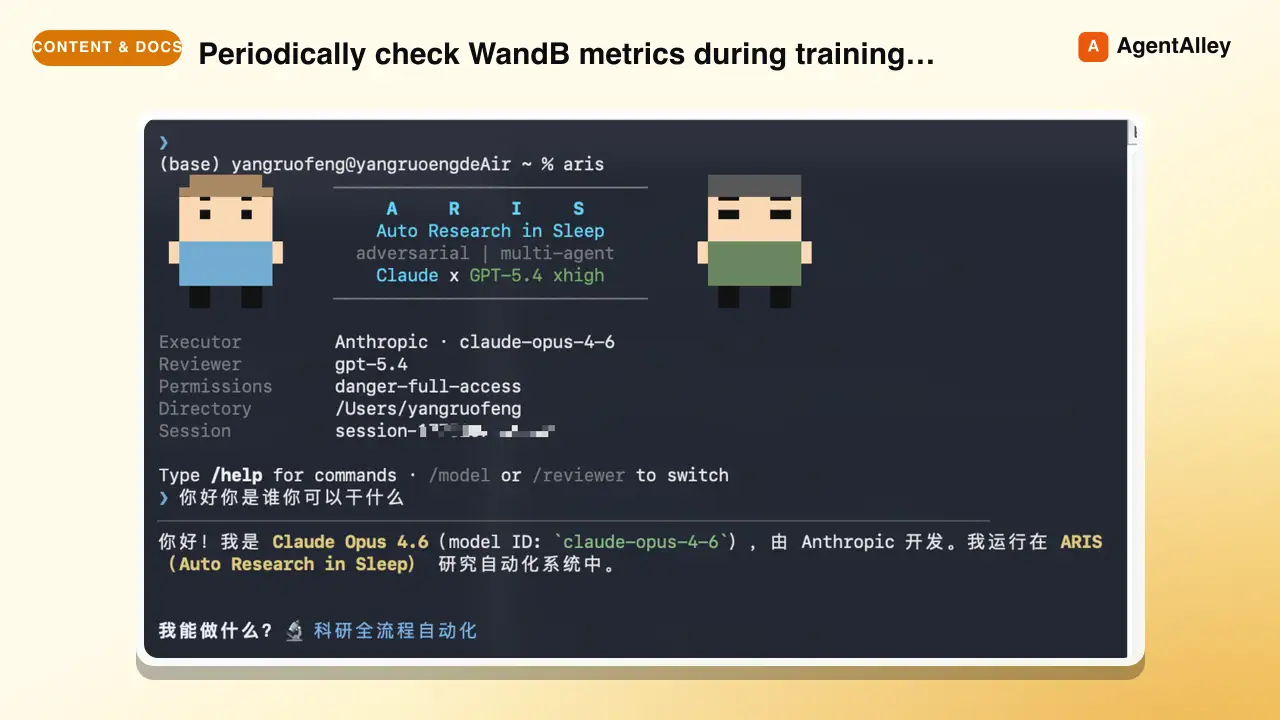
Periodically check WandB metrics during training to catch problems early (NaN, loss divergence, idle GPUs). Avoids wasting GPU hours on broken runs.
---
name: training-check
description: Periodically check WandB metrics during training to catch problems early (NaN, loss divergence, idle GPUs). Avoids wasting GPU hours on broken runs. Use when training is running and you want automated health checks.
argument-hint: "[wandb-run-path]"
allowed-tools: Bash(*), Read, Grep, Glob, Write, Edit, mcp__codex__codex, mcp__codex__codex-reply
---

# Training Check

Periodically read WandB metrics during training to catch problems early. Do not wait until training finishes to discover it was a waste of GPU time.

> ⏱ This skill is **correctly** cron-wired (see below): it polls
> machine-checkable training health (NaN / divergence / idle GPU) — the additive
> external-wait shape in
> [`shared-references/external-cadence.md`](../shared-references/external-cadence.md).
> The occasional Codex call for an ambiguous metric is a **one-shot** check per
> tick, not a multi-round verdict loop, so it stays additive — it never grows
> into a wrapped verdict skill.
Overview
Periodically read WandB metrics during training to catch problems early. Do not wait until training finishes to discover it was a waste of GPU time.
Manual install (npx, ZIP)
npx skills add wanshuiyin/Auto-claude-code-research-in-sleep --skill training-check -g -a claude-codemkdir -p ~/.claude/skills && curl -sL https://codeload.github.com/wanshuiyin/Auto-claude-code-research-in-sleep/tar.gz/f1bd907b58f6 \
| tar -xz -C ~/.claude/skills --strip-components=2 Auto-claude-code-research-in-sleep-f1bd907b58f6/skills/training-checkNew-Item -ItemType Directory -Force "$HOME\.claude\skills" | Out-Null; Invoke-WebRequest "https://m.agentalley.io/zip/2b78485ce1ee5d29ad09/training-check.zip" -OutFile "$env:TEMP\training-check.zip"; Expand-Archive "$env:TEMP\training-check.zip" -DestinationPath "$HOME\.claude\skills" -ForceConnects with Agent Alley MCP · agentalley.io/mcp
Files included
SKILL.md5.6 KB
Read the files here
wanshuiyin/
Shared references2SKILL.md reads these from elsewhere in the repo. Not in the ZIP.
Get them on GitHub ↗Show the full text133 lines
Training Check
Periodically read WandB metrics during training to catch problems early. Do not wait until training finishes to discover it was a waste of GPU time.
⏱ This skill is correctly cron-wired (see below): it polls machine-checkable training health (NaN / divergence / idle GPU) — the additive external-wait shape in
shared-references/external-cadence.md. The occasional Codex call for an ambiguous metric is a one-shot check per tick, not a multi-round verdict loop, so it stays additive — it never grows into a wrapped verdict skill.
Context: $ARGUMENTS
Constants
- WANDB_ENTITY and WANDB_PROJECT: read from CLAUDE.md or passed as argument (format:
entity/project/run_id) - CHECK_INTERVAL: starts at 10 minutes, then gradually increases if consistently healthy: 10 min → 20 min → 30 min → 60 min (cap)
- REVIEWER_MODEL =
gpt-6-astra— used via Codex MCP for ambiguous cases only
When to Use
- After training is confirmed running (session alive, loss decreasing for first few steps)
- Set up via CronCreate to fire periodically during training
- This skill checks training QUALITY, not process HEALTH. Process health (session alive, GPU utilization) is watchdog.py's job.
Workflow
Step 1: Read WandB Metrics
import wandb
api = wandb.Api()
run = api.run("<entity>/<project>/<run_id>")
history = run.history()
If WandB is unreachable (API error, network issue), fall back to reading the log file directly via SSH:
ssh server "tail -100 /path/to/training.log"
Check these signals:
- Loss trend: Is training loss decreasing over the last N steps?
- Eval metrics: Are evaluation metrics improving (or at least not degrading)?
- NaN / Inf: Any NaN or Inf values in loss or gradients?
- Spikes: Sudden large jumps in loss (>10x normal variance)?
- Learning rate: Is the schedule behaving as expected?
- Gradient norm: Exploding or vanishing?
Step 2: Judgment
| Signal | Judgment | Action |
|---|---|---|
| NaN/Inf in loss | Clearly bad | Stop training, investigate |
| Loss diverging (increasing for >N steps) | Clearly bad | Stop training, investigate |
| Eval metrics significantly worse than baseline | Clearly bad | Stop training, investigate |
| Loss decreasing, metrics improving | Clearly fine | Continue, increase check interval |
| Loss flat but not diverging | Unsure | → Step 3 (Codex judgment) |
| Metrics noisy, can't tell trend | Unsure | → Step 3 (Codex judgment) |
| Slightly worse than baseline but still early | Unsure | → Step 3 (Codex judgment) |
Step 3: Codex Judgment (only when unsure)
Only escalate to Codex when the signal is ambiguous. For clearly good or clearly bad signals, act directly.
mcp__codex__codex:
  model: gpt-6-astra
  config: {"model_reasoning_effort": "xhigh"}
  prompt: |
    TRAINING HEALTH CHECK — need your judgment on ambiguous metrics.

    Run: <entity>/<project>/<run_id>
    Current epoch/step: X / Y total
    Training loss (last 10 checkpoints): [values]
    Eval metrics (last 3 evals): [values]
    Baseline reference: [numbers from paper/reproduction]

    What I'm unsure about: [specific concern]

    Please respond with exactly one of:
    - STOP: clearly problematic, should kill training
    - CONTINUE: looks fine, check again next interval
    - WAIT: not enough data to judge, check again sooner
Step 4: Act
| Decision | Action |
|---|---|
| Stop | Kill the training session. Save the WandB run URL, key metrics, and reason for stopping. Log to project notes for debugging. |
| Continue | Do nothing. Will be invoked again at next interval (increase interval if consistently healthy). |
| Wait | Do nothing but keep the current short interval (don't increase). |
Integration with Watchdog
Training-check and watchdog.py operate at different levels:
| Layer | Tool | What it checks | Frequency |
|---|---|---|---|
| Process health | watchdog.py | Session alive? GPU active? | Every 60s (continuous) |
| Training quality | training-check | Loss trend? Metrics improving? | Every 10-60 min (periodic) |
Use both together:
- Watchdog catches crashes and idle GPUs immediately
- Training-check catches subtle quality issues (loss plateau, metric degradation)
Rules
- Do not stop training on first sign of noise — some loss spikes are normal. Look at trends over multiple checkpoints.
- When stopping training, always save the WandB run URL and key metrics as evidence.
- If both WandB and log files are unreachable, report the connectivity issue and try again next interval. Do not assume training is broken.
- Gradually increase check interval when healthy (10 → 20 → 30 → 60 min). Reset to 10 min after any anomaly.
- This skill is meant to be automated via CronCreate — do not ask the user whether to set it up. Just set it.
CronCreate Setup Example
After training is confirmed stable:
  CronCreate (recurring, every 10 minutes initially):
    "Run /training-check for wandb run <entity>/<project>/<run_id>"
As the check interval increases, delete the old CronCreate job and create a new one with the longer interval.
| 1 | |
| 2 | name training-check |
| 3 | description Periodically check WandB metrics during training to catch problems early (NaN, loss divergence, idle GPUs). Avoids wasting GPU hours on broken runs. Use when training is running and you want automated health checks. |
| 4 | argument-hint "[wandb-run-path]" |
| 5 | allowed-tools Bash(*), Read, Grep, Glob, Write, Edit, mcp__codex__codex, mcp__codex__codex-reply |
| 6 | |
| 7 | |
| 8 | # Training Check |
| 9 | |
| 10 | Periodically read WandB metrics during training to catch problems early. Do not wait until training finishes to discover it was a waste of GPU time. |
| 11 | |
| 12 | > ⏱ This skill is **correctly** cron-wired (see below): it polls |
| 13 | > machine-checkable training health (NaN / divergence / idle GPU) — the additive |
| 14 | > external-wait shape in |
| 15 | > [`shared-references/external-cadence.md`]. |
| 16 | > The occasional Codex call for an ambiguous metric is a **one-shot** check per |
| 17 | > tick, not a multi-round verdict loop, so it stays additive — it never grows |
| 18 | > into a wrapped verdict skill. |
| 19 | |
| 20 | ## Context: $ARGUMENTS |
| 21 | |
| 22 | ## Constants |
| 23 | |
| 24 | WANDB_ENTITY and WANDB_PROJECT: read from CLAUDE.md or passed as argument (format: `entity/project/run_id`) |
| 25 | CHECK_INTERVAL: starts at 10 minutes, then gradually increases if consistently healthy: 10 min → 20 min → 30 min → 60 min (cap) |
| 26 | REVIEWER_MODEL = `gpt-6-astra` — used via Codex MCP for ambiguous cases only |
| 27 | |
| 28 | ## When to Use |
| 29 | |
| 30 | After training is confirmed running (session alive, loss decreasing for first few steps) |
| 31 | Set up via CronCreate to fire periodically during training |
| 32 | **This skill checks training QUALITY, not process HEALTH.** Process health (session alive, GPU utilization) is [watchdog.py]'s job. |
| 33 | |
| 34 | ## Workflow |
| 35 | |
| 36 | ### Step 1: Read WandB Metrics |
| 37 | |
| 38 | |
| 39 | import wandb |
| 40 | api = wandb.Api() |
| 41 | run = api.run("<entity>/<project>/<run_id>") |
| 42 | history = run.history() |
| 43 | |
| 44 | |
| 45 | If WandB is unreachable (API error, network issue), fall back to reading the log file directly via SSH: |
| 46 | |
| 47 | ssh server "tail -100 /path/to/training.log" |
| 48 | |
| 49 | |
| 50 | Check these signals: |
| 51 | **Loss trend**: Is training loss decreasing over the last N steps? |
| 52 | **Eval metrics**: Are evaluation metrics improving (or at least not degrading)? |
| 53 | **NaN / Inf**: Any NaN or Inf values in loss or gradients? |
| 54 | **Spikes**: Sudden large jumps in loss (>10x normal variance)? |
| 55 | **Learning rate**: Is the schedule behaving as expected? |
| 56 | **Gradient norm**: Exploding or vanishing? |
| 57 | |
| 58 | ### Step 2: Judgment |
| 59 | |
| 60 | | Signal | Judgment | Action | |
| 61 | |--------|----------|--------| |
| 62 | | NaN/Inf in loss | **Clearly bad** | Stop training, investigate | |
| 63 | | Loss diverging (increasing for >N steps) | **Clearly bad** | Stop training, investigate | |
| 64 | | Eval metrics significantly worse than baseline | **Clearly bad** | Stop training, investigate | |
| 65 | | Loss decreasing, metrics improving | **Clearly fine** | Continue, increase check interval | |
| 66 | | Loss flat but not diverging | **Unsure** | → Step 3 (Codex judgment) | |
| 67 | | Metrics noisy, can't tell trend | **Unsure** | → Step 3 (Codex judgment) | |
| 68 | | Slightly worse than baseline but still early | **Unsure** | → Step 3 (Codex judgment) | |
| 69 | |
| 70 | ### Step 3: Codex Judgment (only when unsure) |
| 71 | |
| 72 | Only escalate to Codex when the signal is ambiguous. For clearly good or clearly bad signals, act directly. |
| 73 | |
| 74 | |
| 75 | mcp__codex__codex: |
| 76 | model: gpt-6-astra |
| 77 | config: {"model_reasoning_effort": "xhigh"} |
| 78 | prompt: | |
| 79 | TRAINING HEALTH CHECK — need your judgment on ambiguous metrics. |
| 80 | |
| 81 | Run: <entity>/<project>/<run_id> |
| 82 | Current epoch/step: X / Y total |
| 83 | Training loss (last 10 checkpoints): [values] |
| 84 | Eval metrics (last 3 evals): [values] |
| 85 | Baseline reference: [numbers from paper/reproduction] |
| 86 | |
| 87 | What I'm unsure about: [specific concern] |
| 88 | |
| 89 | Please respond with exactly one of: |
| 90 | - STOP: clearly problematic, should kill training |
| 91 | - CONTINUE: looks fine, check again next interval |
| 92 | - WAIT: not enough data to judge, check again sooner |
| 93 | |
| 94 | |
| 95 | ### Step 4: Act |
| 96 | |
| 97 | | Decision | Action | |
| 98 | |----------|--------| |
| 99 | | **Stop** | Kill the training session. Save the WandB run URL, key metrics, and reason for stopping. Log to project notes for debugging. | |
| 100 | | **Continue** | Do nothing. Will be invoked again at next interval (increase interval if consistently healthy). | |
| 101 | | **Wait** | Do nothing but keep the current short interval (don't increase). | |
| 102 | |
| 103 | ## Integration with Watchdog |
| 104 | |
| 105 | Training-check and [watchdog.py] operate at different levels: |
| 106 | |
| 107 | | Layer | Tool | What it checks | Frequency | |
| 108 | |-------|------|----------------|-----------| |
| 109 | | Process health | watchdog.py | Session alive? GPU active? | Every 60s (continuous) | |
| 110 | | Training quality | training-check | Loss trend? Metrics improving? | Every 10-60 min (periodic) | |
| 111 | |
| 112 | Use both together: |
| 113 | Watchdog catches crashes and idle GPUs immediately |
| 114 | Training-check catches subtle quality issues (loss plateau, metric degradation) |
| 115 | |
| 116 | ## Rules |
| 117 | |
| 118 | Do not stop training on first sign of noise — some loss spikes are normal. Look at **trends over multiple checkpoints**. |
| 119 | When stopping training, always save the WandB run URL and key metrics as evidence. |
| 120 | If both WandB and log files are unreachable, report the connectivity issue and try again next interval. Do not assume training is broken. |
| 121 | Gradually increase check interval when healthy (10 → 20 → 30 → 60 min). Reset to 10 min after any anomaly. |
| 122 | This skill is meant to be automated via CronCreate — do not ask the user whether to set it up. Just set it. |
| 123 | |
| 124 | ## CronCreate Setup Example |
| 125 | |
| 126 | |
| 127 | After training is confirmed stable: |
| 128 | CronCreate (recurring, every 10 minutes initially): |
| 129 | "Run /training-check for wandb run <entity>/<project>/<run_id>" |
| 130 | |
| 131 | |
| 132 | As the check interval increases, delete the old CronCreate job and create a new one with the longer interval. |
| 133 |
Details
- Updated
- Sep 18, 2026
- License
- MIT
- Stars on the repo
- ★ 16,473
- Checked
- Source
- wanshuiyin/Auto-claude-code-research-in-sleep ↗
- Creator
- wanshuiyin · 7 listings
Made with training-check

Similar skills
See all → SkillCreate Pikatang-inspired pixel-art assets from text or imagePikatang Pixel Asset Workshop
 JadeYui07/pikatang-pixel-art-skill · by JadeYui07Create Pikatang-inspired pixel-art assets from text or image references, including characters, character sheets, pets, houses, interiors, furniture, and icons. Use for single images, coordinated asset sets, and visual variations.★ 77 GitHub stars
 SkillInteractive, step-by-step course creation assistantCourse creator
 naveedharri/benai-skills · by naveedharriInteractive, step-by-step course creation assistant. Takes any idea (or YouTube video) and produces a complete, launch-ready course package. USE THIS SKILL WHEN: - User mentions creating a course, building a course, course creation - User wants a course outline, curriculum, or course structure - User says "turn this into a course", "I want to teach", "course about X - User wants to repurpose YouTube videos, blog posts, or transcripts into a course - User needs help with course pricing, course marketing, course emails, or course launch - User mentions online course, cohort course, challenge course, 30-day challenge - User needs student onboarding, course assessments, or learning design★ 65 GitHub stars
 SkillAudit a body of competitive contentCompetitive asset audit
 LMTYdotcom/skills · by LMTYdotcomAudit a body of competitive content - battlecards, sales decks, comparison and alternatives pages, enablement, training, help-center copy - against current evidence, and produce the inventory of claims that are stale, unsupported, contradicted, or newly incomplete, ranked by exposure, with the assets each lives in and the owner or skill that should fix it. Use for "audit our competitive materials", "which claims are stale", "what do we need to update across our battlecards and site", "find competitive claims we can no longer support", and any request whose deliverable is the list of claims and how each one holds up - one page or a whole library, with nothing rewritten. Not for producing the update itself - "update X because Y changed" or "fix the talk track" is competitive-enablement-refresh; a new battlecard is competitive-battlecard; whether the message differentiates is competitive-messaging-audit.★ 29 GitHub stars
 SkillTurn any YouTube video, or a few videos🎓 YouTube to Course
 tstfully/youtube-to-course · by tstfullyTurn any YouTube video, or a few videos, into a fun interactive course: one HTML file with bite-sized modules, plain-English explanations, everyday metaphors, scenario quizzes with confetti, flip flashcards, glossary tooltips, progress tracking, a final score, and timestamp links back to the video. Use this skill whenever someone wants to learn from or study a YouTube video, lecture, tutorial, or podcast; make a course, lesson, lesson plan, study guide, training module, onboarding course, quiz, or flashcards from a YouTube video or playlist; or says 'turn this video into a course', 'teach me this video', 'make a lesson from this YouTube link', 'study guide from this video', 'quiz me on this video', or 'youtube to course'. Built for students, teachers, trainers, and teams; no coding needed.★ 4 GitHub stars
 PromptTransforms a family portrait into a top-down steampunkComic / Storyboard - Aerial Steampunk Workshop Transformation
 YouMind-OpenLab/awesome-gpt-image-2 · by TiyashiTransforms a family portrait into a top-down steampunk workshop scene with watercolor splashes and technical blueprints.New listing
 PromptGuide for grading course assignmentsCourse assignment grader
 f/prompts.chat · by Arda İçözGuide for grading course assignments, including unit test instructions.New listing
More from wanshuiyin
 SkillDescribe your invention in plain words and get backClaims Drafting: The Core Patent Skill
 wanshuiyin/Auto-claude-code-research-in-sleep · by wanshuiyinDescribe your invention in plain words and get back a numbered set of formal patent claims — the legal wording that defines exactly what you own.★ 16.5k GitHub stars
 SkillDEFAULT poster pipelinePaper Poster (HTML): measurement-gated poster generationwanshuiyin/Auto-claude-code-research-in-sleep · by wanshuiyinDEFAULT poster pipeline — build an academic conference poster (ICML/NeurIPS/ICLR/CVPR/...) as a single HTML/CSS file with measurement-driven hard gates, real paper figures, a two-hue design-token system, and print-ready PDF via headless Chromium. Use when the★ 16.5k GitHub stars
 SkillDescribe your invention in everyday words and get backPatent Novelty and Non-Obviousness Checkwanshuiyin/Auto-claude-code-research-in-sleep · by wanshuiyinDescribe your invention in everyday words and get back a clear read on whether it's new and original enough to patent, plus where it might hit trouble.★ 16.5k GitHub stars
 SkillDescribe your invention in plain words and get backPatent Pipeline: From Invention to Filingwanshuiyin/Auto-claude-code-research-in-sleep · by wanshuiyinDescribe your invention in plain words and get back a complete first-draft patent application — claims, full description, and abstract — ready to hand to a patent attorney.★ 16.5k GitHub stars
 SkillGet a deep critical review of researchResearch Review via External Reviewer Backend (ultra reasoning)wanshuiyin/Auto-claude-code-research-in-sleep · by wanshuiyinGet a deep critical review of research from an external reviewer backend (Codex or manual). Use when user says "review my research", "help me review", "get external review", or wants critical feedback on research ideas, papers, or experimental results.★ 16.5k GitHub stars
 SkillDescribe your invention in plain words and get back a formalStructure Your Invention For A Patent Filingwanshuiyin/Auto-claude-code-research-in-sleep · by wanshuiyinDescribe your invention in plain words and get back a formal write-up that lays out the problem it solves, how it works, and which parts are worth protecting.★ 16.5k GitHub stars