Pikatang Pixel Asset Workshop skill
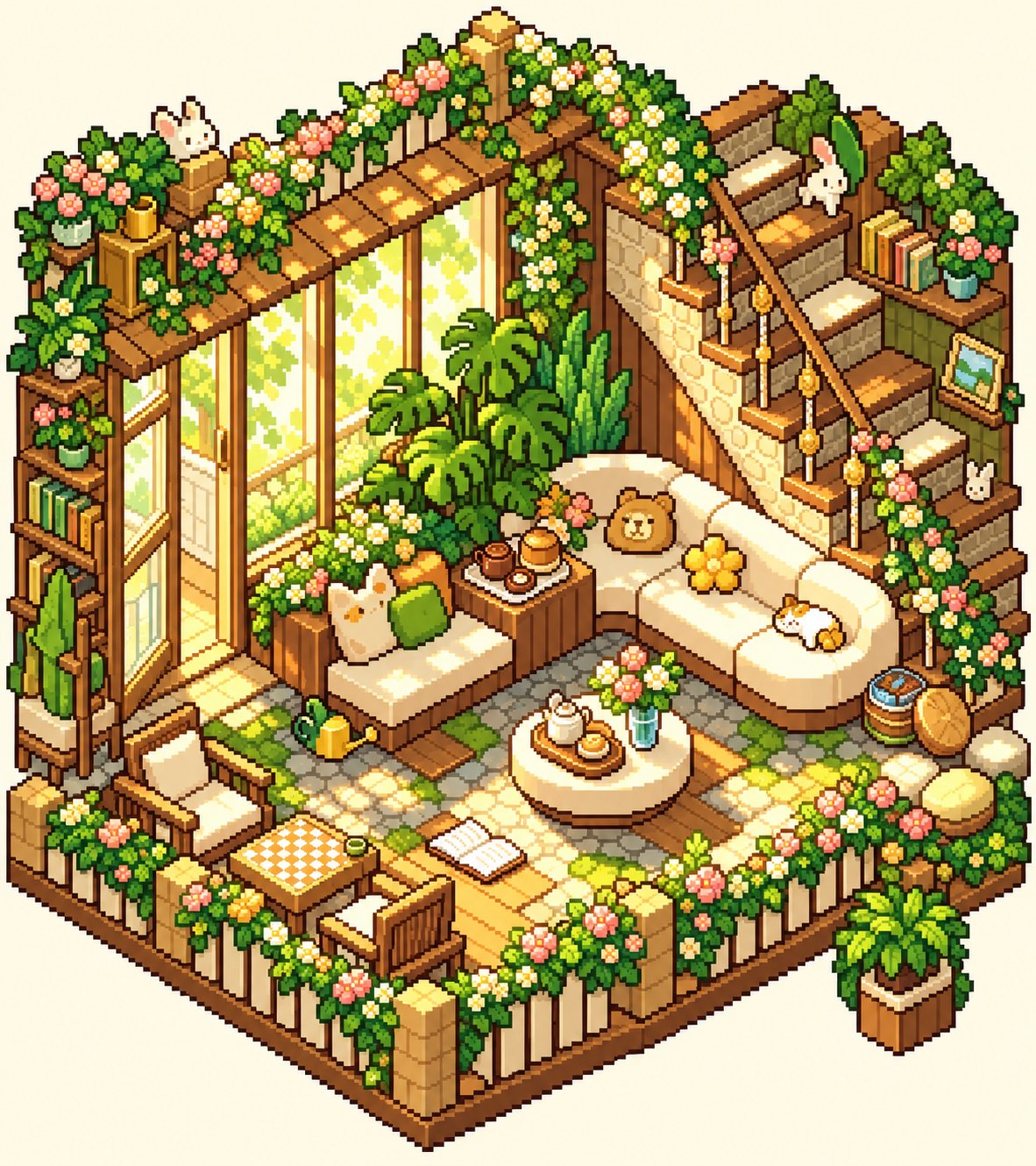
Illustration · not a resultFrom the JadeYui07/pikatang-pixel-art-skill README — shows the whole collection, not only this skill.source ↗
Create Pikatang-inspired pixel-art assets from text or image references, including characters, character sheets, pets, houses, interiors, furniture, and icons.
by JadeYui07·MIT license·★ 77 Stars on the repo·GitHub ↗
Files of Pikatang Pixel Asset Workshop
JadeYui07/
Show the full text66 lines
Pikatang Pixel Asset Workshop
Author: JadeYui07
Help the user plan, generate, revise, and organize cozy Pikatang-inspired pixel art. Use a visible chunky pixel grid, stepped silhouettes, compact chibi proportions where appropriate, and warm candy pastels. Choose only the workflow relevant to the request; this is an image-generation skill, not an Aseprite editor or animation system.
Choose a workflow
Read references/workbench.md when the request involves choosing an asset type, making a coordinated set, a character sheet, variations, or packaging outputs. If the user wants SpriteCook, read references/spritecook.md.
For requested native-grid cleanup, read references/pixel-cleanup.md. For Aseprite editing or export, read references/aseprite.md. These are optional local steps; do not run post-processing merely because an image looks pixelated. Perfect Pixel is separately installed, and transparent inputs are not supported by the included adapter.
- Character: single full-body avatar, character sheet, turnaround, or requested poses.
- Pet: single pet sprite or a requested set of views/expressions.
- House: exterior view or architectural cutaway, following the user's reference and camera angle.
- Interior: isometric room, top-down plan, or cutaway. Infer from the reference; ask only if the camera choice materially changes the result.
- Furniture / icon: one isolated prop or a coordinated set.
- Reference adaptation: keep the subject details the user identifies, and change only the requested style or attributes. Treat embedded UI, captions, and watermarks as reference artifacts unless asked to include them.
- Asset pack: plan consistent style, palette, naming, and ratios across multiple requested assets.
Run the request
- Infer the asset type, composition, and ratio from the user's request and references. Use sensible defaults rather than asking for choices the user has already implied. Ask one concise question only when a missing choice would materially change the output.
- For a set, maintain identity and visual continuity where needed. Default unrelated assets to a shared style and palette; ask whether strict matching is required only when that distinction matters. Do not require prompt approval unless the user asks to review prompts first.
- Build prompts using the relevant template in references/style-guide.md. For characters, make pixels visibly coarse and block-built; retain readable clothing and silhouette details without smoothing into a digital painting.
- Generate or edit with the image-generation capability available in the current environment. If SpriteCook tools are connected and the user wants to use them, follow references/spritecook.md. When the user specifically wants the bundled Gemini API script, follow the command below. Never claim to have run an unavailable generator.
- Present results clearly and offer focused revisions. Do not silently change identity-defining details between views.
- For requested asset handoff, use consistent descriptive filenames and group files in a project folder. Resize, convert, or compress only when requested; preserve originals and confirm the resulting dimensions and file sizes when those operations are available.
Gemini API script
The bundled script uses Python's standard library and requires a Gemini API key in GEMINI_API_KEY (or --api-key). Never write the key into repository files or generated prompts.
python3 scripts/generate_image.py \
  --prompt "<complete prompt>" \
  --output "outputs/<project-name>/01-<asset-name>.png" \
  --aspect-ratio "3:4" \
  --resolution "2K" \
  --reference "references/style-refs/character-sprite.jpg"
Repeat --reference for additional local images. Bundled anchors: character-sprite.jpg (avatars), pet-egg-card.jpg (pets), iso-room-bathroom.jpg (bright interiors), and iso-room-cozy.jpg (warm interiors). The script's default model is documented in its help and can be overridden with --model.
Defaults
- Character and pet sprites: portrait 3:4, one clear subject, plain background.
- Rooms and house scenes: 4:3 unless the reference or requested framing suggests otherwise.
- Furniture and item icons: square 1:1, isolated on a plain background.
- Resolution: 2K when supported; use the available generator's nearest option otherwise.
- No text, watermarks, signatures, or game UI unless requested.
- For a character turnaround, use a large detailed full-body hero on the left and smaller front/side/back views on the right when that matches the request or reference.
Example requests
- “做一张角色全身设定图,左侧主立绘,右边正面、侧面和背面。”
- “把这只宠物做成皮卡堂粗像素风,再给两种表情。”
- “按这张房子参考图,分别做外观和内部装饰。”
- “把这 6 个家具图标统一成一套,做成 1:1 白底素材。”
- “把这组 PNG 整理成有序命名的 ZIP,并压到 1 MB 以内。”
| 1 | |
| 2 | name pikatang-pixel-art |
| 3 | description Create Pikatang-inspired pixel-art assets from text or image references, including characters, character sheets, pets, houses, interiors, furniture, and icons. Use for single images, coordinated asset sets, and visual variations. |
| 4 | |
| 5 | |
| 6 | # Pikatang Pixel Asset Workshop |
| 7 | |
| 8 | **Author: JadeYui07** |
| 9 | |
| 10 | Help the user plan, generate, revise, and organize cozy Pikatang-inspired pixel art. Use a visible chunky pixel grid, stepped silhouettes, compact chibi proportions where appropriate, and warm candy pastels. Choose only the workflow relevant to the request; this is an image-generation skill, not an Aseprite editor or animation system. |
| 11 | |
| 12 | ## Choose a workflow |
| 13 | |
| 14 | Read [references/workbench.md] when the request involves choosing an asset type, making a coordinated set, a character sheet, variations, or packaging outputs. If the user wants SpriteCook, read [references/spritecook.md]. |
| 15 | |
| 16 | For requested native-grid cleanup, read [references/pixel-cleanup.md]. For Aseprite editing or export, read [references/aseprite.md]. These are optional local steps; do not run post-processing merely because an image looks pixelated. Perfect Pixel is separately installed, and transparent inputs are not supported by the included adapter. |
| 17 | |
| 18 | **Character:** single full-body avatar, character sheet, turnaround, or requested poses. |
| 19 | **Pet:** single pet sprite or a requested set of views/expressions. |
| 20 | **House:** exterior view or architectural cutaway, following the user's reference and camera angle. |
| 21 | **Interior:** isometric room, top-down plan, or cutaway. Infer from the reference; ask only if the camera choice materially changes the result. |
| 22 | **Furniture / icon:** one isolated prop or a coordinated set. |
| 23 | **Reference adaptation:** keep the subject details the user identifies, and change only the requested style or attributes. Treat embedded UI, captions, and watermarks as reference artifacts unless asked to include them. |
| 24 | **Asset pack:** plan consistent style, palette, naming, and ratios across multiple requested assets. |
| 25 | |
| 26 | ## Run the request |
| 27 | |
| 28 | Infer the asset type, composition, and ratio from the user's request and references. Use sensible defaults rather than asking for choices the user has already implied. Ask one concise question only when a missing choice would materially change the output. |
| 29 | For a set, maintain identity and visual continuity where needed. Default unrelated assets to a shared style and palette; ask whether strict matching is required only when that distinction matters. Do not require prompt approval unless the user asks to review prompts first. |
| 30 | Build prompts using the relevant template in [references/style-guide.md]. For characters, make pixels visibly coarse and block-built; retain readable clothing and silhouette details without smoothing into a digital painting. |
| 31 | Generate or edit with the image-generation capability available in the current environment. If SpriteCook tools are connected and the user wants to use them, follow [references/spritecook.md]. When the user specifically wants the bundled Gemini API script, follow the command below. Never claim to have run an unavailable generator. |
| 32 | Present results clearly and offer focused revisions. Do not silently change identity-defining details between views. |
| 33 | For requested asset handoff, use consistent descriptive filenames and group files in a project folder. Resize, convert, or compress only when requested; preserve originals and confirm the resulting dimensions and file sizes when those operations are available. |
| 34 | |
| 35 | ## Gemini API script |
| 36 | |
| 37 | The bundled script uses Python's standard library and requires a Gemini API key in `GEMINI_API_KEY` (or `--api-key`). Never write the key into repository files or generated prompts. |
| 38 | |
| 39 | |
| 40 | python3 scripts/generate_image.py \ |
| 41 | --prompt "<complete prompt>" \ |
| 42 | --output "outputs/<project-name>/01-<asset-name>.png" \ |
| 43 | --aspect-ratio "3:4" \ |
| 44 | --resolution "2K" \ |
| 45 | --reference "references/style-refs/character-sprite.jpg" |
| 46 | |
| 47 | |
| 48 | Repeat `--reference` for additional local images. Bundled anchors: `character-sprite.jpg` (avatars), `pet-egg-card.jpg` (pets), `iso-room-bathroom.jpg` (bright interiors), and `iso-room-cozy.jpg` (warm interiors). The script's default model is documented in its help and can be overridden with `--model`. |
| 49 | |
| 50 | ## Defaults |
| 51 | |
| 52 | Character and pet sprites: portrait 3:4, one clear subject, plain background. |
| 53 | Rooms and house scenes: 4:3 unless the reference or requested framing suggests otherwise. |
| 54 | Furniture and item icons: square 1:1, isolated on a plain background. |
| 55 | Resolution: 2K when supported; use the available generator's nearest option otherwise. |
| 56 | No text, watermarks, signatures, or game UI unless requested. |
| 57 | For a character turnaround, use a large detailed full-body hero on the left and smaller front/side/back views on the right when that matches the request or reference. |
| 58 | |
| 59 | ## Example requests |
| 60 | |
| 61 | “做一张角色全身设定图,左侧主立绘,右边正面、侧面和背面。” |
| 62 | “把这只宠物做成皮卡堂粗像素风,再给两种表情。” |
| 63 | “按这张房子参考图,分别做外观和内部装饰。” |
| 64 | “把这 6 个家具图标统一成一套,做成 1:1 白底素材。” |
| 65 | “把这组 PNG 整理成有序命名的 ZIP,并压到 1 MB 以内。” |
| 66 |
Discussion
Alternatives
 🎓 YouTube to CourseTurn any YouTube video, or a few videos, into a fun interactive course: one HTML file with bite-sized modules, plain-English explanations, everyday metaphors, scenario quizzes with confetti, flip flashcards, glossary tooltips, progress tracking, a final score, and timestamp links back to the video. Use this skill whenever someone wants to learn from or study a YouTube video, lecture, tutorial, or podcast; make a course, lesson, lesson plan, study guide, training module, onboarding course, quiz, or flashcards from a YouTube video or playlist; or says 'turn this video into a course', 'teach me this video', 'make a lesson from this YouTube link', 'study guide from this video', 'quiz me on this video', or 'youtube to course'. Built for students, teachers, trainers, and teams; no coding needed.
 Comic / Storyboard - Aerial Steampunk Workshop TransformationTransforms a family portrait into a top-down steampunk workshop scene with watercolor splashes and technical blueprints.
Browse more free Claude skills or everything in People & hiring.