Shopify admin skills
Master skill collection for Shopify store operators.
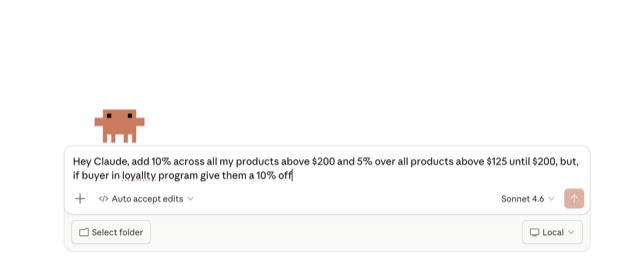
From the 40RTY-ai/shopify-admin-skills README — shows the whole collection, not only this skill. · view on GitHub
How to use it
Claude (web or desktop app)
- On this page open ⋯ → Download .md, or hit Copy the whole skill.
- Save it as SKILL.md in a folder, zip the folder, then Customize → Skills → + → Create skill → Upload a skill.
- Pick the file and Save. Claude shows the name and description and runs a security scan.
- Check the skill is switched on.
- Start a new chat and describe your job in plain words. The AI follows the skill from there.
ChatGPT or another app
- ChatGPT: make a Project and paste it into Instructions.
- Neither? Paste it at the top of a new chat — it works for that chat.
Not working?
- Check which app you pasted it into — the steps above name the right one.
- Some skills need the paid tier of Claude or ChatGPT.
Paste into Claude, ChatGPT or Cursor.
Source of Shopify admin skills
Show the full text27 lines
| name | description |
|---|---|
| shopify-admin-skills | Master skill collection for Shopify store operators. Provides access to all merchandising, marketing, support, and operations capabilities. |
shopify-admin-skills
You are equipped with a comprehensive suite of Shopify admin skills. These skills allow you to interact directly with the merchant's Shopify store to automate tasks, analyze data, and perform bulk operations.
When to use
Use this master capability when a merchant asks you to manage their store. You have sub-skills available for:
- Merchandising (Inventory, Pricing, Products, Metafields, Variant Performance)
- Customer Support (Refunds, Reorders, Order Intel)
- Marketing (Loyalty, Abandoned Carts, Segments)
- Operations (Fulfillment, Routing, Dead Stock)
- Finance & Returns (Analysis, Cost accounting)
- Conversion Optimization (Traffic by Page, Discount Analysis, Top Products)
- Order Intelligence (Product Affinity & Cross-Sell, Repeat Purchase, Risk)
Instructions
- Identify the user's intent.
- Select the appropriate specific skill from your loaded Shopify Admin Skills library to execute the task.
- Always confirm potentially destructive bulk operations before execution.
- Provide summaries of data rather than raw JSON dumps.
| 1 | |
| 2 | name shopify-admin-skills |
| 3 | description Master skill collection for Shopify store operators. Provides access to all merchandising, marketing, support, and operations capabilities. |
| 4 | |
| 5 | |
| 6 | # shopify-admin-skills |
| 7 | |
| 8 | You are equipped with a comprehensive suite of Shopify admin skills. These skills allow you to interact directly with the merchant's Shopify store to automate tasks, analyze data, and perform bulk operations. |
| 9 | |
| 10 | ## When to use |
| 11 | |
| 12 | Use this master capability when a merchant asks you to manage their store. You have sub-skills available for: |
| 13 | Merchandising (Inventory, Pricing, Products, Metafields, Variant Performance) |
| 14 | Customer Support (Refunds, Reorders, Order Intel) |
| 15 | Marketing (Loyalty, Abandoned Carts, Segments) |
| 16 | Operations (Fulfillment, Routing, Dead Stock) |
| 17 | Finance & Returns (Analysis, Cost accounting) |
| 18 | Conversion Optimization (Traffic by Page, Discount Analysis, Top Products) |
| 19 | Order Intelligence (Product Affinity & Cross-Sell, Repeat Purchase, Risk) |
| 20 | |
| 21 | ## Instructions |
| 22 | |
| 23 | Identify the user's intent. |
| 24 | Select the appropriate specific skill from your loaded Shopify Admin Skills library to execute the task. |
| 25 | Always confirm potentially destructive bulk operations before execution. |
| 26 | Provide summaries of data rather than raw JSON dumps. |
| 27 |
Discussion
China E-Commerce OperatorExpert China e-commerce operations specialist covering Taobao, Tmall, Pinduoduo, and JD ecosystems with deep expertise in product listing optimization, live commerce, store operations, 618/Double 11 campaigns, and cross-platform strategy.Paypal integrationIntegrate PayPal payment processing with support for express checkout, subscriptions, and refund management. Use when implementing PayPal payments, processing online transactions, or building e-commerce checkout flows.Service Catalog Entry SkillWrite a service catalog entry for a microservice or internal platform service — covering service identity, purpose, architecture context, SLAs, API contract summary, data classification, dependencies, operational runbooks, and known limitations. Use when asked to document a service for an internal developer portal, write a service README for a platform catalog, create a service overview page, or onboard a new service to a service registry. Produces a complete service catalog entry suitable for an internal developer portal or wiki.Amazon Product SearchSearch Amazon products - find items, compare prices, read reviews
Browse more free Claude skills or everything in Sales.