Shopify admin low inventory restock
Query all tracked product variants below a stock threshold and export a restock list grouped by vendor.
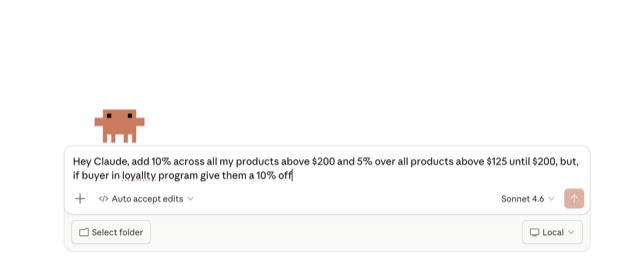
From the 40RTY-ai/shopify-admin-skills README — shows the whole collection, not only this skill. · view on GitHub
How to use it
Claude Code
- Run the line below. It pulls the whole folder into
~/.claude/skills/shopify-admin-low-inventory-restock. - Describe your job in plain words. Claude Code follows the skill from there.
npx degit 40RTY-ai/shopify-admin-skills/skills/merchandising/shopify-admin-low-inventory-restock#main ~/.claude/skills/shopify-admin-low-inventory-restockFor one project only, change the path to .claude/skills/shopify-admin-low-inventory-restock.
Claude (web or desktop app)
- On this page open ⋯ → Download .md.
- Save it as SKILL.md in a folder, zip the folder, then Customize → Skills → + → Create skill → Upload a skill.
- Pick the file and Save. Claude shows the name and description and runs a security scan.
- Check the skill is switched on.
- Start a new chat and describe your job in plain words. The AI follows the skill from there.
ChatGPT or another app
- ChatGPT: make a Project and paste it into Instructions.
- Neither? Paste it at the top of a new chat — it works for that chat.
Not working?
- Check which app you pasted it into — the steps above name the right one.
- Some skills need the paid tier of Claude or ChatGPT.
Paste into Claude, ChatGPT or Cursor.
Source of Shopify admin low inventory restock
Show the full text139 lines
| name | role | description | toolkit | api_version | graphql_operations | status | compatibility |
|---|---|---|---|---|---|---|---|
| shopify-admin-low-inventory-restock | merchandising | Query all tracked product variants below a stock threshold and export a restock list grouped by vendor. | shopify-admin, shopify-admin-execution | 2025-01 | - productVariants:query | stable | Claude Code, Cursor, Codex, Gemini CLI |
Purpose
Queries all tracked product variants at or below a configurable stock threshold and exports a restock CSV grouped by vendor. By pulling live inventory counts directly from the Shopify Admin API and sorting results by vendor name, this skill gives procurement teams an immediately actionable reorder list without manual exports from the Shopify admin inventory view.
Prerequisites
- Authenticated Shopify CLI session:
shopify auth login --store <domain> - API scopes:
read_products,read_inventory
Parameters
| Parameter | Type | Required | Default | Description |
|---|---|---|---|---|
| store | string | yes | — | Store domain (e.g., mystore.myshopify.com) |
| format | string | no | human | Output format: human or json |
| dry_run | bool | no | false | Preview operations without executing mutations |
| threshold | integer | no | 10 | Variants at or below this quantity are included |
| location_id | string | no | — | GID of a specific location to filter by (optional; if omitted, uses inventoryQuantity across all locations) |
| include_zero_stock | bool | no | true | Include variants with 0 quantity |
Workflow Steps
- OPERATION:
productVariants— query Inputs:first: 250,query: "inventory_quantity:<= <threshold>", pagination cursor Expected output: List of variant objects with inventoryQuantity, product title, vendor, SKU; paginate untilhasNextPage: false
GraphQL Operations
# productVariants:query — validated against api_version 2025-01
query LowInventoryVariants($first: Int!, $after: String, $query: String) {
  productVariants(first: $first, after: $after, query: $query) {
    edges {
      node {
        id
        title
        sku
        inventoryQuantity
        product {
          id
          title
          vendor
        }
        inventoryItem {
          id
          tracked
        }
      }
    }
    pageInfo {
      hasNextPage
      endCursor
    }
  }
}
Session Tracking
Claude MUST emit the following output at each stage. This is mandatory.
On start, emit:
╔══════════════════════════════════════════════╗
║  SKILL: low-inventory-restock                ║
║  Store: <store domain>                       ║
║  Started: <YYYY-MM-DD HH:MM UTC>             ║
╚══════════════════════════════════════════════╝
After each step, emit:
[N/TOTAL] <QUERY|MUTATION>  <OperationName>
          → Params: <brief summary of key inputs>
          → Result: <count or outcome>
On completion, emit:
For format: human (default):
══════════════════════════════════════════════
OUTCOME SUMMARY
  Variants below threshold:  <n>
  Unique products:            <n>
  Vendors:                    <n>
  Errors:                     0
  Output:                     restock_list_<date>.csv
══════════════════════════════════════════════
For format: json, emit:
{
  "skill": "low-inventory-restock",
  "store": "<domain>",
  "started_at": "<ISO8601>",
  "completed_at": "<ISO8601>",
  "dry_run": false,
  "steps": [
    { "step": 1, "operation": "LowInventoryVariants", "type": "query", "params_summary": "threshold <= 10, all locations", "result_summary": "<n> variants", "skipped": false }
  ],
  "outcome": {
    "variants_below_threshold": 0,
    "unique_products": 0,
    "vendors": 0,
    "errors": 0,
    "output_file": "restock_list_<date>.csv"
  }
}
Output Format
CSV file restock_list_<YYYY-MM-DD>.csv grouped by vendor, sorted by vendor name then product title. Columns: vendor, product_title, variant_title, sku, current_stock.
Error Handling
| Error | Cause | Recovery |
|---|---|---|
| No variants returned | All variants are above threshold or inventory not tracked | Lower threshold or verify inventoryItem.tracked: true |
location_id not found |
Invalid location GID | Retrieve valid location IDs via Shopify admin |
| Rate limit (429) | Too many paginated requests | Reduce first to 100 and retry |
Best Practices
- Run without
location_idfirst to get store-wide low stock; then filter by location if you operate multiple warehouses. - Only variants with
inventoryItem.tracked: truehave meaningful stock counts — untracked variants always appear as 0. - The restock CSV is sorted by vendor — share the vendor-grouped output directly with your procurement team without reformatting.
- Set
include_zero_stock: falseto skip variants already on back-order to focus on nearly-depleted items. - Schedule this skill to run weekly via cron and pipe the CSV to your purchasing workflow.
| 1 | |
| 2 | name shopify-admin-low-inventory-restock |
| 3 | role merchandising |
| 4 | description "Query all tracked product variants below a stock threshold and export a restock list grouped by vendor." |
| 5 | toolkit shopify-admin, shopify-admin-execution |
| 6 | api_version "2025-01" |
| 7 | graphql_operations |
| 8 | - productVariants:query |
| 9 | status stable |
| 10 | compatibility Claude Code, Cursor, Codex, Gemini CLI |
| 11 | |
| 12 | |
| 13 | ## Purpose |
| 14 | Queries all tracked product variants at or below a configurable stock threshold and exports a restock CSV grouped by vendor. By pulling live inventory counts directly from the Shopify Admin API and sorting results by vendor name, this skill gives procurement teams an immediately actionable reorder list without manual exports from the Shopify admin inventory view. |
| 15 | |
| 16 | ## Prerequisites |
| 17 | Authenticated Shopify CLI session: `shopify auth login --store <domain>` |
| 18 | API scopes: `read_products`, `read_inventory` |
| 19 | |
| 20 | ## Parameters |
| 21 | |
| 22 | | Parameter | Type | Required | Default | Description | |
| 23 | |-----------|------|----------|---------|-------------| |
| 24 | | store | string | yes | — | Store domain (e.g., mystore.myshopify.com) | |
| 25 | | format | string | no | human | Output format: `human` or `json` | |
| 26 | | dry_run | bool | no | false | Preview operations without executing mutations | |
| 27 | | threshold | integer | no | 10 | Variants at or below this quantity are included | |
| 28 | | location_id | string | no | — | GID of a specific location to filter by (optional; if omitted, uses `inventoryQuantity` across all locations) | |
| 29 | | include_zero_stock | bool | no | true | Include variants with 0 quantity | |
| 30 | |
| 31 | ## Workflow Steps |
| 32 | |
| 33 | **OPERATION:** `productVariants` — query |
| 34 | **Inputs:** `first: 250`, `query: "inventory_quantity:<= <threshold>"`, pagination cursor |
| 35 | **Expected output:** List of variant objects with inventoryQuantity, product title, vendor, SKU; paginate until `hasNextPage: false` |
| 36 | |
| 37 | ## GraphQL Operations |
| 38 | |
| 39 | |
| 40 | # productVariants:query — validated against api_version 2025-01 |
| 41 | query LowInventoryVariants($first: Int!, $after: String, $query: String) { |
| 42 | productVariants(first: $first, after: $after, query: $query) { |
| 43 | edges { |
| 44 | node { |
| 45 | id |
| 46 | title |
| 47 | sku |
| 48 | inventoryQuantity |
| 49 | product { |
| 50 | id |
| 51 | title |
| 52 | vendor |
| 53 | } |
| 54 | inventoryItem { |
| 55 | id |
| 56 | tracked |
| 57 | } |
| 58 | } |
| 59 | } |
| 60 | pageInfo { |
| 61 | hasNextPage |
| 62 | endCursor |
| 63 | } |
| 64 | } |
| 65 | } |
| 66 | |
| 67 | |
| 68 | ## Session Tracking |
| 69 | |
| 70 | **Claude MUST emit the following output at each stage. This is mandatory.** |
| 71 | |
| 72 | **On start**, emit: |
| 73 | |
| 74 | ╔══════════════════════════════════════════════╗ |
| 75 | ║ SKILL: low-inventory-restock ║ |
| 76 | ║ Store: <store domain> ║ |
| 77 | ║ Started: <YYYY-MM-DD HH:MM UTC> ║ |
| 78 | ╚══════════════════════════════════════════════╝ |
| 79 | |
| 80 | |
| 81 | **After each step**, emit: |
| 82 | |
| 83 | [N/TOTAL] <QUERY|MUTATION> <OperationName> |
| 84 | → Params: <brief summary of key inputs> |
| 85 | → Result: <count or outcome> |
| 86 | |
| 87 | |
| 88 | **On completion**, emit: |
| 89 | |
| 90 | For `format: human` (default): |
| 91 | |
| 92 | ══════════════════════════════════════════════ |
| 93 | OUTCOME SUMMARY |
| 94 | Variants below threshold: <n> |
| 95 | Unique products: <n> |
| 96 | Vendors: <n> |
| 97 | Errors: 0 |
| 98 | Output: restock_list_<date>.csv |
| 99 | ══════════════════════════════════════════════ |
| 100 | |
| 101 | |
| 102 | For `format: json`, emit: |
| 103 | |
| 104 | { |
| 105 | "skill": "low-inventory-restock", |
| 106 | "store": "<domain>", |
| 107 | "started_at": "<ISO8601>", |
| 108 | "completed_at": "<ISO8601>", |
| 109 | "dry_run": false, |
| 110 | "steps": [ |
| 111 | { "step": 1, "operation": "LowInventoryVariants", "type": "query", "params_summary": "threshold <= 10, all locations", "result_summary": "<n> variants", "skipped": false } |
| 112 | ], |
| 113 | "outcome": { |
| 114 | "variants_below_threshold": 0, |
| 115 | "unique_products": 0, |
| 116 | "vendors": 0, |
| 117 | "errors": 0, |
| 118 | "output_file": "restock_list_<date>.csv" |
| 119 | } |
| 120 | } |
| 121 | |
| 122 | |
| 123 | ## Output Format |
| 124 | CSV file `restock_list_<YYYY-MM-DD>.csv` grouped by vendor, sorted by vendor name then product title. Columns: `vendor`, `product_title`, `variant_title`, `sku`, `current_stock`. |
| 125 | |
| 126 | ## Error Handling |
| 127 | | Error | Cause | Recovery | |
| 128 | |-------|-------|----------| |
| 129 | | No variants returned | All variants are above threshold or inventory not tracked | Lower threshold or verify `inventoryItem.tracked: true` | |
| 130 | | `location_id` not found | Invalid location GID | Retrieve valid location IDs via Shopify admin | |
| 131 | | Rate limit (429) | Too many paginated requests | Reduce `first` to 100 and retry | |
| 132 | |
| 133 | ## Best Practices |
| 134 | Run without `location_id` first to get store-wide low stock; then filter by location if you operate multiple warehouses. |
| 135 | Only variants with `inventoryItem.tracked: true` have meaningful stock counts — untracked variants always appear as 0. |
| 136 | The restock CSV is sorted by vendor — share the vendor-grouped output directly with your procurement team without reformatting. |
| 137 | Set `include_zero_stock: false` to skip variants already on back-order to focus on nearly-depleted items. |
| 138 | Schedule this skill to run weekly via cron and pipe the CSV to your purchasing workflow. |
| 139 |
Discussion
Browse more free Claude skills or everything in Sales.