SEO traffic diagnosis
Diagnose organic traffic changes (drops, stalls, or unexpected wins) using Ahrefs MCP plus Search Console data.
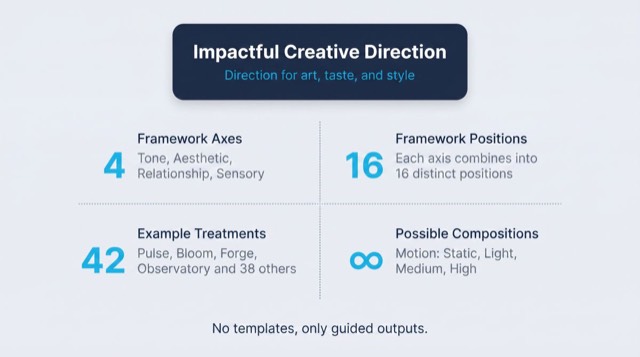
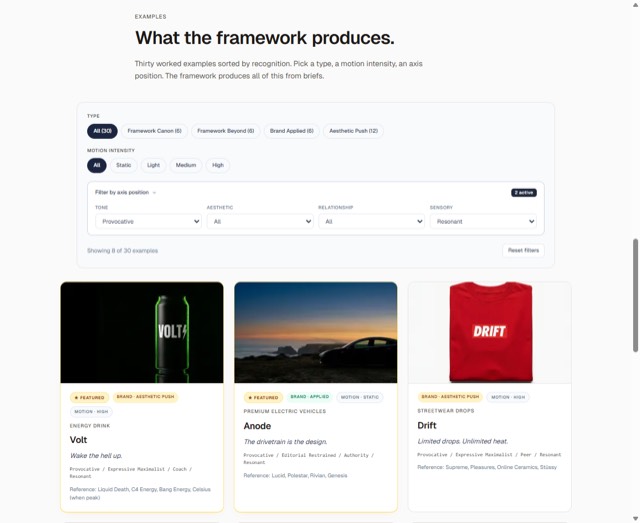
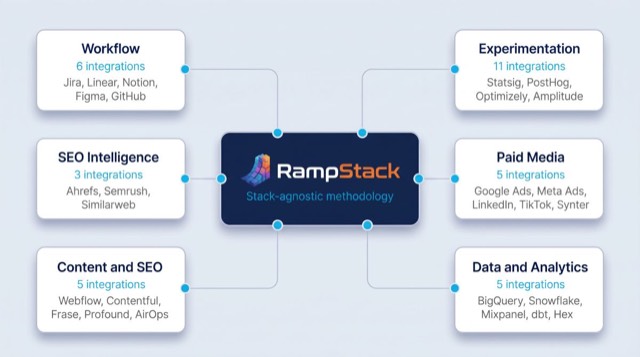
From the rampstackco/claude-skills README — shows the whole collection, not only this skill. · view on GitHub
How to use it
Claude Code
- Run the line below. It pulls the whole folder into
~/.claude/skills/seo-traffic-diagnosis, including the files SKILL.md points to. - Describe your job in plain words. Claude Code follows the skill from there.
npx degit rampstackco/claude-skills/skills/seo-traffic-diagnosis#main ~/.claude/skills/seo-traffic-diagnosisFor one project only, change the path to .claude/skills/seo-traffic-diagnosis. This skill also uses Robots.txt — copying SKILL.md alone won't be enough. See the folder on GitHub.
Claude (web or desktop app)
- On this page open ⋯ → Download .md.
- Save it as SKILL.md in a folder, zip the folder, then Customize → Skills → + → Create skill → Upload a skill.
- Pick the file and Save. Claude shows the name and description and runs a security scan.
- Check the skill is switched on.
- Start a new chat and describe your job in plain words. The AI follows the skill from there.
ChatGPT or another app
- ChatGPT: make a Project and paste it into Instructions.
- Neither? Paste it at the top of a new chat — it works for that chat.
Not working?
- Check which app you pasted it into — the steps above name the right one.
- Some skills need the paid tier of Claude or ChatGPT.
Paste into Claude, ChatGPT or Cursor.
Source of SEO traffic diagnosis
Show the full text187 lines
| name | description | category | catalog_summary | display_order |
|---|---|---|---|---|
| seo-traffic-diagnosis | Diagnose organic traffic changes (drops, stalls, or unexpected wins) using Ahrefs MCP plus Search Console data. Use this skill when traffic suddenly dropped, has been flat despite investment, after an algorithm update, after a migration or deploy, or when a competitor seems to be taking share. Triggers on traffic dropped, traffic decline, traffic stalled, organic decline, lost rankings, why is traffic down, algorithm update, post-migration traffic loss, traffic diagnosis. Also triggers when stakeholders are panicking about an organic traffic number they cannot explain. A panic about tracking, event, or dashboard setup is a measurement problem, not a traffic problem: route those to `analytics-strategy`. | seo-audit-suite | Diagnose drops, stalls, or wins via 5-layer root cause analysis | 5 |
SEO Traffic Diagnosis
Diagnose why organic traffic moved (down, flat, or unexpectedly up) using Ahrefs MCP combined with Search Console and analytics data. Stack-agnostic. Produces a root-cause diagnosis and an action plan.
When to use
- Organic traffic dropped sharply
- Organic traffic has been flat for months despite content investment
- After a known Google algorithm update
- After a migration, replatform, or domain change
- After a deploy that touched routing, redirects, or rendering
- When a competitor is visibly taking organic share
- When a single page dropped from a ranked position
- When stakeholders need an explanation, fast
When NOT to use
- Routine performance reporting (use
analytics-strategy) - Pre-emptive content planning (use
seo-content-gap-audit) - Backlink-only investigations (use
seo-backlink-audit) - Technical issue triage outside of traffic concerns (use
seo-site-health-audit)
Required inputs
- Description of the symptom (what changed, when, magnitude)
- Date the change started (best estimate)
- Recent SEO history: deploys, migrations, content changes, link campaigns
- Access to Ahrefs MCP, Search Console, and analytics
- Confirmation the change is real (not a tracking artifact)
The framework: 5 layers of diagnosis
A traffic change has one or more root causes. Move through the layers in order. Stop when you have enough evidence.
Layer 1: Confirm the change is real
Before diagnosing, rule out:
- Tracking gaps (analytics outages, tag manager issues)
- Bot traffic changes
- Reporting comparison errors (different date ranges, wrong segment)
- Seasonality (compare year-over-year, not just month-over-month)
- Holiday or weekday effects
Cross-check Search Console clicks against analytics organic sessions. Significant divergence often points to a tracking issue, not a real traffic change.
Layer 2: Localize the change
Where is the change happening?
Segment by:
- Country and language
- Device (mobile, desktop, tablet)
- Page or section (homepage, blog, product, category)
- Query type (branded vs non-branded)
- Landing page
A change in one segment requires different diagnosis than a change everywhere.
| Pattern | Likely cause |
|---|---|
| One country dropped | Local algorithm update, hreflang issue, geo redirect issue |
| Mobile dropped, desktop flat | Mobile usability or page speed regression |
| One section dropped | Topical algorithm update or section-specific quality issue |
| Branded queries dropped | Brand-level issue: site outage, reputation, manual action |
| Non-branded dropped | Algorithmic ranking issue |
| Single page dropped | Page-level issue: content, technical, or competitive |
| Sitewide dropped | Sitewide issue: penalty, technical, migration, or algorithm |
Layer 3: Page-level analysis
For affected pages, audit:
- Position changes per ranked keyword (Ahrefs Rank Tracker history)
- SERP composition changes (more ads, AI overviews, featured snippets, video)
- Click-through rate changes
- Index status (Search Console coverage)
- Crawl errors and accessibility
- Recent content changes
- Internal link changes
- Backlink changes (lost links, redirect chains)
A page can lose traffic without losing rank if SERP composition changed.
Layer 4: Technical analysis
Did anything break technically?
Check:
- Robots.txt changes
- Canonical tag changes
- Meta robots changes (accidental noindex)
- Redirect chains and loops
- Render issues (especially for JS-heavy frameworks)
- Site speed regressions
- Hreflang errors
- Sitemap freshness
- HTTP status codes (4xx, 5xx spikes)
- Server log evidence of crawl behavior changes
Recent deploys are the prime suspect. Compare deploy dates to traffic change dates.
Layer 5: External analysis
If layers 1-4 do not explain the change, look outward.
- Algorithm update calendar (cross-reference timing)
- Competitor moves (new content, new SERP features they captured)
- Industry trend (declining search demand for the topic)
- Manual action (Search Console security and manual actions)
- Negative SEO (sudden link velocity changes)
External-factor diagnosis benefits from competitive context: did your traffic drop while competitors held steady (suggests an algorithm-specific issue), or did the entire vertical lose ground (suggests a user-behavior shift)? Similarweb shows competitor traffic trends; Ahrefs shows competitor SERP movement; pairing both surfaces whether the issue is yours alone or the category's.
Workflow
- Confirm the symptom. Get exact dates, magnitude, segment if known.
- Validate the data. Layer 1 checks. Rule out tracking and seasonality.
- Localize. Layer 2. Segment until the pattern is clear.
- Page-level dive. Layer 3 on the most affected pages.
- Technical check. Layer 4. Recent deploys, robots, canonicals, redirects.
- External check. Layer 5. Algorithm updates, competitors, industry.
- Build the hypothesis. State the cause as a single sentence.
- Validate the hypothesis. Find the evidence that confirms or refutes it. See
references/diagnosis-checklist.md. - Action plan. Specific fixes mapped to specific evidence.
- Communicate. Write up the diagnosis. Stakeholders want clarity, not exhaustive analysis.
Failure patterns
- Jumping to algorithm update. "It must be the algorithm" is the lazy answer. Eliminate technical and page-level causes first.
- Solving the wrong problem. A drop diagnosed as "content quality" when the real cause was an accidental noindex on a deploy. Validate the hypothesis before fixing.
- No baseline for "normal." Without a baseline, every fluctuation looks alarming. Establish what normal noise looks like before reacting.
- Treating one page as the site. Site-wide and page-level diagnoses are different. Confirm scope first.
- Ignoring branded vs non-branded. A drop in branded queries means a brand-level problem. A drop in non-branded means an SEO problem. Different teams own them.
- Comparing wrong date ranges. Comparing 28 days to the previous 28 days during a holiday distorts the picture. Use year-over-year for seasonal businesses.
- Stopping at correlation. A deploy and a drop on the same day is a strong correlation, not proof. Find the mechanism.
- Single-source diagnosis. Ahrefs sees position. Search Console sees clicks and queries. Analytics sees behavior. Logs see crawl. Use them together.
- Premature reassurance. Telling stakeholders "it is just an algorithm update, will recover" without evidence sets up a worse conversation later.
Output format
A diagnosis document with:
- Summary. What changed, when, magnitude, root cause in one paragraph.
- The symptom. Charts and segment breakdowns.
- Layer-by-layer findings. What each layer ruled in or out.
- Root cause hypothesis. Single statement with evidence.
- Action plan. Ordered fixes with owners and timelines.
- Recovery forecast. Realistic expectations on timeline and ceiling.
- Monitoring plan. What to watch for confirmation of recovery.
Length: 4-10 pages. Stakeholders read this fast.
If required data is unavailable
This skill's output depends on data, measurements, or tool results it cannot generate on its own. When a required input, tool, or data source is unavailable or unverifiable, the sanctioned output is the deliverable with the gap stated: what was needed, what was actually obtained or verified, and which parts of the output are affected. Fabricating, estimating, or interpolating a required number to complete the deliverable is never sanctioned. A stated gap is a complete answer.
Reference files
references/diagnosis-checklist.md- Layer-by-layer diagnostic checklist with the specific data to pull at each layer and how to interpret each signal.
| 1 | |
| 2 | name seo-traffic-diagnosis |
| 3 | description "Diagnose organic traffic changes (drops, stalls, or unexpected wins) using Ahrefs MCP plus Search Console data. Use this skill when traffic suddenly dropped, has been flat despite investment, after an algorithm update, after a migration or deploy, or when a competitor seems to be taking share. Triggers on traffic dropped, traffic decline, traffic stalled, organic decline, lost rankings, why is traffic down, algorithm update, post-migration traffic loss, traffic diagnosis. Also triggers when stakeholders are panicking about an organic traffic number they cannot explain. A panic about tracking, event, or dashboard setup is a measurement problem, not a traffic problem: route those to `analytics-strategy`." |
| 4 | category seo-audit-suite |
| 5 | catalog_summary "Diagnose drops, stalls, or wins via 5-layer root cause analysis" |
| 6 | display_order 5 |
| 7 | |
| 8 | |
| 9 | # SEO Traffic Diagnosis |
| 10 | |
| 11 | Diagnose why organic traffic moved (down, flat, or unexpectedly up) using Ahrefs MCP combined with Search Console and analytics data. Stack-agnostic. Produces a root-cause diagnosis and an action plan. |
| 12 | |
| 13 | |
| 14 | |
| 15 | ## When to use |
| 16 | |
| 17 | Organic traffic dropped sharply |
| 18 | Organic traffic has been flat for months despite content investment |
| 19 | After a known Google algorithm update |
| 20 | After a migration, replatform, or domain change |
| 21 | After a deploy that touched routing, redirects, or rendering |
| 22 | When a competitor is visibly taking organic share |
| 23 | When a single page dropped from a ranked position |
| 24 | When stakeholders need an explanation, fast |
| 25 | |
| 26 | ## When NOT to use |
| 27 | |
| 28 | Routine performance reporting (use `analytics-strategy`) |
| 29 | Pre-emptive content planning (use `seo-content-gap-audit`) |
| 30 | Backlink-only investigations (use `seo-backlink-audit`) |
| 31 | Technical issue triage outside of traffic concerns (use `seo-site-health-audit`) |
| 32 | |
| 33 | |
| 34 | |
| 35 | ## Required inputs |
| 36 | |
| 37 | Description of the symptom (what changed, when, magnitude) |
| 38 | Date the change started (best estimate) |
| 39 | Recent SEO history: deploys, migrations, content changes, link campaigns |
| 40 | Access to Ahrefs MCP, Search Console, and analytics |
| 41 | Confirmation the change is real (not a tracking artifact) |
| 42 | |
| 43 | |
| 44 | |
| 45 | ## The framework: 5 layers of diagnosis |
| 46 | |
| 47 | A traffic change has one or more root causes. Move through the layers in order. Stop when you have enough evidence. |
| 48 | |
| 49 | ### Layer 1: Confirm the change is real |
| 50 | |
| 51 | Before diagnosing, rule out: |
| 52 | |
| 53 | Tracking gaps (analytics outages, tag manager issues) |
| 54 | Bot traffic changes |
| 55 | Reporting comparison errors (different date ranges, wrong segment) |
| 56 | Seasonality (compare year-over-year, not just month-over-month) |
| 57 | Holiday or weekday effects |
| 58 | |
| 59 | Cross-check Search Console clicks against analytics organic sessions. Significant divergence often points to a tracking issue, not a real traffic change. |
| 60 | |
| 61 | ### Layer 2: Localize the change |
| 62 | |
| 63 | Where is the change happening? |
| 64 | |
| 65 | Segment by: |
| 66 | |
| 67 | Country and language |
| 68 | Device (mobile, desktop, tablet) |
| 69 | Page or section (homepage, blog, product, category) |
| 70 | Query type (branded vs non-branded) |
| 71 | Landing page |
| 72 | |
| 73 | A change in one segment requires different diagnosis than a change everywhere. |
| 74 | |
| 75 | | Pattern | Likely cause | |
| 76 | | --- | --- | |
| 77 | | One country dropped | Local algorithm update, hreflang issue, geo redirect issue | |
| 78 | | Mobile dropped, desktop flat | Mobile usability or page speed regression | |
| 79 | | One section dropped | Topical algorithm update or section-specific quality issue | |
| 80 | | Branded queries dropped | Brand-level issue: site outage, reputation, manual action | |
| 81 | | Non-branded dropped | Algorithmic ranking issue | |
| 82 | | Single page dropped | Page-level issue: content, technical, or competitive | |
| 83 | | Sitewide dropped | Sitewide issue: penalty, technical, migration, or algorithm | |
| 84 | |
| 85 | ### Layer 3: Page-level analysis |
| 86 | |
| 87 | For affected pages, audit: |
| 88 | |
| 89 | Position changes per ranked keyword (Ahrefs Rank Tracker history) |
| 90 | SERP composition changes (more ads, AI overviews, featured snippets, video) |
| 91 | Click-through rate changes |
| 92 | Index status (Search Console coverage) |
| 93 | Crawl errors and accessibility |
| 94 | Recent content changes |
| 95 | Internal link changes |
| 96 | Backlink changes (lost links, redirect chains) |
| 97 | |
| 98 | A page can lose traffic without losing rank if SERP composition changed. |
| 99 | |
| 100 | ### Layer 4: Technical analysis |
| 101 | |
| 102 | Did anything break technically? |
| 103 | |
| 104 | Check: |
| 105 | |
| 106 | Robots.txt changes |
| 107 | Canonical tag changes |
| 108 | Meta robots changes (accidental noindex) |
| 109 | Redirect chains and loops |
| 110 | Render issues (especially for JS-heavy frameworks) |
| 111 | Site speed regressions |
| 112 | Hreflang errors |
| 113 | Sitemap freshness |
| 114 | HTTP status codes (4xx, 5xx spikes) |
| 115 | Server log evidence of crawl behavior changes |
| 116 | |
| 117 | Recent deploys are the prime suspect. Compare deploy dates to traffic change dates. |
| 118 | |
| 119 | ### Layer 5: External analysis |
| 120 | |
| 121 | If layers 1-4 do not explain the change, look outward. |
| 122 | |
| 123 | Algorithm update calendar (cross-reference timing) |
| 124 | Competitor moves (new content, new SERP features they captured) |
| 125 | Industry trend (declining search demand for the topic) |
| 126 | Manual action (Search Console security and manual actions) |
| 127 | Negative SEO (sudden link velocity changes) |
| 128 | |
| 129 | External-factor diagnosis benefits from competitive context: did your traffic drop while competitors held steady (suggests an algorithm-specific issue), or did the entire vertical lose ground (suggests a user-behavior shift)? Similarweb shows competitor traffic trends; Ahrefs shows competitor SERP movement; pairing both surfaces whether the issue is yours alone or the category's. |
| 130 | |
| 131 | |
| 132 | |
| 133 | ## Workflow |
| 134 | |
| 135 | **Confirm the symptom.** Get exact dates, magnitude, segment if known. |
| 136 | **Validate the data.** Layer 1 checks. Rule out tracking and seasonality. |
| 137 | **Localize.** Layer 2. Segment until the pattern is clear. |
| 138 | **Page-level dive.** Layer 3 on the most affected pages. |
| 139 | **Technical check.** Layer 4. Recent deploys, robots, canonicals, redirects. |
| 140 | **External check.** Layer 5. Algorithm updates, competitors, industry. |
| 141 | **Build the hypothesis.** State the cause as a single sentence. |
| 142 | **Validate the hypothesis.** Find the evidence that confirms or refutes it. See [`references/diagnosis-checklist.md`]. |
| 143 | **Action plan.** Specific fixes mapped to specific evidence. |
| 144 | **Communicate.** Write up the diagnosis. Stakeholders want clarity, not exhaustive analysis. |
| 145 | |
| 146 | |
| 147 | |
| 148 | ## Failure patterns |
| 149 | |
| 150 | **Jumping to algorithm update.** "It must be the algorithm" is the lazy answer. Eliminate technical and page-level causes first. |
| 151 | **Solving the wrong problem.** A drop diagnosed as "content quality" when the real cause was an accidental noindex on a deploy. Validate the hypothesis before fixing. |
| 152 | **No baseline for "normal."** Without a baseline, every fluctuation looks alarming. Establish what normal noise looks like before reacting. |
| 153 | **Treating one page as the site.** Site-wide and page-level diagnoses are different. Confirm scope first. |
| 154 | **Ignoring branded vs non-branded.** A drop in branded queries means a brand-level problem. A drop in non-branded means an SEO problem. Different teams own them. |
| 155 | **Comparing wrong date ranges.** Comparing 28 days to the previous 28 days during a holiday distorts the picture. Use year-over-year for seasonal businesses. |
| 156 | **Stopping at correlation.** A deploy and a drop on the same day is a strong correlation, not proof. Find the mechanism. |
| 157 | **Single-source diagnosis.** Ahrefs sees position. Search Console sees clicks and queries. Analytics sees behavior. Logs see crawl. Use them together. |
| 158 | **Premature reassurance.** Telling stakeholders "it is just an algorithm update, will recover" without evidence sets up a worse conversation later. |
| 159 | |
| 160 | |
| 161 | |
| 162 | ## Output format |
| 163 | |
| 164 | A diagnosis document with: |
| 165 | |
| 166 | **Summary.** What changed, when, magnitude, root cause in one paragraph. |
| 167 | **The symptom.** Charts and segment breakdowns. |
| 168 | **Layer-by-layer findings.** What each layer ruled in or out. |
| 169 | **Root cause hypothesis.** Single statement with evidence. |
| 170 | **Action plan.** Ordered fixes with owners and timelines. |
| 171 | **Recovery forecast.** Realistic expectations on timeline and ceiling. |
| 172 | **Monitoring plan.** What to watch for confirmation of recovery. |
| 173 | |
| 174 | Length: 4-10 pages. Stakeholders read this fast. |
| 175 | |
| 176 | |
| 177 | |
| 178 | ## If required data is unavailable |
| 179 | |
| 180 | This skill's output depends on data, measurements, or tool results it cannot generate on its own. When a required input, tool, or data source is unavailable or unverifiable, the sanctioned output is the deliverable with the gap stated: what was needed, what was actually obtained or verified, and which parts of the output are affected. Fabricating, estimating, or interpolating a required number to complete the deliverable is never sanctioned. A stated gap is a complete answer. |
| 181 | |
| 182 | |
| 183 | |
| 184 | ## Reference files |
| 185 | |
| 186 | [`references/diagnosis-checklist.md`] - Layer-by-layer diagnostic checklist with the specific data to pull at each layer and how to interpret each signal. |
| 187 |
Discussion
Browse more free Claude skills or everything in Marketing.