Analyze a website's SEO visibility, keyword rankings
SEO & Traffic Analyzer
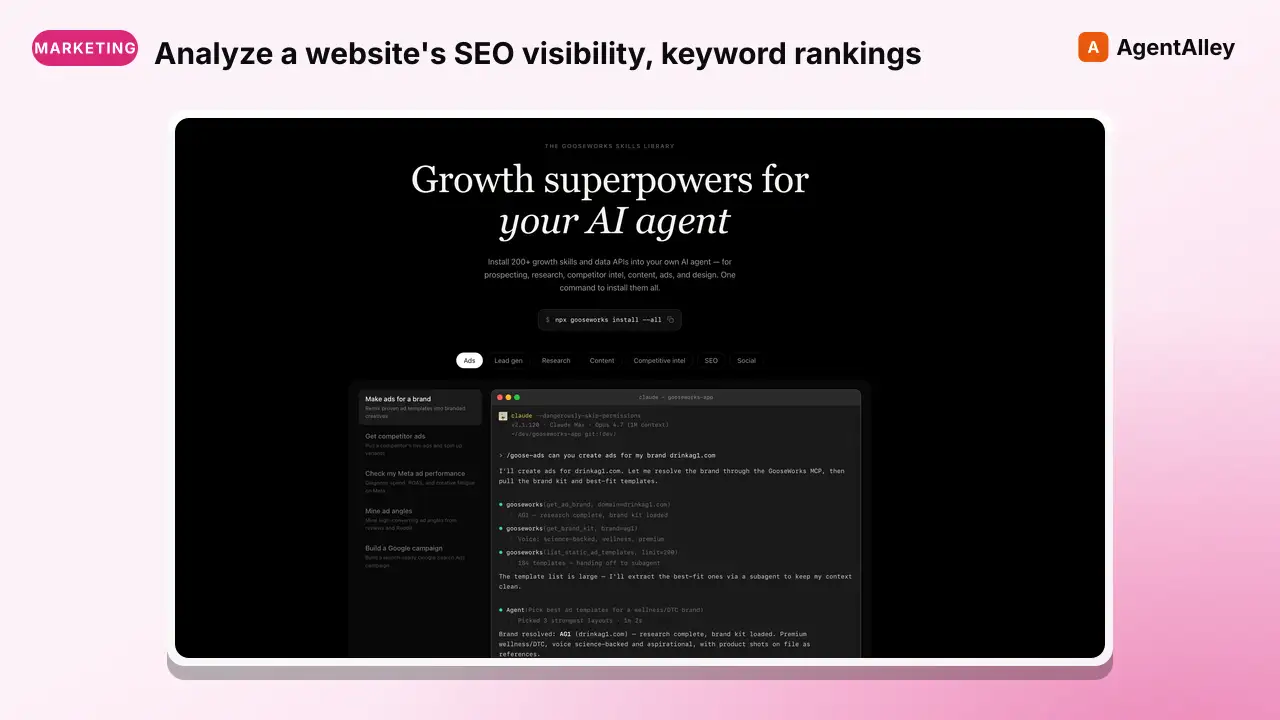
Analyze a website's SEO visibility, keyword rankings, traffic estimates, and competitive positioning. Uses web search probes, SimilarWeb (free tier via web), and site: queries to build an SEO profile without requiring paid tool…
---
name: seo-traffic-analyzer
description: >
  Analyze a website's SEO visibility, keyword rankings, traffic estimates, and
  competitive positioning. Uses web search probes, SimilarWeb (free tier via web),
  and site: queries to build an SEO profile without requiring paid tool subscriptions.
  Useful for competitive intel, gap analysis, and reverse-engineering a company's
  organic acquisition strategy.
tags: [competitive-intel, seo]
---

# SEO & Traffic Analyzer

Analyze a website's organic search visibility, estimate traffic, and map competitive positioning — all without paid SEO tool subscriptions. Uses web search probes, public data sources, and site: queries to build a comprehensive SEO profile.

## Quick Start

```
Overview
Analyze a website's organic search visibility, estimate traffic, and map competitive positioning — all without paid SEO tool subscriptions. Uses web search probes, public data sources, and site: queries to build a comprehensive SEO profile.
Manual install (npx, ZIP)
npx skills add gooseworks-ai/goose-skills --skill seo-traffic-analyzer -g -a claude-codemkdir -p ~/.claude/skills && curl -sL https://codeload.github.com/gooseworks-ai/goose-skills/tar.gz/615c685f34f8 \
| tar -xz -C ~/.claude/skills --strip-components=4 goose-skills-615c685f34f8/skills/seo/capabilities/seo-traffic-analyzerNew-Item -ItemType Directory -Force "$HOME\.claude\skills" | Out-Null; Invoke-WebRequest "https://m.agentalley.io/zip/5143bb0ed60522a811fb/seo-traffic-analyzer.zip" -OutFile "$env:TEMP\seo-traffic-analyzer.zip"; Expand-Archive "$env:TEMP\seo-traffic-analyzer.zip" -DestinationPath "$HOME\.claude\skills" -ForceConnects with Agent Alley MCP · agentalley.io/mcp
Files included
SKILL.md8.4 KBskill.meta.json283 B
Read the files here
gooseworks-ai/
Show the full text245 lines
SEO & Traffic Analyzer
Analyze a website's organic search visibility, estimate traffic, and map competitive positioning — all without paid SEO tool subscriptions. Uses web search probes, public data sources, and site: queries to build a comprehensive SEO profile.
Quick Start
Analyze SEO and traffic for [domain]. Check rankings for [keywords]. Compare against [competitors].
Example:
Analyze SEO and traffic for pump.co.
Check rankings for: AWS cost optimization, cloud cost reduction, reduce AWS bill, FinOps tools, AWS savings plans automation.
Compare against: vantage.sh, antimetal.com, prosperops.com, zesty.co, nops.io.
Inputs
| Parameter | Required | Default | Description |
|---|---|---|---|
| target-domain | Yes | — | Domain to analyze (e.g., "pump.co") |
| competitor-domains | No | none | Comma-separated competitor domains to compare |
| target-keywords | No | auto-inferred | Keywords to check rankings for |
| output-path | No | stdout | Where to save the analysis |
Cost
Free — uses only WebSearch and WebFetch (no paid SEO tool APIs).
Process
Phase 1: Site Indexation & Structure
Assess the site's SEO footprint using site: queries.
Searches to run:
site:[domain]— Estimate total indexed pagessite:[domain] blog— Find blog contentsite:[domain] intitle:— See page title patternssite:[domain]/pricingorsite:[domain]/features— Key conversion pagessite:[domain] filetype:pdf— Whitepapers, guides (content marketing signal)
What to extract:
- Approximate number of indexed pages
- Content categories (blog, docs, landing pages, comparison pages)
- URL structure patterns
- Presence of key conversion pages (pricing, demo, signup)
Phase 2: Keyword Ranking Probes
Check where the target ranks for important keywords. For each keyword:
Technique: Run a WebSearch for the keyword and scan results for the target domain.
Standard keyword categories to check:
A) Brand keywords
[company name][company name] review[company name] alternative[company name] vs [competitor][company name] pricing
B) Product/category keywords
[primary category](e.g., "cloud cost optimization")[primary category] tools[primary category] platform[primary category] softwarebest [primary category]
C) Problem/pain keywords
[core problem](e.g., "reduce AWS bill")how to [solve problem][problem] for startups[problem] free tool
D) Competitor comparison keywords
[competitor] alternative[competitor] vs [target][competitor] pricing
For each search, note:
- Does the target appear on page 1? (positions 1-10)
- What position approximately?
- What page/URL ranks?
- Who else ranks for this term? (competitive landscape)
Phase 3: Traffic Estimation
Gather traffic signals from multiple sources:
A) SimilarWeb (free tier)
- WebFetch
https://www.similarweb.com/website/[domain]/ - Extract: estimated monthly visits, top traffic sources, geographic distribution, bounce rate
B) Search volume inference
- For keywords where the target ranks well, estimate search volume:
- WebSearch:
"[keyword]" search volumeor check Google Trends - High-ranking keywords with high volume = significant organic traffic
- WebSearch:
C) Social/referral signals
- WebSearch:
"[domain]" -site:[domain]— Count and categorize referring sites - Look for directory listings, review sites, blog mentions, social shares
D) Wayback Machine snapshot frequency
- WebFetch
https://web.archive.org/web/*/[domain]— More frequent snapshots often correlate with higher traffic/importance
Phase 4: Backlink & Authority Signals
Estimate domain authority through proxy signals:
- Who links to them? WebSearch:
"[domain]" -site:[domain]and categorize sources - Press mentions: WebSearch:
"[company name]" (TechCrunch OR VentureBeat OR Forbes OR "Business Insider") - Industry recognition: WebSearch:
"[company name]" (award OR "named" OR "recognized" OR "leader") - Directory presence: Check for listings on G2, Capterra, Product Hunt, AlternativeTo, AWS Marketplace
Phase 5: Competitive Comparison
For each competitor domain, repeat a subset of the above analysis:
site:[competitor]— Indexed pages count- Check the same target keywords — who ranks where?
- Compare content strategies (blog frequency, topics)
Build a comparison matrix:
| Keyword | [Target] Position | [Competitor 1] | [Competitor 2] | ... |
|---|
Phase 6: Content Gap Analysis
Identify keywords and topics where competitors rank but the target doesn't:
- For each competitor, run:
site:[competitor] [keyword]for keywords where target is absent - WebSearch for
[category] + [topic]and note which competitors appear but target doesn't - Identify high-value content types competitors have that target lacks:
- Comparison pages ("X vs Y")
- Use case pages
- ROI calculators / interactive tools
- Integration pages
- Customer stories / case studies
- Glossary / educational content
Phase 7: Output
Generate a comprehensive SEO report:
# SEO & Traffic Analysis: [domain]
**Date:** YYYY-MM-DD
**Competitors analyzed:** [list]

## Executive Summary
[2-3 sentence overview of SEO posture]

## Site Indexation
- Estimated indexed pages: X
- Content categories: [list]
- Key pages: [list]

## Keyword Rankings
### Brand Keywords
| Keyword | Position | URL | Notes |
|---------|----------|-----|-------|

### Category Keywords
| Keyword | Position | URL | Top Competitors |
|---------|----------|-----|-----------------|

### Problem Keywords
| Keyword | Position | URL | Top Competitors |
|---------|----------|-----|-----------------|

## Traffic Estimates
- Estimated monthly visits: X
- Top traffic sources: [organic, direct, referral, social, paid]
- Geographic breakdown: [if available]

## Competitive Comparison
| Metric | [Target] | [Comp 1] | [Comp 2] | ... |
|--------|----------|----------|----------|-----|
| Indexed pages | | | | |
| Blog posts (est.) | | | | |
| Ranks for X keywords | | | | |

## Content Gaps & Opportunities
1. [Gap 1]: Competitors rank for X but target doesn't
2. [Gap 2]: No comparison pages exist
3. [Gap 3]: Missing content type

## SEO Strategy Assessment
### Strengths
### Weaknesses
### Opportunities
### Threats

## Recommendations
1. [Priority action 1]
2. [Priority action 2]
...
Tips
- Run quarterly per client to track SEO progress
- Brand keyword monitoring is especially important — if competitors bid on your brand, you'll see it
- Content gap analysis directly feeds into content strategy recommendations
- Comparison pages are often the highest-ROI SEO content for B2B SaaS
- This skill works without paid tools but results from tools like Ahrefs/SEMrush will be more precise. If you have access to those, supplement this analysis with their data.
- Combine with
industry-scannerto correlate SEO gaps with industry trends - SimilarWeb free tier is rate-limited — if blocked, fall back to other estimation methods
Limitations
- Traffic estimates are rough approximations without paid tools
- Exact keyword positions can't be determined — only presence/absence on page 1
- Backlink analysis is limited to what's discoverable via web search
- Results may vary by geography and personalization
AI Agent Integration
When using this skill as an agent:
- User provides target domain, optional competitors, optional keywords
- Agent auto-infers relevant keywords from the domain's content if not provided
- Agent runs all phases, collecting data into a structured report
- Agent highlights the most actionable findings
- User decides which gaps to address
- Agent can chain to content creation or
sponsored-newsletter-finderfor distribution
Example prompt:
"Analyze pump.co's SEO. Compare against vantage.sh, antimetal.com, prosperops.com. Check if they rank for cloud cost optimization keywords."
| 1 | |
| 2 | name seo-traffic-analyzer |
| 3 | description > |
| 4 | Analyze a website's SEO visibility, keyword rankings, traffic estimates, and |
| 5 | competitive positioning. Uses web search probes, SimilarWeb (free tier via web), |
| 6 | and site: queries to build an SEO profile without requiring paid tool subscriptions. |
| 7 | Useful for competitive intel, gap analysis, and reverse-engineering a company's |
| 8 | organic acquisition strategy. |
| 9 | tags [competitive-intel, seo] |
| 10 | |
| 11 | |
| 12 | # SEO & Traffic Analyzer |
| 13 | |
| 14 | Analyze a website's organic search visibility, estimate traffic, and map competitive positioning — all without paid SEO tool subscriptions. Uses web search probes, public data sources, and site: queries to build a comprehensive SEO profile. |
| 15 | |
| 16 | ## Quick Start |
| 17 | |
| 18 | |
| 19 | Analyze SEO and traffic for [domain]. Check rankings for [keywords]. Compare against [competitors]. |
| 20 | |
| 21 | |
| 22 | Example: |
| 23 | |
| 24 | Analyze SEO and traffic for pump.co. |
| 25 | Check rankings for: AWS cost optimization, cloud cost reduction, reduce AWS bill, FinOps tools, AWS savings plans automation. |
| 26 | Compare against: vantage.sh, antimetal.com, prosperops.com, zesty.co, nops.io. |
| 27 | |
| 28 | |
| 29 | ## Inputs |
| 30 | |
| 31 | | Parameter | Required | Default | Description | |
| 32 | |-----------|----------|---------|-------------| |
| 33 | | target-domain | Yes | — | Domain to analyze (e.g., "pump.co") | |
| 34 | | competitor-domains | No | none | Comma-separated competitor domains to compare | |
| 35 | | target-keywords | No | auto-inferred | Keywords to check rankings for | |
| 36 | | output-path | No | stdout | Where to save the analysis | |
| 37 | |
| 38 | ## Cost |
| 39 | |
| 40 | Free — uses only WebSearch and WebFetch (no paid SEO tool APIs). |
| 41 | |
| 42 | ## Process |
| 43 | |
| 44 | ### Phase 1: Site Indexation & Structure |
| 45 | |
| 46 | Assess the site's SEO footprint using site: queries. |
| 47 | |
| 48 | **Searches to run:** |
| 49 | `site:[domain]` — Estimate total indexed pages |
| 50 | `site:[domain] blog` — Find blog content |
| 51 | `site:[domain] intitle:` — See page title patterns |
| 52 | `site:[domain]/pricing` or `site:[domain]/features` — Key conversion pages |
| 53 | `site:[domain] filetype:pdf` — Whitepapers, guides (content marketing signal) |
| 54 | |
| 55 | **What to extract:** |
| 56 | Approximate number of indexed pages |
| 57 | Content categories (blog, docs, landing pages, comparison pages) |
| 58 | URL structure patterns |
| 59 | Presence of key conversion pages (pricing, demo, signup) |
| 60 | |
| 61 | ### Phase 2: Keyword Ranking Probes |
| 62 | |
| 63 | Check where the target ranks for important keywords. For each keyword: |
| 64 | |
| 65 | **Technique:** Run a WebSearch for the keyword and scan results for the target domain. |
| 66 | |
| 67 | **Standard keyword categories to check:** |
| 68 | |
| 69 | #### A) Brand keywords |
| 70 | `[company name]` |
| 71 | `[company name] review` |
| 72 | `[company name] alternative` |
| 73 | `[company name] vs [competitor]` |
| 74 | `[company name] pricing` |
| 75 | |
| 76 | #### B) Product/category keywords |
| 77 | `[primary category]` (e.g., "cloud cost optimization") |
| 78 | `[primary category] tools` |
| 79 | `[primary category] platform` |
| 80 | `[primary category] software` |
| 81 | `best [primary category]` |
| 82 | |
| 83 | #### C) Problem/pain keywords |
| 84 | `[core problem]` (e.g., "reduce AWS bill") |
| 85 | `how to [solve problem]` |
| 86 | `[problem] for startups` |
| 87 | `[problem] free tool` |
| 88 | |
| 89 | #### D) Competitor comparison keywords |
| 90 | `[competitor] alternative` |
| 91 | `[competitor] vs [target]` |
| 92 | `[competitor] pricing` |
| 93 | |
| 94 | For each search, note: |
| 95 | Does the target appear on page 1? (positions 1-10) |
| 96 | What position approximately? |
| 97 | What page/URL ranks? |
| 98 | Who else ranks for this term? (competitive landscape) |
| 99 | |
| 100 | ### Phase 3: Traffic Estimation |
| 101 | |
| 102 | Gather traffic signals from multiple sources: |
| 103 | |
| 104 | #### A) SimilarWeb (free tier) |
| 105 | WebFetch `https://www.similarweb.com/website/[domain]/` |
| 106 | Extract: estimated monthly visits, top traffic sources, geographic distribution, bounce rate |
| 107 | |
| 108 | #### B) Search volume inference |
| 109 | For keywords where the target ranks well, estimate search volume: |
| 110 | WebSearch: `"[keyword]" search volume` or check Google Trends |
| 111 | High-ranking keywords with high volume = significant organic traffic |
| 112 | |
| 113 | #### C) Social/referral signals |
| 114 | WebSearch: `"[domain]" -site:[domain]` — Count and categorize referring sites |
| 115 | Look for directory listings, review sites, blog mentions, social shares |
| 116 | |
| 117 | #### D) Wayback Machine snapshot frequency |
| 118 | WebFetch `https://web.archive.org/web/*/[domain]` — More frequent snapshots often correlate with higher traffic/importance |
| 119 | |
| 120 | ### Phase 4: Backlink & Authority Signals |
| 121 | |
| 122 | Estimate domain authority through proxy signals: |
| 123 | |
| 124 | **Who links to them?** WebSearch: `"[domain]" -site:[domain]` and categorize sources |
| 125 | **Press mentions:** WebSearch: `"[company name]" (TechCrunch OR VentureBeat OR Forbes OR "Business Insider")` |
| 126 | **Industry recognition:** WebSearch: `"[company name]" (award OR "named" OR "recognized" OR "leader")` |
| 127 | **Directory presence:** Check for listings on G2, Capterra, Product Hunt, AlternativeTo, AWS Marketplace |
| 128 | |
| 129 | ### Phase 5: Competitive Comparison |
| 130 | |
| 131 | For each competitor domain, repeat a subset of the above analysis: |
| 132 | |
| 133 | `site:[competitor]` — Indexed pages count |
| 134 | Check the same target keywords — who ranks where? |
| 135 | Compare content strategies (blog frequency, topics) |
| 136 | |
| 137 | Build a comparison matrix: |
| 138 | |
| 139 | | Keyword | [Target] Position | [Competitor 1] | [Competitor 2] | ... | |
| 140 | |---------|-------------------|-----------------|-----------------|-----| |
| 141 | |
| 142 | ### Phase 6: Content Gap Analysis |
| 143 | |
| 144 | Identify keywords and topics where competitors rank but the target doesn't: |
| 145 | |
| 146 | For each competitor, run: `site:[competitor] [keyword]` for keywords where target is absent |
| 147 | WebSearch for `[category] + [topic]` and note which competitors appear but target doesn't |
| 148 | Identify high-value content types competitors have that target lacks: |
| 149 | Comparison pages ("X vs Y") |
| 150 | Use case pages |
| 151 | ROI calculators / interactive tools |
| 152 | Integration pages |
| 153 | Customer stories / case studies |
| 154 | Glossary / educational content |
| 155 | |
| 156 | ### Phase 7: Output |
| 157 | |
| 158 | Generate a comprehensive SEO report: |
| 159 | |
| 160 | |
| 161 | # SEO & Traffic Analysis: [domain] |
| 162 | **Date:** YYYY-MM-DD |
| 163 | **Competitors analyzed:** [list] |
| 164 | |
| 165 | ## Executive Summary |
| 166 | [2-3 sentence overview of SEO posture] |
| 167 | |
| 168 | ## Site Indexation |
| 169 | - Estimated indexed pages: X |
| 170 | - Content categories: [list] |
| 171 | - Key pages: [list] |
| 172 | |
| 173 | ## Keyword Rankings |
| 174 | ### Brand Keywords |
| 175 | | Keyword | Position | URL | Notes | |
| 176 | |---------|----------|-----|-------| |
| 177 | |
| 178 | ### Category Keywords |
| 179 | | Keyword | Position | URL | Top Competitors | |
| 180 | |---------|----------|-----|-----------------| |
| 181 | |
| 182 | ### Problem Keywords |
| 183 | | Keyword | Position | URL | Top Competitors | |
| 184 | |---------|----------|-----|-----------------| |
| 185 | |
| 186 | ## Traffic Estimates |
| 187 | - Estimated monthly visits: X |
| 188 | - Top traffic sources: [organic, direct, referral, social, paid] |
| 189 | - Geographic breakdown: [if available] |
| 190 | |
| 191 | ## Competitive Comparison |
| 192 | | Metric | [Target] | [Comp 1] | [Comp 2] | ... | |
| 193 | |--------|----------|----------|----------|-----| |
| 194 | | Indexed pages | | | | | |
| 195 | | Blog posts (est.) | | | | | |
| 196 | | Ranks for X keywords | | | | | |
| 197 | |
| 198 | ## Content Gaps & Opportunities |
| 199 | 1. [Gap 1]: Competitors rank for X but target doesn't |
| 200 | 2. [Gap 2]: No comparison pages exist |
| 201 | 3. [Gap 3]: Missing content type |
| 202 | |
| 203 | ## SEO Strategy Assessment |
| 204 | ### Strengths |
| 205 | ### Weaknesses |
| 206 | ### Opportunities |
| 207 | ### Threats |
| 208 | |
| 209 | ## Recommendations |
| 210 | 1. [Priority action 1] |
| 211 | 2. [Priority action 2] |
| 212 | ... |
| 213 | |
| 214 | |
| 215 | ## Tips |
| 216 | |
| 217 | **Run quarterly** per client to track SEO progress |
| 218 | **Brand keyword monitoring** is especially important — if competitors bid on your brand, you'll see it |
| 219 | **Content gap analysis** directly feeds into content strategy recommendations |
| 220 | **Comparison pages** are often the highest-ROI SEO content for B2B SaaS |
| 221 | **This skill works without paid tools** but results from tools like Ahrefs/SEMrush will be more precise. If you have access to those, supplement this analysis with their data. |
| 222 | **Combine with `industry-scanner`** to correlate SEO gaps with industry trends |
| 223 | **SimilarWeb free tier** is rate-limited — if blocked, fall back to other estimation methods |
| 224 | |
| 225 | ## Limitations |
| 226 | |
| 227 | Traffic estimates are rough approximations without paid tools |
| 228 | Exact keyword positions can't be determined — only presence/absence on page 1 |
| 229 | Backlink analysis is limited to what's discoverable via web search |
| 230 | Results may vary by geography and personalization |
| 231 | |
| 232 | ## AI Agent Integration |
| 233 | |
| 234 | When using this skill as an agent: |
| 235 | |
| 236 | User provides target domain, optional competitors, optional keywords |
| 237 | Agent auto-infers relevant keywords from the domain's content if not provided |
| 238 | Agent runs all phases, collecting data into a structured report |
| 239 | Agent highlights the most actionable findings |
| 240 | User decides which gaps to address |
| 241 | Agent can chain to content creation or `sponsored-newsletter-finder` for distribution |
| 242 | |
| 243 | **Example prompt:** |
| 244 | > "Analyze pump.co's SEO. Compare against vantage.sh, antimetal.com, prosperops.com. Check if they rank for cloud cost optimization keywords." |
| 245 |
Details
- Updated
- Sep 21, 2026
- License
- MIT
- Stars on the repo
- ★ 1,220
- Checked
- Source
- gooseworks-ai/goose-skills ↗
- Creator
- gooseworks-ai · 206 listings
Made with seo-traffic-analyzer

Similar skills
See all → SkillThe Lighthouse Agentic Browsing fractionAgentic Browsing Readiness
 AgriciDaniel/claude-seo · by AgriciDanielAudit and fix agent readiness: the Lighthouse Agentic Browsing fraction, accessibility tree for agents, robots.txt and Content-Signal for AI agents, WAF treatment of agent traffic, llms.txt, Markdown delivery, ai-catalog.json, /.well-known discovery files, and WebMCP tools. Exclude AI citability and brand signals (seo-geo) and commerce protocol depth (seo-ecommerce).★ 17.4k GitHub stars
 SkillReferring domains, anchor text distributionBacklink Profile AnalysisAgriciDaniel/claude-seo · by AgriciDanielBacklink profile analysis: referring domains, anchor text distribution, toxic link detection, competitor gap analysis. Works with free APIs (Moz, Bing Webmaster, Common Crawl) and DataForSEO extension. Use when user says backlinks, link profile, referring domains, anchor text, toxic links, link gap, link building, disavow, or backlink audit.★ 17.4k GitHub stars
 SkillConnect a CMS to notfair SEO tools/setup-cms
 nowork-studio/notfair-plugin · by nowork-studioConnect a CMS to notfair SEO tools. Guides users through configuring WordPress, Strapi, Contentful, or Ghost — tests the connection, and writes credentials to .env.local. Once set up, seo-analysis automatically cross- references CMS content against Google Search Console data. Use whenever the user says "connect my CMS", "set up WordPress", "configure Strapi", "add Contentful", "connect Ghost", or "CMS setup". Also trigger if the user asks why no CMS data appears in a seo-analysis report.★ 3.9k GitHub stars
 SkillBacklink profile for any domainBacklink check
 Ryze-AI-Adgent/open-seo-mcp-skills · by Ryze-AI-AdgentBacklink profile for any domain — referring domains, authority, anchors, new/lost links, and a side-by-side vs a competitor. Use when asked "check my backlinks", "backlink profile of X", "who links to them", or "link gap vs competitor".★ 3.1k GitHub stars
 SkillOptimize Core Web Vitals for better page experienceCore Web Vitals optimization
 addyosmani/web-quality-skills · by addyosmaniOptimize Core Web Vitals (LCP, INP, CLS) for better page experience using field and lab evidence. Use when asked to "improve Core Web Vitals", "fix LCP", "reduce CLS", "optimize INP", "page experience optimization", or "fix layout shifts".★ 2.8k GitHub stars
 SkillRun an SEO page observation-action-review loopRun the SEO page loop
 tsingyuai/growth-lab · by tsingyuaiRun an SEO page observation-action-review loop with persistent Memory by coordinating demand research, page creation, adversarial review, image generation, IndexNow submission, and performance review. Use when taking an SEO page from opportunity discovery through publication, measurement, iteration, or continuing a previous SEO loop from Memory.★ 2k GitHub stars
More from gooseworks-ai
 SkillMine the highest-converting ad angles from customer reviewsAd angle miner
 gooseworks-ai/goose-skills · by gooseworks-aiMine the highest-converting ad angles from customer reviews, Reddit complaints, support tickets, and competitor ads. Extracts actual pain language, competitor weaknesses, and outcome phrases that real buyers use. Outputs a ranked angle bank with proof quotes and recommended ad formats per angle.★ 1.2k GitHub stars
 SkillAnalyze ad campaign performance data to identify what'sAd campaign analyzergooseworks-ai/goose-skills · by gooseworks-aiAnalyze ad campaign performance data (Google, Meta, LinkedIn) to identify what's working, what's wasting budget, and specific cut/scale/test recommendations. Runs statistical analysis, funnel diagnostics, and multi-channel budget reallocation with specific dollar-amount shift recommendations and scenario modeling.★ 1.2k GitHub stars
 SkillFor paid lead-gen and participant-recruitment adsAd lead quality analyzergooseworks-ai/goose-skills · by gooseworks-aiFor paid lead-gen and participant-recruitment ads, replaces vanity CPA with true CAC per qualified lead by joining ad-platform data with downstream funnel events, surfaces tracking gaps, and classifies every creative into Scale / Keep / Investigate / Cut.★ 1.2k GitHub stars
 SkillAnalyze the message match between your ads and landing pagesAd to landing page auditorgooseworks-ai/goose-skills · by gooseworks-aiAnalyze the message match between your ads and landing pages. Checks if the promise in the ad copy carries through to the landing page headline, body, and CTA. Flags disconnects that kill conversion rates. Works with Google, Meta, and LinkedIn ads.★ 1.2k GitHub stars
 SkillCheck and improve your brand's visibility across AI searchAeogooseworks-ai/goose-skills · by gooseworks-aiCheck and improve your brand's visibility across AI search engines (ChatGPT, Perplexity, Gemini, Grok, Claude, DeepSeek). Set up tracking, run visibility analyses, audit your website for AI readability, and get actionable recommendations. Uses the npx goose-aeo@latest CLI.★ 1.2k GitHub stars
 SkillSearch Amazon products - find items, compare pricesAmazon Product Searchgooseworks-ai/goose-skills · by gooseworks-aiSearch Amazon products - find items, compare prices, read reviews★ 1.2k GitHub stars