Technical SEO
Run a comprehensive technical SEO audit covering crawlability, indexability, rendering, site architecture, structured data, page experience, security, and internationalization.
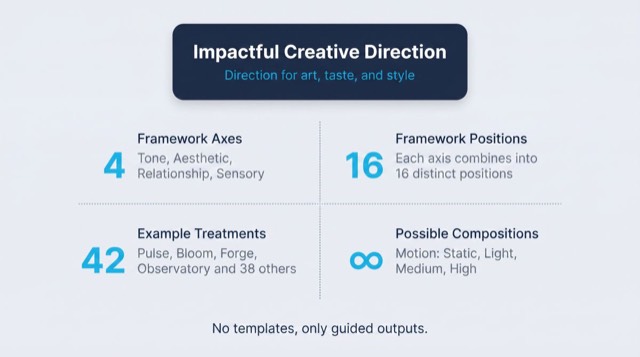
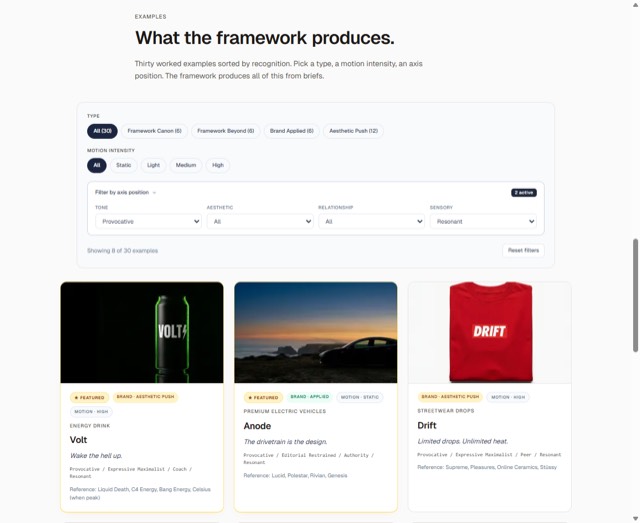
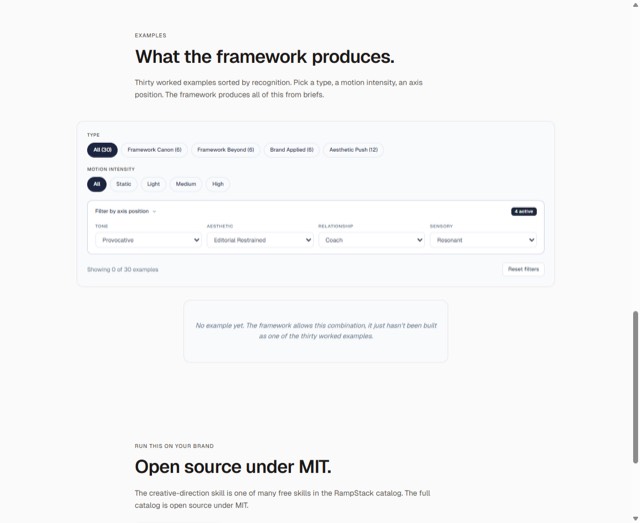
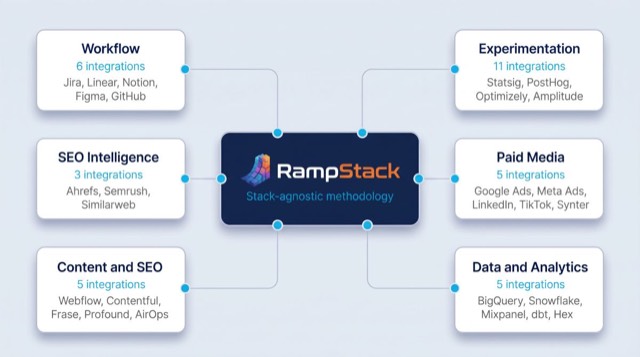
From the rampstackco/claude-skills README — shows the whole collection, not only this skill. · view on GitHub
How to use it
Claude Code
- Run the line below. It pulls the whole folder into
~/.claude/skills/seo-technical-2, including the files SKILL.md points to. - Describe your job in plain words. Claude Code follows the skill from there.
npx degit rampstackco/claude-skills/skills/seo-technical#main ~/.claude/skills/seo-technical-2For one project only, change the path to .claude/skills/seo-technical-2. This skill also uses robots.txt, llms.txt, seo-technical-audit.md — copying SKILL.md alone won't be enough. See the folder on GitHub.
Claude (web or desktop app)
- On this page open ⋯ → Download .md.
- Save it as SKILL.md in a folder, zip the folder, then Customize → Skills → + → Create skill → Upload a skill.
- Pick the file and Save. Claude shows the name and description and runs a security scan.
- Check the skill is switched on.
- Start a new chat and describe your job in plain words. The AI follows the skill from there.
ChatGPT or another app
- ChatGPT: make a Project and paste it into Instructions.
- Neither? Paste it at the top of a new chat — it works for that chat.
Not working?
- Check which app you pasted it into — the steps above name the right one.
- Some skills need the paid tier of Claude or ChatGPT.
Paste into Claude, ChatGPT or Cursor.
Source of Technical SEO
Show the full text161 lines
| name | description | category | catalog_summary | display_order |
|---|---|---|---|---|
| seo-technical | Run a comprehensive technical SEO audit covering crawlability, indexability, rendering, site architecture, structured data, page experience, security, and internationalization. Use this skill whenever the user asks about technical SEO, crawl issues, indexing problems, sitemaps, robots.txt, canonical tags, schema markup, page speed, Core Web Vitals, hreflang, redirects, or site-wide search performance. Triggers on technical SEO, site audit, crawlability, indexability, sitemap, robots.txt, canonical, redirect chain, schema, JSON-LD, Core Web Vitals, page speed, hreflang, mobile usability, HTTPS, security headers, render-blocking, JavaScript SEO. Also triggers when a site has indexing problems, traffic drops, or migration concerns, even if 'technical SEO' is not said explicitly. | seo-foundation | Crawlability, indexability, rendering, schema, page experience | 2 |
Technical SEO
Audit and fix the layer beneath the content: how search engines crawl, render, index, and trust a site. Stack-agnostic.
When to use
- Site-wide audit before or after a migration
- Investigating indexing or ranking drops
- Setting up SEO foundations on a new site
- Auditing Core Web Vitals or page experience signals
- Fixing crawl waste, redirect chains, or canonical issues
- Setting up multilingual or multi-regional sites
When NOT to use
- Single-page on-page optimization (use
seo-onpage) - Keyword strategy or content planning (use
seo-keyword) - Competitor backlink or SERP analysis (use
seo-competitor) - Pure performance optimization without SEO context (use
performance-optimization)
Required inputs
- The site URL or staging URL
- Access to (at minimum) view the rendered HTML, robots.txt, and sitemap
- Ideally: search console access, server logs, and a crawler
If the site is large (10K+ URLs), confirm whether the audit is a full crawl or a sample.
The framework: 6 layers
Technical SEO has six layers, stacked. A failure in a lower layer breaks everything above it.
1. Crawlability
Can search engines access the URLs?
- robots.txt does not block important paths
- No accidental
noindexon indexable pages - No accidental
disallowpatterns blocking CSS or JS (rendering breaks) - Sitemap is present, returns 200, and lists canonical URLs only
- Sitemap is referenced in robots.txt
- No infinite spaces (faceted nav generating endless URLs)
- Crawl budget is not wasted on low-value URLs
2. Indexability
Of crawlable URLs, which should be indexed?
- One canonical URL per piece of content (no duplicates)
- Canonical tags self-reference on canonical pages
noindexon staging, search results, filter pages, thank-you pages, internal admin- No mixed signals (canonical pointing one way, sitemap another, internal links a third)
- Pagination handled correctly (rel=next/prev is deprecated, but consistent canonicals matter)
- Parameter handling deliberate (UTM, session IDs, sort orders)
3. Rendering
Does the rendered HTML match what crawlers see?
- Critical content visible without JavaScript (or properly server-rendered)
- For SPAs: confirm Googlebot sees the rendered content (test with the URL Inspection tool)
- No cloaking (showing different content to bots vs users)
- Lazy-loaded content has proper loading attributes
- Hydration errors do not strip content from the rendered DOM
4. Site architecture
Is the site structured for both users and crawlers?
- Clear URL hierarchy that mirrors site structure
- Important pages reachable in 3 clicks or fewer from the homepage
- Internal linking distributes authority logically
- Breadcrumb navigation present and marked up with schema
- No orphan pages (pages with no internal links)
- No redirect chains (one redirect max)
- No 4xx errors on internally-linked URLs
5. Structured data and signals
Does the site speak crawler language?
- Schema.org markup on appropriate page types
- JSON-LD format (preferred over microdata)
- Validates in the Rich Results Test
- Organization or LocalBusiness schema on the homepage or about page
- BreadcrumbList schema on nested pages
- Author and publisher schema linked correctly on content pages
- llms.txt present at the root (for AI crawlers, see
seo-aeo-geo)
6. Page experience and security
Does the site meet the page experience baseline?
- HTTPS on all pages, no mixed content
- HSTS header set
- Core Web Vitals pass (LCP, INP, CLS within thresholds)
- Mobile-friendly (responsive, no horizontal scroll, tap targets sized correctly)
- No intrusive interstitials on mobile
- Stable URL structure (no random URL changes between deploys)
- 404 pages return 404, not 200 with "page not found" content (soft 404)
Workflow
- Define scope. Whole site, a subfolder, a migration check, or a specific issue.
- Confirm access. What can you actually see (HTML, robots, sitemap, search console, server logs, staging)?
- Crawl. Use a crawler to enumerate URLs and statuses. Sample if the site is huge.
- Run the 6-layer framework. Score each, note specific issues with example URLs.
- Cross-reference. Search console for what's actually indexed. Compare to sitemap and crawl output.
- Prioritize. Critical (blocks indexing or causes traffic loss), Important (suboptimal), Nice-to-have (polish).
- Write the report. Use the template in
references/audit-template.md.
Failure patterns
- Optimizing rankings on a page that is
noindex. Always check indexability before content work. - Adding sitemaps without fixing canonical issues. A sitemap of duplicate URLs is worse than no sitemap.
- Blocking crawlers from CSS or JS. Breaks Google's rendering. Common in over-aggressive robots.txt files.
- Over-relying on canonical tags. Canonicals are hints, not directives. Use redirects when content actually moved.
- Migrating without a redirect map. Single biggest cause of post-migration traffic loss.
- Treating Core Web Vitals as the only ranking signal. Page experience matters but does not override relevance.
Output format
Default output is a markdown audit at seo-technical-audit.md. Structure:
- Scope and methodology
- Executive summary (3 to 5 critical findings)
- 6-layer score
- Critical issues (with example URLs)
- Important issues
- Nice-to-have polish
- Implementation roadmap (sequenced)
For migrations, include a redirect map as a CSV alongside the report.
If required data is unavailable
This skill's output depends on data, measurements, or tool results it cannot generate on its own. When a required input, tool, or data source is unavailable or unverifiable, the sanctioned output is the deliverable with the gap stated: what was needed, what was actually obtained or verified, and which parts of the output are affected. Fabricating, estimating, or interpolating a required number to complete the deliverable is never sanctioned. A stated gap is a complete answer.
Reference files
references/audit-template.md- Fillable technical SEO audit template.references/migration-checklist.md- Pre and post-migration checklist (covers the highest-risk scenario).
| 1 | |
| 2 | name seo-technical |
| 3 | description "Run a comprehensive technical SEO audit covering crawlability, indexability, rendering, site architecture, structured data, page experience, security, and internationalization. Use this skill whenever the user asks about technical SEO, crawl issues, indexing problems, sitemaps, robots.txt, canonical tags, schema markup, page speed, Core Web Vitals, hreflang, redirects, or site-wide search performance. Triggers on technical SEO, site audit, crawlability, indexability, sitemap, robots.txt, canonical, redirect chain, schema, JSON-LD, Core Web Vitals, page speed, hreflang, mobile usability, HTTPS, security headers, render-blocking, JavaScript SEO. Also triggers when a site has indexing problems, traffic drops, or migration concerns, even if 'technical SEO' is not said explicitly." |
| 4 | category seo-foundation |
| 5 | catalog_summary "Crawlability, indexability, rendering, schema, page experience" |
| 6 | display_order 2 |
| 7 | |
| 8 | |
| 9 | # Technical SEO |
| 10 | |
| 11 | Audit and fix the layer beneath the content: how search engines crawl, render, index, and trust a site. Stack-agnostic. |
| 12 | |
| 13 | |
| 14 | |
| 15 | ## When to use |
| 16 | |
| 17 | Site-wide audit before or after a migration |
| 18 | Investigating indexing or ranking drops |
| 19 | Setting up SEO foundations on a new site |
| 20 | Auditing Core Web Vitals or page experience signals |
| 21 | Fixing crawl waste, redirect chains, or canonical issues |
| 22 | Setting up multilingual or multi-regional sites |
| 23 | |
| 24 | ## When NOT to use |
| 25 | |
| 26 | Single-page on-page optimization (use `seo-onpage`) |
| 27 | Keyword strategy or content planning (use `seo-keyword`) |
| 28 | Competitor backlink or SERP analysis (use `seo-competitor`) |
| 29 | Pure performance optimization without SEO context (use `performance-optimization`) |
| 30 | |
| 31 | |
| 32 | |
| 33 | ## Required inputs |
| 34 | |
| 35 | The site URL or staging URL |
| 36 | Access to (at minimum) view the rendered HTML, robots.txt, and sitemap |
| 37 | Ideally: search console access, server logs, and a crawler |
| 38 | |
| 39 | If the site is large (10K+ URLs), confirm whether the audit is a full crawl or a sample. |
| 40 | |
| 41 | |
| 42 | |
| 43 | ## The framework: 6 layers |
| 44 | |
| 45 | Technical SEO has six layers, stacked. A failure in a lower layer breaks everything above it. |
| 46 | |
| 47 | ### 1. Crawlability |
| 48 | Can search engines access the URLs? |
| 49 | |
| 50 | robots.txt does not block important paths |
| 51 | No accidental `noindex` on indexable pages |
| 52 | No accidental `disallow` patterns blocking CSS or JS (rendering breaks) |
| 53 | Sitemap is present, returns 200, and lists canonical URLs only |
| 54 | Sitemap is referenced in robots.txt |
| 55 | No infinite spaces (faceted nav generating endless URLs) |
| 56 | Crawl budget is not wasted on low-value URLs |
| 57 | |
| 58 | ### 2. Indexability |
| 59 | Of crawlable URLs, which should be indexed? |
| 60 | |
| 61 | One canonical URL per piece of content (no duplicates) |
| 62 | Canonical tags self-reference on canonical pages |
| 63 | `noindex` on staging, search results, filter pages, thank-you pages, internal admin |
| 64 | No mixed signals (canonical pointing one way, sitemap another, internal links a third) |
| 65 | Pagination handled correctly (rel=next/prev is deprecated, but consistent canonicals matter) |
| 66 | Parameter handling deliberate (UTM, session IDs, sort orders) |
| 67 | |
| 68 | ### 3. Rendering |
| 69 | Does the rendered HTML match what crawlers see? |
| 70 | |
| 71 | Critical content visible without JavaScript (or properly server-rendered) |
| 72 | For SPAs: confirm Googlebot sees the rendered content (test with the URL Inspection tool) |
| 73 | No cloaking (showing different content to bots vs users) |
| 74 | Lazy-loaded content has proper loading attributes |
| 75 | Hydration errors do not strip content from the rendered DOM |
| 76 | |
| 77 | ### 4. Site architecture |
| 78 | Is the site structured for both users and crawlers? |
| 79 | |
| 80 | Clear URL hierarchy that mirrors site structure |
| 81 | Important pages reachable in 3 clicks or fewer from the homepage |
| 82 | Internal linking distributes authority logically |
| 83 | Breadcrumb navigation present and marked up with schema |
| 84 | No orphan pages (pages with no internal links) |
| 85 | No redirect chains (one redirect max) |
| 86 | No 4xx errors on internally-linked URLs |
| 87 | |
| 88 | ### 5. Structured data and signals |
| 89 | Does the site speak crawler language? |
| 90 | |
| 91 | Schema.org markup on appropriate page types |
| 92 | JSON-LD format (preferred over microdata) |
| 93 | Validates in the Rich Results Test |
| 94 | Organization or LocalBusiness schema on the homepage or about page |
| 95 | BreadcrumbList schema on nested pages |
| 96 | Author and publisher schema linked correctly on content pages |
| 97 | llms.txt present at the root (for AI crawlers, see `seo-aeo-geo`) |
| 98 | |
| 99 | ### 6. Page experience and security |
| 100 | Does the site meet the page experience baseline? |
| 101 | |
| 102 | HTTPS on all pages, no mixed content |
| 103 | HSTS header set |
| 104 | Core Web Vitals pass (LCP, INP, CLS within thresholds) |
| 105 | Mobile-friendly (responsive, no horizontal scroll, tap targets sized correctly) |
| 106 | No intrusive interstitials on mobile |
| 107 | Stable URL structure (no random URL changes between deploys) |
| 108 | 404 pages return 404, not 200 with "page not found" content (soft 404) |
| 109 | |
| 110 | |
| 111 | |
| 112 | ## Workflow |
| 113 | |
| 114 | **Define scope.** Whole site, a subfolder, a migration check, or a specific issue. |
| 115 | **Confirm access.** What can you actually see (HTML, robots, sitemap, search console, server logs, staging)? |
| 116 | **Crawl.** Use a crawler to enumerate URLs and statuses. Sample if the site is huge. |
| 117 | **Run the 6-layer framework.** Score each, note specific issues with example URLs. |
| 118 | **Cross-reference.** Search console for what's actually indexed. Compare to sitemap and crawl output. |
| 119 | **Prioritize.** Critical (blocks indexing or causes traffic loss), Important (suboptimal), Nice-to-have (polish). |
| 120 | **Write the report.** Use the template in [`references/audit-template.md`]. |
| 121 | |
| 122 | |
| 123 | |
| 124 | ## Failure patterns |
| 125 | |
| 126 | **Optimizing rankings on a page that is `noindex`.** Always check indexability before content work. |
| 127 | **Adding sitemaps without fixing canonical issues.** A sitemap of duplicate URLs is worse than no sitemap. |
| 128 | **Blocking crawlers from CSS or JS.** Breaks Google's rendering. Common in over-aggressive robots.txt files. |
| 129 | **Over-relying on canonical tags.** Canonicals are hints, not directives. Use redirects when content actually moved. |
| 130 | **Migrating without a redirect map.** Single biggest cause of post-migration traffic loss. |
| 131 | **Treating Core Web Vitals as the only ranking signal.** Page experience matters but does not override relevance. |
| 132 | |
| 133 | |
| 134 | |
| 135 | ## Output format |
| 136 | |
| 137 | Default output is a markdown audit at `seo-technical-audit.md`. Structure: |
| 138 | |
| 139 | Scope and methodology |
| 140 | Executive summary (3 to 5 critical findings) |
| 141 | 6-layer score |
| 142 | Critical issues (with example URLs) |
| 143 | Important issues |
| 144 | Nice-to-have polish |
| 145 | Implementation roadmap (sequenced) |
| 146 | |
| 147 | For migrations, include a redirect map as a CSV alongside the report. |
| 148 | |
| 149 | |
| 150 | |
| 151 | ## If required data is unavailable |
| 152 | |
| 153 | This skill's output depends on data, measurements, or tool results it cannot generate on its own. When a required input, tool, or data source is unavailable or unverifiable, the sanctioned output is the deliverable with the gap stated: what was needed, what was actually obtained or verified, and which parts of the output are affected. Fabricating, estimating, or interpolating a required number to complete the deliverable is never sanctioned. A stated gap is a complete answer. |
| 154 | |
| 155 | |
| 156 | |
| 157 | ## Reference files |
| 158 | |
| 159 | [`references/audit-template.md`] - Fillable technical SEO audit template. |
| 160 | [`references/migration-checklist.md`] - Pre and post-migration checklist (covers the highest-risk scenario). |
| 161 |
Discussion
Browse more free Claude skills or everything in Marketing.