SEO site health audit
Triage technical SEO findings from Ahrefs Site Audit (and similar crawlers) by SEO impact, not just severity.
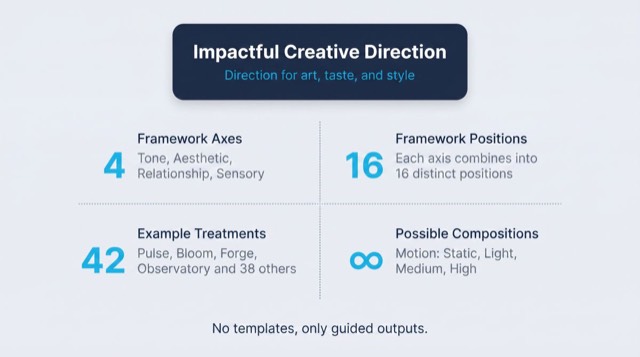
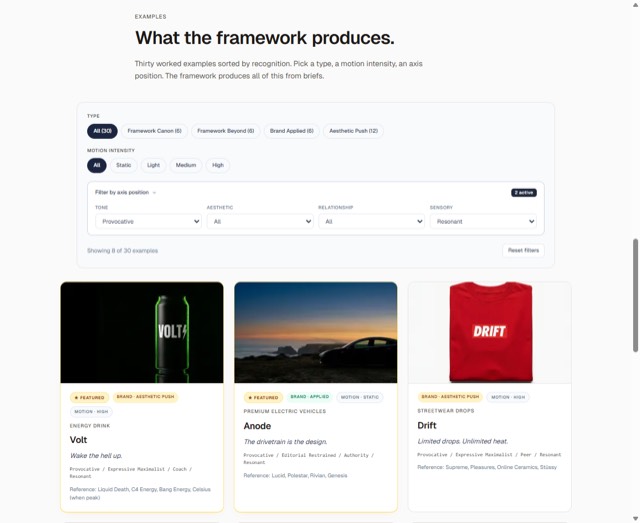
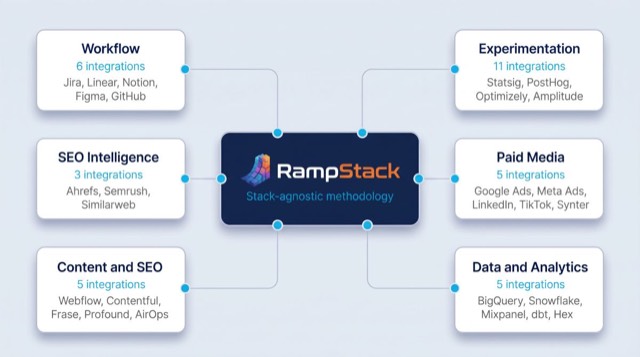
From the rampstackco/claude-skills README — shows the whole collection, not only this skill. · view on GitHub
How to use it
Claude Code
- Run the line below. It pulls the whole folder into
~/.claude/skills/seo-site-health-audit, including the files SKILL.md points to. - Describe your job in plain words. Claude Code follows the skill from there.
npx degit rampstackco/claude-skills/skills/seo-site-health-audit#main ~/.claude/skills/seo-site-health-auditFor one project only, change the path to .claude/skills/seo-site-health-audit. This skill also uses Robots.txt, robots.txt — copying SKILL.md alone won't be enough. See the folder on GitHub.
Claude (web or desktop app)
- On this page open ⋯ → Download .md.
- Save it as SKILL.md in a folder, zip the folder, then Customize → Skills → + → Create skill → Upload a skill.
- Pick the file and Save. Claude shows the name and description and runs a security scan.
- Check the skill is switched on.
- Start a new chat and describe your job in plain words. The AI follows the skill from there.
ChatGPT or another app
- ChatGPT: make a Project and paste it into Instructions.
- Neither? Paste it at the top of a new chat — it works for that chat.
Not working?
- Check which app you pasted it into — the steps above name the right one.
- Some skills need the paid tier of Claude or ChatGPT.
Paste into Claude, ChatGPT or Cursor.
Source of SEO site health audit
Show the full text184 lines
| name | description | category | catalog_summary | display_order |
|---|---|---|---|---|
| seo-site-health-audit | Triage technical SEO findings from Ahrefs Site Audit (and similar crawlers) by SEO impact, not just severity. Use this skill when reviewing crawl results, prioritizing technical fixes, scoping a technical SEO sprint, or after running any site-wide crawl. Triggers on site audit results, technical fix list, crawl errors, technical SEO triage, prioritize technical issues, what should we fix first, broken links, redirect chains. Also triggers when a long list of crawler issues is creating decision paralysis. | seo-audit-suite | Triage Ahrefs Site Audit findings by SEO impact, not severity | 6 |
SEO Site Health Audit
Triage technical SEO findings from Ahrefs Site Audit (or any equivalent crawler) by impact on rankings and traffic, not by raw issue count or severity label. Stack-agnostic. Produces a prioritized backlog of fixes mapped to business impact.
When to use
- After running an Ahrefs Site Audit or other site-wide crawl
- Reviewing a long list of technical issues and needing to prioritize
- Scoping a technical SEO sprint
- Pre-launch or post-migration technical verification
- Quarterly technical health check
- When developer time is limited and you must pick the highest-leverage fixes
When NOT to use
- Running the crawl itself (use the crawler tool directly)
- Diagnosing specific traffic drops (use
seo-traffic-diagnosis) - Single-page audits (use
seo-onpage) - Pure technical strategy or schema design (use
seo-technical)
Required inputs
- Crawl results from Ahrefs Site Audit (or equivalent)
- Search Console coverage and Core Web Vitals data
- Property's organic traffic profile (which pages drive traffic)
- Stakeholder time and developer capacity available
- Confirmation Ahrefs MCP is connected, only when the crawl is being pulled through Ahrefs. A supplied export from any equivalent crawler satisfies the first input on its own.
The framework: triage by SEO impact, not severity
Crawlers label issues "critical", "warning", "notice". These labels are useful but not sufficient. Two issues both labeled "critical" can have wildly different actual impact on the property.
Triage on three axes.
Axis 1: Page-level traffic impact
Does the issue affect a page that drives meaningful organic traffic, or one that does not?
A "critical" issue on a tag archive with zero traffic is lower priority than a "warning" on a top-10-traffic landing page.
Tier the affected URLs:
- Tier 1: Top 10% of pages by organic traffic
- Tier 2: Pages that rank but do not yet drive significant traffic (page 2-3 results)
- Tier 3: Pages that exist but do not rank meaningfully
A fix on Tier 1 is worth 10x a fix on Tier 3 in most cases.
Axis 2: Mechanism of impact
Does the issue actually move rankings or traffic? Some "critical" issues are aesthetic or theoretical.
Grade every issue HIGH, MEDIUM, or LOW. references/issue-impact-table.md owns the grade for each issue type and the definition of each grade. Look the issue up there instead of judging it fresh, and use the grade it gives.
The issue families the reference covers, in lookup order: indexability, crawlability, renderability, Core Web Vitals, structured data, internal link integrity, hreflang, on-page elements, images, security and trust. It also carries a park-or-skip list for the findings that rarely deserve dedicated work.
Grades vary inside a family. Indexability rows are mostly HIGH; internal link integrity runs MEDIUM down to LOW row by row. Grade by row, never by family.
Fix HIGH-grade issues on Tier 1 URLs first.
Axis 3: Effort
Some issues are 5-minute fixes. Some are multi-sprint projects.
- S (small): Configuration change, single template edit, sitemap regeneration
- M (medium): Theme or component change, redirect map work, template-level fixes
- L (large): Architecture change, re-platform, framework migration, schema overhaul
The triage matrix
Combine the three axes into a priority score.
Mechanism here is the HIGH / MEDIUM / LOW grade the issue-impact table gives the issue. All three grades have rows: the reference grades a large share of its issue types MEDIUM, and a MEDIUM issue on a Tier 1 page still needs a band.
| Tier | Mechanism | Effort | Priority |
|---|---|---|---|
| Tier 1 | HIGH | S | P0 (do this week) |
| Tier 1 | HIGH | M | P1 (do this sprint) |
| Tier 1 | HIGH | L | P2 (plan as project) |
| Tier 1 | MEDIUM | S | P1 |
| Tier 1 | MEDIUM | M | P2 |
| Tier 1 | MEDIUM | L | P3 |
| Tier 1 | LOW | S | P3 (batch when convenient) |
| Tier 1 | LOW | M-L | Park unless evidence emerges |
| Tier 2 | HIGH | S | P1 |
| Tier 2 | HIGH | M-L | P2 |
| Tier 2 | MEDIUM | S | P2 |
| Tier 2 | MEDIUM | M-L | P3 |
| Tier 3 | HIGH | S | P3 |
| Tier 3 | Anything else | Anything | Park |
The MEDIUM rows follow one rule: a MEDIUM issue sits one band below the HIGH issue at the same tier and effort. Rows the reference grades LOW-MEDIUM take the MEDIUM row when the URL is Tier 1 and the LOW row otherwise.
P0-P1 work earns the team's attention. P2 goes on the roadmap. P3 batches into routine maintenance. Park is honest about deprioritization.
Workflow
- Pull the crawl results. Ahrefs Site Audit + Search Console + Core Web Vitals.
- Tier the URLs. Use organic traffic data. Tag every affected URL as Tier 1, 2, or 3.
- Categorize each issue by mechanism. Look up the HIGH, MEDIUM, or LOW grade in
references/issue-impact-table.md. - Estimate effort per fix type. Group similar fixes into one effort estimate.
- Apply the triage matrix. Assign P0-P3 or Park.
- Cluster the fixes. Group fixes that share an effort: one template change can resolve hundreds of issues.
- Build the backlog. P0 first, P1 next, etc. Add fix descriptions, owners, expected impact.
- Add measurement. What metric will confirm the fix worked? Define before shipping.
- Hand off. Output feeds the development backlog and
seo-audit-orchestration. - Re-crawl after fixes. Confirm resolution. Update the backlog.
High-leverage clusters worth looking for
These patterns commonly produce outsized impact when fixed:
- Wholesale redirect chain cleanup. One sitemap update plus internal link updates can resolve thousands of "redirect chain" issues at once.
- Accidental noindex on a template. A single line of code change can re-index hundreds or thousands of pages.
- Sitemap freshness pipeline. A broken sitemap regeneration job affects every issue that depends on Search Console seeing the right URLs.
- Canonical inconsistencies on faceted navigation. A template-level canonical fix can resolve duplicate content issues across an entire ecommerce category tree.
- Robots.txt restored. A reverted production robots.txt can recover a sitewide drop in days.
- Hreflang block fix. One template change resolves hreflang issues across the whole multilingual site.
- Image optimization at the asset pipeline. Fixing the build process resolves thousands of individual asset issues.
When you spot one of these, prioritize even if individual issues look small. The cluster impact is large.
Failure patterns
- Severity worship. Treating every "critical" label as truly critical. Many are not. Triage by mechanism and traffic impact.
- Counting issues. Reporting "we fixed 1,200 issues" without showing traffic or ranking impact wastes engineering credibility.
- Skipping the tiering. Fixing 100 Tier-3 issues before 5 Tier-1 issues is busy work.
- Single-issue fixes. Most issues come in clusters. Fixing one redirect chain when 800 share the same root cause is the wrong unit of work.
- No re-crawl. "Fixed" without verification leaves doubt. Always re-crawl after major fixes.
- Ignoring Search Console. Ahrefs sees what its crawler finds. Search Console reflects what Google actually sees and indexes. Use both.
- Treating Core Web Vitals like a checklist. CWV is field data, not lab data. Optimize for real-user experience, not synthetic scores.
- Fixing low-mechanism issues for show. A clean technical report with no traffic gain helps no one.
- Not measuring. Define the metric that proves the fix worked before fixing.
Output format
A site health triage document with:
- Summary. Total issues, top 3 fix clusters, expected impact, or state the gap per the data-availability rule.
- URL tiering. How URLs were classified and counts per tier.
- Issue categorization. Counts by mechanism category, by tier, by priority band.
- Prioritized backlog. P0-P3 ordered. Each item has: issue, affected URLs, fix description, effort, expected impact, owner.
- Fix clusters. Groups of issues that share a fix. Highest leverage at the top.
- Measurement plan. Per fix or cluster, what proves it worked.
- Methodology. Crawler used, date, scope, caveats.
Length: 5-12 pages plus a backlog spreadsheet.
If required data is unavailable
This skill's output depends on data, measurements, or tool results it cannot generate on its own. When a required input, tool, or data source is unavailable or unverifiable, the sanctioned output is the deliverable with the gap stated: what was needed, what was actually obtained or verified, and which parts of the output are affected. Fabricating, estimating, or interpolating a required number to complete the deliverable is never sanctioned. A stated gap is a complete answer.
Reference files
references/issue-impact-table.md- Mapping table of common crawler issues to mechanism grade and typical fix effort, plus cluster signals and the park-or-skip list. This file is the source of truth for every issue grade; the triage matrix above turns a grade plus a tier plus an effort into a priority band.
| 1 | |
| 2 | name seo-site-health-audit |
| 3 | description "Triage technical SEO findings from Ahrefs Site Audit (and similar crawlers) by SEO impact, not just severity. Use this skill when reviewing crawl results, prioritizing technical fixes, scoping a technical SEO sprint, or after running any site-wide crawl. Triggers on site audit results, technical fix list, crawl errors, technical SEO triage, prioritize technical issues, what should we fix first, broken links, redirect chains. Also triggers when a long list of crawler issues is creating decision paralysis." |
| 4 | category seo-audit-suite |
| 5 | catalog_summary "Triage Ahrefs Site Audit findings by SEO impact, not severity" |
| 6 | display_order 6 |
| 7 | |
| 8 | |
| 9 | # SEO Site Health Audit |
| 10 | |
| 11 | Triage technical SEO findings from Ahrefs Site Audit (or any equivalent crawler) by impact on rankings and traffic, not by raw issue count or severity label. Stack-agnostic. Produces a prioritized backlog of fixes mapped to business impact. |
| 12 | |
| 13 | |
| 14 | |
| 15 | ## When to use |
| 16 | |
| 17 | After running an Ahrefs Site Audit or other site-wide crawl |
| 18 | Reviewing a long list of technical issues and needing to prioritize |
| 19 | Scoping a technical SEO sprint |
| 20 | Pre-launch or post-migration technical verification |
| 21 | Quarterly technical health check |
| 22 | When developer time is limited and you must pick the highest-leverage fixes |
| 23 | |
| 24 | ## When NOT to use |
| 25 | |
| 26 | Running the crawl itself (use the crawler tool directly) |
| 27 | Diagnosing specific traffic drops (use `seo-traffic-diagnosis`) |
| 28 | Single-page audits (use `seo-onpage`) |
| 29 | Pure technical strategy or schema design (use `seo-technical`) |
| 30 | |
| 31 | |
| 32 | |
| 33 | ## Required inputs |
| 34 | |
| 35 | Crawl results from Ahrefs Site Audit (or equivalent) |
| 36 | Search Console coverage and Core Web Vitals data |
| 37 | Property's organic traffic profile (which pages drive traffic) |
| 38 | Stakeholder time and developer capacity available |
| 39 | Confirmation Ahrefs MCP is connected, only when the crawl is being pulled through Ahrefs. A supplied export from any equivalent crawler satisfies the first input on its own. |
| 40 | |
| 41 | |
| 42 | |
| 43 | ## The framework: triage by SEO impact, not severity |
| 44 | |
| 45 | Crawlers label issues "critical", "warning", "notice". These labels are useful but not sufficient. Two issues both labeled "critical" can have wildly different actual impact on the property. |
| 46 | |
| 47 | Triage on three axes. |
| 48 | |
| 49 | ### Axis 1: Page-level traffic impact |
| 50 | |
| 51 | Does the issue affect a page that drives meaningful organic traffic, or one that does not? |
| 52 | |
| 53 | A "critical" issue on a tag archive with zero traffic is lower priority than a "warning" on a top-10-traffic landing page. |
| 54 | |
| 55 | Tier the affected URLs: |
| 56 | |
| 57 | **Tier 1:** Top 10% of pages by organic traffic |
| 58 | **Tier 2:** Pages that rank but do not yet drive significant traffic (page 2-3 results) |
| 59 | **Tier 3:** Pages that exist but do not rank meaningfully |
| 60 | |
| 61 | A fix on Tier 1 is worth 10x a fix on Tier 3 in most cases. |
| 62 | |
| 63 | ### Axis 2: Mechanism of impact |
| 64 | |
| 65 | Does the issue actually move rankings or traffic? Some "critical" issues are aesthetic or theoretical. |
| 66 | |
| 67 | Grade every issue HIGH, MEDIUM, or LOW. [`references/issue-impact-table.md`] owns the grade for each issue type and the definition of each grade. Look the issue up there instead of judging it fresh, and use the grade it gives. |
| 68 | |
| 69 | The issue families the reference covers, in lookup order: indexability, crawlability, renderability, Core Web Vitals, structured data, internal link integrity, hreflang, on-page elements, images, security and trust. It also carries a park-or-skip list for the findings that rarely deserve dedicated work. |
| 70 | |
| 71 | Grades vary inside a family. Indexability rows are mostly HIGH; internal link integrity runs MEDIUM down to LOW row by row. Grade by row, never by family. |
| 72 | |
| 73 | Fix HIGH-grade issues on Tier 1 URLs first. |
| 74 | |
| 75 | ### Axis 3: Effort |
| 76 | |
| 77 | Some issues are 5-minute fixes. Some are multi-sprint projects. |
| 78 | |
| 79 | **S (small):** Configuration change, single template edit, sitemap regeneration |
| 80 | **M (medium):** Theme or component change, redirect map work, template-level fixes |
| 81 | **L (large):** Architecture change, re-platform, framework migration, schema overhaul |
| 82 | |
| 83 | |
| 84 | |
| 85 | ## The triage matrix |
| 86 | |
| 87 | Combine the three axes into a priority score. |
| 88 | |
| 89 | Mechanism here is the HIGH / MEDIUM / LOW grade the issue-impact table gives the issue. All three grades have rows: the reference grades a large share of its issue types MEDIUM, and a MEDIUM issue on a Tier 1 page still needs a band. |
| 90 | |
| 91 | | Tier | Mechanism | Effort | Priority | |
| 92 | | --- | --- | --- | --- | |
| 93 | | Tier 1 | HIGH | S | P0 (do this week) | |
| 94 | | Tier 1 | HIGH | M | P1 (do this sprint) | |
| 95 | | Tier 1 | HIGH | L | P2 (plan as project) | |
| 96 | | Tier 1 | MEDIUM | S | P1 | |
| 97 | | Tier 1 | MEDIUM | M | P2 | |
| 98 | | Tier 1 | MEDIUM | L | P3 | |
| 99 | | Tier 1 | LOW | S | P3 (batch when convenient) | |
| 100 | | Tier 1 | LOW | M-L | Park unless evidence emerges | |
| 101 | | Tier 2 | HIGH | S | P1 | |
| 102 | | Tier 2 | HIGH | M-L | P2 | |
| 103 | | Tier 2 | MEDIUM | S | P2 | |
| 104 | | Tier 2 | MEDIUM | M-L | P3 | |
| 105 | | Tier 3 | HIGH | S | P3 | |
| 106 | | Tier 3 | Anything else | Anything | Park | |
| 107 | |
| 108 | The MEDIUM rows follow one rule: a MEDIUM issue sits one band below the HIGH issue at the same tier and effort. Rows the reference grades LOW-MEDIUM take the MEDIUM row when the URL is Tier 1 and the LOW row otherwise. |
| 109 | |
| 110 | P0-P1 work earns the team's attention. P2 goes on the roadmap. P3 batches into routine maintenance. Park is honest about deprioritization. |
| 111 | |
| 112 | |
| 113 | |
| 114 | ## Workflow |
| 115 | |
| 116 | **Pull the crawl results.** Ahrefs Site Audit + Search Console + Core Web Vitals. |
| 117 | **Tier the URLs.** Use organic traffic data. Tag every affected URL as Tier 1, 2, or 3. |
| 118 | **Categorize each issue by mechanism.** Look up the HIGH, MEDIUM, or LOW grade in `references/issue-impact-table.md`. |
| 119 | **Estimate effort per fix type.** Group similar fixes into one effort estimate. |
| 120 | **Apply the triage matrix.** Assign P0-P3 or Park. |
| 121 | **Cluster the fixes.** Group fixes that share an effort: one template change can resolve hundreds of issues. |
| 122 | **Build the backlog.** P0 first, P1 next, etc. Add fix descriptions, owners, expected impact. |
| 123 | **Add measurement.** What metric will confirm the fix worked? Define before shipping. |
| 124 | **Hand off.** Output feeds the development backlog and `seo-audit-orchestration`. |
| 125 | **Re-crawl after fixes.** Confirm resolution. Update the backlog. |
| 126 | |
| 127 | |
| 128 | |
| 129 | ## High-leverage clusters worth looking for |
| 130 | |
| 131 | These patterns commonly produce outsized impact when fixed: |
| 132 | |
| 133 | **Wholesale redirect chain cleanup.** One sitemap update plus internal link updates can resolve thousands of "redirect chain" issues at once. |
| 134 | **Accidental noindex on a template.** A single line of code change can re-index hundreds or thousands of pages. |
| 135 | **Sitemap freshness pipeline.** A broken sitemap regeneration job affects every issue that depends on Search Console seeing the right URLs. |
| 136 | **Canonical inconsistencies on faceted navigation.** A template-level canonical fix can resolve duplicate content issues across an entire ecommerce category tree. |
| 137 | **Robots.txt restored.** A reverted production robots.txt can recover a sitewide drop in days. |
| 138 | **Hreflang block fix.** One template change resolves hreflang issues across the whole multilingual site. |
| 139 | **Image optimization at the asset pipeline.** Fixing the build process resolves thousands of individual asset issues. |
| 140 | |
| 141 | When you spot one of these, prioritize even if individual issues look small. The cluster impact is large. |
| 142 | |
| 143 | |
| 144 | |
| 145 | ## Failure patterns |
| 146 | |
| 147 | **Severity worship.** Treating every "critical" label as truly critical. Many are not. Triage by mechanism and traffic impact. |
| 148 | **Counting issues.** Reporting "we fixed 1,200 issues" without showing traffic or ranking impact wastes engineering credibility. |
| 149 | **Skipping the tiering.** Fixing 100 Tier-3 issues before 5 Tier-1 issues is busy work. |
| 150 | **Single-issue fixes.** Most issues come in clusters. Fixing one redirect chain when 800 share the same root cause is the wrong unit of work. |
| 151 | **No re-crawl.** "Fixed" without verification leaves doubt. Always re-crawl after major fixes. |
| 152 | **Ignoring Search Console.** Ahrefs sees what its crawler finds. Search Console reflects what Google actually sees and indexes. Use both. |
| 153 | **Treating Core Web Vitals like a checklist.** CWV is field data, not lab data. Optimize for real-user experience, not synthetic scores. |
| 154 | **Fixing low-mechanism issues for show.** A clean technical report with no traffic gain helps no one. |
| 155 | **Not measuring.** Define the metric that proves the fix worked before fixing. |
| 156 | |
| 157 | |
| 158 | |
| 159 | ## Output format |
| 160 | |
| 161 | A site health triage document with: |
| 162 | |
| 163 | **Summary.** Total issues, top 3 fix clusters, expected impact, or state the gap per the data-availability rule. |
| 164 | **URL tiering.** How URLs were classified and counts per tier. |
| 165 | **Issue categorization.** Counts by mechanism category, by tier, by priority band. |
| 166 | **Prioritized backlog.** P0-P3 ordered. Each item has: issue, affected URLs, fix description, effort, expected impact, owner. |
| 167 | **Fix clusters.** Groups of issues that share a fix. Highest leverage at the top. |
| 168 | **Measurement plan.** Per fix or cluster, what proves it worked. |
| 169 | **Methodology.** Crawler used, date, scope, caveats. |
| 170 | |
| 171 | Length: 5-12 pages plus a backlog spreadsheet. |
| 172 | |
| 173 | |
| 174 | |
| 175 | ## If required data is unavailable |
| 176 | |
| 177 | This skill's output depends on data, measurements, or tool results it cannot generate on its own. When a required input, tool, or data source is unavailable or unverifiable, the sanctioned output is the deliverable with the gap stated: what was needed, what was actually obtained or verified, and which parts of the output are affected. Fabricating, estimating, or interpolating a required number to complete the deliverable is never sanctioned. A stated gap is a complete answer. |
| 178 | |
| 179 | |
| 180 | |
| 181 | ## Reference files |
| 182 | |
| 183 | [`references/issue-impact-table.md`] - Mapping table of common crawler issues to mechanism grade and typical fix effort, plus cluster signals and the park-or-skip list. This file is the source of truth for every issue grade; the triage matrix above turns a grade plus a tier plus an effort into a priority band. |
| 184 |
Discussion
Browse more free Claude skills or everything in Marketing.