On-Page SEO
Run a comprehensive on-page SEO audit or optimization pass covering title tags, meta descriptions, header structure, content quality, internal links, image optimization, URL hygiene, and on-page schema.
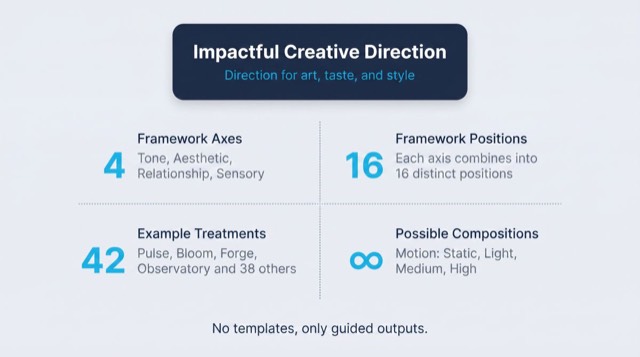
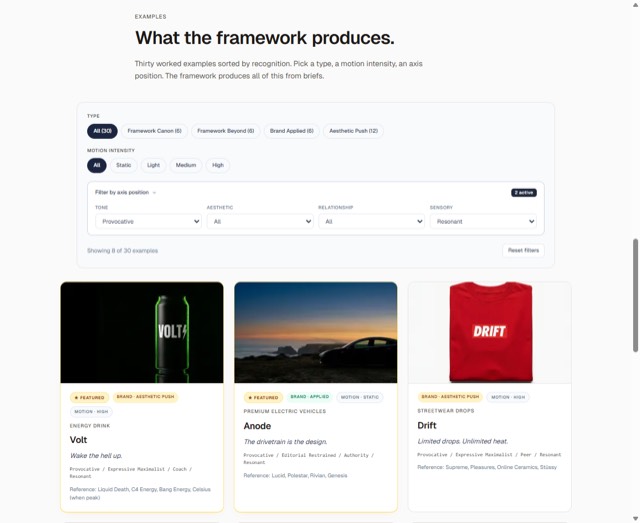
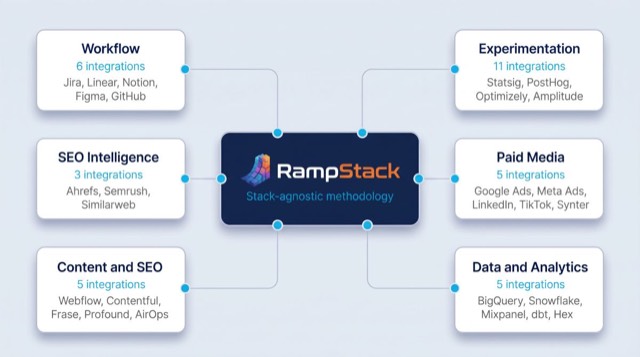
From the rampstackco/claude-skills README — shows the whole collection, not only this skill. · view on GitHub
How to use it
Claude Code
- Run the line below. It pulls the whole folder into
~/.claude/skills/seo-onpage. - Describe your job in plain words. Claude Code follows the skill from there.
npx degit rampstackco/claude-skills/skills/seo-onpage#main ~/.claude/skills/seo-onpageFor one project only, change the path to .claude/skills/seo-onpage.
Claude (web or desktop app)
- On this page open ⋯ → Download .md.
- Save it as SKILL.md in a folder, zip the folder, then Customize → Skills → + → Create skill → Upload a skill.
- Pick the file and Save. Claude shows the name and description and runs a security scan.
- Check the skill is switched on.
- Start a new chat and describe your job in plain words. The AI follows the skill from there.
ChatGPT or another app
- ChatGPT: make a Project and paste it into Instructions.
- Neither? Paste it at the top of a new chat — it works for that chat.
Not working?
- Check which app you pasted it into — the steps above name the right one.
- Some skills need the paid tier of Claude or ChatGPT.
Paste into Claude, ChatGPT or Cursor.
Source of On-Page SEO
Show the full text151 lines
| name | description | category | catalog_summary | display_order |
|---|---|---|---|---|
| seo-onpage | Run a comprehensive on-page SEO audit or optimization pass covering title tags, meta descriptions, header structure, content quality, internal links, image optimization, URL hygiene, and on-page schema. Use this skill whenever the user asks to optimize a page, audit on-page SEO, fix titles or meta tags, review header structure, check internal linking, improve a single URL's search performance, or write SEO-friendly copy. Triggers on on-page SEO, page audit, title tag, meta description, H1, header structure, internal links, image alt, URL slug, page optimization, optimize this page, SEO this page. Also triggers for any single-page review where ranking, click-through, or relevance signal quality is the goal, even if the user does not say 'SEO' explicitly. | seo-foundation | Single-page audits and optimization across 8 dimensions | 1 |
On-Page SEO
Optimize a single page for search relevance, click-through, and crawler comprehension. Stack-agnostic. Works on any CMS, framework, or static site.
When to use
- Auditing or optimizing a single page (homepage, product page, article, landing page)
- Writing or reviewing title tags and meta descriptions
- Fixing header structure or content hierarchy
- Reviewing internal links from or to a page
- Improving a page's CTR from search results
When NOT to use
- Site-wide crawl, indexing, or speed issues (use
seo-technical) - Keyword research or intent mapping (use
seo-keyword) - Competitor SERP analysis (use
seo-competitor) - Auditing many pages at once for prune/merge decisions (use
seo-content-audit)
Required inputs
- The page URL or the draft content if pre-launch
- The primary target query (one phrase the page should rank for)
- The page's role in the site (commercial, informational, navigational)
If the target query is unknown, run seo-keyword first or ask the user to name one.
The framework: 8 dimensions
A complete on-page audit covers eight dimensions. Score each as Pass, Needs work, or Fail. Note the specific fix.
1. Title tag
- One unique title per URL across the site
- Roughly 50 to 60 characters (longer gets truncated in SERPs)
- Primary query near the front
- Brand at the end if it earns inclusion
- Distinct from the H1 (often very similar, but should not be identical word-for-word)
2. Meta description
- One unique description per URL
- Roughly 150 to 160 characters
- Restates the value proposition, not the title
- Includes a soft CTA where natural
- Treats the description as ad copy that earns the click
3. Header structure
- Exactly one H1 per page
- H1 contains or paraphrases the primary query
- H2 sections cover the major sub-topics
- H3+ used only when an H2 has genuine sub-points
- No skipped levels (no H2 followed by H4)
- Headers describe sections accurately enough that a reader could navigate by them alone
4. Body content
- Opens with the primary user intent answered in the first paragraph
- Covers the topic comprehensively (define your competition's depth, then match or exceed it)
- Includes related entities and supporting concepts naturally
- Avoids keyword stuffing (write for the reader, not the bot)
- Reading level matches the audience (run a readability check)
- Paragraphs short enough to scan on mobile (3 to 5 lines)
5. Internal links
- At least 2 to 3 outbound internal links to closely related pages
- At least 2 to 3 inbound internal links from related pages
- Anchor text is descriptive, not "click here" or "learn more"
- Links to canonical URLs, not redirects
- No broken internal links
6. Images and media
- Every meaningful image has descriptive alt text (skip alt for purely decorative images)
- File names are descriptive ("blue-running-shoe.jpg" not "IMG_4032.jpg")
- Modern format used where supported (WebP, AVIF)
- Lazy loading on below-the-fold images
- Width and height attributes set to prevent layout shift
7. URL slug
- Lowercase, hyphen-separated
- Includes the primary query naturally (no stuffing)
- Short (under 60 characters where possible)
- No dates unless the page is genuinely time-bound
- No session IDs, tracking parameters, or random hashes
- Matches the site's URL pattern conventions
8. On-page schema
- Appropriate Schema.org type for the content (Article, Product, FAQPage, HowTo, Recipe, etc.)
- Required properties filled (review Schema.org docs for the type)
- Validates in Google's Rich Results Test or equivalent
- Matches what is visible on the page (do not lie to crawlers)
- Author and publisher schema linked correctly for content pages
Workflow
- Confirm the target query. If unclear, ask. Do not optimize without one.
- Render the page. View it as a user would. Read the content top to bottom.
- View the rendered HTML. Inspect the actual served markup, not just the visual page. Check
<title>,<meta>, headers, and schema in the source. - Run the 8-dimension framework. Score each, note specific fixes.
- Prioritize. Group fixes into Critical (broken or missing), Important (suboptimal), and Nice-to-have (polish).
- Write the report. Use the template in
references/audit-template.md. - Offer to draft fixes. If the user wants, draft the new title, meta, headers, or copy directly.
Failure patterns
When you spot one of these, push back before delivering.
- "Make it more SEO." Vague. Ask for the target query and what's broken first.
- "Add the keyword 5 times in the body." Keyword density is not a real ranking signal. Prioritize relevance and topical depth instead.
- Optimizing a page that is not crawlable or indexable. Check
seo-technicalfirst. No on-page work helps a noindexed page. - Optimizing a page with no clear user intent. A page that does not serve a real query will not rank no matter how well-tagged it is.
- Targeting the same query as another page on the site. This is cannibalization. Use
seo-content-auditto decide which page should rank.
Output format
Default output is a markdown audit at seo-audit-[page-slug].md in the project root. Structure:
- Page summary (URL, target query, role)
- Score across 8 dimensions
- Critical fixes
- Important fixes
- Nice-to-have polish
- Drafted replacements (if requested)
Keep audits under 1500 words. If a page needs more detail, link to deeper appendices.
Reference files
references/audit-template.md- Fillable audit template, copy and use.references/onpage-checklist.md- Quick-reference checklist for the 8 dimensions.references/title-and-meta-patterns.md- Patterns for writing strong titles and meta descriptions.
| 1 | |
| 2 | name seo-onpage |
| 3 | description "Run a comprehensive on-page SEO audit or optimization pass covering title tags, meta descriptions, header structure, content quality, internal links, image optimization, URL hygiene, and on-page schema. Use this skill whenever the user asks to optimize a page, audit on-page SEO, fix titles or meta tags, review header structure, check internal linking, improve a single URL's search performance, or write SEO-friendly copy. Triggers on on-page SEO, page audit, title tag, meta description, H1, header structure, internal links, image alt, URL slug, page optimization, optimize this page, SEO this page. Also triggers for any single-page review where ranking, click-through, or relevance signal quality is the goal, even if the user does not say 'SEO' explicitly." |
| 4 | category seo-foundation |
| 5 | catalog_summary "Single-page audits and optimization across 8 dimensions" |
| 6 | display_order 1 |
| 7 | |
| 8 | |
| 9 | # On-Page SEO |
| 10 | |
| 11 | Optimize a single page for search relevance, click-through, and crawler comprehension. Stack-agnostic. Works on any CMS, framework, or static site. |
| 12 | |
| 13 | |
| 14 | |
| 15 | ## When to use |
| 16 | |
| 17 | Auditing or optimizing a single page (homepage, product page, article, landing page) |
| 18 | Writing or reviewing title tags and meta descriptions |
| 19 | Fixing header structure or content hierarchy |
| 20 | Reviewing internal links from or to a page |
| 21 | Improving a page's CTR from search results |
| 22 | |
| 23 | ## When NOT to use |
| 24 | |
| 25 | Site-wide crawl, indexing, or speed issues (use `seo-technical`) |
| 26 | Keyword research or intent mapping (use `seo-keyword`) |
| 27 | Competitor SERP analysis (use `seo-competitor`) |
| 28 | Auditing many pages at once for prune/merge decisions (use `seo-content-audit`) |
| 29 | |
| 30 | |
| 31 | |
| 32 | ## Required inputs |
| 33 | |
| 34 | The page URL or the draft content if pre-launch |
| 35 | The primary target query (one phrase the page should rank for) |
| 36 | The page's role in the site (commercial, informational, navigational) |
| 37 | |
| 38 | If the target query is unknown, run `seo-keyword` first or ask the user to name one. |
| 39 | |
| 40 | |
| 41 | |
| 42 | ## The framework: 8 dimensions |
| 43 | |
| 44 | A complete on-page audit covers eight dimensions. Score each as Pass, Needs work, or Fail. Note the specific fix. |
| 45 | |
| 46 | ### 1. Title tag |
| 47 | One unique title per URL across the site |
| 48 | Roughly 50 to 60 characters (longer gets truncated in SERPs) |
| 49 | Primary query near the front |
| 50 | Brand at the end if it earns inclusion |
| 51 | Distinct from the H1 (often very similar, but should not be identical word-for-word) |
| 52 | |
| 53 | ### 2. Meta description |
| 54 | One unique description per URL |
| 55 | Roughly 150 to 160 characters |
| 56 | Restates the value proposition, not the title |
| 57 | Includes a soft CTA where natural |
| 58 | Treats the description as ad copy that earns the click |
| 59 | |
| 60 | ### 3. Header structure |
| 61 | Exactly one H1 per page |
| 62 | H1 contains or paraphrases the primary query |
| 63 | H2 sections cover the major sub-topics |
| 64 | H3+ used only when an H2 has genuine sub-points |
| 65 | No skipped levels (no H2 followed by H4) |
| 66 | Headers describe sections accurately enough that a reader could navigate by them alone |
| 67 | |
| 68 | ### 4. Body content |
| 69 | Opens with the primary user intent answered in the first paragraph |
| 70 | Covers the topic comprehensively (define your competition's depth, then match or exceed it) |
| 71 | Includes related entities and supporting concepts naturally |
| 72 | Avoids keyword stuffing (write for the reader, not the bot) |
| 73 | Reading level matches the audience (run a readability check) |
| 74 | Paragraphs short enough to scan on mobile (3 to 5 lines) |
| 75 | |
| 76 | ### 5. Internal links |
| 77 | At least 2 to 3 outbound internal links to closely related pages |
| 78 | At least 2 to 3 inbound internal links from related pages |
| 79 | Anchor text is descriptive, not "click here" or "learn more" |
| 80 | Links to canonical URLs, not redirects |
| 81 | No broken internal links |
| 82 | |
| 83 | ### 6. Images and media |
| 84 | Every meaningful image has descriptive alt text (skip alt for purely decorative images) |
| 85 | File names are descriptive ("blue-running-shoe.jpg" not "IMG_4032.jpg") |
| 86 | Modern format used where supported (WebP, AVIF) |
| 87 | Lazy loading on below-the-fold images |
| 88 | Width and height attributes set to prevent layout shift |
| 89 | |
| 90 | ### 7. URL slug |
| 91 | Lowercase, hyphen-separated |
| 92 | Includes the primary query naturally (no stuffing) |
| 93 | Short (under 60 characters where possible) |
| 94 | No dates unless the page is genuinely time-bound |
| 95 | No session IDs, tracking parameters, or random hashes |
| 96 | Matches the site's URL pattern conventions |
| 97 | |
| 98 | ### 8. On-page schema |
| 99 | Appropriate Schema.org type for the content (Article, Product, FAQPage, HowTo, Recipe, etc.) |
| 100 | Required properties filled (review Schema.org docs for the type) |
| 101 | Validates in Google's Rich Results Test or equivalent |
| 102 | Matches what is visible on the page (do not lie to crawlers) |
| 103 | Author and publisher schema linked correctly for content pages |
| 104 | |
| 105 | |
| 106 | |
| 107 | ## Workflow |
| 108 | |
| 109 | **Confirm the target query.** If unclear, ask. Do not optimize without one. |
| 110 | **Render the page.** View it as a user would. Read the content top to bottom. |
| 111 | **View the rendered HTML.** Inspect the actual served markup, not just the visual page. Check `<title>`, `<meta>`, headers, and schema in the source. |
| 112 | **Run the 8-dimension framework.** Score each, note specific fixes. |
| 113 | **Prioritize.** Group fixes into Critical (broken or missing), Important (suboptimal), and Nice-to-have (polish). |
| 114 | **Write the report.** Use the template in [`references/audit-template.md`]. |
| 115 | **Offer to draft fixes.** If the user wants, draft the new title, meta, headers, or copy directly. |
| 116 | |
| 117 | |
| 118 | |
| 119 | ## Failure patterns |
| 120 | |
| 121 | When you spot one of these, push back before delivering. |
| 122 | |
| 123 | **"Make it more SEO."** Vague. Ask for the target query and what's broken first. |
| 124 | **"Add the keyword 5 times in the body."** Keyword density is not a real ranking signal. Prioritize relevance and topical depth instead. |
| 125 | **Optimizing a page that is not crawlable or indexable.** Check `seo-technical` first. No on-page work helps a noindexed page. |
| 126 | **Optimizing a page with no clear user intent.** A page that does not serve a real query will not rank no matter how well-tagged it is. |
| 127 | **Targeting the same query as another page on the site.** This is cannibalization. Use `seo-content-audit` to decide which page should rank. |
| 128 | |
| 129 | |
| 130 | |
| 131 | ## Output format |
| 132 | |
| 133 | Default output is a markdown audit at `seo-audit-[page-slug].md` in the project root. Structure: |
| 134 | |
| 135 | Page summary (URL, target query, role) |
| 136 | Score across 8 dimensions |
| 137 | Critical fixes |
| 138 | Important fixes |
| 139 | Nice-to-have polish |
| 140 | Drafted replacements (if requested) |
| 141 | |
| 142 | Keep audits under 1500 words. If a page needs more detail, link to deeper appendices. |
| 143 | |
| 144 | |
| 145 | |
| 146 | ## Reference files |
| 147 | |
| 148 | [`references/audit-template.md`] - Fillable audit template, copy and use. |
| 149 | [`references/onpage-checklist.md`] - Quick-reference checklist for the 8 dimensions. |
| 150 | [`references/title-and-meta-patterns.md`] - Patterns for writing strong titles and meta descriptions. |
| 151 |
Discussion
Browse more free Claude skills or everything in Marketing.