Analyze website SEO - keywords, content, competitors
SEO Analyzer - Website SEO Analysis
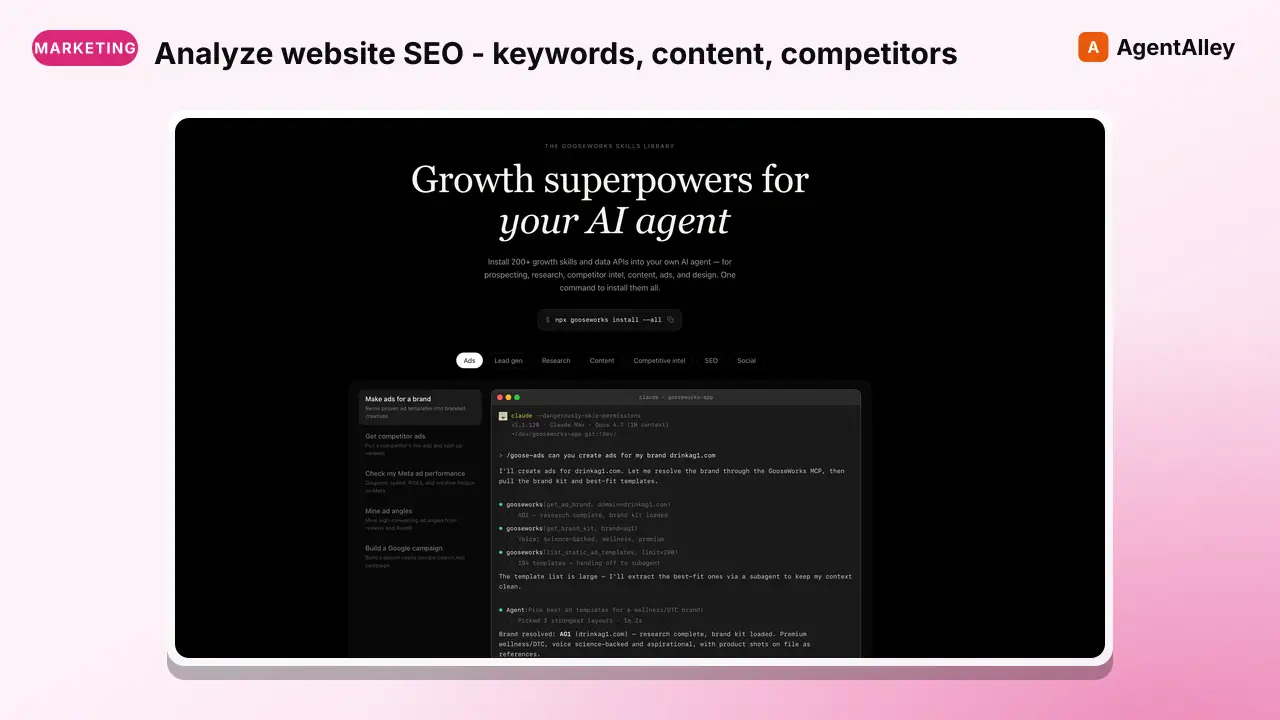
Analyze website SEO - keywords, content, competitors, and improvement opportunities
---
name: seo-analyzer
description: Analyze website SEO - keywords, content, competitors, and improvement opportunities
source: orthogonal
---


# SEO Analyzer - Website SEO Analysis

## Setup

Read your credentials from ~/.gooseworks/credentials.json:
```bash
export GOOSEWORKS_API_KEY=$(python3 -c "import json;print(json.load(open('$HOME/.gooseworks/credentials.json'))['api_key'])")
export GOOSEWORKS_API_BASE=$(python3 -c "import json;print(json.load(open('$HOME/.gooseworks/credentials.json')).get('api_base','https://api.gooseworks.ai'))")
```

If ~/.gooseworks/credentials.json does not exist, tell the user to run: `npx gooseworks login`
Overview
If ~/.gooseworks/credentials.json does not exist, tell the user to run: npx gooseworks login
Manual install (npx, ZIP)
Claude Code
npx skills add gooseworks-ai/goose-skills --skill seo-analyzer -g -a claude-codeClaude Code (manual)
mkdir -p ~/.claude/skills && curl -sL https://codeload.github.com/gooseworks-ai/goose-skills/tar.gz/615c685f34f8 \
  | tar -xz -C ~/.claude/skills --strip-components=4 goose-skills-615c685f34f8/skills/seo/capabilities/seo-analyzer
Windows (PowerShell)
New-Item -ItemType Directory -Force "$HOME\.claude\skills" | Out-Null; Invoke-WebRequest "https://m.agentalley.io/zip/d8daac889bb237f0ead5/seo-analyzer.zip" -OutFile "$env:TEMP\seo-analyzer.zip"; Expand-Archive "$env:TEMP\seo-analyzer.zip" -DestinationPath "$HOME\.claude\skills" -ForceClaude.ai / desktop
Codex, Cursor, other agents
Connects with Agent Alley MCP · agentalley.io/mcp
Files included
SKILL.md3.3 KBskill.meta.json268 B
Read the files here
gooseworks-ai/
SKILL.md
Show the full text101 lines
SEO Analyzer - Website SEO Analysis
Setup
Read your credentials from ~/.gooseworks/credentials.json:
export GOOSEWORKS_API_KEY=$(python3 -c "import json;print(json.load(open('$HOME/.gooseworks/credentials.json'))['api_key'])")
export GOOSEWORKS_API_BASE=$(python3 -c "import json;print(json.load(open('$HOME/.gooseworks/credentials.json')).get('api_base','https://api.gooseworks.ai'))")
If ~/.gooseworks/credentials.json does not exist, tell the user to run: npx gooseworks login
All endpoints use Bearer auth: -H "Authorization: Bearer $GOOSEWORKS_API_KEY"
Analyze websites for SEO performance, keywords, content quality, and competitor positioning.
Workflow
Step 1: Crawl Site Structure
Map the website structure:
curl -s -X POST $GOOSEWORKS_API_BASE/v1/proxy/orthogonal/run \
  -H "Authorization: Bearer $GOOSEWORKS_API_KEY" \
  -H "Content-Type: application/json" \
  -d '{"api":"tavily","path":"/map","body":{"url":"https://example.com"}}'
Step 2: Extract Page Content
Get content for analysis:
curl -s -X POST $GOOSEWORKS_API_BASE/v1/proxy/orthogonal/run \
  -H "Authorization: Bearer $GOOSEWORKS_API_KEY" \
  -H "Content-Type: application/json" \
  -d '{"api":"scrapegraph","path":"/v1/smartscraper"}'
  "website_url": "https://example.com",
  "user_prompt": "Extract page title, meta description, headings (H1, H2, H3), main content, and internal links"
}'
Step 3: Get Backlink Ideas
Find linking opportunities:
curl -s -X POST $GOOSEWORKS_API_BASE/v1/proxy/orthogonal/run \
  -H "Authorization: Bearer $GOOSEWORKS_API_KEY" \
  -H "Content-Type: application/json" \
  -d '{"api":"exa","path":"/search"}'
  "query": "blogs and websites that accept guest posts about productivity software",
  "num_results": 20
}'
Example Usage
# Quick site analysis
curl -s -X POST $GOOSEWORKS_API_BASE/v1/proxy/orthogonal/run \
  -H "Authorization: Bearer $GOOSEWORKS_API_KEY" \
  -H "Content-Type: application/json" \
  -d '{"api":"scrapegraph","path":"/v1/smartscraper"}'
  "website_url": "https://mysite.com",
  "user_prompt": "Analyze this page for SEO: title tag, meta description, heading structure, keyword usage, content length"
}'
Tips
- Focus on long-tail keywords for faster wins
- Analyze top 3 competitors for each target keyword
- Prioritize pages with existing traffic for optimization
- Track rankings over time to measure progress
Discover More
List all endpoints, or add a path for parameter details:
curl -s -X POST $GOOSEWORKS_API_BASE/v1/proxy/orthogonal/search \
  -H "Authorization: Bearer $GOOSEWORKS_API_KEY" \
  -H "Content-Type: application/json" \
  -d '{"prompt":"exa API endpoints"}' api show scrapegraph
curl -s -X POST $GOOSEWORKS_API_BASE/v1/proxy/orthogonal/search \
  -H "Authorization: Bearer $GOOSEWORKS_API_KEY" \
  -H "Content-Type: application/json" \
  -d '{"prompt":"tavily API endpoints"}'

Example: `curl -s -X POST $GOOSEWORKS_API_BASE/v1/proxy/orthogonal/details \
  -H "Authorization: Bearer $GOOSEWORKS_API_KEY" \
  -H "Content-Type: application/json" \
  -d '{"api":"olostep","path":"/v1/scrapes`"}' for endpoint parameters.
| 1 | |
| 2 | name seo-analyzer |
| 3 | description Analyze website SEO - keywords, content, competitors, and improvement opportunities |
| 4 | source orthogonal |
| 5 | |
| 6 | |
| 7 | |
| 8 | # SEO Analyzer - Website SEO Analysis |
| 9 | |
| 10 | ## Setup |
| 11 | |
| 12 | Read your credentials from ~/.gooseworks/credentials.json: |
| 13 | |
| 14 | export GOOSEWORKS_API_KEY=$(python3 -c "import json;print(json.load(open('$HOME/.gooseworks/credentials.json'))['api_key'])") |
| 15 | export GOOSEWORKS_API_BASE=$(python3 -c "import json;print(json.load(open('$HOME/.gooseworks/credentials.json')).get('api_base','https://api.gooseworks.ai'))") |
| 16 | |
| 17 | |
| 18 | If ~/.gooseworks/credentials.json does not exist, tell the user to run: `npx gooseworks login` |
| 19 | |
| 20 | All endpoints use Bearer auth: `-H "Authorization: Bearer $GOOSEWORKS_API_KEY"` |
| 21 | |
| 22 | |
| 23 | Analyze websites for SEO performance, keywords, content quality, and competitor positioning. |
| 24 | |
| 25 | ## Workflow |
| 26 | |
| 27 | ### Step 1: Crawl Site Structure |
| 28 | Map the website structure: |
| 29 | |
| 30 | |
| 31 | curl -s -X POST $GOOSEWORKS_API_BASE/v1/proxy/orthogonal/run \ |
| 32 | -H "Authorization: Bearer $GOOSEWORKS_API_KEY" \ |
| 33 | -H "Content-Type: application/json" \ |
| 34 | -d '{"api":"tavily","path":"/map","body":{"url":"https://example.com"}}' |
| 35 | |
| 36 | |
| 37 | ### Step 2: Extract Page Content |
| 38 | Get content for analysis: |
| 39 | |
| 40 | |
| 41 | curl -s -X POST $GOOSEWORKS_API_BASE/v1/proxy/orthogonal/run \ |
| 42 | -H "Authorization: Bearer $GOOSEWORKS_API_KEY" \ |
| 43 | -H "Content-Type: application/json" \ |
| 44 | -d '{"api":"scrapegraph","path":"/v1/smartscraper"}' |
| 45 | "website_url": "https://example.com", |
| 46 | "user_prompt": "Extract page title, meta description, headings (H1, H2, H3), main content, and internal links" |
| 47 | }' |
| 48 | |
| 49 | |
| 50 | ### Step 3: Get Backlink Ideas |
| 51 | Find linking opportunities: |
| 52 | |
| 53 | |
| 54 | curl -s -X POST $GOOSEWORKS_API_BASE/v1/proxy/orthogonal/run \ |
| 55 | -H "Authorization: Bearer $GOOSEWORKS_API_KEY" \ |
| 56 | -H "Content-Type: application/json" \ |
| 57 | -d '{"api":"exa","path":"/search"}' |
| 58 | "query": "blogs and websites that accept guest posts about productivity software", |
| 59 | "num_results": 20 |
| 60 | }' |
| 61 | |
| 62 | |
| 63 | ## Example Usage |
| 64 | |
| 65 | |
| 66 | # Quick site analysis |
| 67 | curl -s -X POST $GOOSEWORKS_API_BASE/v1/proxy/orthogonal/run \ |
| 68 | -H "Authorization: Bearer $GOOSEWORKS_API_KEY" \ |
| 69 | -H "Content-Type: application/json" \ |
| 70 | -d '{"api":"scrapegraph","path":"/v1/smartscraper"}' |
| 71 | "website_url": "https://mysite.com", |
| 72 | "user_prompt": "Analyze this page for SEO: title tag, meta description, heading structure, keyword usage, content length" |
| 73 | }' |
| 74 | |
| 75 | |
| 76 | ## Tips |
| 77 | |
| 78 | Focus on long-tail keywords for faster wins |
| 79 | Analyze top 3 competitors for each target keyword |
| 80 | Prioritize pages with existing traffic for optimization |
| 81 | Track rankings over time to measure progress |
| 82 | |
| 83 | ## Discover More |
| 84 | |
| 85 | List all endpoints, or add a path for parameter details: |
| 86 | |
| 87 | |
| 88 | curl -s -X POST $GOOSEWORKS_API_BASE/v1/proxy/orthogonal/search \ |
| 89 | -H "Authorization: Bearer $GOOSEWORKS_API_KEY" \ |
| 90 | -H "Content-Type: application/json" \ |
| 91 | -d '{"prompt":"exa API endpoints"}' api show scrapegraph |
| 92 | curl -s -X POST $GOOSEWORKS_API_BASE/v1/proxy/orthogonal/search \ |
| 93 | -H "Authorization: Bearer $GOOSEWORKS_API_KEY" \ |
| 94 | -H "Content-Type: application/json" \ |
| 95 | -d '{"prompt":"tavily API endpoints"}' |
| 96 | |
| 97 | Example: `curl -s -X POST $GOOSEWORKS_API_BASE/v1/proxy/orthogonal/details \ |
| 98 | -H "Authorization: Bearer $GOOSEWORKS_API_KEY" \ |
| 99 | -H "Content-Type: application/json" \ |
| 100 | -d '{"api":"olostep","path":"/v1/scrapes`"}' for endpoint parameters. |
| 101 |
Details
- Updated
- Sep 21, 2026
- License
- MIT
- Stars on the repo
- ★ 1,220
- Checked
- Source
- gooseworks-ai/goose-skills ↗
- Creator
- gooseworks-ai · 206 listings
Made with seo-analyzer

SEO Analyzer - Website SEO Analysis — CleanShot 2026-07-13 at 20 16 54@2x (from the gooseworks-ai/goose-skills README)
Similar skills
See all → SkillThe Lighthouse Agentic Browsing fractionAgentic Browsing Readiness
 AgriciDaniel/claude-seo · by AgriciDanielAudit and fix agent readiness: the Lighthouse Agentic Browsing fraction, accessibility tree for agents, robots.txt and Content-Signal for AI agents, WAF treatment of agent traffic, llms.txt, Markdown delivery, ai-catalog.json, /.well-known discovery files, and WebMCP tools. Exclude AI citability and brand signals (seo-geo) and commerce protocol depth (seo-ecommerce).★ 17.4k GitHub stars
 SkillReferring domains, anchor text distributionBacklink Profile AnalysisAgriciDaniel/claude-seo · by AgriciDanielBacklink profile analysis: referring domains, anchor text distribution, toxic link detection, competitor gap analysis. Works with free APIs (Moz, Bing Webmaster, Common Crawl) and DataForSEO extension. Use when user says backlinks, link profile, referring domains, anchor text, toxic links, link gap, link building, disavow, or backlink audit.★ 17.4k GitHub stars
 SkillConnect a CMS to notfair SEO tools/setup-cms
 nowork-studio/notfair-plugin · by nowork-studioConnect a CMS to notfair SEO tools. Guides users through configuring WordPress, Strapi, Contentful, or Ghost — tests the connection, and writes credentials to .env.local. Once set up, seo-analysis automatically cross- references CMS content against Google Search Console data. Use whenever the user says "connect my CMS", "set up WordPress", "configure Strapi", "add Contentful", "connect Ghost", or "CMS setup". Also trigger if the user asks why no CMS data appears in a seo-analysis report.★ 3.9k GitHub stars
 SkillBacklink profile for any domainBacklink check
 Ryze-AI-Adgent/open-seo-mcp-skills · by Ryze-AI-AdgentBacklink profile for any domain — referring domains, authority, anchors, new/lost links, and a side-by-side vs a competitor. Use when asked "check my backlinks", "backlink profile of X", "who links to them", or "link gap vs competitor".★ 3.1k GitHub stars
 SkillOptimize Core Web Vitals for better page experienceCore Web Vitals optimization
 addyosmani/web-quality-skills · by addyosmaniOptimize Core Web Vitals (LCP, INP, CLS) for better page experience using field and lab evidence. Use when asked to "improve Core Web Vitals", "fix LCP", "reduce CLS", "optimize INP", "page experience optimization", or "fix layout shifts".★ 2.8k GitHub stars
 SkillRun an SEO page observation-action-review loopRun the SEO page loop
 tsingyuai/growth-lab · by tsingyuaiRun an SEO page observation-action-review loop with persistent Memory by coordinating demand research, page creation, adversarial review, image generation, IndexNow submission, and performance review. Use when taking an SEO page from opportunity discovery through publication, measurement, iteration, or continuing a previous SEO loop from Memory.★ 2k GitHub stars
More from gooseworks-ai
 SkillMine the highest-converting ad angles from customer reviewsAd angle miner
 gooseworks-ai/goose-skills · by gooseworks-aiMine the highest-converting ad angles from customer reviews, Reddit complaints, support tickets, and competitor ads. Extracts actual pain language, competitor weaknesses, and outcome phrases that real buyers use. Outputs a ranked angle bank with proof quotes and recommended ad formats per angle.★ 1.2k GitHub stars
 SkillAnalyze ad campaign performance data to identify what'sAd campaign analyzergooseworks-ai/goose-skills · by gooseworks-aiAnalyze ad campaign performance data (Google, Meta, LinkedIn) to identify what's working, what's wasting budget, and specific cut/scale/test recommendations. Runs statistical analysis, funnel diagnostics, and multi-channel budget reallocation with specific dollar-amount shift recommendations and scenario modeling.★ 1.2k GitHub stars
 SkillFor paid lead-gen and participant-recruitment adsAd lead quality analyzergooseworks-ai/goose-skills · by gooseworks-aiFor paid lead-gen and participant-recruitment ads, replaces vanity CPA with true CAC per qualified lead by joining ad-platform data with downstream funnel events, surfaces tracking gaps, and classifies every creative into Scale / Keep / Investigate / Cut.★ 1.2k GitHub stars
 SkillAnalyze the message match between your ads and landing pagesAd to landing page auditorgooseworks-ai/goose-skills · by gooseworks-aiAnalyze the message match between your ads and landing pages. Checks if the promise in the ad copy carries through to the landing page headline, body, and CTA. Flags disconnects that kill conversion rates. Works with Google, Meta, and LinkedIn ads.★ 1.2k GitHub stars
 SkillCheck and improve your brand's visibility across AI searchAeogooseworks-ai/goose-skills · by gooseworks-aiCheck and improve your brand's visibility across AI search engines (ChatGPT, Perplexity, Gemini, Grok, Claude, DeepSeek). Set up tracking, run visibility analyses, audit your website for AI readability, and get actionable recommendations. Uses the npx goose-aeo@latest CLI.★ 1.2k GitHub stars
 SkillSearch Amazon products - find items, compare pricesAmazon Product Searchgooseworks-ai/goose-skills · by gooseworks-aiSearch Amazon products - find items, compare prices, read reviews★ 1.2k GitHub stars