Product Social Images skill
Create premium, brand-native social media images of a product, plus ready-to-post copy, for any post — launch, new feature, update or changelog, milestone, tip, behind-the-scenes, or a general "what is this product" post.
by kaihere14·MIT license·★ 6 Stars on the repo·GitHub ↗
npx degit kaihere14/skills/product-launch-images#main ~/.claude/skills/product-launch-imagesChecked ·commit main
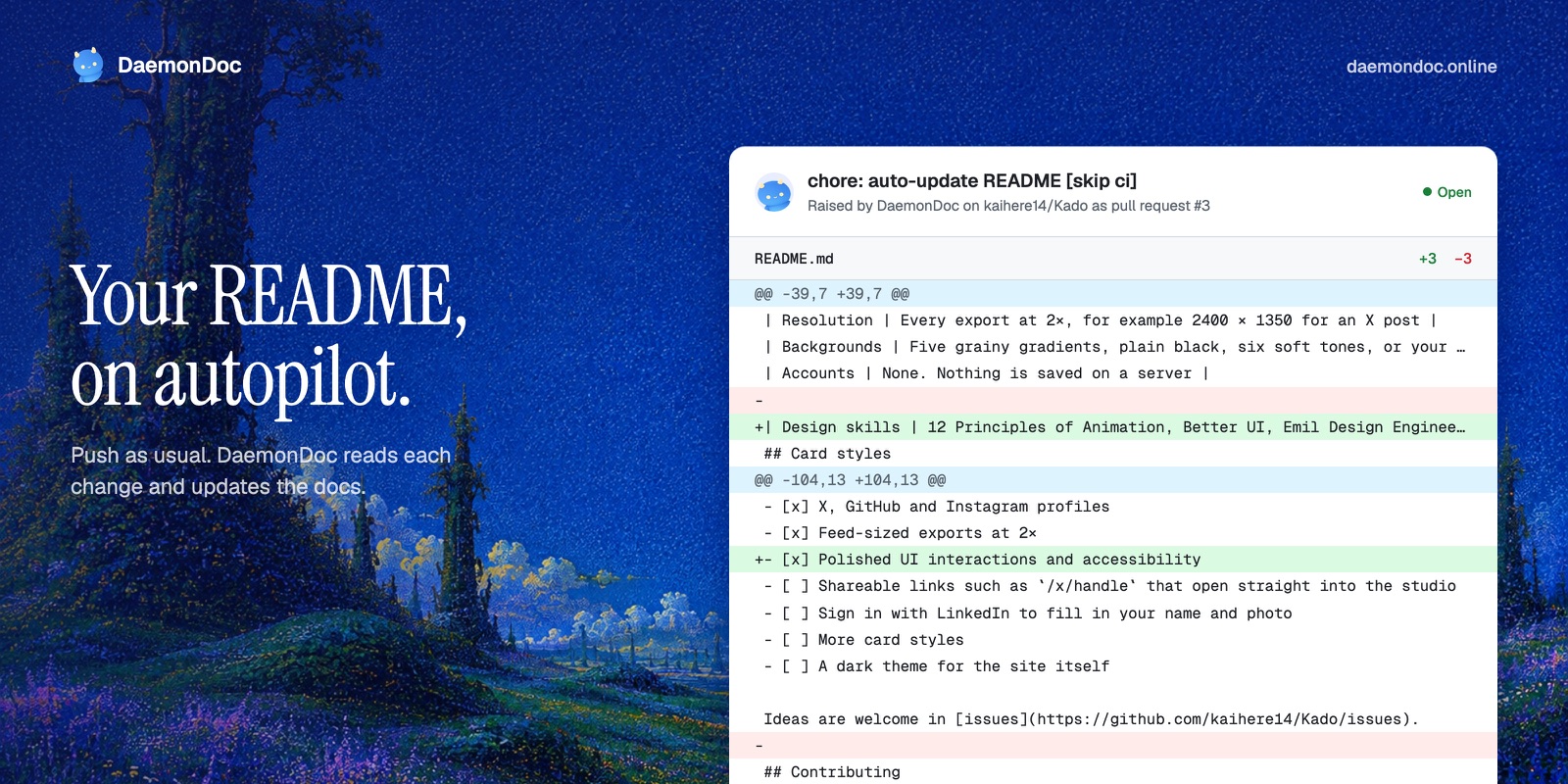
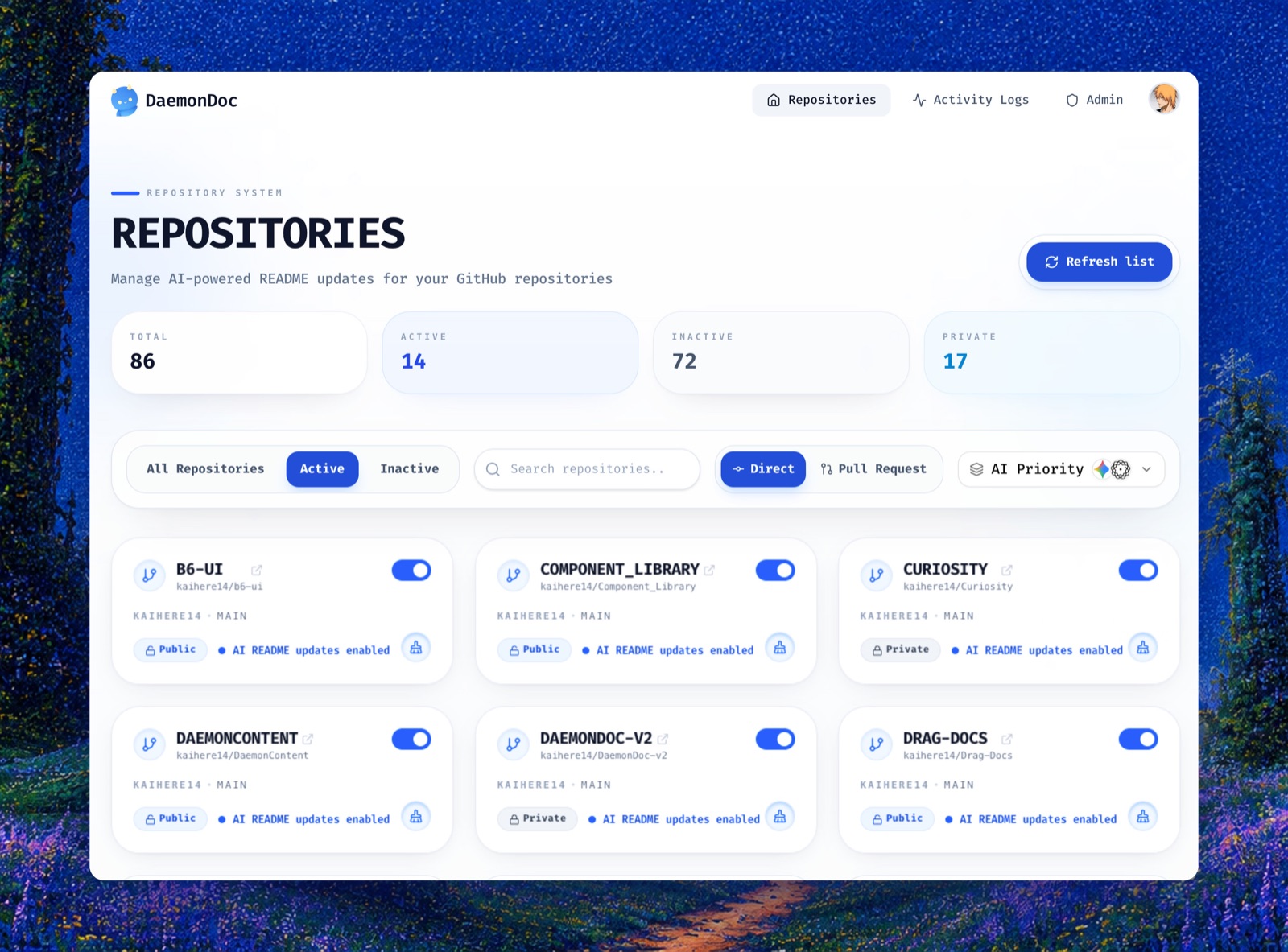
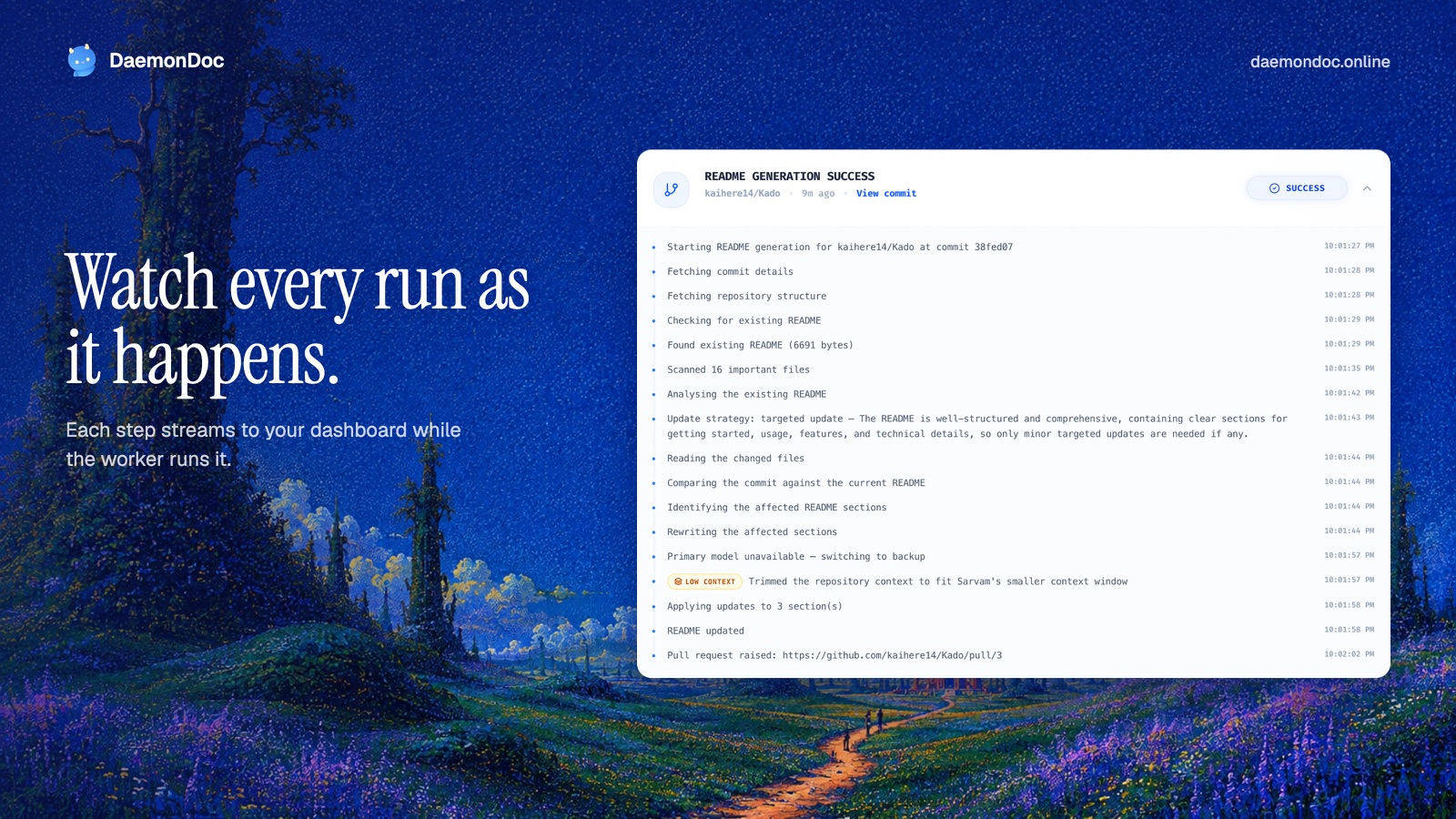
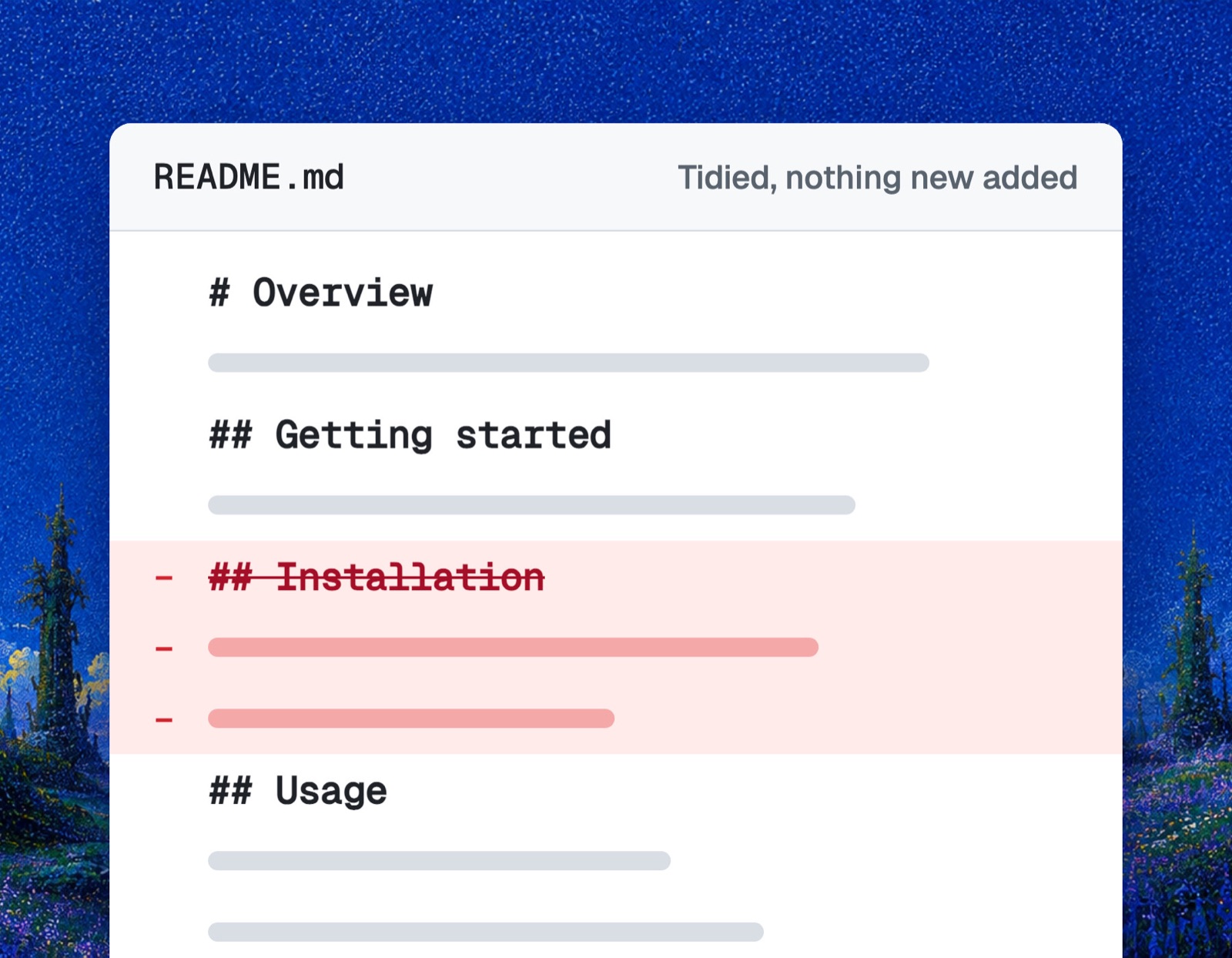
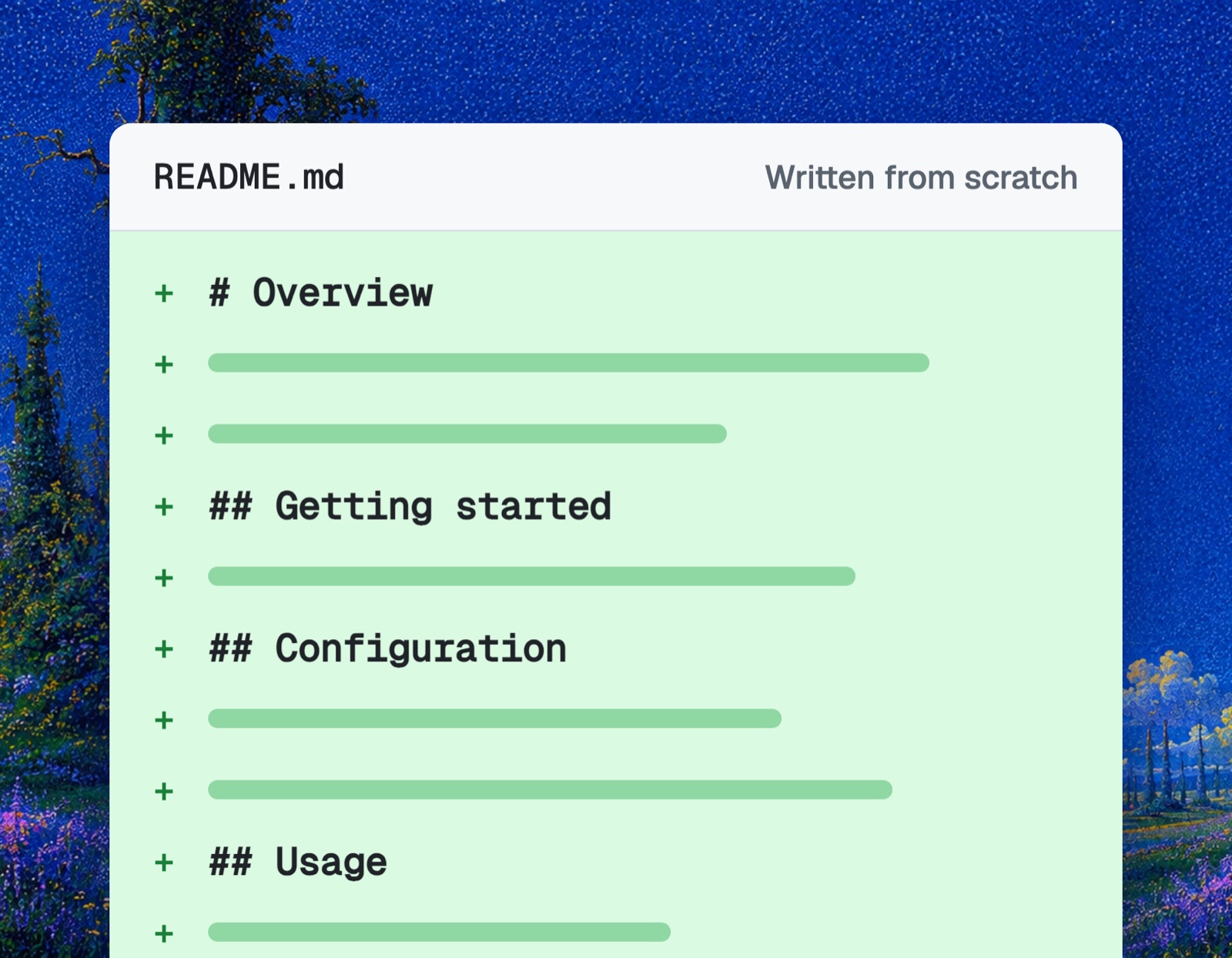
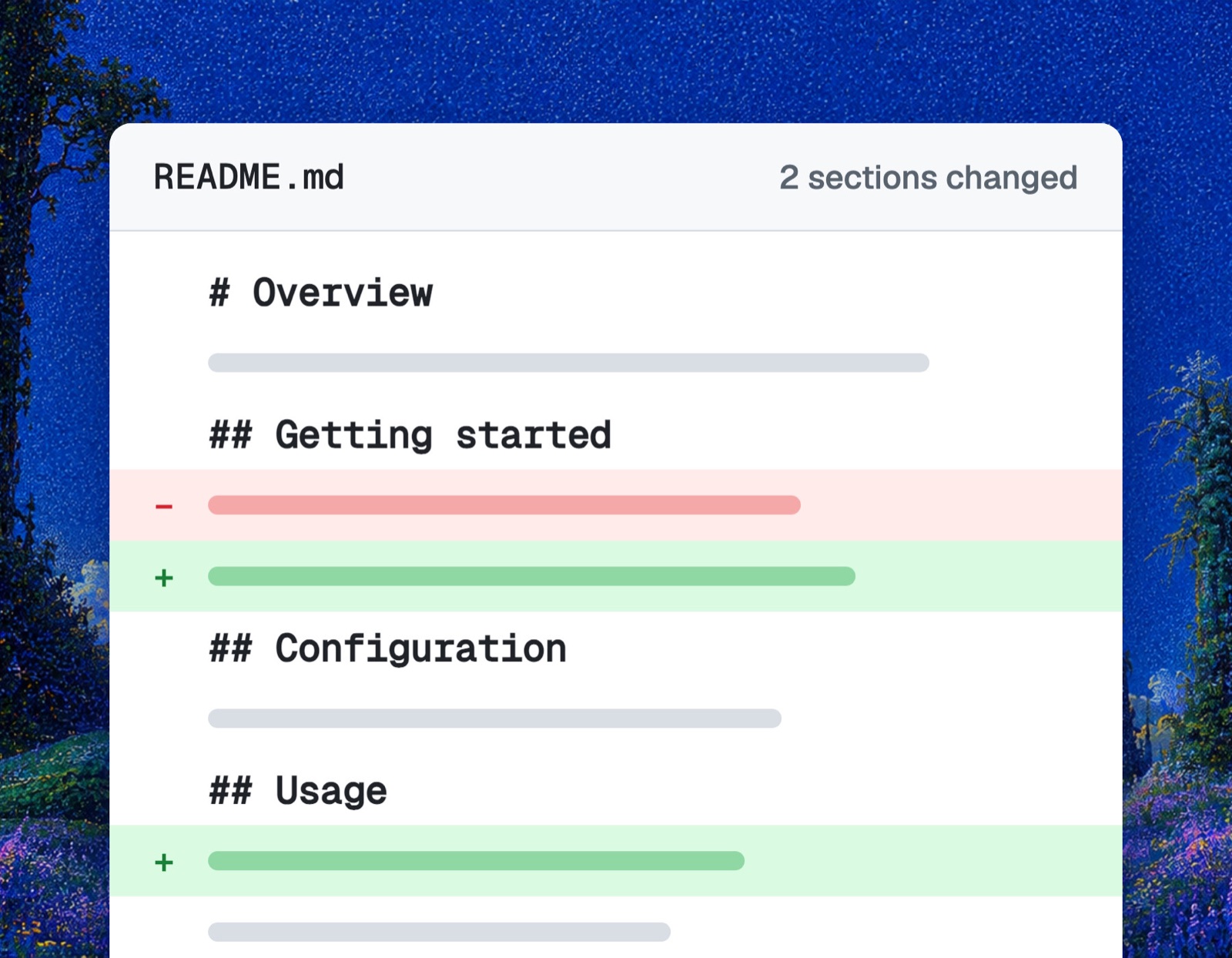
Files of Product Social Images
Show the full text258 lines
Product Social Images
Make social images of a product that look designed by a human studio, not generated, and write the posts that go with them. The first result must be good enough to post: the user should never have to ask for a redo.
The one rule that matters most
The background must come from the brand itself, never from a generic gradient. A rejected version used a dark navy radial gradient, purple-blue gradient text, a grid overlay and pill chips. It "looked AI-made". The accepted version used the product's own hero artwork as a full-bleed canvas, an editorial serif headline in plain white and crisp white product panels. That difference is the whole skill.
0. Pin down the post
From the request (ask only if truly unclear, otherwise pick a sensible default and say so):
- Post type: launch / new feature / update / milestone / tip / general intro. Default: general intro.
- Platforms: default X + LinkedIn.
- Number of images: single post = 1–2 images; thread or carousel = 4–6. Default: a 5-card set + 1 portrait.
Formats (all rendered at 2x pixel density):
| Format | Size | Use |
|---|---|---|
| landscape | 1600x900 | X, LinkedIn link-style posts, threads |
| portrait | 1080x1350 | LinkedIn and Instagram feed (takes the most screen space) |
| square | 1080x1080 | Instagram, LinkedIn carousel |
| story | 1080x1920 | Instagram/LinkedIn stories, Shorts covers |
1. Find the product and its brand assets (before any screenshot)
- Read the repo README / package.json (or the site itself) to get the product name, one-line pitch, real features and the live URL. For a feature/update post, read the relevant code, commits or changelog so every claim is real.
- Collect brand assets from
public/,assets/, logo folders: hero art or background images, mascot / logo PNGs, existing OG images. Check sizes withsips -g pixelWidth -g pixelHeight. - Look at each candidate (Read the image). Pick ONE signature visual for the canvas, in this order:
- The hero illustration / painting / photo used on the site (best: unique to the brand). If the hero is a video, pull a still from it (see "Video hero art" in step 2).
- A large brand-colour field taken from the site's actual CSS (not an invented palette).
- Only if neither exists: a flat solid brand colour. Still no gradient washes.
- Note anything outdated (old logo in screenshots, placeholder content) so it never ships.
2. Capture the site
SKILL_DIR means the folder containing this SKILL.md (e.g. .agents/skills/product-launch-images
or ~/.claude/skills/product-launch-images). Work in a temporary dir, never in the user's project.
Node resolves playwright from the script's folder, so copy the scripts there:
W=<scratchpad or $(mktemp -d)>/social && mkdir -p $W/cards $W/assets && cd $W
cp $SKILL_DIR/scripts/* . && cp $SKILL_DIR/templates/card.css cards/
Capture with Claude in Chrome first. Use the headless fallback only when Chrome is not connected. For logged-in app screens, ask the user for screenshots or use their browser; never guess UI.
2a. Claude in Chrome (preferred)
The user's real Chrome passes bot checks that block headless browsers, and it shows the page exactly as a visitor sees it.
- Load the tools in one ToolSearch call:
tabs_context_mcp,tabs_create_mcp,navigate,computer,javascript_tool,get_page_text,tabs_close_mcp(allmcp__claude-in-chrome__*). If the tools are missing or report that the extension is not connected, go to 2b. - Call
tabs_context_mcp, open a new tab,navigateto the URL and wait 2–3 seconds. - Paste the contents of
scripts/probe.jsintojavascript_tool. It returns the name, fonts, brand colours, logo candidates and hero media (videos, large images, CSS backgrounds). Results over about 1,000 characters are truncated, so read long values in slices, e.g. an inline logo:document.querySelector("header svg").outerHTML.slice(0, 800), then800, 1600... Save the slices asassets/logo.svg. - Get the page copy with
get_page_text(ordocument.body.innerText.slice(a, b)for a range). - Screenshots:
computer→screenshotwithsave_to_disk: truefor a viewport, or scroll a section into view and usezoomwith aregionandsave_to_disk: true. Read every saved file. Chrome captures at the display's pixel ratio. If a crop is narrower than 2× the panel it will fill, capture that section withcapture.mjs(2b) or rebuild it in HTML. - Download brand assets (hero image, video, logo) with browser headers, below.
- Close the tab when done.
2b. Headless fallback (Chrome not connected)
npm i playwright --silent && npx playwright install chromium   # once per work dir
node capture.mjs https://example.com shots
capture.mjs sends a real desktop Chrome user agent and headers, waits for load (not network
idle, which never settles on sites with analytics or websockets), picks "Reject" on cookie banners,
and scrolls the page so lazy content loads. It saves hero.png (first viewport), full.png (whole
page, sticky headers hidden), text.txt, links.txt, assets.json (the probe.js output) and
logo.svg when the logo is inline SVG. If it exits with blocked, the site rejects headless
browsers: ask the user to connect Claude in Chrome, or build the panels in HTML from the page copy.
Downloading assets
Send browser headers; many CDNs reject bare curl:
UA="Mozilla/5.0 (Macintosh; Intel Mac OS X 10_15_7) AppleWebKit/537.36 (KHTML, like Gecko) Chrome/141.0.0.0 Safari/537.36"
curl -sL -A "$UA" -e "https://example.com/" -o assets/hero.avif "<asset url>"
ffmpeg -v error -i assets/hero.avif assets/hero.png   # convert AVIF/WebP for Pillow and Chrome
Video hero art
When the hero (or assets.json) shows a video, never screenshot it mid-playback. Pull stills:
node frame.mjs "<video url>" assets/video # needs ffmpeg
frame.mjs downloads the video with browser headers (HLS .m3u8 streams are read directly),
saves frame-1.png … frame-4.png at the video's full resolution spread across its length, and
sheet.png to compare them. Read sheet.png, pick the frame that suits the layout, and copy it to
cards/art.png. Prefer a frame over the poster image, which is often lower resolution. If the
src is a blob: URL, find the real .mp4/.webm/.m3u8 URL in the page's network requests
(Chrome read_network_requests), or fall back to the poster.
Cropping
Crop sections from full.png (or the saved Chrome screenshots) with Pillow:
- Make a thumbnail (
sips -Z 2400 full.png --out thumb.png), Read it, note section bounds in thumbnail pixels. - Multiply by
full_width / thumb_display_widthto get real pixels. Crop, then Read every crop. - Crop tightly to the meaningful UI (a diagram, a card row). Drop empty white areas and section headings that the card headline will repeat.
- Animated widgets get captured mid-animation: re-crop if a row is cut or a state looks half-drawn.
3. Plan the cards (one idea per card)
Pick from these card jobs to fit the post type:
| Card job | Content |
|---|---|
| Outcome | An HTML recreation of the moment the product delivers value (a commit diff, a Slack message, a dashboard number, an email). Strongest opener. |
| How it works | The real step sequence, from the site or built in HTML. |
| Feature | One feature: headline benefit + tight screenshot crop. |
| Differentiator | The technical or product edge competitors lack. |
| Proof | Testimonials, a metric the user gave you, GitHub stars. Never invent numbers or names. |
| Update / changelog | Before vs after, or the new UI with the change highlighted by layout, not arrows and glows. |
Typical sets: intro or launch = outcome, how it works, 2 features, proof + portrait outcome. Feature post = outcome of that feature + 1–2 detail cards. Single post = one outcome card in 2 formats.
For outcome cards, use real details from the codebase (real env var names, routes, commands) and keep
counts consistent with what is shown (+12 −5 must match the diff lines). Tell the user which panels are mocks.
4. Build the cards
Start from $SKILL_DIR/templates/card.css and $SKILL_DIR/templates/example-card.html. Copy the
chosen art to cards/art.png and the logo to cards/logo.png. Name cards c1.html, c2.html… and
set the size on the body: <body data-size="1080x1350" class="vertical"> (vertical = portrait/story,
bigger type). Landscape needs no attribute.
Design system:
- Canvas: brand art full-bleed, a different
background-positionper card so the set varies but stays cohesive. Soft top.shade; a left.scrimonly where text sits on a busy part of the art. Set--canvasand--shadowin card.css from the art's dominant colour. - Headline: editorial display face (default Instrument Serif, regular, ~84px landscape, ~104px vertical, line-height ~0.98, slight negative tracking), plain white. One sentence, a user benefit in plain verbs. No word accented by colour, italic or weight.
- Body: clean sans (default Geist), 22px, ~78% white, at most 2 lines.
- Brand mark: small logo + wordmark top-left, domain as plain text top-right. Nothing else.
- Product panels: pure white, 16px radius, shadow tinted with the canvas colour (not grey). Either
fully visible (
.round) and vertically balanced, or bleeding off the bottom edge, and bleed only when the content fills the panel. Panel height hugs the content. - Layout: landscape features = text left, panel right. Steps, proof and vertical formats = text top, panel below. 72px outer margin.
- Split cards (text beside a fully visible panel): always use the
.splitwrapper, never absolutetop:values for the text and panel. Text and panel then share one vertical anchor, so the headline never sits at the top while the panel floats mid-card over an empty bottom half. Set the anchor with<body data-align="top|center|bottom">(default center).render.mjsalso renders every split card in all three alignments so the user can pick.
Swap the default fonts only if the brand already uses a distinctive display face. If the brand art is light, invert: dark ink headline, white panels with a hairline border and an art-tinted shadow.
5. Banned (these made the rejected version look AI-made)
- Dark navy/indigo radial gradient backgrounds, colour "glow" blobs, grid or dot overlays.
- Gradient text or a single highlighted word in the headline.
- Pill / chip eyebrow labels, monospace or ALL-CAPS labels above headings.
- Browser chrome (traffic-light dots + fake URL bar) on every screenshot.
- 3D perspective tilt on screenshots.
- Middle-dot meta strings ("A · B · C") and "→" decorations in captions.
- Placeholder content: fake customer logos ("ACME Corp"), lorem ipsum, outdated logos in screenshots.
- Panels with large empty white areas, or screenshots cut off mid-content.
- Emoji or stock icons sprinkled on the image.
6. Render and self-critique (mandatory)
node render.mjs cards # renders every c*.html in cards/ to cards/out/ at 2x
The renderer waits for document.fonts.ready and takes the size from <body data-size="WxH">.
It prints BROKEN IMAGE (and exits non-zero) for any <img> or CSS background that failed to load,
such as a missing logo.png. Fix every one before reviewing.
Make 1000px thumbnails and Read every card. Fix and re-render until all pass:
- Background is brand art (or real brand colour), not an invented gradient.
- Headline readable over the art (add scrim if not); no accented words.
- Text sits on a calm area: no UI labels, lines or other text from the background runs behind the
headline or sub. Shift
background-position, add.scrim, or choose calmer art. A faded screenshot of the product UI is never the canvas; put it in a panel instead. - Every image loaded: the logo shows, with no broken-image icon or alt text in the mark or panels.
- No empty white space inside panels; nothing cut off at the sides.
- No empty half of the canvas: text and panel share one anchor (split cards use
.split). - No placeholder logos, old branding, or numbers that contradict what is shown.
- The set reads as one family (same mark, margins, type scale) with varied crops.
- Would a designer at Linear / Stripe / Vercel post this? If it looks like a template, redo that card.
7. Save
~/Downloads/<Product>-Social-<post-slug>/
  01-<product>-<topic-slug>-1600x900.png
  02-...
  0N-<product>-<topic-slug>-1080x1350.png
  layouts/02-<product>-<topic-slug>-top-1600x900.png      # split cards only, from out/layouts/
  layouts/02-<product>-<topic-slug>-center-1600x900.png
  layouts/02-<product>-<topic-slug>-bottom-1600x900.png
  raw-screenshots/raw-NN-<section>.png
Lowercase kebab-case, numbered in posting order, size in the name. If the folder exists from an
earlier run, move old files to old-vN/ instead of deleting.
8. Write the posts
Match the post type. Use only real features and facts; never invent metrics, users or customers.
- X: a thread (hook about the pain → how it works → feature → differentiator → CTA) mapped to card numbers, plus a single-post alternative. Links go in the last post or a reply.
- LinkedIn: two-line hook, a personal line ("so I built" / "we just shipped"), 3 short how-it-works lines, an "under the hood" list for dev audiences, a proof quote if available, "link in the first comment", a closing question, 4–5 hashtags.
- Instagram (if asked): short caption, value first, 5–10 hashtags, link in bio.
- Reach tips: links in first comment/reply, reply to everything in the first hour, post Tue–Thu 9–11am in the audience's time zone, follow up with a build-in-public post, a short screen recording of the product working beats static images.
- Flag anything the user must fix before posting (e.g. placeholder logos on the live site).
Final reply
A short table of files + what each is for, the posts ready to paste, and the reach tips. Say which
panel content is a mock, and that split cards come in top / center / bottom versions in layouts/
(the main set uses center) so the user can swap in the one they prefer.
| 1 | |
| 2 | name product-launch-images |
| 3 | description Create premium, brand-native social media images of a product, plus ready-to-post copy, for any post — launch, new feature, update or changelog, milestone, tip, behind-the-scenes, or a general "what is this product" post. Use when the user asks to "make images/pictures for a post", "screenshot the website and make SaaS-style pictures", "create social media graphics / promo images / post visuals", "post about <product> on X / LinkedIn / Instagram", or "suggest what to post". Captures the live site with Claude in Chrome (headless Playwright as a fallback), pulls stills from video hero art with ffmpeg, builds cards in HTML in every needed platform size, renders them at 2x, self-reviews against a quality checklist, saves named PNGs to ~/Downloads, and drafts the post copy. |
| 4 | |
| 5 | |
| 6 | # Product Social Images |
| 7 | |
| 8 | Make social images of a product that look designed by a human studio, not generated, and write the |
| 9 | posts that go with them. The first result must be good enough to post: the user should never have to |
| 10 | ask for a redo. |
| 11 | |
| 12 | ## The one rule that matters most |
| 13 | |
| 14 | **The background must come from the brand itself, never from a generic gradient.** |
| 15 | A rejected version used a dark navy radial gradient, purple-blue gradient text, a grid overlay and |
| 16 | pill chips. It "looked AI-made". The accepted version used the product's own hero artwork as a |
| 17 | full-bleed canvas, an editorial serif headline in plain white and crisp white product panels. |
| 18 | That difference is the whole skill. |
| 19 | |
| 20 | ## 0. Pin down the post |
| 21 | |
| 22 | From the request (ask only if truly unclear, otherwise pick a sensible default and say so): |
| 23 | |
| 24 | **Post type**: launch / new feature / update / milestone / tip / general intro. Default: general intro. |
| 25 | **Platforms**: default X + LinkedIn. |
| 26 | **Number of images**: single post = 1–2 images; thread or carousel = 4–6. Default: a 5-card set + 1 portrait. |
| 27 | |
| 28 | Formats (all rendered at 2x pixel density): |
| 29 | |
| 30 | | Format | Size | Use | |
| 31 | | --------- | --------- | --------------------------------------------------------- | |
| 32 | | landscape | 1600x900 | X, LinkedIn link-style posts, threads | |
| 33 | | portrait | 1080x1350 | LinkedIn and Instagram feed (takes the most screen space) | |
| 34 | | square | 1080x1080 | Instagram, LinkedIn carousel | |
| 35 | | story | 1080x1920 | Instagram/LinkedIn stories, Shorts covers | |
| 36 | |
| 37 | ## 1. Find the product and its brand assets (before any screenshot) |
| 38 | |
| 39 | Read the repo README / package.json (or the site itself) to get the product name, one-line pitch, |
| 40 | real features and the live URL. For a feature/update post, read the relevant code, commits or |
| 41 | changelog so every claim is real. |
| 42 | Collect brand assets from `public/`, `assets/`, logo folders: hero art or background images, |
| 43 | mascot / logo PNGs, existing OG images. Check sizes with `sips -g pixelWidth -g pixelHeight`. |
| 44 | Look at each candidate (Read the image). Pick ONE signature visual for the canvas, in this order: |
| 45 | The hero illustration / painting / photo used on the site (best: unique to the brand). |
| 46 | If the hero is a video, pull a still from it (see "Video hero art" in step 2). |
| 47 | A large brand-colour field taken from the site's actual CSS (not an invented palette). |
| 48 | Only if neither exists: a flat solid brand colour. Still no gradient washes. |
| 49 | Note anything outdated (old logo in screenshots, placeholder content) so it never ships. |
| 50 | |
| 51 | ## 2. Capture the site |
| 52 | |
| 53 | `SKILL_DIR` means the folder containing this SKILL.md (e.g. `.agents/skills/product-launch-images` |
| 54 | or `~/.claude/skills/product-launch-images`). Work in a temporary dir, never in the user's project. |
| 55 | Node resolves `playwright` from the script's folder, so copy the scripts there: |
| 56 | |
| 57 | |
| 58 | W=<scratchpad or $(mktemp -d)>/social && mkdir -p $W/cards $W/assets && cd $W |
| 59 | cp $SKILL_DIR/scripts/* . && cp $SKILL_DIR/templates/card.css cards/ |
| 60 | |
| 61 | |
| 62 | Capture with **Claude in Chrome first**. Use the headless fallback only when Chrome is not connected. |
| 63 | For logged-in app screens, ask the user for screenshots or use their browser; never guess UI. |
| 64 | |
| 65 | ### 2a. Claude in Chrome (preferred) |
| 66 | |
| 67 | The user's real Chrome passes bot checks that block headless browsers, and it shows the page |
| 68 | exactly as a visitor sees it. |
| 69 | |
| 70 | Load the tools in one ToolSearch call: `tabs_context_mcp`, `tabs_create_mcp`, `navigate`, |
| 71 | `computer`, `javascript_tool`, `get_page_text`, `tabs_close_mcp` (all `mcp__claude-in-chrome__*`). |
| 72 | If the tools are missing or report that the extension is not connected, go to 2b. |
| 73 | Call `tabs_context_mcp`, open a new tab, `navigate` to the URL and wait 2–3 seconds. |
| 74 | Paste the contents of `scripts/probe.js` into `javascript_tool`. It returns the name, fonts, |
| 75 | brand colours, logo candidates and hero media (videos, large images, CSS backgrounds). |
| 76 | Results over about 1,000 characters are truncated, so read long values in slices, e.g. an |
| 77 | inline logo: `document.querySelector("header svg").outerHTML.slice(0, 800)`, then `800, 1600`... |
| 78 | Save the slices as `assets/logo.svg`. |
| 79 | Get the page copy with `get_page_text` (or `document.body.innerText.slice(a, b)` for a range). |
| 80 | Screenshots: `computer` → `screenshot` with `save_to_disk: true` for a viewport, or scroll a |
| 81 | section into view and use `zoom` with a `region` and `save_to_disk: true`. Read every saved file. |
| 82 | Chrome captures at the display's pixel ratio. If a crop is narrower than 2× the panel it will |
| 83 | fill, capture that section with `capture.mjs` (2b) or rebuild it in HTML. |
| 84 | Download brand assets (hero image, video, logo) with browser headers, below. |
| 85 | Close the tab when done. |
| 86 | |
| 87 | ### 2b. Headless fallback (Chrome not connected) |
| 88 | |
| 89 | |
| 90 | npm i playwright --silent && npx playwright install chromium # once per work dir |
| 91 | node capture.mjs https://example.com shots |
| 92 | |
| 93 | |
| 94 | `capture.mjs` sends a real desktop Chrome user agent and headers, waits for `load` (not network |
| 95 | idle, which never settles on sites with analytics or websockets), picks "Reject" on cookie banners, |
| 96 | and scrolls the page so lazy content loads. It saves `hero.png` (first viewport), `full.png` (whole |
| 97 | page, sticky headers hidden), `text.txt`, `links.txt`, `assets.json` (the `probe.js` output) and |
| 98 | `logo.svg` when the logo is inline SVG. If it exits with `blocked`, the site rejects headless |
| 99 | browsers: ask the user to connect Claude in Chrome, or build the panels in HTML from the page copy. |
| 100 | |
| 101 | ### Downloading assets |
| 102 | |
| 103 | Send browser headers; many CDNs reject bare `curl`: |
| 104 | |
| 105 | |
| 106 | UA="Mozilla/5.0 (Macintosh; Intel Mac OS X 10_15_7) AppleWebKit/537.36 (KHTML, like Gecko) Chrome/141.0.0.0 Safari/537.36" |
| 107 | curl -sL -A "$UA" -e "https://example.com/" -o assets/hero.avif "<asset url>" |
| 108 | ffmpeg -v error -i assets/hero.avif assets/hero.png # convert AVIF/WebP for Pillow and Chrome |
| 109 | |
| 110 | |
| 111 | ### Video hero art |
| 112 | |
| 113 | When the hero (or `assets.json`) shows a `video`, never screenshot it mid-playback. Pull stills: |
| 114 | |
| 115 | |
| 116 | node frame.mjs "<video url>" assets/video # needs ffmpeg |
| 117 | |
| 118 | |
| 119 | `frame.mjs` downloads the video with browser headers (HLS `.m3u8` streams are read directly), |
| 120 | saves `frame-1.png` … `frame-4.png` at the video's full resolution spread across its length, and |
| 121 | `sheet.png` to compare them. Read `sheet.png`, pick the frame that suits the layout, and copy it to |
| 122 | `cards/art.png`. Prefer a frame over the `poster` image, which is often lower resolution. If the |
| 123 | `src` is a `blob:` URL, find the real `.mp4`/`.webm`/`.m3u8` URL in the page's network requests |
| 124 | (Chrome `read_network_requests`), or fall back to the poster. |
| 125 | |
| 126 | ### Cropping |
| 127 | |
| 128 | Crop sections from `full.png` (or the saved Chrome screenshots) with Pillow: |
| 129 | |
| 130 | Make a thumbnail (`sips -Z 2400 full.png --out thumb.png`), Read it, note section bounds in thumbnail pixels. |
| 131 | Multiply by `full_width / thumb_display_width` to get real pixels. Crop, then **Read every crop**. |
| 132 | Crop tightly to the meaningful UI (a diagram, a card row). Drop empty white areas and section headings |
| 133 | that the card headline will repeat. |
| 134 | Animated widgets get captured mid-animation: re-crop if a row is cut or a state looks half-drawn. |
| 135 | |
| 136 | ## 3. Plan the cards (one idea per card) |
| 137 | |
| 138 | Pick from these card jobs to fit the post type: |
| 139 | |
| 140 | | Card job | Content | |
| 141 | | ------------------ | --------------------------------------------------------------------------------------------------------------------------------------------- | |
| 142 | | Outcome | An HTML recreation of the moment the product delivers value (a commit diff, a Slack message, a dashboard number, an email). Strongest opener. | |
| 143 | | How it works | The real step sequence, from the site or built in HTML. | |
| 144 | | Feature | One feature: headline benefit + tight screenshot crop. | |
| 145 | | Differentiator | The technical or product edge competitors lack. | |
| 146 | | Proof | Testimonials, a metric the user gave you, GitHub stars. Never invent numbers or names. | |
| 147 | | Update / changelog | Before vs after, or the new UI with the change highlighted by layout, not arrows and glows. | |
| 148 | |
| 149 | Typical sets: intro or launch = outcome, how it works, 2 features, proof + portrait outcome. |
| 150 | Feature post = outcome of that feature + 1–2 detail cards. Single post = one outcome card in 2 formats. |
| 151 | |
| 152 | For outcome cards, use real details from the codebase (real env var names, routes, commands) and keep |
| 153 | counts consistent with what is shown (`+12 −5` must match the diff lines). Tell the user which panels are mocks. |
| 154 | |
| 155 | ## 4. Build the cards |
| 156 | |
| 157 | Start from `$SKILL_DIR/templates/card.css` and `$SKILL_DIR/templates/example-card.html`. Copy the |
| 158 | chosen art to `cards/art.png` and the logo to `cards/logo.png`. Name cards `c1.html`, `c2.html`… and |
| 159 | set the size on the body: `<body data-size="1080x1350" class="vertical">` (vertical = portrait/story, |
| 160 | bigger type). Landscape needs no attribute. |
| 161 | |
| 162 | Design system: |
| 163 | |
| 164 | **Canvas**: brand art full-bleed, a different `background-position` per card so the set varies but |
| 165 | stays cohesive. Soft top `.shade`; a left `.scrim` only where text sits on a busy part of the art. |
| 166 | Set `--canvas` and `--shadow` in card.css from the art's dominant colour. |
| 167 | **Headline**: editorial display face (default Instrument Serif, regular, ~84px landscape, ~104px |
| 168 | vertical, line-height ~0.98, slight negative tracking), plain white. One sentence, a user benefit in |
| 169 | plain verbs. No word accented by colour, italic or weight. |
| 170 | **Body**: clean sans (default Geist), 22px, ~78% white, at most 2 lines. |
| 171 | **Brand mark**: small logo + wordmark top-left, domain as plain text top-right. Nothing else. |
| 172 | **Product panels**: pure white, 16px radius, shadow tinted with the canvas colour (not grey). Either |
| 173 | fully visible (`.round`) and vertically balanced, or bleeding off the bottom edge, and bleed only |
| 174 | when the content fills the panel. Panel height hugs the content. |
| 175 | **Layout**: landscape features = text left, panel right. Steps, proof and vertical formats = text top, |
| 176 | panel below. 72px outer margin. |
| 177 | **Split cards** (text beside a fully visible panel): always use the `.split` wrapper, never absolute |
| 178 | `top:` values for the text and panel. Text and panel then share one vertical anchor, so the headline |
| 179 | never sits at the top while the panel floats mid-card over an empty bottom half. Set the anchor with |
| 180 | `<body data-align="top|center|bottom">` (default center). `render.mjs` also renders every split card |
| 181 | in all three alignments so the user can pick. |
| 182 | |
| 183 | Swap the default fonts only if the brand already uses a distinctive display face. If the brand art is |
| 184 | light, invert: dark ink headline, white panels with a hairline border and an art-tinted shadow. |
| 185 | |
| 186 | ## 5. Banned (these made the rejected version look AI-made) |
| 187 | |
| 188 | Dark navy/indigo radial gradient backgrounds, colour "glow" blobs, grid or dot overlays. |
| 189 | Gradient text or a single highlighted word in the headline. |
| 190 | Pill / chip eyebrow labels, monospace or ALL-CAPS labels above headings. |
| 191 | Browser chrome (traffic-light dots + fake URL bar) on every screenshot. |
| 192 | 3D perspective tilt on screenshots. |
| 193 | Middle-dot meta strings ("A · B · C") and "→" decorations in captions. |
| 194 | Placeholder content: fake customer logos ("ACME Corp"), lorem ipsum, outdated logos in screenshots. |
| 195 | Panels with large empty white areas, or screenshots cut off mid-content. |
| 196 | Emoji or stock icons sprinkled on the image. |
| 197 | |
| 198 | ## 6. Render and self-critique (mandatory) |
| 199 | |
| 200 | |
| 201 | node render.mjs cards # renders every c*.html in cards/ to cards/out/ at 2x |
| 202 | |
| 203 | |
| 204 | The renderer waits for `document.fonts.ready` and takes the size from `<body data-size="WxH">`. |
| 205 | It prints `BROKEN IMAGE` (and exits non-zero) for any `<img>` or CSS background that failed to load, |
| 206 | such as a missing `logo.png`. Fix every one before reviewing. |
| 207 | |
| 208 | Make 1000px thumbnails and **Read every card**. Fix and re-render until all pass: |
| 209 | |
| 210 | [ ] Background is brand art (or real brand colour), not an invented gradient. |
| 211 | [ ] Headline readable over the art (add scrim if not); no accented words. |
| 212 | [ ] Text sits on a calm area: no UI labels, lines or other text from the background runs behind the |
| 213 | headline or sub. Shift `background-position`, add `.scrim`, or choose calmer art. A faded |
| 214 | screenshot of the product UI is never the canvas; put it in a panel instead. |
| 215 | [ ] Every image loaded: the logo shows, with no broken-image icon or alt text in the mark or panels. |
| 216 | [ ] No empty white space inside panels; nothing cut off at the sides. |
| 217 | [ ] No empty half of the canvas: text and panel share one anchor (split cards use `.split`). |
| 218 | [ ] No placeholder logos, old branding, or numbers that contradict what is shown. |
| 219 | [ ] The set reads as one family (same mark, margins, type scale) with varied crops. |
| 220 | [ ] Would a designer at Linear / Stripe / Vercel post this? If it looks like a template, redo that card. |
| 221 | |
| 222 | ## 7. Save |
| 223 | |
| 224 | |
| 225 | ~/Downloads/<Product>-Social-<post-slug>/ |
| 226 | 01-<product>-<topic-slug>-1600x900.png |
| 227 | 02-... |
| 228 | 0N-<product>-<topic-slug>-1080x1350.png |
| 229 | layouts/02-<product>-<topic-slug>-top-1600x900.png # split cards only, from out/layouts/ |
| 230 | layouts/02-<product>-<topic-slug>-center-1600x900.png |
| 231 | layouts/02-<product>-<topic-slug>-bottom-1600x900.png |
| 232 | raw-screenshots/raw-NN-<section>.png |
| 233 | |
| 234 | |
| 235 | Lowercase kebab-case, numbered in posting order, size in the name. If the folder exists from an |
| 236 | earlier run, move old files to `old-vN/` instead of deleting. |
| 237 | |
| 238 | ## 8. Write the posts |
| 239 | |
| 240 | Match the post type. Use only real features and facts; never invent metrics, users or customers. |
| 241 | |
| 242 | **X**: a thread (hook about the pain → how it works → feature → differentiator → CTA) mapped to card |
| 243 | numbers, plus a single-post alternative. Links go in the last post or a reply. |
| 244 | **LinkedIn**: two-line hook, a personal line ("so I built" / "we just shipped"), 3 short how-it-works |
| 245 | lines, an "under the hood" list for dev audiences, a proof quote if available, "link in the first |
| 246 | comment", a closing question, 4–5 hashtags. |
| 247 | **Instagram** (if asked): short caption, value first, 5–10 hashtags, link in bio. |
| 248 | **Reach tips**: links in first comment/reply, reply to everything in the first hour, post Tue–Thu |
| 249 | 9–11am in the audience's time zone, follow up with a build-in-public post, a short screen recording |
| 250 | of the product working beats static images. |
| 251 | Flag anything the user must fix before posting (e.g. placeholder logos on the live site). |
| 252 | |
| 253 | ## Final reply |
| 254 | |
| 255 | A short table of files + what each is for, the posts ready to paste, and the reach tips. Say which |
| 256 | panel content is a mock, and that split cards come in top / center / bottom versions in `layouts/` |
| 257 | (the main set uses center) so the user can swap in the one they prefer. |
| 258 |
Discussion
Browse more free Claude skills.