Subscribe to and scan industry newsletters for buying
Newsletter signal scanner
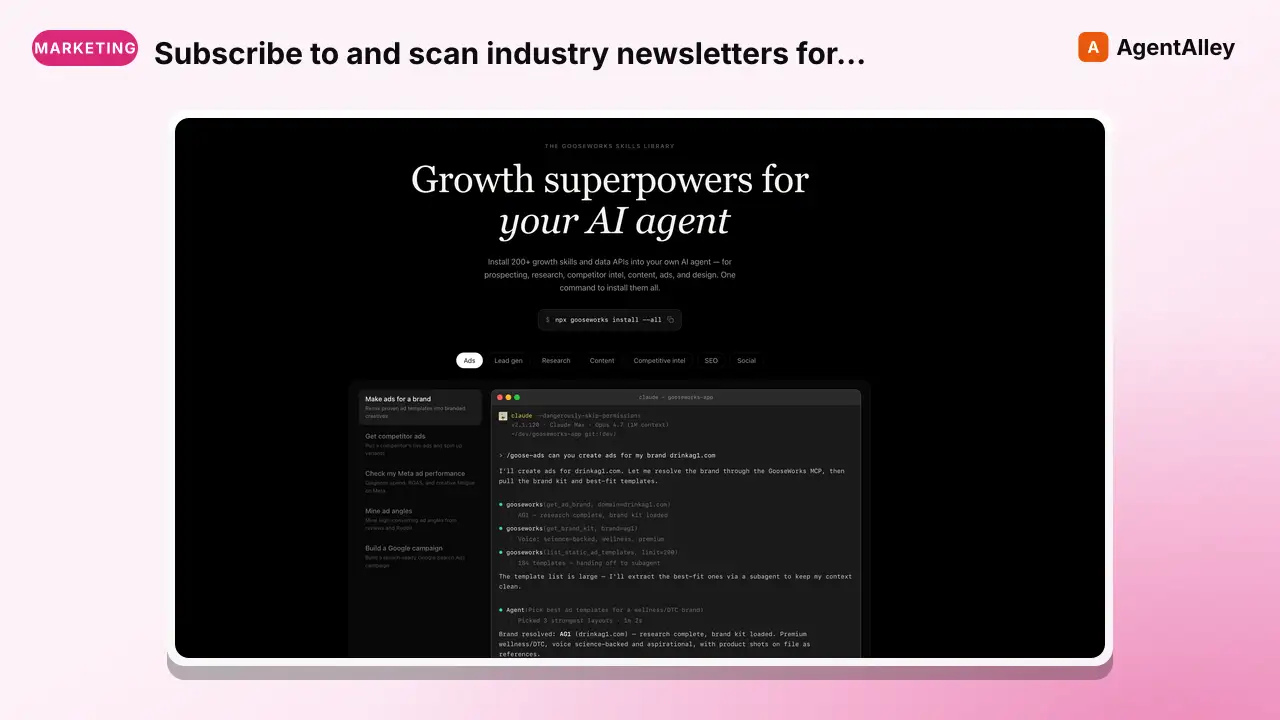
Subscribe to and scan industry newsletters for buying signals, competitor mentions, ICP pain-point language, and market shifts. Parses incoming newsletter emails via AgentMail, matches against keyword campaigns, and delivers a weekly…
---
name: newsletter-signal-scanner
description: >
  Subscribe to and scan industry newsletters for buying signals, competitor mentions,
  ICP pain-point language, and market shifts. Parses incoming newsletter emails via
  AgentMail, matches against keyword campaigns, and delivers a weekly digest of
  actionable signals. Use when a marketing team wants to turn newsletter subscriptions
  into an ongoing intelligence feed without manual reading.
tags: [monitoring]
---

# Newsletter Signal Scanner

Turn your newsletter subscriptions into a structured intelligence feed. Monitors an AgentMail inbox for incoming newsletters, extracts signal-relevant content by keyword campaign, and delivers a weekly digest of what matters — competitor mentions, ICP pain language, market shifts, and emerging topics.

## When to Use

- "Monitor industry newsletters for competitor mentions"
Overview
Turn your newsletter subscriptions into a structured intelligence feed. Monitors an AgentMail inbox for incoming newsletters, extracts signal-relevant content by keyword campaign, and delivers a weekly digest of what matters — competitor mentions, ICP pain language, market shifts, and emerging topics.
What you get
- Digest deliverySlack channel, email, or markdown file? (default: markdown file)
- Frequencydaily or weekly? (default: weekly)
Manual install (npx, ZIP)
npx skills add gooseworks-ai/goose-skills --skill newsletter-signal-scanner -g -a claude-codemkdir -p ~/.claude/skills && curl -sL https://codeload.github.com/gooseworks-ai/goose-skills/tar.gz/615c685f34f8 \
| tar -xz -C ~/.claude/skills --strip-components=4 goose-skills-615c685f34f8/skills/monitoring/composites/newsletter-signal-scannerNew-Item -ItemType Directory -Force "$HOME\.claude\skills" | Out-Null; Invoke-WebRequest "https://m.agentalley.io/zip/bb38ef19ab50f2e7899e/newsletter-signal-scanner.zip" -OutFile "$env:TEMP\newsletter-signal-scanner.zip"; Expand-Archive "$env:TEMP\newsletter-signal-scanner.zip" -DestinationPath "$HOME\.claude\skills" -ForceConnects with Agent Alley MCP · agentalley.io/mcp
Files included
SKILL.md6.3 KBskill.meta.json273 B
Read the files here
gooseworks-ai/
Show the full text203 lines
Newsletter Signal Scanner
Turn your newsletter subscriptions into a structured intelligence feed. Monitors an AgentMail inbox for incoming newsletters, extracts signal-relevant content by keyword campaign, and delivers a weekly digest of what matters — competitor mentions, ICP pain language, market shifts, and emerging topics.
When to Use
- "Monitor industry newsletters for competitor mentions"
- "Alert me when newsletters mention [topic] or [company]"
- "What are newsletters writing about this week in our space?"
- "Set up newsletter monitoring for [client]"
Phase 0: Intake
Newsletters to Monitor
- Which newsletters should be subscribed to and monitored? (List names or URLs)
- If unknown, ask: "What 3-5 newsletters does your ICP read?" — then use
sponsored-newsletter-finderto discover others.
- If unknown, ask: "What 3-5 newsletters does your ICP read?" — then use
- Which AgentMail inbox should receive them? (Or should we create a new one?)
Keyword Campaigns
- Competitor names to track (e.g., "Clay", "Apollo", "Outreach")
- ICP pain-language terms to track (e.g., "outbound struggling", "pipeline dried up", "SDR ramp")
- Market shift terms (e.g., "AI SDR", "agent-led growth", "GTM engineer")
- Your brand name (to catch mentions)
Output
- Digest delivery: Slack channel, email, or markdown file? (default: markdown file)
- Frequency: daily or weekly? (default: weekly)
Save campaign config to the current working directory as newsletter-signals.json (or user-specified path).
{
  "inbox_id": "<agentmail_inbox_id>",
  "keyword_campaigns": {
    "competitors": ["Clay", "Apollo", "Outreach", "Salesloft"],
    "pain_language": ["pipeline is down", "outbound isn't working", "SDR ramp"],
    "market_shifts": ["AI SDR", "GTM engineer", "agent-led"],
    "brand_mentions": ["YourCompany", "yourcompany.com"]
  },
  "newsletters": [
    {"name": "Exit Five", "from_domain": "exitfive.com"},
    {"name": "The GTM Newsletter", "from_domain": "gtmnewsletter.com"}
  ],
  "output": {
    "format": "markdown",
    "path": "newsletter-signals-[DATE].md"
  }
}
Phase 1: Scan Inbox
Use the AgentMail API (agentmail.dev) to fetch new emails from the monitored inbox:
Fetch emails from inbox <inbox_id> since <last_scan_date>
Filter to: known newsletter senders (match against newsletters config)
For each email:
- Extract subject, sender, date, full body text
- Strip HTML → plain text for analysis
Phase 2: Apply Keyword Campaigns
For each newsletter email, scan for keyword matches:
for email in emails:
    matches = {}
    for campaign, keywords in keyword_campaigns.items():
        found = []
        for keyword in keywords:
            if keyword.lower() in email.body.lower():
                # Extract context: 50 chars before + keyword + 50 chars after
                context = extract_context(email.body, keyword)
                found.append({"keyword": keyword, "context": context})
        if found:
            matches[campaign] = found
    email.signal_matches = matches
Only include emails with at least one keyword match in the digest.
Phase 3: Extract Signal Snippets
For each matched email, extract clean signal snippets:
Competitor mention example:
Newsletter: The GTM Newsletter | Date: 2026-03-05 Campaign: competitors Keyword: "Clay" Context: "...teams that use Clay for enrichment are seeing 3x better personalization rates compared to..."
Pain language example:
Newsletter: Exit Five | Date: 2026-03-04 Campaign: pain_language Keyword: "outbound isn't working" Context: "...a lot of founders telling me outbound isn't working the way it used to. The reply rates I'm seeing..."
Phase 4: Output Format
# Newsletter Signal Digest — Week of [DATE]

## Summary
- Newsletters scanned: [N]
- Emails with signals: [N]
- Top trending topic: [topic]

---

## Competitor Mentions

### Clay
- **[Newsletter Name]** — [Date]
  > "[Context snippet]"
  Source: [email subject] | [URL if available]

### [Other Competitor]
...

---

## ICP Pain Language

Signals suggesting your ICP is feeling pain your product solves:

- **[Newsletter Name]** — [Date]
  > "[Context snippet]"
  — Relevance: [why this matters]

---

## Market Shift Signals

Emerging topics gaining newsletter coverage:

- **"[Topic]"** — mentioned in [N] newsletters this week
  > "[Context snippet]"

---

## Your Brand Mentions
[Any mentions of your company or product]

---

## Recommended Actions
1. [Specific action based on signals — e.g., "Exit Five is covering AI SDR fatigue — good moment to publish our take"]
2. [Competitive response if needed]
Save to the current working directory as newsletter-signals-[YYYY-MM-DD].md (or user-specified path).
Phase 5: Setup — Subscribe to Newsletters
For first-time setup, subscribe the AgentMail address to target newsletters:
- Get the AgentMail inbox address (via AgentMail API at agentmail.dev)
- For each newsletter, visit subscription page and submit the AgentMail address
- Confirm subscriptions (check inbox for confirmation emails)
- Allow 1-2 weeks of accumulation before first full digest
Scheduling
Run weekly (Monday morning recommended):
# Every Monday at 7am — before the team's standup
0 7 * * 1 python3 run_skill.py newsletter-signal-scanner --client <client-name>
Cost
| Component | Cost |
|---|---|
| AgentMail inbox | Depends on AgentMail pricing |
| Email parsing + keyword matching | Free (local logic) |
| Total | Near-zero ongoing cost |
Tools Required
- AgentMail API (agentmail.dev) — for inbox access. Requires
AGENTMAIL_API_KEYenvironment variable and theagentmailpip package (pip3 install agentmail).
Trigger Phrases
- "Scan newsletters for this week's signals"
- "What are industry newsletters saying about [topic]?"
- "Run newsletter signal scanner for [client]"
- "Set up newsletter monitoring"
| 1 | |
| 2 | name newsletter-signal-scanner |
| 3 | description > |
| 4 | Subscribe to and scan industry newsletters for buying signals, competitor mentions, |
| 5 | ICP pain-point language, and market shifts. Parses incoming newsletter emails via |
| 6 | AgentMail, matches against keyword campaigns, and delivers a weekly digest of |
| 7 | actionable signals. Use when a marketing team wants to turn newsletter subscriptions |
| 8 | into an ongoing intelligence feed without manual reading. |
| 9 | tags [monitoring] |
| 10 | |
| 11 | |
| 12 | # Newsletter Signal Scanner |
| 13 | |
| 14 | Turn your newsletter subscriptions into a structured intelligence feed. Monitors an AgentMail inbox for incoming newsletters, extracts signal-relevant content by keyword campaign, and delivers a weekly digest of what matters — competitor mentions, ICP pain language, market shifts, and emerging topics. |
| 15 | |
| 16 | ## When to Use |
| 17 | |
| 18 | "Monitor industry newsletters for competitor mentions" |
| 19 | "Alert me when newsletters mention [topic] or [company]" |
| 20 | "What are newsletters writing about this week in our space?" |
| 21 | "Set up newsletter monitoring for [client]" |
| 22 | |
| 23 | ## Phase 0: Intake |
| 24 | |
| 25 | ### Newsletters to Monitor |
| 26 | Which newsletters should be subscribed to and monitored? (List names or URLs) |
| 27 | If unknown, ask: "What 3-5 newsletters does your ICP read?" — then use `sponsored-newsletter-finder` to discover others. |
| 28 | Which AgentMail inbox should receive them? (Or should we create a new one?) |
| 29 | |
| 30 | ### Keyword Campaigns |
| 31 | Competitor names to track (e.g., "Clay", "Apollo", "Outreach") |
| 32 | ICP pain-language terms to track (e.g., "outbound struggling", "pipeline dried up", "SDR ramp") |
| 33 | Market shift terms (e.g., "AI SDR", "agent-led growth", "GTM engineer") |
| 34 | Your brand name (to catch mentions) |
| 35 | |
| 36 | ### Output |
| 37 | Digest delivery: Slack channel, email, or markdown file? (default: markdown file) |
| 38 | Frequency: daily or weekly? (default: weekly) |
| 39 | |
| 40 | Save campaign config to the current working directory as `newsletter-signals.json` (or user-specified path). |
| 41 | |
| 42 | |
| 43 | { |
| 44 | "inbox_id": "<agentmail_inbox_id>", |
| 45 | "keyword_campaigns": { |
| 46 | "competitors": ["Clay", "Apollo", "Outreach", "Salesloft"], |
| 47 | "pain_language": ["pipeline is down", "outbound isn't working", "SDR ramp"], |
| 48 | "market_shifts": ["AI SDR", "GTM engineer", "agent-led"], |
| 49 | "brand_mentions": ["YourCompany", "yourcompany.com"] |
| 50 | }, |
| 51 | "newsletters": [ |
| 52 | {"name": "Exit Five", "from_domain": "exitfive.com"}, |
| 53 | {"name": "The GTM Newsletter", "from_domain": "gtmnewsletter.com"} |
| 54 | ], |
| 55 | "output": { |
| 56 | "format": "markdown", |
| 57 | "path": "newsletter-signals-[DATE].md" |
| 58 | } |
| 59 | } |
| 60 | |
| 61 | |
| 62 | ## Phase 1: Scan Inbox |
| 63 | |
| 64 | Use the AgentMail API (agentmail.dev) to fetch new emails from the monitored inbox: |
| 65 | |
| 66 | |
| 67 | Fetch emails from inbox <inbox_id> since <last_scan_date> |
| 68 | Filter to: known newsletter senders (match against newsletters config) |
| 69 | |
| 70 | |
| 71 | For each email: |
| 72 | Extract subject, sender, date, full body text |
| 73 | Strip HTML → plain text for analysis |
| 74 | |
| 75 | ## Phase 2: Apply Keyword Campaigns |
| 76 | |
| 77 | For each newsletter email, scan for keyword matches: |
| 78 | |
| 79 | |
| 80 | for email in emails: |
| 81 | matches = {} |
| 82 | for campaign, keywords in keyword_campaigns.items(): |
| 83 | found = [] |
| 84 | for keyword in keywords: |
| 85 | if keyword.lower() in email.body.lower(): |
| 86 | # Extract context: 50 chars before + keyword + 50 chars after |
| 87 | context = extract_context(email.body, keyword) |
| 88 | found.append({"keyword": keyword, "context": context}) |
| 89 | if found: |
| 90 | matches[campaign] = found |
| 91 | email.signal_matches = matches |
| 92 | |
| 93 | |
| 94 | Only include emails with at least one keyword match in the digest. |
| 95 | |
| 96 | ## Phase 3: Extract Signal Snippets |
| 97 | |
| 98 | For each matched email, extract clean signal snippets: |
| 99 | |
| 100 | **Competitor mention example:** |
| 101 | > Newsletter: The GTM Newsletter | Date: 2026-03-05 |
| 102 | > Campaign: competitors |
| 103 | > Keyword: "Clay" |
| 104 | > Context: "...teams that use **Clay** for enrichment are seeing 3x better personalization rates compared to..." |
| 105 | |
| 106 | **Pain language example:** |
| 107 | > Newsletter: Exit Five | Date: 2026-03-04 |
| 108 | > Campaign: pain_language |
| 109 | > Keyword: "outbound isn't working" |
| 110 | > Context: "...a lot of founders telling me **outbound isn't working** the way it used to. The reply rates I'm seeing..." |
| 111 | |
| 112 | ## Phase 4: Output Format |
| 113 | |
| 114 | |
| 115 | # Newsletter Signal Digest — Week of [DATE] |
| 116 | |
| 117 | ## Summary |
| 118 | - Newsletters scanned: [N] |
| 119 | - Emails with signals: [N] |
| 120 | - Top trending topic: [topic] |
| 121 | |
| 122 | |
| 123 | |
| 124 | ## Competitor Mentions |
| 125 | |
| 126 | ### Clay |
| 127 | - **[Newsletter Name]** — [Date] |
| 128 | > "[Context snippet]" |
| 129 | Source: [email subject] | [URL if available] |
| 130 | |
| 131 | ### [Other Competitor] |
| 132 | ... |
| 133 | |
| 134 | |
| 135 | |
| 136 | ## ICP Pain Language |
| 137 | |
| 138 | Signals suggesting your ICP is feeling pain your product solves: |
| 139 | |
| 140 | - **[Newsletter Name]** — [Date] |
| 141 | > "[Context snippet]" |
| 142 | — Relevance: [why this matters] |
| 143 | |
| 144 | |
| 145 | |
| 146 | ## Market Shift Signals |
| 147 | |
| 148 | Emerging topics gaining newsletter coverage: |
| 149 | |
| 150 | - **"[Topic]"** — mentioned in [N] newsletters this week |
| 151 | > "[Context snippet]" |
| 152 | |
| 153 | |
| 154 | |
| 155 | ## Your Brand Mentions |
| 156 | [Any mentions of your company or product] |
| 157 | |
| 158 | |
| 159 | |
| 160 | ## Recommended Actions |
| 161 | 1. [Specific action based on signals — e.g., "Exit Five is covering AI SDR fatigue — good moment to publish our take"] |
| 162 | 2. [Competitive response if needed] |
| 163 | |
| 164 | |
| 165 | Save to the current working directory as `newsletter-signals-[YYYY-MM-DD].md` (or user-specified path). |
| 166 | |
| 167 | ## Phase 5: Setup — Subscribe to Newsletters |
| 168 | |
| 169 | For first-time setup, subscribe the AgentMail address to target newsletters: |
| 170 | |
| 171 | Get the AgentMail inbox address (via AgentMail API at agentmail.dev) |
| 172 | For each newsletter, visit subscription page and submit the AgentMail address |
| 173 | Confirm subscriptions (check inbox for confirmation emails) |
| 174 | Allow 1-2 weeks of accumulation before first full digest |
| 175 | |
| 176 | ## Scheduling |
| 177 | |
| 178 | Run weekly (Monday morning recommended): |
| 179 | |
| 180 | |
| 181 | # Every Monday at 7am — before the team's standup |
| 182 | 0 7 * * 1 python3 run_skill.py newsletter-signal-scanner --client <client-name> |
| 183 | |
| 184 | |
| 185 | ## Cost |
| 186 | |
| 187 | | Component | Cost | |
| 188 | |-----------|------| |
| 189 | | AgentMail inbox | Depends on AgentMail pricing | |
| 190 | | Email parsing + keyword matching | Free (local logic) | |
| 191 | | **Total** | **Near-zero ongoing cost** | |
| 192 | |
| 193 | ## Tools Required |
| 194 | |
| 195 | **AgentMail API** (agentmail.dev) — for inbox access. Requires `AGENTMAIL_API_KEY` environment variable and the `agentmail` pip package (`pip3 install agentmail`). |
| 196 | |
| 197 | ## Trigger Phrases |
| 198 | |
| 199 | "Scan newsletters for this week's signals" |
| 200 | "What are industry newsletters saying about [topic]?" |
| 201 | "Run newsletter signal scanner for [client]" |
| 202 | "Set up newsletter monitoring" |
| 203 |
Details
- Updated
- Sep 21, 2026
- License
- MIT
- Stars on the repo
- ★ 1,220
- Checked
- Source
- gooseworks-ai/goose-skills ↗
- Creator
- gooseworks-ai · 206 listings
Made with newsletter-signal-scanner

Similar skills
See all → SkillTell us about your business and who you sell toA Free Giveaway That Grows Your Email List
 coreyhaines31/marketingskills · by coreyhaines31Tell us about your business and who you sell to, and get back a ready-to-launch free offer that turns website visitors into email signups and future customers.★ 51.1k GitHub stars
 SkillSays 'newsletter', 'email newsletter', 'weekly digest'Newsletter: Writing email newsletter edition...
 cwinvestments/memstack · by cwinvestmentsUse this skill when the user says 'newsletter', 'email newsletter', 'weekly digest', 'subscriber growth', 'open rates', or needs subject lines, content structure, sponsorship placement, and growth tactics for email newsletters. Do NOT use for lead magnets or content pipelines.★ 423 GitHub stars
 SkillWrite a signal-based cold outreach email that earns a replySignal-Based Cold Email (2026 benchmarks)
 kami-community/kami · by kami-communityWrite a signal-based cold outreach email that earns a reply. Use when drafting outbound/SDR email to a prospect with a known recent signal (funding, hiring, exec hire, launch, community post).★ 64 GitHub stars
 SkillHostinger Reach API for contact management, segmentationHostinger Reach (Email Marketing)
 hostinger/hostinger-agent-skills · by hostingerHostinger Reach (Email Marketing) API for contact management, segmentation, contact groups, and profile management. Use when creating or listing contacts, managing contact segments or groups, filtering contacts by subscription status, or working with email marketing profiles.★ 23 GitHub stars
 MCPExpert email marketing strategist for CRM-driven campaigns
 msitarzewski/agency-agents · by msitarzewskiExpert email marketing strategist for CRM-driven campaigns, lifecycle automation, segmentation architecture, and deliverability. Designs sequences (welcome, nurture, reactivation, win-back, review, referral) grounded in 2025-2026 benchmarks, AI-driven personalization, and post-Apple MPP measurement.★ 154k GitHub stars
 SkillWrite B2B cold emails and follow-up sequences that getCold Email Writingcoreyhaines31/marketingskills · by coreyhaines31Write B2B cold emails and follow-up sequences that get replies. Use when the user wants to write cold outreach emails, prospecting emails, cold email campaigns, sales development emails, or SDR emails. Also use when the user mentions "cold outreach," "prospecting email," "outbound email," "email to leads," "reach out to prospects," "sales email," "follow-up email sequence," "nobody's replying to my emails," or "how do I write a cold email." Covers subject lines, opening lines, body copy, CTAs, personalization, and multi-touch follow-up sequences. For warm/lifecycle email sequences, see emails. For sales collateral beyond emails, see sales-enablement.★ 51.1k GitHub stars
More from gooseworks-ai
 SkillMine the highest-converting ad angles from customer reviewsAd angle miner
 gooseworks-ai/goose-skills · by gooseworks-aiMine the highest-converting ad angles from customer reviews, Reddit complaints, support tickets, and competitor ads. Extracts actual pain language, competitor weaknesses, and outcome phrases that real buyers use. Outputs a ranked angle bank with proof quotes and recommended ad formats per angle.★ 1.2k GitHub stars
 SkillAnalyze ad campaign performance data to identify what'sAd campaign analyzergooseworks-ai/goose-skills · by gooseworks-aiAnalyze ad campaign performance data (Google, Meta, LinkedIn) to identify what's working, what's wasting budget, and specific cut/scale/test recommendations. Runs statistical analysis, funnel diagnostics, and multi-channel budget reallocation with specific dollar-amount shift recommendations and scenario modeling.★ 1.2k GitHub stars
 SkillFor paid lead-gen and participant-recruitment adsAd lead quality analyzergooseworks-ai/goose-skills · by gooseworks-aiFor paid lead-gen and participant-recruitment ads, replaces vanity CPA with true CAC per qualified lead by joining ad-platform data with downstream funnel events, surfaces tracking gaps, and classifies every creative into Scale / Keep / Investigate / Cut.★ 1.2k GitHub stars
 SkillAnalyze the message match between your ads and landing pagesAd to landing page auditorgooseworks-ai/goose-skills · by gooseworks-aiAnalyze the message match between your ads and landing pages. Checks if the promise in the ad copy carries through to the landing page headline, body, and CTA. Flags disconnects that kill conversion rates. Works with Google, Meta, and LinkedIn ads.★ 1.2k GitHub stars
 SkillCheck and improve your brand's visibility across AI searchAeogooseworks-ai/goose-skills · by gooseworks-aiCheck and improve your brand's visibility across AI search engines (ChatGPT, Perplexity, Gemini, Grok, Claude, DeepSeek). Set up tracking, run visibility analyses, audit your website for AI readability, and get actionable recommendations. Uses the npx goose-aeo@latest CLI.★ 1.2k GitHub stars
 SkillSearch Amazon products - find items, compare pricesAmazon Product Searchgooseworks-ai/goose-skills · by gooseworks-aiSearch Amazon products - find items, compare prices, read reviews★ 1.2k GitHub stars