A basic implementation of persistent memory using a local
Knowledge Graph Memory Server
A basic implementation of persistent memory using a local knowledge graph.
# Knowledge Graph Memory Server

A basic implementation of persistent memory using a local knowledge graph. This lets Claude remember information about the user across chats.

Published on npm as [`@modelcontextprotocol/server-memory`](https://www.npmjs.com/package/@modelcontextprotocol/server-memory).

## Core Concepts

### Entities
Entities are the primary nodes in the knowledge graph. Each entity has:
- A unique name (identifier)
- An entity type (e.g., "person", "organization", "event")
- A list of observations

Example:
```json
{
  "name": "John_Smith",
Overview
A basic implementation of persistent memory using a local knowledge graph. This lets Claude remember information about the user across chats.
Manual install (npx, ZIP)
mkdir -p ~/.claude/agents && curl -sL https://raw.githubusercontent.com/modelcontextprotocol/servers/f46d9578190b476b3501923ea8977d899e8db2cb/src/memory/README.md \
-o ~/.claude/agents/README.mdNew-Item -ItemType Directory -Force "$HOME\.claude\agents" | Out-Null; Invoke-WebRequest "https://raw.githubusercontent.com/modelcontextprotocol/servers/f46d9578190b476b3501923ea8977d899e8db2cb/src/memory/README.md" -OutFile "$HOME\.claude\agents\README.md"Connects with Agent Alley MCP · agentalley.io/mcp
Files included
README.md10.6 KB
Read the files here
modelcontextprotocol/
Show the full text352 lines
Knowledge Graph Memory Server
A basic implementation of persistent memory using a local knowledge graph. This lets Claude remember information about the user across chats.
Published on npm as @modelcontextprotocol/server-memory.
Core Concepts
Entities
Entities are the primary nodes in the knowledge graph. Each entity has:
- A unique name (identifier)
- An entity type (e.g., "person", "organization", "event")
- A list of observations
Example:
{
  "name": "John_Smith",
  "entityType": "person",
  "observations": ["Speaks fluent Spanish"]
}
Relations
Relations define directed connections between entities. They are always stored in active voice and describe how entities interact or relate to each other.
Example:
{
  "from": "John_Smith",
  "to": "Anthropic",
  "relationType": "works_at"
}
Observations
Observations are discrete pieces of information about an entity. They are:
- Stored as strings
- Attached to specific entities
- Can be added or removed independently
- Should be atomic (one fact per observation)
Example:
{
  "entityName": "John_Smith",
  "observations": [
    "Speaks fluent Spanish",
    "Graduated in 2019",
    "Prefers morning meetings"
  ]
}
API
Tools
create_entities
- Create multiple new entities in the knowledge graph
- Input:
entities(array of objects)- Each object contains:
name(string): Entity identifierentityType(string): Type classificationobservations(string[]): Associated observations
- Each object contains:
- Ignores entities with existing names
create_relations
- Create multiple new relations between entities
- Input:
relations(array of objects)- Each object contains:
from(string): Source entity nameto(string): Target entity namerelationType(string): Relationship type in active voice
- Each object contains:
- Skips duplicate relations
- Fails if either the source or target entity doesn't exist
add_observations
- Add new observations to existing entities
- Input:
observations(array of objects)- Each object contains:
entityName(string): Target entitycontents(string[]): New observations to add
- Each object contains:
- Returns added observations per entity
- Fails if entity doesn't exist
delete_entities
- Remove entities and their relations
- Input:
entityNames(string[]) - Cascading deletion of associated relations
- No error if an entity doesn't exist; the response reports which names were not found
delete_observations
- Remove specific observations from entities
- Input:
deletions(array of objects)- Each object contains:
entityName(string): Target entityobservations(string[]): Observations to remove
- Each object contains:
- No error if an observation doesn't exist; the response reports how many were deleted
delete_relations
- Remove specific relations from the graph
- Input:
relations(array of objects)- Each object contains:
from(string): Source entity nameto(string): Target entity namerelationType(string): Relationship type
- Each object contains:
- No error if a relation doesn't exist; the response reports how many were deleted
read_graph
- Read the entire knowledge graph
- No input required
- Returns complete graph structure with all entities and relations
search_nodes
- Search for nodes based on query
- Input:
query(string) - Searches across:
- Entity names
- Entity types
- Observation content
- Returns matching entities and their relations
open_nodes
- Retrieve specific nodes by name
- Input:
names(string[]) - Returns:
- Requested entities
- Relations between requested entities
- Silently skips non-existent nodes
Resources
- knowledge-graph (
memory://knowledge-graph)- The full knowledge graph as a readable MCP Resource
- MIME type:
application/json - Returns the same shape as
read_graph(entities and relations) - Mutation tools (
create_entities,create_relations,add_observations,delete_entities,delete_observations,delete_relations) emitnotifications/resources/updatedfor this URI, so subscribed clients see live changes
Usage with Claude Desktop
Setup
Add this to your claude_desktop_config.json:
Docker
{
  "mcpServers": {
    "memory": {
      "command": "docker",
      "args": ["run", "-i", "-v", "claude-memory:/app/dist", "--rm", "mcp/memory"]
    }
  }
}
NPX
{
  "mcpServers": {
    "memory": {
      "command": "npx",
      "args": [
        "-y",
        "@modelcontextprotocol/server-memory"
      ]
    }
  }
}
On Windows, use cmd /c to launch npx:
{
  "mcpServers": {
    "memory": {
      "command": "cmd",
      "args": [
        "/c",
        "npx",
        "-y",
        "@modelcontextprotocol/server-memory"
      ]
    }
  }
}
NPX with custom setting
The server can be configured using the following environment variables:
{
  "mcpServers": {
    "memory": {
      "command": "npx",
      "args": [
        "-y",
        "@modelcontextprotocol/server-memory"
      ],
      "env": {
        "MEMORY_FILE_PATH": "/path/to/custom/memory.jsonl"
      }
    }
  }
}
On Windows, use:
{
  "mcpServers": {
    "memory": {
      "command": "cmd",
      "args": [
        "/c",
        "npx",
        "-y",
        "@modelcontextprotocol/server-memory"
      ],
      "env": {
        "MEMORY_FILE_PATH": "/path/to/custom/memory.jsonl"
      }
    }
  }
}
MEMORY_FILE_PATH: Path to the memory storage JSONL file (default:memory.jsonlin the server directory)
VS Code Installation Instructions
For quick installation, use one of the one-click installation buttons below:




For manual installation, you can configure the MCP server using one of these methods:
Method 1: User Configuration (Recommended)
Add the configuration to your user-level MCP configuration file. Open the Command Palette (Ctrl + Shift + P) and run MCP: Open User Configuration. This will open your user mcp.json file where you can add the server configuration.
Method 2: Workspace Configuration
Alternatively, you can add the configuration to a file called .vscode/mcp.json in your workspace. This will allow you to share the configuration with others.
For more details about MCP configuration in VS Code, see the official VS Code MCP documentation.
NPX
{
  "servers": {
    "memory": {
      "command": "npx",
      "args": [
        "-y",
        "@modelcontextprotocol/server-memory"
      ]
    }
  }
}
On Windows, use:
{
  "servers": {
    "memory": {
      "command": "cmd",
      "args": [
        "/c",
        "npx",
        "-y",
        "@modelcontextprotocol/server-memory"
      ]
    }
  }
}
Docker
{
  "servers": {
    "memory": {
      "command": "docker",
      "args": [
        "run",
        "-i",
        "-v",
        "claude-memory:/app/dist",
        "--rm",
        "mcp/memory"
      ]
    }
  }
}
System Prompt
The prompt for utilizing memory depends on the use case. Changing the prompt will help the model determine the frequency and types of memories created.
Here is an example prompt for chat personalization. You could use this prompt in the "Custom Instructions" field of a Claude.ai Project.
Follow these steps for each interaction:

1. User Identification:
   - You should assume that you are interacting with default_user
   - If you have not identified default_user, proactively try to do so.

2. Memory Retrieval:
   - Always begin your chat by saying only "Remembering..." and retrieve all relevant information from your knowledge graph
   - Always refer to your knowledge graph as your "memory"

3. Memory
   - While conversing with the user, be attentive to any new information that falls into these categories:
     a) Basic Identity (age, gender, location, job title, education level, etc.)
     b) Behaviors (interests, habits, etc.)
     c) Preferences (communication style, preferred language, etc.)
     d) Goals (goals, targets, aspirations, etc.)
     e) Relationships (personal and professional relationships up to 3 degrees of separation)

4. Memory Update:
   - If any new information was gathered during the interaction, update your memory as follows:
     a) Create entities for recurring organizations, people, and significant events
     b) Connect them to the current entities using relations
     c) Store facts about them as observations
Building
Docker:
docker build -t mcp/memory -f src/memory/Dockerfile .
For Awareness: a prior mcp/memory volume contains an index.js file that could be overwritten by the new container. If you are using a docker volume for storage, delete the old docker volume's index.js file before starting the new container.
License
This MCP server is licensed under the MIT License. This means you are free to use, modify, and distribute the software, subject to the terms and conditions of the MIT License. For more details, please see the LICENSE file in the project repository.
| 1 | # Knowledge Graph Memory Server |
| 2 | |
| 3 | A basic implementation of persistent memory using a local knowledge graph. This lets Claude remember information about the user across chats. |
| 4 | |
| 5 | Published on npm as [`@modelcontextprotocol/server-memory`]. |
| 6 | |
| 7 | ## Core Concepts |
| 8 | |
| 9 | ### Entities |
| 10 | Entities are the primary nodes in the knowledge graph. Each entity has: |
| 11 | A unique name (identifier) |
| 12 | An entity type (e.g., "person", "organization", "event") |
| 13 | A list of observations |
| 14 | |
| 15 | Example: |
| 16 | |
| 17 | { |
| 18 | "name": "John_Smith", |
| 19 | "entityType": "person", |
| 20 | "observations": ["Speaks fluent Spanish"] |
| 21 | } |
| 22 | |
| 23 | |
| 24 | ### Relations |
| 25 | Relations define directed connections between entities. They are always stored in active voice and describe how entities interact or relate to each other. |
| 26 | |
| 27 | Example: |
| 28 | |
| 29 | { |
| 30 | "from": "John_Smith", |
| 31 | "to": "Anthropic", |
| 32 | "relationType": "works_at" |
| 33 | } |
| 34 | |
| 35 | ### Observations |
| 36 | Observations are discrete pieces of information about an entity. They are: |
| 37 | |
| 38 | Stored as strings |
| 39 | Attached to specific entities |
| 40 | Can be added or removed independently |
| 41 | Should be atomic (one fact per observation) |
| 42 | |
| 43 | Example: |
| 44 | |
| 45 | { |
| 46 | "entityName": "John_Smith", |
| 47 | "observations": [ |
| 48 | "Speaks fluent Spanish", |
| 49 | "Graduated in 2019", |
| 50 | "Prefers morning meetings" |
| 51 | ] |
| 52 | } |
| 53 | |
| 54 | |
| 55 | ## API |
| 56 | |
| 57 | ### Tools |
| 58 | **create_entities** |
| 59 | Create multiple new entities in the knowledge graph |
| 60 | Input: `entities` (array of objects) |
| 61 | Each object contains: |
| 62 | `name` (string): Entity identifier |
| 63 | `entityType` (string): Type classification |
| 64 | `observations` (string[]): Associated observations |
| 65 | Ignores entities with existing names |
| 66 | |
| 67 | **create_relations** |
| 68 | Create multiple new relations between entities |
| 69 | Input: `relations` (array of objects) |
| 70 | Each object contains: |
| 71 | `from` (string): Source entity name |
| 72 | `to` (string): Target entity name |
| 73 | `relationType` (string): Relationship type in active voice |
| 74 | Skips duplicate relations |
| 75 | Fails if either the source or target entity doesn't exist |
| 76 | |
| 77 | **add_observations** |
| 78 | Add new observations to existing entities |
| 79 | Input: `observations` (array of objects) |
| 80 | Each object contains: |
| 81 | `entityName` (string): Target entity |
| 82 | `contents` (string[]): New observations to add |
| 83 | Returns added observations per entity |
| 84 | Fails if entity doesn't exist |
| 85 | |
| 86 | **delete_entities** |
| 87 | Remove entities and their relations |
| 88 | Input: `entityNames` (string[]) |
| 89 | Cascading deletion of associated relations |
| 90 | No error if an entity doesn't exist; the response reports which names were not found |
| 91 | |
| 92 | **delete_observations** |
| 93 | Remove specific observations from entities |
| 94 | Input: `deletions` (array of objects) |
| 95 | Each object contains: |
| 96 | `entityName` (string): Target entity |
| 97 | `observations` (string[]): Observations to remove |
| 98 | No error if an observation doesn't exist; the response reports how many were deleted |
| 99 | |
| 100 | **delete_relations** |
| 101 | Remove specific relations from the graph |
| 102 | Input: `relations` (array of objects) |
| 103 | Each object contains: |
| 104 | `from` (string): Source entity name |
| 105 | `to` (string): Target entity name |
| 106 | `relationType` (string): Relationship type |
| 107 | No error if a relation doesn't exist; the response reports how many were deleted |
| 108 | |
| 109 | **read_graph** |
| 110 | Read the entire knowledge graph |
| 111 | No input required |
| 112 | Returns complete graph structure with all entities and relations |
| 113 | |
| 114 | **search_nodes** |
| 115 | Search for nodes based on query |
| 116 | Input: `query` (string) |
| 117 | Searches across: |
| 118 | Entity names |
| 119 | Entity types |
| 120 | Observation content |
| 121 | Returns matching entities and their relations |
| 122 | |
| 123 | **open_nodes** |
| 124 | Retrieve specific nodes by name |
| 125 | Input: `names` (string[]) |
| 126 | Returns: |
| 127 | Requested entities |
| 128 | Relations between requested entities |
| 129 | Silently skips non-existent nodes |
| 130 | |
| 131 | ### Resources |
| 132 | |
| 133 | **knowledge-graph** (`memory://knowledge-graph`) |
| 134 | The full knowledge graph as a readable MCP Resource |
| 135 | MIME type: `application/json` |
| 136 | Returns the same shape as `read_graph` (entities and relations) |
| 137 | Mutation tools (`create_entities`, `create_relations`, `add_observations`, `delete_entities`, `delete_observations`, `delete_relations`) emit `notifications/resources/updated` for this URI, so subscribed clients see live changes |
| 138 | |
| 139 | # Usage with Claude Desktop |
| 140 | |
| 141 | ### Setup |
| 142 | |
| 143 | Add this to your claude_desktop_config.json: |
| 144 | |
| 145 | #### Docker |
| 146 | |
| 147 | |
| 148 | { |
| 149 | "mcpServers": { |
| 150 | "memory": { |
| 151 | "command": "docker", |
| 152 | "args": ["run", "-i", "-v", "claude-memory:/app/dist", "--rm", "mcp/memory"] |
| 153 | } |
| 154 | } |
| 155 | } |
| 156 | |
| 157 | |
| 158 | #### NPX |
| 159 | |
| 160 | { |
| 161 | "mcpServers": { |
| 162 | "memory": { |
| 163 | "command": "npx", |
| 164 | "args": [ |
| 165 | "-y", |
| 166 | "@modelcontextprotocol/server-memory" |
| 167 | ] |
| 168 | } |
| 169 | } |
| 170 | } |
| 171 | |
| 172 | |
| 173 | On Windows, use `cmd /c` to launch `npx`: |
| 174 | |
| 175 | |
| 176 | { |
| 177 | "mcpServers": { |
| 178 | "memory": { |
| 179 | "command": "cmd", |
| 180 | "args": [ |
| 181 | "/c", |
| 182 | "npx", |
| 183 | "-y", |
| 184 | "@modelcontextprotocol/server-memory" |
| 185 | ] |
| 186 | } |
| 187 | } |
| 188 | } |
| 189 | |
| 190 | |
| 191 | #### NPX with custom setting |
| 192 | |
| 193 | The server can be configured using the following environment variables: |
| 194 | |
| 195 | |
| 196 | { |
| 197 | "mcpServers": { |
| 198 | "memory": { |
| 199 | "command": "npx", |
| 200 | "args": [ |
| 201 | "-y", |
| 202 | "@modelcontextprotocol/server-memory" |
| 203 | ], |
| 204 | "env": { |
| 205 | "MEMORY_FILE_PATH": "/path/to/custom/memory.jsonl" |
| 206 | } |
| 207 | } |
| 208 | } |
| 209 | } |
| 210 | |
| 211 | |
| 212 | On Windows, use: |
| 213 | |
| 214 | |
| 215 | { |
| 216 | "mcpServers": { |
| 217 | "memory": { |
| 218 | "command": "cmd", |
| 219 | "args": [ |
| 220 | "/c", |
| 221 | "npx", |
| 222 | "-y", |
| 223 | "@modelcontextprotocol/server-memory" |
| 224 | ], |
| 225 | "env": { |
| 226 | "MEMORY_FILE_PATH": "/path/to/custom/memory.jsonl" |
| 227 | } |
| 228 | } |
| 229 | } |
| 230 | } |
| 231 | |
| 232 | |
| 233 | `MEMORY_FILE_PATH`: Path to the memory storage JSONL file (default: `memory.jsonl` in the server directory) |
| 234 | |
| 235 | # VS Code Installation Instructions |
| 236 | |
| 237 | For quick installation, use one of the one-click installation buttons below: |
| 238 | |
| 239 | [![Install with NPX in VS Code]](https://insiders.vscode.dev/redirect/mcp/install?name=memory&config=%7B%22command%22%3A%22npx%22%2C%22args%22%3A%5B%22-y%22%2C%22%40modelcontextprotocol%2Fserver-memory%22%5D%7D) [![Install with NPX in VS Code Insiders]](https://insiders.vscode.dev/redirect/mcp/install?name=memory&config=%7B%22command%22%3A%22npx%22%2C%22args%22%3A%5B%22-y%22%2C%22%40modelcontextprotocol%2Fserver-memory%22%5D%7D&quality=insiders) |
| 240 | |
| 241 | [![Install with Docker in VS Code]](https://insiders.vscode.dev/redirect/mcp/install?name=memory&config=%7B%22command%22%3A%22docker%22%2C%22args%22%3A%5B%22run%22%2C%22-i%22%2C%22-v%22%2C%22claude-memory%3A%2Fapp%2Fdist%22%2C%22--rm%22%2C%22mcp%2Fmemory%22%5D%7D) [![Install with Docker in VS Code Insiders]](https://insiders.vscode.dev/redirect/mcp/install?name=memory&config=%7B%22command%22%3A%22docker%22%2C%22args%22%3A%5B%22run%22%2C%22-i%22%2C%22-v%22%2C%22claude-memory%3A%2Fapp%2Fdist%22%2C%22--rm%22%2C%22mcp%2Fmemory%22%5D%7D&quality=insiders) |
| 242 | |
| 243 | For manual installation, you can configure the MCP server using one of these methods: |
| 244 | |
| 245 | **Method 1: User Configuration (Recommended)** |
| 246 | Add the configuration to your user-level MCP configuration file. Open the Command Palette (`Ctrl + Shift + P`) and run `MCP: Open User Configuration`. This will open your user `mcp.json` file where you can add the server configuration. |
| 247 | |
| 248 | **Method 2: Workspace Configuration** |
| 249 | Alternatively, you can add the configuration to a file called `.vscode/mcp.json` in your workspace. This will allow you to share the configuration with others. |
| 250 | |
| 251 | > For more details about MCP configuration in VS Code, see the [official VS Code MCP documentation]. |
| 252 | |
| 253 | #### NPX |
| 254 | |
| 255 | |
| 256 | { |
| 257 | "servers": { |
| 258 | "memory": { |
| 259 | "command": "npx", |
| 260 | "args": [ |
| 261 | "-y", |
| 262 | "@modelcontextprotocol/server-memory" |
| 263 | ] |
| 264 | } |
| 265 | } |
| 266 | } |
| 267 | |
| 268 | |
| 269 | On Windows, use: |
| 270 | |
| 271 | |
| 272 | { |
| 273 | "servers": { |
| 274 | "memory": { |
| 275 | "command": "cmd", |
| 276 | "args": [ |
| 277 | "/c", |
| 278 | "npx", |
| 279 | "-y", |
| 280 | "@modelcontextprotocol/server-memory" |
| 281 | ] |
| 282 | } |
| 283 | } |
| 284 | } |
| 285 | |
| 286 | |
| 287 | #### Docker |
| 288 | |
| 289 | |
| 290 | { |
| 291 | "servers": { |
| 292 | "memory": { |
| 293 | "command": "docker", |
| 294 | "args": [ |
| 295 | "run", |
| 296 | "-i", |
| 297 | "-v", |
| 298 | "claude-memory:/app/dist", |
| 299 | "--rm", |
| 300 | "mcp/memory" |
| 301 | ] |
| 302 | } |
| 303 | } |
| 304 | } |
| 305 | |
| 306 | |
| 307 | ### System Prompt |
| 308 | |
| 309 | The prompt for utilizing memory depends on the use case. Changing the prompt will help the model determine the frequency and types of memories created. |
| 310 | |
| 311 | Here is an example prompt for chat personalization. You could use this prompt in the "Custom Instructions" field of a [Claude.ai Project]. |
| 312 | |
| 313 | |
| 314 | Follow these steps for each interaction: |
| 315 | |
| 316 | 1. User Identification: |
| 317 | - You should assume that you are interacting with default_user |
| 318 | - If you have not identified default_user, proactively try to do so. |
| 319 | |
| 320 | 2. Memory Retrieval: |
| 321 | - Always begin your chat by saying only "Remembering..." and retrieve all relevant information from your knowledge graph |
| 322 | - Always refer to your knowledge graph as your "memory" |
| 323 | |
| 324 | 3. Memory |
| 325 | - While conversing with the user, be attentive to any new information that falls into these categories: |
| 326 | a) Basic Identity (age, gender, location, job title, education level, etc.) |
| 327 | b) Behaviors (interests, habits, etc.) |
| 328 | c) Preferences (communication style, preferred language, etc.) |
| 329 | d) Goals (goals, targets, aspirations, etc.) |
| 330 | e) Relationships (personal and professional relationships up to 3 degrees of separation) |
| 331 | |
| 332 | 4. Memory Update: |
| 333 | - If any new information was gathered during the interaction, update your memory as follows: |
| 334 | a) Create entities for recurring organizations, people, and significant events |
| 335 | b) Connect them to the current entities using relations |
| 336 | c) Store facts about them as observations |
| 337 | |
| 338 | |
| 339 | ## Building |
| 340 | |
| 341 | Docker: |
| 342 | |
| 343 | |
| 344 | docker build -t mcp/memory -f src/memory/Dockerfile . |
| 345 | |
| 346 | |
| 347 | For Awareness: a prior mcp/memory volume contains an index.js file that could be overwritten by the new container. If you are using a docker volume for storage, delete the old docker volume's `index.js` file before starting the new container. |
| 348 | |
| 349 | ## License |
| 350 | |
| 351 | This MCP server is licensed under the MIT License. This means you are free to use, modify, and distribute the software, subject to the terms and conditions of the MIT License. For more details, please see the LICENSE file in the project repository. |
| 352 |
Details
- Updated
- Sep 3, 2026
- License
- MIT
- Stars on the repo
- ★ 90,538
- Checked
- Source
- modelcontextprotocol/servers ↗
- Creator
- modelcontextprotocol · 7 listings
Similar MCP servers
See all → SkillExport the Obsidian wiki's knowledge graph to structuredWiki Export — Knowledge Graph Export
 Ar9av/obsidian-wiki · by Ar9avExport the Obsidian wiki's knowledge graph to structured formats for use in external tools. Use this skill when the user says "export wiki", "export graph", "export to JSON", "export to Gephi", export to Neo4j", "export to Postgres", "export to SQL", "graphml", "visualize wiki", knowledge graph export", "export to OKF", "OKF bundle", "open knowledge format", export as markdown bundle", or wants to use their wiki data in another tool. Outputs graph.json, graph.graphml, cypher.txt (Neo4j), postgres.sql (Postgres), and graph.html (interactive browser visualization) into a wiki-export/ directory at the vault root, plus an optional OKF (Open Knowledge Format) markdown bundle under wiki-export/okf/.★ 3.5k GitHub stars
 SkillImport a wiki knowledge graph into the current vaultWiki Import — Reconstruct Pages from an ExportAr9av/obsidian-wiki · by Ar9avImport a wiki knowledge graph into the current vault — either from a graph.json export file (stubs) or from an OKF (Open Knowledge Format) markdown bundle (full page bodies). Use this skill when the user says "import wiki", "import from export", "load graph.json", import vault", "import OKF bundle", "import OKF", "load OKF", "import markdown bundle", /wiki-import", or wants to transfer pages from one vault to another using the output of wiki-export.★ 3.5k GitHub stars
 SkillYour team's shared, AI-ready knowledge base/company-brain — Team-shared AI-ready knowledge base
 coreyhaines31/makerskills · by coreyhaines31Your team's shared, AI-ready knowledge base — people, companies, meetings, SOPs, and decisions structured so an agent can answer on your team's behalf. Team-scope sibling to second-brain. Modes — capture, compile (wiki pages + INDEX.md), query (trust-weighted, saved to outputs/), review (verify / deprecate / supersede stale captures), lint, connect, search. Structured raw dirs (people/, companies/, meetings/, sops/, decisions/, customer-language/, sales-objections/). Every capture stamps author, timestamp, and trust status. Optional sync from call transcripts, Slack/email exports, CRM. Vault at ${COMPANY_BRAIN_VAULT:-$HOME/Documents/CompanyBrain}/. Triggers on "/company-brain," "/cb," "capture this into the team brain," "log this meeting," "save this SOP," "compile the company wiki," "query the team brain," "what does the team know about X," "review the company brain," "lint the company brain," "who's the internal expert on X.★ 855 GitHub stars
 SkillGive Claude a permanent, searchable long-term memoryAI Brain — persistent memory for Claude via Obsidian
 Ootto-AI/claude-content-skills · by Ootto-AIGive Claude a permanent, searchable long-term memory using an Obsidian vault as the store. At the end of a session, summarize what mattered and save it as a Markdown note in your "AI Brain" vault; at the start of a session (or on demand), read back only the relevant past notes. Local markdown you own — connected via the Filesystem MCP. Trigger with "wrap up", "save this session", or "remember this".★ 139 GitHub stars
 SkillFind prior Claude Code and Codex sessions with an indexed/recall: session memory engine
 Parcha-ai/parcha-skills · by Parcha-aiFind prior Claude Code and Codex sessions with an indexed local search engine, then continue the work, repeat it with fresh inputs, or distill it into a skill. Runs from Claude Code, Codex, or pi; the current index covers Claude Code and Codex transcripts. Use when the user names Recall, says "find that conversation where…", "what did we do last time about…", "continue what we did yesterday on X", "what did codex do on this branch", "turn what we did about Y into a skill", or "remember when you…". Not for searching code (use grep on the repo) or for facts already in MEMORY.md.★ 62 GitHub stars
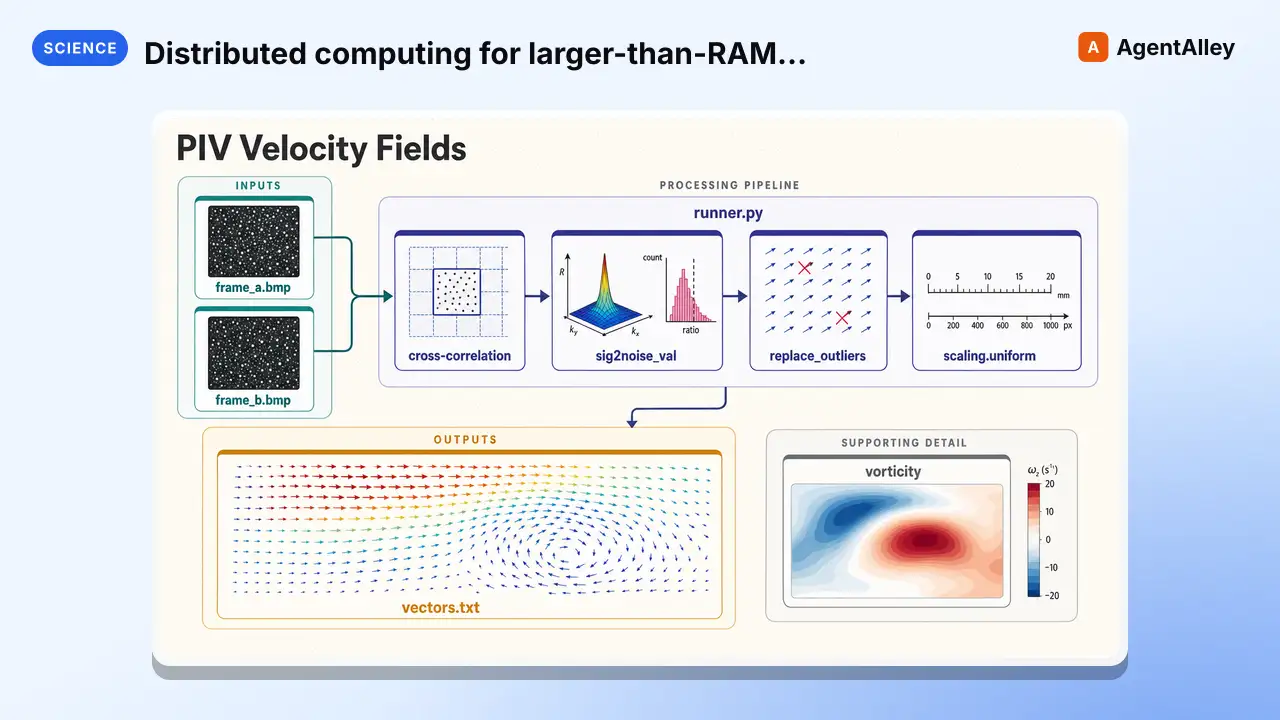 SkillDistributed computing for larger-than-RAM pandas/NumPyDask
 K-Dense-AI/scientific-agent-skills · by K-Dense-AIDistributed computing for larger-than-RAM pandas/NumPy workflows. Use when you need to scale existing pandas/NumPy code beyond memory or across clusters. Best for parallel file processing, distributed ML, integration with existing pandas code. For out-of-core analytics on single machine use vaex; for in-memory speed use polars.★ 46k GitHub stars
More from modelcontextprotocol
 MCPThis MCP server attempts to exercise all the featuresEverything MCP Server
 modelcontextprotocol/servers · by modelcontextprotocolThis MCP server attempts to exercise all the features of the MCP protocol. It is not intended to be a useful server, but rather a test…★ 90.5k GitHub stars
 MCPA Model Context Protocol server that provides web contentFetch MCP Servermodelcontextprotocol/servers · by modelcontextprotocolA Model Context Protocol server that provides web content fetching capabilities. This server enables LLMs to retrieve and process content…★ 90.5k GitHub stars
 MCPNode.js server implementing Model Context ProtocolFilesystem MCP Servermodelcontextprotocol/servers · by modelcontextprotocolNode.js server implementing Model Context Protocol (MCP) for filesystem operations.★ 90.5k GitHub stars
 MCPA Model Context Protocol server for Git repositorymcp-server-git: A git MCP servermodelcontextprotocol/servers · by modelcontextprotocolA Model Context Protocol server for Git repository interaction and automation. This server provides tools to read, search, and manipulate…★ 90.5k GitHub stars
 MCPAn MCP server implementation that provides a toolSequential Thinking MCP Servermodelcontextprotocol/servers · by modelcontextprotocolAn MCP server implementation that provides a tool for dynamic and reflective problem-solving through a structured thinking process.★ 90.5k GitHub stars
 MCPA Model Context Protocol server that provides timeTime MCP Servermodelcontextprotocol/servers · by modelcontextprotocolA Model Context Protocol server that provides time and timezone conversion capabilities. This server enables LLMs to get current time…★ 90.5k GitHub stars