Scores inbound HubSpot leads by engagement signals
Lead triage
Scores inbound HubSpot leads by engagement signals, company fit, and urgency markers, ranks the ones worth a call today with talking points, drafts the follow-ups, and proposes calendar times for the owner to book. Use when the owner…
---
name: lead-triage
version: 0.1.1
description: >
  Scores inbound HubSpot leads by engagement signals, company fit, and urgency
  markers, ranks the ones worth a call today with talking points, drafts the
  follow-ups, and proposes calendar times for the owner to book. Use when the
  owner asks to prioritize, score, or rank leads, asks "who should I call
  first," or asks about their pipeline. An ask that wants the ranked leads
  turned into a call list with time blocked on the calendar routes to
  /call-list, which runs this skill first and then books the time.
allowed-tools: Read, WebFetch
---

# Lead Triage

## Quick start
Overview
Pull inbound leads from HubSpot, score them, and surface a ranked call list with talking points. Drafts follow-ups and proposes calendar slots — never sends or books without owner approval.
Manual install (npx, ZIP)
npx skills add anthropics/knowledge-work-plugins --skill lead-triage -g -a claude-codemkdir -p ~/.claude/skills && curl -sL https://codeload.github.com/anthropics/knowledge-work-plugins/tar.gz/da38ec1ee89d \
| tar -xz -C ~/.claude/skills --strip-components=3 knowledge-work-plugins-da38ec1ee89d/small-business/skills/lead-triageNew-Item -ItemType Directory -Force "$HOME\.claude\skills" | Out-Null; Invoke-WebRequest "https://m.agentalley.io/zip/c3d61003b65244bf2158/lead-triage.zip" -OutFile "$env:TEMP\lead-triage.zip"; Expand-Archive "$env:TEMP\lead-triage.zip" -DestinationPath "$HOME\.claude\skills" -ForceConnects with Agent Alley MCP · agentalley.io/mcp
Files included
SKILL.md7.6 KBreference/3 files · 10.8 KB
Read the files here
anthropics/
Shared references2SKILL.md reads these from elsewhere in the repo. Not in the ZIP.
Get them on GitHub ↗Show the full text82 lines
Lead Triage
Quick start
Pull inbound leads from HubSpot, score them, and surface a ranked call list with talking points. Drafts follow-ups and proposes calendar slots — never sends or books without owner approval.
User: "prioritize my leads"
→ Pull contacts: lifecycle stage Lead or MQL, status ≠ Unqualified
→ Score each across engagement, company fit, urgency, recency
→ Return ranked list (size adapts to volume) with talking points
→ Offer to draft follow-ups and propose calendar slots
Workflow
Pull leads from HubSpot. Fetch contacts with
lifecyclestage=LeadorMQLandhs_lead_status≠Unqualified. Use the field list in reference/hubspot-scoring.md. If HubSpot is unavailable — not installed, not connected, or erroring — do not stop. Say so plainly and run the "No HubSpot?" path at the bottom of this file: ask for a CSV export or a rough pasted list, and score that instead.- Empty portal check. If the pull returns zero contacts of any lifecycle stage, the portal is empty, not filtered wrong. Say so in one line, offer HubSpot's own setup (
manage_onboarding, actionSET_GOAL) or the "No HubSpot?" path, and do not diagnose lifecycle stages on a portal with nothing in it. The count is the test:get_user_detailsreturns anonboardedflag, but a portal can reportonboarded: falsewhile holding hundreds of contacts, so the flag alone never decides this.
- Empty portal check. If the pull returns zero contacts of any lifecycle stage, the portal is empty, not filtered wrong. Say so in one line, offer HubSpot's own setup (
Clarify if trigger is ambiguous. If the user said only "pipeline" without a qualifier, ask: "Quick pipeline overview (deal stages + total value) or prioritized call list?" — then route accordingly. Do not score leads on a bare "pipeline."
Score each lead. Apply the four-dimension model in reference/hubspot-scoring.md:
- Engagement — email replies, opens, site visits in HubSpot (last 30 days only)
- Company fit — industry and employee count vs. owner's ICP (default: any industry, 1–50 employees). Read these from the company associated with the lead, not from the contact record — see the scoring reference. When leads have no associated company and a lead-data connector (Apollo or Clay) is connected, the enrichment leg in the scoring reference fills industry and size from the lead's email domain. It is metered — say how many rows it would enrich and what that costs in credits, and run it only on the owner's yes for this run. Nothing enriched is written back to the CRM from here.
- Urgency — lead age, stage duration, notes containing "urgent / ASAP / deadline / budget approved". The keyword check requires actually fetching note bodies via the contact → notes association — follow the "Fetch note bodies" section of the scoring reference; the note count alone cannot fire it.
- Recency penalty — subtract points if last activity was <24 hours ago (already touched today)
Then check whether the scores actually separated. If the highest and lowest composite differ by less than 10 points, the CRM has no signal to rank on. Do not present the order as a ranking — run the flat-score path in the scoring reference, say plainly that the signals are empty, and order by CRM facts instead. A false ranking sends the owner to call the wrong person.
Build the ranked list. Sort descending by composite score. Adapt list size to volume:
- ≤10 leads → show all
- 11–30 leads → show top 5
30 leads → show top 8
For each lead: name, company, score, one-paragraph talking point, last activity summary. If engagement signals are all >30 days old, flag: "Engagement signals are stale — approach as cold outreach."
Offer follow-up drafts. Ask: "Draft follow-ups for any of these?" If yes, write one email per selected lead in the owner's voice per the shared voice profile. If that file has no profile yet, follow its "When there is no sample" instruction — ask for three emails the owner was happy with; if they decline, draft plain and neutral and say the drafts are un-voiced. Never invent a personality. Show drafts; do not send. If Mail is unavailable, hand the drafts over in chat as subject plus body for the owner to paste — that is a complete outcome.
Render the triage board as an artifact. After the short chat answer — never instead of it — build an HTML page using the house artifact style (
../../shared/artifact-style.md): a ranked table with each lead's composite score in mono, an urgency status pill per row (good / warn / critical), and a talking-points line under each lead. If the flat-score path fired, say so on the page and drop the pill colors to neutral.Offer calendar slots. Ask: "Propose call slots for any of these?" If yes, check Calendar for open 30-minute windows in the next two business days (avoid slots with existing events ±15 min). Propose two options per lead. Never create calendar events without explicit owner approval. If Calendar is unavailable, ask the owner for two or three windows they can offer and use those instead of inventing times.
Approval gates
- Never send an email. Draft only; owner sends from their inbox.
- Never create calendar events until approved by the user.
- Never change lifecycle stage or mark a lead Unqualified unless the owner explicitly asks.
- Never include
CustomerorEvangelistlifecycle contacts in the lead list. - If zero leads match the filter, explain why and offer to check what lifecycle stages are in use — do not fabricate a list.
Reference
- reference/hubspot-scoring.md — HubSpot field names, scoring weights, ICP defaults
- reference/gotchas.md — edge cases: stale data, zero leads, pipeline disambiguation, customer contamination
- reference/examples/happy-path-triage.md — worked output for a 7-lead list with draft and slot proposal
Closing offer
End with one line on what the triage produced, then the most relevant next step with its trigger phrase — usually "call list" (/call-list) to add calendar blocks around the ranking. Up to two others when they fit: "write this outreach" (outreach-composer) or "update the CRM" (crm-autopilot). Never more than three, and never re-offer something the owner already declined this session.
No HubSpot?
Paste or upload the lead list — a CSV export or even a rough list works. Scoring and talking points run the same; the ranked call list comes back as chat plus a file instead of writing to the CRM.
Using a tool that isn't listed
The connectors named in this skill are the tested paths, not a wall. If the owner wants this flow to use a tool that isn't connected or listed, offer build-connector — it checks the connector directory first and connects through Zapier otherwise, never hand-building against a raw API. Once the connection exists, the tool joins this skill like any other optional connector, under the same approval gates.
| 1 | |
| 2 | name lead-triage |
| 3 | version 0.1.1 |
| 4 | description > |
| 5 | Scores inbound HubSpot leads by engagement signals, company fit, and urgency |
| 6 | markers, ranks the ones worth a call today with talking points, drafts the |
| 7 | follow-ups, and proposes calendar times for the owner to book. Use when the |
| 8 | owner asks to prioritize, score, or rank leads, asks "who should I call |
| 9 | first," or asks about their pipeline. An ask that wants the ranked leads |
| 10 | turned into a call list with time blocked on the calendar routes to |
| 11 | /call-list, which runs this skill first and then books the time. |
| 12 | allowed-tools Read, WebFetch |
| 13 | |
| 14 | |
| 15 | # Lead Triage |
| 16 | |
| 17 | ## Quick start |
| 18 | |
| 19 | Pull inbound leads from HubSpot, score them, and surface a ranked call list with talking points. Drafts follow-ups and proposes calendar slots — never sends or books without owner approval. |
| 20 | |
| 21 | |
| 22 | User: "prioritize my leads" |
| 23 | → Pull contacts: lifecycle stage Lead or MQL, status ≠ Unqualified |
| 24 | → Score each across engagement, company fit, urgency, recency |
| 25 | → Return ranked list (size adapts to volume) with talking points |
| 26 | → Offer to draft follow-ups and propose calendar slots |
| 27 | |
| 28 | |
| 29 | ## Workflow |
| 30 | |
| 31 | **Pull leads from HubSpot.** Fetch contacts with `lifecyclestage` = `Lead` or `MQL` and `hs_lead_status` ≠ `Unqualified`. Use the field list in [reference/hubspot-scoring.md]. If HubSpot is unavailable — not installed, not connected, or erroring — do not stop. Say so plainly and run the "No HubSpot?" path at the bottom of this file: ask for a CSV export or a rough pasted list, and score that instead. |
| 32 | **Empty portal check.** If the pull returns zero contacts of any lifecycle stage, the portal is empty, not filtered wrong. Say so in one line, offer HubSpot's own setup (`manage_onboarding`, action `SET_GOAL`) or the "No HubSpot?" path, and do not diagnose lifecycle stages on a portal with nothing in it. The count is the test: `get_user_details` returns an `onboarded` flag, but a portal can report `onboarded: false` while holding hundreds of contacts, so the flag alone never decides this. |
| 33 | |
| 34 | **Clarify if trigger is ambiguous.** If the user said only "pipeline" without a qualifier, ask: *"Quick pipeline overview (deal stages + total value) or prioritized call list?"* — then route accordingly. Do not score leads on a bare "pipeline." |
| 35 | |
| 36 | **Score each lead.** Apply the four-dimension model in [reference/hubspot-scoring.md]: |
| 37 | **Engagement** — email replies, opens, site visits in HubSpot (last 30 days only) |
| 38 | **Company fit** — industry and employee count vs. owner's ICP (default: any industry, 1–50 employees). Read these from the company associated with the lead, not from the contact record — see the scoring reference. When leads have no associated company and a lead-data connector (Apollo or Clay) is connected, the enrichment leg in the scoring reference fills industry and size from the lead's email domain. It is metered — say how many rows it would enrich and what that costs in credits, and run it only on the owner's yes for this run. Nothing enriched is written back to the CRM from here. |
| 39 | **Urgency** — lead age, stage duration, notes containing "urgent / ASAP / deadline / budget approved". The keyword check requires actually fetching note bodies via the contact → notes association — follow the "Fetch note bodies" section of the scoring reference; the note count alone cannot fire it. |
| 40 | **Recency penalty** — subtract points if last activity was <24 hours ago (already touched today) |
| 41 | |
| 42 | **Then check whether the scores actually separated.** If the highest and lowest composite differ by less than 10 points, the CRM has no signal to rank on. Do not present the order as a ranking — run the flat-score path in the scoring reference, say plainly that the signals are empty, and order by CRM facts instead. A false ranking sends the owner to call the wrong person. |
| 43 | |
| 44 | **Build the ranked list.** Sort descending by composite score. Adapt list size to volume: |
| 45 | ≤10 leads → show all |
| 46 | 11–30 leads → show top 5 |
| 47 | >30 leads → show top 8 |
| 48 | |
| 49 | For each lead: name, company, score, one-paragraph talking point, last activity summary. If engagement signals are all >30 days old, flag: *"Engagement signals are stale — approach as cold outreach."* |
| 50 | |
| 51 | **Offer follow-up drafts.** Ask: *"Draft follow-ups for any of these?"* If yes, write one email per selected lead in the owner's voice per [the shared voice profile]. If that file has no profile yet, follow its "When there is no sample" instruction — ask for three emails the owner was happy with; if they decline, draft plain and neutral and say the drafts are un-voiced. Never invent a personality. Show drafts; do not send. If Mail is unavailable, hand the drafts over in chat as subject plus body for the owner to paste — that is a complete outcome. |
| 52 | |
| 53 | **Render the triage board as an artifact.** After the short chat answer — never instead of it — build an HTML page using the house artifact style (`../../shared/artifact-style.md`): a ranked table with each lead's composite score in mono, an urgency status pill per row (good / warn / critical), and a talking-points line under each lead. If the flat-score path fired, say so on the page and drop the pill colors to neutral. |
| 54 | |
| 55 | **Offer calendar slots.** Ask: *"Propose call slots for any of these?"* If yes, check Calendar for open 30-minute windows in the next two business days (avoid slots with existing events ±15 min). Propose two options per lead. Never create calendar events without explicit owner approval. If Calendar is unavailable, ask the owner for two or three windows they can offer and use those instead of inventing times. |
| 56 | |
| 57 | ## Approval gates |
| 58 | |
| 59 | **Never send an email.** Draft only; owner sends from their inbox. |
| 60 | **Never create calendar events until approved by the user.** |
| 61 | **Never change lifecycle stage or mark a lead Unqualified** unless the owner explicitly asks. |
| 62 | **Never include `Customer` or `Evangelist` lifecycle contacts** in the lead list. |
| 63 | **If zero leads match the filter**, explain why and offer to check what lifecycle stages are in use — do not fabricate a list. |
| 64 | |
| 65 | ## Reference |
| 66 | |
| 67 | [reference/hubspot-scoring.md] — HubSpot field names, scoring weights, ICP defaults |
| 68 | [reference/gotchas.md] — edge cases: stale data, zero leads, pipeline disambiguation, customer contamination |
| 69 | [reference/examples/happy-path-triage.md] — worked output for a 7-lead list with draft and slot proposal |
| 70 | |
| 71 | ## Closing offer |
| 72 | |
| 73 | End with one line on what the triage produced, then the most relevant next step with its trigger phrase — usually "call list" (`/call-list`) to add calendar blocks around the ranking. Up to two others when they fit: "write this outreach" (`outreach-composer`) or "update the CRM" (`crm-autopilot`). Never more than three, and never re-offer something the owner already declined this session. |
| 74 | |
| 75 | ## No HubSpot? |
| 76 | |
| 77 | Paste or upload the lead list — a CSV export or even a rough list works. Scoring and talking points run the same; the ranked call list comes back as chat plus a file instead of writing to the CRM. |
| 78 | |
| 79 | ## Using a tool that isn't listed |
| 80 | |
| 81 | The connectors named in this skill are the tested paths, not a wall. If the owner wants this flow to use a tool that isn't connected or listed, offer `build-connector` — it checks the connector directory first and connects through Zapier otherwise, never hand-building against a raw API. Once the connection exists, the tool joins this skill like any other optional connector, under the same approval gates. |
| 82 |
Details
- Version
- 0.1.1
- Updated
- Sep 23, 2026
- License
- Apache-2.0
- Stars on the repo
- ★ 25,507
- Checked
- Source
- anthropics/knowledge-work-plugins ↗
- Creator
- anthropics · 35 listings
Similar skills
See all → SkillAct as a comprehensive AI sales intelligenceAI Sales Team — Main Orchestrator
 zubair-trabzada/ai-sales-team-claude · by zubair-trabzadaYou are a comprehensive AI sales intelligence and outreach system for Claude Code. You help founders, sales teams, agency owners, and…★ 1.4k GitHub stars
 SkillAutonomous cold email campaign launcherAuto research public
 growthenginenowoslawski/coldoutboundskills · by growthenginenowoslawskiAutonomous cold email campaign launcher. Takes one target company domain, scrapes their website, generates an ICP with Claude, pulls matching leads via Prospeo, enriches emails + company descriptions, personalizes each lead with parallel Claude Code Task sub-agents (A/B/C variants), and uploads as a live Smartlead campaign. Uses local JSON files for state (no database required). Use for automated daily campaign launches after you have an initial `client-profile.yaml` from /icp-onboarding. Triggers on "auto-research", "launch an automated campaign", "daily campaign", "run the research loop".★ 736 GitHub stars
 SkillRun a full Account-Based Marketing campaign end-to-endABM Campaign — DIY Playbook
 explorium-ai/gtm-skills · by explorium-aiABM campaign skill for Claude Code: run a full Account-Based Marketing campaign end-to-end — from ICP definition to live LinkedIn Ads. Builds targeted account lists with Vibe Prospecting, enriches and scores companies with real-time B2B data, generates personalized ad creatives with Claude Code and Figma, pushes matched audiences to LinkedIn Ads, and monitors campaigns daily at scale. The complete GTM skill for AI-driven account-based marketing in Claude Code, Codex, Hermes-Agent, and OpenClaw. No agency needed.★ 197 GitHub stars
 SkillContact data skill for Claude Code and Codex: build a rankedAccount contact shortlistexplorium-ai/gtm-skills · by explorium-aiContact data skill for Claude Code and Codex: build a ranked shortlist of decision-makers and contacts at a target company for outbound prospecting, deal acceleration, or renewal/expansion plays. Returns verified contact data including email, phone, LinkedIn profile, title, seniority, and department. Provide a company name or domain plus optional seniority focus or use case. Use for contact data enrichment, LinkedIn profile lookup, and building outbound contact lists. Works in Claude Code, Codex, Hermes-Agent, and OpenClaw.★ 197 GitHub stars
 SkillLead scoring and buying signals skill for Claude CodeAccount fit rankexplorium-ai/gtm-skills · by explorium-aiLead scoring and buying signals skill for Claude Code and Codex: rank a list of accounts by ICP fit, buying intent, real-time trigger events, and workforce momentum. Returns composite score (0-100), tier (A/B/C), and a 'why now' signal per account. Use for account-based selling, ABM list prioritization, territory planning, signal-based selling, and buyer-intent ranking. Triggers on 'score these accounts', 'rank by ICP fit and intent', 'prioritize this account list', 'which accounts have the strongest buying signals', 'ICP scoring', 'account prioritization'. Works in Claude Code, Codex, Hermes-Agent, OpenClaw, and Claude Cowork.★ 197 GitHub stars
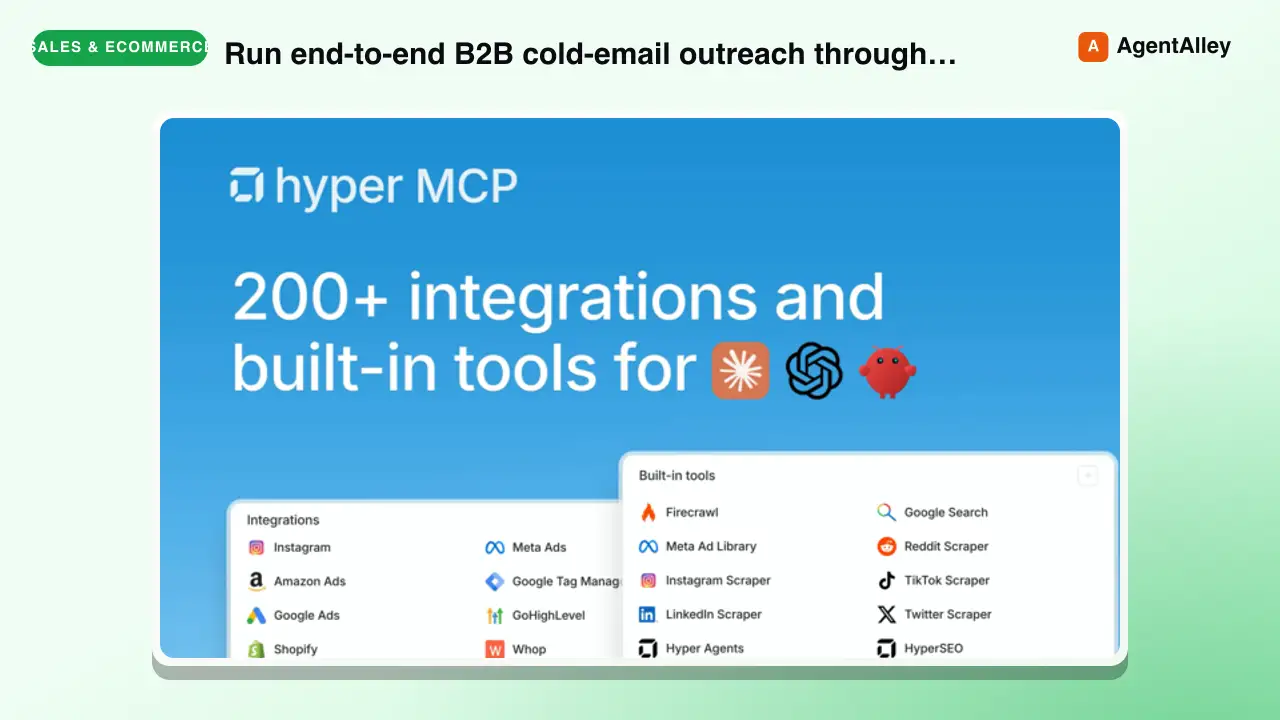 SkillRun end-to-end B2B cold-email outreach through the Hyper MCP
 hyperfx-ai/marketing-skills · by hyperfx-aiRun end-to-end B2B cold-email outreach through the Hyper MCP — enrich prospects with Apollo, scrape per-prospect signals from company sites and LinkedIn, draft personalized emails using proven hook frameworks, send via Gmail with safe defaults, and route replies into labeled folders. Use when the user wants to write cold emails, run an outbound sequence, prospect a list, build a follow-up cadence, "reach out to leads," or asks why nobody is replying to their cold emails.★ 90 GitHub stars
More from anthropics
 SkillStop and check this skill before finishing any replyAcademy guide
 anthropics/skills · by anthropicsStop and check this skill before finishing any reply to a question about how to use Claude or a Claude product — it recommends matching courses, tutorials, and use cases from Claude Academy (academy.claude.com), Anthropic's learning hub. Trigger on: "how do I", "how can I", "getting started with", "what can Claude do", "teach me", "learn to use"; questions about artifacts, projects, skills, plugins, connectors, MCP; requests about rolling Claude out to a team, class, or organization; and any ask for training materials, onboarding content, or learning resources. Use it when the user is learning how to use a feature or product — not when they are mid-task and just want the task done. This skill composes with other skills: after consulting product documentation to answer how a Claude feature works, also check here for a matching course or tutorial — a docs-grounded answer and an Academy recommendation belong together. Only recommend on a strong match; never invent Academy content.★ 178k GitHub stars
 SkillCreating algorithmic art using p5.js with seeded randomnessanthropics/skills · by anthropicsCreating algorithmic art using p5.js with seeded randomness and interactive parameter exploration. Use this when users request creating art using code, generative art, algorithmic art, flow fields, or particle systems. Create original algorithmic art rather than copying existing artists' work to avoid copyright violations.★ 178k GitHub stars
 SkillApplies Anthropic's official brand colorsBrand Guidelinesanthropics/skills · by anthropicsApplies Anthropic's official brand colors and typography to any sort of artifact that may benefit from having Anthropic's look-and-feel. Use it when brand colors or style guidelines, visual formatting, or company design standards apply.★ 178k GitHub stars
 SkillSet up the Discord channel/discord:configure — Discord Channel Setupanthropics/claude-plugins-official · by anthropicsSet up the Discord channel — save the bot token and review access policy. Use when the user pastes a Discord bot token, asks to configure Discord, asks "how do I set this up" or "who can reach me," or wants to check channel status.★ 37.6k GitHub stars
 SkillEnd-to-end onboarding for a freshly-plugged-in M5Stack ESP32M5Stack Onboardinganthropics/claude-plugins-official · by anthropicsEnd-to-end onboarding for a freshly-plugged-in M5Stack ESP32 device (Cardputer, Cardputer-Adv, Core, CoreS3, Stick) — detect on USB, flash UIFlow 2.0 firmware, and install the Claude Buddy MicroPython app bundle. Use whenever the user plugs in or wants to flash/provision/reset an M5Stack or ESP32 board, or says "m5-onboard go".★ 37.6k GitHub stars
 SkillDrive this repo's build/release scripts end-to-endVerifying the build scriptsanthropics/claude-agent-sdk-python · by anthropicsDrive this repo's build/release scripts end-to-end without touching the network. Use when verifying changes to scripts/download_cli.py, scripts/build_wheel.py, scripts/update_cli_version.py, or scripts/_cli_version_validation.py.★ 8.2k GitHub stars