Prepare for investor calls by pulling upcoming meetings
Investor call prep
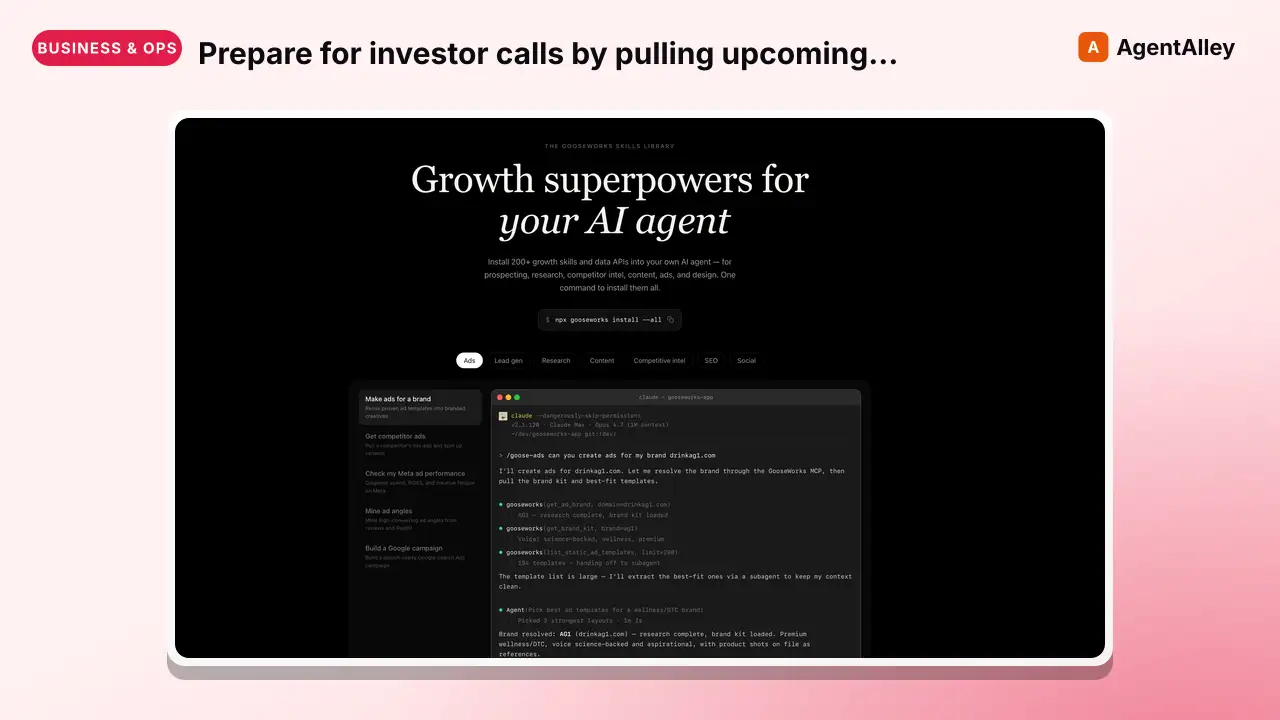
Prepare for investor calls by pulling upcoming meetings from Google Calendar, deeply researching each investor and their firm (website scraping, portfolio analysis, thesis extraction), checking for competitor conflicts, and outputting…
---
name: investor-call-prep
description: Prepare for investor calls by pulling upcoming meetings from Google Calendar, deeply researching each investor and their firm (website scraping, portfolio analysis, thesis extraction), checking for competitor conflicts, and outputting an honest prep sheet with compatibility assessments. Use when asked to prep for investor meetings, fundraising calls, VC meetings, or demo day.
source: orthogonal
---


# Investor Call Prep

## Setup

Read your credentials from ~/.gooseworks/credentials.json:
```bash
export GOOSEWORKS_API_KEY=$(python3 -c "import json;print(json.load(open('$HOME/.gooseworks/credentials.json'))['api_key'])")
export GOOSEWORKS_API_BASE=$(python3 -c "import json;print(json.load(open('$HOME/.gooseworks/credentials.json')).get('api_base','https://api.gooseworks.ai'))")
```

If ~/.gooseworks/credentials.json does not exist, tell the user to run: `npx gooseworks login`
Overview
If ~/.gooseworks/credentials.json does not exist, tell the user to run: npx gooseworks login
Manual install (npx, ZIP)
npx skills add gooseworks-ai/goose-skills --skill investor-call-prep -g -a claude-codemkdir -p ~/.claude/skills && curl -sL https://codeload.github.com/gooseworks-ai/goose-skills/tar.gz/615c685f34f8 \
| tar -xz -C ~/.claude/skills --strip-components=4 goose-skills-615c685f34f8/skills/research/capabilities/investor-call-prepNew-Item -ItemType Directory -Force "$HOME\.claude\skills" | Out-Null; Invoke-WebRequest "https://m.agentalley.io/zip/f9dade013438f8a4150f/investor-call-prep.zip" -OutFile "$env:TEMP\investor-call-prep.zip"; Expand-Archive "$env:TEMP\investor-call-prep.zip" -DestinationPath "$HOME\.claude\skills" -ForceConnects with Agent Alley MCP · agentalley.io/mcp
Files included
SKILL.md14.8 KBskill.meta.json285 B
Read the files here
gooseworks-ai/
Show the full text303 lines
Investor Call Prep
Setup
Read your credentials from ~/.gooseworks/credentials.json:
export GOOSEWORKS_API_KEY=$(python3 -c "import json;print(json.load(open('$HOME/.gooseworks/credentials.json'))['api_key'])")
export GOOSEWORKS_API_BASE=$(python3 -c "import json;print(json.load(open('$HOME/.gooseworks/credentials.json')).get('api_base','https://api.gooseworks.ai'))")
If ~/.gooseworks/credentials.json does not exist, tell the user to run: npx gooseworks login
All endpoints use Bearer auth: -H "Authorization: Bearer $GOOSEWORKS_API_KEY"
Pull investor meetings from Google Calendar, deep-research each firm (scrape their website, analyze portfolio, extract thesis), and output an honest prep sheet that says which investors are a real fit and which aren't.
Read-only calendar access. Never creates, modifies, or deletes events.
Input
- domain (required) — user's company website (provided in the prompt, e.g. "prep my investor calls for orthogonal.com")
- competitors (optional) — auto-detected if not provided
Always export to Google Sheets at the end — it's free and takes seconds.
Step 1: Pull Investor Meetings
Pull from today through Demo Day (March 24, 2026). All W26 companies are fundraising now through Demo Day. Make multiple calls if needed to avoid truncation — e.g. split into week 1 and week 2.
# Adjust timeMin to today's date
curl -s -X POST $GOOSEWORKS_API_BASE/v1/proxy/orthogonal/run \
  -H "Authorization: Bearer $GOOSEWORKS_API_KEY" \
  -H "Content-Type: application/json" \
  -d '{"api":"google-calendar","path":"/list-events"}'
  "calendarId": "primary",
  "timeMin": "{today}T00:00:00Z",
  "timeMax": "{midpoint}T23:59:59Z",
  "maxResults": 100,
  "singleEvents": true,
  "orderBy": "startTime"
}'

curl -s -X POST $GOOSEWORKS_API_BASE/v1/proxy/orthogonal/run \
  -H "Authorization: Bearer $GOOSEWORKS_API_KEY" \
  -H "Content-Type: application/json" \
  -d '{"api":"google-calendar","path":"/list-events"}'
  "calendarId": "primary",
  "timeMin": "{midpoint+1}T00:00:00Z",
  "timeMax": "2026-03-24T23:59:59Z",
  "maxResults": 100,
  "singleEvents": true,
  "orderBy": "startTime"
}'
Filtering — be precise, not greedy
The keyword approach catches false positives (personal meetings, mock pitches, etc.). Use this priority order:
- Strong signal (auto-include): Title starts with "Investors between" — this is the standard Cal.com booking format for investor meetings.
- Medium signal (auto-include): Attendee email domain is a known VC domain (e.g.
@moonfire.com,@a16z.com,@accel.com) OR the event description contains VC firm names. - Weak signal (requires confirmation): Title contains keywords like
invest,vc,fund,capital,ventures,angel,seed,series— BUT does NOT match pattern #1. These need manual review. - Exclude: Events with "mock" or "practice" in title/description (these are rehearsals, not real meetings). Also exclude batch/group events with no attendees (e.g. "Fundraising Open Mic", "Demo Day") — these are YC events, not 1:1 investor calls.
Extract: title, date/time, attendee emails (non-company = investor contacts), description (often has investor names/emails even when attendee list doesn't).
Present filtered list to user for confirmation before proceeding.
Create the Google Sheet immediately after confirmation
Before starting any research, create the spreadsheet and populate it with all confirmed investor rows (date/time, firm name, investor name, firm website — leave research columns blank). Share the link with the user so they can watch results fill in live as each investor is researched. This is much better UX than waiting for all research to complete.
Step 2: Research the User's Company
Ask the user to describe their company in 1-2 sentences rather than relying on Perplexity, which often confuses companies with similar names (e.g. orthogonal.com vs orthogonal.io). The user's own description is always more accurate than a web search for early-stage startups.
Then auto-detect competitors:
# Auto-detect competitors (skip if user provided)
curl -s -X POST $GOOSEWORKS_API_BASE/v1/proxy/orthogonal/run \
  -H "Authorization: Bearer $GOOSEWORKS_API_KEY" \
  -H "Content-Type: application/json" \
  -d '{"api":"perplexity","path":"/chat/completions"}'
  "model": "sonar",
  "messages": [{"role": "user", "content": "Top 5-10 competitors of {company_name} ({domain})? {user_provided_description}. Company names and domains only."}]
}'
Verify the competitor list with the user before proceeding. Perplexity often returns enterprise incumbents (MuleSoft, Workato) rather than actual startup competitors. The user knows their competitive landscape better.
Save the company description and confirmed competitor list — use them for every investor assessment.
Step 2b: Reverse-lookup competitor investors (one-time, cheap)
Instead of asking each investor "have you invested in X?" (unreliable), do a single reverse lookup for each competitor. This is 1 Perplexity call per competitor — not per investor.
# Run one call per competitor (e.g. 5 competitors = 5 calls total)
curl -s -X POST $GOOSEWORKS_API_BASE/v1/proxy/orthogonal/run \
  -H "Authorization: Bearer $GOOSEWORKS_API_KEY" \
  -H "Content-Type: application/json" \
  -d '{"api":"perplexity","path":"/chat/completions"}'
  "model": "sonar",
  "messages": [{"role": "user", "content": "Who are the investors in {competitor_name} ({competitor_domain})? List all known venture capital firms and angel investors who have invested in them, with round details if available."}]
}'
Build a lookup table: {investor_firm -> [competitors they backed]}. Cross-reference this against the meeting list. This catches conflicts that per-investor Perplexity queries miss, at a fraction of the cost.
Step 3: Research Each Investor
Run ALL of these in parallel per investor. Every source adds unique data.
3a. Apollo — investor profile from email
curl -s -X POST $GOOSEWORKS_API_BASE/v1/proxy/orthogonal/run \
  -H "Authorization: Bearer $GOOSEWORKS_API_KEY" \
  -H "Content-Type: application/json" \
  -d '{"api":"apollo","path":"/api/v1/people/match"}'
  "email": "{investor_email}",
  "reveal_personal_emails": true
}'
No attendee email? Don't stop. Parse firm name from event title, then:
# Firm enrichment
curl -s -X POST $GOOSEWORKS_API_BASE/v1/proxy/orthogonal/run \
  -H "Authorization: Bearer $GOOSEWORKS_API_KEY" \
  -H "Content-Type: application/json" \
  -d '{"api":"apollo","path":"/api/v1/organizations/enrich","query":{"domain":"{firm_domain}"}}'

# Find key people
curl -s -X POST $GOOSEWORKS_API_BASE/v1/proxy/orthogonal/run \
  -H "Authorization: Bearer $GOOSEWORKS_API_KEY" \
  -H "Content-Type: application/json" \
  -d '{"api":"apollo","path":"/api/v1/mixed_people/search"}'
  "q_organization_domains": "{firm_domain}",
  "person_titles": ["Partner", "Principal", "Managing Director", "GP", "General Partner", "Investor"],
  "page": 1,
  "per_page": 10
}'
3b. Scrape the firm's website (most reliable source)
VC websites are the ground truth. Perplexity and Apollo often have gaps for smaller firms.
# Main page — thesis, overview, portfolio
curl -s -X POST $GOOSEWORKS_API_BASE/v1/proxy/orthogonal/run \
  -H "Authorization: Bearer $GOOSEWORKS_API_KEY" \
  -H "Content-Type: application/json" \
  -d '{"api":"scrapegraph","path":"/v1/smartscraper"}'
  "website_url": "https://{firm_website}",
  "user_prompt": "Extract ALL information: investment thesis, fund size, check size, stage focus, sector focus, geographic focus, every portfolio company listed, team members with titles and LinkedIn URLs, contact info."
}'

# Portfolio page (try /portfolio, /companies, /investments — skip on 404)
curl -s -X POST $GOOSEWORKS_API_BASE/v1/proxy/orthogonal/run \
  -H "Authorization: Bearer $GOOSEWORKS_API_KEY" \
  -H "Content-Type: application/json" \
  -d '{"api":"scrapegraph","path":"/v1/smartscraper"}'
  "website_url": "https://{firm_website}/portfolio",
  "user_prompt": "Extract every portfolio company: name, sector, funding stage, description, website URL."
}'

# Team page (try /team, /people, /about — skip on 404)
curl -s -X POST $GOOSEWORKS_API_BASE/v1/proxy/orthogonal/run \
  -H "Authorization: Bearer $GOOSEWORKS_API_KEY" \
  -H "Content-Type: application/json" \
  -d '{"api":"scrapegraph","path":"/v1/smartscraper"}'
  "website_url": "https://{firm_website}/team",
  "user_prompt": "Extract every team member: full name, title, LinkedIn URL, bio summary, background."
}'
3c. Perplexity — thesis, portfolio, competitor check
Critical: use context-rich prompts. Include location, GP names, aliases. "Tell me about e2vc" gets nothing. "Tell me about e2vc, formerly 500 Emerging Europe, based in Turkey" gets rich results.
curl -s -X POST $GOOSEWORKS_API_BASE/v1/proxy/orthogonal/run \
  -H "Authorization: Bearer $GOOSEWORKS_API_KEY" \
  -H "Content-Type: application/json" \
  -d '{"api":"perplexity","path":"/chat/completions"}'
  "model": "sonar",
  "messages": [{"role": "user", "content": "Tell me about {firm_name}, a venture capital firm{location_context}{gp_context}{alias_context}. I am raising for {company_name}, {company_description}. Answer:
1. Investment thesis and typical check size?
2. Notable portfolio companies in {company_sectors}?
3. Have they invested in any of these competitors: {competitor_list}?
4. What stage?
5. Recent investments or news?
6. Key partners and backgrounds?
7. Would {company_name} be a good fit for them? Why or why not?"}]
}'
Step 4: Classify Before Compiling
Before writing up the prep sheet, classify each meeting into one of these categories based on research:
- VC Fund — traditional venture capital firm (GP, Partner, Principal, Associate)
- Angel — individual investor (current/former founder, operator, or executive investing personally)
- NOT an investor — flag prominently. This includes:
- Founders of other startups (potential BD/partnership, not fundraise)
- Researchers/academics with no investing track record
- Operators at companies (not investing personally)
- Mock pitch / practice sessions
For non-investors, still include them in the sheet but mark the Compatibility column as "NOT AN INVESTOR" and explain what the meeting likely is (BD, partnership, mock pitch, etc.). This prevents the user from wasting prep time on a fundraise pitch when the meeting is something else.
Surface ecosystem investments, not just competitor conflicts
When an investor has portfolio companies that are adjacent to the user's space (not direct competitors but in the same ecosystem), surface these as Ecosystem Signals rather than ignoring them. These are actually positive — they show the investor understands the space.
Examples:
- An investor backed CrewAI (AI agent framework) → they understand agents need API access → good hook for Orthogonal
- An investor backed Arcade.dev (AI tooling) → adjacent, not a conflict → shows thesis alignment
- An investor backed Langbase (AI agents) → ecosystem overlap → talking point
Only flag as Competitor Conflict if the portfolio company is a direct competitor (same product, same customer, same use case). Adjacent/ecosystem companies go in the Talking Points column as conversation hooks.
Step 5: Compile Prep Sheet
Cross-reference all sources. When they conflict, prefer: website > Apollo > Perplexity.
Output format per meeting:
## {Firm Name} — {Date/Time}

**Investor:** {Name}, {Title}
**LinkedIn:** {linkedin_url}
**Firm:** {firm_name} | {firm_linkedin_url} | {firm_website}

**Thesis:** {specific, not generic}
**Stage:** {seed, Series A, etc.} | **Check Size:** {range} | **Fund Size:** {if known}
**Geographic Focus:** {regions}

**Portfolio ({count}):** {most relevant to user's space}
**Competitor Conflicts:** {names} or None found

**Compatibility: {verdict}**
{honest, company-specific assessment}

**Talking Points:**
1. {angle from portfolio overlap}
2. {angle from partner's background}
3. {angle from thesis alignment}
Compatibility — Be Honest and Specific
Every rating must reference the user's specific company, product, and sector. Generic assessments are useless.
Strong Fit — Thesis covers user's sector AND stage. Adjacent portfolio companies (not competitors). Partner has relevant domain expertise.
"Strong fit — Revo invests in B2B SaaS + AI from Turkey/CEE at seed-Series A ($500K-$5M). Their marketplace portfolio companies are adjacent. Melis's M&A background means she gets platform economics."
Moderate Fit — Partial overlap. Be specific about what's missing.
"Moderate fit — right stage but portfolio leans fintech/industrial tech, no developer tools. You'll need to educate them on the API marketplace space."
Weak Fit — Wrong thesis, stage, geography, or has funded a competitor. Don't sugarcoat.
"Weak fit — consumer apps focus, Series B+ checks. No dev tools portfolio. May not be worth your limited pre-demo-day time."
Competitor Conflict — Flag prominently.
"They backed Composio — a direct competitor. Ask early whether this creates a conflict."
Step 6: Google Sheets Export
The spreadsheet was already created in Step 1. Update each row as research completes — use curl -s -X POST $GOOSEWORKS_API_BASE/v1/proxy/orthogonal/run \ -H "Authorization: Bearer $GOOSEWORKS_API_KEY" \ -H "Content-Type: application/json" \ -d '{"api":"google-sheets","path":"/update-values"}'
Important: Always use curl -s -X POST $GOOSEWORKS_API_BASE/v1/proxy/orthogonal/run \ -H "Authorization: Bearer $GOOSEWORKS_API_KEY" \ -H "Content-Type: application/json" \ -d '{"api":"google-sheets","path":"for"}'
Tips
- Parallelize everything: Apollo, Scrapegraph, Perplexity, Fiber are independent — run all in parallel per investor, and process investors simultaneously.
- Website > all other sources: Firm websites are ground truth. Always scrape.
- No email? Parse the firm name from the event title → derive domain → Apollo org enrich + people search + website scrape.
- Context in Perplexity prompts: Include location, GP names, "formerly known as" — massively improves results for smaller firms.
- Be brutal on fit: User has limited time. Say which meetings to prioritize and which to skip.
- Firm domain from email:
[email protected]→ domain issomefirm.com. - Multiple attendees: Run Apollo on each. Most senior person = decision-maker.
| 1 | |
| 2 | name investor-call-prep |
| 3 | description Prepare for investor calls by pulling upcoming meetings from Google Calendar, deeply researching each investor and their firm (website scraping, portfolio analysis, thesis extraction), checking for competitor conflicts, and outputting an honest prep sheet with compatibility assessments. Use when asked to prep for investor meetings, fundraising calls, VC meetings, or demo day. |
| 4 | source orthogonal |
| 5 | |
| 6 | |
| 7 | |
| 8 | # Investor Call Prep |
| 9 | |
| 10 | ## Setup |
| 11 | |
| 12 | Read your credentials from ~/.gooseworks/credentials.json: |
| 13 | |
| 14 | export GOOSEWORKS_API_KEY=$(python3 -c "import json;print(json.load(open('$HOME/.gooseworks/credentials.json'))['api_key'])") |
| 15 | export GOOSEWORKS_API_BASE=$(python3 -c "import json;print(json.load(open('$HOME/.gooseworks/credentials.json')).get('api_base','https://api.gooseworks.ai'))") |
| 16 | |
| 17 | |
| 18 | If ~/.gooseworks/credentials.json does not exist, tell the user to run: `npx gooseworks login` |
| 19 | |
| 20 | All endpoints use Bearer auth: `-H "Authorization: Bearer $GOOSEWORKS_API_KEY"` |
| 21 | |
| 22 | |
| 23 | Pull investor meetings from Google Calendar, deep-research each firm (scrape their website, analyze portfolio, extract thesis), and output an honest prep sheet that says which investors are a real fit and which aren't. |
| 24 | |
| 25 | **Read-only calendar access. Never creates, modifies, or deletes events.** |
| 26 | |
| 27 | ## Input |
| 28 | |
| 29 | **domain** (required) — user's company website (provided in the prompt, e.g. "prep my investor calls for orthogonal.com") |
| 30 | **competitors** (optional) — auto-detected if not provided |
| 31 | |
| 32 | Always export to Google Sheets at the end — it's free and takes seconds. |
| 33 | |
| 34 | ## Step 1: Pull Investor Meetings |
| 35 | |
| 36 | Pull from today through Demo Day (March 24, 2026). All W26 companies are fundraising now through Demo Day. Make multiple calls if needed to avoid truncation — e.g. split into week 1 and week 2. |
| 37 | |
| 38 | |
| 39 | # Adjust timeMin to today's date |
| 40 | curl -s -X POST $GOOSEWORKS_API_BASE/v1/proxy/orthogonal/run \ |
| 41 | -H "Authorization: Bearer $GOOSEWORKS_API_KEY" \ |
| 42 | -H "Content-Type: application/json" \ |
| 43 | -d '{"api":"google-calendar","path":"/list-events"}' |
| 44 | "calendarId": "primary", |
| 45 | "timeMin": "{today}T00:00:00Z", |
| 46 | "timeMax": "{midpoint}T23:59:59Z", |
| 47 | "maxResults": 100, |
| 48 | "singleEvents": true, |
| 49 | "orderBy": "startTime" |
| 50 | }' |
| 51 | |
| 52 | curl -s -X POST $GOOSEWORKS_API_BASE/v1/proxy/orthogonal/run \ |
| 53 | -H "Authorization: Bearer $GOOSEWORKS_API_KEY" \ |
| 54 | -H "Content-Type: application/json" \ |
| 55 | -d '{"api":"google-calendar","path":"/list-events"}' |
| 56 | "calendarId": "primary", |
| 57 | "timeMin": "{midpoint+1}T00:00:00Z", |
| 58 | "timeMax": "2026-03-24T23:59:59Z", |
| 59 | "maxResults": 100, |
| 60 | "singleEvents": true, |
| 61 | "orderBy": "startTime" |
| 62 | }' |
| 63 | |
| 64 | |
| 65 | ### Filtering — be precise, not greedy |
| 66 | |
| 67 | The keyword approach catches false positives (personal meetings, mock pitches, etc.). Use this priority order: |
| 68 | |
| 69 | **Strong signal (auto-include):** Title starts with "Investors between" — this is the standard Cal.com booking format for investor meetings. |
| 70 | **Medium signal (auto-include):** Attendee email domain is a known VC domain (e.g. `@moonfire.com`, `@a16z.com`, `@accel.com`) OR the event description contains VC firm names. |
| 71 | **Weak signal (requires confirmation):** Title contains keywords like `invest`, `vc`, `fund`, `capital`, `ventures`, `angel`, `seed`, `series` — BUT does NOT match pattern #1. These need manual review. |
| 72 | **Exclude:** Events with "mock" or "practice" in title/description (these are rehearsals, not real meetings). Also exclude batch/group events with no attendees (e.g. "Fundraising Open Mic", "Demo Day") — these are YC events, not 1:1 investor calls. |
| 73 | |
| 74 | Extract: title, date/time, attendee emails (non-company = investor contacts), description (often has investor names/emails even when attendee list doesn't). |
| 75 | |
| 76 | **Present filtered list to user for confirmation before proceeding.** |
| 77 | |
| 78 | ### Create the Google Sheet immediately after confirmation |
| 79 | |
| 80 | Before starting any research, create the spreadsheet and populate it with all confirmed investor rows (date/time, firm name, investor name, firm website — leave research columns blank). Share the link with the user so they can watch results fill in live as each investor is researched. This is much better UX than waiting for all research to complete. |
| 81 | |
| 82 | ## Step 2: Research the User's Company |
| 83 | |
| 84 | **Ask the user to describe their company in 1-2 sentences** rather than relying on Perplexity, which often confuses companies with similar names (e.g. orthogonal.com vs orthogonal.io). The user's own description is always more accurate than a web search for early-stage startups. |
| 85 | |
| 86 | Then auto-detect competitors: |
| 87 | |
| 88 | |
| 89 | # Auto-detect competitors (skip if user provided) |
| 90 | curl -s -X POST $GOOSEWORKS_API_BASE/v1/proxy/orthogonal/run \ |
| 91 | -H "Authorization: Bearer $GOOSEWORKS_API_KEY" \ |
| 92 | -H "Content-Type: application/json" \ |
| 93 | -d '{"api":"perplexity","path":"/chat/completions"}' |
| 94 | "model": "sonar", |
| 95 | "messages": [{"role": "user", "content": "Top 5-10 competitors of {company_name} ({domain})? {user_provided_description}. Company names and domains only."}] |
| 96 | }' |
| 97 | |
| 98 | |
| 99 | **Verify the competitor list with the user** before proceeding. Perplexity often returns enterprise incumbents (MuleSoft, Workato) rather than actual startup competitors. The user knows their competitive landscape better. |
| 100 | |
| 101 | Save the company description and confirmed competitor list — use them for every investor assessment. |
| 102 | |
| 103 | ### Step 2b: Reverse-lookup competitor investors (one-time, cheap) |
| 104 | |
| 105 | Instead of asking each investor "have you invested in X?" (unreliable), do a single reverse lookup for each competitor. This is 1 Perplexity call per competitor — not per investor. |
| 106 | |
| 107 | |
| 108 | # Run one call per competitor (e.g. 5 competitors = 5 calls total) |
| 109 | curl -s -X POST $GOOSEWORKS_API_BASE/v1/proxy/orthogonal/run \ |
| 110 | -H "Authorization: Bearer $GOOSEWORKS_API_KEY" \ |
| 111 | -H "Content-Type: application/json" \ |
| 112 | -d '{"api":"perplexity","path":"/chat/completions"}' |
| 113 | "model": "sonar", |
| 114 | "messages": [{"role": "user", "content": "Who are the investors in {competitor_name} ({competitor_domain})? List all known venture capital firms and angel investors who have invested in them, with round details if available."}] |
| 115 | }' |
| 116 | |
| 117 | |
| 118 | Build a lookup table: `{investor_firm -> [competitors they backed]}`. Cross-reference this against the meeting list. This catches conflicts that per-investor Perplexity queries miss, at a fraction of the cost. |
| 119 | |
| 120 | ## Step 3: Research Each Investor |
| 121 | |
| 122 | Run ALL of these in parallel per investor. Every source adds unique data. |
| 123 | |
| 124 | ### 3a. Apollo — investor profile from email |
| 125 | |
| 126 | |
| 127 | curl -s -X POST $GOOSEWORKS_API_BASE/v1/proxy/orthogonal/run \ |
| 128 | -H "Authorization: Bearer $GOOSEWORKS_API_KEY" \ |
| 129 | -H "Content-Type: application/json" \ |
| 130 | -d '{"api":"apollo","path":"/api/v1/people/match"}' |
| 131 | "email": "{investor_email}", |
| 132 | "reveal_personal_emails": true |
| 133 | }' |
| 134 | |
| 135 | |
| 136 | **No attendee email? Don't stop.** Parse firm name from event title, then: |
| 137 | |
| 138 | |
| 139 | # Firm enrichment |
| 140 | curl -s -X POST $GOOSEWORKS_API_BASE/v1/proxy/orthogonal/run \ |
| 141 | -H "Authorization: Bearer $GOOSEWORKS_API_KEY" \ |
| 142 | -H "Content-Type: application/json" \ |
| 143 | -d '{"api":"apollo","path":"/api/v1/organizations/enrich","query":{"domain":"{firm_domain}"}}' |
| 144 | |
| 145 | # Find key people |
| 146 | curl -s -X POST $GOOSEWORKS_API_BASE/v1/proxy/orthogonal/run \ |
| 147 | -H "Authorization: Bearer $GOOSEWORKS_API_KEY" \ |
| 148 | -H "Content-Type: application/json" \ |
| 149 | -d '{"api":"apollo","path":"/api/v1/mixed_people/search"}' |
| 150 | "q_organization_domains": "{firm_domain}", |
| 151 | "person_titles": ["Partner", "Principal", "Managing Director", "GP", "General Partner", "Investor"], |
| 152 | "page": 1, |
| 153 | "per_page": 10 |
| 154 | }' |
| 155 | |
| 156 | |
| 157 | ### 3b. Scrape the firm's website (most reliable source) |
| 158 | |
| 159 | VC websites are the ground truth. Perplexity and Apollo often have gaps for smaller firms. |
| 160 | |
| 161 | |
| 162 | # Main page — thesis, overview, portfolio |
| 163 | curl -s -X POST $GOOSEWORKS_API_BASE/v1/proxy/orthogonal/run \ |
| 164 | -H "Authorization: Bearer $GOOSEWORKS_API_KEY" \ |
| 165 | -H "Content-Type: application/json" \ |
| 166 | -d '{"api":"scrapegraph","path":"/v1/smartscraper"}' |
| 167 | "website_url": "https://{firm_website}", |
| 168 | "user_prompt": "Extract ALL information: investment thesis, fund size, check size, stage focus, sector focus, geographic focus, every portfolio company listed, team members with titles and LinkedIn URLs, contact info." |
| 169 | }' |
| 170 | |
| 171 | # Portfolio page (try /portfolio, /companies, /investments — skip on 404) |
| 172 | curl -s -X POST $GOOSEWORKS_API_BASE/v1/proxy/orthogonal/run \ |
| 173 | -H "Authorization: Bearer $GOOSEWORKS_API_KEY" \ |
| 174 | -H "Content-Type: application/json" \ |
| 175 | -d '{"api":"scrapegraph","path":"/v1/smartscraper"}' |
| 176 | "website_url": "https://{firm_website}/portfolio", |
| 177 | "user_prompt": "Extract every portfolio company: name, sector, funding stage, description, website URL." |
| 178 | }' |
| 179 | |
| 180 | # Team page (try /team, /people, /about — skip on 404) |
| 181 | curl -s -X POST $GOOSEWORKS_API_BASE/v1/proxy/orthogonal/run \ |
| 182 | -H "Authorization: Bearer $GOOSEWORKS_API_KEY" \ |
| 183 | -H "Content-Type: application/json" \ |
| 184 | -d '{"api":"scrapegraph","path":"/v1/smartscraper"}' |
| 185 | "website_url": "https://{firm_website}/team", |
| 186 | "user_prompt": "Extract every team member: full name, title, LinkedIn URL, bio summary, background." |
| 187 | }' |
| 188 | |
| 189 | |
| 190 | ### 3c. Perplexity — thesis, portfolio, competitor check |
| 191 | |
| 192 | **Critical: use context-rich prompts.** Include location, GP names, aliases. "Tell me about e2vc" gets nothing. "Tell me about e2vc, formerly 500 Emerging Europe, based in Turkey" gets rich results. |
| 193 | |
| 194 | |
| 195 | curl -s -X POST $GOOSEWORKS_API_BASE/v1/proxy/orthogonal/run \ |
| 196 | -H "Authorization: Bearer $GOOSEWORKS_API_KEY" \ |
| 197 | -H "Content-Type: application/json" \ |
| 198 | -d '{"api":"perplexity","path":"/chat/completions"}' |
| 199 | "model": "sonar", |
| 200 | "messages": [{"role": "user", "content": "Tell me about {firm_name}, a venture capital firm{location_context}{gp_context}{alias_context}. I am raising for {company_name}, {company_description}. Answer: |
| 201 | 1. Investment thesis and typical check size? |
| 202 | 2. Notable portfolio companies in {company_sectors}? |
| 203 | 3. Have they invested in any of these competitors: {competitor_list}? |
| 204 | 4. What stage? |
| 205 | 5. Recent investments or news? |
| 206 | 6. Key partners and backgrounds? |
| 207 | 7. Would {company_name} be a good fit for them? Why or why not?"}] |
| 208 | }' |
| 209 | |
| 210 | |
| 211 | |
| 212 | ## Step 4: Classify Before Compiling |
| 213 | |
| 214 | Before writing up the prep sheet, classify each meeting into one of these categories based on research: |
| 215 | |
| 216 | **VC Fund** — traditional venture capital firm (GP, Partner, Principal, Associate) |
| 217 | **Angel** — individual investor (current/former founder, operator, or executive investing personally) |
| 218 | **NOT an investor** — flag prominently. This includes: |
| 219 | Founders of other startups (potential BD/partnership, not fundraise) |
| 220 | Researchers/academics with no investing track record |
| 221 | Operators at companies (not investing personally) |
| 222 | Mock pitch / practice sessions |
| 223 | |
| 224 | For non-investors, still include them in the sheet but mark the Compatibility column as "NOT AN INVESTOR" and explain what the meeting likely is (BD, partnership, mock pitch, etc.). This prevents the user from wasting prep time on a fundraise pitch when the meeting is something else. |
| 225 | |
| 226 | ### Surface ecosystem investments, not just competitor conflicts |
| 227 | |
| 228 | When an investor has portfolio companies that are **adjacent** to the user's space (not direct competitors but in the same ecosystem), surface these as **Ecosystem Signals** rather than ignoring them. These are actually positive — they show the investor understands the space. |
| 229 | |
| 230 | Examples: |
| 231 | An investor backed CrewAI (AI agent framework) → they understand agents need API access → good hook for Orthogonal |
| 232 | An investor backed Arcade.dev (AI tooling) → adjacent, not a conflict → shows thesis alignment |
| 233 | An investor backed Langbase (AI agents) → ecosystem overlap → talking point |
| 234 | |
| 235 | Only flag as **Competitor Conflict** if the portfolio company is a direct competitor (same product, same customer, same use case). Adjacent/ecosystem companies go in the Talking Points column as conversation hooks. |
| 236 | |
| 237 | ## Step 5: Compile Prep Sheet |
| 238 | |
| 239 | Cross-reference all sources. When they conflict, prefer: **website > Apollo > Perplexity**. |
| 240 | |
| 241 | ### Output format per meeting: |
| 242 | |
| 243 | |
| 244 | ## {Firm Name} — {Date/Time} |
| 245 | |
| 246 | **Investor:** {Name}, {Title} |
| 247 | **LinkedIn:** {linkedin_url} |
| 248 | **Firm:** {firm_name} | {firm_linkedin_url} | {firm_website} |
| 249 | |
| 250 | **Thesis:** {specific, not generic} |
| 251 | **Stage:** {seed, Series A, etc.} | **Check Size:** {range} | **Fund Size:** {if known} |
| 252 | **Geographic Focus:** {regions} |
| 253 | |
| 254 | **Portfolio ({count}):** {most relevant to user's space} |
| 255 | **Competitor Conflicts:** {names} or None found |
| 256 | |
| 257 | **Compatibility: {verdict}** |
| 258 | {honest, company-specific assessment} |
| 259 | |
| 260 | **Talking Points:** |
| 261 | 1. {angle from portfolio overlap} |
| 262 | 2. {angle from partner's background} |
| 263 | 3. {angle from thesis alignment} |
| 264 | |
| 265 | |
| 266 | ### Compatibility — Be Honest and Specific |
| 267 | |
| 268 | Every rating must reference the user's specific company, product, and sector. Generic assessments are useless. |
| 269 | |
| 270 | **Strong Fit** — Thesis covers user's sector AND stage. Adjacent portfolio companies (not competitors). Partner has relevant domain expertise. |
| 271 | > "Strong fit — Revo invests in B2B SaaS + AI from Turkey/CEE at seed-Series A ($500K-$5M). Their marketplace portfolio companies are adjacent. Melis's M&A background means she gets platform economics." |
| 272 | |
| 273 | **Moderate Fit** — Partial overlap. Be specific about what's missing. |
| 274 | > "Moderate fit — right stage but portfolio leans fintech/industrial tech, no developer tools. You'll need to educate them on the API marketplace space." |
| 275 | |
| 276 | **Weak Fit** — Wrong thesis, stage, geography, or has funded a competitor. Don't sugarcoat. |
| 277 | > "Weak fit — consumer apps focus, Series B+ checks. No dev tools portfolio. May not be worth your limited pre-demo-day time." |
| 278 | |
| 279 | **Competitor Conflict** — Flag prominently. |
| 280 | > "They backed Composio — a direct competitor. Ask early whether this creates a conflict." |
| 281 | |
| 282 | ## Step 6: Google Sheets Export |
| 283 | |
| 284 | The spreadsheet was already created in Step 1. Update each row as research completes — use `curl -s -X POST $GOOSEWORKS_API_BASE/v1/proxy/orthogonal/run \ |
| 285 | -H "Authorization: Bearer $GOOSEWORKS_API_KEY" \ |
| 286 | -H "Content-Type: application/json" \ |
| 287 | -d '{"api":"google-sheets","path":"/update-values`"}' |
| 288 | |
| 289 | **Important:** Always use `curl -s -X POST $GOOSEWORKS_API_BASE/v1/proxy/orthogonal/run \ |
| 290 | -H "Authorization: Bearer $GOOSEWORKS_API_KEY" \ |
| 291 | -H "Content-Type: application/json" \ |
| 292 | -d '{"api":"google-sheets`","path":"for"}' |
| 293 | |
| 294 | ## Tips |
| 295 | |
| 296 | **Parallelize everything**: Apollo, Scrapegraph, Perplexity, Fiber are independent — run all in parallel per investor, and process investors simultaneously. |
| 297 | **Website > all other sources**: Firm websites are ground truth. Always scrape. |
| 298 | **No email? Parse the firm name** from the event title → derive domain → Apollo org enrich + people search + website scrape. |
| 299 | **Context in Perplexity prompts**: Include location, GP names, "formerly known as" — massively improves results for smaller firms. |
| 300 | **Be brutal on fit**: User has limited time. Say which meetings to prioritize and which to skip. |
| 301 | **Firm domain from email**: `[email protected]` → domain is `somefirm.com`. |
| 302 | **Multiple attendees**: Run Apollo on each. Most senior person = decision-maker. |
| 303 |
Details
- Updated
- Sep 21, 2026
- License
- MIT
- Stars on the repo
- ★ 1,220
- Checked
- Source
- gooseworks-ai/goose-skills ↗
- Creator
- gooseworks-ai · 206 listings
Made with investor-call-prep

Similar skills
See all → SkillEstimate the intrinsic value of a public company using DCFCompany valuation
 himself65/finance-skills · by himself65Estimate the intrinsic value of a public company using DCF, relative (peer multiple) and sum-of-parts (SOTP) methods, then triangulate to an implied share price with upside/downside versus the current market price. Use this skill whenever the user asks: what is AAPL worth", "valuation of NVDA", "fair value of TSLA", "intrinsic value", DCF for MSFT", "build a DCF", "discounted cash flow", "WACC", "terminal value", implied share price", "upside to fair value", "is X overvalued/undervalued", relative valuation", "peer comparison valuation", "EV/EBITDA target", "SOTP", sum of the parts", "how much is [company] worth", "price target from fundamentals", value this company", or any ticker in the context of computing intrinsic or relative valuation. Default to running ALL three methods (DCF + relative + SOTP-if-applicable) and presenting a blended implied price with a sensitivity table. Do not answer valuation questions from memory — always run the workflow.★ 3.3k GitHub stars
 SkillFind keywords a competitor ranks for that the user's siteCompetitor gap
 Ryze-AI-Adgent/open-seo-mcp-skills · by Ryze-AI-AdgentFind keywords a competitor ranks for that the user's site doesn't — the content gap, prioritized by volume and winnability. Use when asked "what does competitor.com rank for", "keyword gap vs X", "steal competitor keywords", or "why do they outrank us".★ 3.1k GitHub stars
 SkillMine the highest-converting ad angles from customer reviewsAd angle miner
 gooseworks-ai/goose-skills · by gooseworks-aiMine the highest-converting ad angles from customer reviews, Reddit complaints, support tickets, and competitor ads. Extracts actual pain language, competitor weaknesses, and outcome phrases that real buyers use. Outputs a ranked angle bank with proof quotes and recommended ad formats per angle.★ 1.2k GitHub stars
 SkillAnalyze competitor content coverageCompetitor content intelligence
 sandbaseai/sandbase-skills · by sandbaseaiAnalyze competitor content coverage and uncover differentiated content opportunities using web search, page extraction, and DataForSEO content analysis. Use when asked for competitor content research, editorial gap analysis, content brief inputs, or topic whitespace.★ 203 GitHub stars
 SkillCreates competitive battlecards for sales deal conversations
 growthack88/growth-marketing-os · by growthack88Creates competitive battlecards for sales deal conversations. Produces win themes, landmines to plant, objection handlers, and competitive positioning per competitor. Outputs a structured markdown battlecard with quick-reference sections for live sales calls. Depends on competitor-research for competitive intelligence and consumes product-messaging, win-loss-analysis, and positioning for framing. Feeds into sales-deck, outreach-emails, and demo-script. Triggered by "battlecard", "competitive intel", "win against [competitor]", or "how do we beat [competitor]".★ 117 GitHub stars
 SkillRead your X audience and niche from real dataX audience insights
 sergebulaev/x-skills · by sergebulaevRead your X (Twitter) audience and niche from real data. Pull a handle's recent tweets (yours or a competitor's) with likes, replies, and views, see which formats and hooks are working, read the repliers on a tweet (X gates likers, so repliers are the signal), and scan a niche query for top tweets. Powered by Apify, no login. Triggers on "analyze my tweets", "what is working on X", "read the replies", "competitor tweets", "who is engaging". Not for writing a tweet (use x-post-writer).★ 95 GitHub stars
More from gooseworks-ai
SkillMine the highest-converting ad angles from customer reviewsAd angle minergooseworks-ai/goose-skills · by gooseworks-aiMine the highest-converting ad angles from customer reviews, Reddit complaints, support tickets, and competitor ads. Extracts actual pain language, competitor weaknesses, and outcome phrases that real buyers use. Outputs a ranked angle bank with proof quotes and recommended ad formats per angle.★ 1.2k GitHub stars SkillAnalyze ad campaign performance data to identify what'sAd campaign analyzergooseworks-ai/goose-skills · by gooseworks-aiAnalyze ad campaign performance data (Google, Meta, LinkedIn) to identify what's working, what's wasting budget, and specific cut/scale/test recommendations. Runs statistical analysis, funnel diagnostics, and multi-channel budget reallocation with specific dollar-amount shift recommendations and scenario modeling.★ 1.2k GitHub stars
 SkillFor paid lead-gen and participant-recruitment adsAd lead quality analyzergooseworks-ai/goose-skills · by gooseworks-aiFor paid lead-gen and participant-recruitment ads, replaces vanity CPA with true CAC per qualified lead by joining ad-platform data with downstream funnel events, surfaces tracking gaps, and classifies every creative into Scale / Keep / Investigate / Cut.★ 1.2k GitHub stars
 SkillAnalyze the message match between your ads and landing pagesAd to landing page auditorgooseworks-ai/goose-skills · by gooseworks-aiAnalyze the message match between your ads and landing pages. Checks if the promise in the ad copy carries through to the landing page headline, body, and CTA. Flags disconnects that kill conversion rates. Works with Google, Meta, and LinkedIn ads.★ 1.2k GitHub stars
 SkillCheck and improve your brand's visibility across AI searchAeogooseworks-ai/goose-skills · by gooseworks-aiCheck and improve your brand's visibility across AI search engines (ChatGPT, Perplexity, Gemini, Grok, Claude, DeepSeek). Set up tracking, run visibility analyses, audit your website for AI readability, and get actionable recommendations. Uses the npx goose-aeo@latest CLI.★ 1.2k GitHub stars
 SkillSearch Amazon products - find items, compare pricesAmazon Product Searchgooseworks-ai/goose-skills · by gooseworks-aiSearch Amazon products - find items, compare prices, read reviews★ 1.2k GitHub stars