End-to-end Google Search Ads campaign builder
Google search ads builder
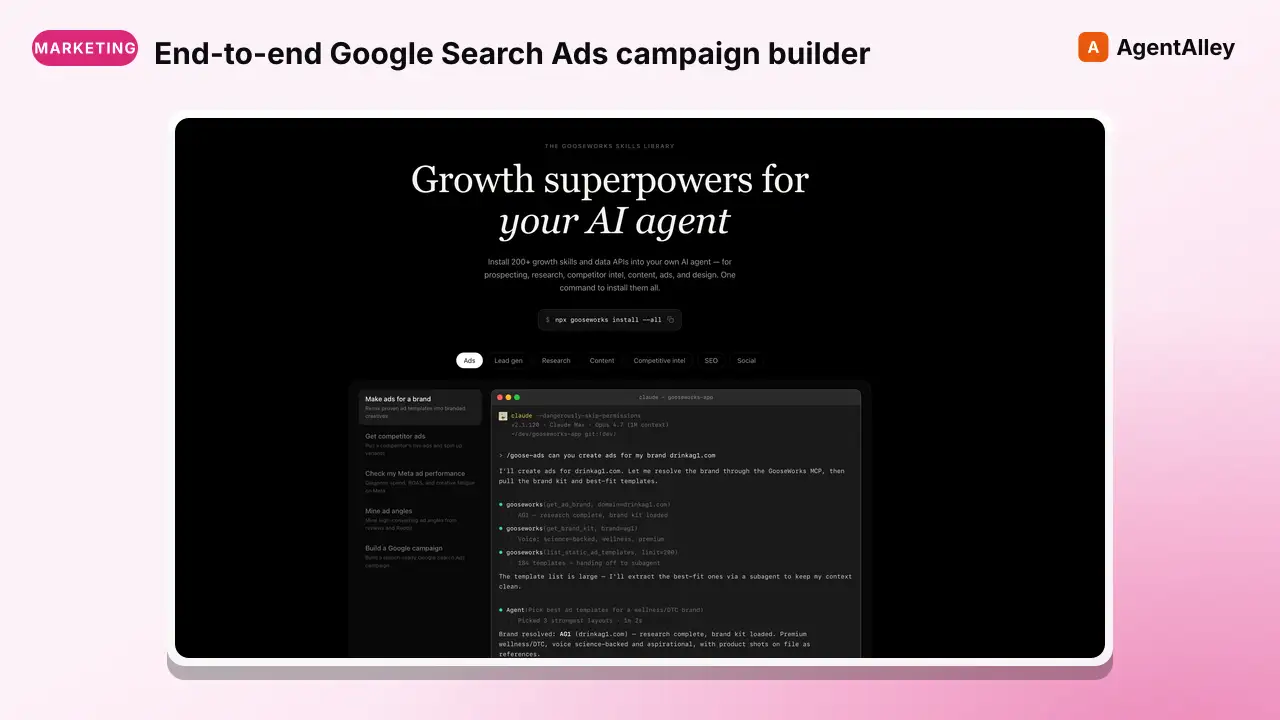
End-to-end Google Search Ads campaign builder. Performs deep keyword research (competitor SEO, review language mining, Reddit/HN community terminology, site audit), builds keyword architecture with funnel mapping and intent…
---
name: google-search-ads-builder
description: >
  End-to-end Google Search Ads campaign builder. Performs deep keyword research
  (competitor SEO, review language mining, Reddit/HN community terminology, site audit),
  builds keyword architecture with funnel mapping and intent classification, creates
  ad group structure, generates headline/description variants, builds negative keyword
  lists, recommends bid strategy, and exports a campaign-ready CSV for Google Ads Editor import.
tags: [ads]
---

# Google Search Ads Builder

Build a complete Google Search Ads campaign from scratch. This skill handles everything from deep keyword research through community and review language mining, to ad copy generation and campaign structure — outputting files ready to import into Google Ads Editor.

**Core principle:** Most early-stage teams waste their first $5K on Google Ads because of bad keyword strategy and bad structure. This skill builds the strategic keyword foundation AND a tight, well-organized campaign from day one.

## When to Use
Overview
Build a complete Google Search Ads campaign from scratch. This skill handles everything from deep keyword research through community and review language mining, to ad copy generation and campaign structure — outputting files ready to import into Google Ads Editor.
Manual install (npx, ZIP)
npx skills add gooseworks-ai/goose-skills --skill google-search-ads-builder -g -a claude-codemkdir -p ~/.claude/skills && curl -sL https://codeload.github.com/gooseworks-ai/goose-skills/tar.gz/615c685f34f8 \
| tar -xz -C ~/.claude/skills --strip-components=4 goose-skills-615c685f34f8/skills/ads/composites/google-search-ads-builderNew-Item -ItemType Directory -Force "$HOME\.claude\skills" | Out-Null; Invoke-WebRequest "https://m.agentalley.io/zip/cf7cd8115f7074f2cb4c/google-search-ads-builder.zip" -OutFile "$env:TEMP\google-search-ads-builder.zip"; Expand-Archive "$env:TEMP\google-search-ads-builder.zip" -DestinationPath "$HOME\.claude\skills" -ForceConnects with Agent Alley MCP · agentalley.io/mcp
Files included
SKILL.md18.0 KBskill.meta.json320 B
Read the files here
gooseworks-ai/
Show the full text476 lines
Google Search Ads Builder
Build a complete Google Search Ads campaign from scratch. This skill handles everything from deep keyword research through community and review language mining, to ad copy generation and campaign structure — outputting files ready to import into Google Ads Editor.
Core principle: Most early-stage teams waste their first $5K on Google Ads because of bad keyword strategy and bad structure. This skill builds the strategic keyword foundation AND a tight, well-organized campaign from day one.
When to Use
- "Set up Google Search Ads for us"
- "Build a Google Ads campaign for [product]"
- "I want to start running search ads — help me set it up"
- "Create a PPC campaign structure"
- "Generate Google Ads copy for our product"
- "Do keyword research for Google Ads"
- "What keywords should we bid on?"
- "Build a keyword strategy for paid search"
- "Find high-intent keywords in our space"
Phase 0: Intake
- Product name + URL — What are we advertising?
- One-line value prop — What does it do, for whom?
- Product category — How would a buyer search for this? (e.g., "sales automation", "AI writing tool")
- ICP — Who is searching for this? (Role, pain, company stage)
- Monthly budget — What are you willing to spend? (Affects structure and bid recommendations)
- Goal — Free trial sign-ups / Demo bookings / Content downloads / Direct purchase
- Landing pages — URLs you'll send traffic to (or "need to create")
- Competitor domains — 3-5 competitors (for keyword gap analysis)
- Geographic targeting — Countries/regions
- Existing keywords? — Any keywords you already know work or are currently bidding on
- Known converting keywords? — Any existing performance data
Phase 1: Deep Keyword Research
1A: Seed Keyword Generation
From the product description and ICP, generate 3 keyword buckets:
| Bucket | Intent | Examples |
|---|---|---|
| Problem-aware | Searching for solutions to a pain | "how to automate outbound", "fix slow sales pipeline" |
| Solution-aware | Searching for a category of product | "AI SDR tool", "outbound automation software" |
| Brand/Competitor | Searching for you or competitors by name | "[your brand]", "[competitor] alternative" |
1B: Competitive Keyword Mining
For each competitor domain, research their organic keyword rankings and ad presence using web_search:
Search: site:<competitor_domain> [product category keywords]
Search: <competitor> SEO keywords ranking
Search: <competitor> top pages organic traffic
Search: "[competitor] site:google.com/ads" OR "[competitor] PPC keywords"
Search: "[competitor]" alternative OR vs OR comparison
Search: best [product category] tools 2026
Use fetch_webpage on competitor landing pages and pricing pages to extract the language and positioning they use — these reveal keyword opportunities.
Extract keywords with buying intent — skip informational-only terms.
1C: Review Language Mining
The exact language buyers use matters more than what marketers think they search. Mine review sites for real buyer vocabulary.
Use web_search to find reviews:
Search: "[product name]" site:g2.com reviews
Search: "[product name]" site:capterra.com reviews
Search: "[competitor name]" site:g2.com reviews
Search: "best [product category]" site:g2.com
Use fetch_webpage on the top review pages to extract phrases like:
- "I was looking for a [term] that could..."
- "We switched from [X] because we needed..."
- "Best [term] for [use case]"
These phrases reveal how real buyers describe the problem and the solution — gold for keyword targeting.
1D: Reddit Community Terminology Mining
Reddit threads contain the unfiltered language your ICP actually uses.
Option A — Apify Reddit Scraper (if APIFY_API_TOKEN is set):
POST https://api.apify.com/v2/acts/trudax~reddit-scraper-lite/runs?token=${APIFY_API_TOKEN}
Content-Type: application/json

{
  "searches": ["best <category> tool OR software OR platform"],
  "maxItems": 30
}
Then poll for results:
GET https://api.apify.com/v2/acts/trudax~reddit-scraper-lite/runs/{RUN_ID}?token=${APIFY_API_TOKEN}
Once status is SUCCEEDED, fetch dataset:
GET https://api.apify.com/v2/datasets/{DATASET_ID}/items?token=${APIFY_API_TOKEN}
Output fields: Each item has dataType ("post" or "comment"), title (posts only), body, communityName, upVotes, url, createdAt.
Option B — Web search fallback:
Search: site:reddit.com "best [product category] tool" OR "recommend [product category]"
Search: site:reddit.com "[competitor name]" alternative
Search: site:reddit.com "[pain point]" solution software
Extract the terminology, slang, and product descriptions real users use in these threads.
1E: Hacker News Terminology Mining
HN discussions reveal how technical buyers describe tools and problems.
Use the free HN Algolia API:
GET https://hn.algolia.com/api/v1/search?query=<product category>&tags=story&hitsPerPage=20
GET https://hn.algolia.com/api/v1/search?query=<competitor name>&tags=story&hitsPerPage=20
GET https://hn.algolia.com/api/v1/search?query=<pain point>&tags=comment&hitsPerPage=30
No API key needed. Extract terminology and product framing from titles and comment text.
1F: Your Site Content Audit
Use fetch_webpage to crawl key pages on the user's own website:
- Homepage
- Product/features pages
- Pricing page
- Blog posts (top 5-10)
- Any existing landing pages
Identify:
- Pages that could serve as ad landing pages
- Keywords the site content already targets (leverage in ads)
- Gaps — search terms the site doesn't cover yet
- Language and positioning already in use
1G: Search Suggest & Related Terms
Search: "[category] tool" → note Google autocomplete suggestions
Search: "[category] software for [ICP role]"
Search: "[pain point] solution"
Search: "how to [problem your product solves]"
1H: Keyword Expansion
For each seed keyword discovered across all sources, expand with:
- Modifiers: best, top, free, cheap, enterprise, for startups, for [role]
- Long-tail: "[category] for [specific use case]"
- Question queries: "how to [solve problem your product addresses]"
- Comparison: "[competitor] vs [your brand]", "[competitor] alternative"
Phase 2: Keyword Architecture
2A: Funnel Stage Mapping
Organize ALL discovered keywords by buyer journey stage:
| Stage | Intent Signal | Example Keywords | Bid Priority |
|---|---|---|---|
| Problem-aware | Searching for solutions to a pain | "how to scale outbound without hiring SDRs" | Medium — educational intent |
| Solution-aware | Searching for a category | "AI SDR tool", "outbound automation platform" | High — comparing options |
| Product-aware | Searching for specific products | "[competitor] alternative", "[competitor] vs" | Very high — close to purchase |
| Most-aware | Searching for your brand | "[your brand]", "[your brand] pricing" | Must-have — defend brand |
2B: Intent Classification
| Intent Type | Ad Group Strategy | Landing Page Strategy |
|---|---|---|
| Transactional ("buy", "pricing", "free trial") | Aggressive bid, exact match | Direct product/pricing page |
| Commercial ("best", "top", "vs", "alternative") | Strong bid, exact + phrase | Comparison or feature page |
| Informational ("how to", "what is", "guide") | Low bid or skip — save for SEO | Blog/resource (if targeting) |
| Navigational (brand searches) | Must-bid, exact match | Homepage or brand LP |
2C: Competitive Density Assessment
For the top 30 keywords, estimate competition level:
| Density | Signal | Strategy |
|---|---|---|
| Low | Few ads showing, no big brands | Bid aggressively — first mover advantage |
| Medium | Some competitors, not saturated | Bid strategically — differentiate with copy |
| High | Major players dominating | Bid selectively — long-tail variants, exact match only |
| Very high | Big ad budgets, position 1-4 locked | Avoid head-on — focus on long-tail or competitor terms |
2D: Match Type Matrix
| Keyword | Exact [keyword] | Phrase "keyword" | Broad keyword | Recommendation |
|---|---|---|---|---|
| [keyword 1] | Y | Y | N | Start exact, expand to phrase after data |
| [keyword 2] | Y | N | N | Exact only — too broad in phrase |
| [keyword 3] | Y | Y | Y | All match types — high-volume, need coverage |
General match type rules:
| Keyword Type | Recommended Match | Reason |
|---|---|---|
| Brand terms | Exact | Protect — don't waste spend on broad |
| High-intent solution | Exact + Phrase | Capture precisely, discover adjacent |
| Competitor terms | Exact + Phrase | Control the narrative |
| Problem-aware | Phrase + Broad (with negatives) | Cast wider net for top-of-funnel |
2E: Keyword Scoring
| Keyword | Est. Volume | Intent Strength | Competition | Priority |
|---|---|---|---|---|
| [keyword] | [H/M/L] | [High/Med/Low] | [H/M/L] | [1-5] |
Priority scale:
- 5 = High intent + medium competition (sweet spot)
- 4 = High intent + high competition (important but expensive)
- 3 = Medium intent + low competition (good for budget stretch)
- 2 = Low intent + low competition (awareness only)
- 1 = Skip — too broad or irrelevant
2F: Quick Wins List
Identify the top 10 keywords to launch with — highest intent, manageable competition:
| # | Keyword | Match Type | Intent | Competition | Why |
|---|---|---|---|---|---|
| 1 | [keyword] | Exact | Transactional | Medium | [Reason] |
Phase 3: Campaign Structure
3A: Ad Group Design
Group keywords by theme and intent. Each ad group = one tight topic.
Structure template:
Campaign: [Product Name] — Search
+-- Ad Group: [Problem Keyword Theme 1]
|   +-- Keywords (5-15 per group)
|   +-- Ads (3 responsive search ads)
+-- Ad Group: [Problem Keyword Theme 2]
+-- Ad Group: [Solution Category]
+-- Ad Group: [Competitor Alternatives]
|   +-- "[Competitor A] alternative"
|   +-- "[Competitor B] alternative"
|   +-- "best [category] alternative"
+-- Ad Group: [Brand]
    +-- "[Your brand name]" (defense)
Rules:
- Max 15 keywords per ad group
- All keywords in an ad group should share a theme
- Each ad group gets its own landing page (if possible)
- Use the match type matrix from Phase 2D to assign match types
Phase 4: Ad Copy Generation
Per Ad Group: 3 Responsive Search Ads
Each RSA needs:
- 15 headlines (max 30 chars each)
- 4 descriptions (max 90 chars each)
Headline Framework (15 per ad group)
| Slot | Purpose | Example |
|---|---|---|
| 1-3 | Keyword match — Include the search term | "AI Outbound Automation" |
| 4-5 | Value prop — Primary benefit | "10x Your Pipeline in 30 Days" |
| 6-7 | Social proof — Credibility | "Trusted by 500+ B2B Teams" |
| 8-9 | Differentiation — Why you vs alternatives | "No-Code Setup in 5 Minutes" |
| 10-11 | CTA — Action driver | "Start Free Trial Today" |
| 12-13 | Offer/Urgency — Incentive | "Free 14-Day Trial" |
| 14-15 | Trust/Risk reversal — Remove friction | "No Credit Card Required" |
Description Framework (4 per ad group)
| Slot | Purpose | Example |
|---|---|---|
| 1 | Feature-benefit — What + so what | "Automate personalized outbound emails so your team closes more deals without the manual work." |
| 2 | Pain-agitate — Problem + solution | "Tired of reps spending 4 hours on prospecting? Our AI handles it in minutes." |
| 3 | Social proof + CTA | "Join 500+ growth teams. Start your free trial — no credit card needed." |
| 4 | Differentiator + CTA | "Unlike legacy tools, [Product] works out of the box. See it in action — book a 15-min demo." |
Phase 5: Negative Keywords
5A: Universal Negatives (Apply to all campaigns)
free (if not freemium)
jobs, careers, hiring, salary, internship
tutorial, course, certification, learn, how to become
review, reddit, quora, forum (if not desired)
login, support, help desk, documentation
download, open source (if not applicable)
5B: Category-Specific Negatives
Industry-specific terms that share words with your keywords but have wrong intent. Based on keyword research, add terms that would waste spend.
5C: Intent Negatives
Terms that indicate the searcher is not a buyer:
- Job seekers: "jobs", "careers", "hiring", "salary"
- Students: "tutorial", "course", "certification", "assignment"
- Support seekers: "login", "support", "help", "docs"
5D: Competitor Brand Negatives (Optional)
If NOT running competitor campaigns, negative-match competitor brand names to prevent waste. If you ARE running competitor campaigns, apply these as negatives only on non-competitor ad groups.
5E: Ad Group-Level Negatives
Cross-negative between ad groups to prevent internal keyword cannibalization. Each ad group should only trigger for its own theme.
Phase 6: Bid Strategy Recommendation
| Budget Range | Recommended Strategy | Reason |
|---|---|---|
| < $1K/mo | Manual CPC or Max Clicks | Need data first — don't let Google optimize on nothing |
| $1K-5K/mo | Max Conversions (after 30+ conversions) | Enough data for Google's algo |
| $5K+/mo | Target CPA or Target ROAS | Optimize for efficiency at scale |
First 2 weeks: Always start with Manual CPC or Max Clicks with a daily budget cap. Collect data before switching to automated bidding.
Budget Allocation by Funnel Stage
| Funnel Stage | % of Budget | Reasoning |
|---|---|---|
| Brand defense | [X%] | Protect brand searches |
| Competitor capture | [X%] | High-intent, ready to switch |
| Solution-aware | [X%] | Category buyers — highest volume |
| Problem-aware | [X%] | Only if budget allows |
Phase 7: Output Format
7A: Campaign Strategy Doc
# Google Search Ads Campaign — [Product Name] — [DATE]

## Campaign Overview
- **Goal:** [Conversions / Demos / Trials]
- **Monthly budget:** $[X]
- **Geographic targeting:** [Countries]
- **Bid strategy (start):** [Manual CPC / Max Clicks]
- **Bid strategy (after 30 conversions):** [Max Conversions / Target CPA]

## Research Summary
- Sources analyzed: [competitor SEO, G2/Capterra reviews, Reddit, Hacker News, site audit]
- Total keywords discovered: [N]
- After dedup + filtering: [N]
- Recommended for campaign: [N]

## Competitive Density Map

| Keyword Theme | Your Position | Top Competitors Bidding | Density | Recommendation |
|--------------|--------------|------------------------|---------|---------------|
| [Theme] | [Not bidding / Bidding] | [Names] | [H/M/L] | [Bid / Skip / Long-tail] |

## Campaign Structure
[Visual tree of campaigns -> ad groups]

## Keywords by Ad Group

### Ad Group: [Name]
**Landing page:** [URL]
| Keyword | Match Type | Funnel Stage | Intent | Priority |
|---------|-----------|-------------|--------|----------|
| [keyword] | Exact | Solution-aware | Commercial | High |
| [keyword] | Phrase | Problem-aware | Informational | Medium |

### Ad Group: [Name 2]
...

## Ad Copy

### Ad Group: [Name]
**RSA 1:**
Headlines: [list of 15]
Descriptions: [list of 4]

**RSA 2:** ...
**RSA 3:** ...

## Negative Keywords

### Campaign-Level Negatives
[List]

### Ad Group-Level Negatives
[Per ad group]

## Bid & Budget Recommendations
[Strategy + daily budget recommendation + funnel stage allocation]

## Quick Wins — Top 10 Launch Keywords
| # | Keyword | Match Type | Intent | Competition | Why |
|---|---------|-----------|--------|-------------|-----|
| 1 | [keyword] | Exact | Transactional | Medium | [Reason] |

## Launch Checklist
- [ ] Verify landing pages load and track conversions
- [ ] Set up conversion tracking (Google Tag / GA4)
- [ ] Confirm geographic targeting
- [ ] Set daily budget cap
- [ ] Review ad extensions (sitelinks, callouts, structured snippets)
- [ ] Enable search term report review (weekly)
7B: Google Ads Editor Import CSV
Generate a CSV file importable into Google Ads Editor:
Campaign,Ad Group,Keyword,Match Type,Max CPC,Final URL,Headline 1,Headline 2,Headline 3,Description 1,Description 2
Save strategy doc to google-search-campaign-[YYYY-MM-DD].md in the current working directory (or user-specified path).
Save CSV to google-ads-import-[YYYY-MM-DD].csv in the current working directory (or user-specified path).
Cost
| Component | Cost |
|---|---|
| Keyword research (web search) | Free |
| Review mining (web search) | Free |
| Reddit scraping (Apify, if used) | ~$0.05-0.10 |
| HN Algolia API | Free |
| Site content audit (fetch_webpage) | Free |
| Ad copy generation | Free (LLM reasoning) |
| CSV generation | Free |
| Total | Free-$0.10 |
Tools Required
- web_search — for keyword research, competitor analysis, review mining, Reddit mining
- fetch_webpage — for landing page review, competitor page analysis, site content audit
- HN Algolia API —
https://hn.algolia.com/api/v1/search(free, no key needed) - Optional: Apify Reddit scraper — requires
APIFY_API_TOKENenv var
Trigger Phrases
- "Set up Google Search Ads for [product]"
- "Build a PPC campaign"
- "Create Google Ads for our product"
- "I need search ad keywords and copy"
- "Generate a Google Ads Editor import file"
- "Do keyword research for Google Ads"
- "What keywords should we bid on?"
- "Build a keyword architecture for [product]"
- "Find high-intent search keywords"
| 1 | |
| 2 | name google-search-ads-builder |
| 3 | description > |
| 4 | End-to-end Google Search Ads campaign builder. Performs deep keyword research |
| 5 | (competitor SEO, review language mining, Reddit/HN community terminology, site audit), |
| 6 | builds keyword architecture with funnel mapping and intent classification, creates |
| 7 | ad group structure, generates headline/description variants, builds negative keyword |
| 8 | lists, recommends bid strategy, and exports a campaign-ready CSV for Google Ads Editor import. |
| 9 | tags [ads] |
| 10 | |
| 11 | |
| 12 | # Google Search Ads Builder |
| 13 | |
| 14 | Build a complete Google Search Ads campaign from scratch. This skill handles everything from deep keyword research through community and review language mining, to ad copy generation and campaign structure — outputting files ready to import into Google Ads Editor. |
| 15 | |
| 16 | **Core principle:** Most early-stage teams waste their first $5K on Google Ads because of bad keyword strategy and bad structure. This skill builds the strategic keyword foundation AND a tight, well-organized campaign from day one. |
| 17 | |
| 18 | ## When to Use |
| 19 | |
| 20 | "Set up Google Search Ads for us" |
| 21 | "Build a Google Ads campaign for [product]" |
| 22 | "I want to start running search ads — help me set it up" |
| 23 | "Create a PPC campaign structure" |
| 24 | "Generate Google Ads copy for our product" |
| 25 | "Do keyword research for Google Ads" |
| 26 | "What keywords should we bid on?" |
| 27 | "Build a keyword strategy for paid search" |
| 28 | "Find high-intent keywords in our space" |
| 29 | |
| 30 | ## Phase 0: Intake |
| 31 | |
| 32 | **Product name + URL** — What are we advertising? |
| 33 | **One-line value prop** — What does it do, for whom? |
| 34 | **Product category** — How would a buyer search for this? (e.g., "sales automation", "AI writing tool") |
| 35 | **ICP** — Who is searching for this? (Role, pain, company stage) |
| 36 | **Monthly budget** — What are you willing to spend? (Affects structure and bid recommendations) |
| 37 | **Goal** — Free trial sign-ups / Demo bookings / Content downloads / Direct purchase |
| 38 | **Landing pages** — URLs you'll send traffic to (or "need to create") |
| 39 | **Competitor domains** — 3-5 competitors (for keyword gap analysis) |
| 40 | **Geographic targeting** — Countries/regions |
| 41 | **Existing keywords?** — Any keywords you already know work or are currently bidding on |
| 42 | **Known converting keywords?** — Any existing performance data |
| 43 | |
| 44 | ## Phase 1: Deep Keyword Research |
| 45 | |
| 46 | ### 1A: Seed Keyword Generation |
| 47 | |
| 48 | From the product description and ICP, generate 3 keyword buckets: |
| 49 | |
| 50 | | Bucket | Intent | Examples | |
| 51 | |--------|--------|---------| |
| 52 | | **Problem-aware** | Searching for solutions to a pain | "how to automate outbound", "fix slow sales pipeline" | |
| 53 | | **Solution-aware** | Searching for a category of product | "AI SDR tool", "outbound automation software" | |
| 54 | | **Brand/Competitor** | Searching for you or competitors by name | "[your brand]", "[competitor] alternative" | |
| 55 | |
| 56 | ### 1B: Competitive Keyword Mining |
| 57 | |
| 58 | For each competitor domain, research their organic keyword rankings and ad presence using `web_search`: |
| 59 | |
| 60 | |
| 61 | Search: site:<competitor_domain> [product category keywords] |
| 62 | Search: <competitor> SEO keywords ranking |
| 63 | Search: <competitor> top pages organic traffic |
| 64 | Search: "[competitor] site:google.com/ads" OR "[competitor] PPC keywords" |
| 65 | Search: "[competitor]" alternative OR vs OR comparison |
| 66 | Search: best [product category] tools 2026 |
| 67 | |
| 68 | |
| 69 | Use `fetch_webpage` on competitor landing pages and pricing pages to extract the language and positioning they use — these reveal keyword opportunities. |
| 70 | |
| 71 | Extract keywords with buying intent — skip informational-only terms. |
| 72 | |
| 73 | ### 1C: Review Language Mining |
| 74 | |
| 75 | The exact language buyers use matters more than what marketers think they search. Mine review sites for real buyer vocabulary. |
| 76 | |
| 77 | Use `web_search` to find reviews: |
| 78 | |
| 79 | |
| 80 | Search: "[product name]" site:g2.com reviews |
| 81 | Search: "[product name]" site:capterra.com reviews |
| 82 | Search: "[competitor name]" site:g2.com reviews |
| 83 | Search: "best [product category]" site:g2.com |
| 84 | |
| 85 | |
| 86 | Use `fetch_webpage` on the top review pages to extract phrases like: |
| 87 | "I was looking for a [term] that could..." |
| 88 | "We switched from [X] because we needed..." |
| 89 | "Best [term] for [use case]" |
| 90 | |
| 91 | These phrases reveal how real buyers describe the problem and the solution — gold for keyword targeting. |
| 92 | |
| 93 | ### 1D: Reddit Community Terminology Mining |
| 94 | |
| 95 | Reddit threads contain the unfiltered language your ICP actually uses. |
| 96 | |
| 97 | **Option A — Apify Reddit Scraper** (if `APIFY_API_TOKEN` is set): |
| 98 | |
| 99 | |
| 100 | POST https://api.apify.com/v2/acts/trudax~reddit-scraper-lite/runs?token=${APIFY_API_TOKEN} |
| 101 | Content-Type: application/json |
| 102 | |
| 103 | { |
| 104 | "searches": ["best <category> tool OR software OR platform"], |
| 105 | "maxItems": 30 |
| 106 | } |
| 107 | |
| 108 | |
| 109 | Then poll for results: |
| 110 | |
| 111 | GET https://api.apify.com/v2/acts/trudax~reddit-scraper-lite/runs/{RUN_ID}?token=${APIFY_API_TOKEN} |
| 112 | |
| 113 | |
| 114 | Once status is `SUCCEEDED`, fetch dataset: |
| 115 | |
| 116 | GET https://api.apify.com/v2/datasets/{DATASET_ID}/items?token=${APIFY_API_TOKEN} |
| 117 | |
| 118 | |
| 119 | **Output fields:** Each item has `dataType` ("post" or "comment"), `title` (posts only), `body`, `communityName`, `upVotes`, `url`, `createdAt`. |
| 120 | |
| 121 | **Option B — Web search fallback:** |
| 122 | |
| 123 | |
| 124 | Search: site:reddit.com "best [product category] tool" OR "recommend [product category]" |
| 125 | Search: site:reddit.com "[competitor name]" alternative |
| 126 | Search: site:reddit.com "[pain point]" solution software |
| 127 | |
| 128 | |
| 129 | Extract the terminology, slang, and product descriptions real users use in these threads. |
| 130 | |
| 131 | ### 1E: Hacker News Terminology Mining |
| 132 | |
| 133 | HN discussions reveal how technical buyers describe tools and problems. |
| 134 | |
| 135 | Use the free HN Algolia API: |
| 136 | |
| 137 | |
| 138 | GET https://hn.algolia.com/api/v1/search?query=<product category>&tags=story&hitsPerPage=20 |
| 139 | GET https://hn.algolia.com/api/v1/search?query=<competitor name>&tags=story&hitsPerPage=20 |
| 140 | GET https://hn.algolia.com/api/v1/search?query=<pain point>&tags=comment&hitsPerPage=30 |
| 141 | |
| 142 | |
| 143 | No API key needed. Extract terminology and product framing from titles and comment text. |
| 144 | |
| 145 | ### 1F: Your Site Content Audit |
| 146 | |
| 147 | Use `fetch_webpage` to crawl key pages on the user's own website: |
| 148 | |
| 149 | Homepage |
| 150 | Product/features pages |
| 151 | Pricing page |
| 152 | Blog posts (top 5-10) |
| 153 | Any existing landing pages |
| 154 | |
| 155 | Identify: |
| 156 | Pages that could serve as ad landing pages |
| 157 | Keywords the site content already targets (leverage in ads) |
| 158 | Gaps — search terms the site doesn't cover yet |
| 159 | Language and positioning already in use |
| 160 | |
| 161 | ### 1G: Search Suggest & Related Terms |
| 162 | |
| 163 | |
| 164 | Search: "[category] tool" → note Google autocomplete suggestions |
| 165 | Search: "[category] software for [ICP role]" |
| 166 | Search: "[pain point] solution" |
| 167 | Search: "how to [problem your product solves]" |
| 168 | |
| 169 | |
| 170 | ### 1H: Keyword Expansion |
| 171 | |
| 172 | For each seed keyword discovered across all sources, expand with: |
| 173 | **Modifiers:** best, top, free, cheap, enterprise, for startups, for [role] |
| 174 | **Long-tail:** "[category] for [specific use case]" |
| 175 | **Question queries:** "how to [solve problem your product addresses]" |
| 176 | **Comparison:** "[competitor] vs [your brand]", "[competitor] alternative" |
| 177 | |
| 178 | ## Phase 2: Keyword Architecture |
| 179 | |
| 180 | ### 2A: Funnel Stage Mapping |
| 181 | |
| 182 | Organize ALL discovered keywords by buyer journey stage: |
| 183 | |
| 184 | | Stage | Intent Signal | Example Keywords | Bid Priority | |
| 185 | |-------|--------------|-----------------|-------------| |
| 186 | | **Problem-aware** | Searching for solutions to a pain | "how to scale outbound without hiring SDRs" | Medium — educational intent | |
| 187 | | **Solution-aware** | Searching for a category | "AI SDR tool", "outbound automation platform" | High — comparing options | |
| 188 | | **Product-aware** | Searching for specific products | "[competitor] alternative", "[competitor] vs" | Very high — close to purchase | |
| 189 | | **Most-aware** | Searching for your brand | "[your brand]", "[your brand] pricing" | Must-have — defend brand | |
| 190 | |
| 191 | ### 2B: Intent Classification |
| 192 | |
| 193 | | Intent Type | Ad Group Strategy | Landing Page Strategy | |
| 194 | |-------------|------------------|---------------------| |
| 195 | | **Transactional** ("buy", "pricing", "free trial") | Aggressive bid, exact match | Direct product/pricing page | |
| 196 | | **Commercial** ("best", "top", "vs", "alternative") | Strong bid, exact + phrase | Comparison or feature page | |
| 197 | | **Informational** ("how to", "what is", "guide") | Low bid or skip — save for SEO | Blog/resource (if targeting) | |
| 198 | | **Navigational** (brand searches) | Must-bid, exact match | Homepage or brand LP | |
| 199 | |
| 200 | ### 2C: Competitive Density Assessment |
| 201 | |
| 202 | For the top 30 keywords, estimate competition level: |
| 203 | |
| 204 | | Density | Signal | Strategy | |
| 205 | |---------|--------|----------| |
| 206 | | **Low** | Few ads showing, no big brands | Bid aggressively — first mover advantage | |
| 207 | | **Medium** | Some competitors, not saturated | Bid strategically — differentiate with copy | |
| 208 | | **High** | Major players dominating | Bid selectively — long-tail variants, exact match only | |
| 209 | | **Very high** | Big ad budgets, position 1-4 locked | Avoid head-on — focus on long-tail or competitor terms | |
| 210 | |
| 211 | ### 2D: Match Type Matrix |
| 212 | |
| 213 | | Keyword | Exact [keyword] | Phrase "keyword" | Broad keyword | Recommendation | |
| 214 | |---------|----------------|-----------------|---------------|---------------| |
| 215 | | [keyword 1] | Y | Y | N | Start exact, expand to phrase after data | |
| 216 | | [keyword 2] | Y | N | N | Exact only — too broad in phrase | |
| 217 | | [keyword 3] | Y | Y | Y | All match types — high-volume, need coverage | |
| 218 | |
| 219 | **General match type rules:** |
| 220 | |
| 221 | | Keyword Type | Recommended Match | Reason | |
| 222 | |-------------|-------------------|--------| |
| 223 | | Brand terms | Exact | Protect — don't waste spend on broad | |
| 224 | | High-intent solution | Exact + Phrase | Capture precisely, discover adjacent | |
| 225 | | Competitor terms | Exact + Phrase | Control the narrative | |
| 226 | | Problem-aware | Phrase + Broad (with negatives) | Cast wider net for top-of-funnel | |
| 227 | |
| 228 | ### 2E: Keyword Scoring |
| 229 | |
| 230 | | Keyword | Est. Volume | Intent Strength | Competition | Priority | |
| 231 | |---------|------------|----------------|-------------|----------| |
| 232 | | [keyword] | [H/M/L] | [High/Med/Low] | [H/M/L] | [1-5] | |
| 233 | |
| 234 | **Priority scale:** |
| 235 | **5** = High intent + medium competition (sweet spot) |
| 236 | **4** = High intent + high competition (important but expensive) |
| 237 | **3** = Medium intent + low competition (good for budget stretch) |
| 238 | **2** = Low intent + low competition (awareness only) |
| 239 | **1** = Skip — too broad or irrelevant |
| 240 | |
| 241 | ### 2F: Quick Wins List |
| 242 | |
| 243 | Identify the top 10 keywords to launch with — highest intent, manageable competition: |
| 244 | |
| 245 | | # | Keyword | Match Type | Intent | Competition | Why | |
| 246 | |---|---------|-----------|--------|-------------|-----| |
| 247 | | 1 | [keyword] | Exact | Transactional | Medium | [Reason] | |
| 248 | |
| 249 | ## Phase 3: Campaign Structure |
| 250 | |
| 251 | ### 3A: Ad Group Design |
| 252 | |
| 253 | Group keywords by theme and intent. Each ad group = one tight topic. |
| 254 | |
| 255 | **Structure template:** |
| 256 | |
| 257 | |
| 258 | Campaign: [Product Name] — Search |
| 259 | +-- Ad Group: [Problem Keyword Theme 1] |
| 260 | | +-- Keywords (5-15 per group) |
| 261 | | +-- Ads (3 responsive search ads) |
| 262 | +-- Ad Group: [Problem Keyword Theme 2] |
| 263 | +-- Ad Group: [Solution Category] |
| 264 | +-- Ad Group: [Competitor Alternatives] |
| 265 | | +-- "[Competitor A] alternative" |
| 266 | | +-- "[Competitor B] alternative" |
| 267 | | +-- "best [category] alternative" |
| 268 | +-- Ad Group: [Brand] |
| 269 | +-- "[Your brand name]" (defense) |
| 270 | |
| 271 | |
| 272 | **Rules:** |
| 273 | Max 15 keywords per ad group |
| 274 | All keywords in an ad group should share a theme |
| 275 | Each ad group gets its own landing page (if possible) |
| 276 | Use the match type matrix from Phase 2D to assign match types |
| 277 | |
| 278 | ## Phase 4: Ad Copy Generation |
| 279 | |
| 280 | ### Per Ad Group: 3 Responsive Search Ads |
| 281 | |
| 282 | Each RSA needs: |
| 283 | **15 headlines** (max 30 chars each) |
| 284 | **4 descriptions** (max 90 chars each) |
| 285 | |
| 286 | ### Headline Framework (15 per ad group) |
| 287 | |
| 288 | | Slot | Purpose | Example | |
| 289 | |------|---------|---------| |
| 290 | | 1-3 | **Keyword match** — Include the search term | "AI Outbound Automation" | |
| 291 | | 4-5 | **Value prop** — Primary benefit | "10x Your Pipeline in 30 Days" | |
| 292 | | 6-7 | **Social proof** — Credibility | "Trusted by 500+ B2B Teams" | |
| 293 | | 8-9 | **Differentiation** — Why you vs alternatives | "No-Code Setup in 5 Minutes" | |
| 294 | | 10-11 | **CTA** — Action driver | "Start Free Trial Today" | |
| 295 | | 12-13 | **Offer/Urgency** — Incentive | "Free 14-Day Trial" | |
| 296 | | 14-15 | **Trust/Risk reversal** — Remove friction | "No Credit Card Required" | |
| 297 | |
| 298 | ### Description Framework (4 per ad group) |
| 299 | |
| 300 | | Slot | Purpose | Example | |
| 301 | |------|---------|---------| |
| 302 | | 1 | **Feature-benefit** — What + so what | "Automate personalized outbound emails so your team closes more deals without the manual work." | |
| 303 | | 2 | **Pain-agitate** — Problem + solution | "Tired of reps spending 4 hours on prospecting? Our AI handles it in minutes." | |
| 304 | | 3 | **Social proof + CTA** | "Join 500+ growth teams. Start your free trial — no credit card needed." | |
| 305 | | 4 | **Differentiator + CTA** | "Unlike legacy tools, [Product] works out of the box. See it in action — book a 15-min demo." | |
| 306 | |
| 307 | ## Phase 5: Negative Keywords |
| 308 | |
| 309 | ### 5A: Universal Negatives (Apply to all campaigns) |
| 310 | |
| 311 | |
| 312 | free (if not freemium) |
| 313 | jobs, careers, hiring, salary, internship |
| 314 | tutorial, course, certification, learn, how to become |
| 315 | review, reddit, quora, forum (if not desired) |
| 316 | login, support, help desk, documentation |
| 317 | download, open source (if not applicable) |
| 318 | |
| 319 | |
| 320 | ### 5B: Category-Specific Negatives |
| 321 | |
| 322 | Industry-specific terms that share words with your keywords but have wrong intent. Based on keyword research, add terms that would waste spend. |
| 323 | |
| 324 | ### 5C: Intent Negatives |
| 325 | |
| 326 | Terms that indicate the searcher is not a buyer: |
| 327 | Job seekers: "jobs", "careers", "hiring", "salary" |
| 328 | Students: "tutorial", "course", "certification", "assignment" |
| 329 | Support seekers: "login", "support", "help", "docs" |
| 330 | |
| 331 | ### 5D: Competitor Brand Negatives (Optional) |
| 332 | |
| 333 | If NOT running competitor campaigns, negative-match competitor brand names to prevent waste. If you ARE running competitor campaigns, apply these as negatives only on non-competitor ad groups. |
| 334 | |
| 335 | ### 5E: Ad Group-Level Negatives |
| 336 | |
| 337 | Cross-negative between ad groups to prevent internal keyword cannibalization. Each ad group should only trigger for its own theme. |
| 338 | |
| 339 | ## Phase 6: Bid Strategy Recommendation |
| 340 | |
| 341 | | Budget Range | Recommended Strategy | Reason | |
| 342 | |-------------|---------------------|--------| |
| 343 | | < $1K/mo | Manual CPC or Max Clicks | Need data first — don't let Google optimize on nothing | |
| 344 | | $1K-5K/mo | Max Conversions (after 30+ conversions) | Enough data for Google's algo | |
| 345 | | $5K+/mo | Target CPA or Target ROAS | Optimize for efficiency at scale | |
| 346 | |
| 347 | **First 2 weeks:** Always start with Manual CPC or Max Clicks with a daily budget cap. Collect data before switching to automated bidding. |
| 348 | |
| 349 | ### Budget Allocation by Funnel Stage |
| 350 | |
| 351 | | Funnel Stage | % of Budget | Reasoning | |
| 352 | |-------------|------------|-----------| |
| 353 | | Brand defense | [X%] | Protect brand searches | |
| 354 | | Competitor capture | [X%] | High-intent, ready to switch | |
| 355 | | Solution-aware | [X%] | Category buyers — highest volume | |
| 356 | | Problem-aware | [X%] | Only if budget allows | |
| 357 | |
| 358 | ## Phase 7: Output Format |
| 359 | |
| 360 | ### 7A: Campaign Strategy Doc |
| 361 | |
| 362 | |
| 363 | # Google Search Ads Campaign — [Product Name] — [DATE] |
| 364 | |
| 365 | ## Campaign Overview |
| 366 | - **Goal:** [Conversions / Demos / Trials] |
| 367 | - **Monthly budget:** $[X] |
| 368 | - **Geographic targeting:** [Countries] |
| 369 | - **Bid strategy (start):** [Manual CPC / Max Clicks] |
| 370 | - **Bid strategy (after 30 conversions):** [Max Conversions / Target CPA] |
| 371 | |
| 372 | ## Research Summary |
| 373 | - Sources analyzed: [competitor SEO, G2/Capterra reviews, Reddit, Hacker News, site audit] |
| 374 | - Total keywords discovered: [N] |
| 375 | - After dedup + filtering: [N] |
| 376 | - Recommended for campaign: [N] |
| 377 | |
| 378 | ## Competitive Density Map |
| 379 | |
| 380 | | Keyword Theme | Your Position | Top Competitors Bidding | Density | Recommendation | |
| 381 | |--------------|--------------|------------------------|---------|---------------| |
| 382 | | [Theme] | [Not bidding / Bidding] | [Names] | [H/M/L] | [Bid / Skip / Long-tail] | |
| 383 | |
| 384 | ## Campaign Structure |
| 385 | [Visual tree of campaigns -> ad groups] |
| 386 | |
| 387 | ## Keywords by Ad Group |
| 388 | |
| 389 | ### Ad Group: [Name] |
| 390 | **Landing page:** [URL] |
| 391 | | Keyword | Match Type | Funnel Stage | Intent | Priority | |
| 392 | |---------|-----------|-------------|--------|----------| |
| 393 | | [keyword] | Exact | Solution-aware | Commercial | High | |
| 394 | | [keyword] | Phrase | Problem-aware | Informational | Medium | |
| 395 | |
| 396 | ### Ad Group: [Name 2] |
| 397 | ... |
| 398 | |
| 399 | ## Ad Copy |
| 400 | |
| 401 | ### Ad Group: [Name] |
| 402 | **RSA 1:** |
| 403 | Headlines: [list of 15] |
| 404 | Descriptions: [list of 4] |
| 405 | |
| 406 | **RSA 2:** ... |
| 407 | **RSA 3:** ... |
| 408 | |
| 409 | ## Negative Keywords |
| 410 | |
| 411 | ### Campaign-Level Negatives |
| 412 | [List] |
| 413 | |
| 414 | ### Ad Group-Level Negatives |
| 415 | [Per ad group] |
| 416 | |
| 417 | ## Bid & Budget Recommendations |
| 418 | [Strategy + daily budget recommendation + funnel stage allocation] |
| 419 | |
| 420 | ## Quick Wins — Top 10 Launch Keywords |
| 421 | | # | Keyword | Match Type | Intent | Competition | Why | |
| 422 | |---|---------|-----------|--------|-------------|-----| |
| 423 | | 1 | [keyword] | Exact | Transactional | Medium | [Reason] | |
| 424 | |
| 425 | ## Launch Checklist |
| 426 | - [ ] Verify landing pages load and track conversions |
| 427 | - [ ] Set up conversion tracking (Google Tag / GA4) |
| 428 | - [ ] Confirm geographic targeting |
| 429 | - [ ] Set daily budget cap |
| 430 | - [ ] Review ad extensions (sitelinks, callouts, structured snippets) |
| 431 | - [ ] Enable search term report review (weekly) |
| 432 | |
| 433 | |
| 434 | ### 7B: Google Ads Editor Import CSV |
| 435 | |
| 436 | Generate a CSV file importable into Google Ads Editor: |
| 437 | |
| 438 | |
| 439 | Campaign,Ad Group,Keyword,Match Type,Max CPC,Final URL,Headline 1,Headline 2,Headline 3,Description 1,Description 2 |
| 440 | |
| 441 | |
| 442 | Save strategy doc to `google-search-campaign-[YYYY-MM-DD].md` in the current working directory (or user-specified path). |
| 443 | Save CSV to `google-ads-import-[YYYY-MM-DD].csv` in the current working directory (or user-specified path). |
| 444 | |
| 445 | ## Cost |
| 446 | |
| 447 | | Component | Cost | |
| 448 | |-----------|------| |
| 449 | | Keyword research (web search) | Free | |
| 450 | | Review mining (web search) | Free | |
| 451 | | Reddit scraping (Apify, if used) | ~$0.05-0.10 | |
| 452 | | HN Algolia API | Free | |
| 453 | | Site content audit (fetch_webpage) | Free | |
| 454 | | Ad copy generation | Free (LLM reasoning) | |
| 455 | | CSV generation | Free | |
| 456 | | **Total** | **Free-$0.10** | |
| 457 | |
| 458 | ## Tools Required |
| 459 | |
| 460 | **web_search** — for keyword research, competitor analysis, review mining, Reddit mining |
| 461 | **fetch_webpage** — for landing page review, competitor page analysis, site content audit |
| 462 | **HN Algolia API** — `https://hn.algolia.com/api/v1/search` (free, no key needed) |
| 463 | **Optional:** Apify Reddit scraper — requires `APIFY_API_TOKEN` env var |
| 464 | |
| 465 | ## Trigger Phrases |
| 466 | |
| 467 | "Set up Google Search Ads for [product]" |
| 468 | "Build a PPC campaign" |
| 469 | "Create Google Ads for our product" |
| 470 | "I need search ad keywords and copy" |
| 471 | "Generate a Google Ads Editor import file" |
| 472 | "Do keyword research for Google Ads" |
| 473 | "What keywords should we bid on?" |
| 474 | "Build a keyword architecture for [product]" |
| 475 | "Find high-intent search keywords" |
| 476 |
Details
- Updated
- Sep 21, 2026
- License
- MIT
- Stars on the repo
- ★ 1,220
- Checked
- Source
- gooseworks-ai/goose-skills ↗
- Creator
- gooseworks-ai · 206 listings
Made with google-search-ads-builder

Similar skills
See all → SkillGoogle Ads management skill with API integration
 ivangfalco/ads-skills · by ivangfalcoGoogle Ads management skill with API integration. Covers campaign creation, optimization, keyword management, performance analysis, and search term auditing via Python scripts that connect to the Google Ads API. MANDATORY TRIGGERS: Google Ads, Google campaign, Google search ads, Google PMax, Performance Max, Google Display, Google Shopping, Google ad performance, Google keyword, search terms, Google RSA, Google bidding, Google Ads API★ 275 GitHub stars
 SkillWrites paid ad copy for Facebook and Instagram AdsAd copy generator
 marcosmodly/marketing-skill · by marcosmodlyWrites paid ad copy for Facebook and Instagram (Meta) Ads, Google Search Ads (RSA headlines and descriptions), and LinkedIn Ads: multiple variants per platform, each testing a different hook angle and sized to that platform's character limits, ready for A/B testing. Use when the user asks for ad copy, ad headlines, ad variants, PPC or paid social copy, Facebook ad text, Google Ads headlines, or A/B test copy for a paid campaign.★ 42 GitHub stars
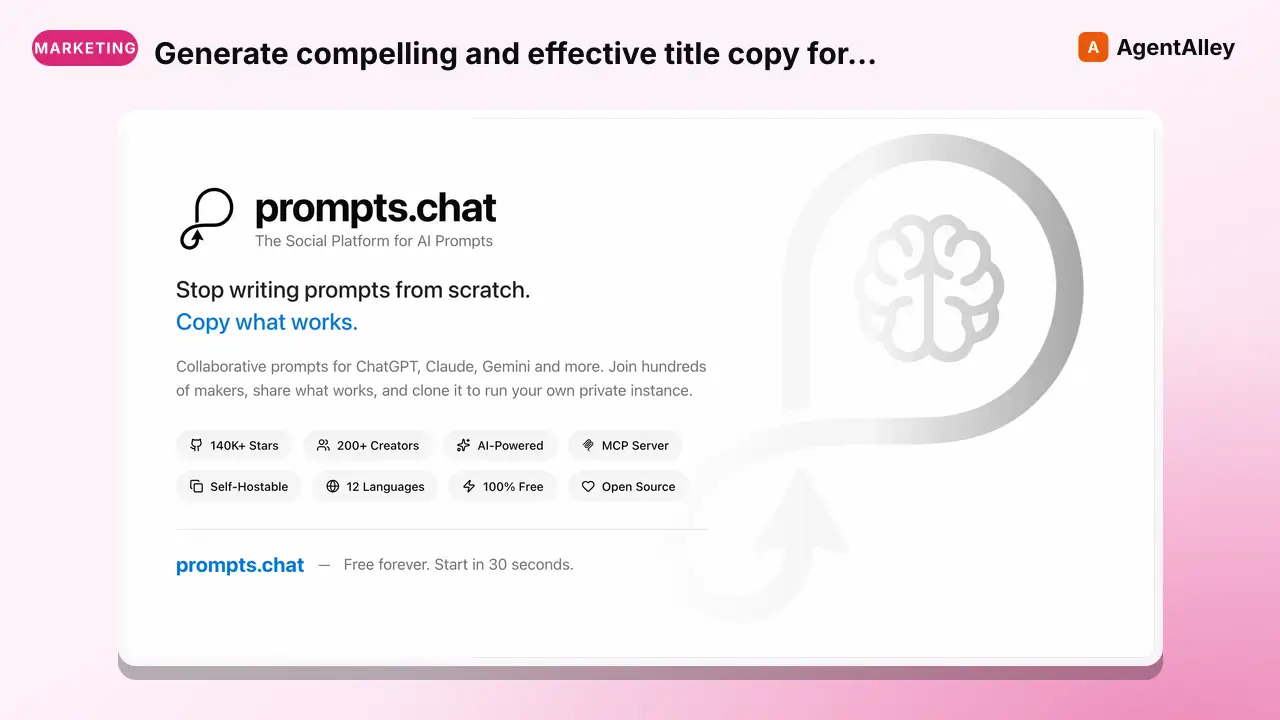 PromptGenerate compelling and effective title copy for Google AdsGoogle ads title copywriter
 f/prompts.chat · by SEM MetaxgtseoGenerate compelling and effective title copy for Google Ads campaigns, tailored to your target audience and objectives.New listing
 SkillHelp with paid advertising campaigns on Google Ads, Meta Paid ads
 davila7/claude-code-templates · by davila7When the user wants help with paid advertising campaigns on Google Ads, Meta (Facebook/Instagram), LinkedIn, Twitter/X, or other ad platforms. Also use when the user mentions 'PPC,' 'paid media,' 'ad copy,' 'ad creative,' 'ROAS,' 'CPA,' 'ad campaign,' 'retargeting,' or 'audience targeting.' This skill covers campaign strategy, ad creation, audience targeting, and optimization.★ 32.3k GitHub stars
 SkillAudit Google Ads measurement, Search, ShoppingGoogle Ads Audit
 AgriciDaniel/claude-ads · by AgriciDanielAudit Google Ads measurement, Search, Shopping, Performance Max, Demand Gen, YouTube-linked inventory, keywords and search terms, negative-keyword generation or review, creative assets, bidding, budgets, settings, and policy. Use for Google Ads, AdWords, Search campaigns, search terms reports, broad negatives, Shopping, Performance Max, PMax, Demand Gen, GAQL, Google conversion tracking, or Google campaign optimization.★ 9.5k GitHub stars
 SkillPaste what you're selling and share your MicrosoftMicrosoft Advertising AuditAgriciDaniel/claude-ads · by AgriciDanielPaste what you're selling and share your Microsoft Advertising numbers; get back a plain-English report on what's wasting money and what to fix first.★ 9.5k GitHub stars
More from gooseworks-ai
 SkillMine the highest-converting ad angles from customer reviewsAd angle miner
 gooseworks-ai/goose-skills · by gooseworks-aiMine the highest-converting ad angles from customer reviews, Reddit complaints, support tickets, and competitor ads. Extracts actual pain language, competitor weaknesses, and outcome phrases that real buyers use. Outputs a ranked angle bank with proof quotes and recommended ad formats per angle.★ 1.2k GitHub stars
 SkillAnalyze ad campaign performance data to identify what'sAd campaign analyzergooseworks-ai/goose-skills · by gooseworks-aiAnalyze ad campaign performance data (Google, Meta, LinkedIn) to identify what's working, what's wasting budget, and specific cut/scale/test recommendations. Runs statistical analysis, funnel diagnostics, and multi-channel budget reallocation with specific dollar-amount shift recommendations and scenario modeling.★ 1.2k GitHub stars
 SkillFor paid lead-gen and participant-recruitment adsAd lead quality analyzergooseworks-ai/goose-skills · by gooseworks-aiFor paid lead-gen and participant-recruitment ads, replaces vanity CPA with true CAC per qualified lead by joining ad-platform data with downstream funnel events, surfaces tracking gaps, and classifies every creative into Scale / Keep / Investigate / Cut.★ 1.2k GitHub stars
 SkillAnalyze the message match between your ads and landing pagesAd to landing page auditorgooseworks-ai/goose-skills · by gooseworks-aiAnalyze the message match between your ads and landing pages. Checks if the promise in the ad copy carries through to the landing page headline, body, and CTA. Flags disconnects that kill conversion rates. Works with Google, Meta, and LinkedIn ads.★ 1.2k GitHub stars
 SkillCheck and improve your brand's visibility across AI searchAeogooseworks-ai/goose-skills · by gooseworks-aiCheck and improve your brand's visibility across AI search engines (ChatGPT, Perplexity, Gemini, Grok, Claude, DeepSeek). Set up tracking, run visibility analyses, audit your website for AI readability, and get actionable recommendations. Uses the npx goose-aeo@latest CLI.★ 1.2k GitHub stars
 SkillSearch Amazon products - find items, compare pricesAmazon Product Searchgooseworks-ai/goose-skills · by gooseworks-aiSearch Amazon products - find items, compare prices, read reviews★ 1.2k GitHub stars