Scrape competitor ads from Google Ads by domain
Google Ads Scraper
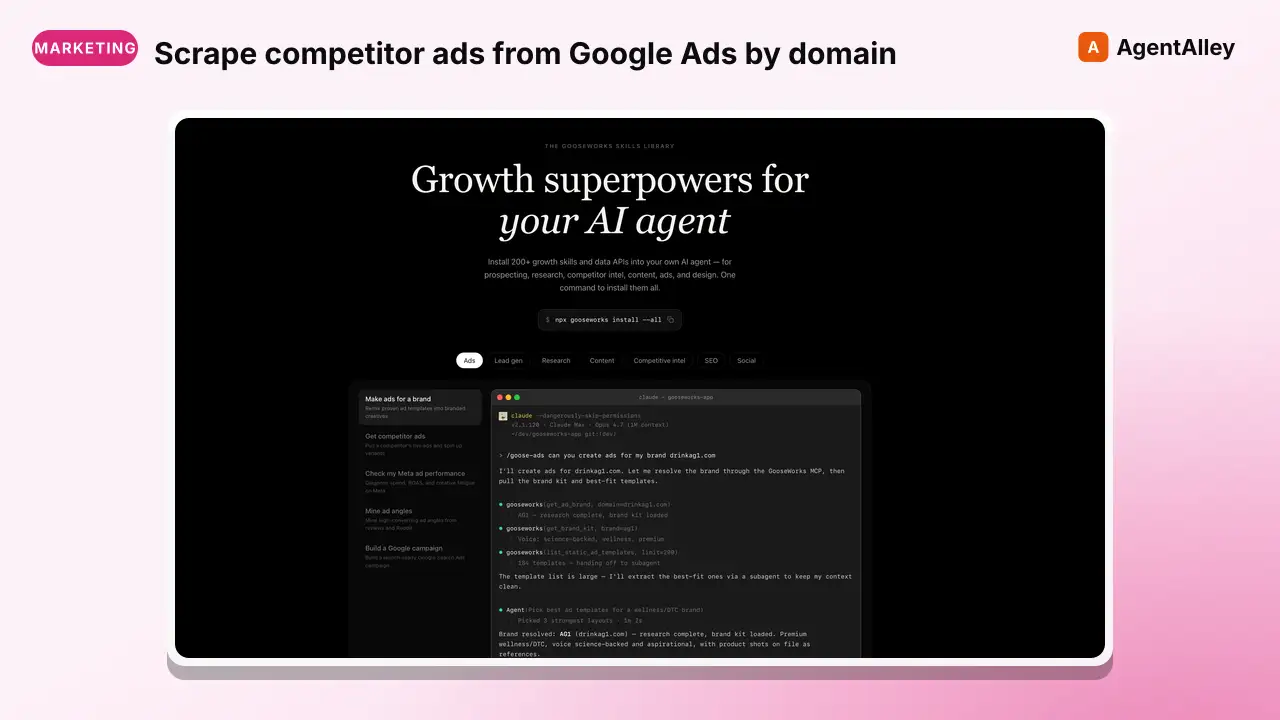
Scrape competitor ads from Google Ads by domain. Returns ad creatives, formats, and campaign details.
---
name: google-ad-scraper
description: Scrape competitor ads from Google Ads by domain. Returns ad creatives, formats, and campaign details. Use for competitive ad research and messaging analysis.
---

# Google Ads Scraper

Scrape ads from Google Ads using the Apify `burbn/google-ads-search` actor. Search by domain to get ad creatives, formats, and campaign details.

## Quick Start

Requires `APIFY_API_TOKEN` env var (or `--token` flag).

```bash
# Search by domain (recommended)
python3 skills/google-ad-scraper/scripts/search_google_ads.py \
  --domain "hubspot.com"
Overview
Scrape ads from Google Ads using the Apify burbn/google-ads-search actor. Search by domain to get ad creatives, formats, and campaign details.
Manual install (npx, ZIP)
Claude Code
npx skills add gooseworks-ai/goose-skills --skill google-ad-scraper -g -a claude-codeClaude Code (manual)
mkdir -p ~/.claude/skills && curl -sL https://codeload.github.com/gooseworks-ai/goose-skills/tar.gz/615c685f34f8 \
  | tar -xz -C ~/.claude/skills --strip-components=4 goose-skills-615c685f34f8/skills/ads/capabilities/google-ad-scraper
Windows (PowerShell)
New-Item -ItemType Directory -Force "$HOME\.claude\skills" | Out-Null; Invoke-WebRequest "https://m.agentalley.io/zip/15412225348b496b57fa/google-ad-scraper.zip" -OutFile "$env:TEMP\google-ad-scraper.zip"; Expand-Archive "$env:TEMP\google-ad-scraper.zip" -DestinationPath "$HOME\.claude\skills" -ForceClaude.ai / desktop
Codex, Cursor, other agents
Connects with Agent Alley MCP · agentalley.io/mcp
Files included
SKILL.md3.8 KBskill.meta.json252 Bscripts/1 file · 11.1 KB
Read the files here
SKILL.md
Show the full text115 lines
Google Ads Scraper
Scrape ads from Google Ads using the Apify burbn/google-ads-search actor. Search by domain to get ad creatives, formats, and campaign details.
Quick Start
Requires APIFY_API_TOKEN env var (or --token flag).
# Search by domain (recommended)
python3 skills/google-ad-scraper/scripts/search_google_ads.py \
  --domain "hubspot.com"

# Search by company name (resolves to domain via transparency center)
python3 skills/google-ad-scraper/scripts/search_google_ads.py \
  --company "Nike"

# Limit results
python3 skills/google-ad-scraper/scripts/search_google_ads.py \
  --domain "hubspot.com" --max-ads 30

# Human-readable summary
python3 skills/google-ad-scraper/scripts/search_google_ads.py \
  --domain "stripe.com" --output summary
How It Works
- Domain Input: Pass the target company's domain directly via
--domain - Company Name Resolution (optional): If only
--companyis provided, the script searches Google Ads Transparency Center using Apify's web-scraper (Puppeteer) to resolve the company name to advertiser info - Ad Scraping: Calls the Apify
burbn/google-ads-searchactor with{"domain": "...", "maxItems": N} - Output: Returns ads as JSON or human-readable summary
CLI Reference
| Flag | Default | Description |
|---|---|---|
--domain |
none | Company domain (e.g. hubspot.com) — recommended |
--company |
none | Company name (resolved to domain via transparency center) |
--max-ads |
50 | Maximum number of ads to return |
--output |
json | Output format: json or summary |
--token |
env var | Apify token (prefer APIFY_API_TOKEN env var) |
--timeout |
300 | Max seconds to wait for Apify run |
At least one of --company or --domain is required.
Output Fields
Each ad in the output contains:
{
  "advertiserId": "AR13129532367502835713",
  "advertiserName": "Nike, Inc.",
  "creativeId": "CR12345678901234567890",
  "originalUrl": "https://www.nike.com/",
  "imageUrl": "https://...",
  "variantFormat": "TEXT",
  "variantContent": "Shop the latest Nike shoes...",
  "variants": [...],
  "variantCount": 3,
  "startDate": "2026-01-15"
}
Output fields:
| Field | Description |
|---|---|
advertiserId |
Google Ads advertiser ID |
advertiserName |
Company/advertiser display name |
creativeId |
Unique ID for the ad creative |
originalUrl |
Destination URL the ad links to |
imageUrl |
URL of the ad image (if applicable) |
variantFormat |
Ad format (TEXT, IMAGE, VIDEO, etc.) |
variantContent |
Ad copy/text content |
variants |
Array of ad variants |
variantCount |
Number of variants for this creative |
startDate |
Date the ad first appeared |
Cost
- Ad scraping: Varies by actor pricing, typically a few cents per domain
- Company name resolution (optional): ~$0.05 (one web-scraper page)
Common Workflows
1. Competitor Ad Research
python3 skills/google-ad-scraper/scripts/search_google_ads.py \
  --domain "competitor.com" --max-ads 100 --output summary
2. Compare Multiple Competitors
# Run for each competitor domain
for domain in "competitor1.com" "competitor2.com" "competitor3.com"; do
  python3 skills/google-ad-scraper/scripts/search_google_ads.py \
    --domain "$domain" --max-ads 50
done
Limitations
- Company name resolution uses Puppeteer-based web scraping of Google's SPA. It may occasionally fail — use
--domainfor best results. - Ad coverage: Google only shows ads from verified advertisers. Some smaller advertisers may not appear.
- Historical data: Primarily shows recently active ads.
| 1 | |
| 2 | name google-ad-scraper |
| 3 | description Scrape competitor ads from Google Ads by domain. Returns ad creatives, formats, and campaign details. Use for competitive ad research and messaging analysis. |
| 4 | |
| 5 | |
| 6 | # Google Ads Scraper |
| 7 | |
| 8 | Scrape ads from Google Ads using the Apify `burbn/google-ads-search` actor. Search by domain to get ad creatives, formats, and campaign details. |
| 9 | |
| 10 | ## Quick Start |
| 11 | |
| 12 | Requires `APIFY_API_TOKEN` env var (or `--token` flag). |
| 13 | |
| 14 | |
| 15 | # Search by domain (recommended) |
| 16 | python3 skills/google-ad-scraper/scripts/search_google_ads.py \ |
| 17 | --domain "hubspot.com" |
| 18 | |
| 19 | # Search by company name (resolves to domain via transparency center) |
| 20 | python3 skills/google-ad-scraper/scripts/search_google_ads.py \ |
| 21 | --company "Nike" |
| 22 | |
| 23 | # Limit results |
| 24 | python3 skills/google-ad-scraper/scripts/search_google_ads.py \ |
| 25 | --domain "hubspot.com" --max-ads 30 |
| 26 | |
| 27 | # Human-readable summary |
| 28 | python3 skills/google-ad-scraper/scripts/search_google_ads.py \ |
| 29 | --domain "stripe.com" --output summary |
| 30 | |
| 31 | |
| 32 | ## How It Works |
| 33 | |
| 34 | **Domain Input**: Pass the target company's domain directly via `--domain` |
| 35 | **Company Name Resolution** (optional): If only `--company` is provided, the script searches Google Ads Transparency Center using Apify's web-scraper (Puppeteer) to resolve the company name to advertiser info |
| 36 | **Ad Scraping**: Calls the Apify `burbn/google-ads-search` actor with `{"domain": "...", "maxItems": N}` |
| 37 | **Output**: Returns ads as JSON or human-readable summary |
| 38 | |
| 39 | ## CLI Reference |
| 40 | |
| 41 | | Flag | Default | Description | |
| 42 | |------|---------|-------------| |
| 43 | | `--domain` | none | Company domain (e.g. hubspot.com) — recommended | |
| 44 | | `--company` | none | Company name (resolved to domain via transparency center) | |
| 45 | | `--max-ads` | 50 | Maximum number of ads to return | |
| 46 | | `--output` | json | Output format: `json` or `summary` | |
| 47 | | `--token` | env var | Apify token (prefer `APIFY_API_TOKEN` env var) | |
| 48 | | `--timeout` | 300 | Max seconds to wait for Apify run | |
| 49 | |
| 50 | At least one of `--company` or `--domain` is required. |
| 51 | |
| 52 | ## Output Fields |
| 53 | |
| 54 | Each ad in the output contains: |
| 55 | |
| 56 | |
| 57 | { |
| 58 | "advertiserId": "AR13129532367502835713", |
| 59 | "advertiserName": "Nike, Inc.", |
| 60 | "creativeId": "CR12345678901234567890", |
| 61 | "originalUrl": "https://www.nike.com/", |
| 62 | "imageUrl": "https://...", |
| 63 | "variantFormat": "TEXT", |
| 64 | "variantContent": "Shop the latest Nike shoes...", |
| 65 | "variants": [...], |
| 66 | "variantCount": 3, |
| 67 | "startDate": "2026-01-15" |
| 68 | } |
| 69 | |
| 70 | |
| 71 | **Output fields:** |
| 72 | |
| 73 | | Field | Description | |
| 74 | |-------|-------------| |
| 75 | | `advertiserId` | Google Ads advertiser ID | |
| 76 | | `advertiserName` | Company/advertiser display name | |
| 77 | | `creativeId` | Unique ID for the ad creative | |
| 78 | | `originalUrl` | Destination URL the ad links to | |
| 79 | | `imageUrl` | URL of the ad image (if applicable) | |
| 80 | | `variantFormat` | Ad format (TEXT, IMAGE, VIDEO, etc.) | |
| 81 | | `variantContent` | Ad copy/text content | |
| 82 | | `variants` | Array of ad variants | |
| 83 | | `variantCount` | Number of variants for this creative | |
| 84 | | `startDate` | Date the ad first appeared | |
| 85 | |
| 86 | ## Cost |
| 87 | |
| 88 | Ad scraping: Varies by actor pricing, typically a few cents per domain |
| 89 | Company name resolution (optional): ~$0.05 (one web-scraper page) |
| 90 | |
| 91 | ## Common Workflows |
| 92 | |
| 93 | ### 1. Competitor Ad Research |
| 94 | |
| 95 | |
| 96 | python3 skills/google-ad-scraper/scripts/search_google_ads.py \ |
| 97 | --domain "competitor.com" --max-ads 100 --output summary |
| 98 | |
| 99 | |
| 100 | ### 2. Compare Multiple Competitors |
| 101 | |
| 102 | |
| 103 | # Run for each competitor domain |
| 104 | for domain in "competitor1.com" "competitor2.com" "competitor3.com"; do |
| 105 | python3 skills/google-ad-scraper/scripts/search_google_ads.py \ |
| 106 | --domain "$domain" --max-ads 50 |
| 107 | done |
| 108 | |
| 109 | |
| 110 | ## Limitations |
| 111 | |
| 112 | **Company name resolution** uses Puppeteer-based web scraping of Google's SPA. It may occasionally fail — use `--domain` for best results. |
| 113 | **Ad coverage**: Google only shows ads from verified advertisers. Some smaller advertisers may not appear. |
| 114 | **Historical data**: Primarily shows recently active ads. |
| 115 |
Details
- Updated
- Sep 21, 2026
- License
- MIT
- Stars on the repo
- ★ 1,220
- Checked
- Source
- gooseworks-ai/goose-skills ↗
- Creator
- gooseworks-ai · 206 listings
Made with google-ad-scraper

Google Ads Scraper — CleanShot 2026-07-13 at 20 16 54@2x (from the gooseworks-ai/goose-skills README)
Similar skills
See all → SkillGoogle Ads management skill with API integration
 ivangfalco/ads-skills · by ivangfalcoGoogle Ads management skill with API integration. Covers campaign creation, optimization, keyword management, performance analysis, and search term auditing via Python scripts that connect to the Google Ads API. MANDATORY TRIGGERS: Google Ads, Google campaign, Google search ads, Google PMax, Performance Max, Google Display, Google Shopping, Google ad performance, Google keyword, search terms, Google RSA, Google bidding, Google Ads API★ 275 GitHub stars
 SkillWrites paid ad copy for Facebook and Instagram AdsAd copy generator
 marcosmodly/marketing-skill · by marcosmodlyWrites paid ad copy for Facebook and Instagram (Meta) Ads, Google Search Ads (RSA headlines and descriptions), and LinkedIn Ads: multiple variants per platform, each testing a different hook angle and sized to that platform's character limits, ready for A/B testing. Use when the user asks for ad copy, ad headlines, ad variants, PPC or paid social copy, Facebook ad text, Google Ads headlines, or A/B test copy for a paid campaign.★ 42 GitHub stars
 PromptGenerate compelling and effective title copy for Google AdsGoogle ads title copywriter
 f/prompts.chat · by SEM MetaxgtseoGenerate compelling and effective title copy for Google Ads campaigns, tailored to your target audience and objectives.New listing
 SkillHelp with paid advertising campaigns on Google Ads, Meta Paid ads
 davila7/claude-code-templates · by davila7When the user wants help with paid advertising campaigns on Google Ads, Meta (Facebook/Instagram), LinkedIn, Twitter/X, or other ad platforms. Also use when the user mentions 'PPC,' 'paid media,' 'ad copy,' 'ad creative,' 'ROAS,' 'CPA,' 'ad campaign,' 'retargeting,' or 'audience targeting.' This skill covers campaign strategy, ad creation, audience targeting, and optimization.★ 32.3k GitHub stars
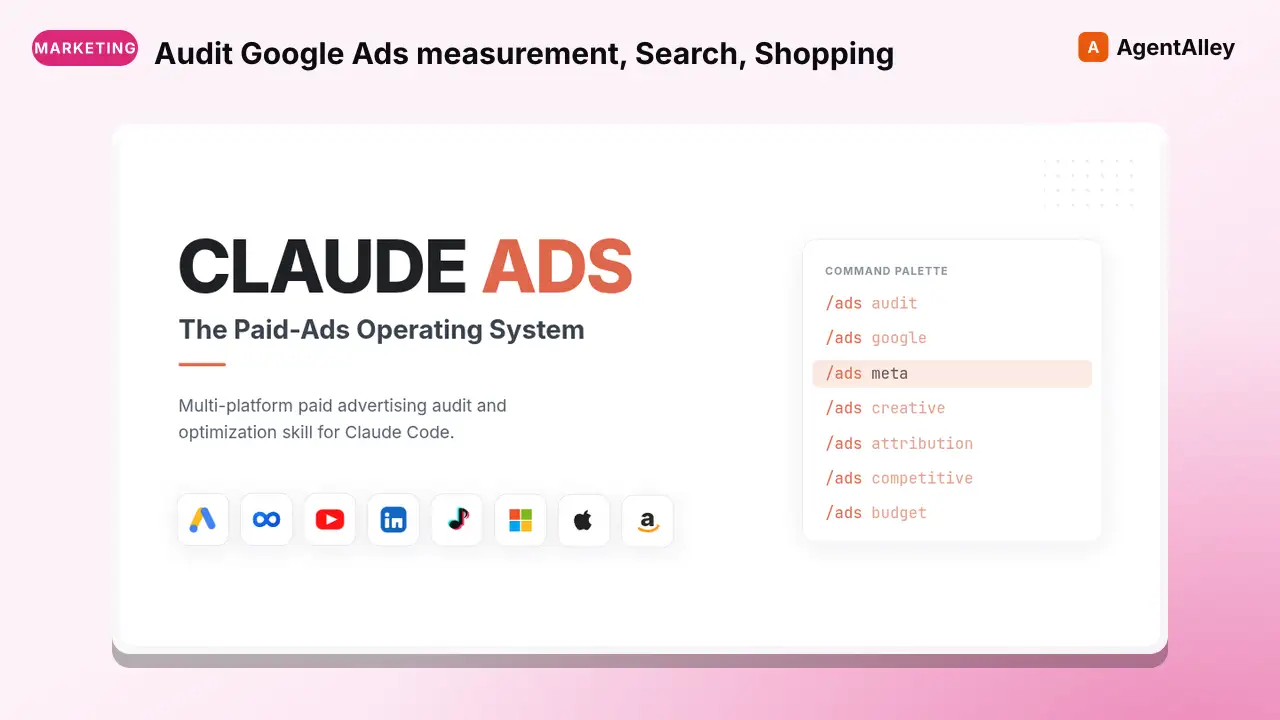 SkillAudit Google Ads measurement, Search, ShoppingGoogle Ads Audit
 AgriciDaniel/claude-ads · by AgriciDanielAudit Google Ads measurement, Search, Shopping, Performance Max, Demand Gen, YouTube-linked inventory, keywords and search terms, negative-keyword generation or review, creative assets, bidding, budgets, settings, and policy. Use for Google Ads, AdWords, Search campaigns, search terms reports, broad negatives, Shopping, Performance Max, PMax, Demand Gen, GAQL, Google conversion tracking, or Google campaign optimization.★ 9.5k GitHub stars
 SkillPaste what you're selling and share your MicrosoftMicrosoft Advertising AuditAgriciDaniel/claude-ads · by AgriciDanielPaste what you're selling and share your Microsoft Advertising numbers; get back a plain-English report on what's wasting money and what to fix first.★ 9.5k GitHub stars
More from gooseworks-ai
 SkillMine the highest-converting ad angles from customer reviewsAd angle miner
 gooseworks-ai/goose-skills · by gooseworks-aiMine the highest-converting ad angles from customer reviews, Reddit complaints, support tickets, and competitor ads. Extracts actual pain language, competitor weaknesses, and outcome phrases that real buyers use. Outputs a ranked angle bank with proof quotes and recommended ad formats per angle.★ 1.2k GitHub stars
 SkillAnalyze ad campaign performance data to identify what'sAd campaign analyzergooseworks-ai/goose-skills · by gooseworks-aiAnalyze ad campaign performance data (Google, Meta, LinkedIn) to identify what's working, what's wasting budget, and specific cut/scale/test recommendations. Runs statistical analysis, funnel diagnostics, and multi-channel budget reallocation with specific dollar-amount shift recommendations and scenario modeling.★ 1.2k GitHub stars
 SkillFor paid lead-gen and participant-recruitment adsAd lead quality analyzergooseworks-ai/goose-skills · by gooseworks-aiFor paid lead-gen and participant-recruitment ads, replaces vanity CPA with true CAC per qualified lead by joining ad-platform data with downstream funnel events, surfaces tracking gaps, and classifies every creative into Scale / Keep / Investigate / Cut.★ 1.2k GitHub stars
 SkillAnalyze the message match between your ads and landing pagesAd to landing page auditorgooseworks-ai/goose-skills · by gooseworks-aiAnalyze the message match between your ads and landing pages. Checks if the promise in the ad copy carries through to the landing page headline, body, and CTA. Flags disconnects that kill conversion rates. Works with Google, Meta, and LinkedIn ads.★ 1.2k GitHub stars
 SkillCheck and improve your brand's visibility across AI searchAeogooseworks-ai/goose-skills · by gooseworks-aiCheck and improve your brand's visibility across AI search engines (ChatGPT, Perplexity, Gemini, Grok, Claude, DeepSeek). Set up tracking, run visibility analyses, audit your website for AI readability, and get actionable recommendations. Uses the npx goose-aeo@latest CLI.★ 1.2k GitHub stars
 SkillSearch Amazon products - find items, compare pricesAmazon Product Searchgooseworks-ai/goose-skills · by gooseworks-aiSearch Amazon products - find items, compare prices, read reviews★ 1.2k GitHub stars